Wiring harness routing & packaging Rules Week 3 Challenge
Wiring harness routing & packaging Rules Week 3 Challenge
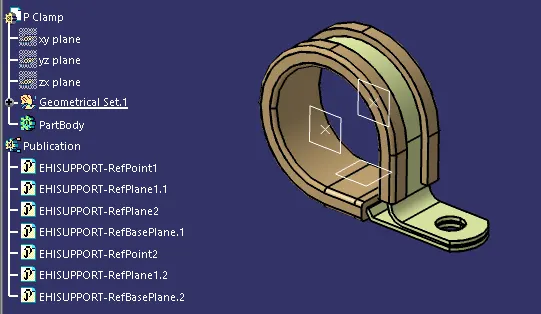
Q1. Download following cad data & define it as Electrical support using Electrical Part design Workbench. Define all the necessary properties
AIM:
Download following cad data & define it as Electrical support using Electrical Part design Workbench. Define all the necessary properties.
P clamp
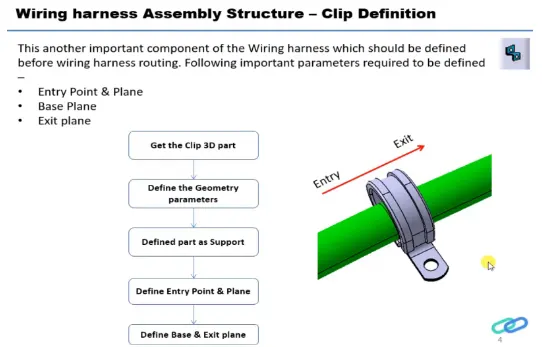
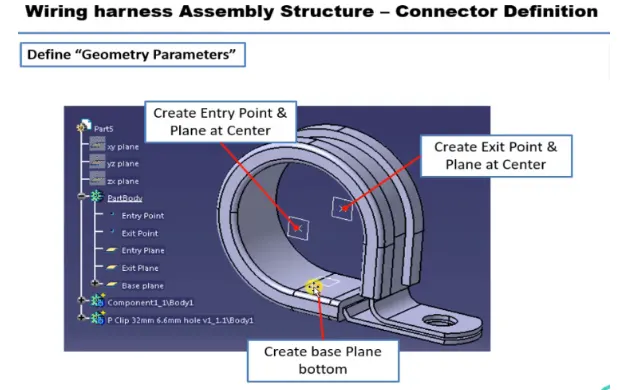
Create points & planes on entry, exit sides, Plane on Base side and switch to (electrical part design) In (Electrical support Tool) Define Base & Exit plane
Q2. Download following Back shell cad data & define it as Electrical back shell using Electrical Part design Workbench. Define all the necessary properties.
AIM:
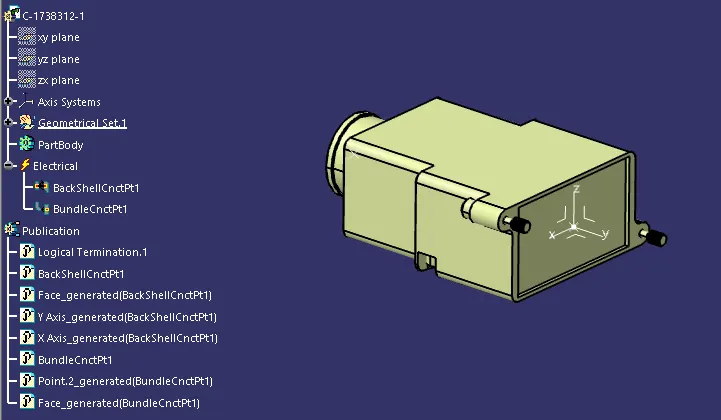
Download following Back shell cad data & define it as Electrical back shell using Electrica Part design Workbench. Define all the necessary properties.
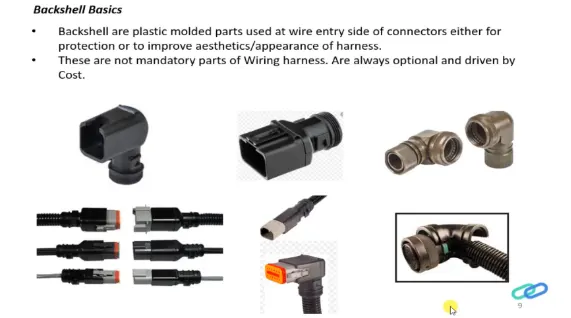
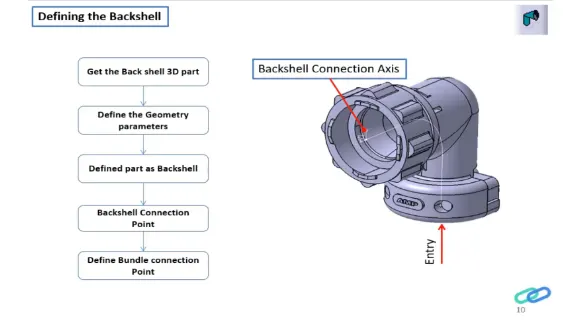
1.Create Backshell entry Point. Bundle connection point & Axis system for back shell entry.(Part Design)
2.Define part as Backshell, Define Backshell connection point, Define Bundle connection point.
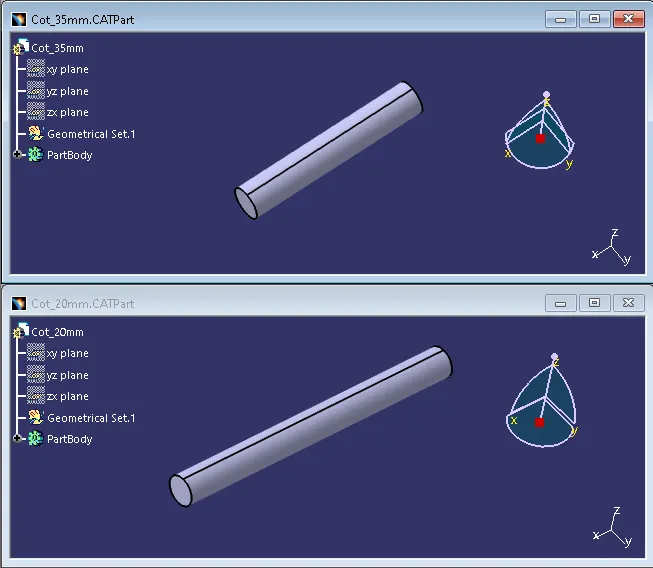
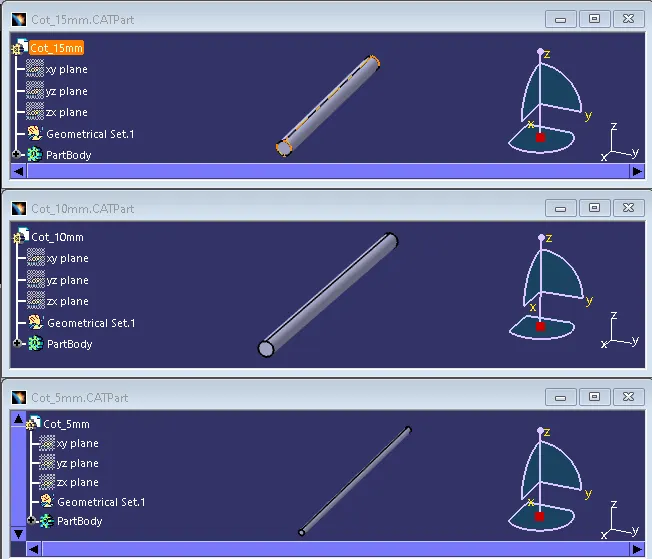
Q3. Create Following Corrugated tubes & Add them in Catalogue under “Slit COT” family.
AIM:
Create Following Corrugated tubes & Add them in Catalogue under “Slit COT” family.
|
Name |
ID (mm) |
OD (mm) |
Thickness (mm) |
|
15mm COT |
12 |
15 |
1.5 |
|
20mm COT |
17 |
20 |
1.5 |
|
35mm COT |
32 |
35 |
1.5 |
|
10mm COT |
7 |
10 |
1.5 |
|
5mm COT |
3 |
5 |
1 |
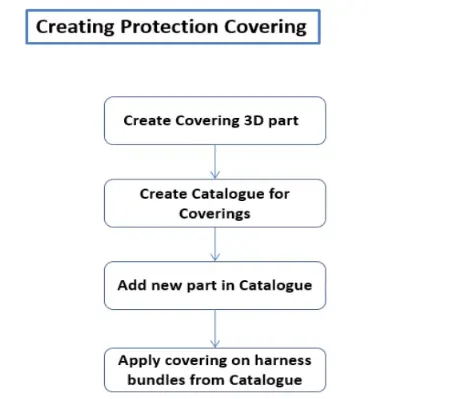
Switch to (electrical part workbench) define cot tubes,The inner dia & thickness are given inputs. bend radius as (1.5 x Outer Dia).New catalogue was created for the cot tubes.Add New part in Catalogue & Apply Covering on harness bundles from Catalogue