Wiring harness routing & packaging Rules Week 3 Challenge
Q1. Download following cad data & define it as Electrical support using Electrical Part design Workbench. Define all the necessary properties.
A) P Clamp was downloaded from the given link .
Procedure :
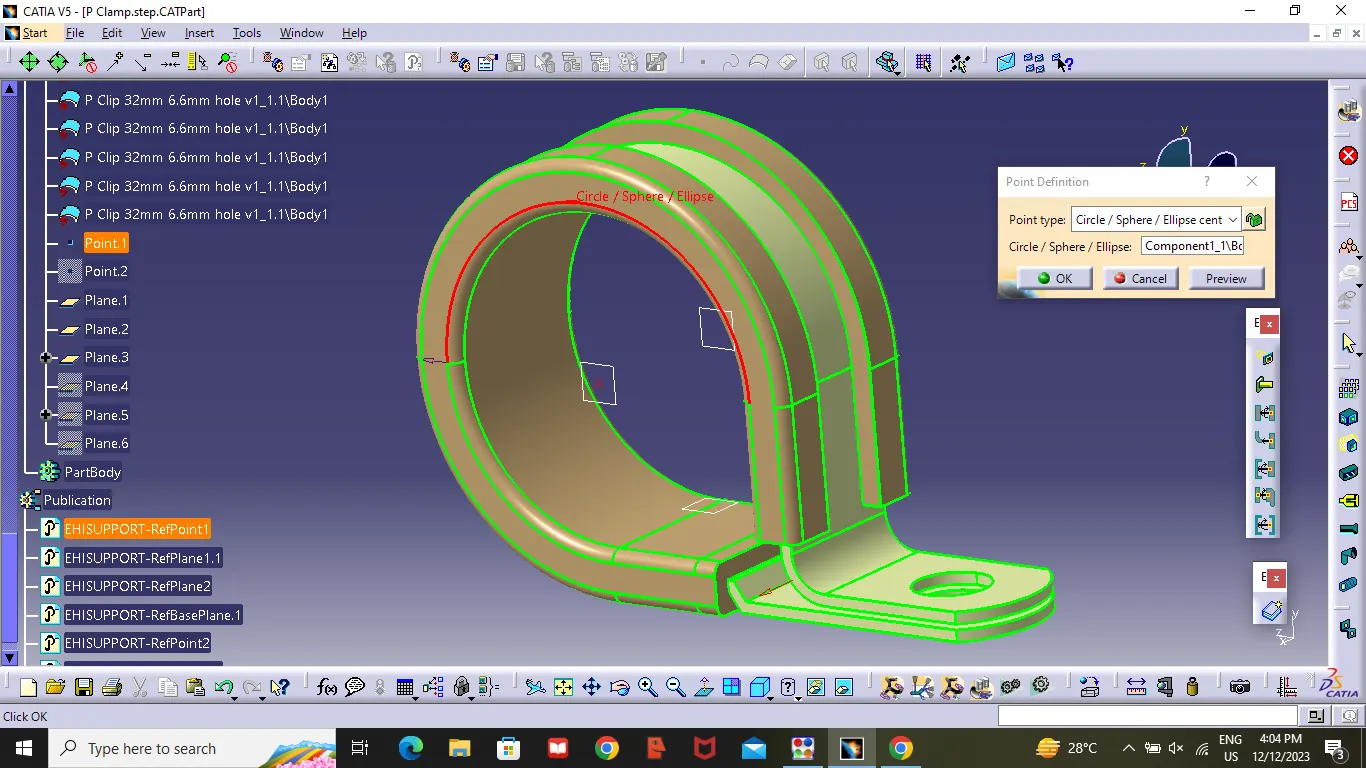
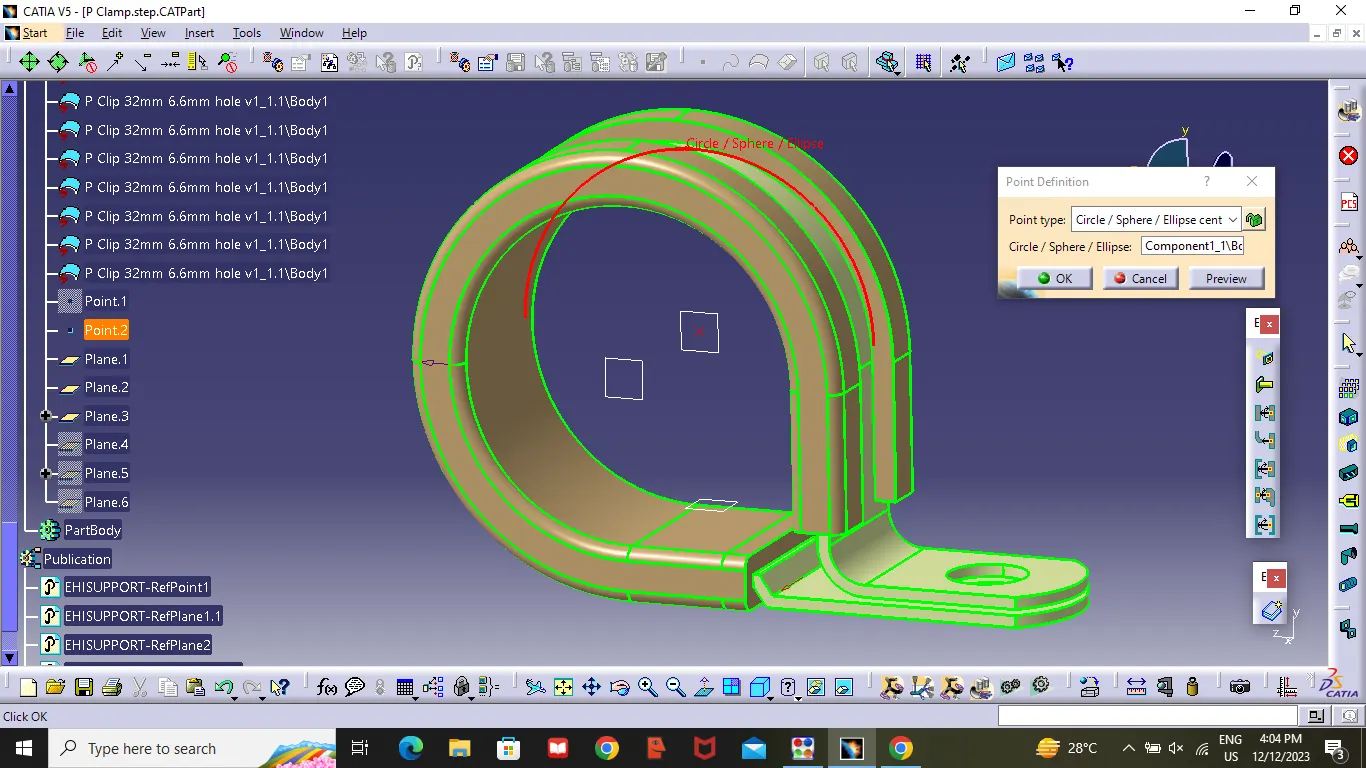
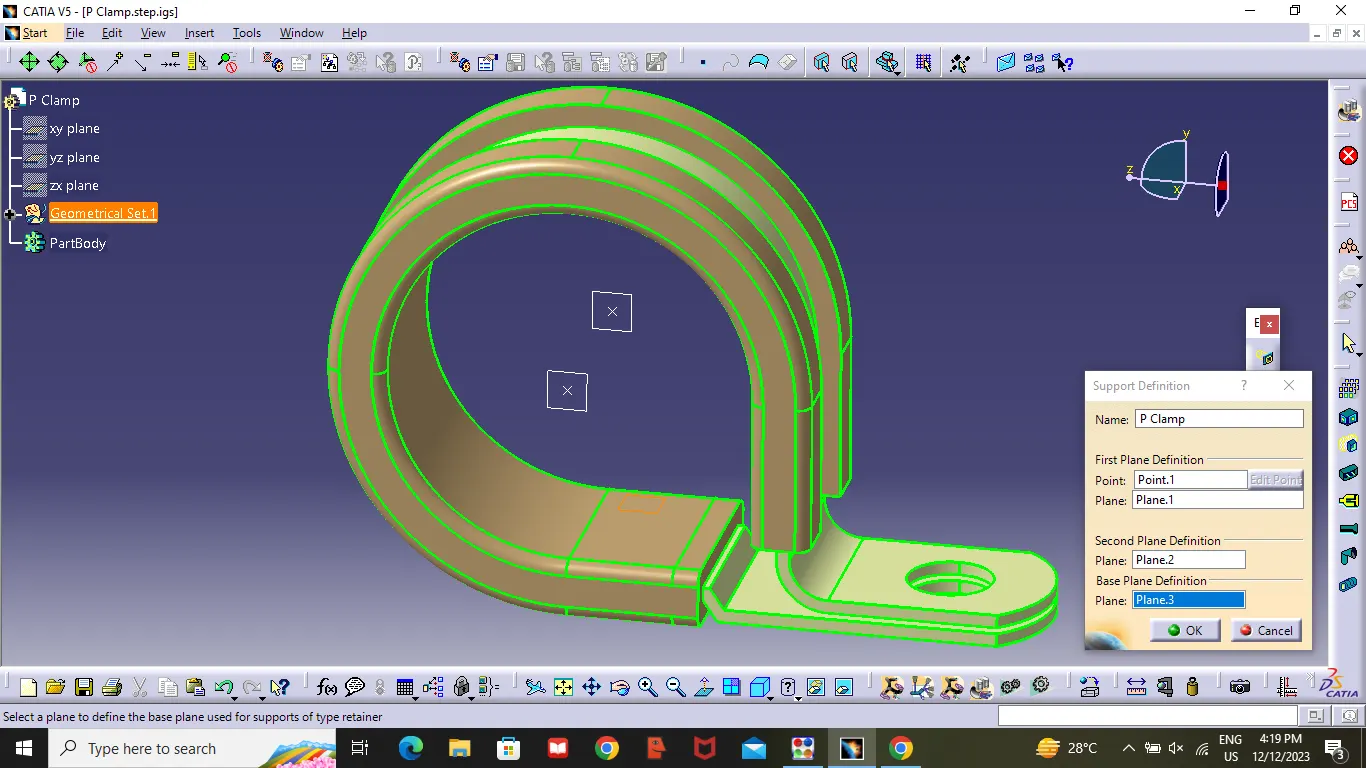
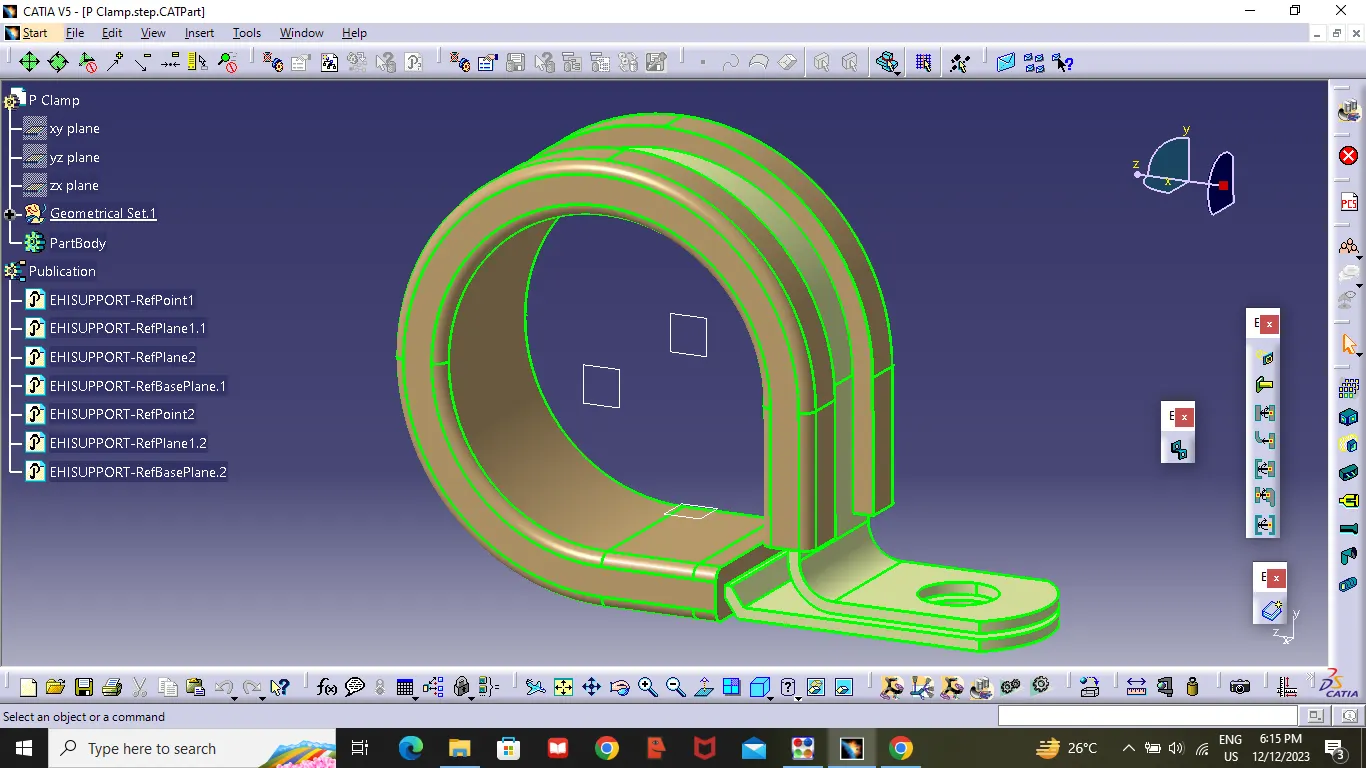
- Create two point's as showen in figure one is entry point and another is exit point .
- Create three planes , two planes at given two points and another last plane as base plane (as showen in the figure).
- Then switch to Electrical part design ,select Define suppot part tool-Select entry point -select entry plane -exit palne - base plane- Then Press OK .
- Repeat point 3,select Define suppot part tool-Select Exit point -select Exit plane -second plane definition plane was selected automatacally -select base plane .
Q2. Download following Back shell cad data & define it as Electrical back shell using Electrical Part design Workbench. Define all the necessary properties.
A) Tyco 1738312-1 was Downloaded From the Link.
Backshell :Back Shell are plastic molded parts used at wire entry side of connectors eiter for protection or to improve aesthetics/appearance of harness
Procedure :
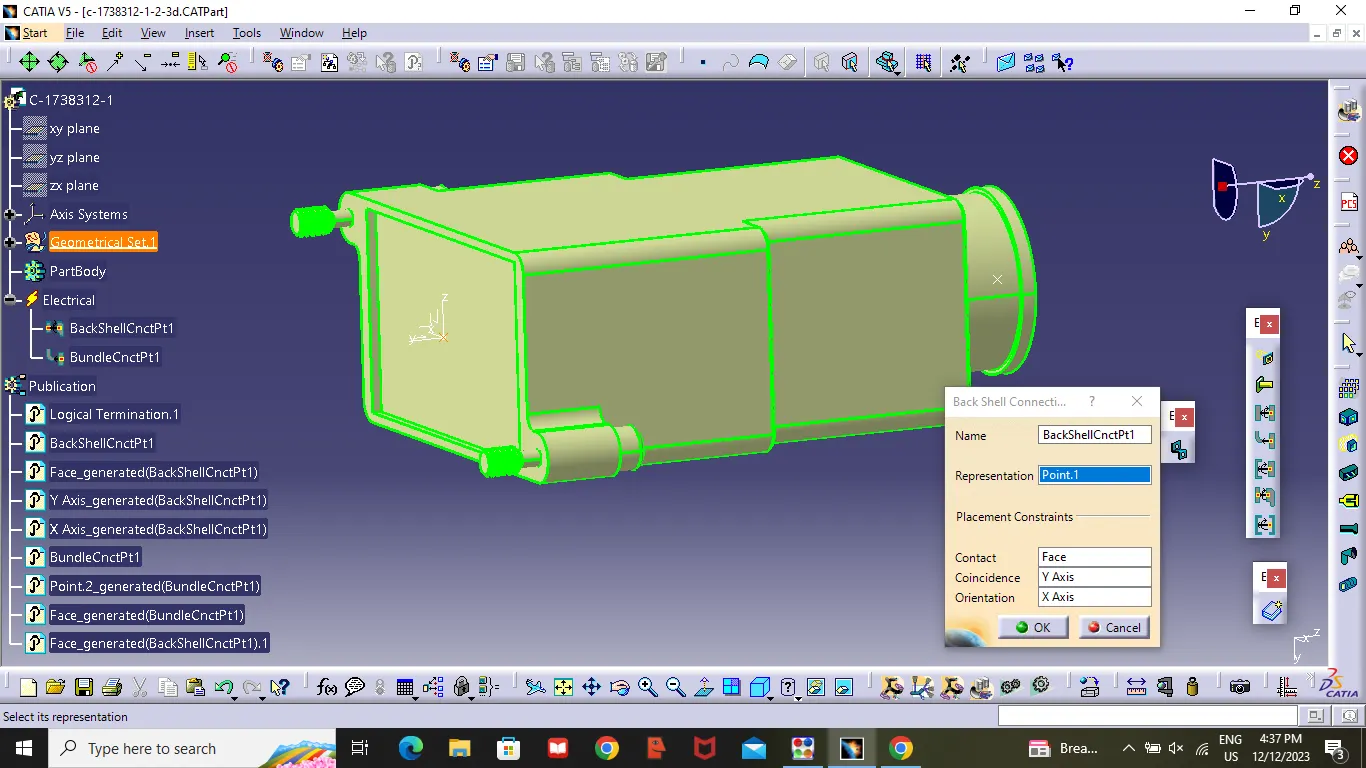
- Create a back shell entry point .
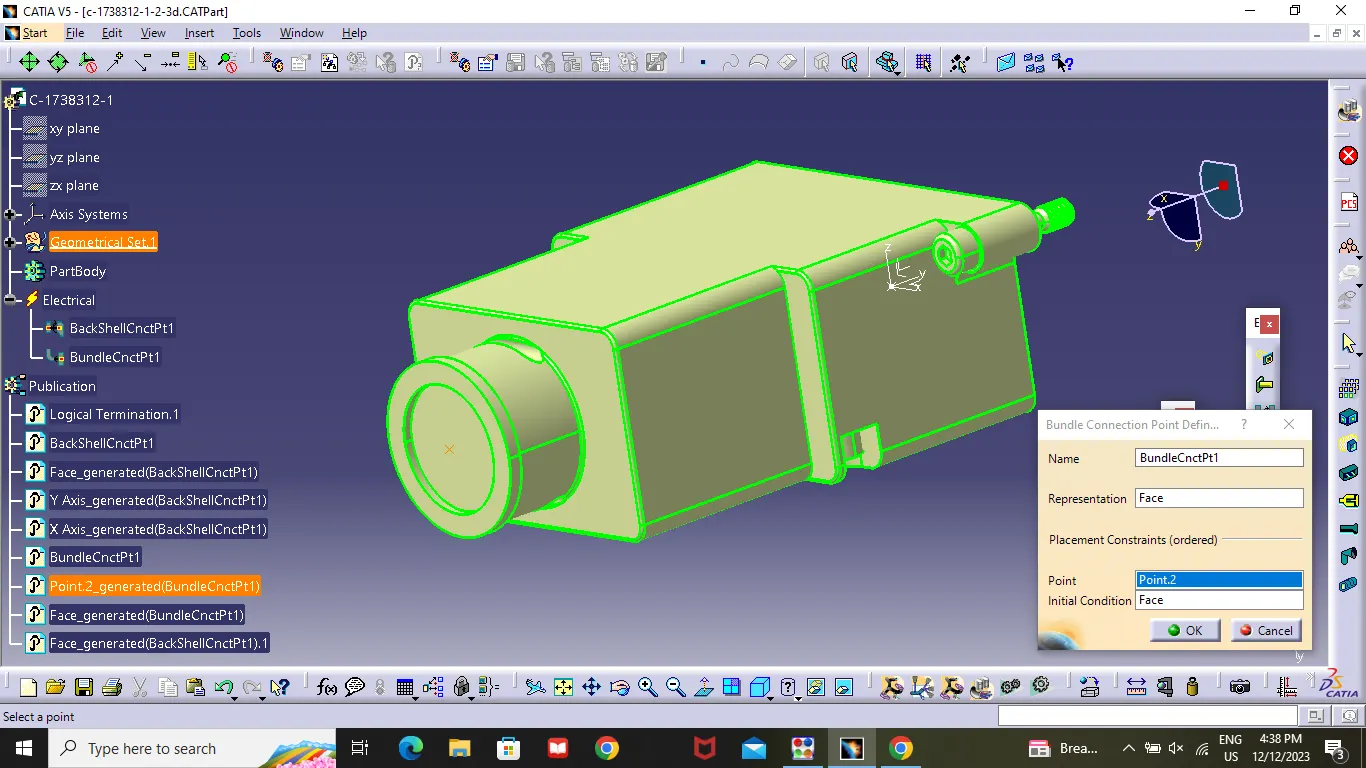
- Create bundle connection point .
- Create an axis system on back shell entry point .
- Then switch to electrical part design . and select back shell connection Tool-select back shell entry point -contact(connecting face)-coincidence(Y-axis)-Orientation(X-axis).
- Then select Bundle connection point tool - Face( Connecting face )-Point (Bundle connection point )-Initial condition (Connecting point).
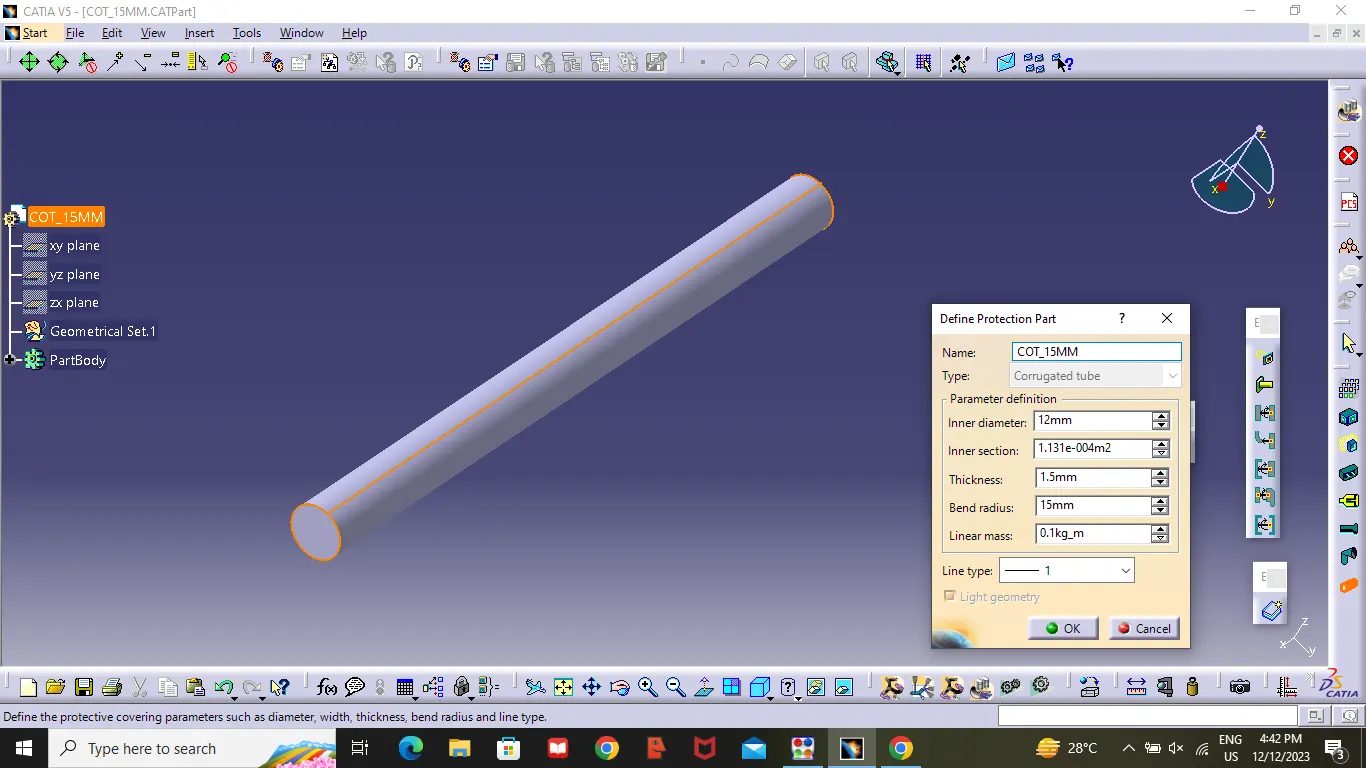
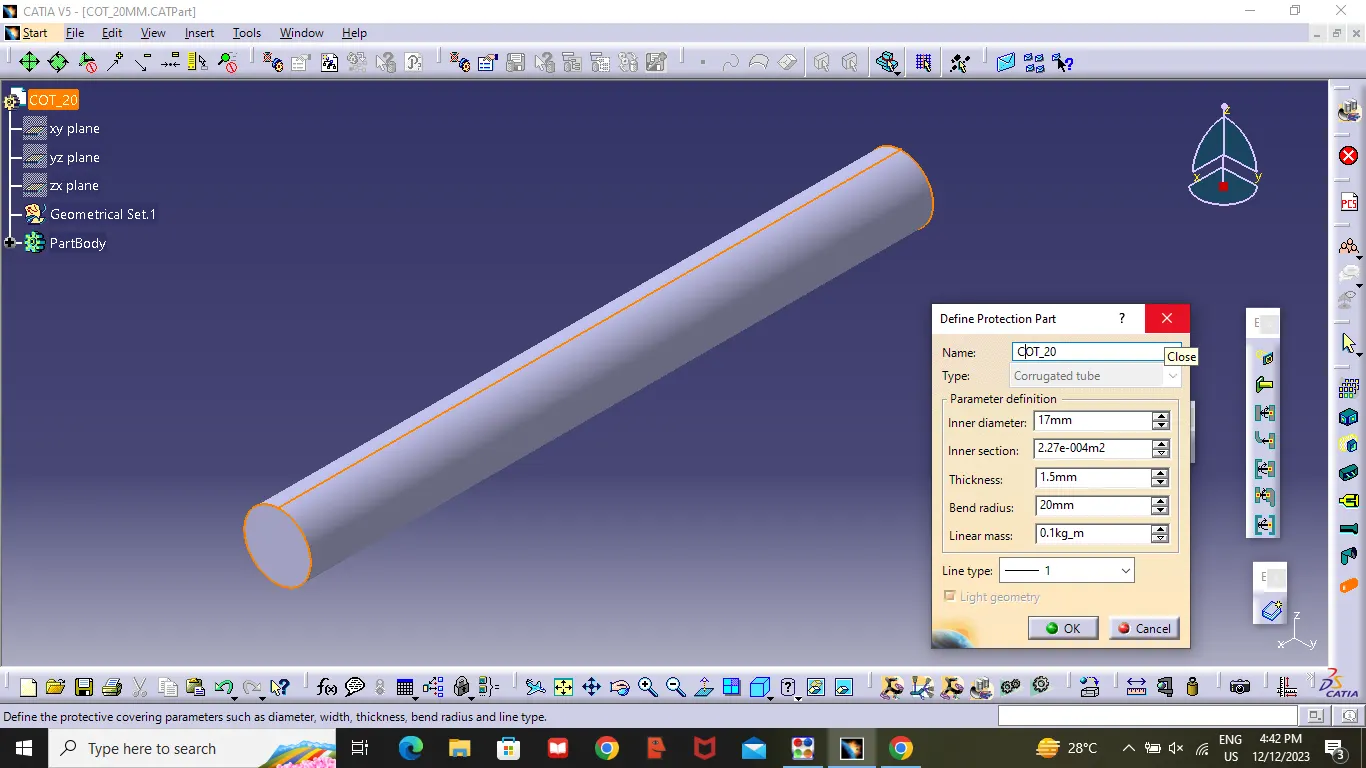
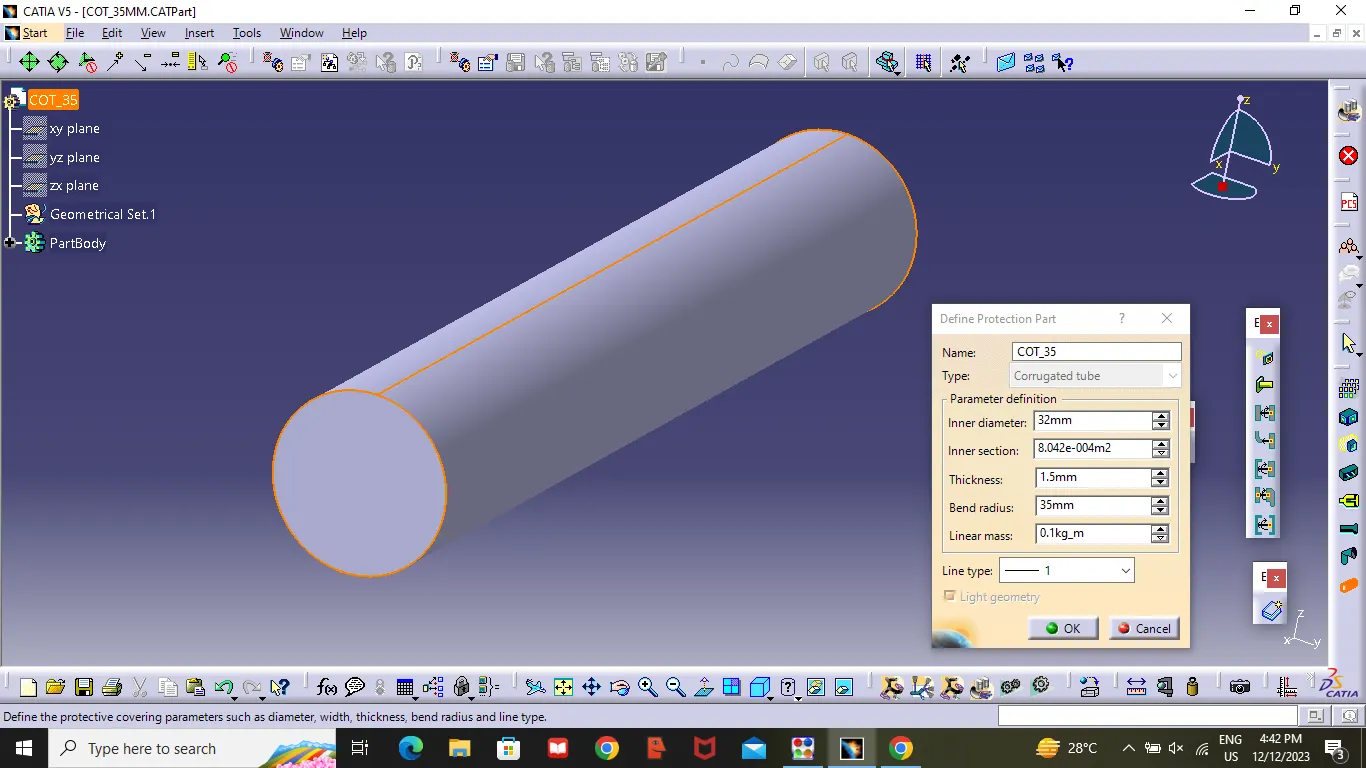
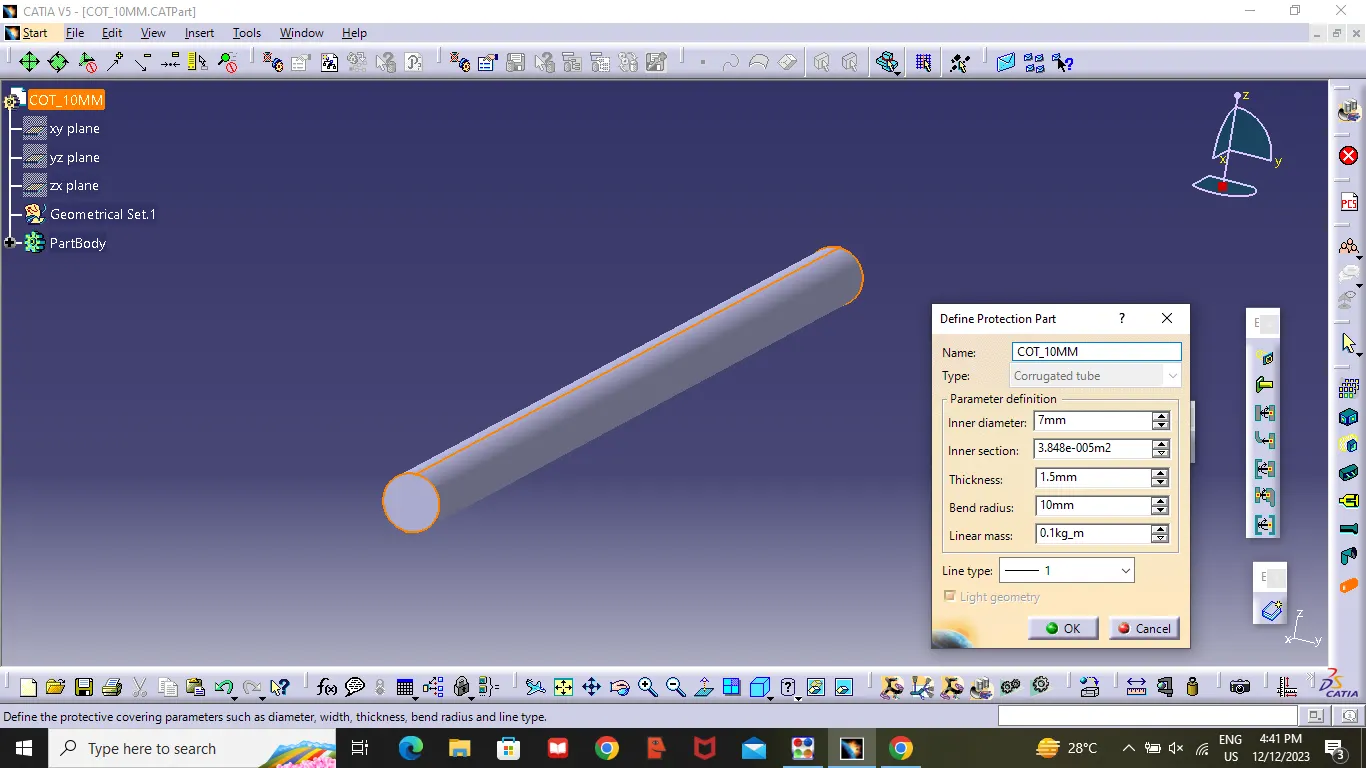
Q3. Create Following Corrugated tubes & Add them in Catalogue under “Slit COT” family.
|
Name |
ID (mm) |
OD (mm) |
Thickness (mm) |
|
15mm COT |
12 |
15 |
1.5 |
|
20mm COT |
17 |
20 |
1.5 |
|
35mm COT |
32 |
35 |
1.5 |
|
10mm COT |
7 |
10 |
1.5 |
|
5mm COT |
3 |
5 |
1 |
A)
Procedure :
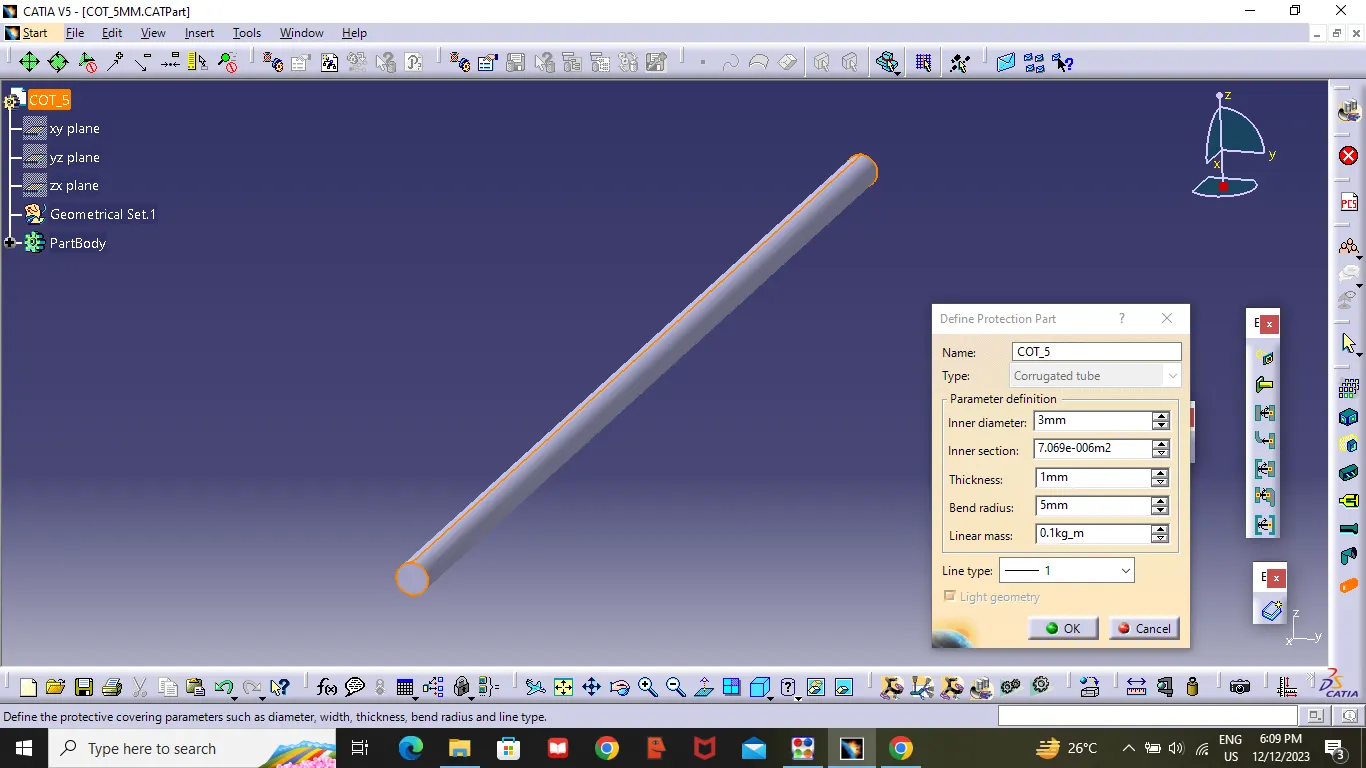
- Open Electrical Part Design.
- Select Define Protection Part Tool then click on part (on tree bar)
- Give the Required parameters (Inner diameter ,Outer Diameter, thickness) .
Catalogue Creation:
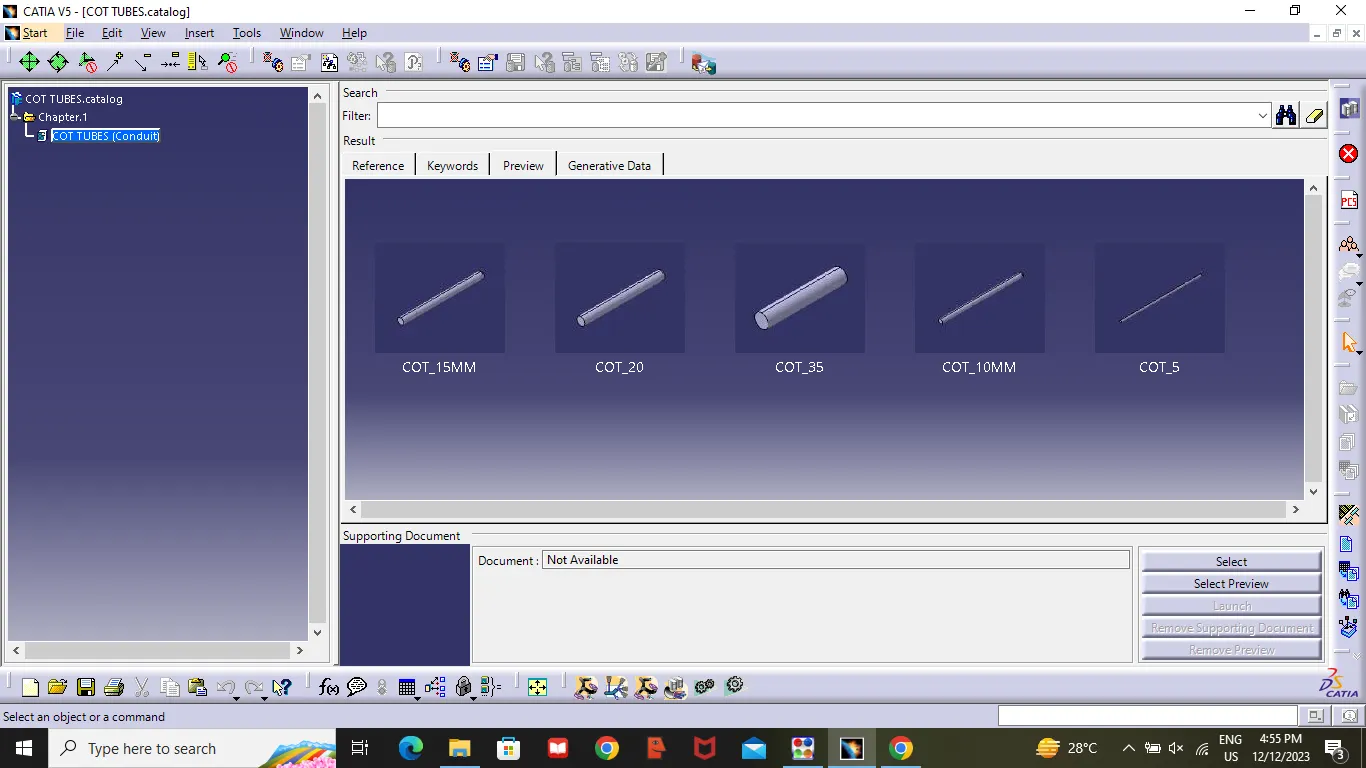
- New part -Catalogue Document-select Add family tool - Change the name as Cot tubes - standard(Conduit)-Ok-save the catalogue.
- then open Electrical Part Design -Select Device storage - select cot tube catalogue -open - Family (cot tube )-Ok .