Wiring harness routing & packaging Rules Week 3 Challenge
Wiring Harness Routing and Packaging Rules
AIM:
To solve the above assignment questions and define the necessary electrical properties in the respective workbench.
OBJECTIVE:
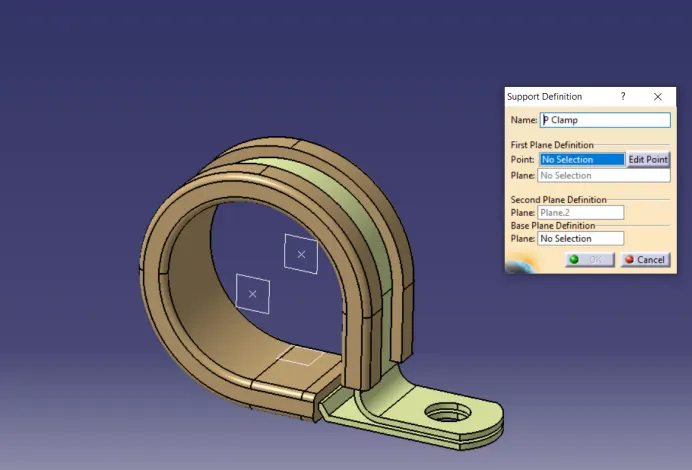
To download the P-Clamp CAD data and define it as Electrical Support in the Electrical Part design workbench and also define the necessary electrical properties.
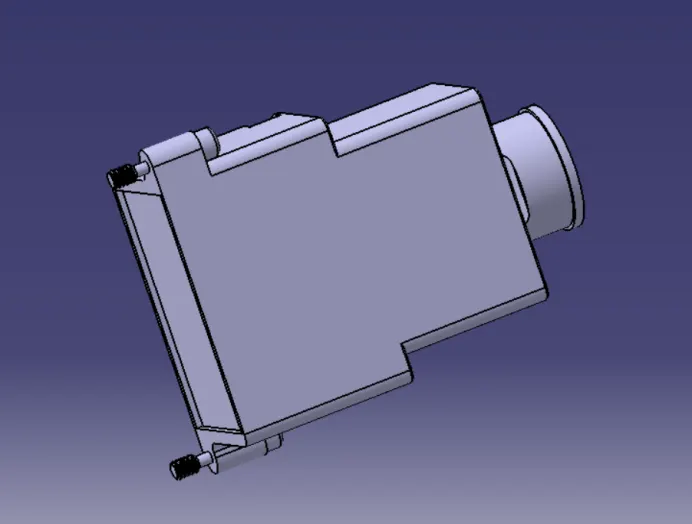
To download the Backshell CAD data and define it as an Electrical Back shell in the Electrical Part design workbench and also define the necessary electrical properties.
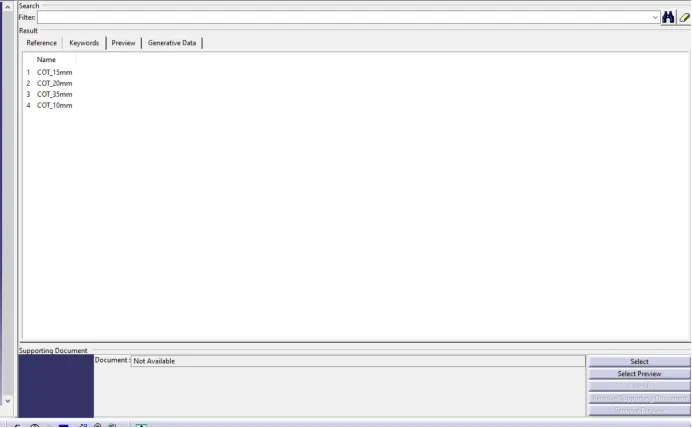
To create the Following Corrugated tubes and add them to the Catalogue under the “Slit COT” family.
|
Name |
ID (mm) |
OD (mm) |
Thickness (mm) |
|
15 mm COT |
12 |
15 |
1.5 |
|
20 mm COT |
17 |
20 |
1.5 |
|
35 mm COT |
32 |
35 |
1.5 |
|
10 mm COT |
07 |
10 |
1.5 |
|
05 mm COT |
03 |
05 |
01 |
SOLUTION METHODOLOGY:
- P - CLAMP:
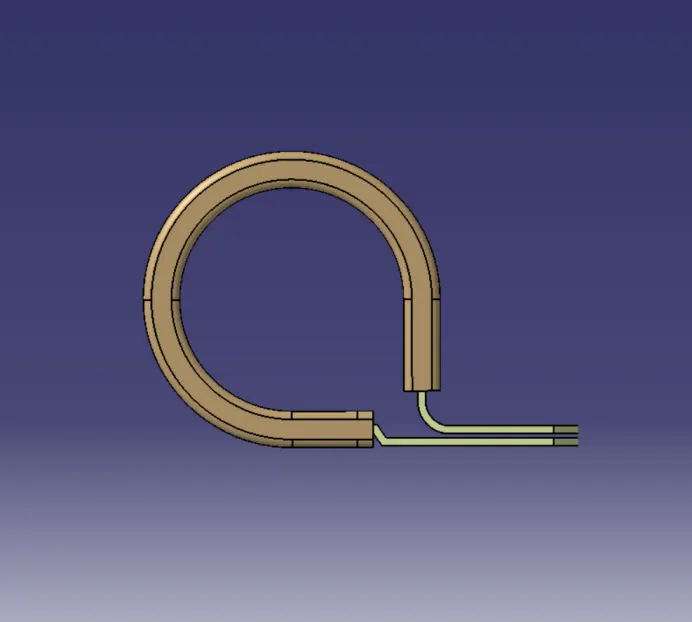
P-Clamp is Electrical Support equipment that provides support to the wire bundle to remain fixed to the automobile or any components or parts.
The wire bundle can enter and exit from any side as it is bi-directional equipment.
So, we need to specify the Entry and Exit points from both sides.
To define the P-Clamp as Electrical Support equipment we need to follow the below steps:
Step - 1:
First, download the CAD part and open it using the CATIA V5 software.
Step - 2:
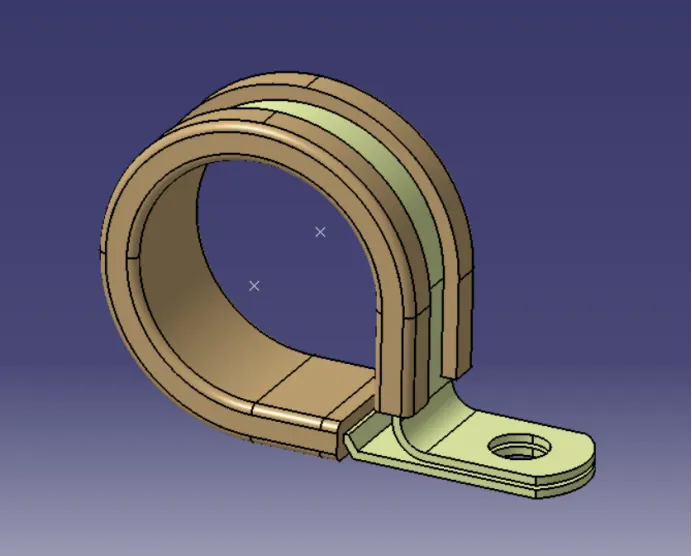
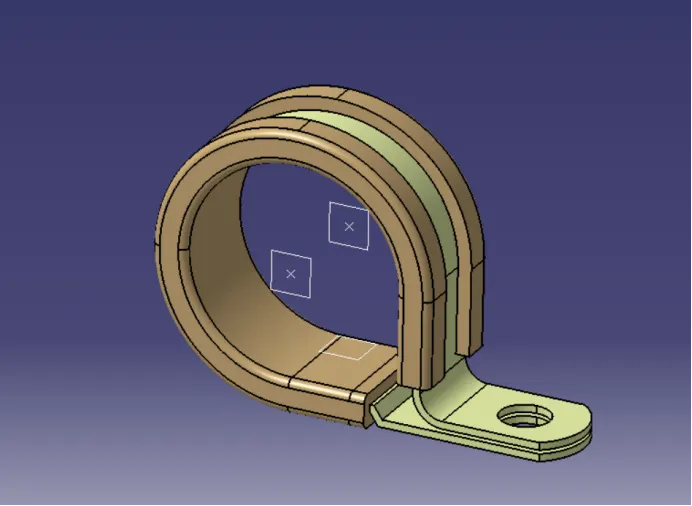
Now we have to define the geometry parameters.
To define the geometry parameters, we need to navigate to the Part Workbench.
Then we need to create points and plains at the entry and exit points.
Step - 3:
Now to define the P-Clamp as Electrical support, we have to navigate to the Electrical Part Design Workbench.
Now using the 'Define support part' option we can define the P-Clamp Entry and Exit points.
As the P-Clamp is Bi-directional so we need to define the support two times.
- BACKSHELL
A backshell is an accessory that mounts to the rear threads of a connector to enhance its operational characteristics. The primary function of a backshell is to provide strain relief, which minimizes stress from the cable, on the junction where the wires terminate to the contacts.
Backshells come in a variety of finishes, materials, and angle configurations. For material compatibility and aesthetics, backshells and connectors should have a matching material and finish. And to provide simple cable management, most backshells may be ordered at 45° and 90° angles.
To define the Electrical properties of the backshell we need to follow the below steps:
Step - 1:
First, download the 3-D CAD part of the backshell and open it using the CATIA V5 software.
Step - 2:
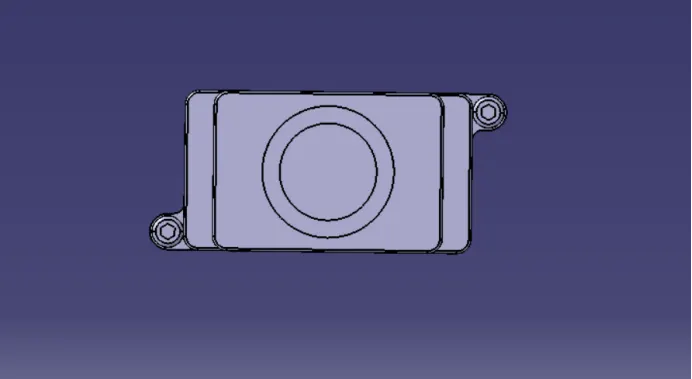
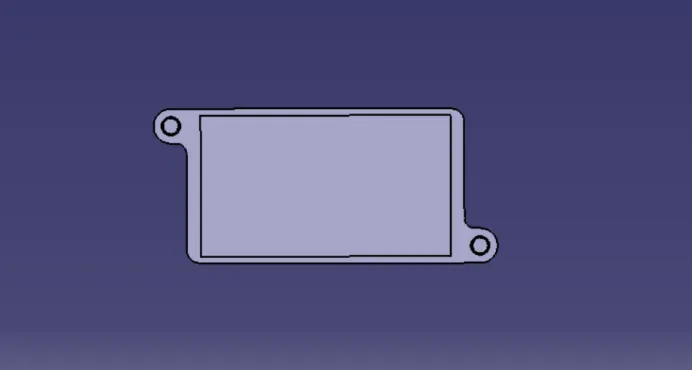
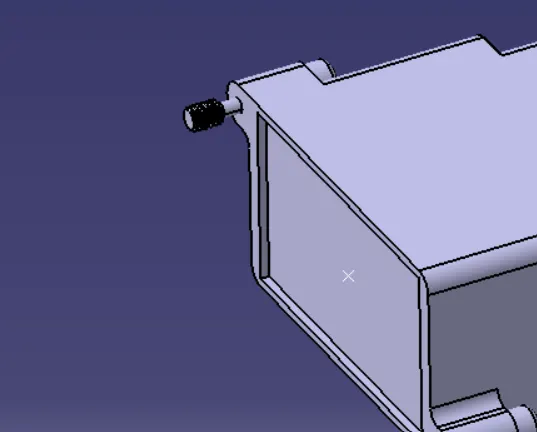
Identify from which side the bundle will enter and the side which will mate with the connector.
Bundle Entry Side:
Connector Entry Side:
Step - 3:
Create mid-point at the bundle entry side.
Create mid-point at the connector mating side.
Bundle Entry Side:
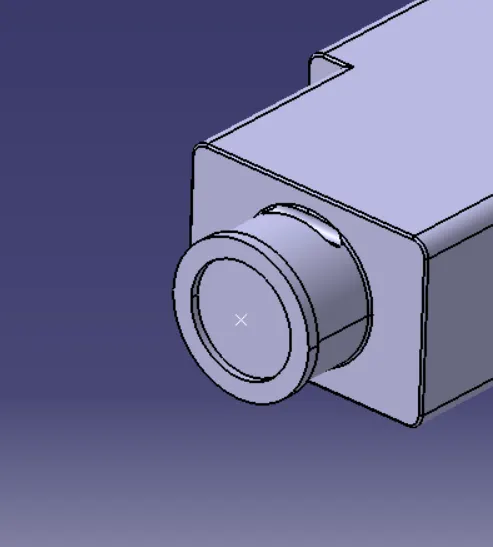
Connector Side:
Step - 4:
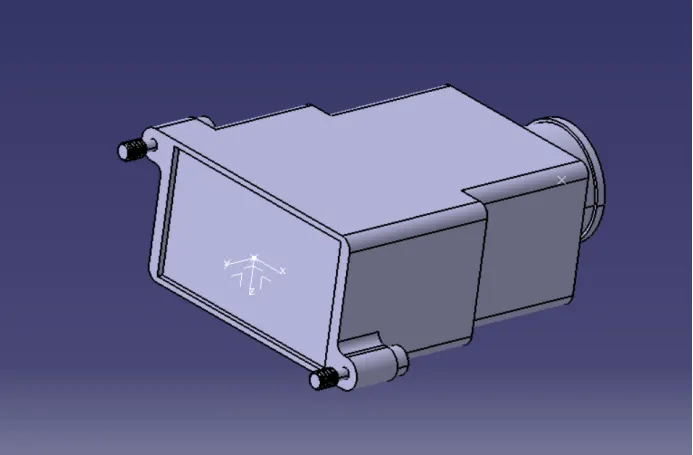
Create an Axis system at the Connector mating side.
The axis system should be created at the center of the mating surface.
The axis must be defined as defined for the connectors to show that it will connect easily.
Y- axis: Normal to the mating surface
X-axis: Normal to the locking side
Step - 5:
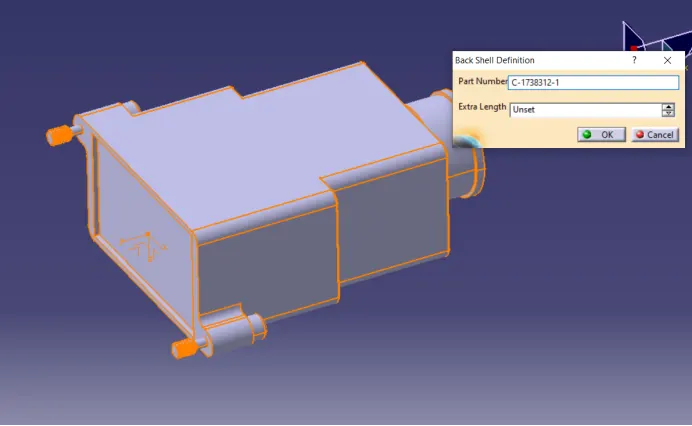
To define the Electrical properties, we need to navigate to the Electrical Part design workbench.
There we need to define the component as the 'Backshell'.
Step - 6:
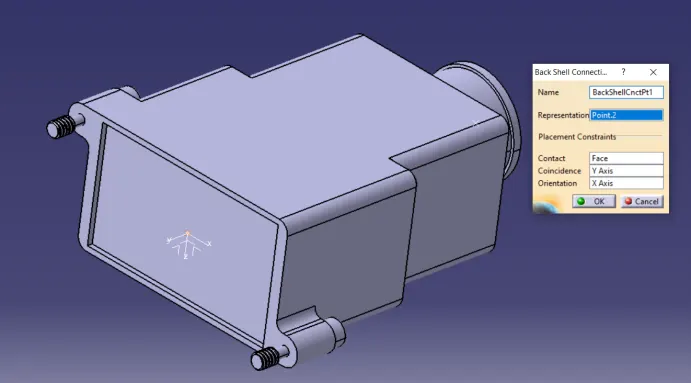
Define the Backshell connection point.
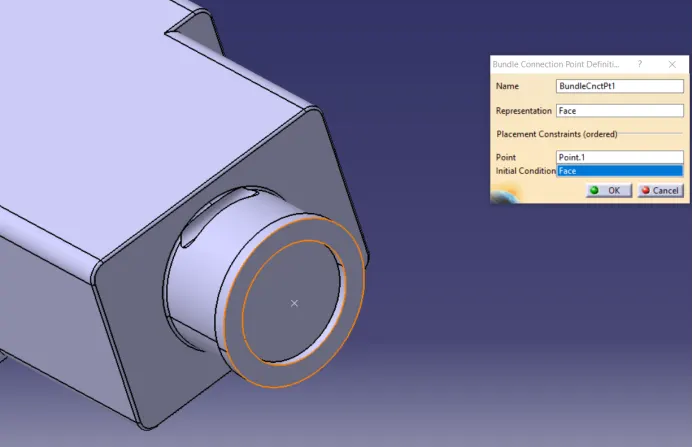
Then define the Bundle connection point.
Backshell Connection Point:
Bundle Connection Point:
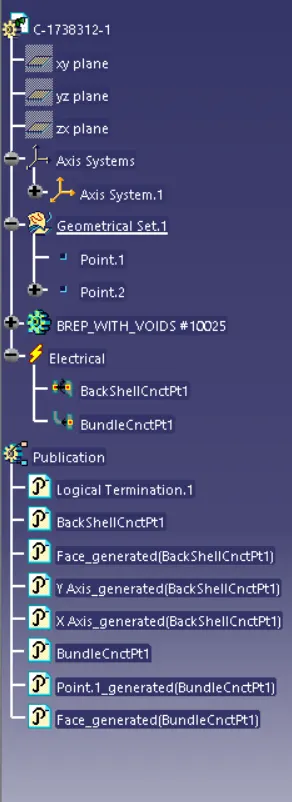
Feature Tree -
- CORRUGATED TUBES:
Corrugated Tubes are used as protection coverings for the wire bundle from any type of damage.
Step - 1:
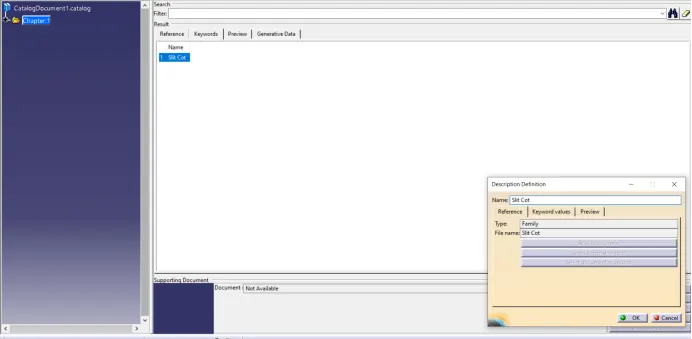
Create a Catalogue document and add Slit COT as a family and save the document in our desired folder.
Step - 2:
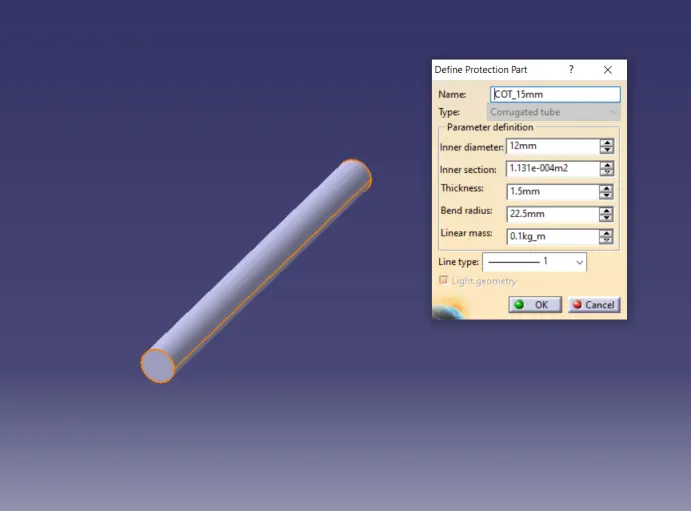
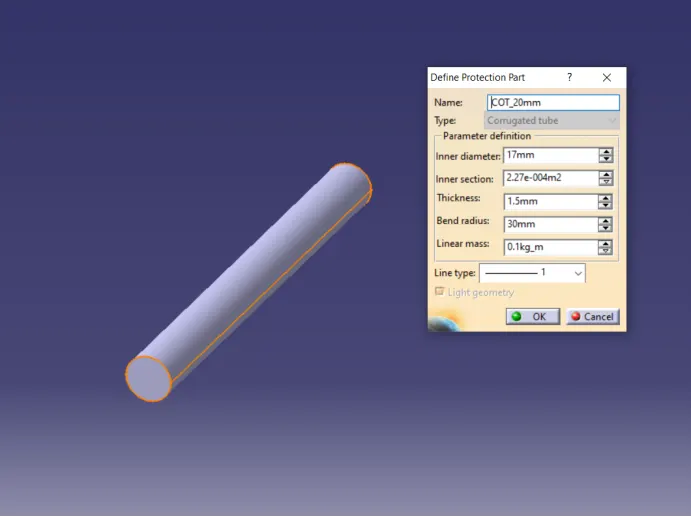
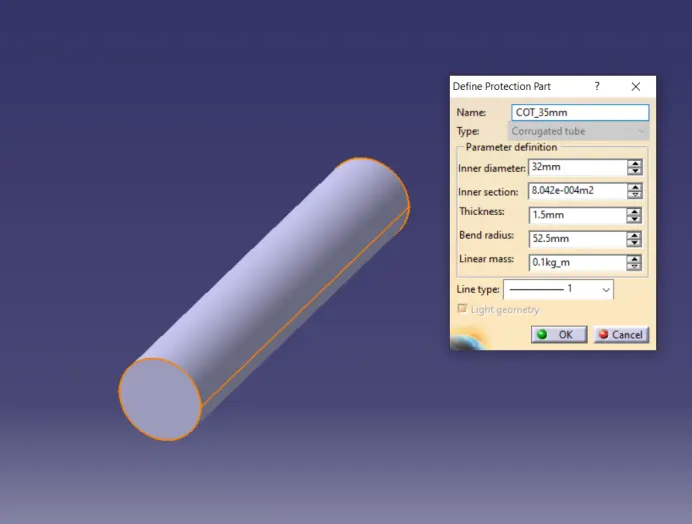
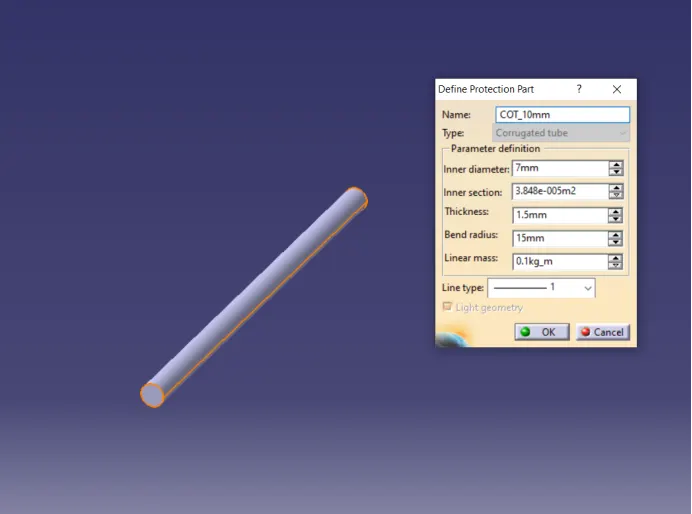
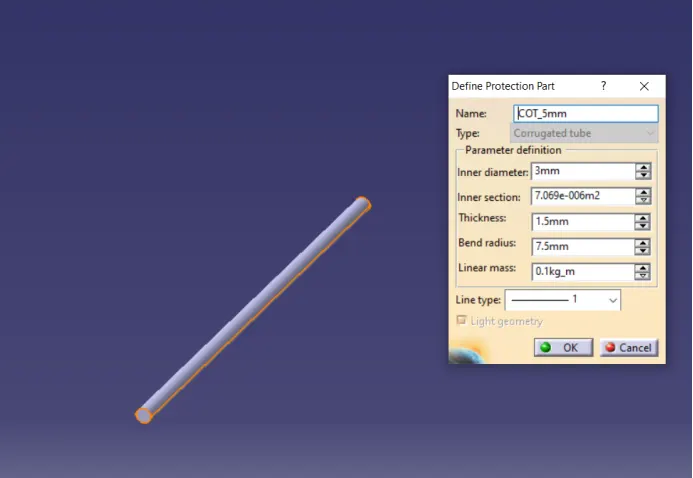
Creating the following corrugated tubes as per the dimensions given in the table and storing in the Slit COT family catalogue document.
|
Name |
ID (mm) |
OD (mm) |
Thickness (mm) |
|
15 mm COT |
12 |
15 |
1.5 |
|
20 mm COT |
17 |
20 |
1.5 |
|
35 mm COT |
32 |
35 |
1.5 |
|
10 mm COT |
07 |
10 |
1.5 |
|
05 mm COT |
03 |
05 |
01 |
COT 15mm
COT 20mm
COT 35mm
COT 10 mm
COT 5 mm
Catalogue