Advanced Sheet Metal Design Using NX Cad Challenge_1_Casing Design
Designing of Sheet Metal Casing in NX CAD Sheet Metal Application
- Aim - To design Sheet Metal casing using Siemens NX CAD sheetmetal application.
- Objectives -
- To design Sheet Metal casing using Siemens NX CAD sheetmetal application.
- To draft the Sheet Metal casing using Siemens NXCAD Drafting application
- To master the user interface and basic features of Sheetmetal applications in NX like Tab, Flange, Break Corner, Unbend, Creating Holes, Rebend, Dimple, Bead, Mirror Feature, and Flat pattern.
- Introduction -
- Siemens NX CAD - Siemens NX software is a flexible and powerful integrated solution that helps you deliver better products faster and more efficiently. NX CAD delivers the next generation of design, simulation, and manufacturing solutions that enables companies to realize the value of the digital twin. NX, formerly known as “Unigraphics”, is an advanced high-end CAD/CAM/CAE, which has been owned since 2007 by Siemens PLM Software. In 2000, Unigraphics purchased SDRC I-DEAS and began an effort to integrate aspects of both software packages into a single product which became Unigraphics NX or NX.
- Sheet Metal - Sheet Metal is metal formed by an industrial process into thin, flat pieces or Sheetmetal is a comprehensive cold working process for metal sheets usually below 6mm, including shearing, punching/cutting/folding, riveting, splicing, etc.
- Sheetmetal is one of the fundamental forms used in metalworking and it can be cut and bent into a variety of shapes. Countless everyday objects are fabricated from sheetmetal. Thickness can vary significantly; extremely thin sheets are considered foil or leaf, and pieces thicker than 6mm are considered plate steel or structured steel.
- 3D CAD files are converted into machine code, which controls a machine to precisely cut and forms the sheets into the final part.
- In the Sheet Metal application, we can create uniform thickness sheetmetal parts using basic features such as flanges, tabs, and jags. We can also do close corners, cutout, and stiffening features. The complex sheetmetal part can be designed in the solid model workbench and then we can convert it into a sheetmetal part. We can also import, clean up and convert a non-sheet metal part into a valid sheetmetal part. Flat pattern sheetmetal data can be used for the manufacturing process. The Material parameters such as thickness, bend radii, and bend relief can be easily set as the default settings.
- Design Methodology -
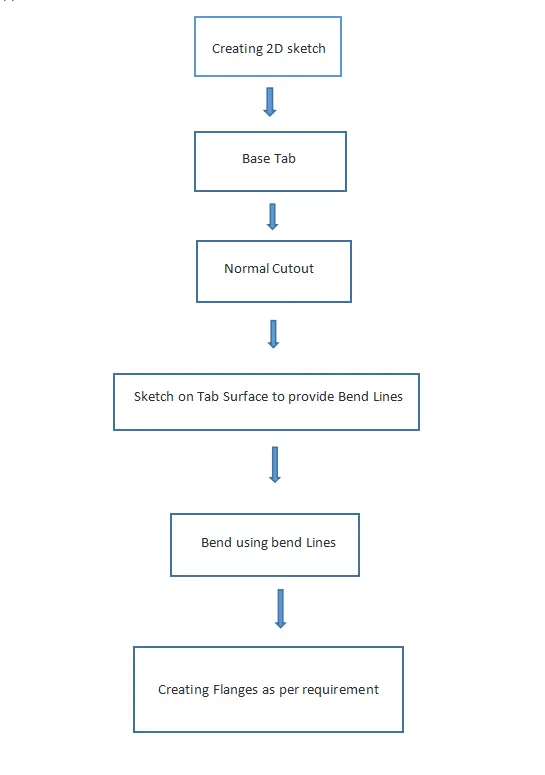
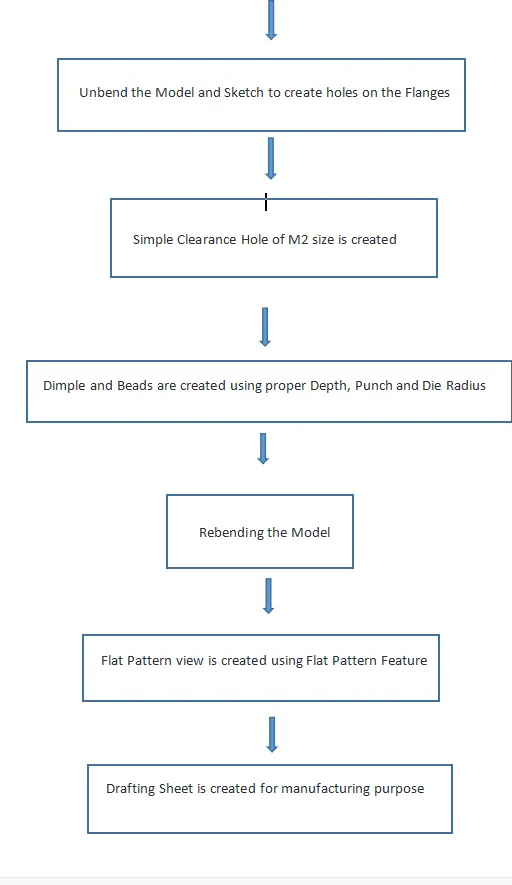
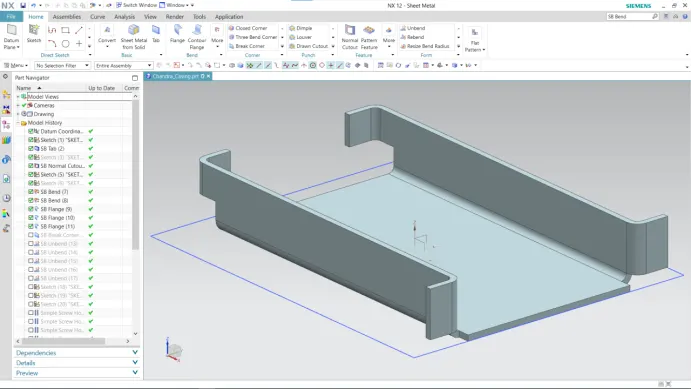
In this flow chart, we are going to discuss step by step process of the model is formed with the sheet metal application.
- Description -
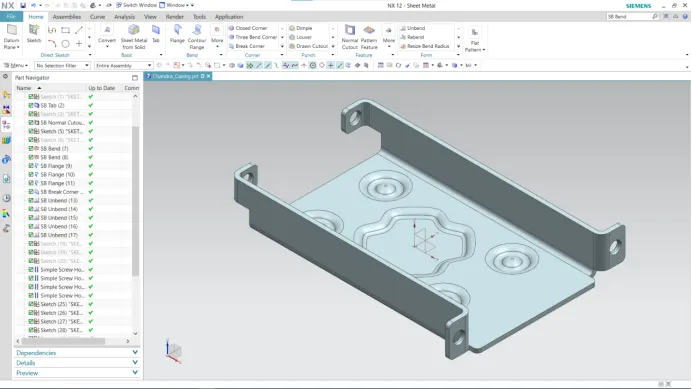
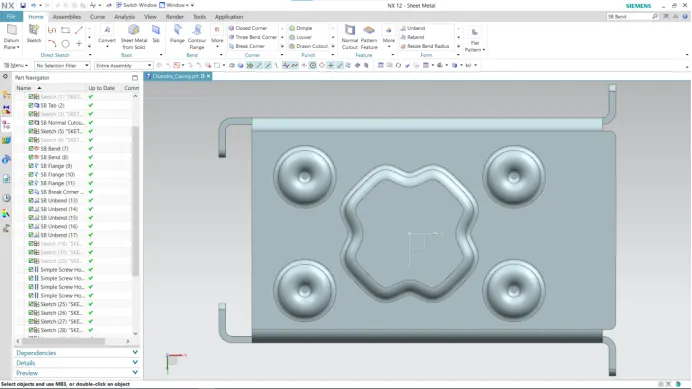
The sheetmetal casing has been designed with the above flow chart process. While designing the casing the default thickness, bend radius, relief depth, and relief width value are set to 1mm.
- Features used -
The features used in NX CAD in designing sheetmetal casing are -
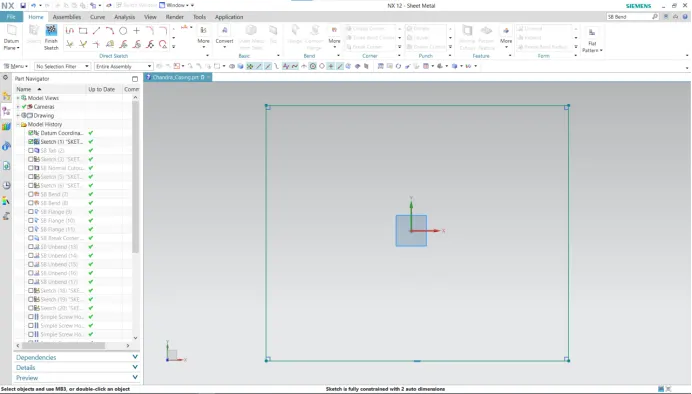
- Creating 2D sketch - 2D Sketch is created on XY, XZ, or YZ plane. With the help of a 2D sketch, we create 3D features.
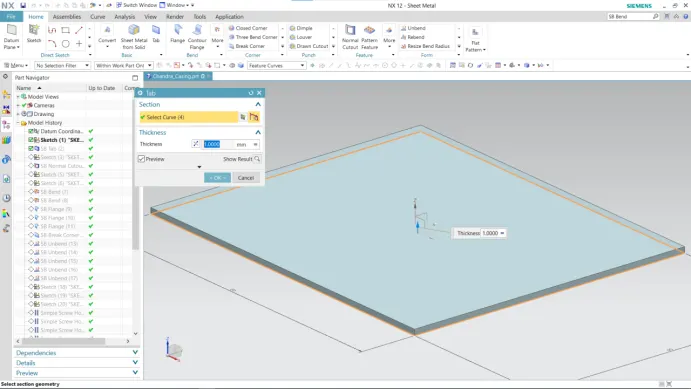
- Tab Feature - The Tab feature creates a base feature by extruding a sketch along a vector by a thickness value, or adds material to the planar face. Additional planar selections can be added to generate bends as part of the base feature.
- Normal Cutout - The normal cutout feature cuts the material by projecting a sketch onto the model and then cutting perpendicular to the faces intersected by the projection.
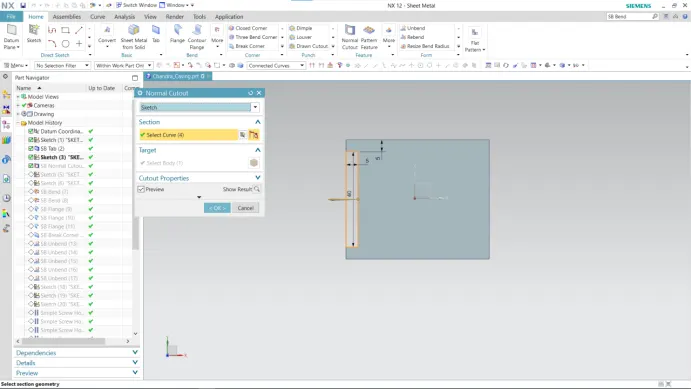
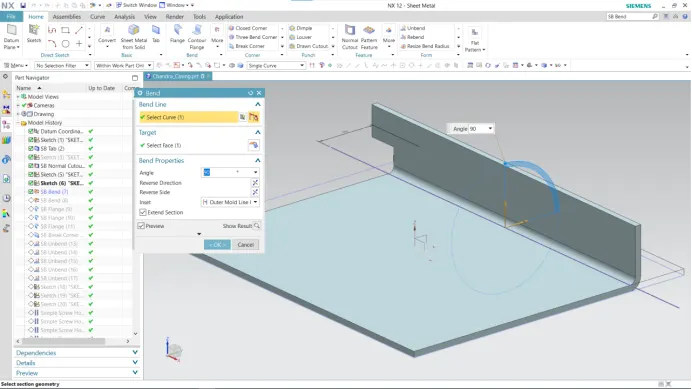
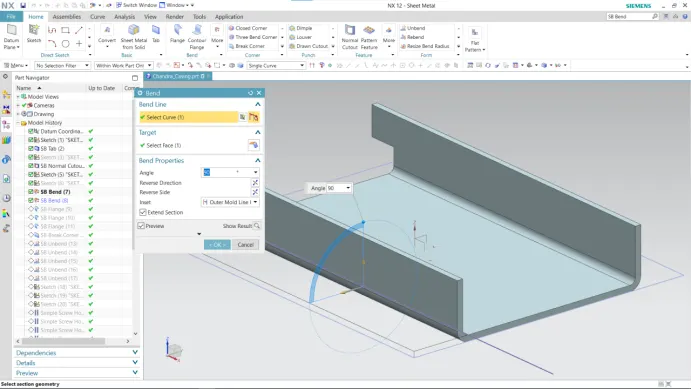
- Bend Feature - This feature is used to bend sheet metal as per the required shape. To perform this operation we have to select the face and sketch for bending.
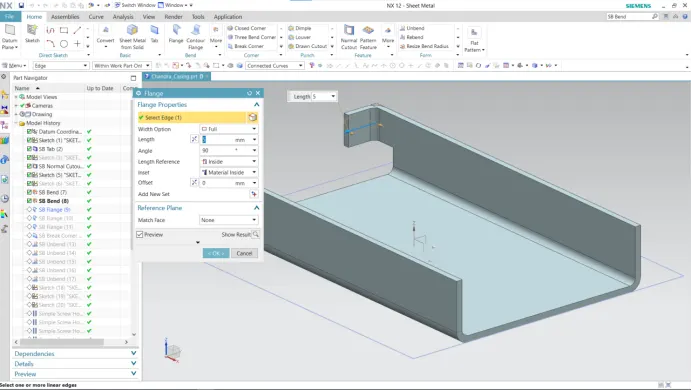
- Flange Feature - The Flange feature adds a flat flange at an angle to the planar face and adds a bend between the two. While creating flange we have to set different parameters such as length of the flange, its angle, length reference (inside, outside, or web), inset (Material inside, Material outside or bent outside). Other parameters like bend radius, bend relief, and Neutral factor are also needed to be considered.
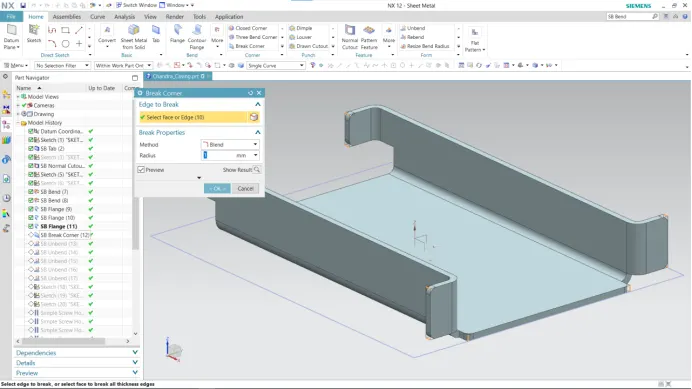
- Break Corner Feature - It creates Rounds or chamfers in a sharp corner of a tab or a flange.
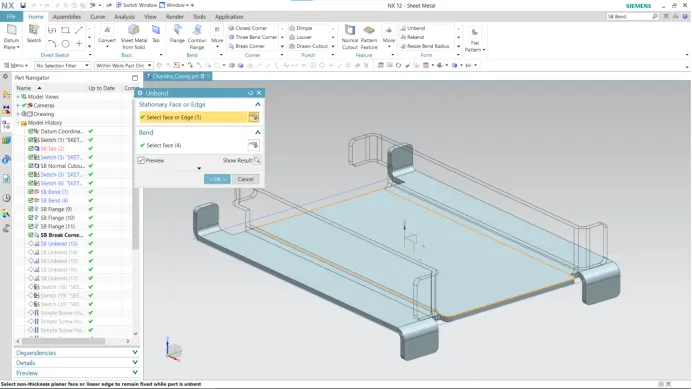
- Unbend - This command is used to unbend the sheetmetal. The punching operation can be performed only by unbending the sheetmetal.
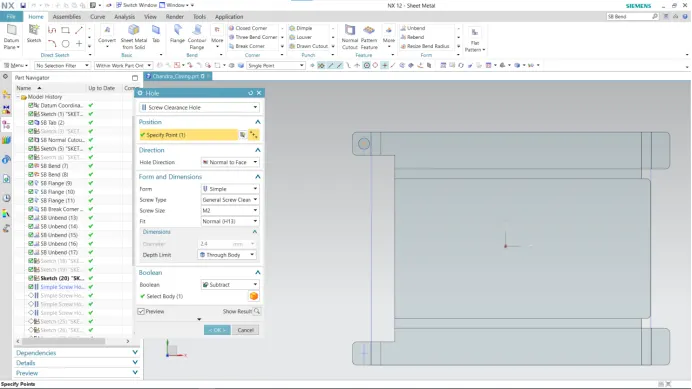
- Hole Feature - This feature adds a hole to one or more solid bodies in a part or assembly with options for counterbore, countersink, or threaded.
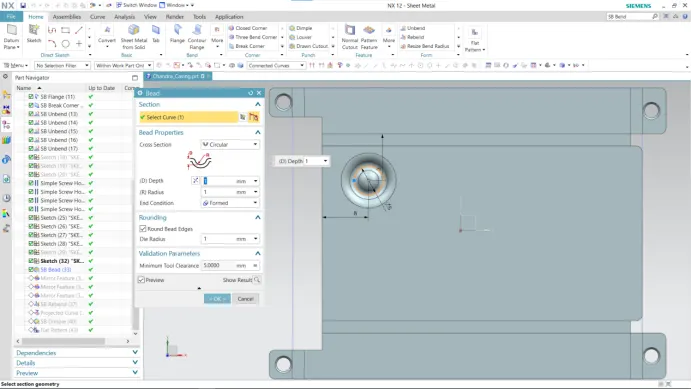
- Bead - The bead is like a raised rib in the sheetmetal panel. It requires that you have at least one sheet metal panel in the active part as well as an open or closed-loop sketch.
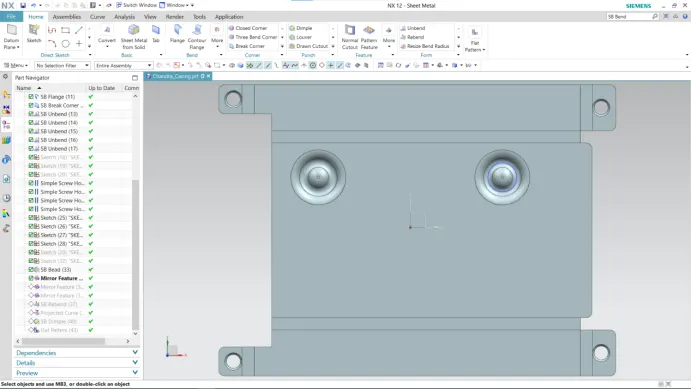
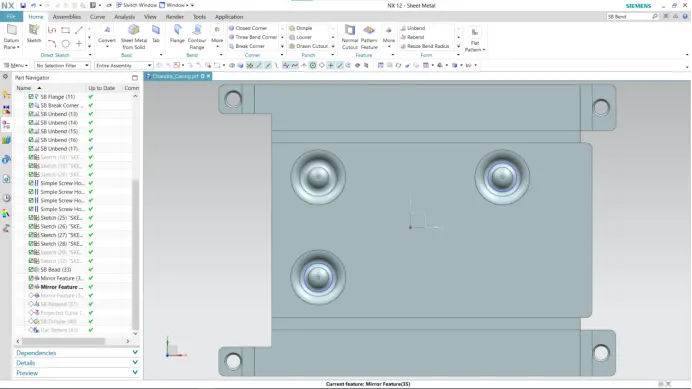
- Mirror - This feature is used to copy features across planes.
- Mirror in YZ Plane -
- Mirror in XZ Plane -
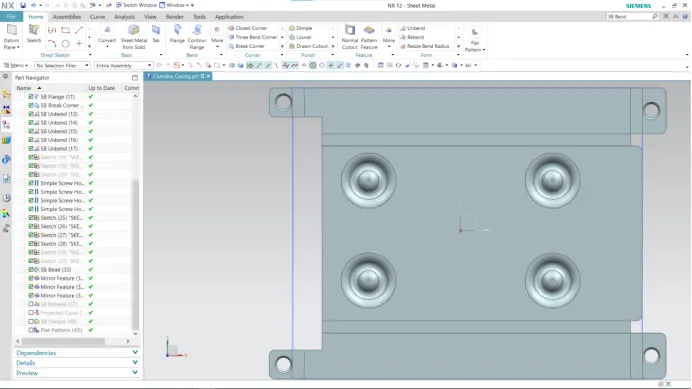
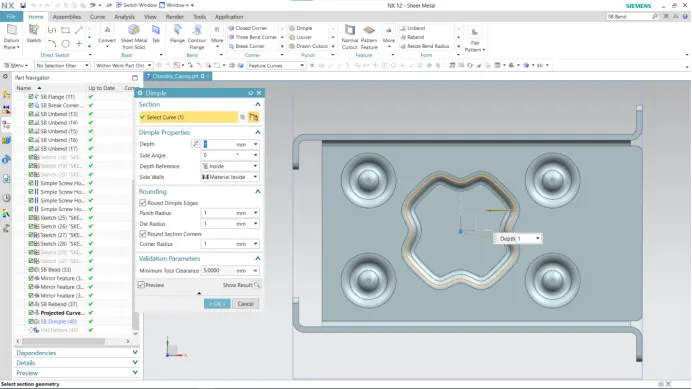
- Dimple - This feature is used to lift an area of the model inside a sketch that simulates a stamping tool. The Dimple command makes an indentation in the sheetmetal part, using a sketched section as its outline.
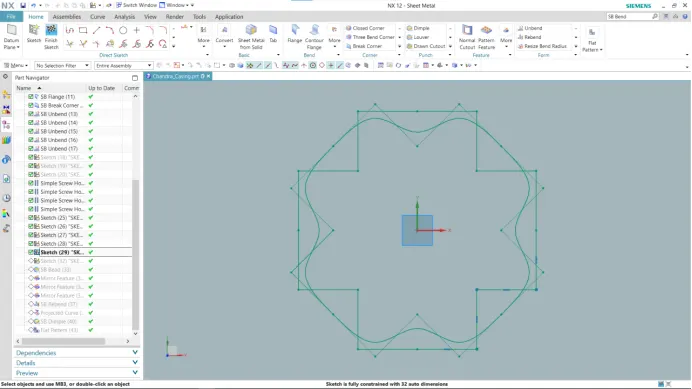
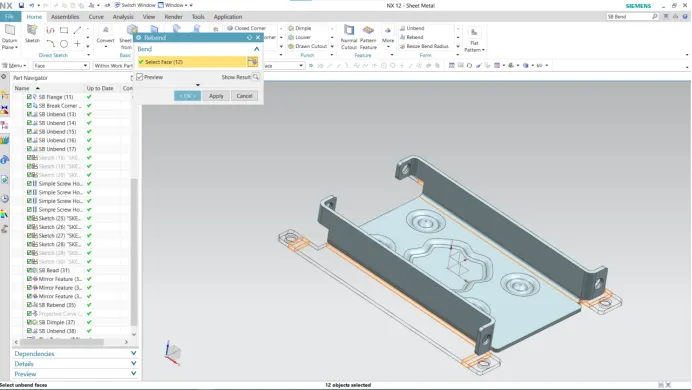
- Rebend - Rebend feature is used to get the original bend shape after performing operations like a dimple, bead, etc.
- After finishing all these operations, then the sheet metal part should be Rebend to check the design for the manufacturing process.
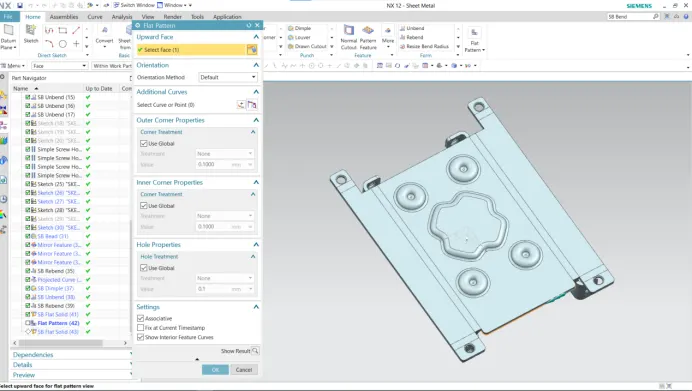
- Flat Pattern - This feature is used to create an automatically flattened version of sheet metal parts and prepare the model for the manufacturing process. This flat pattern remains the last feature in the model tree. A flat pattern ensures the manufacturability of components.
- Drafting -
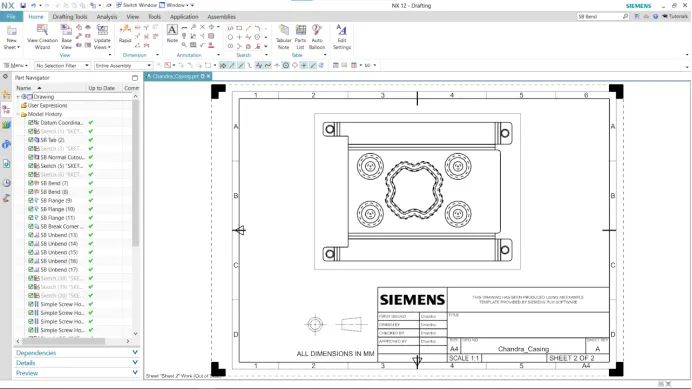
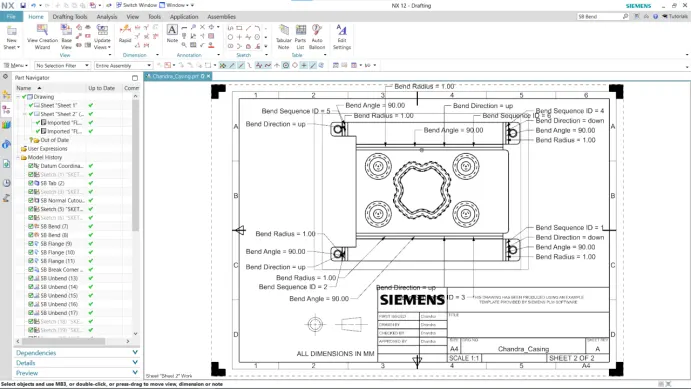
- It is possible to create a 2D drawing from a 3D model using the NX Drafting application. With the 3D model opened in NX, go to application > Drafting, this disables the sheet metal application and starts the drafting application.
- Setting Required - Select the Base view command to show the view of the sheetmetal. Set the scale to 2:1.
- Drawing Specification -
- Isometric View -
- Top View -
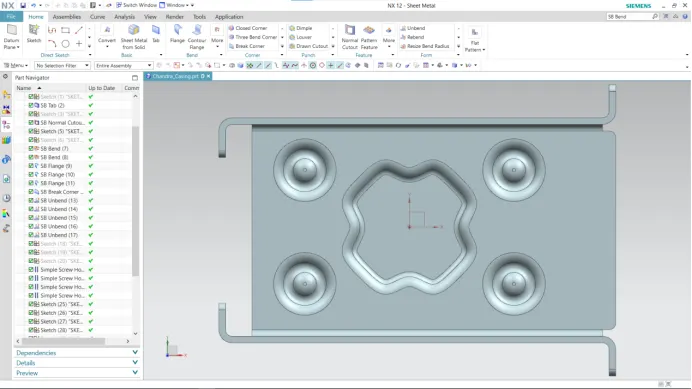
- Front View -
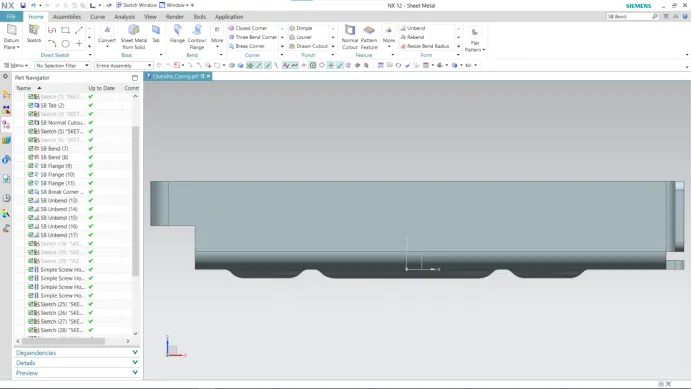
- Right View -
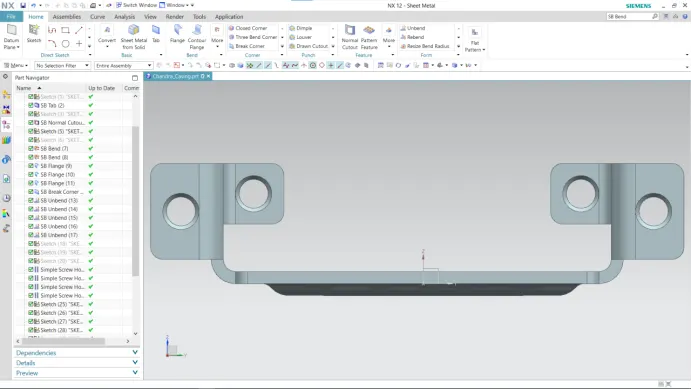
- Back View -
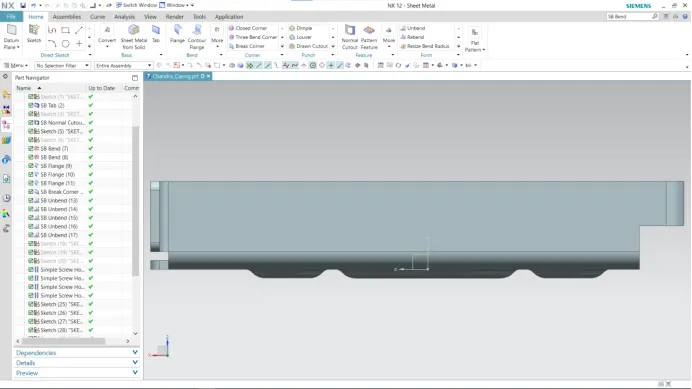
- Bottom View -
- Conclusion -
- I successfully completed the design of sheetmetal casing in NX CAD sheetmetal application
- I successfully learned the basic features of NX CAD Sheet Metal application like creating a 2D sketch, Tab, Flanges, Normal Cutout, Bend, Unbend, Flat Pattern, Dimple, Bead, and Drafting and applied in designing of sheetmetal casing.