Wiring harness routing & packaging Rules Week 3 Challenge
Objective:
- To define the Mechanical components electrically and prepare the catalogue for the same.
- To Prepare the COT tubes and make the catalogue for the same.
Steps Involved in Defining the Components Electrically:
P-Clip:
1. Download the 3d model of the given clip from open source site.
2. Define required geometry parameters for the P-clip(Points & Planes)
i) Entry Point & Entry Plane(Ref below image)
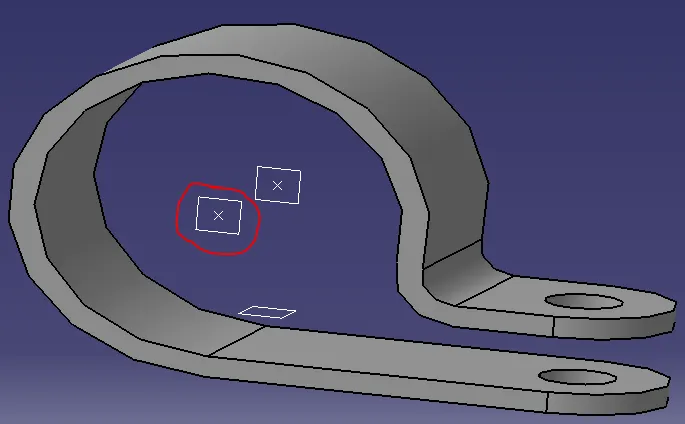
ii) Base Plane(Ref below image)
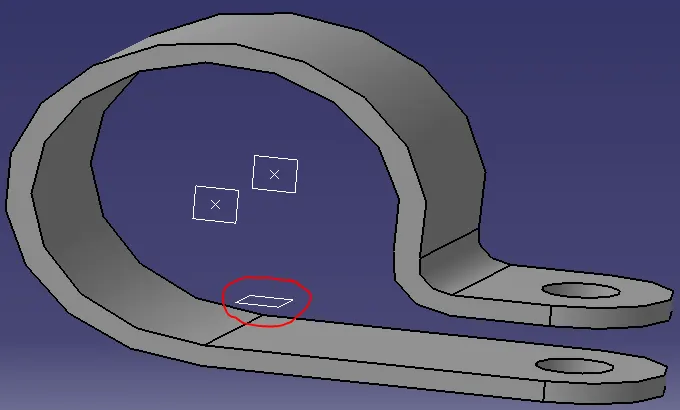
iii) Exit Point & Exit Plane(Ref below image)
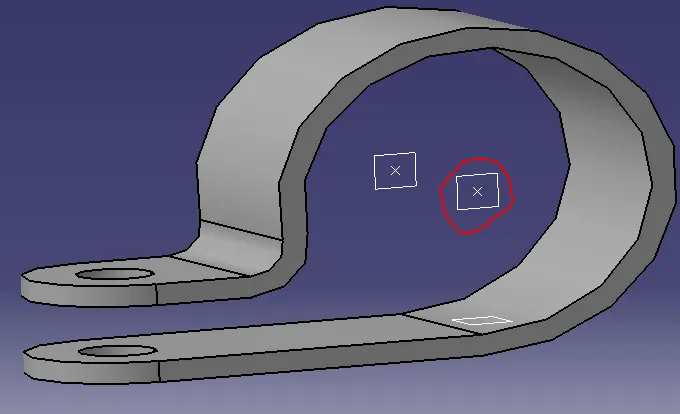
3. Switch to "Electrical Part Design" Workbench.
4. Define part as Support.

5. Define Entry Point & Plane.(Ref Below image)
6. Define Base & Exit Plane.(Ref Below image)
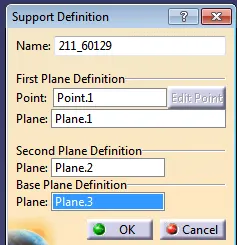
NOTE: Since Clips are Bi-directional. We have define this partcular component twice(i.e) Repeat all steps from Step#4.
7. Save it & add to Catalogue that you created specifically for this type of parts.
Backshell:
1. Download the 3d model of the given Backshell from open source site.
2. Define required geometry parameters for the Backshell(Points & Axis)
i) Backshell-Connection Point & Backshell-Connection Axis(ref Below image)
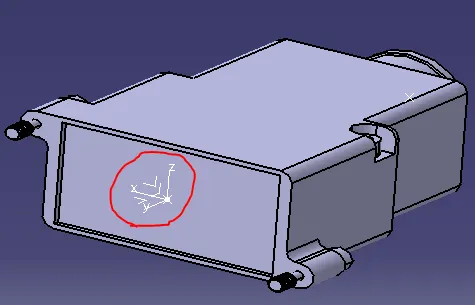
ii) Bundle Entry Point(ref Below image)
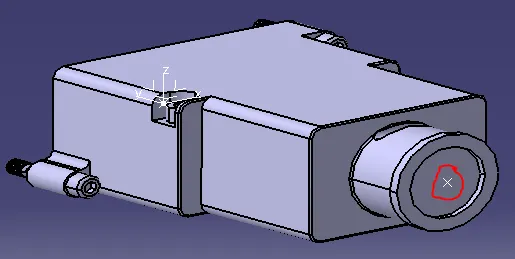
3. Switch to "Electrical Part Design" Workbench.
4. Define part as Backshell.(ref Below images)

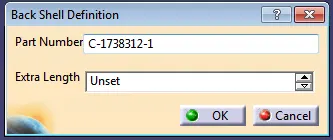
NOTE: Unless there is certain amount of cable ought to pop out of the backshell.Keep the Extra length as "Unset"
5. Define Backshell-Connection Point.
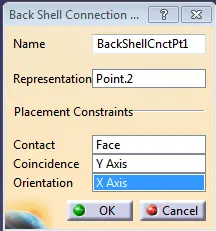
6. Define Bundle Connection Point.
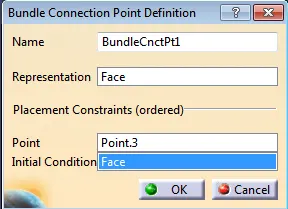
7. Save it & add to Catalogue that you created specifically for this type of parts.
COT Tubes:
1. Create Covering 3D part
File->New->Part-> Rename the Protection Coverings{for e.g: COT_25mm(Dimension plays a vital role in differentiating COT Tubes.So add the dimension while Renaming)}
2. Define Protection Part.(Ref Below Image)
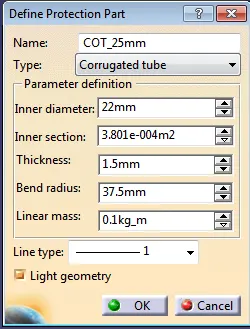
NOTE: In general Bending Radius is 1.5*O.D
3. Save the part in desired Location.
4. Create Catalogue for Coverings.
File->new->Catalog Doc->Add Family(ref below image)
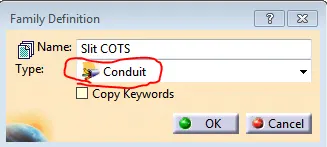
4. Add new part in Catalogue.
NOTE: Adding COT tubes into Catalog is mandatory if not there will be of no use
5. Apply covering on Harness Bundle from Catalogue
Conclusion:
Thus all parts were defined electrically and added to it's respective catalog that were already created.