Wiring harness design in CATIA V5 - 3D modeling Week 7 Challenge
WEEK 7 CHALLENGE
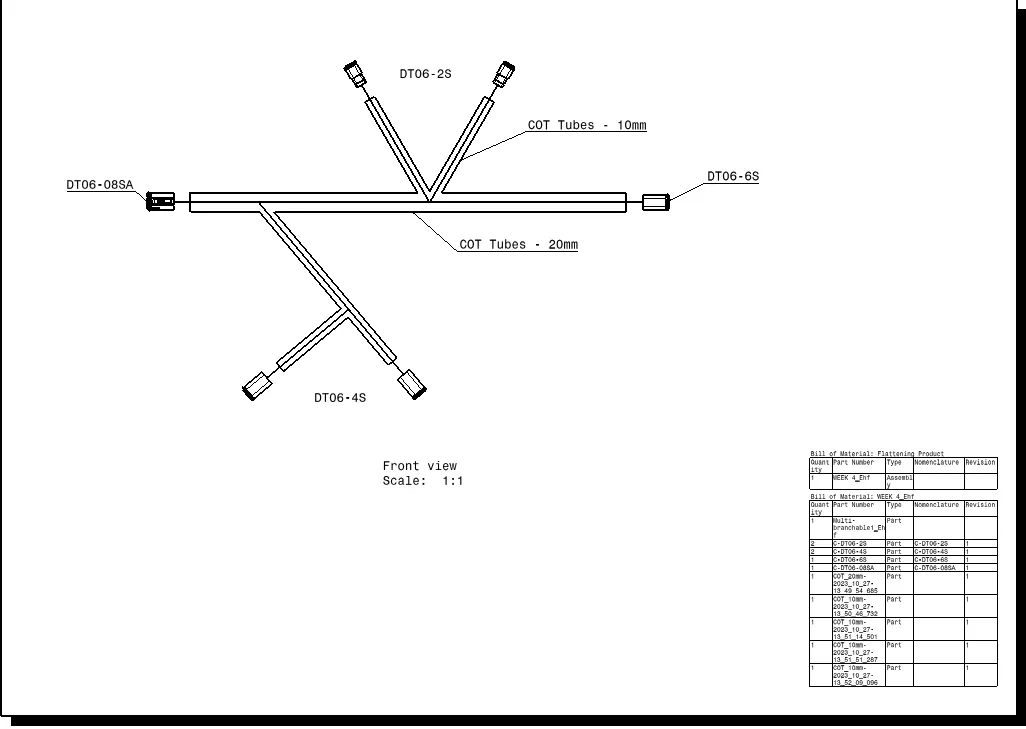
AIM = Flatten the harness assembly completed in “ week 4 challenge”. Place the flattened view on drawing sheet. Ensure bundles with protective coverings has different visuals on drawing view.
WEEK 4 CHALLENGE LINK: - https://skill-lync.com/student-projects/wiring-harness-design-in-catia-v5-3d-modeling-week-4-challenge-802
REPORT
- As with the given information, the inputs are copied from the Week 4 Challenge and the link of Week 4 Challenge submission is given below.
- The OUTPUT of Week 4 is used as the INPUT for Week 7 Challenge. So, Catalogues and CATPart of Electrical Components are placed in INPUT tab of file submitting below.
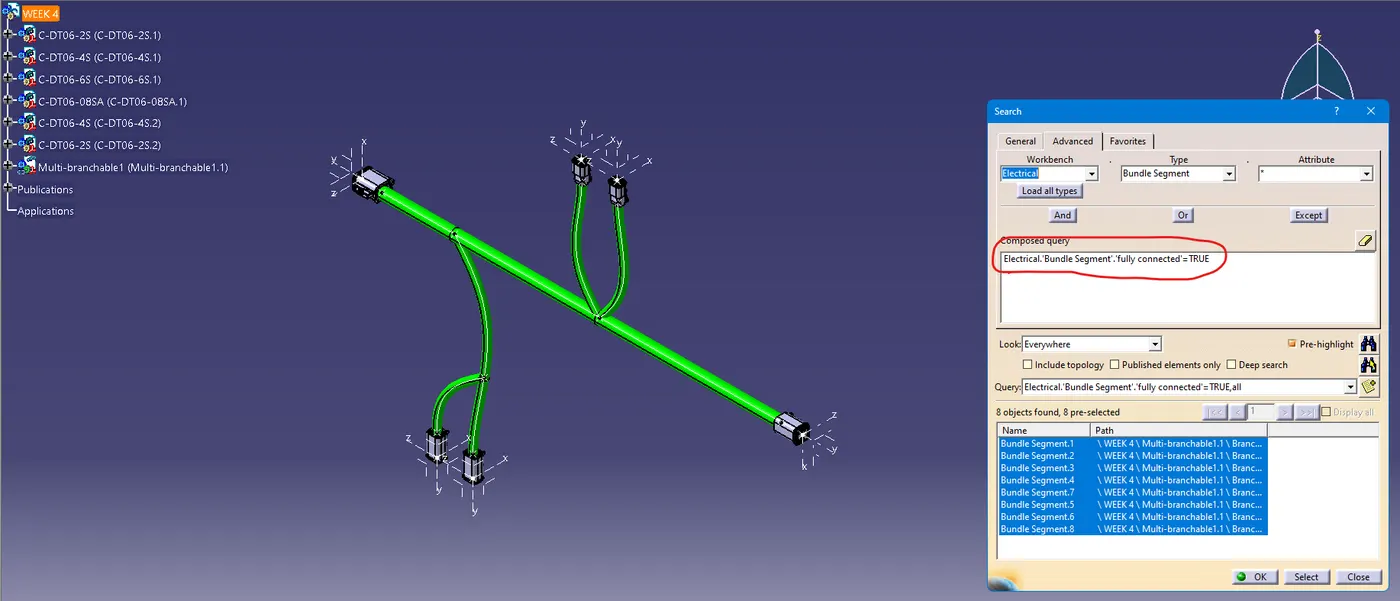
- As of that, first ensured with the bundle connectivity in which whether the bundle segments are fully connected or not.
- Added Protective Coverings to the Bundle segments with Corrugated tubes of 20mm and 10mm respectively.
- Annotated the Harness drawing for ease of understanding.
- Switch to Electrical Harness Flattenning Workbench.
- Process initiated with the Harness Flatenning Parameters and renamed as Lightning Harness Flatenning Parameters.
- Changed a few of settings in Drawing segment for ease of doing business and extracted the drawing for Assembly Workbench.
- Used Flattenning Command to flatten the workbench, but it had changed the orientation as shown below.
- Used Rotate Command to modify it with respect to the input drawing and saved as a product file.
- All the relevant images are saved in below file and added in the descriptive answer dialogue box too.
- The Flattenning drawing is subjected to Drafting in the concerned Drawing Workbench, annotated it with respect to the diagram or assembly and provided the Bill of Materials along with that and provided below.
wIMAGES
- Checking Bundle Continuity
- Annotation
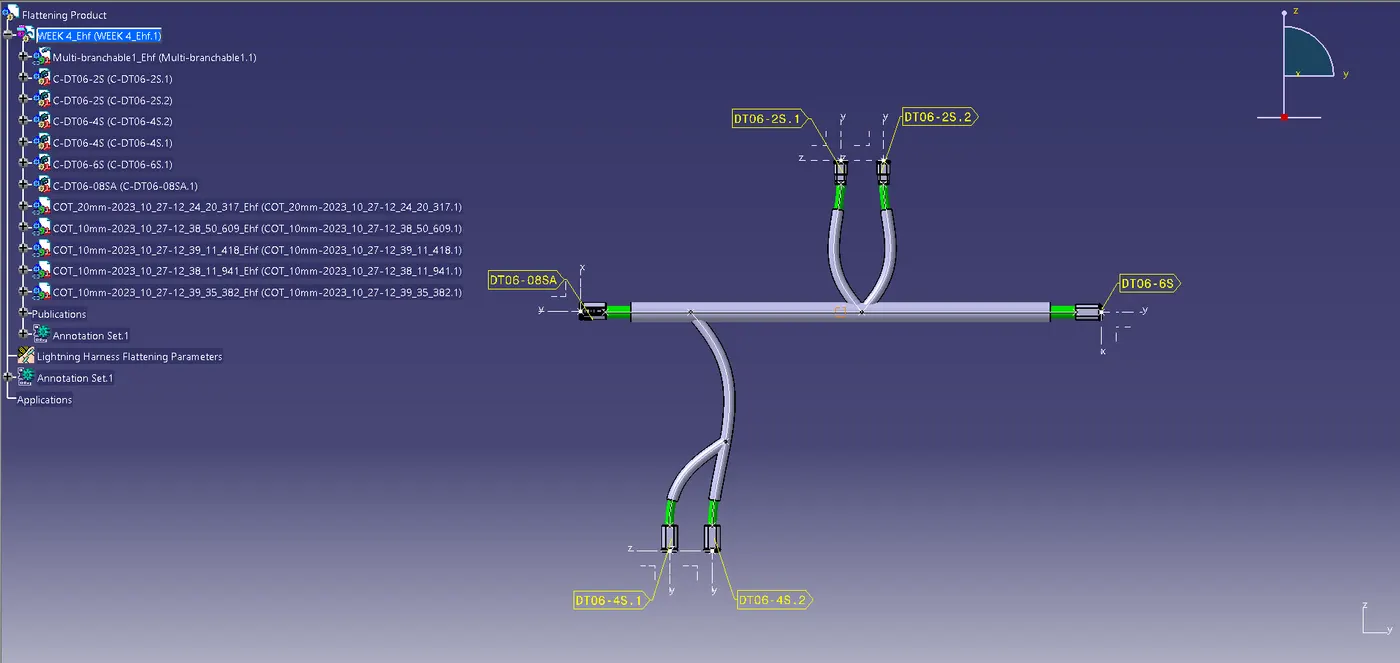
- After Flattening
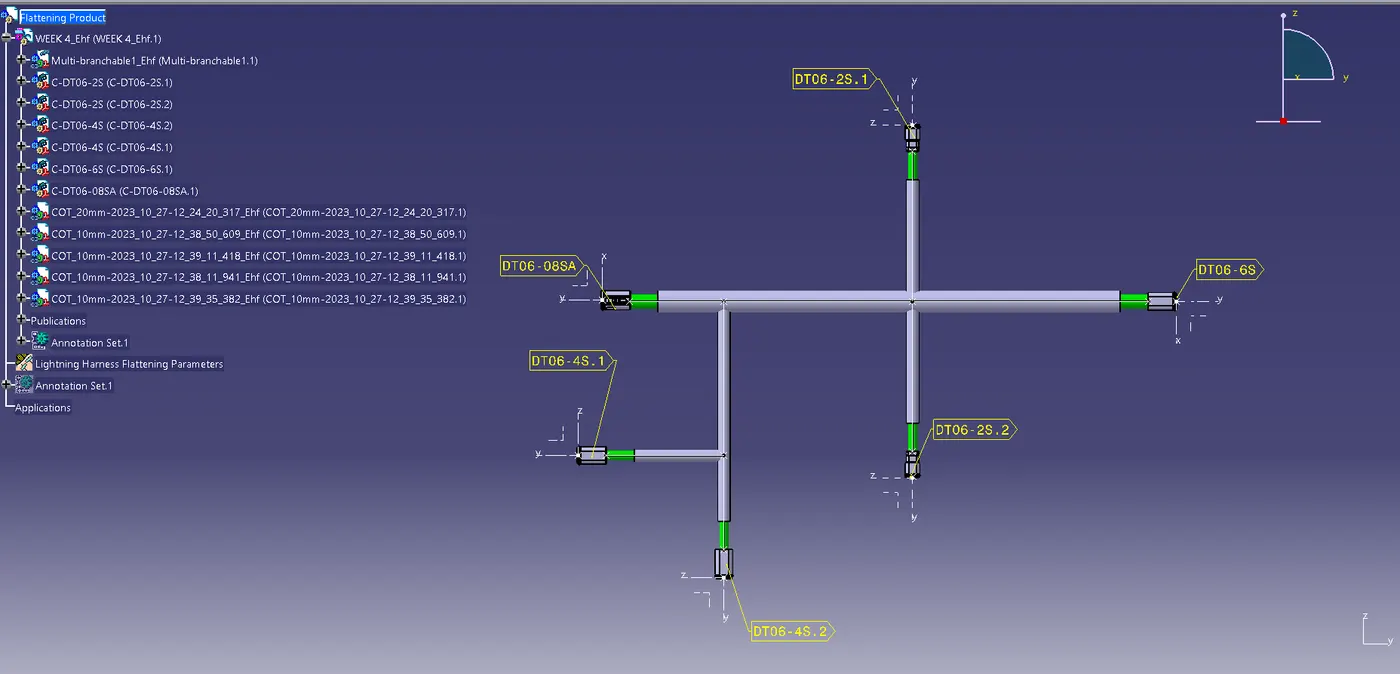
- After Rotating for proper aligning
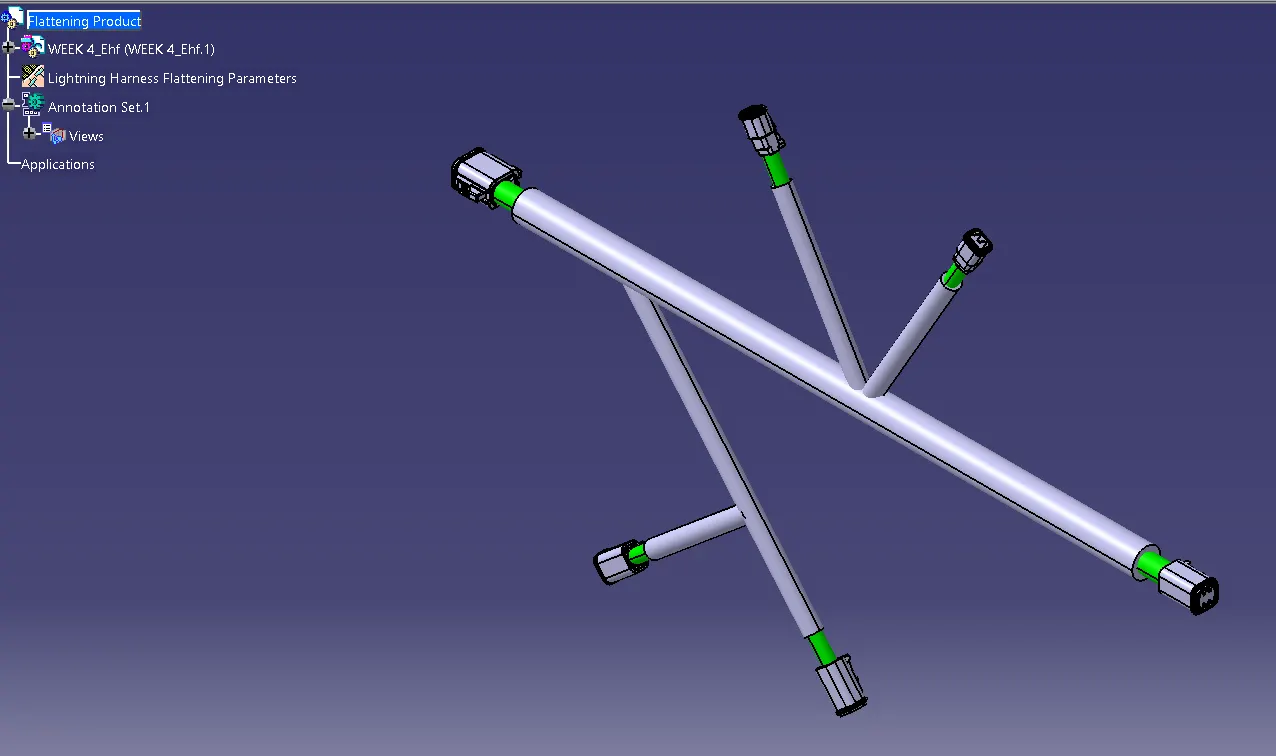
- Drafting of Harness Drawing
CONCLUSION
- Flattenned the harness assembly of “ week 4 challenge”.
- Placed the flattened view on drawing sheet.
- Ensured bundles with protective coverings.
- Images, Catalogues, CATPart, CATProduct files are submitted below.