Wiring harness design in CATIA V5 - 3D modeling Week 7 Challenge
Aim : To flatten the harness assembly of the wiring harness layout and place the flattened view on drawing sheet.
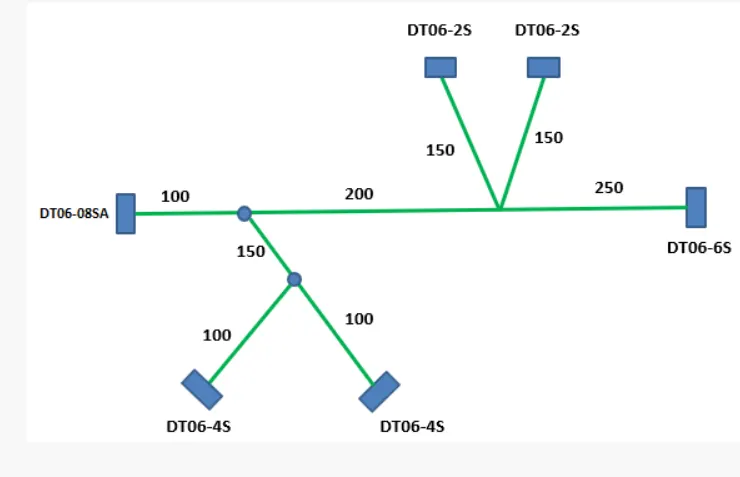
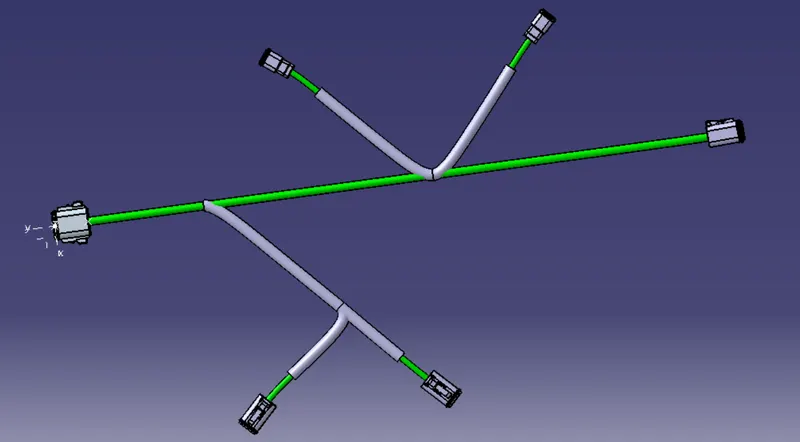
Images : Harness assembly
Procedure :
1. Create a new product file and switch to electrical harness flattening workbench and save the file in the same folder where the harness assembly layout is saved.
2. Select Harness flattening parameters command and set the harness flattening parameters as shown in the images below.
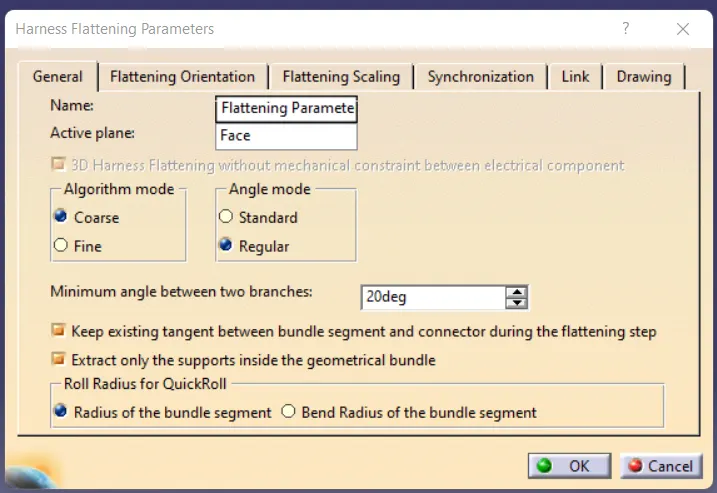
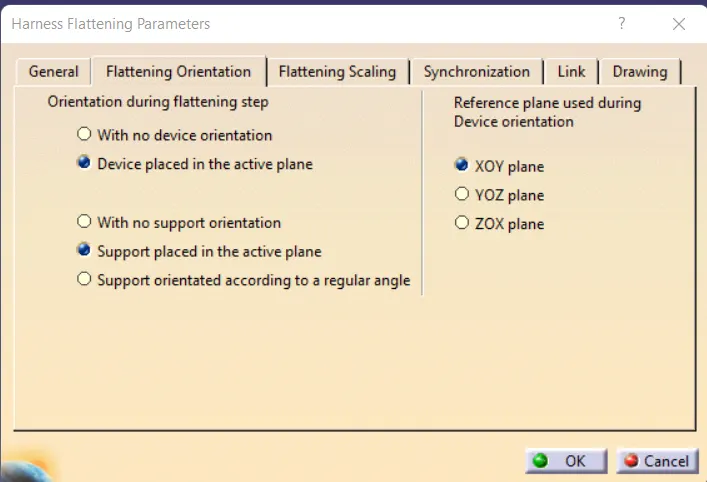
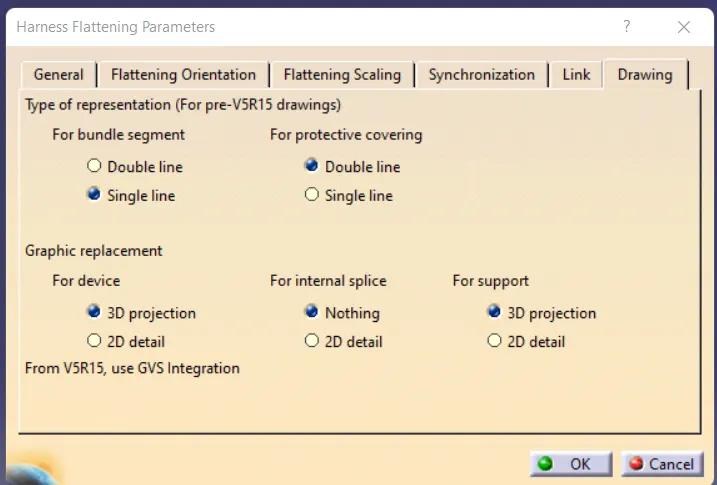
Image : Harness flattening parameters
3. Open the harness layout file to be flattened in another window.
4. Select extract command to import the harness layout file into the file where the harness layout is to be flattened, open the harness layout assembly window after selecting the extract command and select the geometrical bundle product where the harness layout is routed and the assembly file is imported.
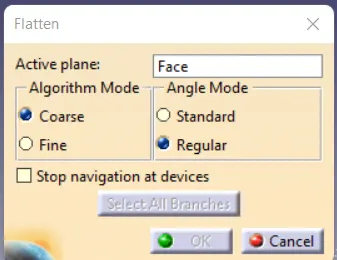
5. Select flatten command, and select the active plane and all the branches to flatten the assembly.
6. The harness assembly is flattened as shown in the image below.
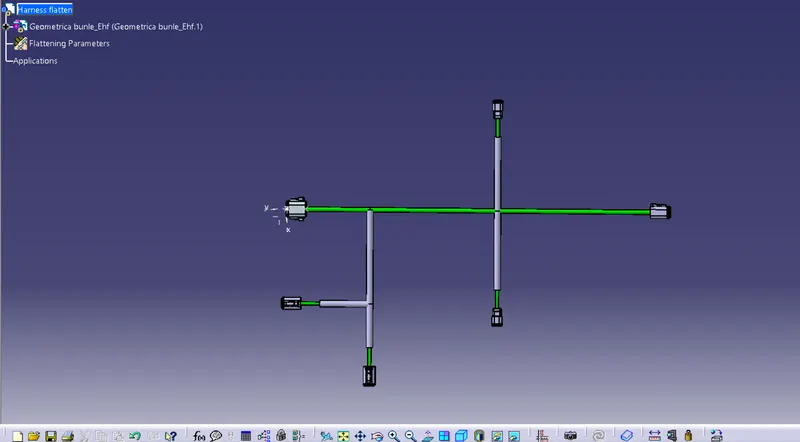
Image : Flattened Harness assembly layout
7. To create drafting of the harness layout flattened view. create a new drawing file and save it in the same folder where harness layout assembly is saved.
8. Select front view command in the drafting workbench and open the flatten model and select a suitable face in the flattened model.
9. Click on the drawing sheet and place it suitably.
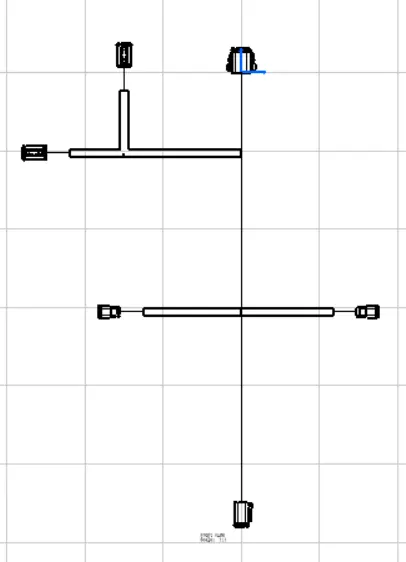
Image : Harness assembly drawing
Conclusion : The flattened harness assembly and harness drawing layout is created.