Wiring harness design in CATIA V5 - 3D modeling Week 7 Challenge
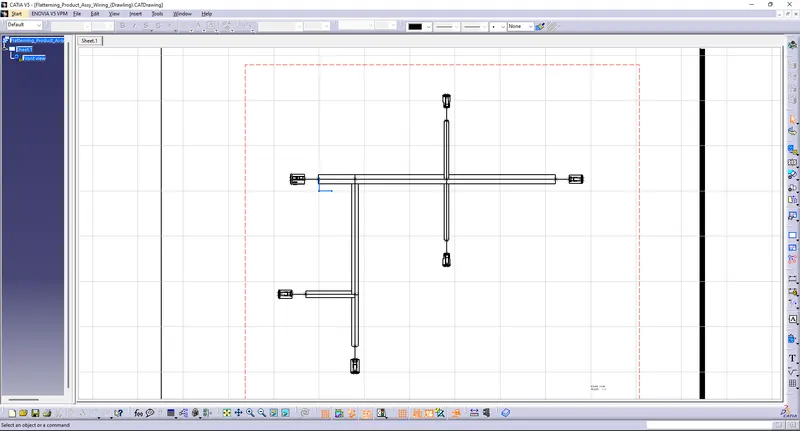
Q1. Flatten the harness assembly completed in “ week 4 challenge”. Place the flattened view on drawing sheet. Ensure bundles with protective coverings has different visuals on drawing view.
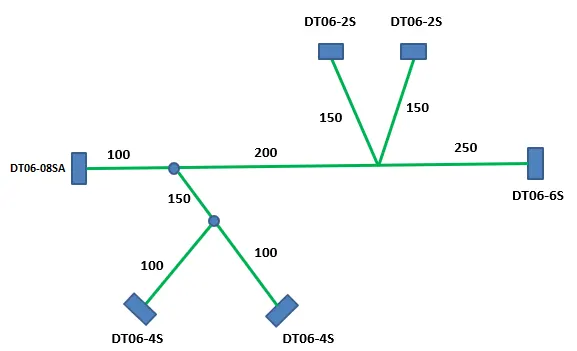
Answer:
- First Need to load the week 4 challeng file in the catia v5 and save in the new folder named as Week 7
- Then create the new product given name as Flattering product assy wiring
- And also the save this in the same folder
- Then choose Electrical harness flattering workbench on the software
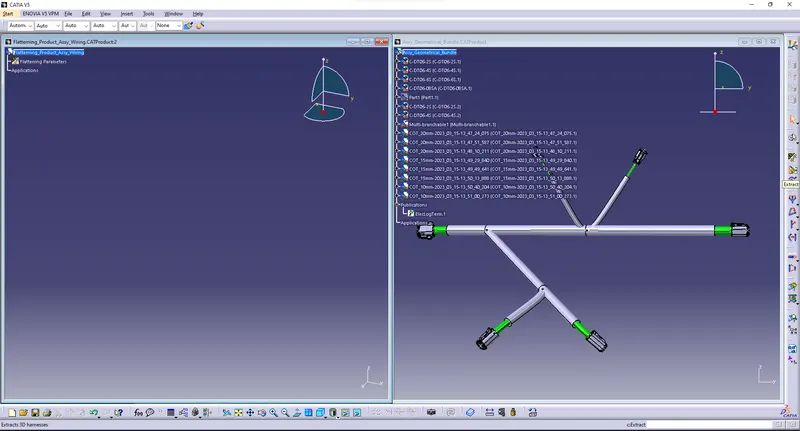
- Next the add the week 4 file in the fattering product by choosing the Extract Command
- Then chooose the required plane for our purpose
- And rotate all the connector look like in front side
- Create Drawing file and choose Standard as ISO and Sheet style as A0 ISO
- Then add the flattern file into the drawing file and save in the same folder
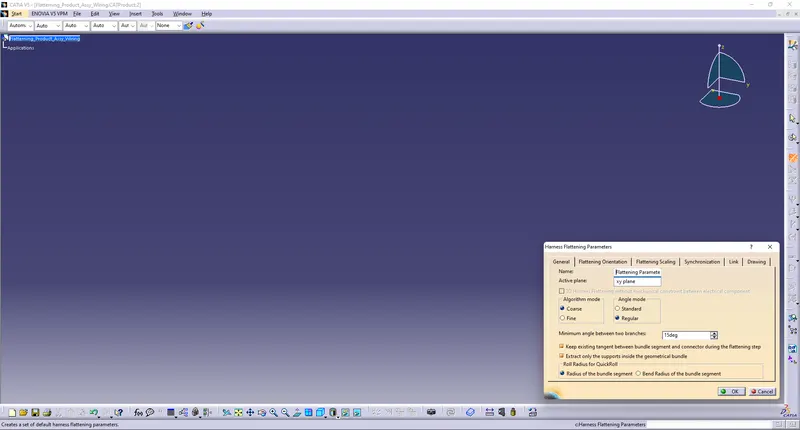
- Step1:
Create a new product file and choose Electrical Flattern Workbench and given the parameter as per the lecture
- Step 2:
Then add week 4 file into flatten file
- Step 3:
Then flatten file were convert into 2d model has some other option choose
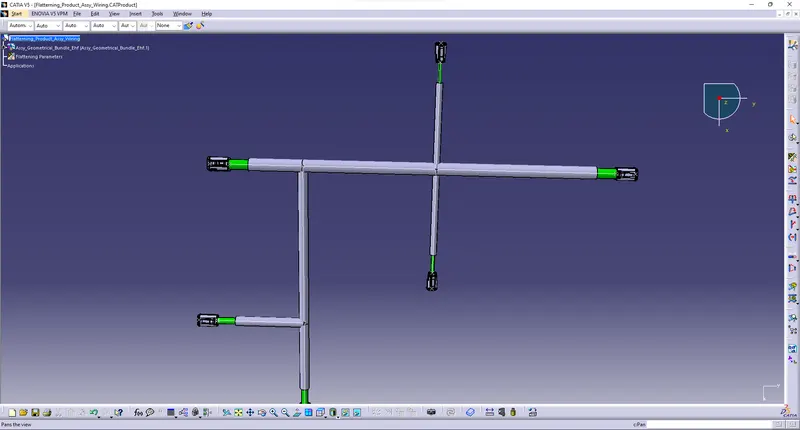
- Step 4:
And create Drawing file and add the model into the 2d model of drawing