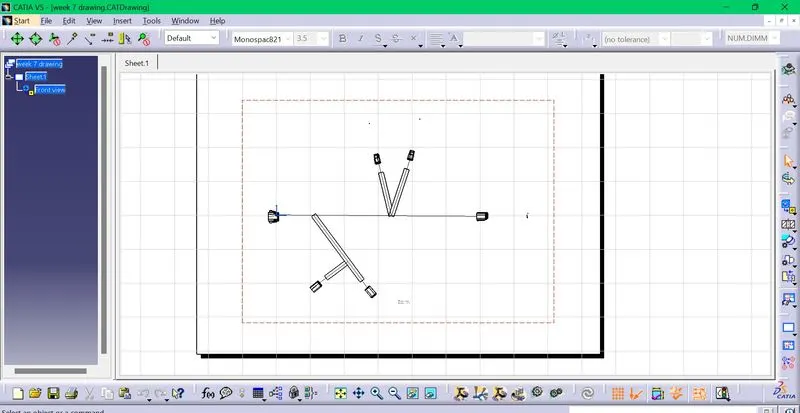
Wiring harness design in CATIA V5 - 3D modeling Week 7 Challenge
Click file,new and click product.
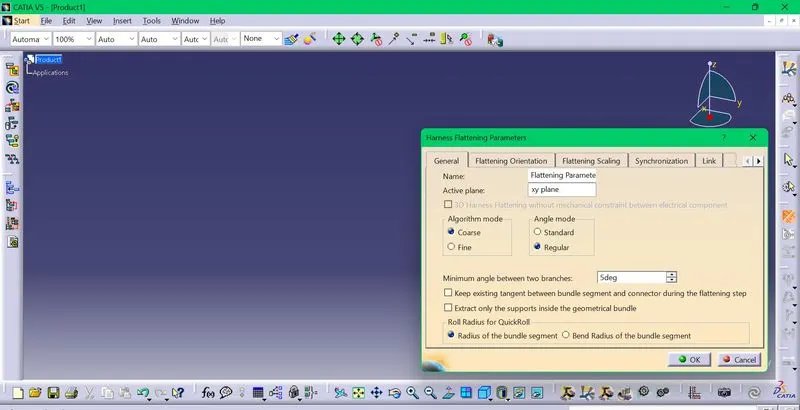
Go to the Electrical harness flattening and then define the flattening parameters.
First in the general tab,click angle mode regular and algorithm mode coarse.
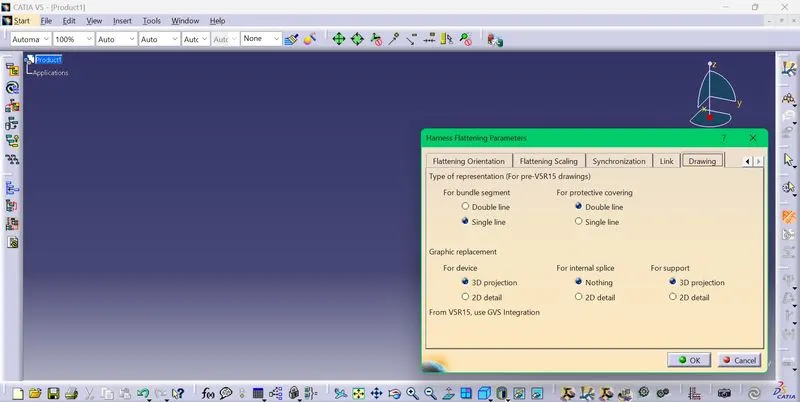
second go to drawing tab and for bundle segment click single line,for protective covering click double line.In graphic replacement ,for device select 3d projection.Then click OK.
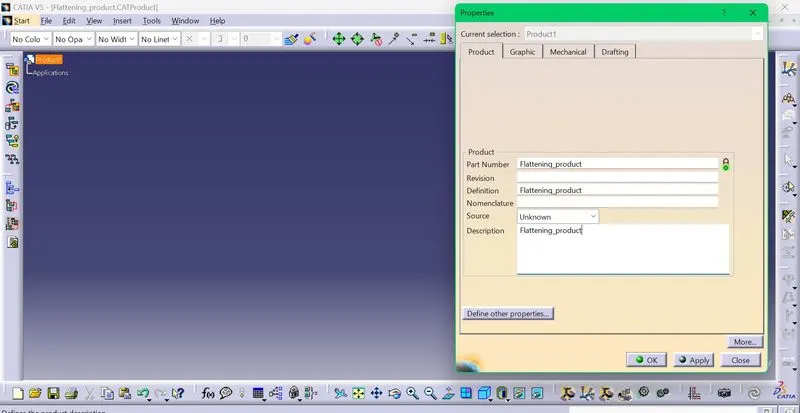
The product is renamed to Flattening_product .
The harness assembly is brought to the flattening_product using the extract feature.
Click on the extract option,go to the harness assembly window and click on the product.
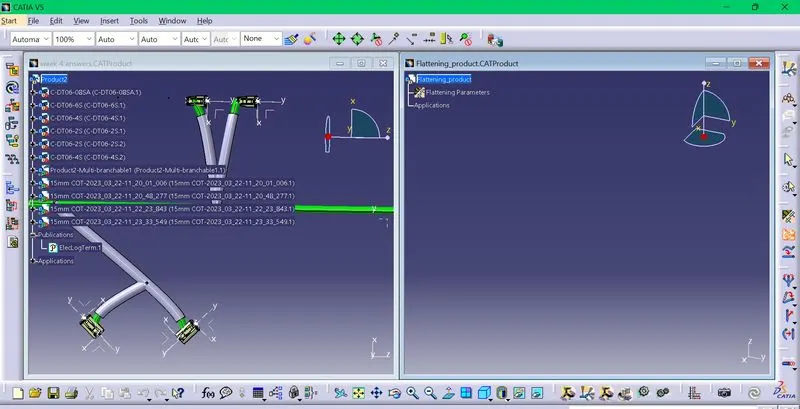
Now the harness assembly file will be changed to EHF file
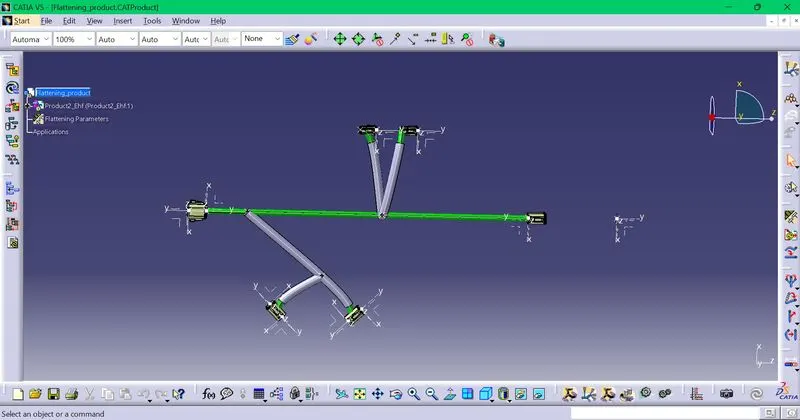
To flatten the harness assembly click on the flatten option and select the plane and click on all the branches option and click ok.
After that the branches can be aligned using the rotate command accordingly to make it like in the layout.
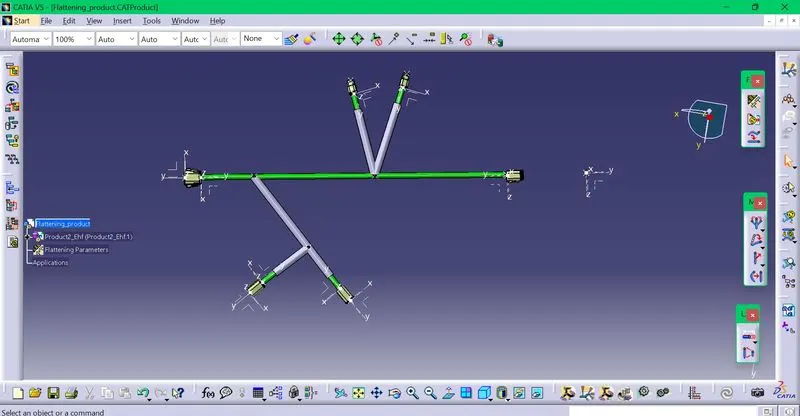
Now to make the drawing,click on file,new and drawing.
On that window ,click the front view option and select the suitable plane of the flattened harness assembly.Now the drawing will appear on the window.Next click on the front view,right click and go to properties.
In the properties,select the appropriate options,enable the 3d wireframe option.
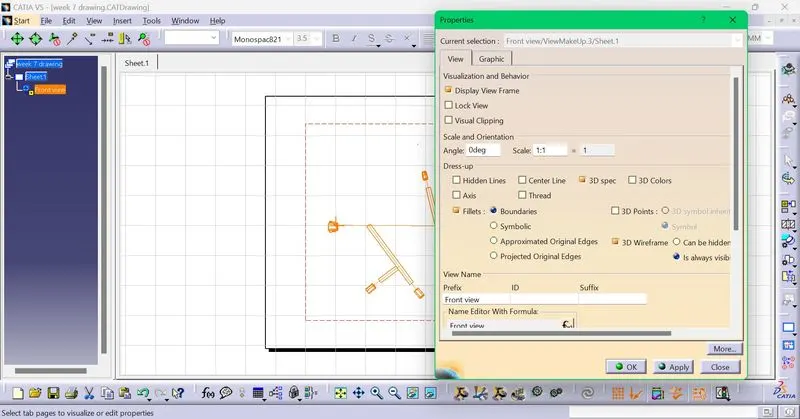
On clicking ok,we get the drawing of the flattened harness assembly and can be rotated according to our requirement.