Wiring harness design in CATIA V5 - 3D modeling Week 7 Challenge
Aim
To create the flatten for the harness assembly and place the flattened view on the drawing sheet. Ensure the bundles with protective coverings .
Objectives
- To create the harness assembly
- To open the flatten product and gives the required parameters.
- To open the drawing sheet and place the flatten midel on to the drawing sheet.
Creation of harness assembly
- Download the required electrical parts from the open sources
- Import the electrical parts into the assembly product .
- Arrange the parts as the required position in mechanical aasembly workbench.
- Then jump into the electrical harness assembly and create the wiree bundles between the connetors .
- Give the required protection covering to the bundle.
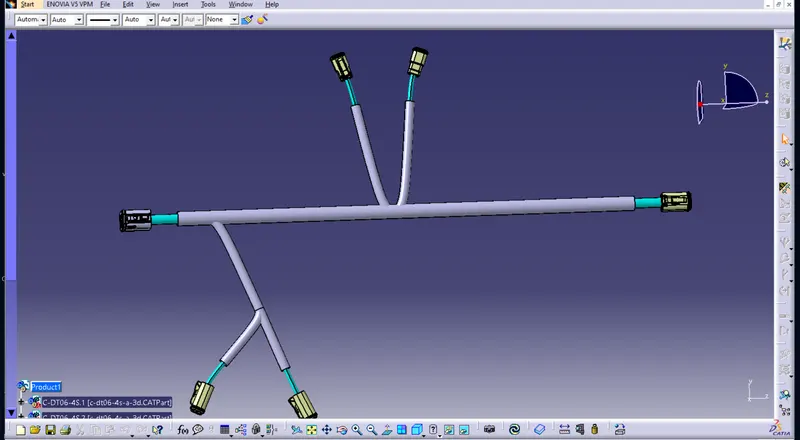
Creation of flattening
- Open the one new product file and jump into the flattening workbench.
- After entered into the flattening work bench give the required parameters for the flattening.
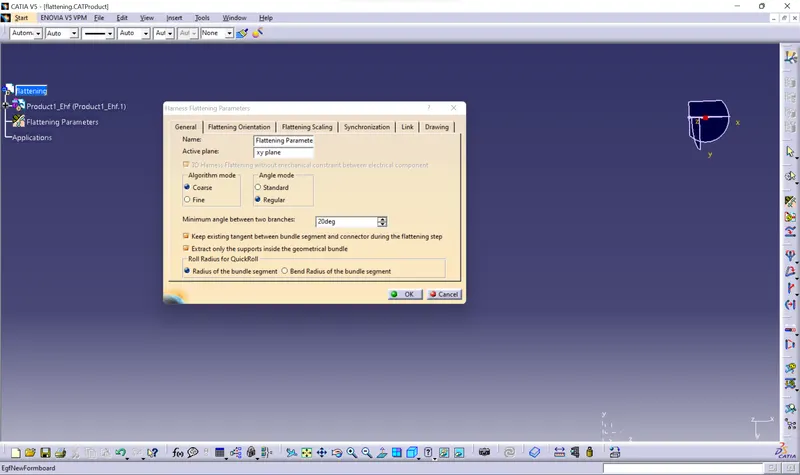
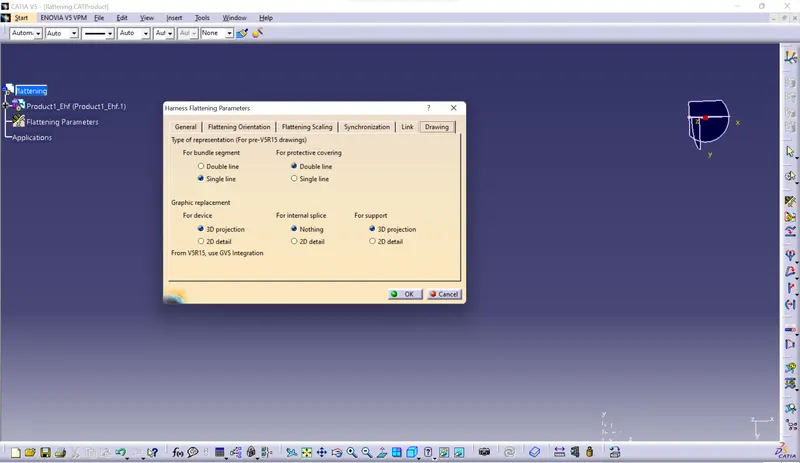
- After giving the required parameters all other comments are now visibled.
- Then save the product file into the specific folder.
- Then import the required assembly product file into the flatteing product file.
- Click the flattening comment and select the wire bundles , then the product will be flattened.
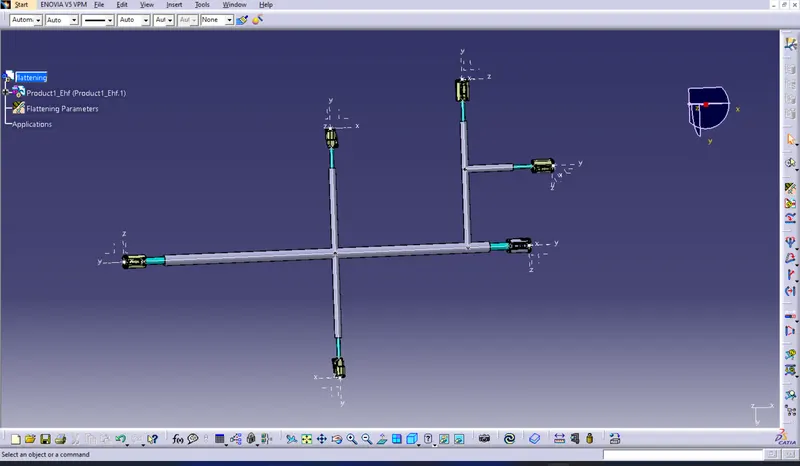
Creation of flattening drawing
To open the one new drawing file .
Click the front view comment and select the any one flattened face of the connnector.
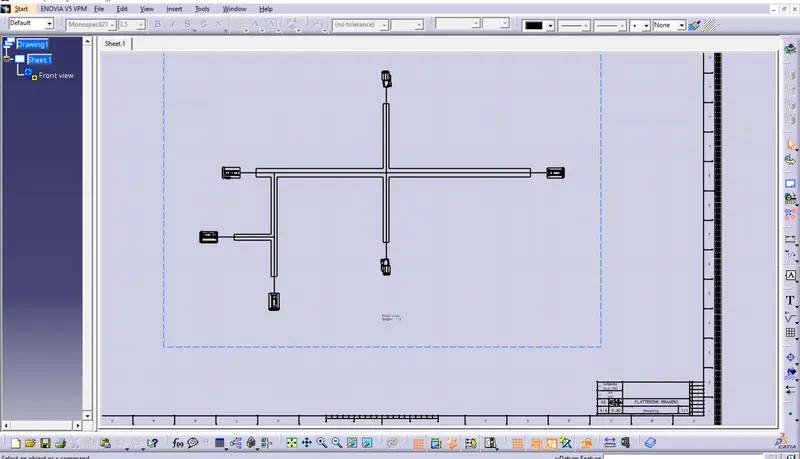
Now the flattened drawing will projected on the drawing sheet.
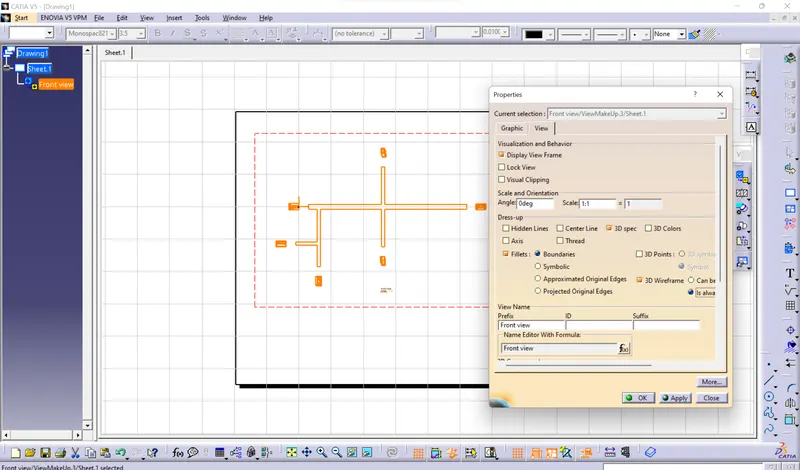
Then goes into the shee background view here add the required details for the product in wireframe table.
Then save the file into the same folder where we stored the flattened model.
Conclusion
The flattened model for the harness assmebly is created and view is projected on the drawing sheet.