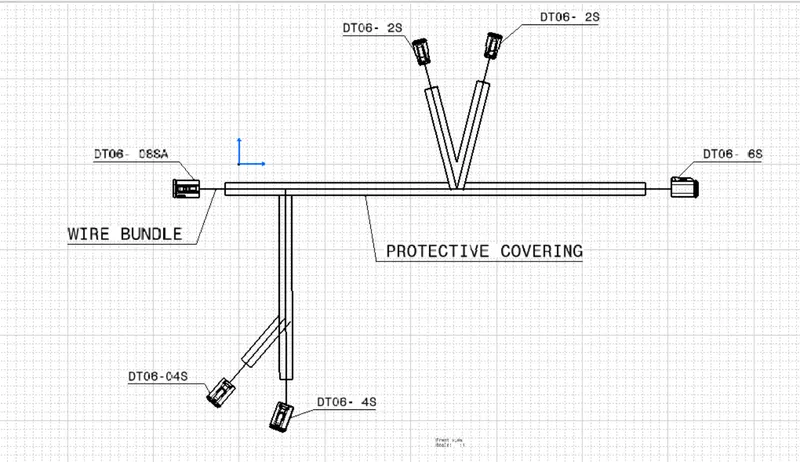
Wiring harness design in CATIA V5 - 3D modeling Week 7 Challenge
OBJECTIVE
Flatten the harness assembly completed in “ week 4 challenge”. Place the flattened view on drawing sheet. Ensure bundles with protective coverings has different visuals on drawing view.
PROCESS
STEP- 1-
- Open Electrical Harness Flatening workbench and create a new product file
- Define Harness Flattening Parameter to flatten the Harness Assembly
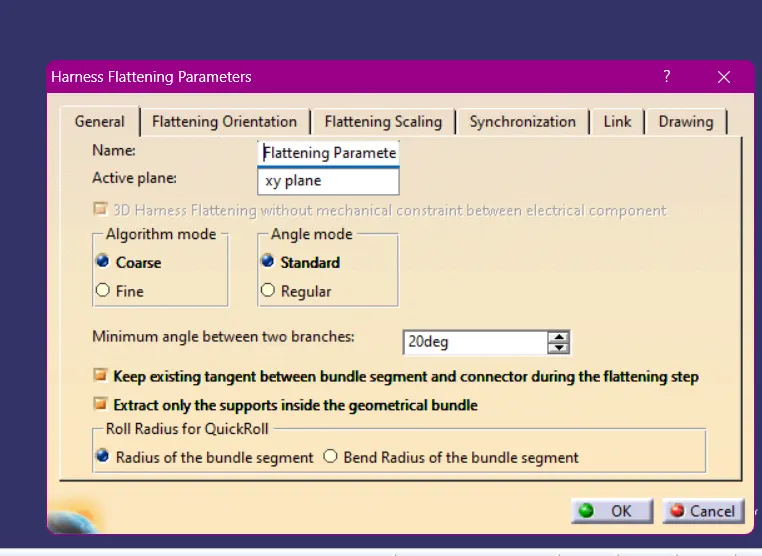
STEP-2-
- Select Extract command and extract the Harness Assembly to the Flattening Product
- Select Flatten option to flatten the Assembly. Select all the branch
- Save the Product file
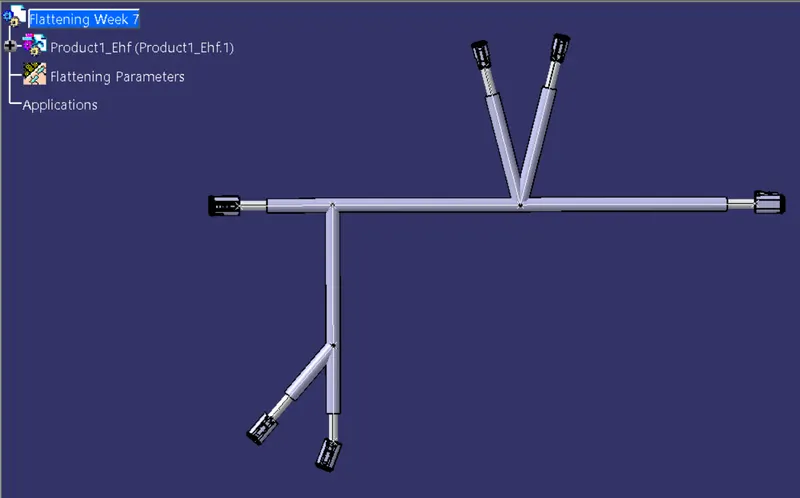
STEP- 3- DRAFTING
- Create a New Drawing File
- select the Front View command and select any of the Faces of the connector and Rotate the View As per requirement
- Go to Properties of the drawing sheet and Select the ' 3D wireframe' and ' Is always Visible'
- Put all the Information in the Drawing Sheet