Wiring harness design in CATIA V5 - 3D modeling Week 7 Challenge
INTRODUCTION TO WIRING HARNESS DESIGN USING CATIA V5
OBJECTIVE: The objectives of this challenge are as given below,
- To create a flatned product for previously created wiring harness product.
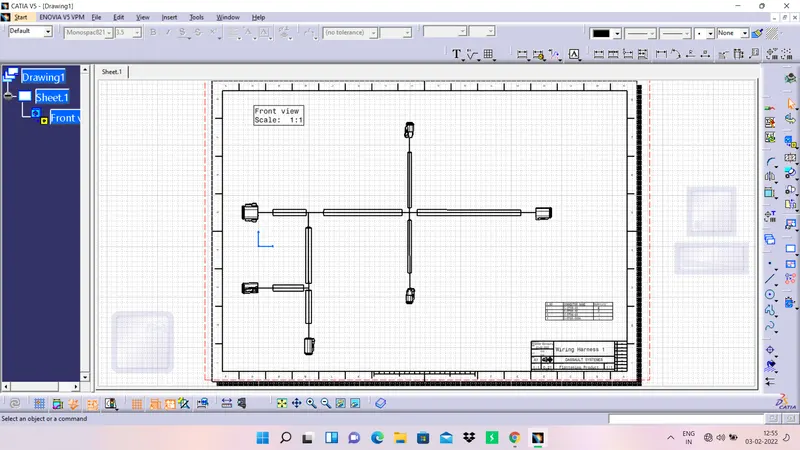
- To create a 2D drafting file for the flantenned wiring harness.
- To prepare a detailed report by attaching all the relevant images.
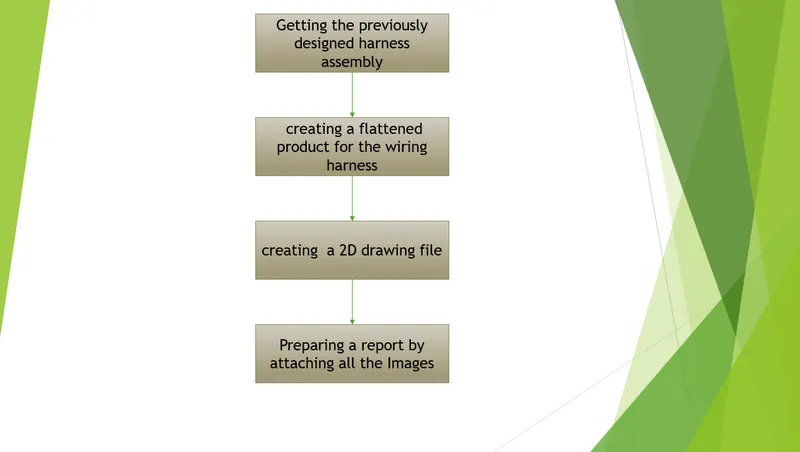
The procedure what we have followed is given in the below flowchart,
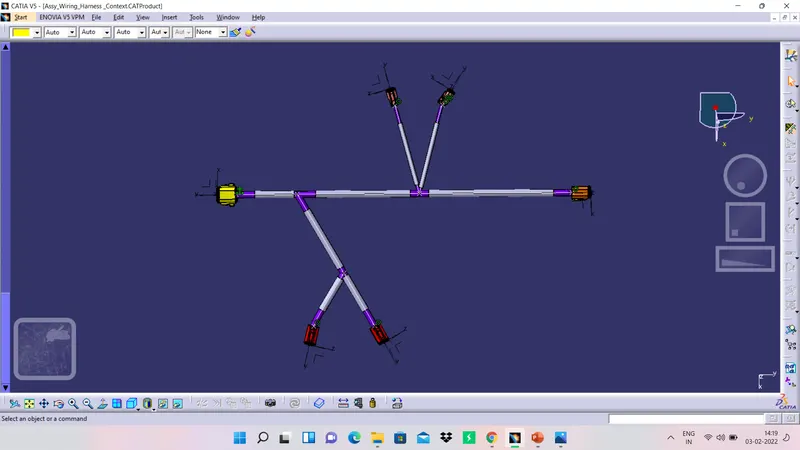
The design of wiring harness which have designed previously has been given in the below picture,
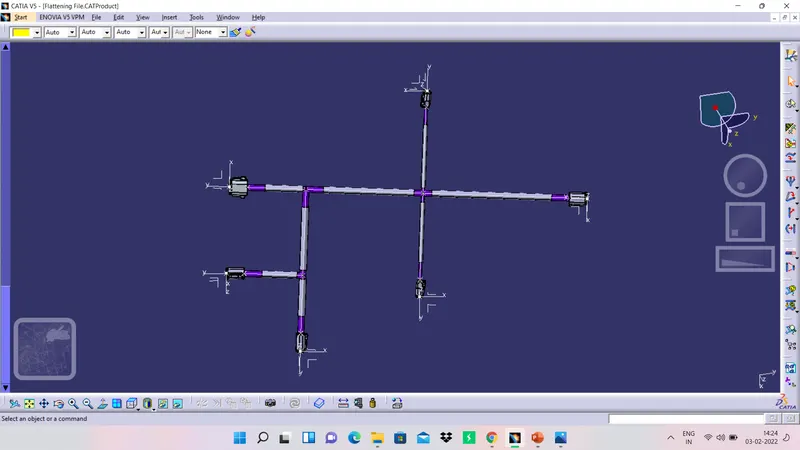
Now create the flattening parameters in the Electrical Harness Flattening workbench and then add the wiring harness design into the workbench using Extract option in the same workbench. By using Flatten command make the harness into flat product.
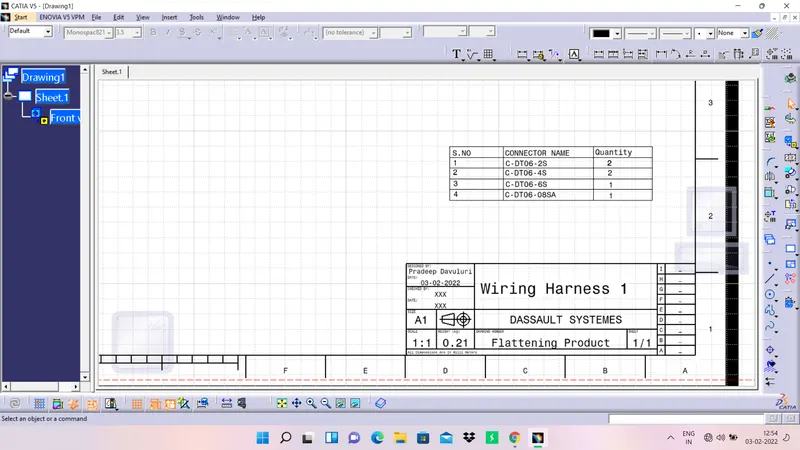
Now create a drafting file for the flattened body and make changes in the properties as per ur requirement. Then create Frame and Title block along with Bill Of Material (BOM) table and save all the files.
CONCLUSSION
And hence, we are concluding that all the objectives of the challenge are accomplished. A detailed report which includes all the relevant images along with the ZIP file which contains the cad data is attached to the challenge successfully.