Wiring harness design in CATIA V5 - 3D modeling Week 7 Challenge
Aim:
- Flatten the given Harness assemby and proceed with drawing
- Provide different visuals for both bundles and protective coverings
Methodology:
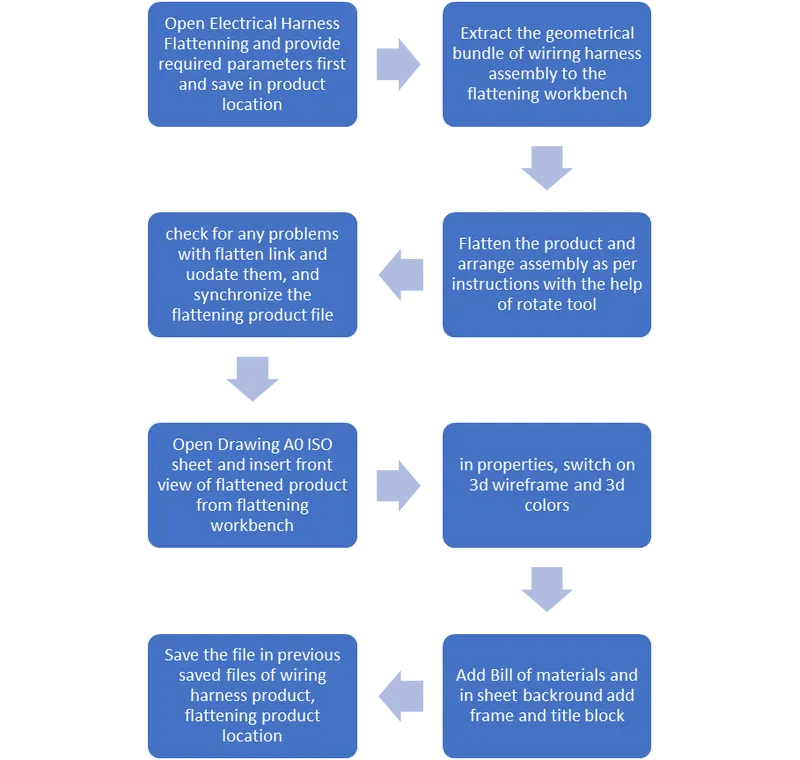
Procedure:
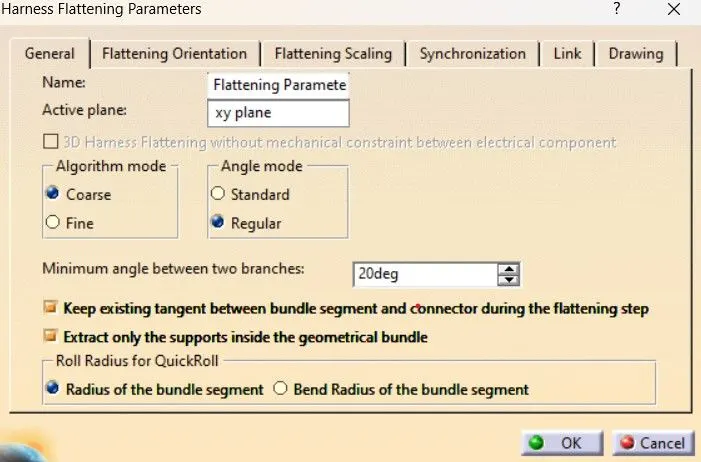
- Create a product file and open Electrical harness flattening workbench and add required parameters as text, drawing, orientation, scaling, plane etc,.
- Save the electrical flattening product file in the same location as wiring harness product file
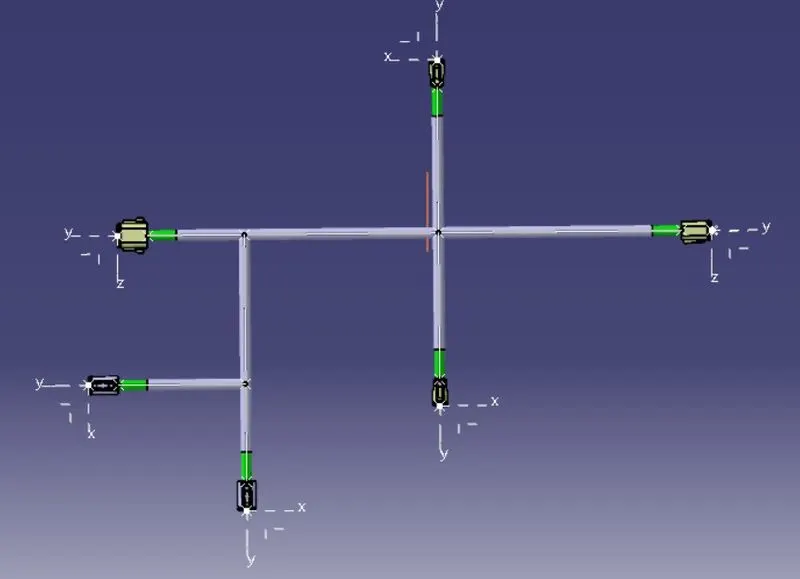
- Now by clicking extract tool and selecting the geometrical bundle from wiring harness, the roduct file is extracted into flattening workbench
- After that we have to flatten the prodct by using Flatten tool.
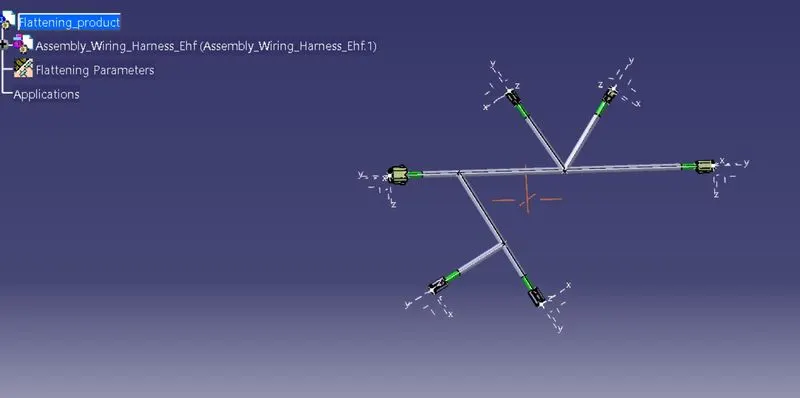
- To arrange as per given instructions, select rotate command and give proper rotation angle and arrange it as per instructions given. While rotating instead selecting near connector, select near bundle segment so that it takes that point as reference for rotation.
- After arranging, the product looks as follows.
- After arranging product in given order, check for flatten links and update them either manually or automatically
- And after that select synchronize tool with proper options and click ok

- Now the Flattening product is ready for drafting.
- Create a new drawing file with A0 ISO sheet.
- In sheet backround, add frame and title block and return to working views.
- Now select front view tool fom drawing workbench and select a plane or face as reference for front view from product in Flattening workbench.
- In properties, Select 3D wireframe so that the bundles are visible and apply. As per parameters applied in flattening the drawing will be visible
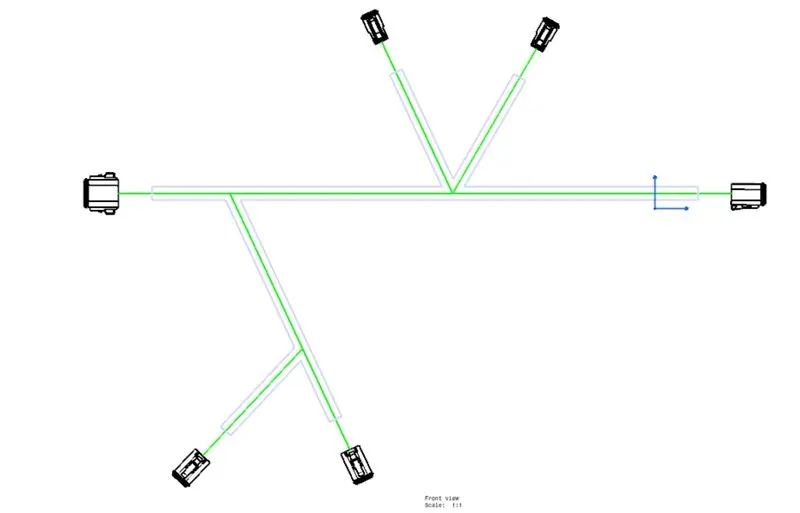
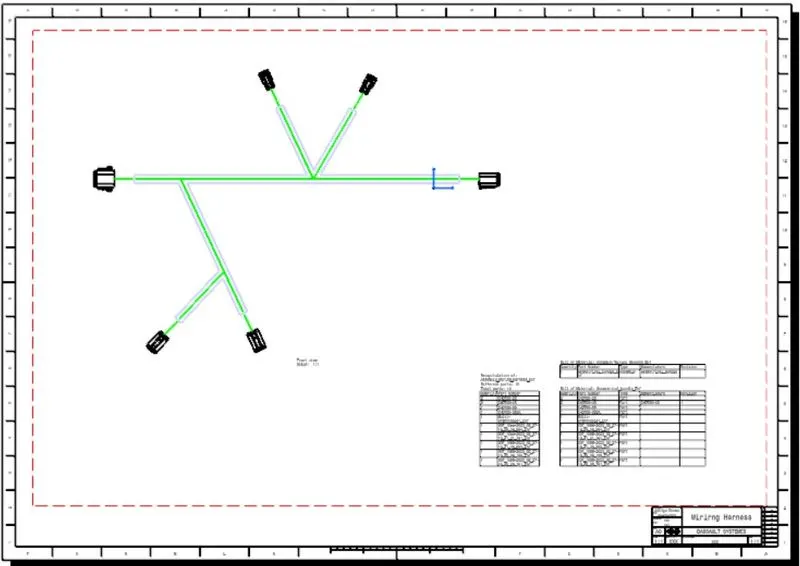
With this the draft for Flattening is ready
Conclusion:
- Given Wirirng Harness assembly is imported to flattening workbench, flattened and arranged as per instructions
- Drafted the flattening product in A0 ISO Drawing sheet with bill of materials.
- Provided different visuals between both the bundle segments and protective coverings in drawing.