Advanced Sheet Metal Design Using NX Cad Challenge_5_Odd Shaped Enclosure
Advanced Sheet Metal Design Using NX Cad Challenge_5_Odd Shaped Enclosure
Objective :
The objective of this challenge is to design an odd shape enclosure in the sheet metal aplication of siemens NX and get to know moe abut the tools reauired in completing this challenge. Those tools are extrude, sheet metal from solid, flange, jog, hole, bead, flat pattern.
Introduction :
NX sheet metal design software incorporates material and process information in sheet metal-specific modeling features: bends, flanges, tabs, cutouts, beads, dimples, louvers, corner and edge treatments, patterns and other formable features. You can also quickly convert solid models to sheet metal components, and create sheet metal parts that enclose other components.
NX Sheet Metal-specific features such as flanges, tabs, jogs, corner conditions, and drawn cutouts & many more along with productivity enhancements such as – automatic bend reliefs. The software also provides common modeling features typically used in sheet metal design, such as holes and slots, as well as other essential capabilities such as copy, paste, and mirror. The application provides defaults for sheet-metal-specific properties such as material – thickness, bend radius, and bend relief. You can easily change these defaults.
Design methodology :
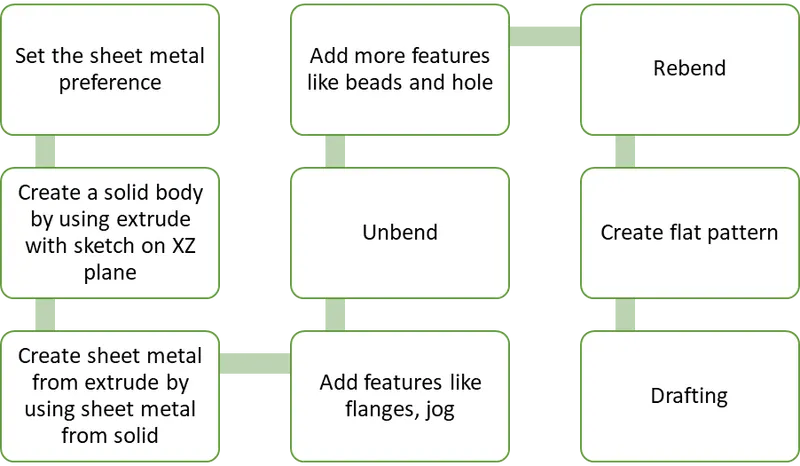
The workflow of this challenge is given as per the below flowchart
Description :
Below are some tools used in completing this challenge
Extrude - Use the extrude command to create a solid or sheet body by selecting a section of curves, edges, faces, or curve features and extending them a linear distance.
Sheet metal from solid - this command is used to create a sheet metal part using a solid to model it. the solid represents the inner void of an enclosure. We select the faces from the solid to be panel(web) faces. Then we specify bend properties, or use the ones we established in sheet metal preference.
Flange - A flange consist of a bend region and a web. You can add a web at an angle to a planar face and ad a bend between the two.
jog - The section for the jog must consist of a single line across a planar face. NX creates the jog by lifting material on one side of the jog line and adding a flange between the two sides.
Bead - Use the Bead command to lift material along the contour of a sketch that simulates a stamping tool. Beads can also be created to stiffen sheet metal parts
Hole - Adds a hole to one or more solid bodies in a part or assembly with options for counterbored, countersunk, and threaded.
Unbend - Use the Unbend command to unbend a portion of the part to construct cutout features, hole features, or deform features across a bend. You can later reform the bend to represent the true formed state of the model.
Rebend - Use the Rebend command to return an unbend feature to its previous bent state. Any features added after the unbend operation are properly repositioned during the rebend operation.
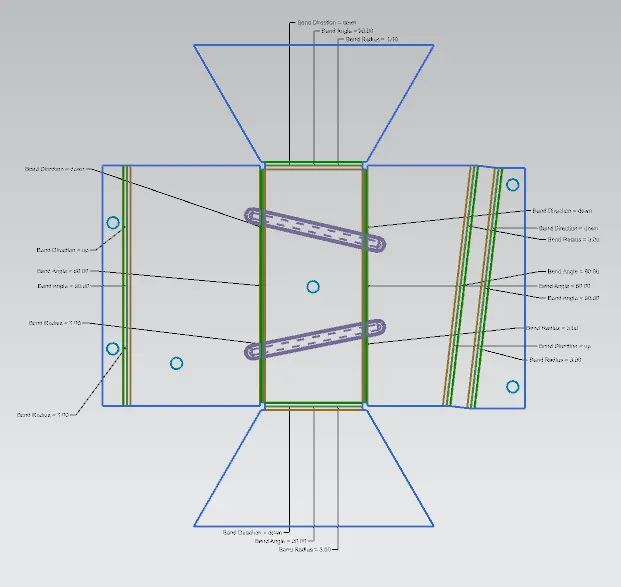
Flat pattern - Use the Flat Pattern command to create a 2D representation of the flattened 3D sheet metal part.
Process -
- First we set up the sheet metal preference as per the given instructions.
- we create a sketch with some guven measurements in the XZ sketch plane and finish sketch.
- Then we create an extrude with the previou sketch as reference and specify the direction vector.
- Now we have a create a sheet metal as per the extrude shape, so we use sheet metal from solid command and create a sheet metal from extrude by selecting the web faces and bend edges.
- We add flanges and jog on the respective sides with given dimensions and apply apply unbend command.
- Then we apply some features like beads and hole on the unbend sheet metal with given measurement and rebend the sheet metal.
- Now we apply flat pattern on the dd shape enclosure by selecting face and an edge.
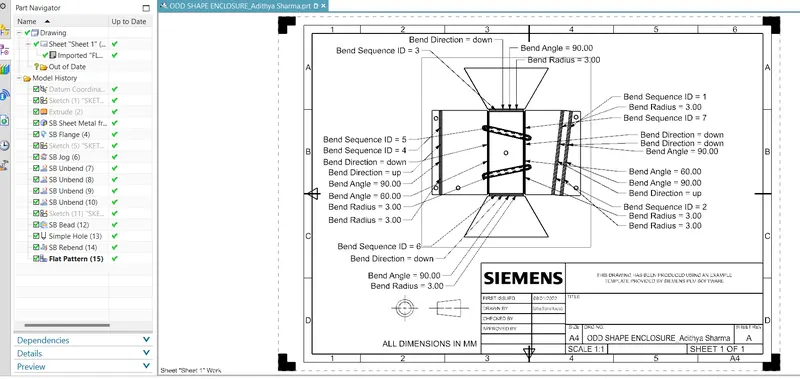
- Then comes the drafting part.
Images -
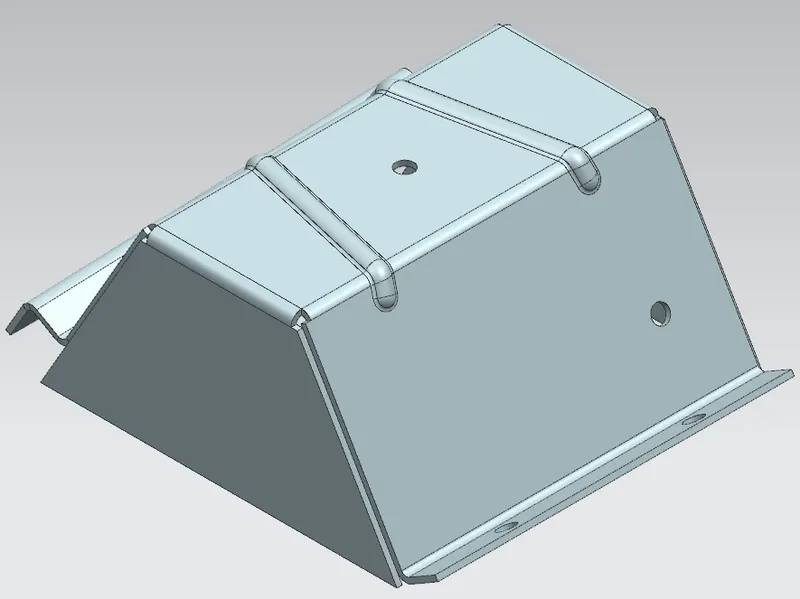
Isometric view
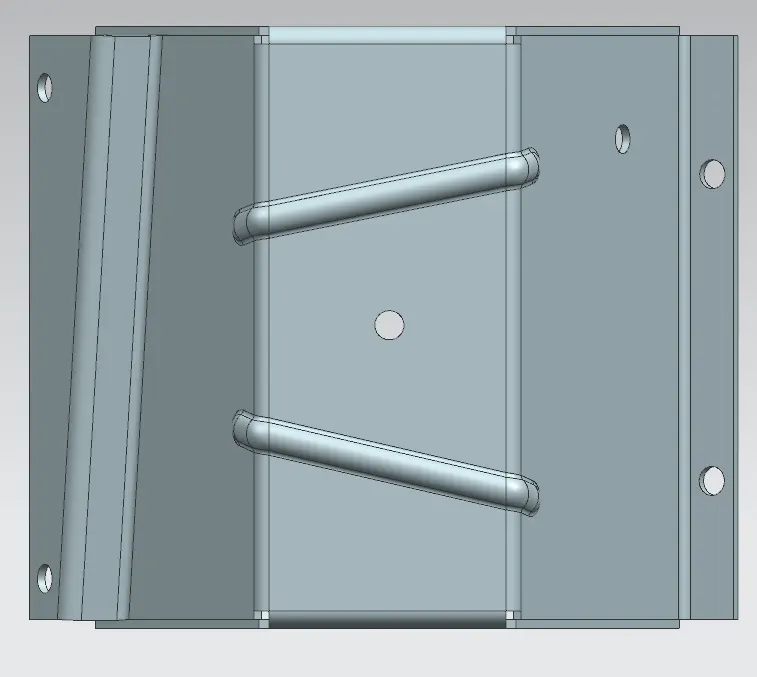
Top view
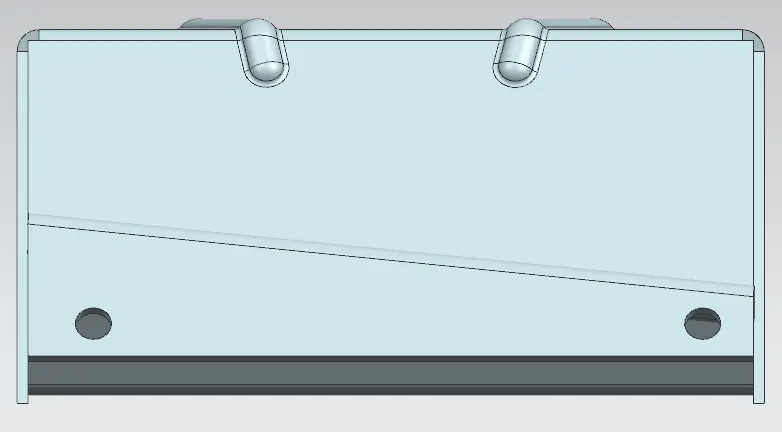
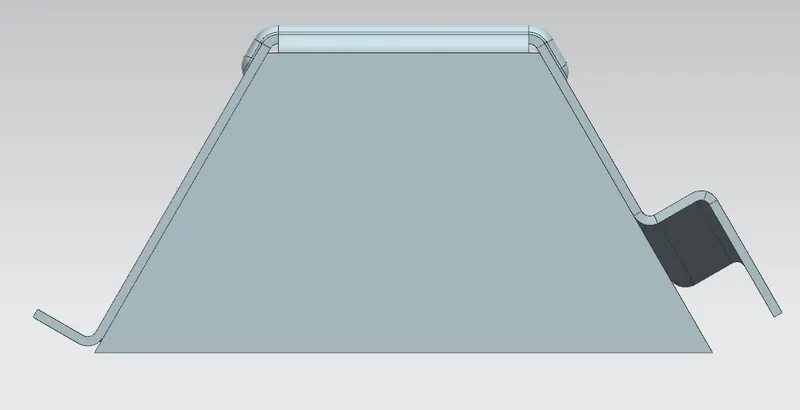
Side view
Front view
Flat pattern
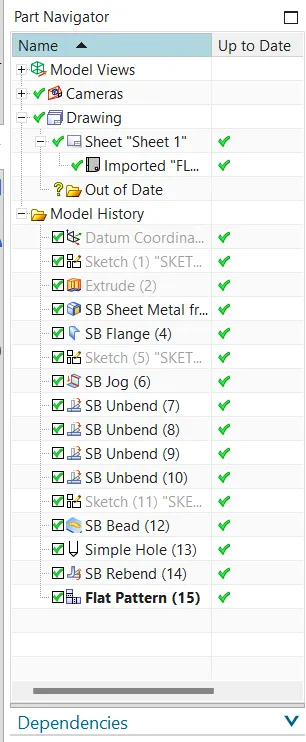
Feature tree
Drafting
Conclusion :
By completing this challenge of designing an odd shape enclosure in the sheet metal application of Siemens NX, I've come to know and learnt about various tools used in this challenge and work flow. I've also come to know how and where to use some particular commands like sheet metal from solid.