Wiring harness design in CATIA V5 - 3D modeling Week 7 Challenge
AIM Flatten the harness assembly
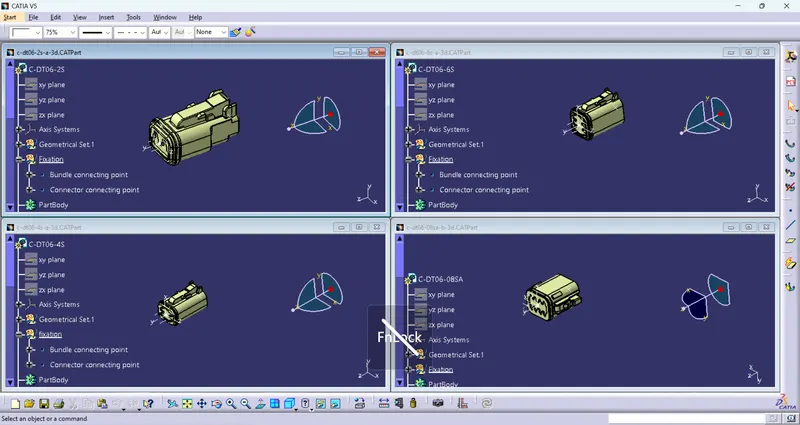
First define the mechanical parts electrically.
- First Download the required connectors in 3D Cad file and convert it into electrical part.
- DT06-4S
- DT06-6S
- DT06-2S
- DT06-08SA
- And then store the connectors into the catalogue.
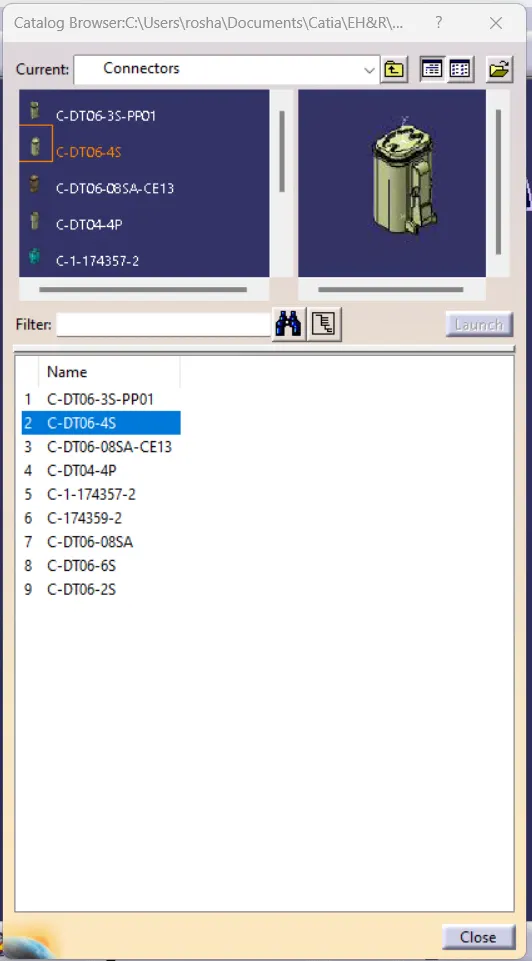
- Now create a product file named Geometrical bundle and add all the electrically defined connectors part files into it.
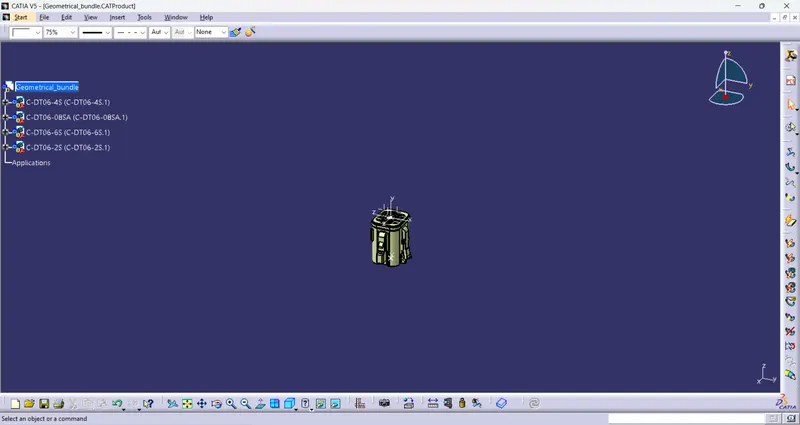
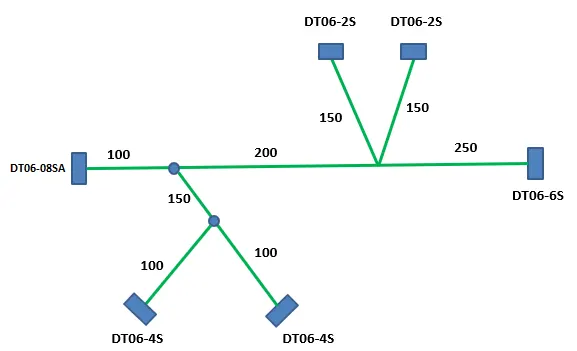
- Manipulate or adjusted all the connectors as per the given harness layout by using move command and compass in Assembly WB.
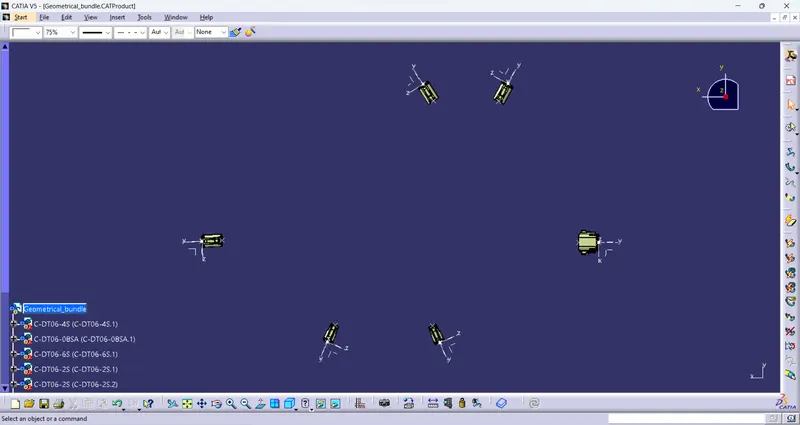
Now convert the mechanical geometrical bundle product file into electrical product file by using Geometrical Bundle command in Electrical Harness Assy WB.
and then create a harness branch between the two coupler by using Branch defination command.
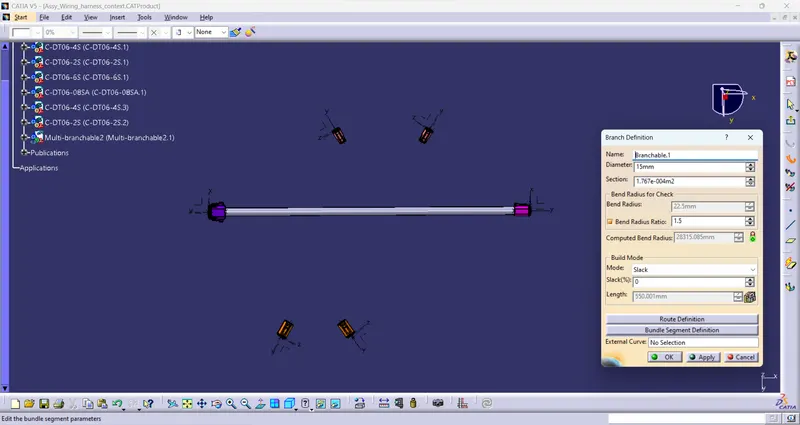
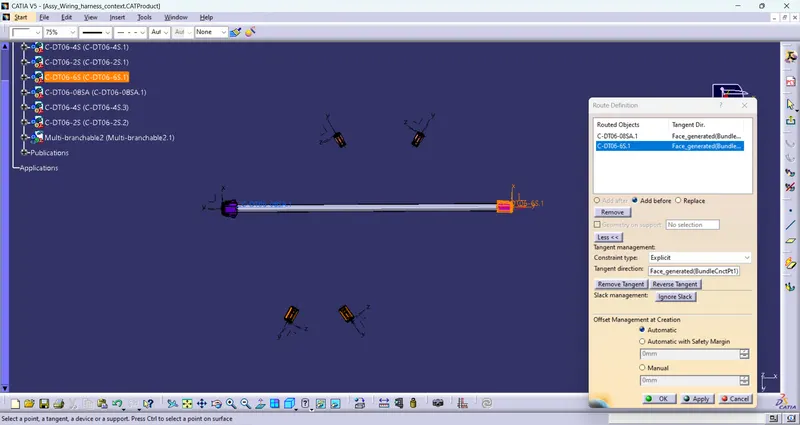
Split the main harness branch for creating another harness branch at specific point by using Add Branch point command.
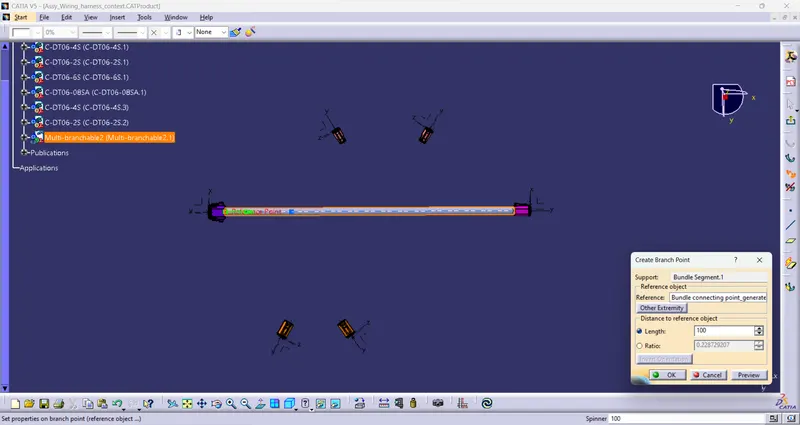
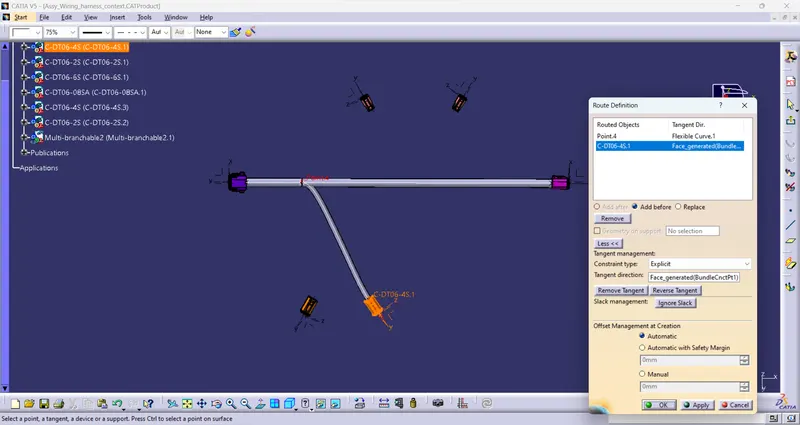
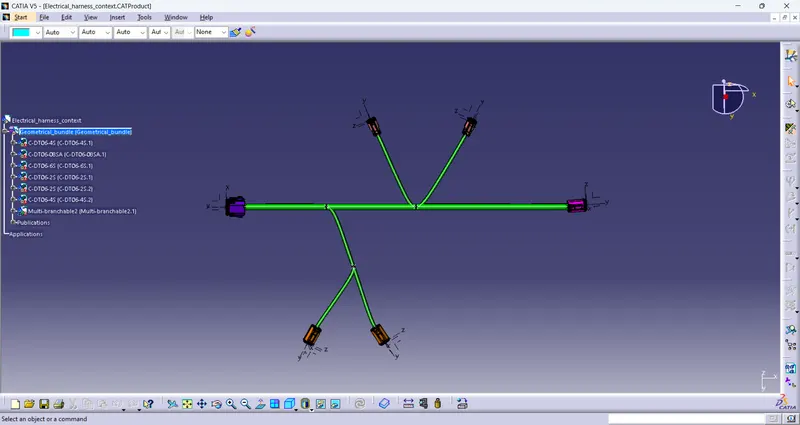
And now add the protective covering on all branch by using catalogue of COT-Tube.
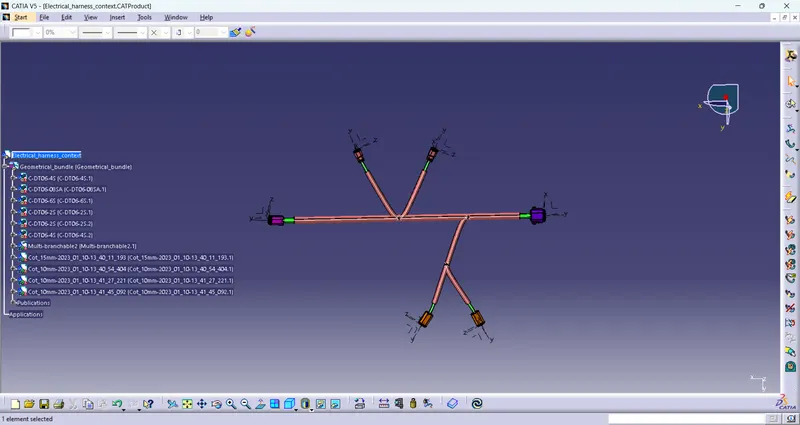
Prepare bundle flattening has to be done in the CATIA flattening workbench
In this step, for creating flatten view we have to work in Electrical Harness Flattening workbench of Catia V5. We should also make sure that the flattening file is saved in the same folder where other files of harness assembly are saved.
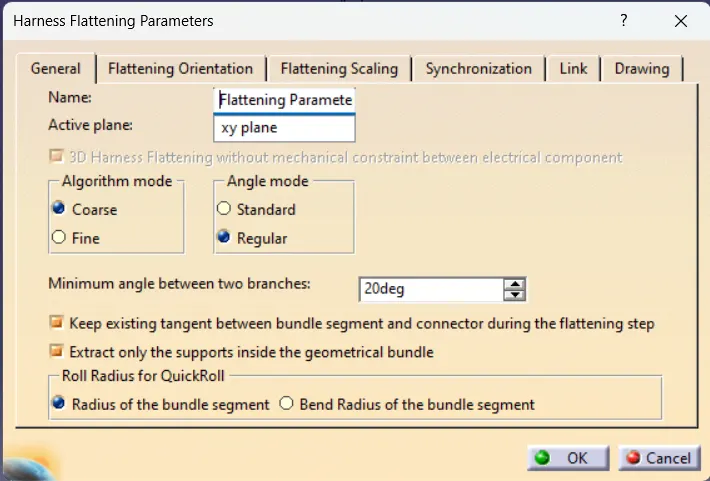
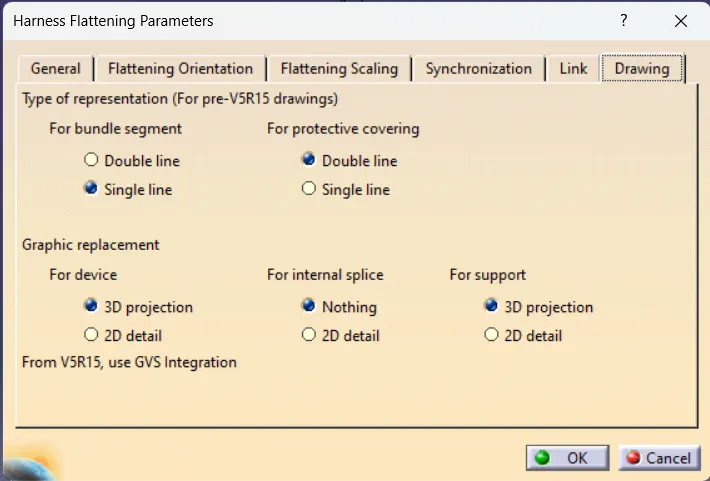
Before creating flatten view, first we have to define flattening parameters. Make sure that selecting 'Single line' for bundle segment and 'Double' line for protective covering.
Now for flatten the harness bundle by using the Extract command in Electrical harness flattening Workbench.
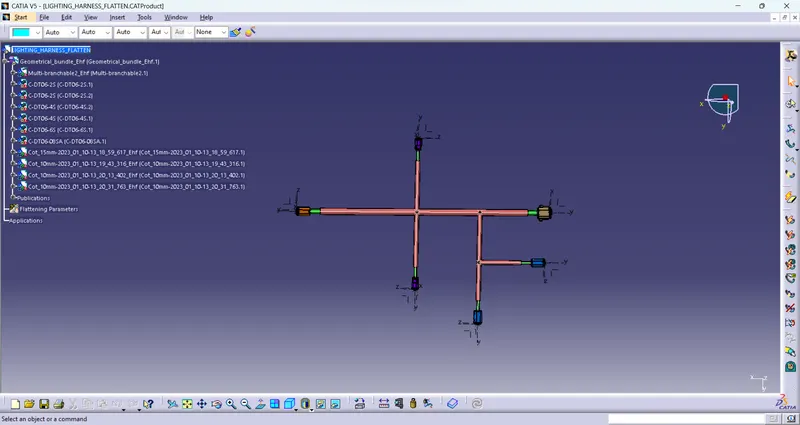
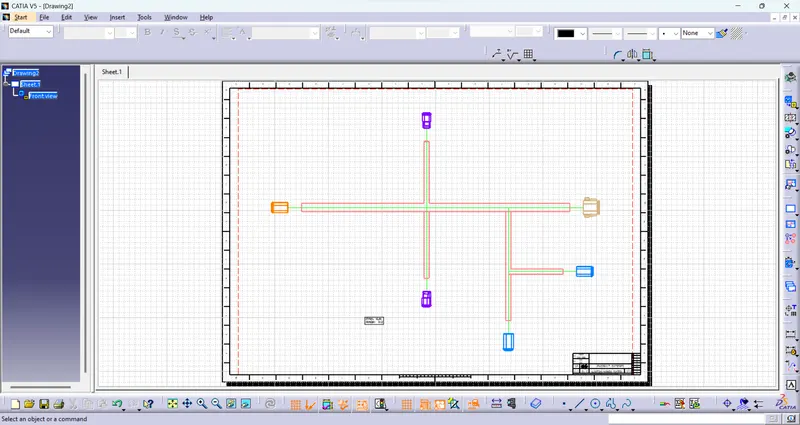
2D drawing of the bundle with connector representation and diffrent colour coding for bundle with protective covering
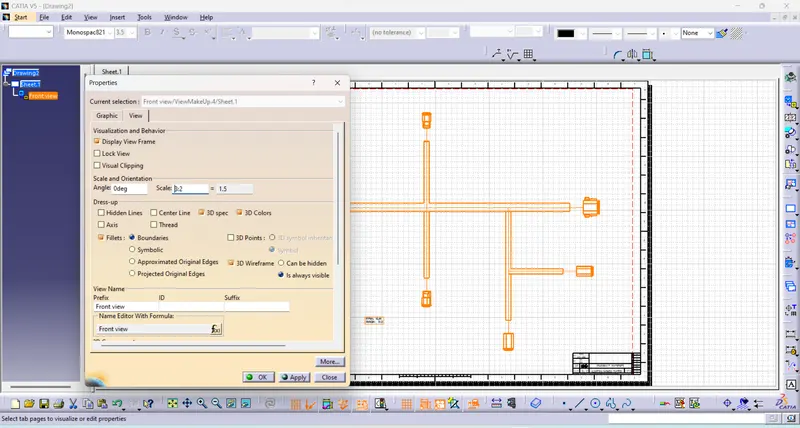
- Create a drawing file for plotting the 2D drawing of flatten harness bundle in drafting workbench.
- Now click on front view command in drafting workbench and click the required front face of the flatten harness.
- select the suitable scale size and 3D wirefarme as is always visible