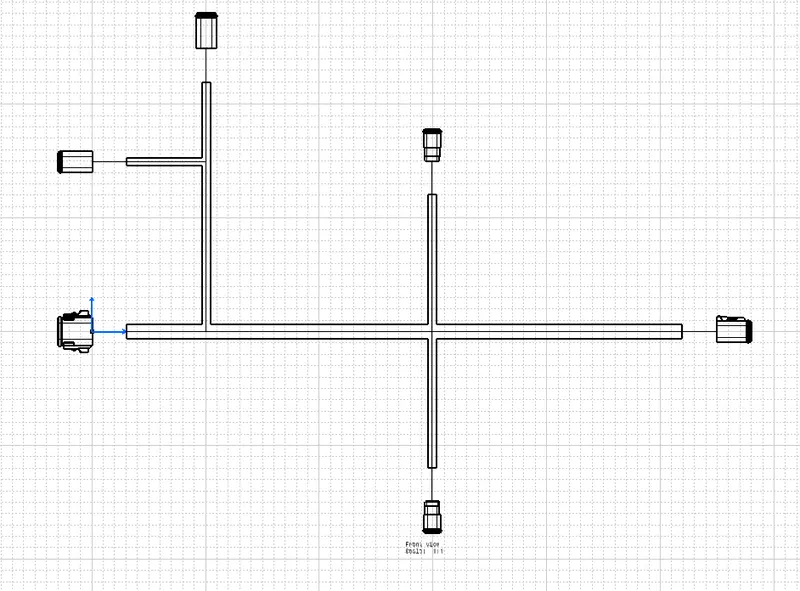
Wiring harness design in CATIA V5 - 3D modeling Week 7 Challenge
In this challenge the wiring harness flatness is done.
The wiring harness made in the week 4 is used.
the wiring harness is shown in the image below.
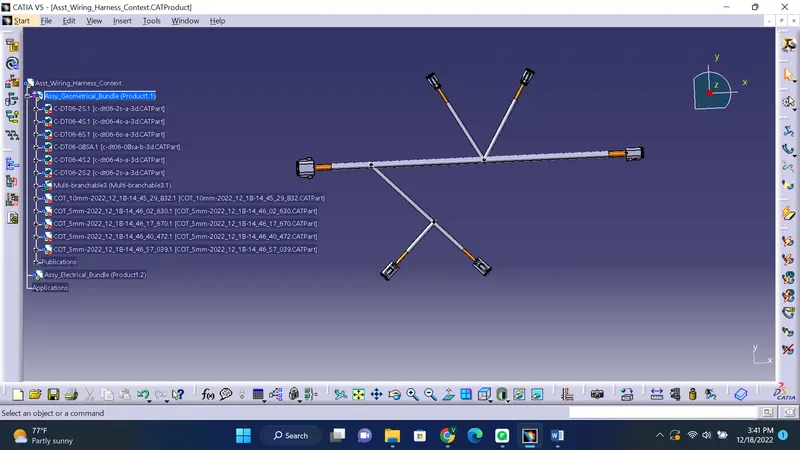
Flatness of this Wiring harness is done in CATIA
To do the flatness we have to open a new product file.
In that produvt file switch the workbench as wiring harness flattening.
Then we have to adjust the settings from the options.
After that we have to adjust the flattening parameters.
Then we have to open the geometrical bundle to open as another window.
In the flattening product there will be a tool named as "Extract".Click on this tool.
After clicking on extract select the geometrical bundle product file open in another window.
Now the bundle will be open in the flatten product file.
Now click on the flatten tool from the tool pallette.
then a window will pop up.
In this window select "coarse" and "Random" options and also select a plane or face on which the bundle is to be flattened.
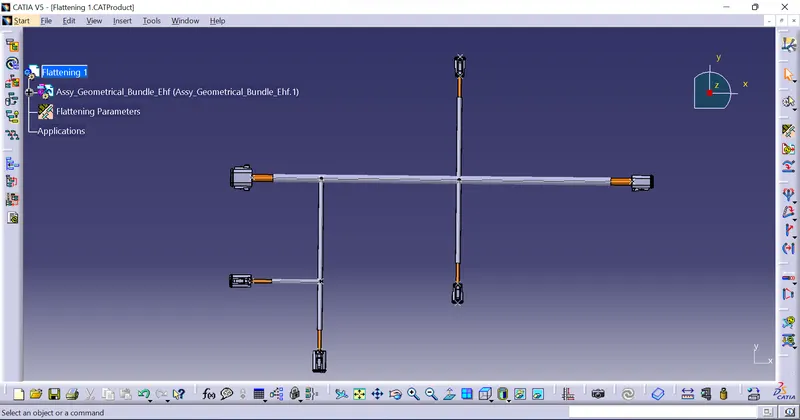
Now click on ok,we will obtain a flattened bundle.
We can adjust the angle of rotation of the bundles by using the rotate tool.
We can use tools like scale,bend etc and also other tools to adjust the wiring harness properly.
Sometimes we have to rotate the connectors and clips etc using the snap and manipulation tools that are available in the mechanical part design workbench.
The flattened bundle is shown in the image given below.
After flattening drawing is made for the flattened harness bundle.The drawing image is shown below.'