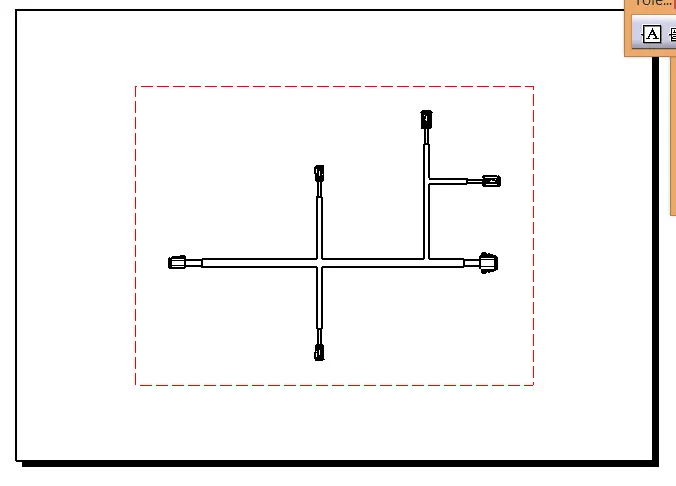
Wiring harness design in CATIA V5 - 3D modeling Week 7 Challenge
Below is the process of Flattening the harness.
- Open fattening harness assembly work bench and update the details flattening harness parameters as below.
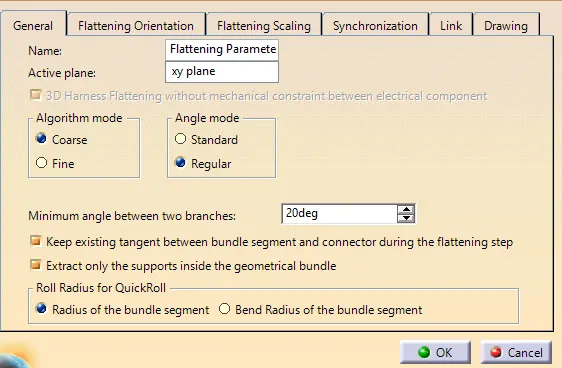
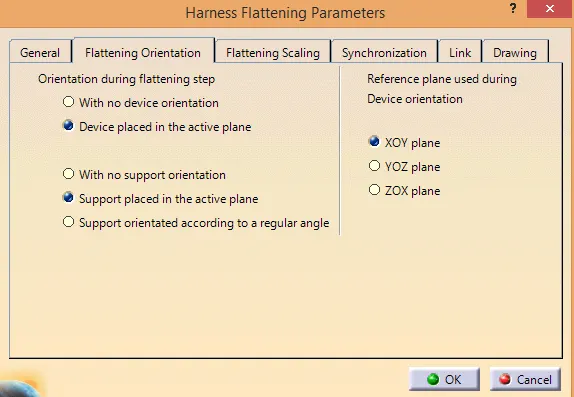
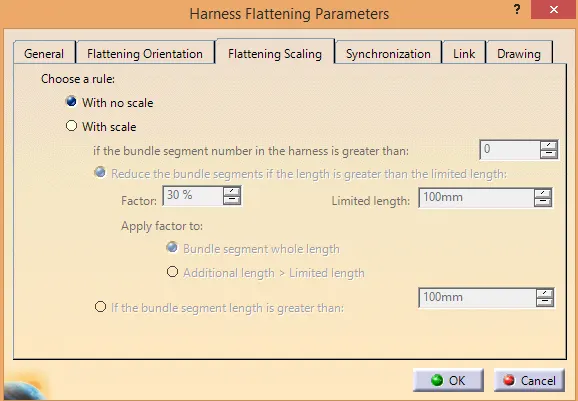
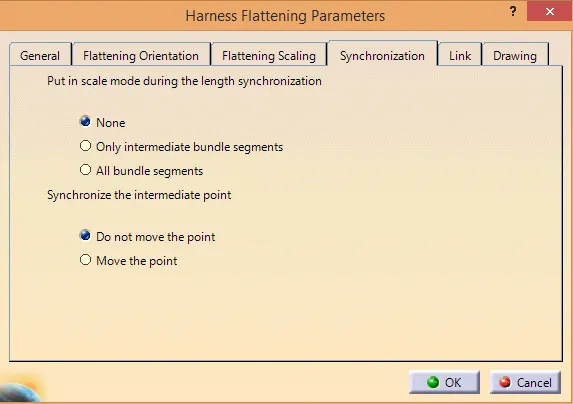
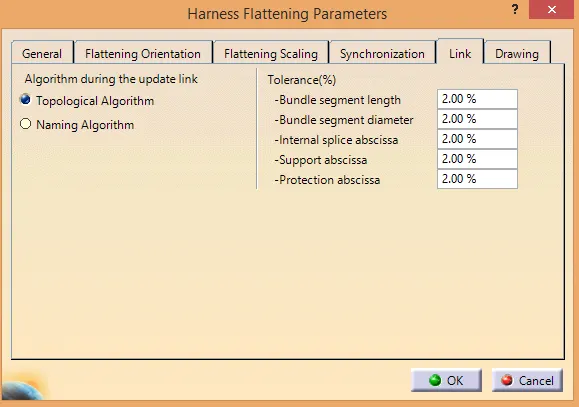
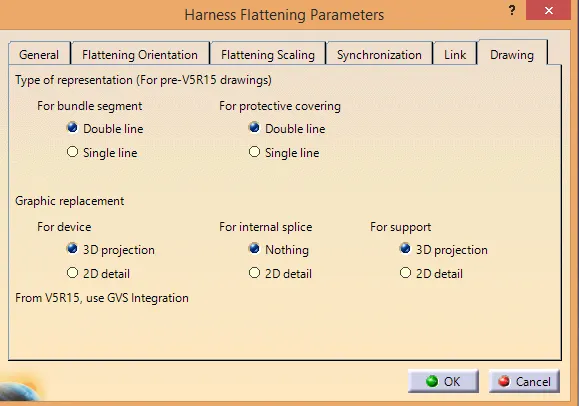
- Open week 4 challenge 3d and put both side by side.
- In the flattening harness assembly use extrat command to move the week harness assembly.
- Use flatten command and pick the face which is good to cover in drawing sheet.
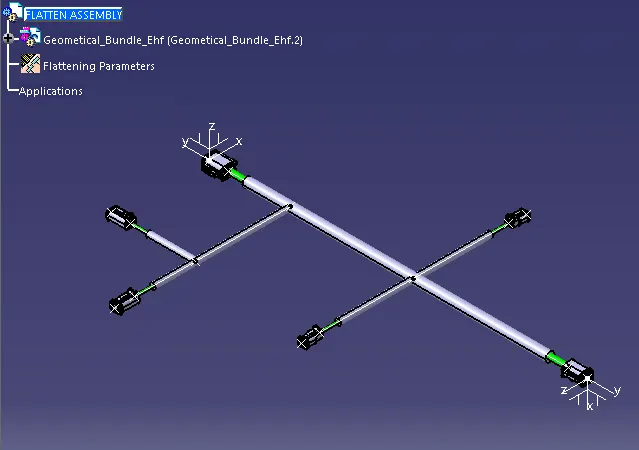
Flattening harness drawing
- Open Drawing work bench and pick front view command.
- Update drawing view properties as below.