Wiring harness design in CATIA V5 - 3D modeling Week 5 & 6 Challenge
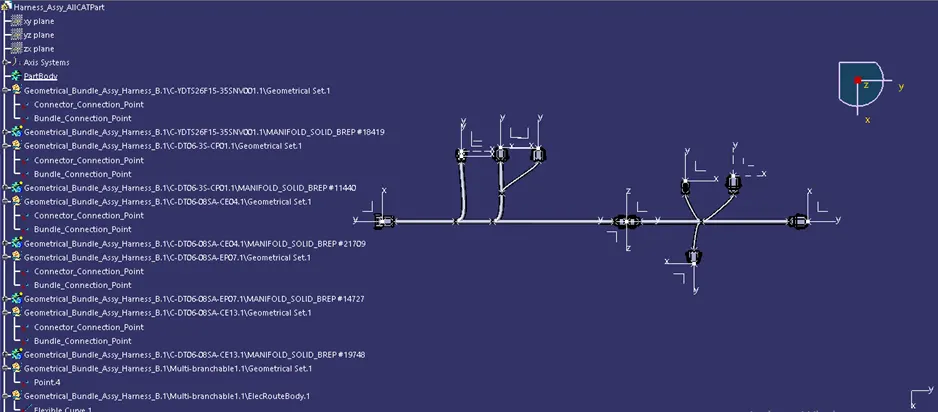
AIM: Route the following harness layout in Electrical workbench. Make assumption for harness bundle diameters. Use the connectors provided. After completion of routing,
- Check the bundle Continuity. Add snap of result in submission
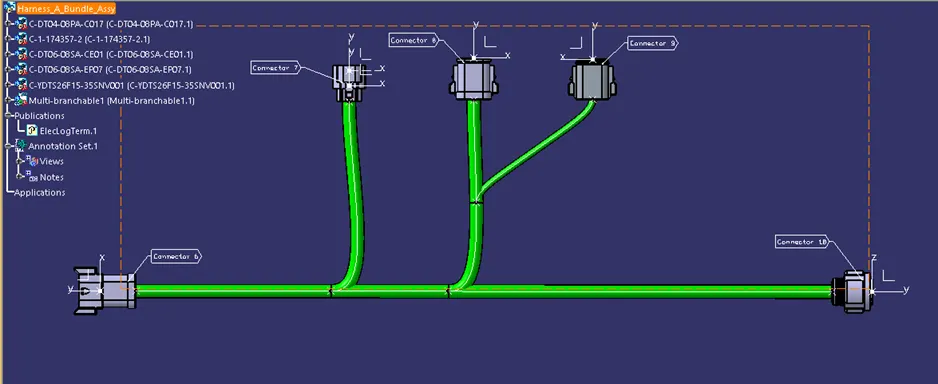
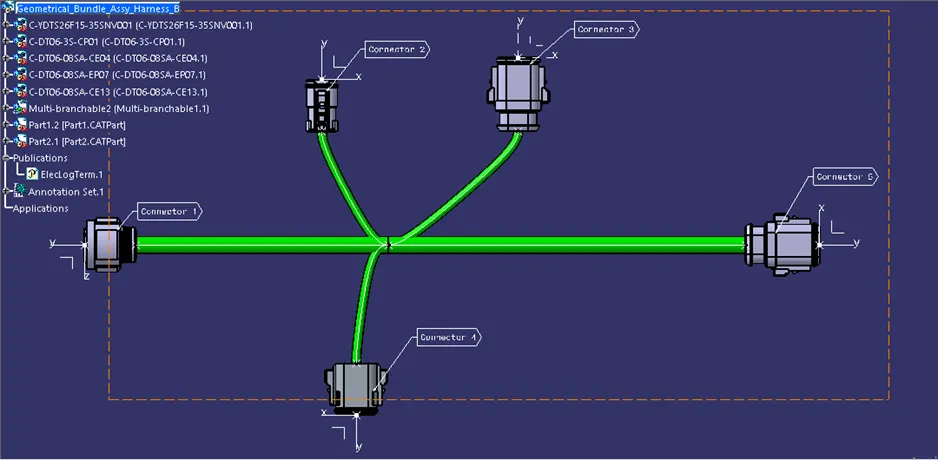
- Add annotation to all connectors. Make an assumptions for annotations like connect 1 , 2 etc
- Check for the bundle warning. Add snap.
- Generate CAT.part of harness assembly and convert is in. igs format.
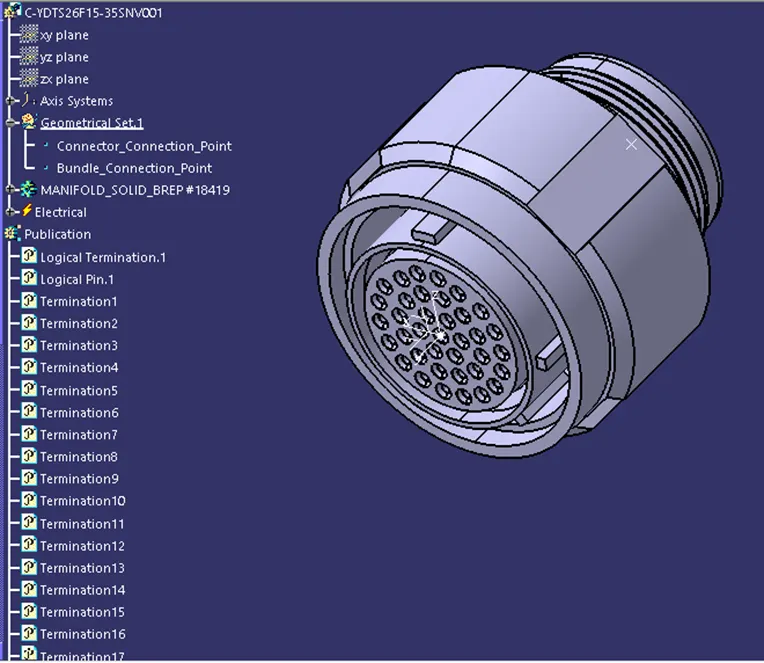
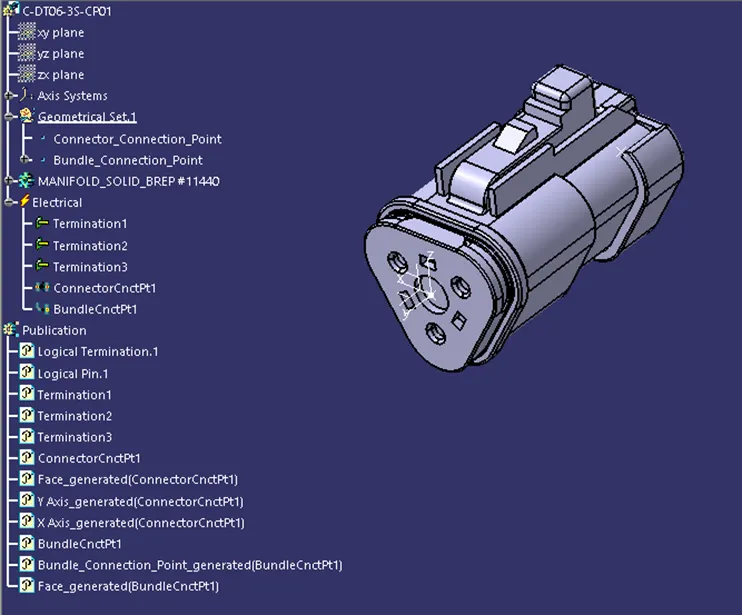
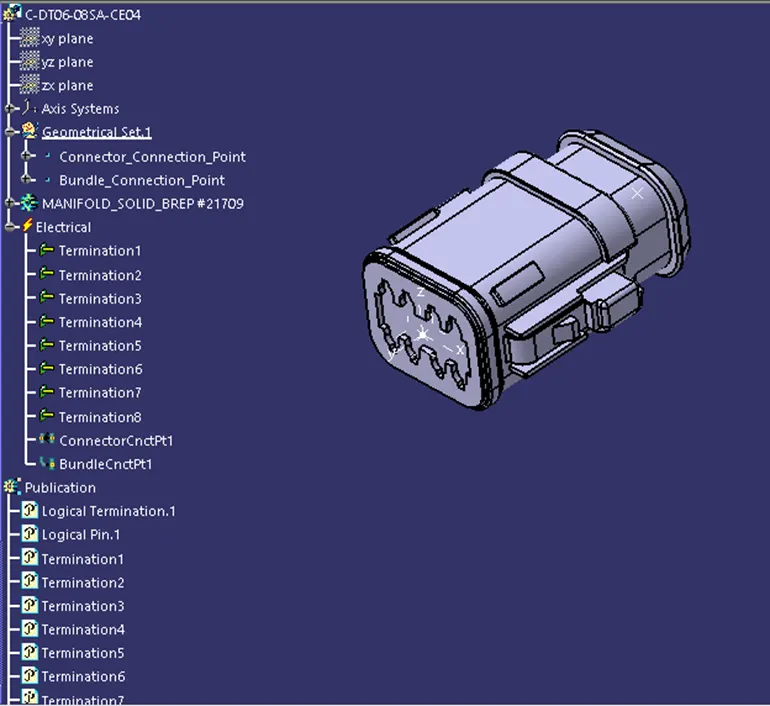
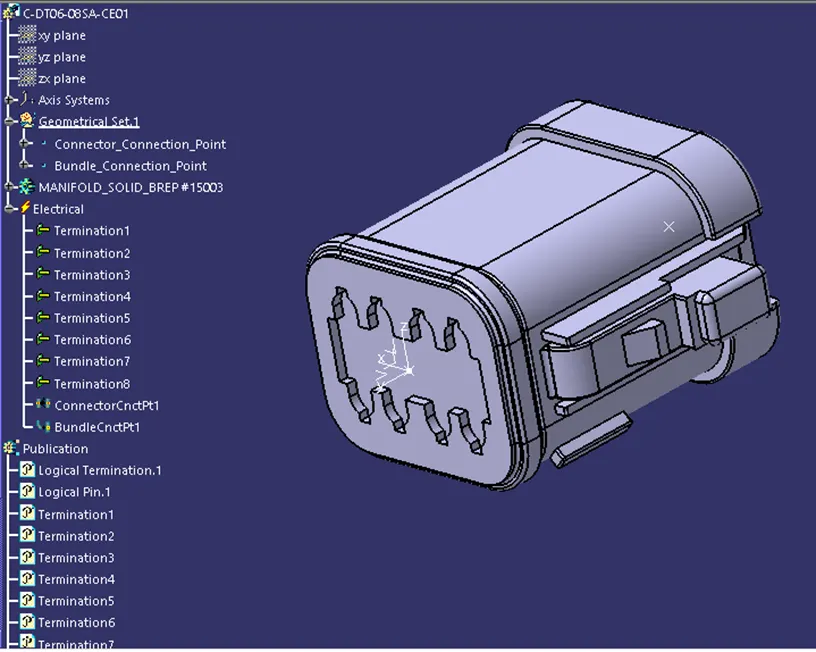
Step 1: Define the connectors as Electrical.
<!-- [if !supportLists]-->a) <!--[endif]-->Connector 1 (ydts26f15-35snv001) and Connector 10
<!--[endif]-->
b) <!--[endif]-->Connector 2 (C-DT06-3S-CP01)
<!--[endif]-->
<!-- [if !supportLists]-->c) <!--[endif]-->Connector 3 (C-DT06-08SA-CE04)
<!--[endif]-->
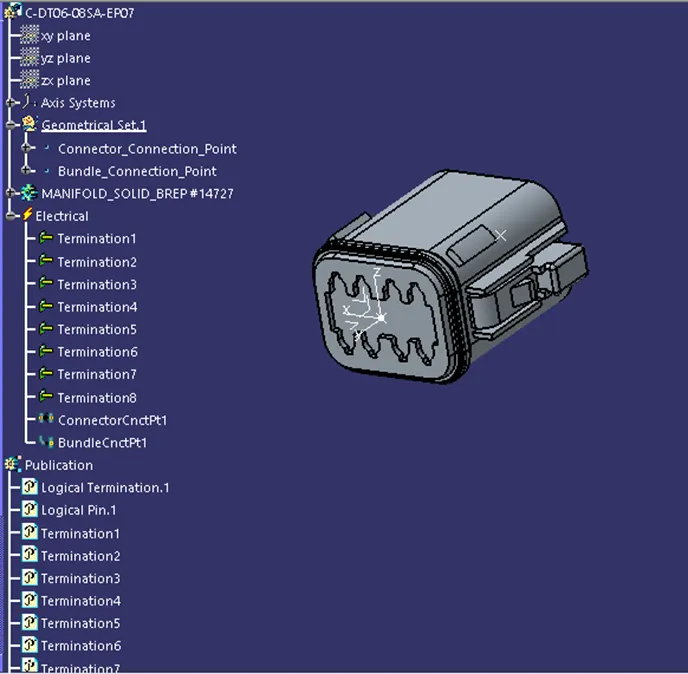
<!-- [if !supportLists]-->d) <!--[endif]-->Connector 4 (C-DT06-08SA-EP07) and Connector 9
<!--[endif]-->
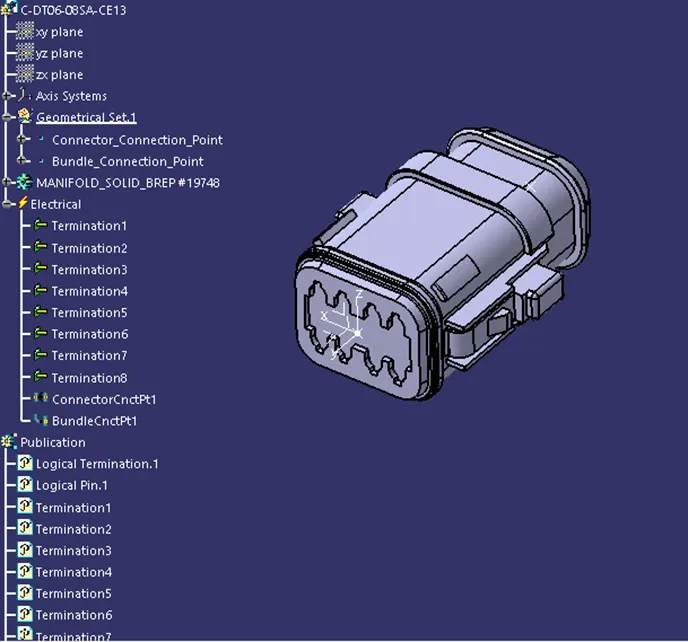
<!-- [if !supportLists]-->e) <!--[endif]-->Connector 5 (C-DT06-08SA-CE13)
<!--[endif]-->
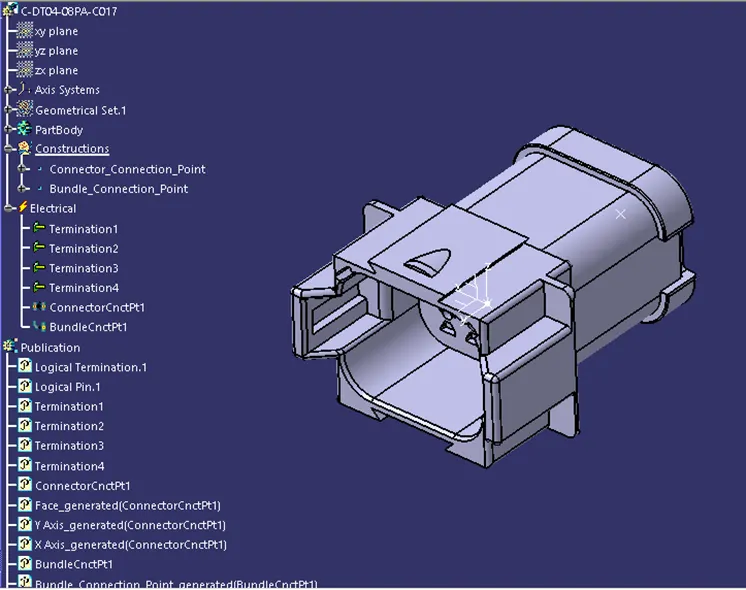
<!-- [if !supportLists]-->f) <!--[endif]-->Connector 6 (C-DT04-08PA-C017)
<!--[endif]-->
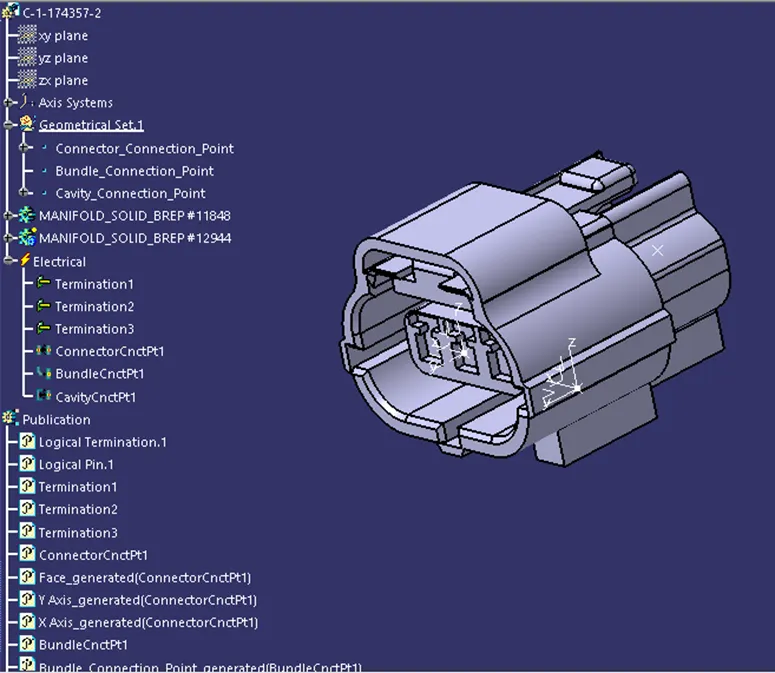
<!-- [if !supportLists]-->g) <!--[endif]-->Connector 7 (C-1-174357-2)
<!--[endif]-->
<!-- [if !supportLists]-->h) <!--[endif]-->Connector 8 (C-DT06-08SA-CE01)
<!--[endif]-->
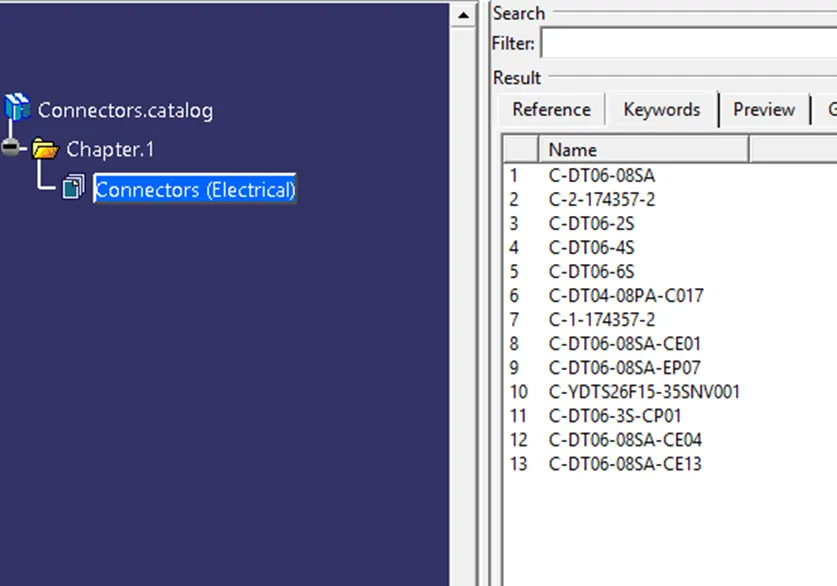
Step 2: Components Added to Catalogue
<!--[endif]-->
Step 3: Harness A and Harness B Bundle Assembly with Annotation
<!-- [if !supportLists]-->a. <!--[endif]-->Harness A
<!--[endif]-->
<!-- [if !supportLists]-->b. <!--[endif]-->Harness B
 <!--[endif]-->
Step 4: Check for Bundle Continuity
<!-- [if !supportLists]-->a. <!--[endif]-->Harness A
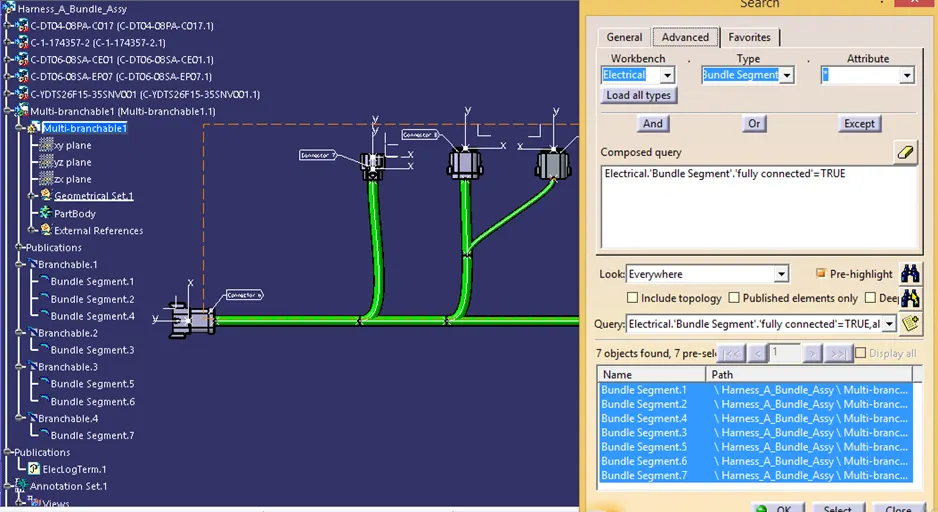
<!--[endif]-->
<!-- [if !supportLists]-->b. <!--[endif]-->Harness B
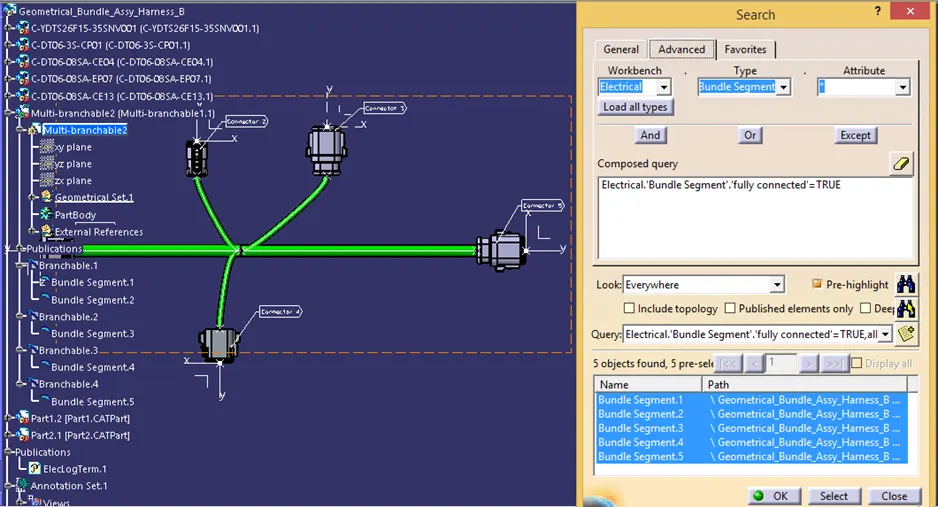
<!--[endif]-->
Step 5: Interconnecting Harness A and Harness B
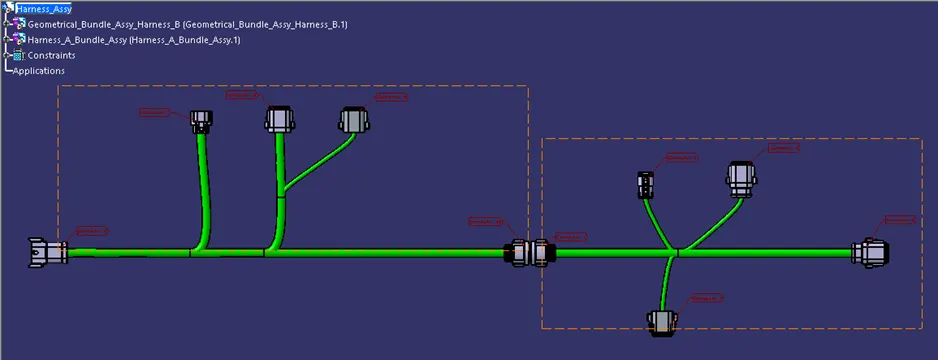
<!--[endif]-->
Step 6: Generation of CATpart