Wiring harness design in CATIA V5 - 3D modeling Week 5 & 6 Challenge
Aim :
Route the Given harness layout in Electrical workbench & Apply the Conditions.
Ojectives :
- Check the bundle Continuity. Add snap of result in submission
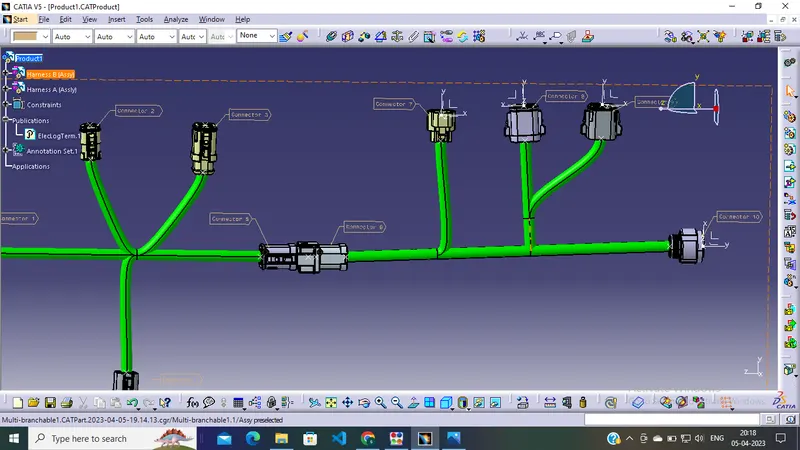
- Add annotation to all connectors. Make an assumptions for annotations like connect 1 , 2 etc
- Check for the bundle warning. Add snap.
- Generate CAT.part of harness assembly and convert is in. igs format.
Procedure :
Connector of Harness B :
1.Go To the Part design workbench & Taking A middle Point From The Connector Connecting Side As Well As Bundle Connecting Side.
2.Taking the axis Origin of Connector connecting Point.
3.Adusting the y-axis is normal to the face of connector connecting Point & X-axis would be locking side & Z-axis would be Up or down side.
4.Then go to the electrical part design workbench after that defined it as a connector & Add no of terminals it has & defining the connector connection point As well as bundle connection point with respect to their faces & Respresentations.
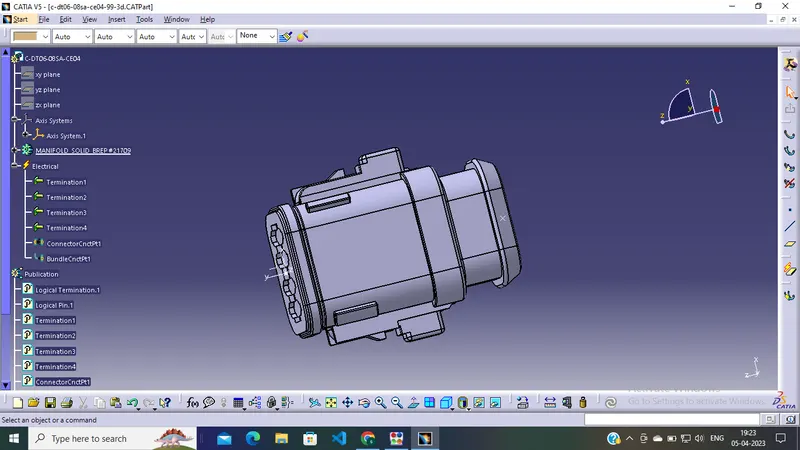
Same procedure follow in another 4 conncetors.
Connector of Harness A :
1.Go To the Part design workbench & Taking A middle Point From The Connector Connecting Side As Well As Bundle Connecting Side.
2.Taking the axis Origin of Connector connecting Point.
3.Adusting the y-axis is normal to the face of connector connecting Point & X-axis would be locking side & Z-axis would be Up or down side.
4.Then go to the electrical part design workbench after that defined it as a connector & Add no of terminals it has & defining the connector connection point As well as bundle connection point with respect to their faces & Respresentations.
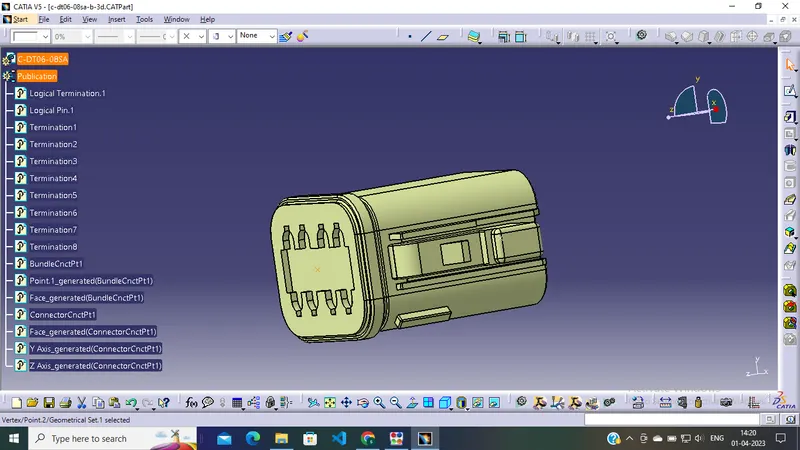
Same procedure follow in another 4 conncetors.
Electrical harness Assembly A :
Then Go to the electrical harness Assembly Define the product as an geometric bundle. Then go the multibranchable point Route the bundles And suiatable break points with respect to the given Diagram.
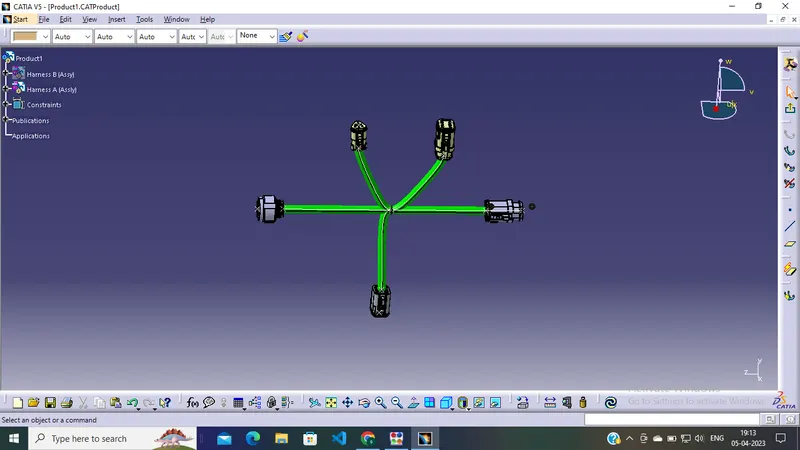
Electrical harness Assembly B:
Then Go to the electrical harness Assembly Define the product as an geometric bundle. Then go the multibranchable point Route the bundles And suiatable break points with respect to the given Diagram.
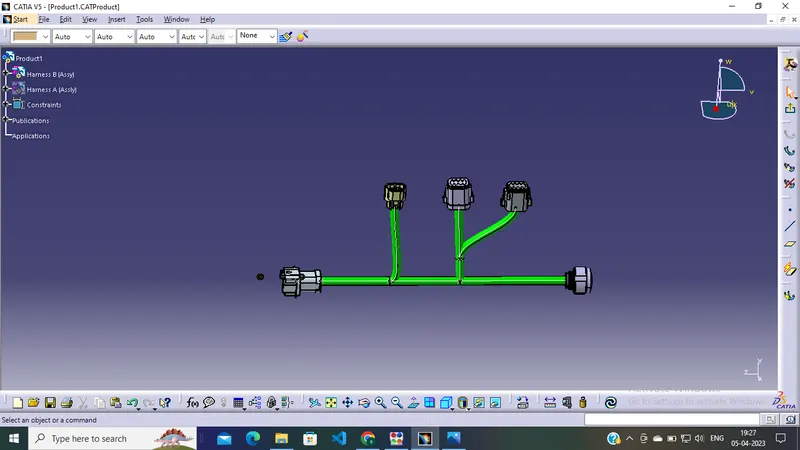
Connecting Electrically :
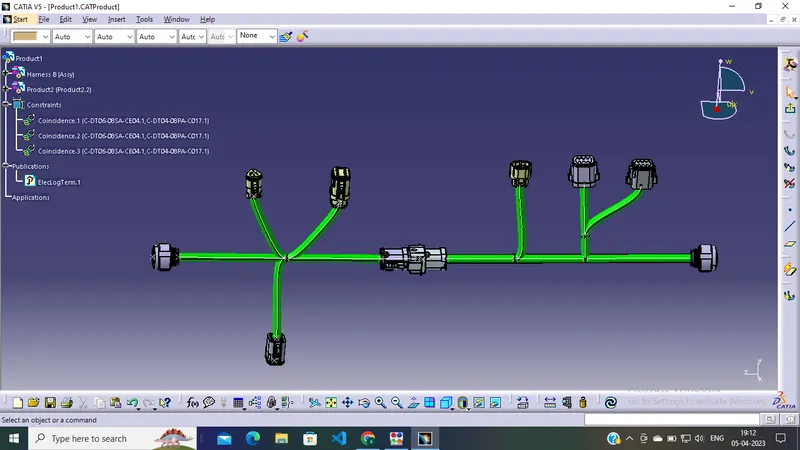
Intially We load the Harness A & B into the Electrical Assemby Workbench & Try To connect them but it wont connect Properly As shown in Above figure. After Updating the components it Could be Connected Properly. As shown in below figure.
Annotations :
I Tried To Give the Annotation To The connector Surface But It Cant Work, There is a Software Glitch in my lap, I Tried several things to reduce that runtime Exception error (Click Ok To terminate). Even I discussed with this problem on technical engineer on session especially only this issue i.e.., Catia is completely Closing while giving the annotation.
Conclusion:
Sucessfully Routed the given harness layout in Electrical workbench as per given Condtions.