Wiring harness design in CATIA V5 - 3D modeling Week 5 & 6 Challenge
AIM
To create the harness assembly in electrical workbench
Objective
- To make the assembly product
- To check the bundle connectivity
- To solve the bundle warning
- To generate the CAT.part of assembly and convert into .igs format.
- To add the annotations for all connectors.
Creation of harness assembly
Download the required electrical parts and give the required geometrical properties and convert into the electrical part
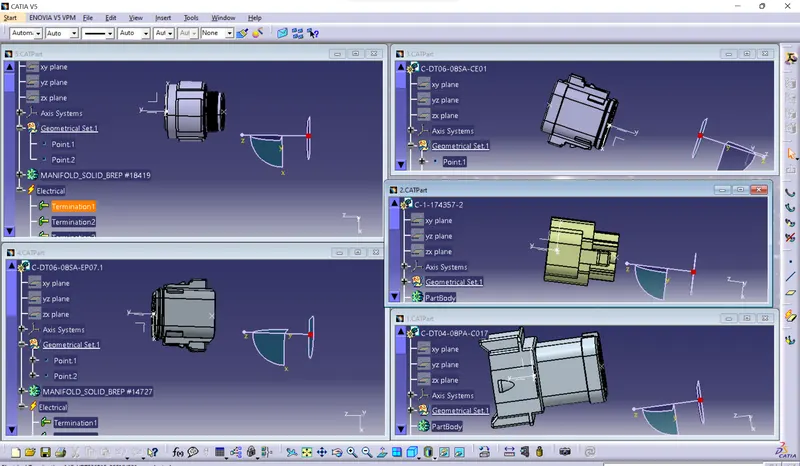
Then create the new product file and insert the electrical parts inton the product assembly and then give the required position for the parts.
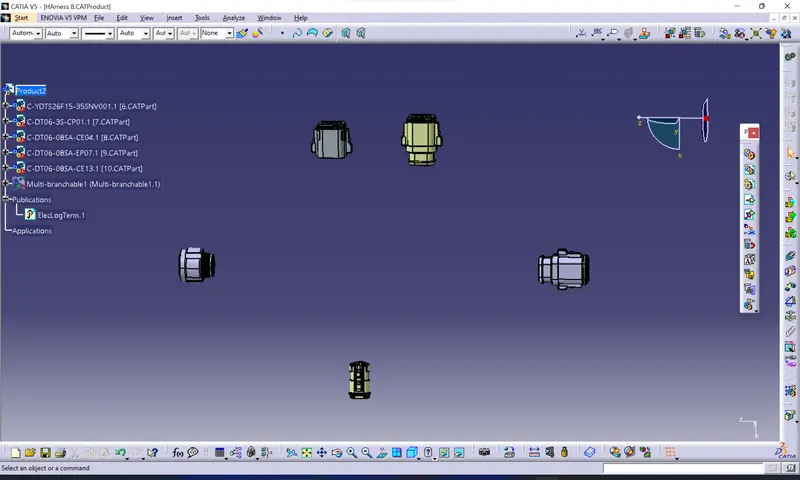
After positioning the parts , start the routing between those parts.
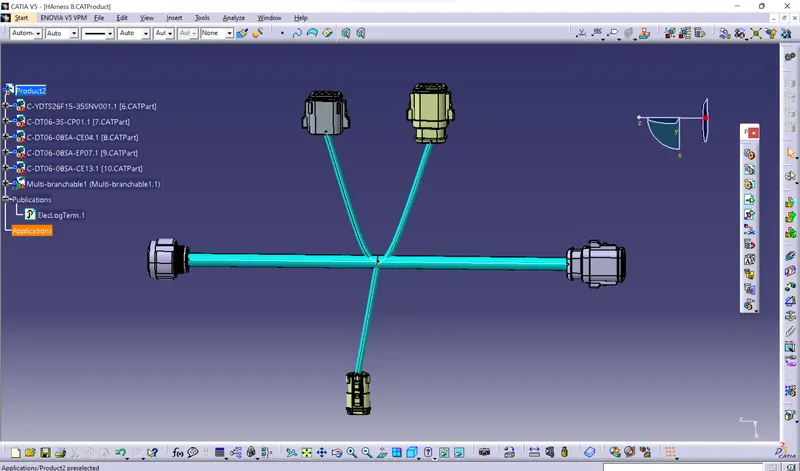
The same procedure is should follow for the another assembly product.
After creating the both assemblies one new product files should open then those assembly products are inserted into the assembly.
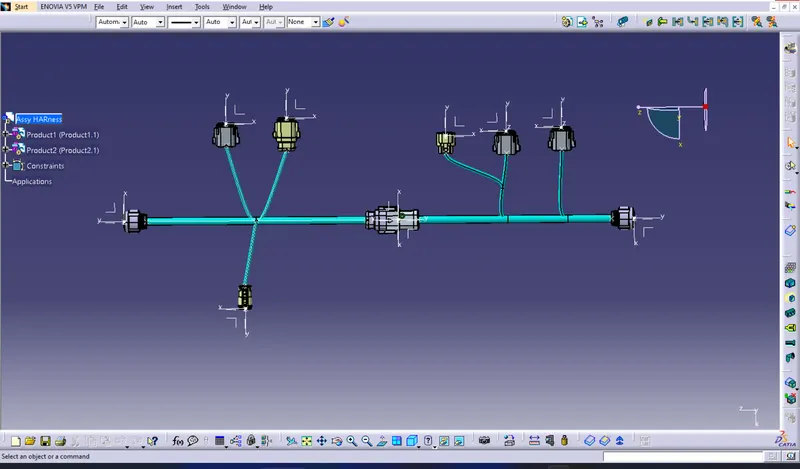
By using connect electrical device comment connect the two mating parts of the two assemblies .
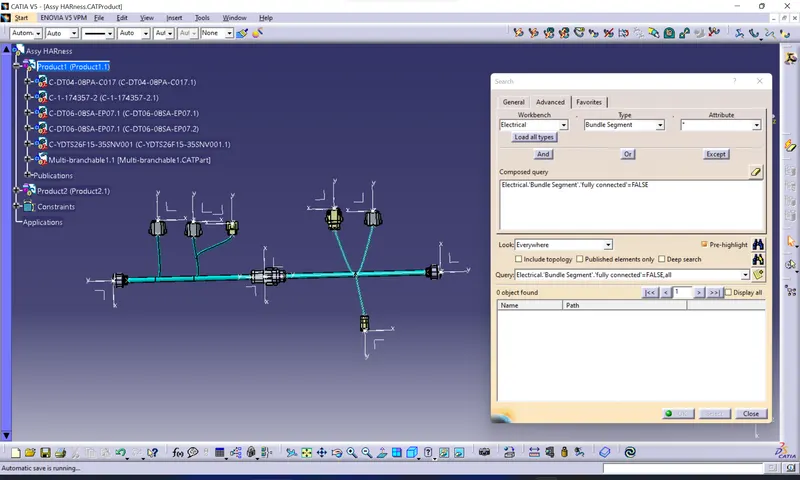
Bundle continuity
True statement
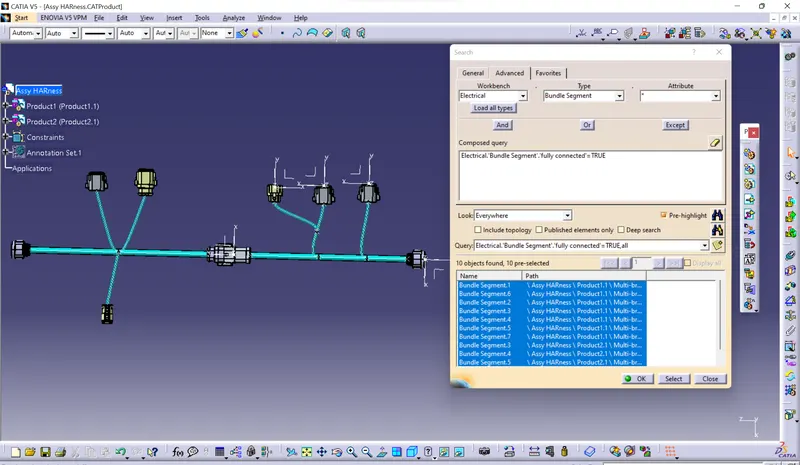
False statement
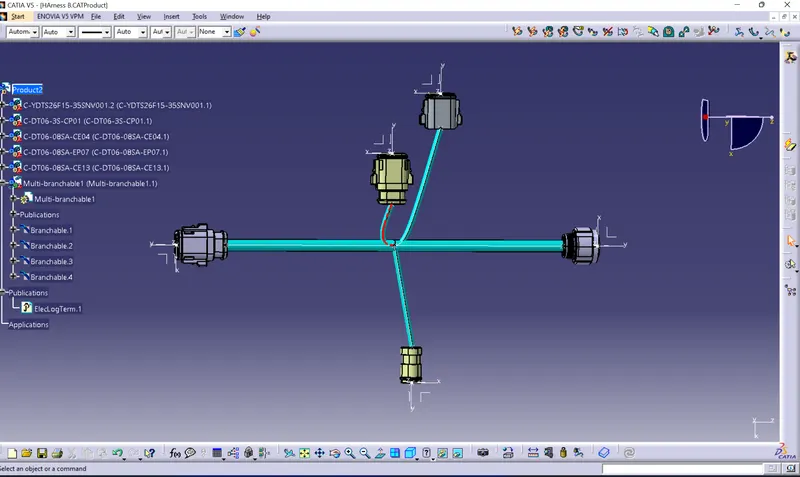
Bundle waring issue
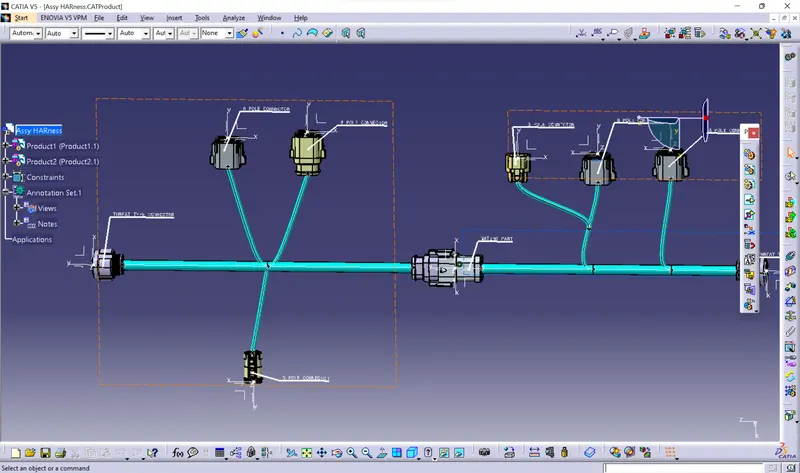
Annotations
By using annotation tool bar the required annotations are created
CAD.Part of the harness asembly
The CAD.part is created by Tools>generate CAD.part from product comment
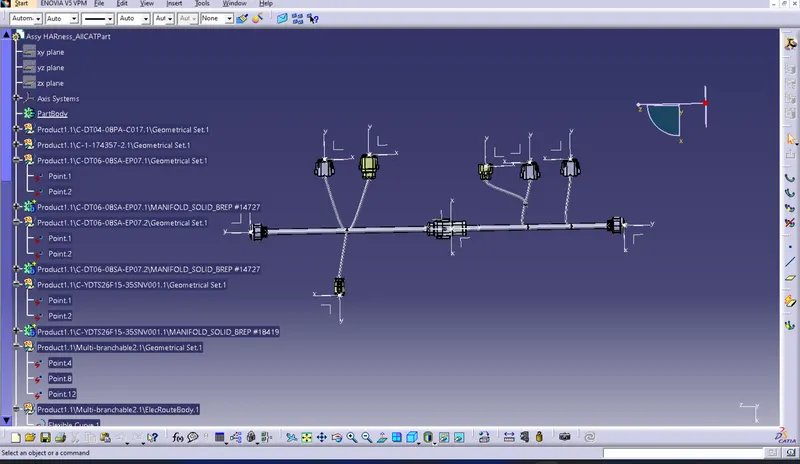
The CAD>part is further coneverted into the .igs format by file
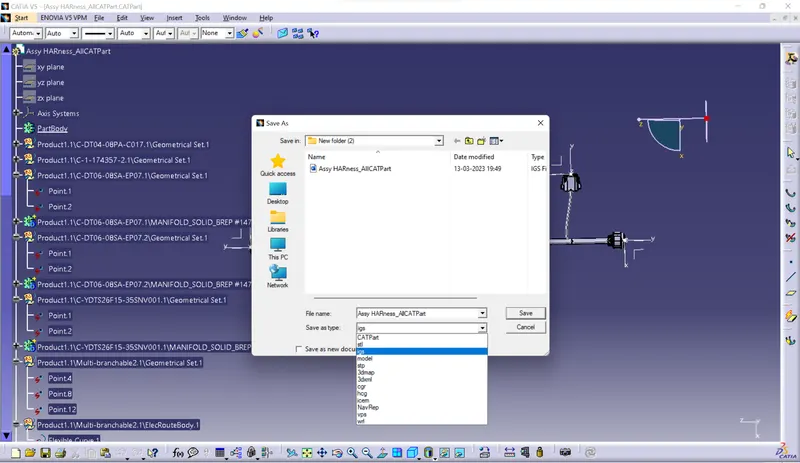
Conclusion
The assembly product is craeted and the required annotations, .igs format conversion,bundle continuity valuations functions are maded.