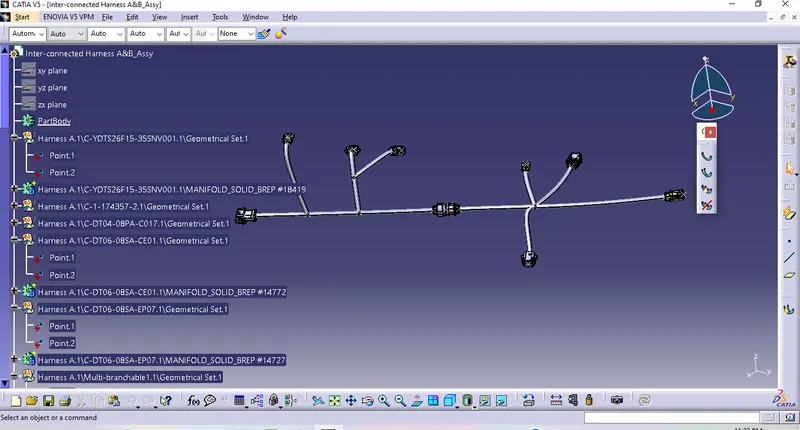
Wiring harness design in CATIA V5 - 3D modeling Week 5 & 6 Challenge
1.Downloaded all the required Connectors from source then define mechanical to ellectrically and prepared catalogue for the same as per below snap.
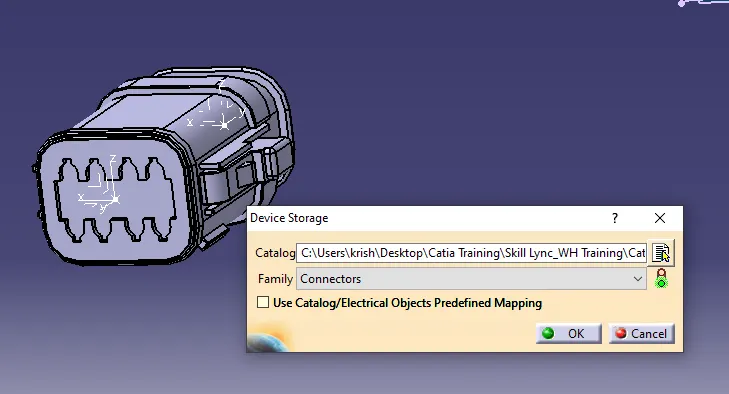
2. As per provided Connectors, Created Harness layout for Harness A in electrical work bench as per below snap.
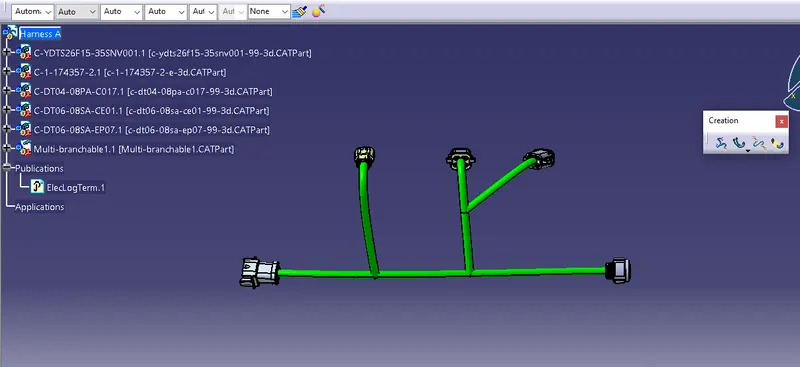
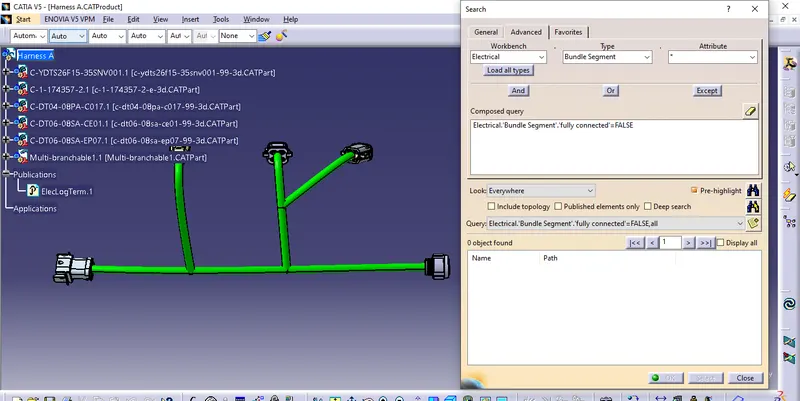
3. Next check the bundle continuity & annotation creation foe Harness A assembly wiring harness Routing.
4. Bundle continuity checked by the following the procedure like :- Edit+Search+advance+work bench (Electrical)+ Type (Bundle segment)+ Attribute :- (Fully connected) & finally found all ok since there is no connectivity issue for Harness A assembly as per below snap.
5. next create the 3D Annotation for harness A assembly as per below snap in Mechanical assembly design work bench.
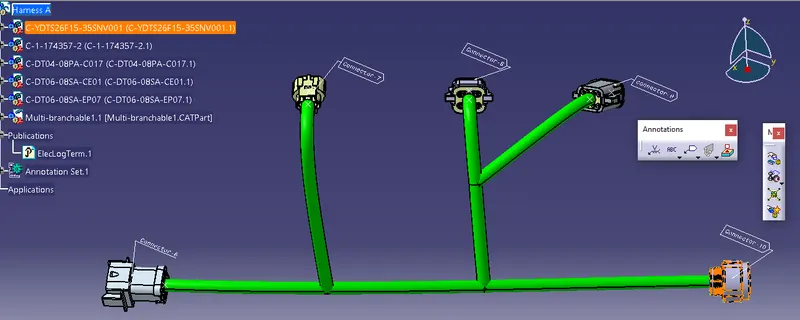
6. Similar above procedure & process has been done for Harness B layout wiring harness assembly as per below snap.
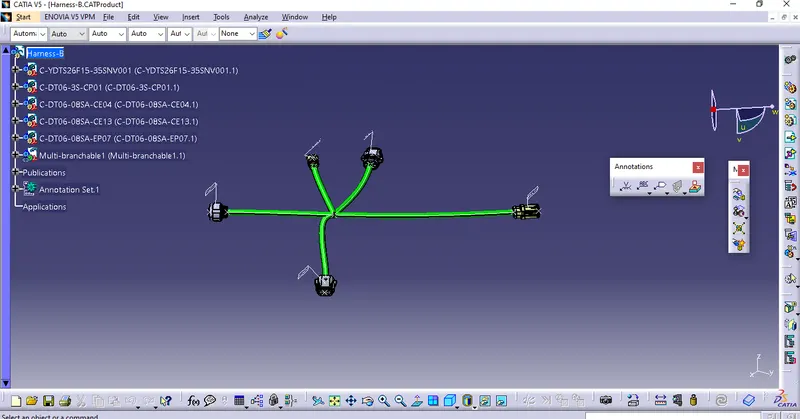
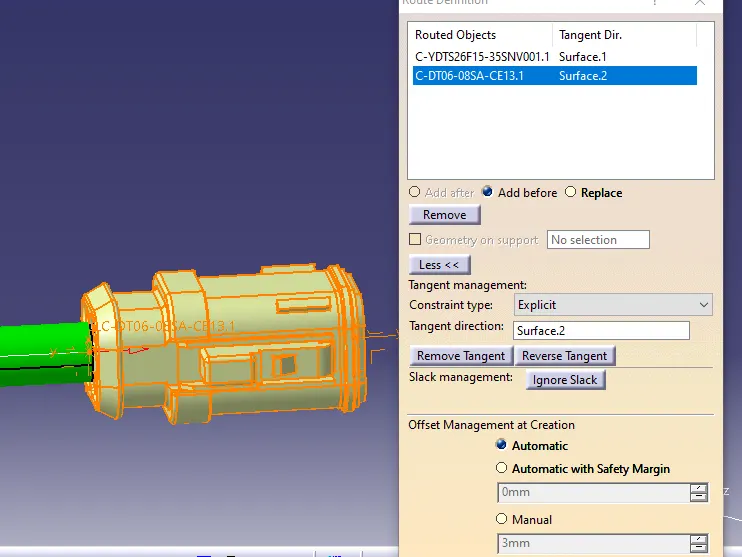
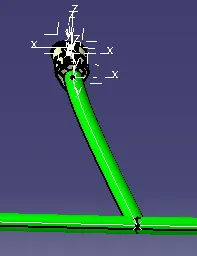
7. Bundle segment warnings are found as per below snaps.
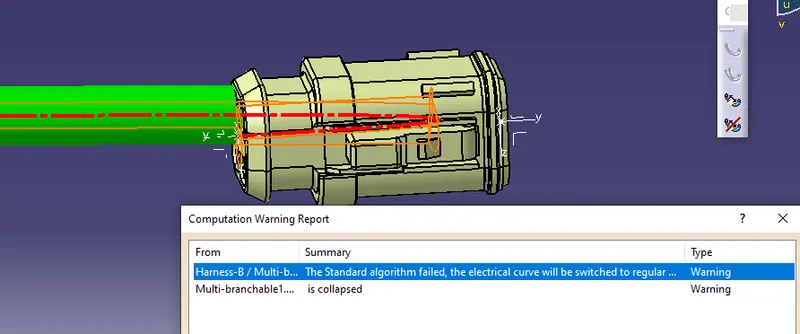
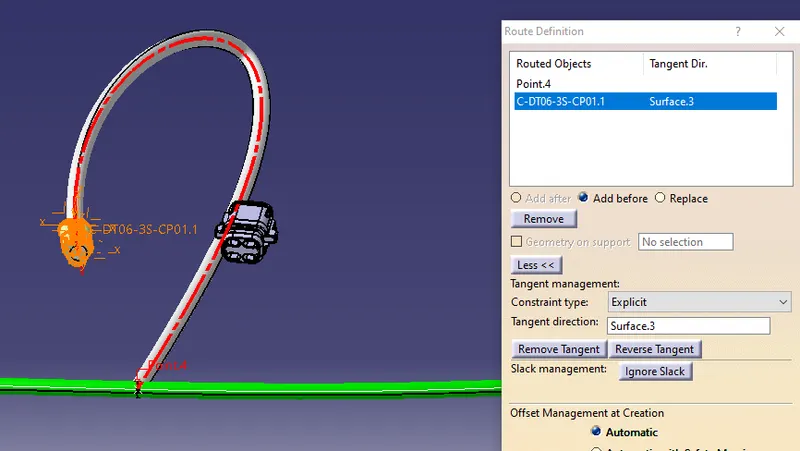
How solve :- after changing tanget direction then it has OK as per below snap.
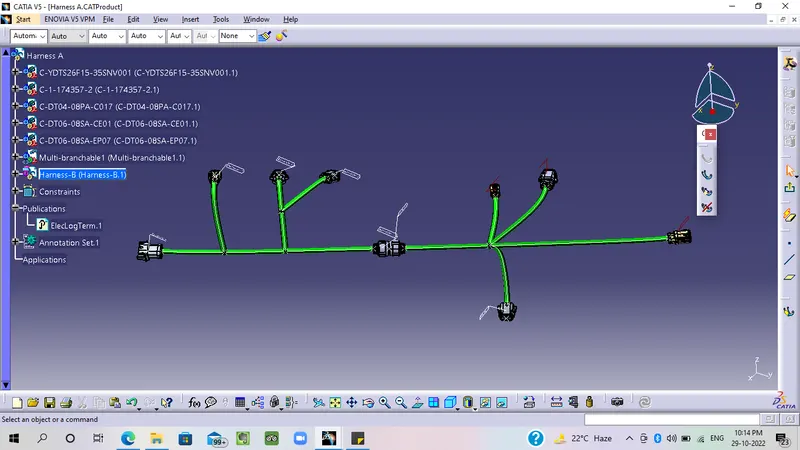
8. The next prepared the inter-connection for harness A & harness B as per below snap.
9. Next create cat part from the assembly product file by using convert cat product to cat part option in mechanical assembly work bench as per below snap.