Wiring harness design in CATIA V5 - 3D modeling Week 5 & 6 Challenge
In this challenge Prepare Interconnection the harness A and B in one product file with help of to define mechanical components electicaly and prepare harness A and B layout as per given.
Given Layouts
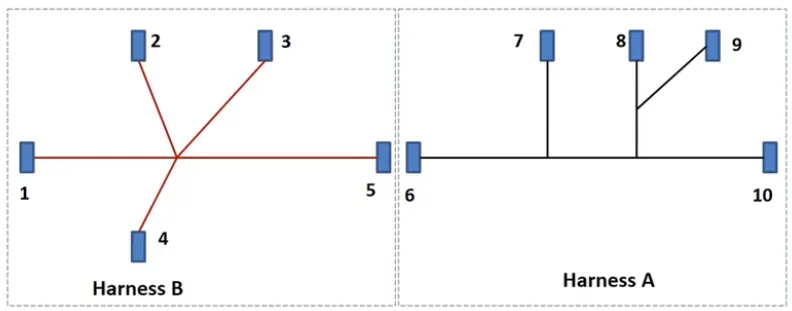
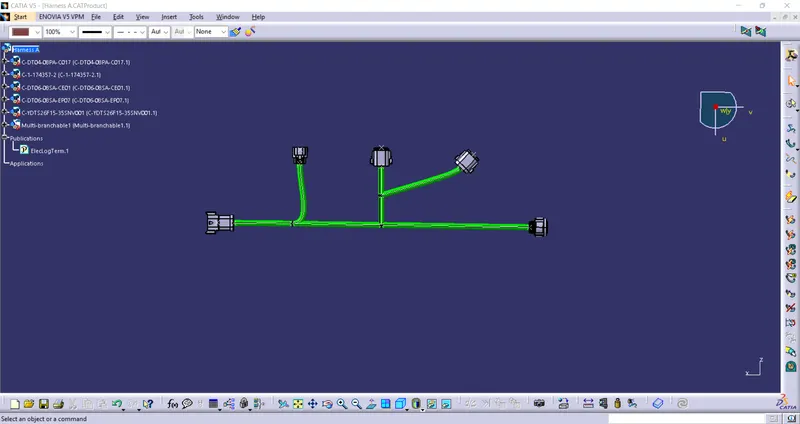
Harness A
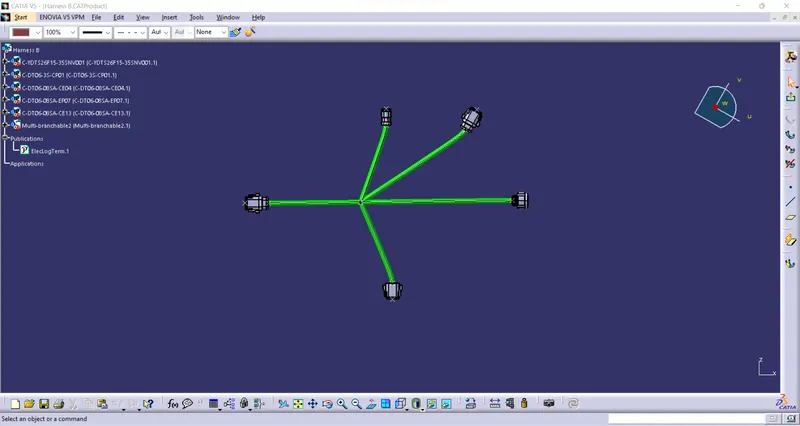
Harness B
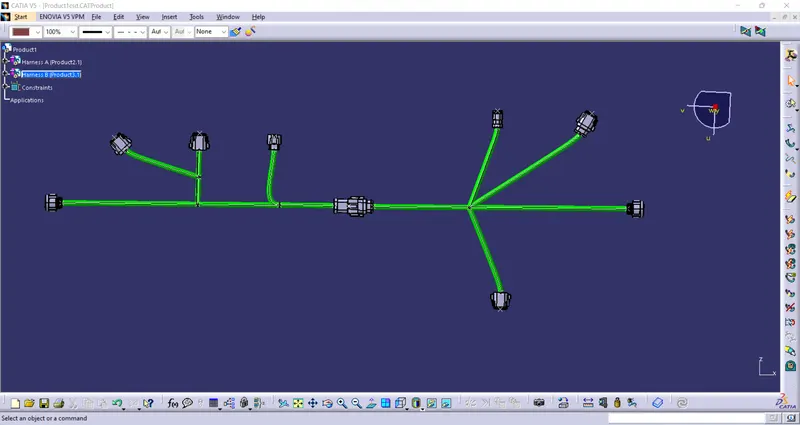
Using Connect Electrical Devices option we will connect these harnesses.
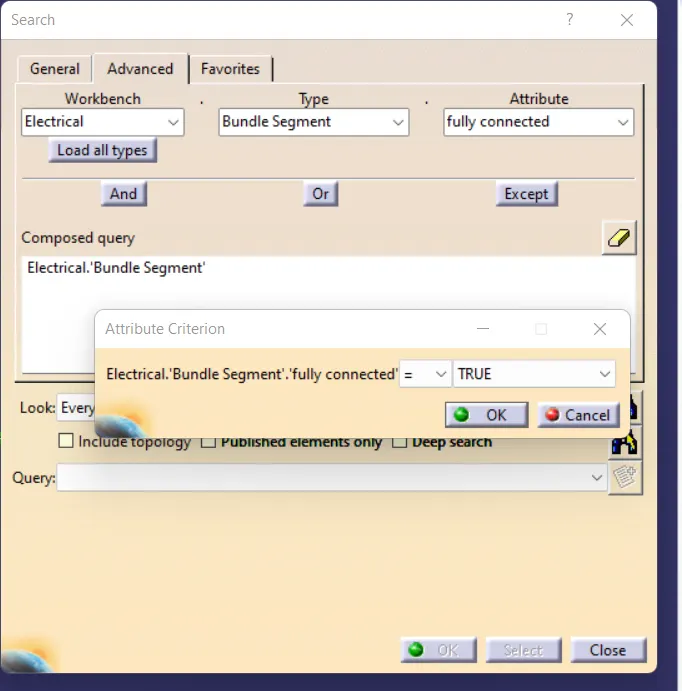
Checking the bundle continuity
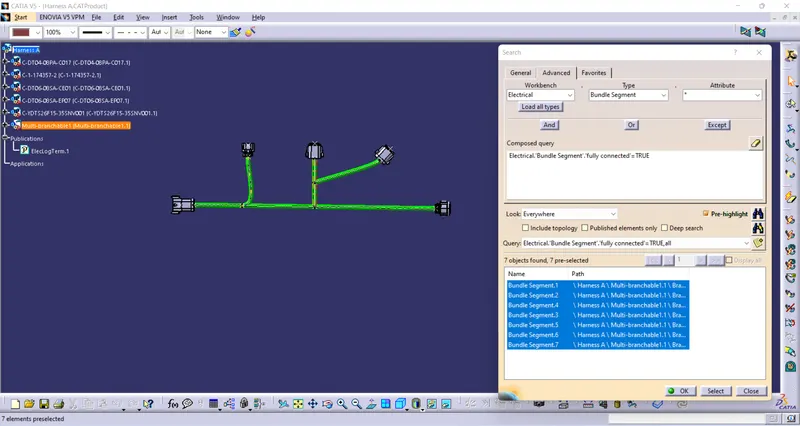
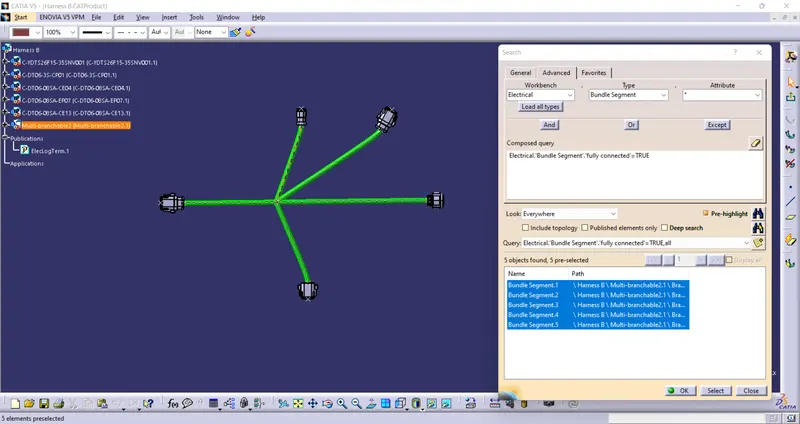
For connecting checking go to EDIT—SEARCH—ADVANCE—in WORKBENCH select -ELECTRICAL in type select BUNDLE SEGMENT—in attribute select FULLY DEFINED one popup window opens select TRUE and select SEARCH option it shows the what are connections are connected and what is not connected.
For Harness A
For Harness B
Final Assembly
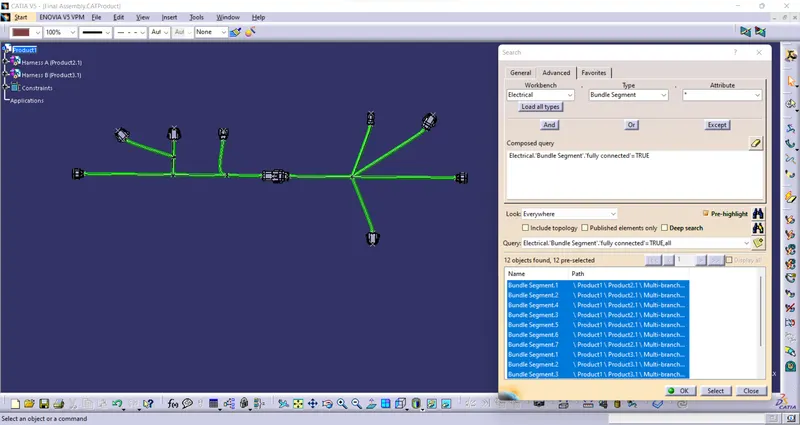
Result:- From the given inputs created Harness_A and Harness_B and added Connection in between Harness_A&B and converted into CADpart file for that connections.