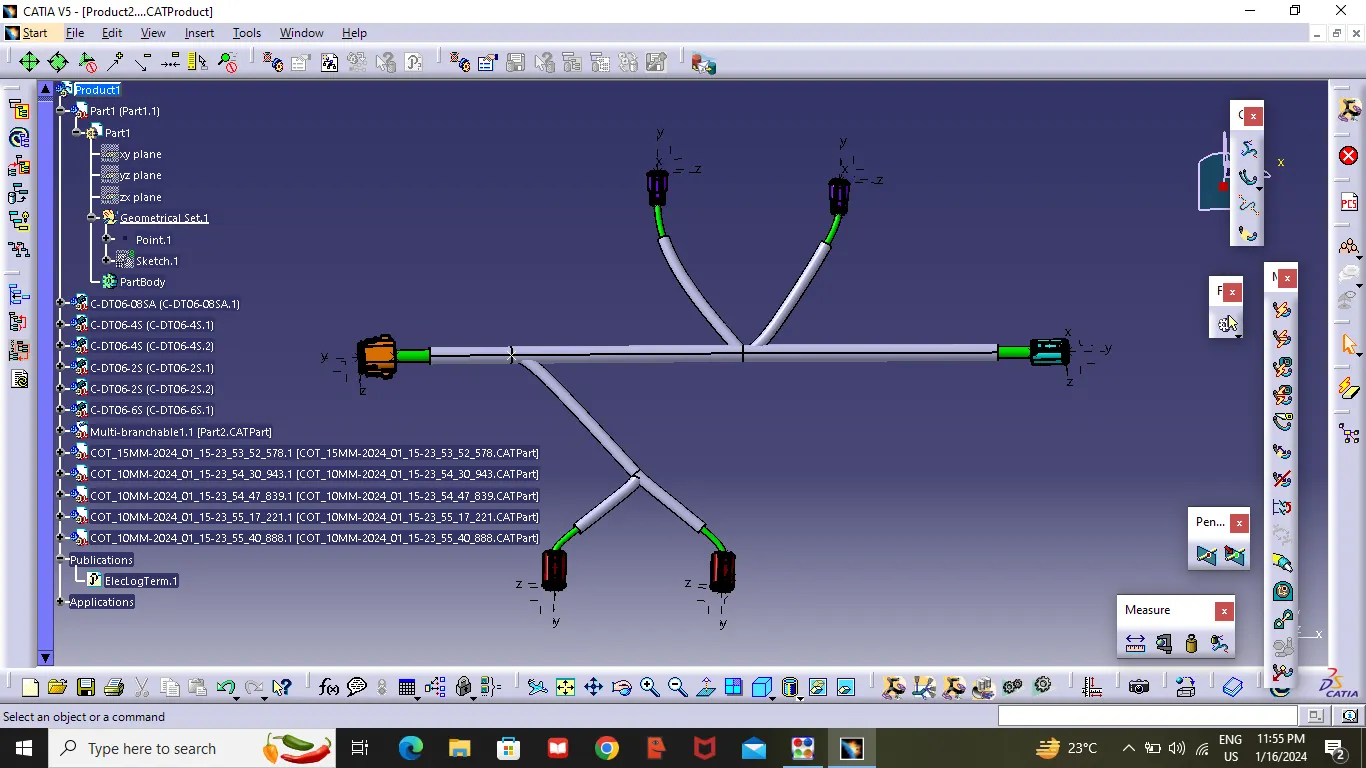
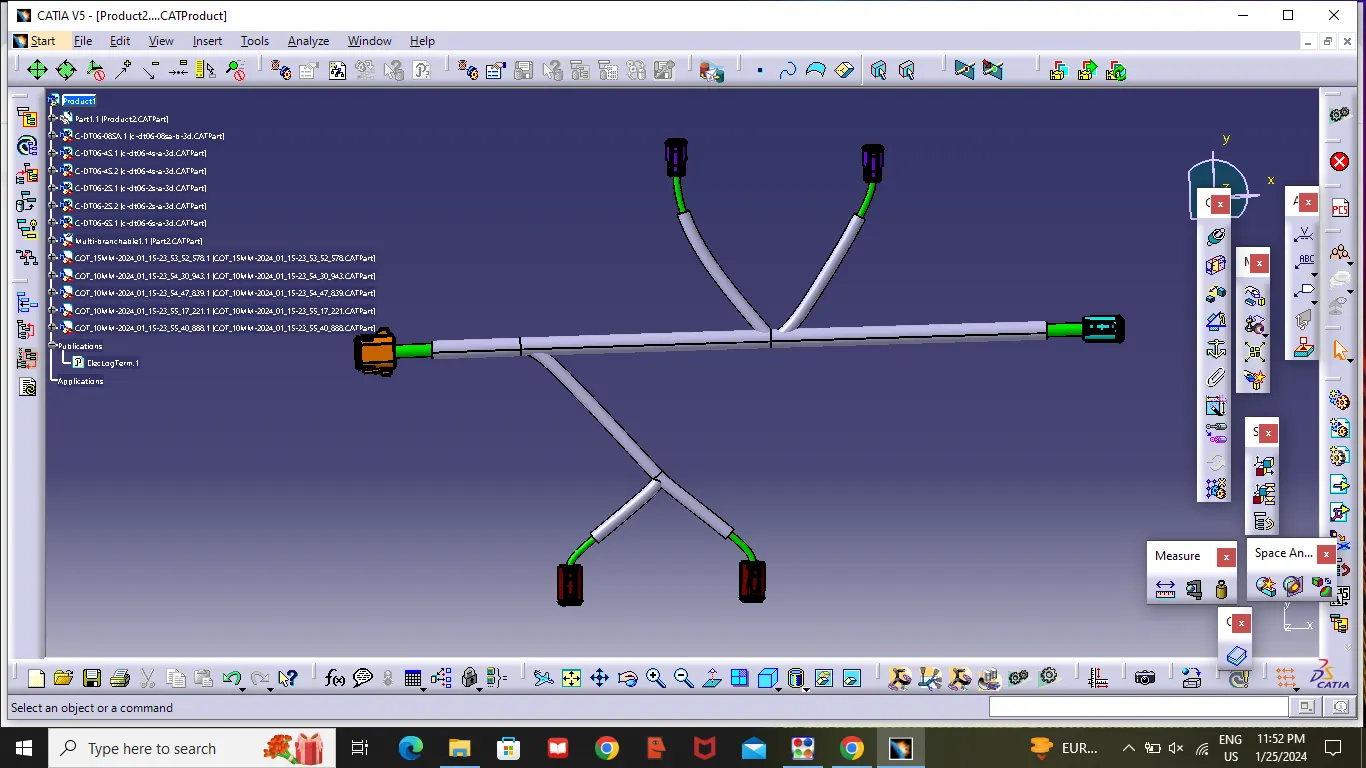
Wiring harness design in CATIA V5 - 3D modeling Week 4 Challenge
Aim :
- To Route the Harness layout in Electrical workbench.
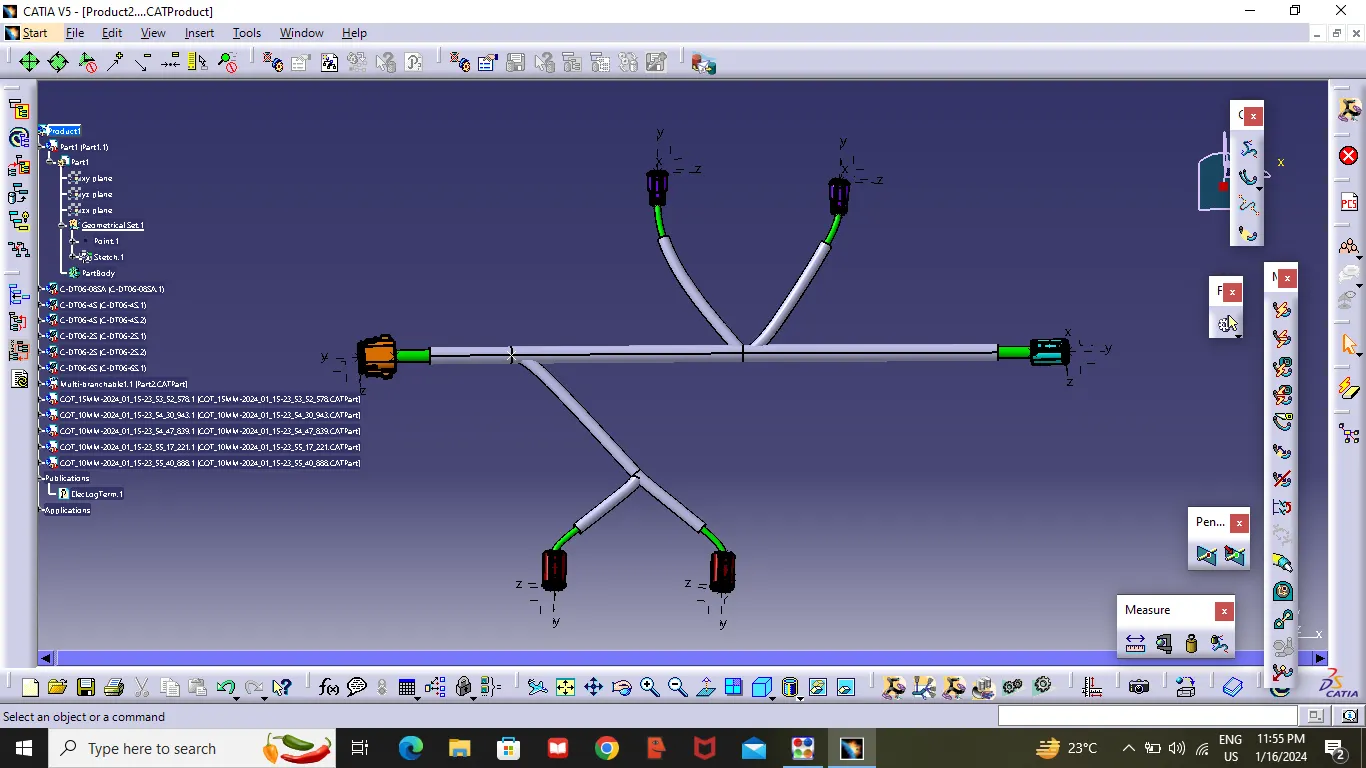
- To Add protective covering on all Branches connected to DT06-2S & DT06-4S Connectors.Keeping end Externity at 30mm.
Connectors to Download :
- DT06-4S
- DT06-6S
- DT06-2S
- DT06-08SA
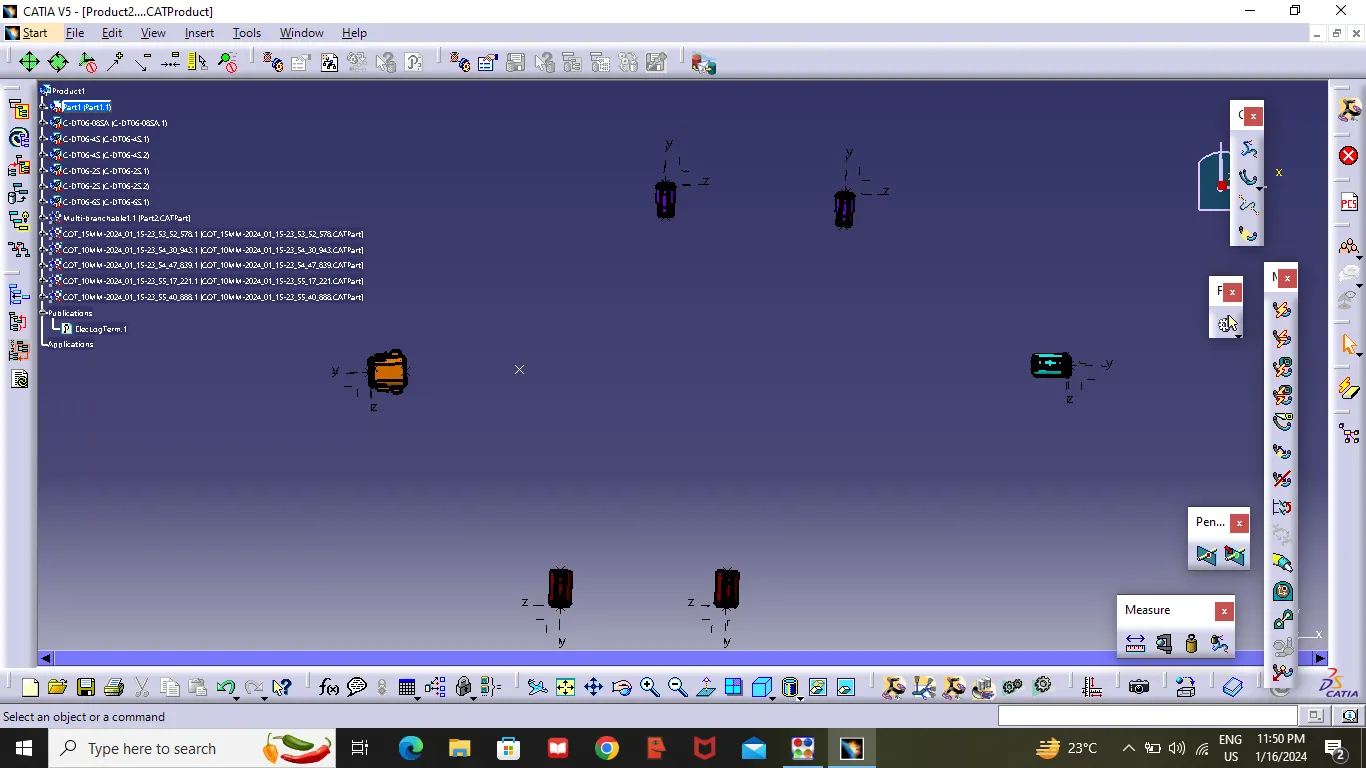
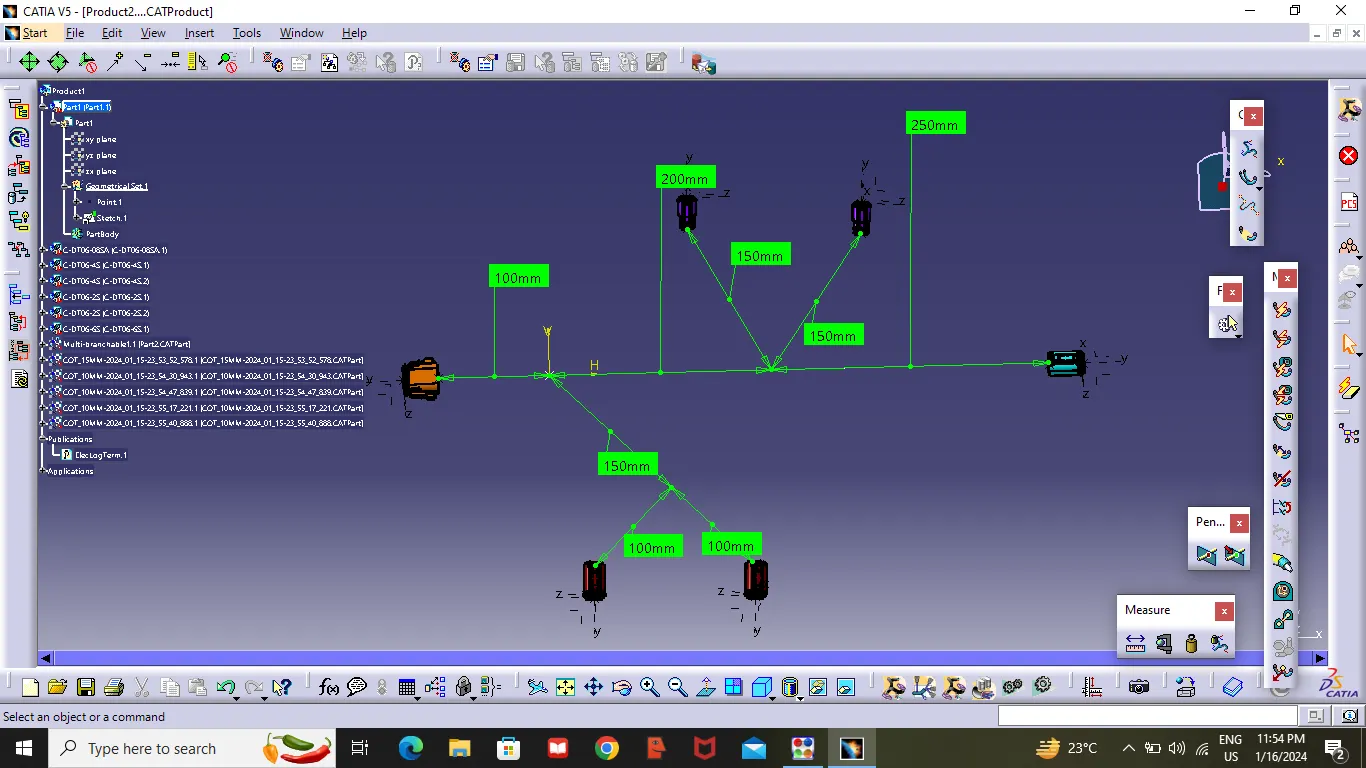
Given Layout:
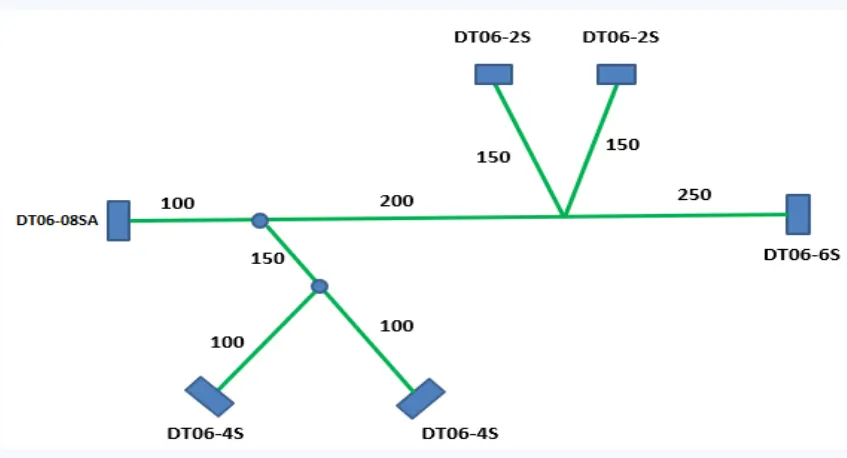
- Above given Connectors where downloaded form the link
- Create a midpoint on the Bunddle connection point as showen in the figure .
- Then create an another midpoint on contact face which will be normal to wire bunddle insertion.
- Create a Axis system respect to the point which we have created .
- After completing the Axis system. Then switch to "Electrical part Design" .
- Select the Define connector tool and select the connector and given termination as 8 number .
- then select Define Bundle connection point definition Tool and select the Rare face of the connector as showen in the figure .
- Then Select Connector Connection point as showen in the figure select the point first and select the Front face as contact and coincidence Y-direction,orientation as X-axis .
DT06-08SA
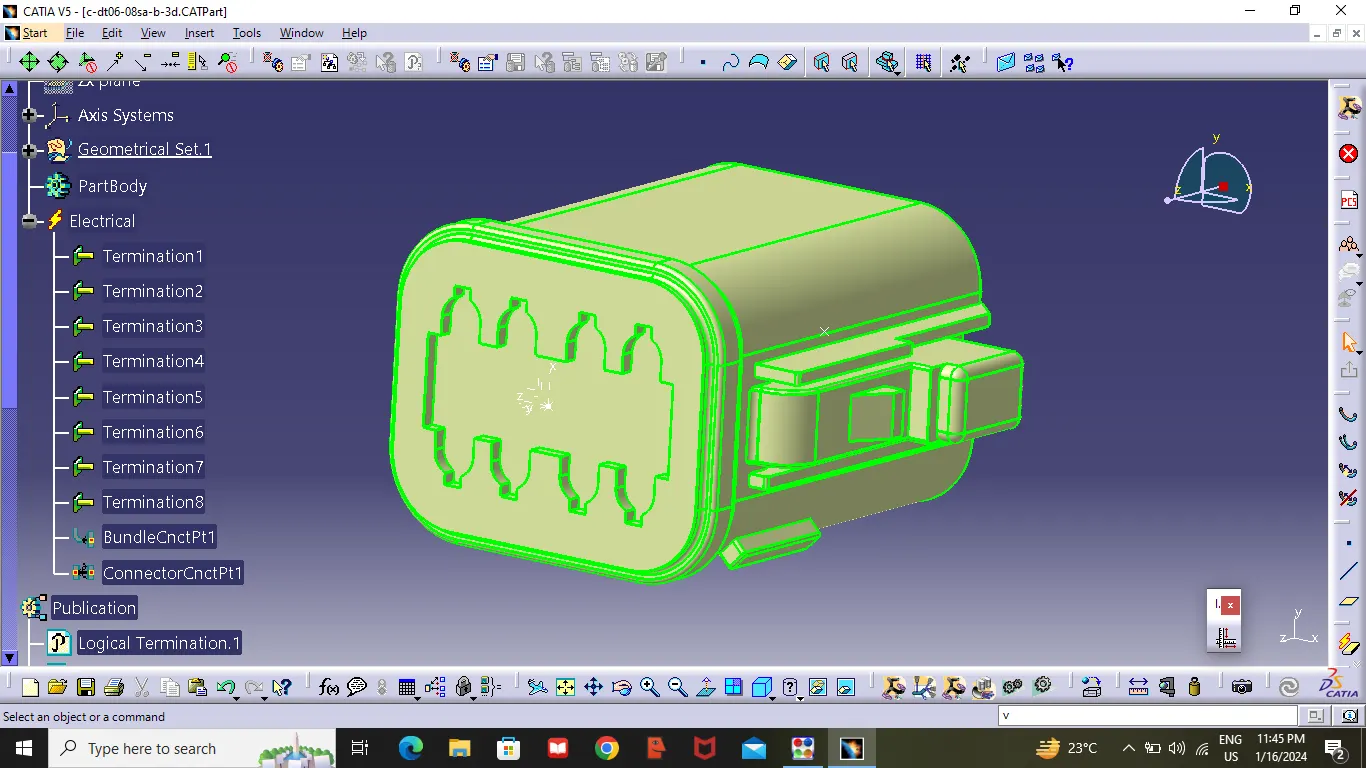
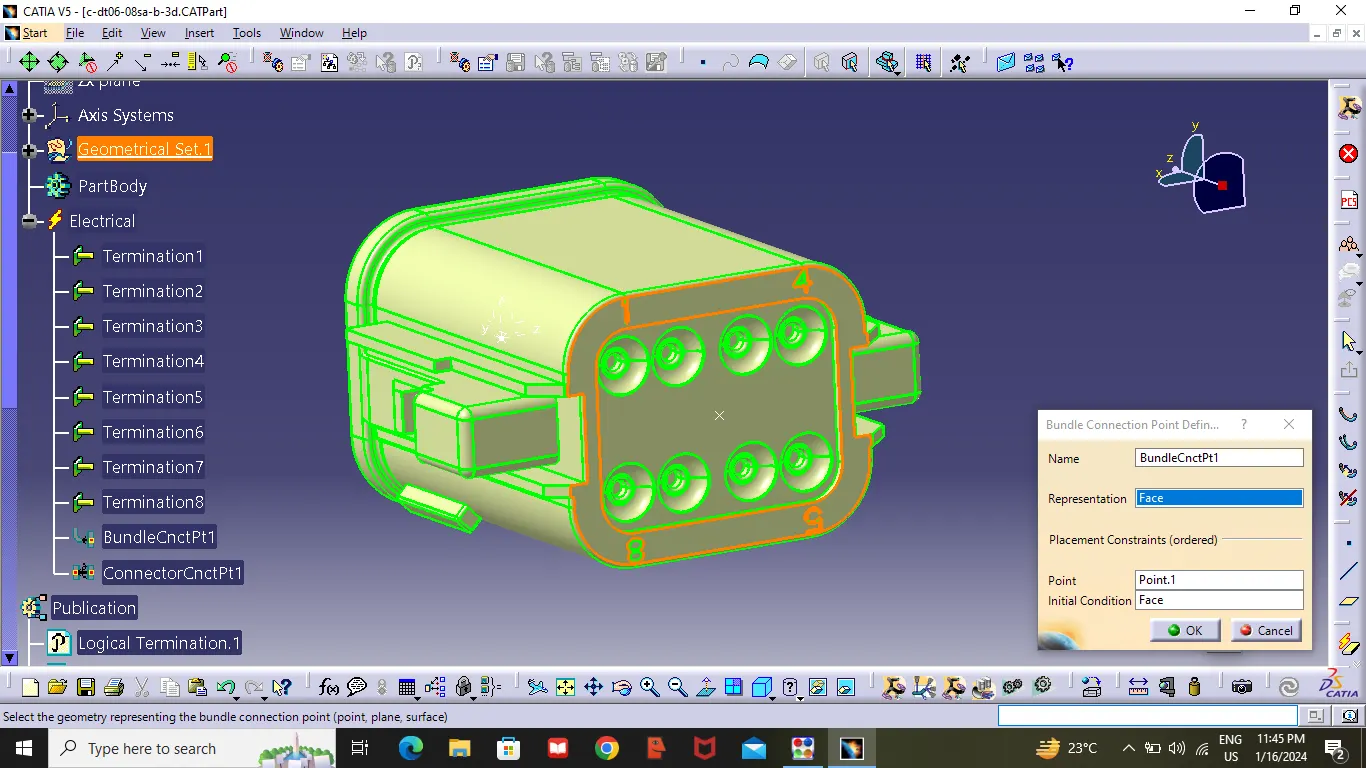
- Repeate the same steps for all connectors .But change the termination numbers
DT06-4S
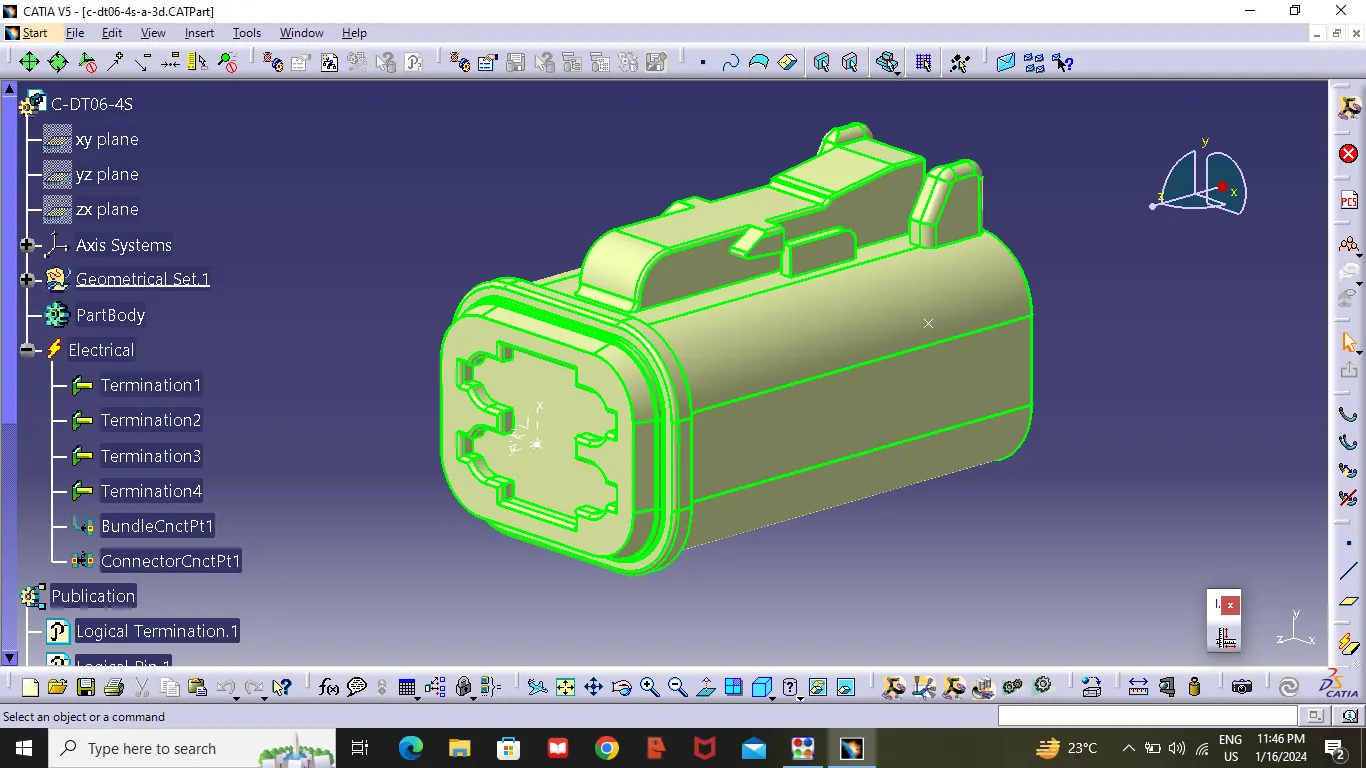
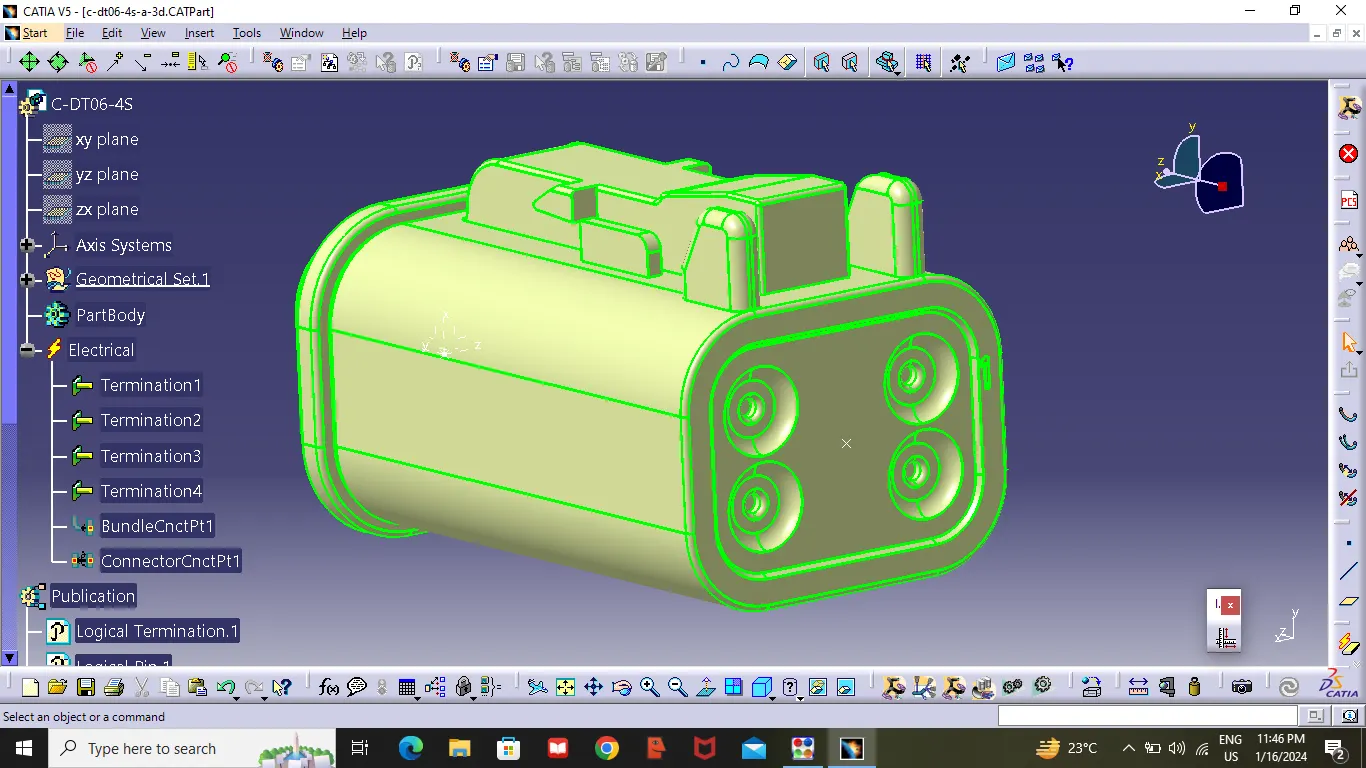
DT06-6S
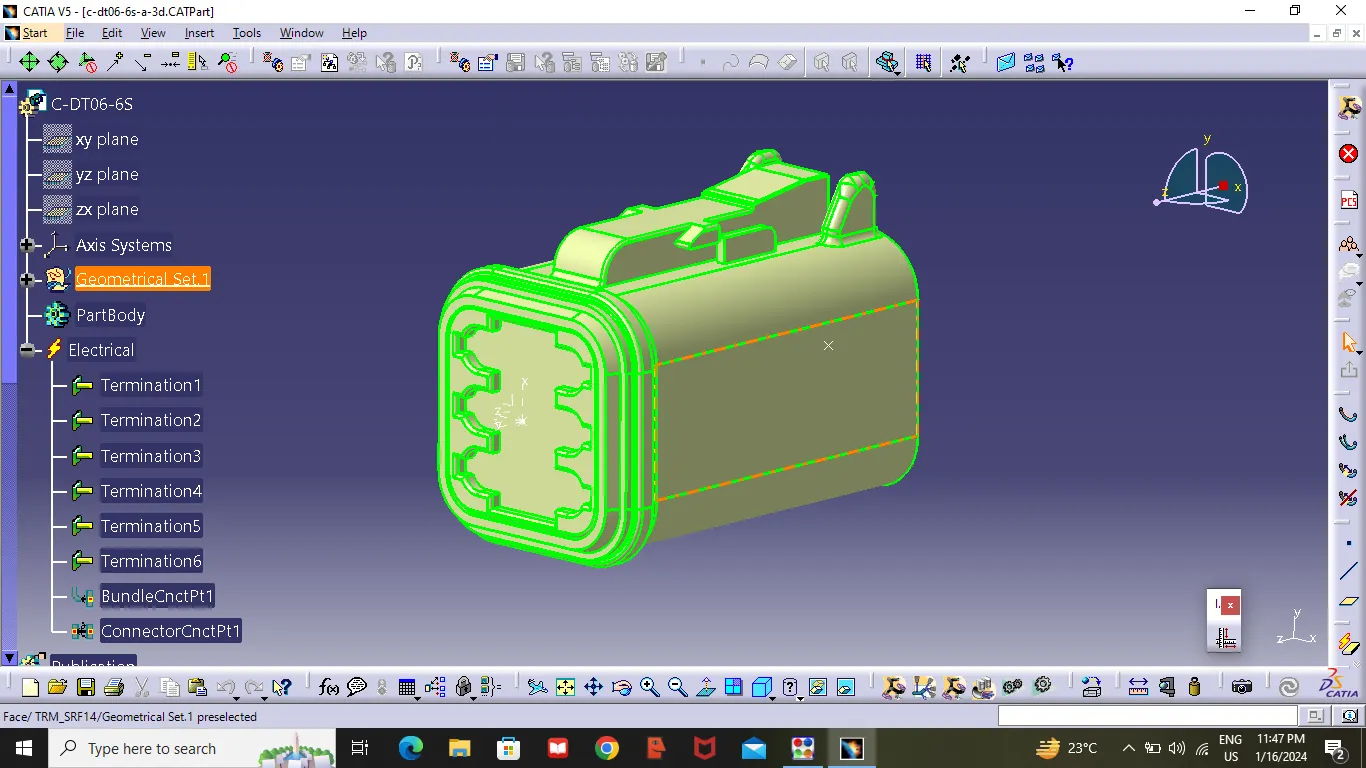
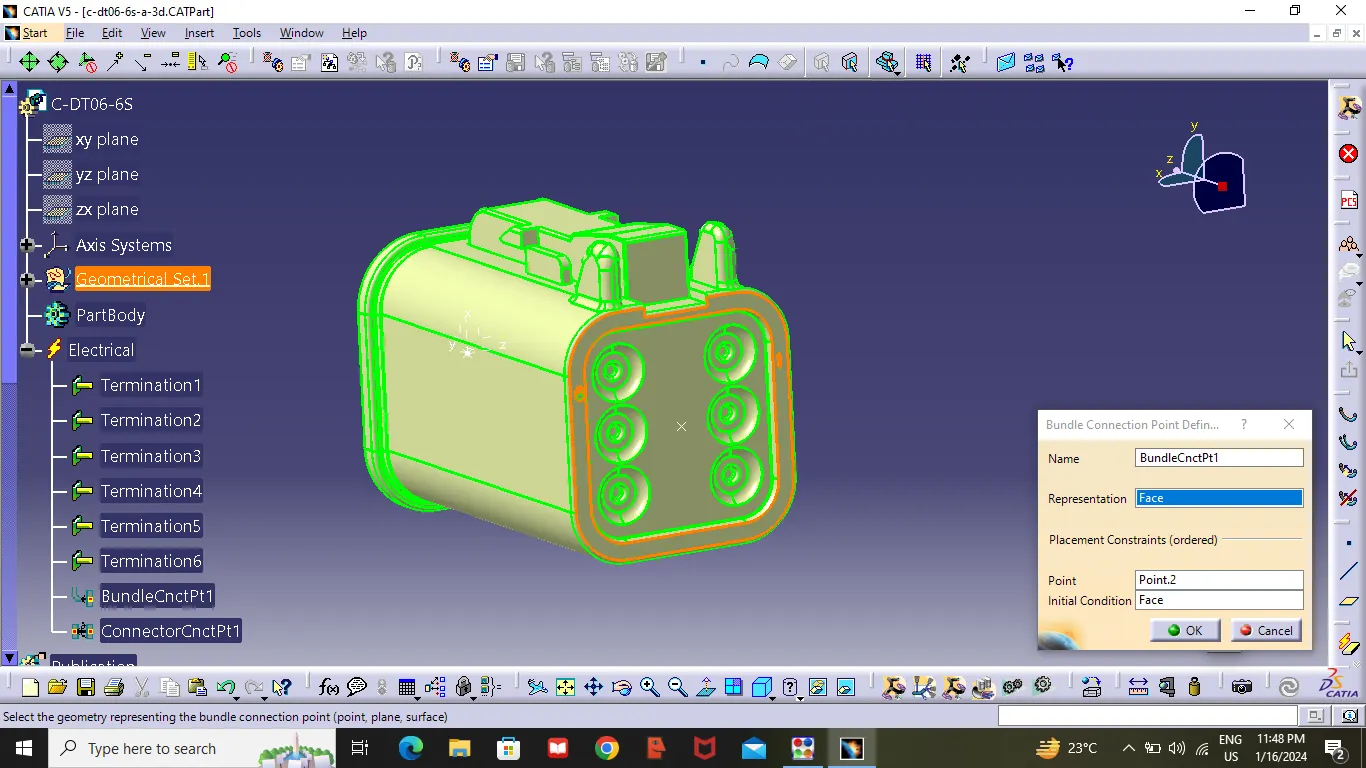
DT06-2S
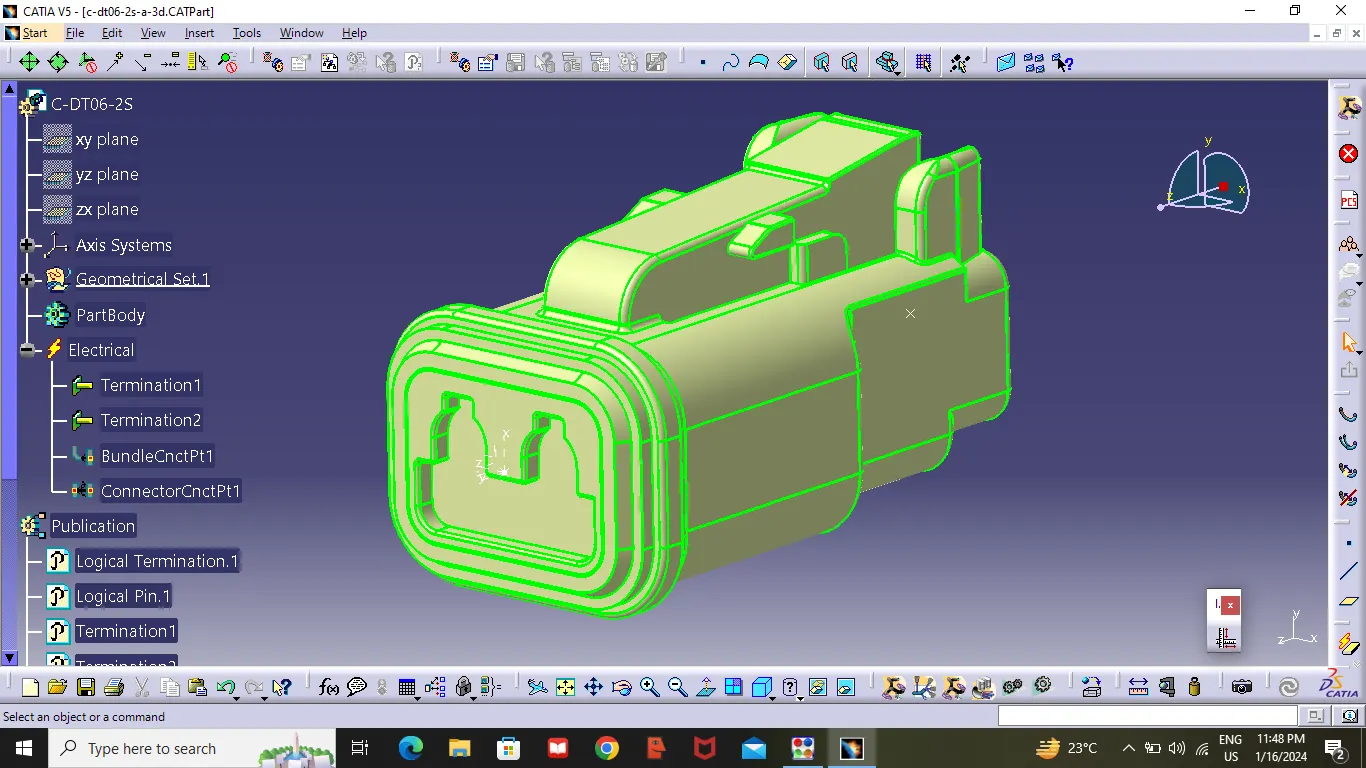
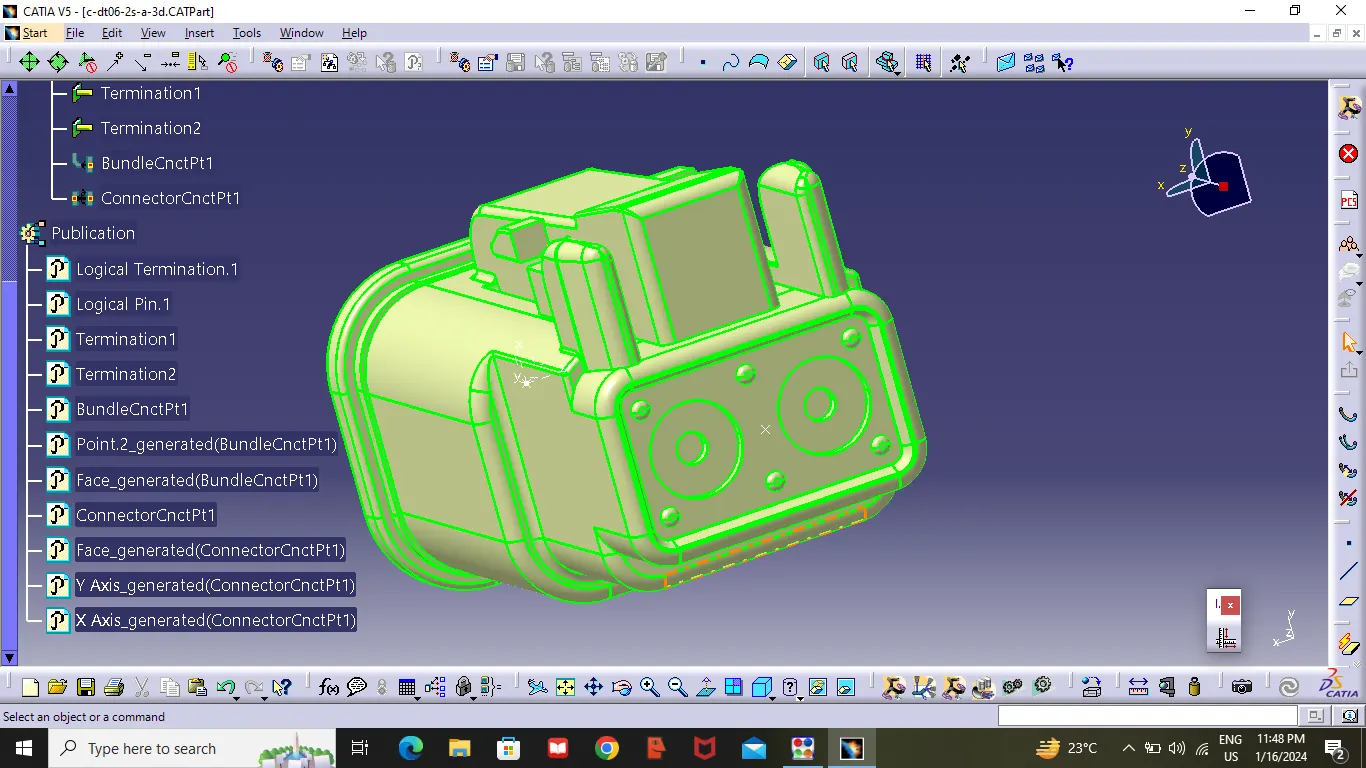
- Arrange the connector by following the layout given .
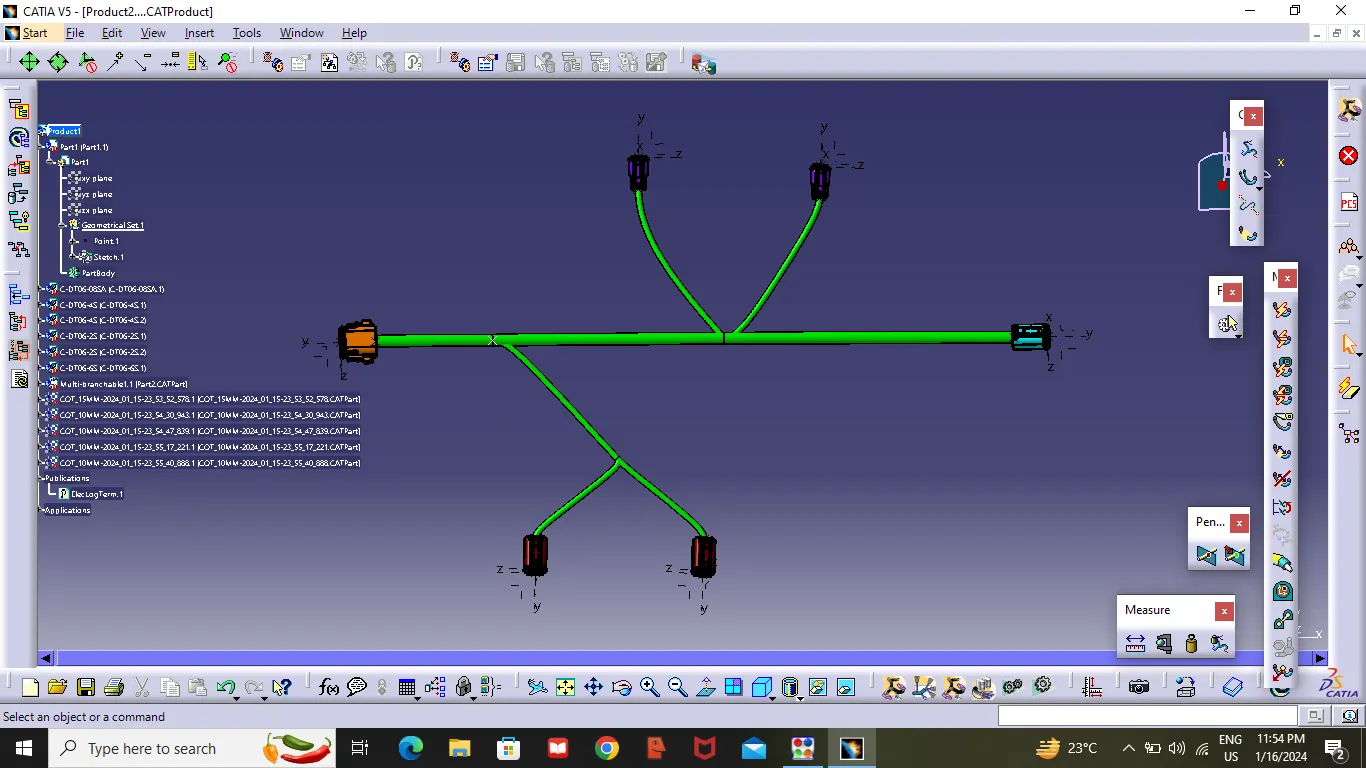
- Then create multi-Branching to the connectors.
- After completing the multi-Branching , Create a Protection covering .Keeping end Externity at 30mm.