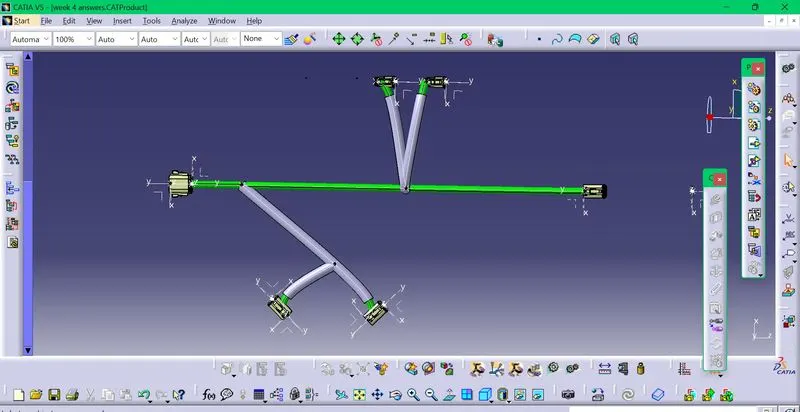
Wiring harness design in CATIA V5 - 3D modeling Week 4 Challenge
All the connectors are downloaded,converted to electrical part and added to catalogue.
In the part design,all the connectors are defined with connector connection point and bundle connection points.Axis is alo created at both the points.After creating the points and axis,the connectors are defined as connectors in the electrical part design.
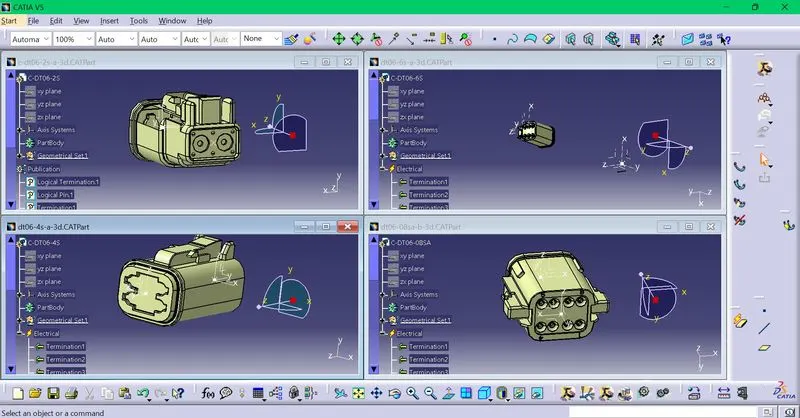
After defining as connectors,the connectors are added to the catalogue Connector_catalogue individually using store device option.
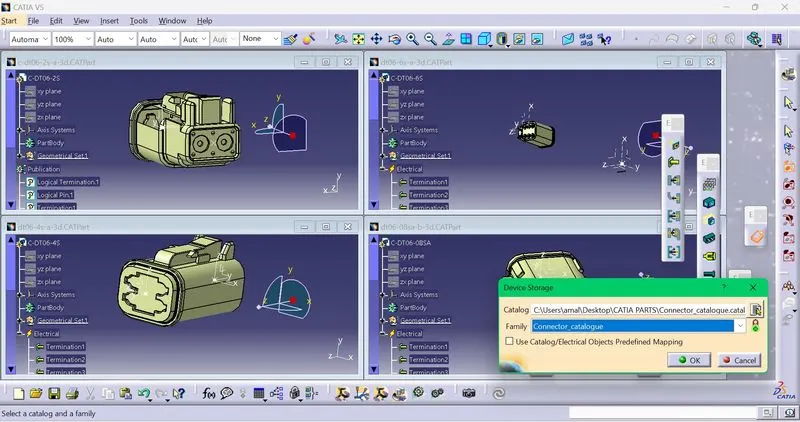
After storing all connectors in catalogue ,open file,click new,product and go to assembly design.
Import all the required connectors and position them according to the question.
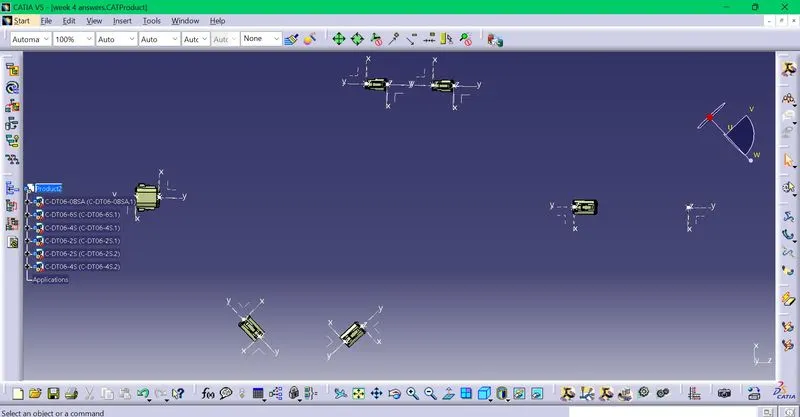
The correct positioning of the connectors is done by using the measuring tools for measuring the distance according to the layout in question and positioned using manipulation tool or compass.
After positioning,go to multi branchable and then click branch definition and also give the diameter of the branch.
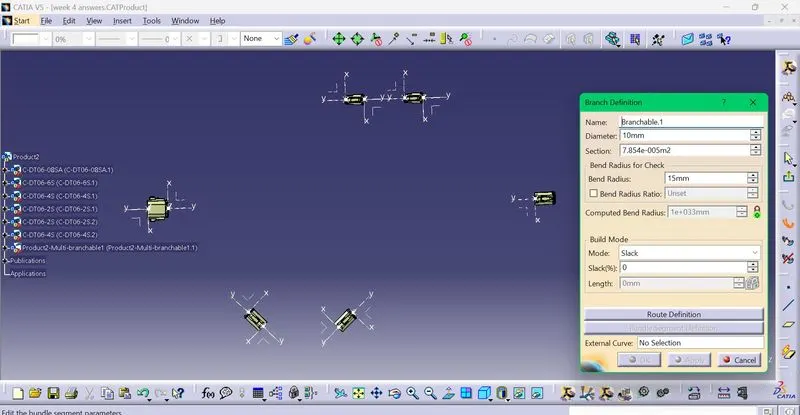
On clicking branch definition ,next click route definition and select the connectors in the appropriate order as in the layout .
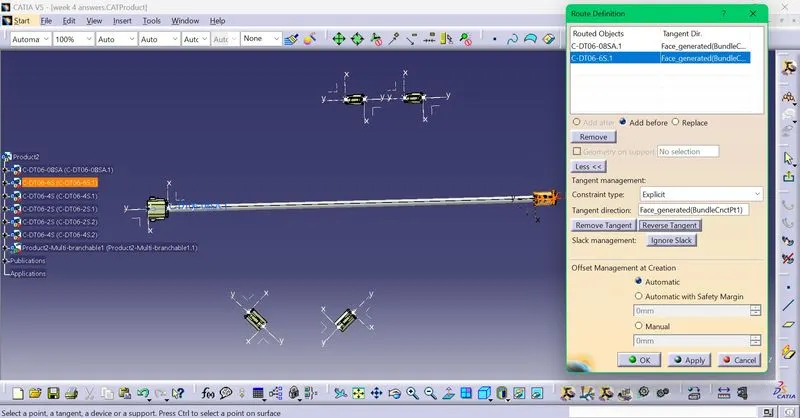
Use reverse tangent if necessary to get the correct layout direction.
Branch points are needed at some points in the layout.They are created using the add branch point option and specified using the length as in the layout.
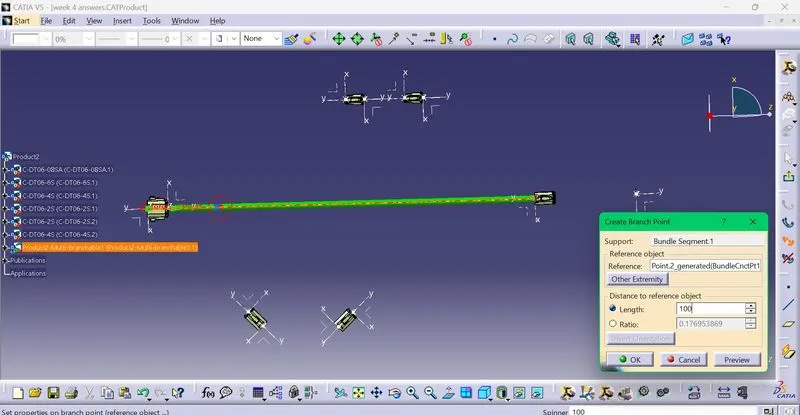
Like this all the branches are routed .
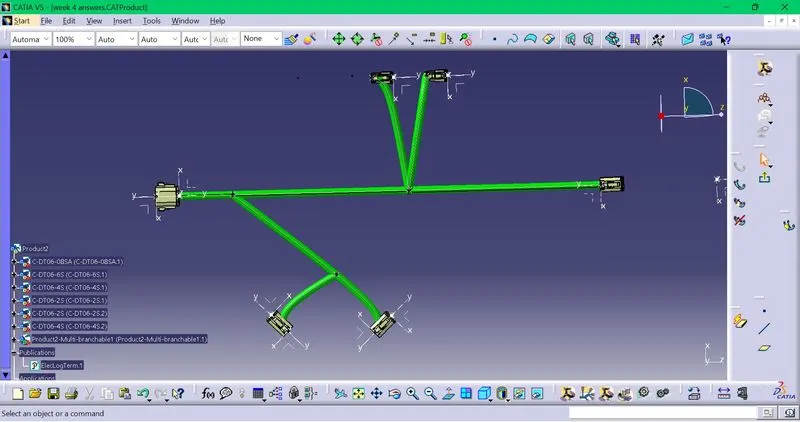
The branches are measured to verify that the lenghts are according to the layout in the question.
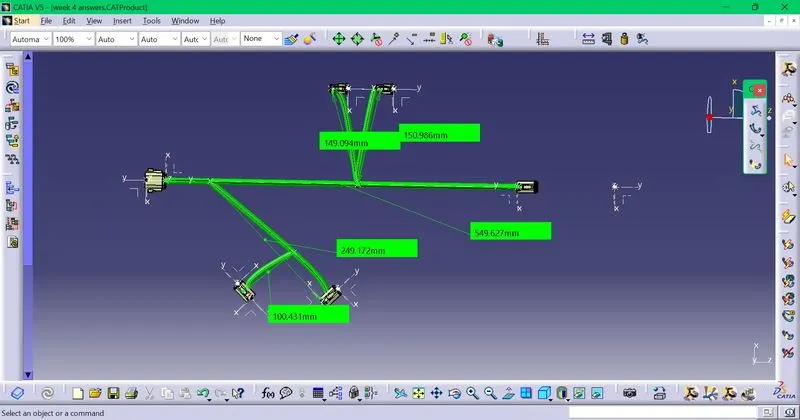
Since all the lengths are according to the requirements,the protective covering is added to the branches.
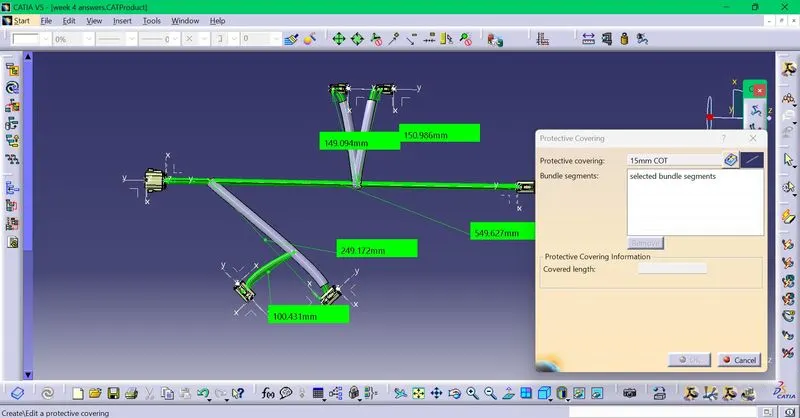
Click on the protective covering option and select the required protective covering of the suitable diameter and select the bundle segments.Protective covering is added on all branches connected to DT06-2S & DT06-4S connectors.
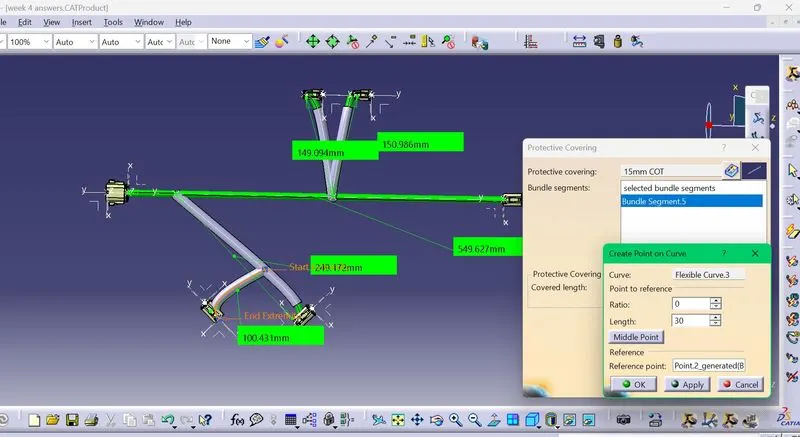
On the selected branches an end extremity at 30mm is kept from connectors end by clicking on the end extremity option on the branch and selecting the length.
This is the end result archieved.