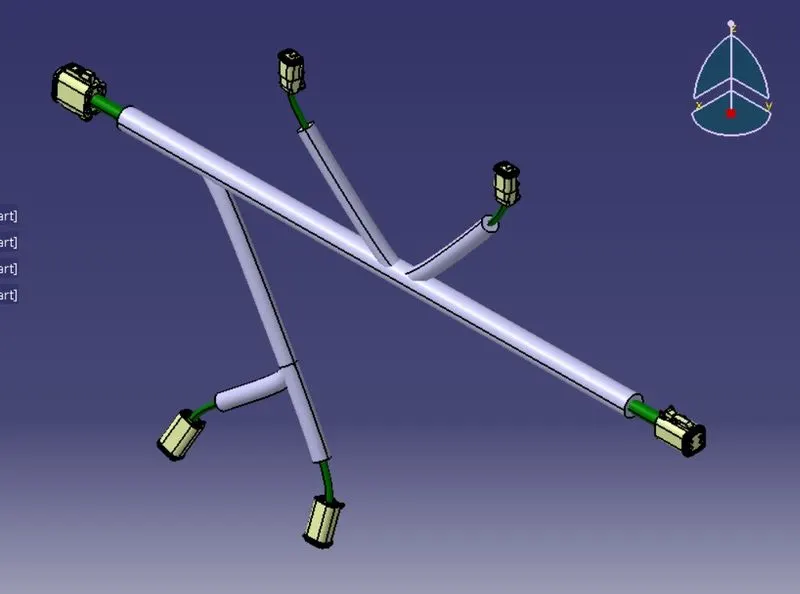
Wiring harness design in CATIA V5 - 3D modeling Week 4 Challenge
REPORT WRITING FOR ROUTE THE HARNESS LAYOUT IN ELECTRICALLY WORKBENCH.
Accroding to the given question at fast we need to download the CAD files in IGS formate from given the TE.com then download. Then to define mechanical part design and electrical part design work bench. we know how to define the connectors.
First we need to create a product part file. go to the mechinacal assembly design and i'm selecting existing components then click product workbench and selecting all connectors click open and i'm removing one by one connectors helping for compaas and i'm messsuring DT06-8SA & DT06-6S distance between 550mm.so im fanilly messuring main trunk layout and go to Electrical Harness Assembly fast click on the Geometrical bundel now icon is change and publication is added.and go back the multi branchable document click on the multi branchable document command and see the multi barnchable part is add now and start route defination. i can keep the main branch diameter is 10mm and band radius 1.4mm click on route defination and click on the fast connectors and secound connectors. and not connected proper bundel connection change the reverse tangent click ok. I need the two branchable point fast point DT06-8SA to Langth 100mm and Secound point Create DT06-6S to langth 250mm click branch point select langth option and puting the langth dimenation.my first point 100mm distance from DT06-8SA. all connectors given the distance flow the given question.