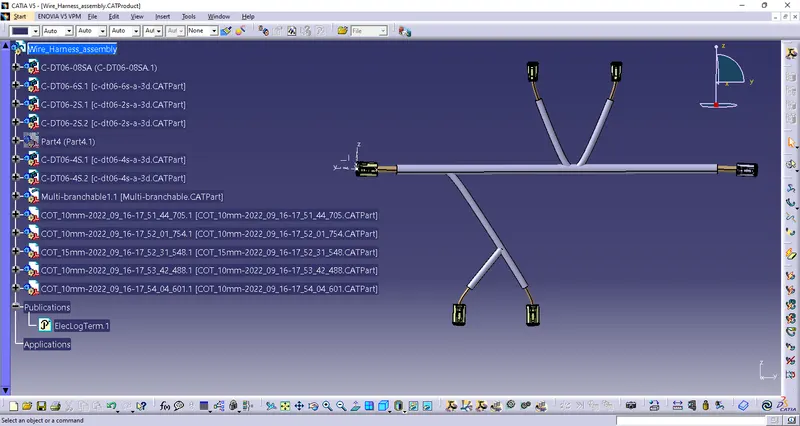
Wiring harness design in CATIA V5 - 3D modeling Week 4 Challenge
Wiring harness design in CATIA V5 - 3D modeling
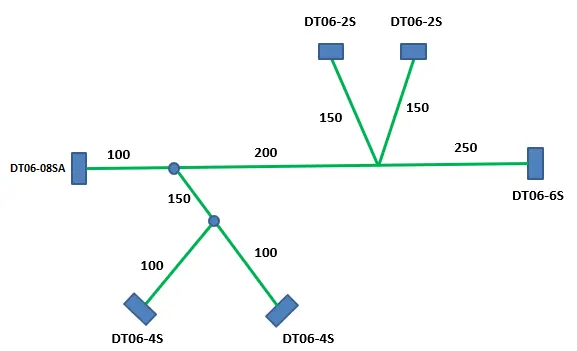
Q1. Route the following harness layout in Electrical workbench. Make assumption for harness bundle diameters. Use Following connectors as shown in layout diagram.
Add protective covering on all branches connected to DT06-2S & DT06-4S connectors. Keep end extremity at 30mm (from connectors end)
Download connector 3D data from www.te.com
- DT06-4S
- DT06-6S
- DT06-2S
- DT06-08SA
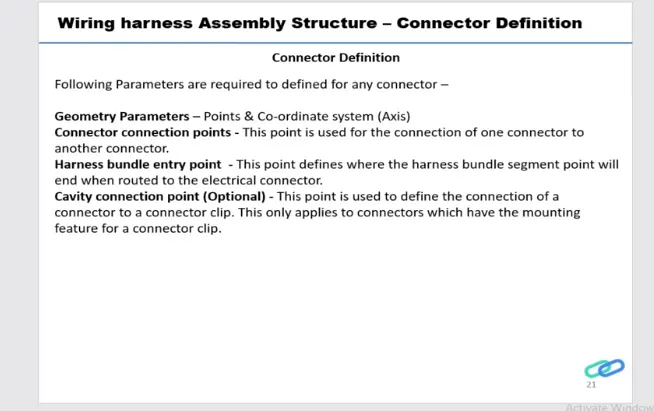
Deifining connector in CATIA V5:-
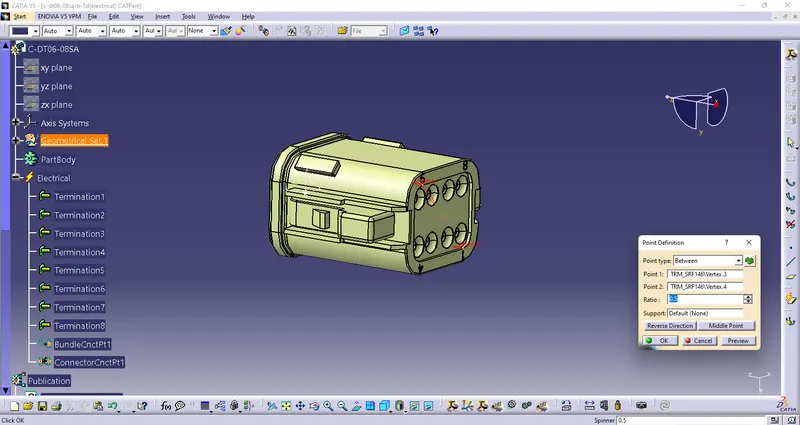
DT06-08SA
Geometry Parameters-
Create a Point-
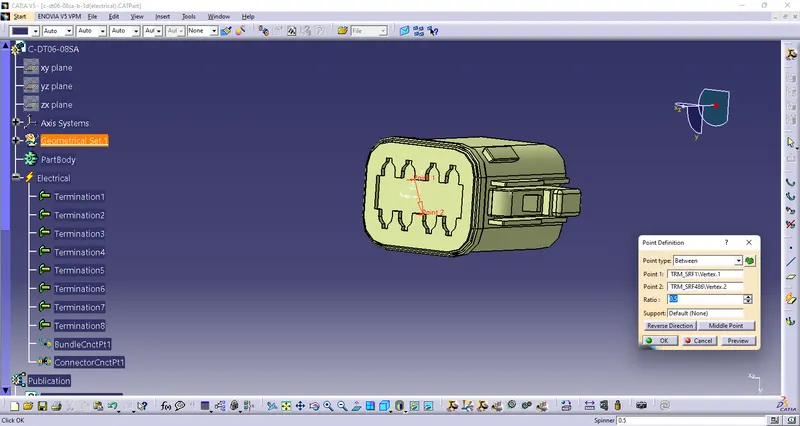
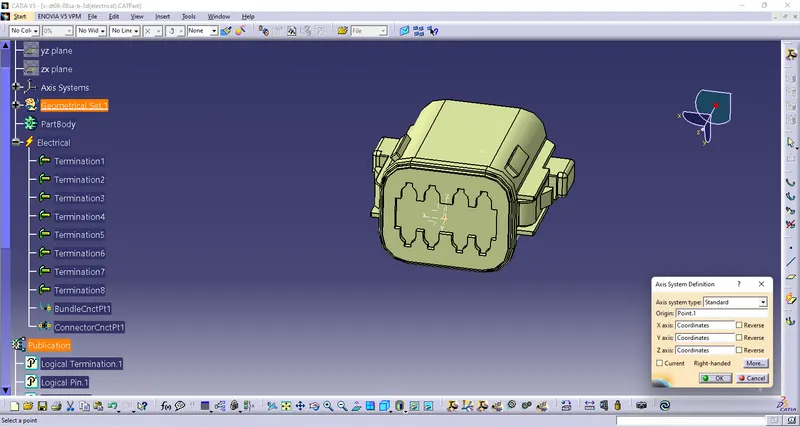
Create a Axis System-
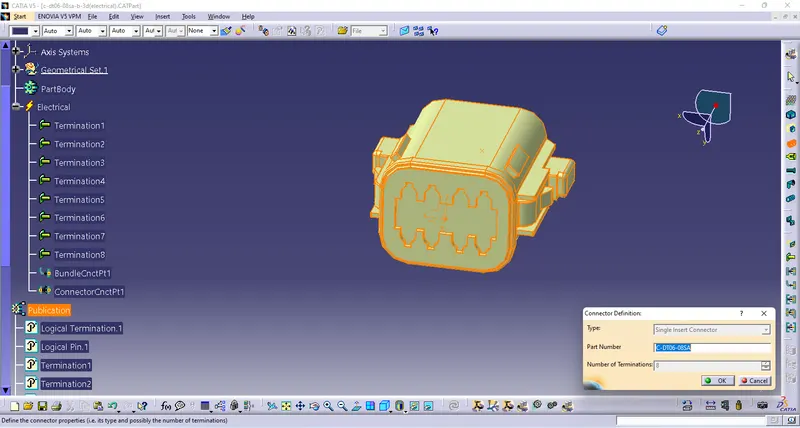
Deifine part as Connector-
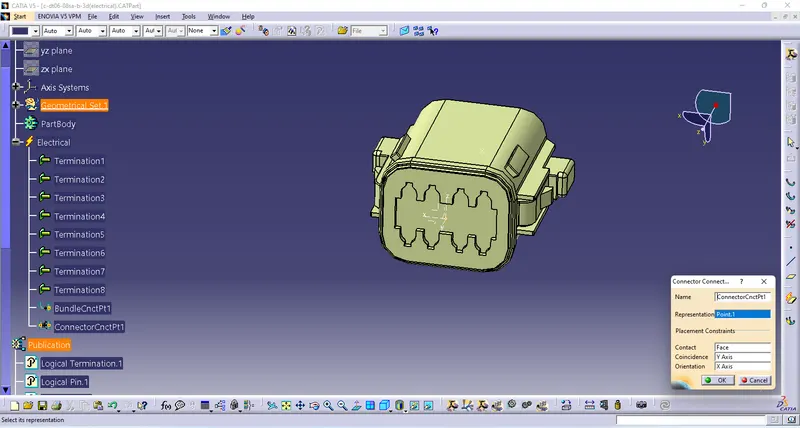
Define Connector Connection Point-
Dedine Bundle Connection Point-
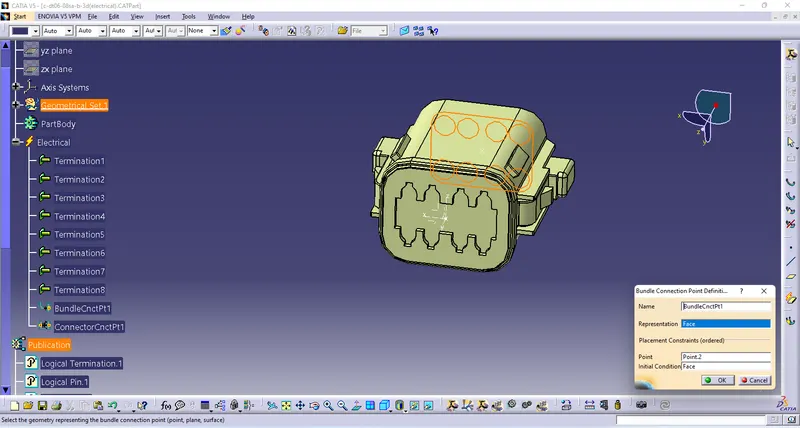
as above we can define all the connectors of assembly as electrical part-
- DT06-4S
- DT06-6S
- DT06-2S
Now we have to create a Sketch according to given layout
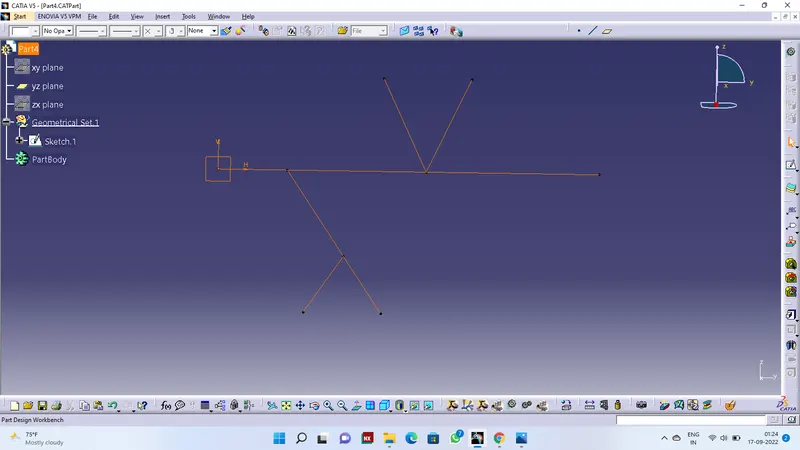
Create an Assembly and add all the connectors and sketch and move them with smart move and postion them according to sketch
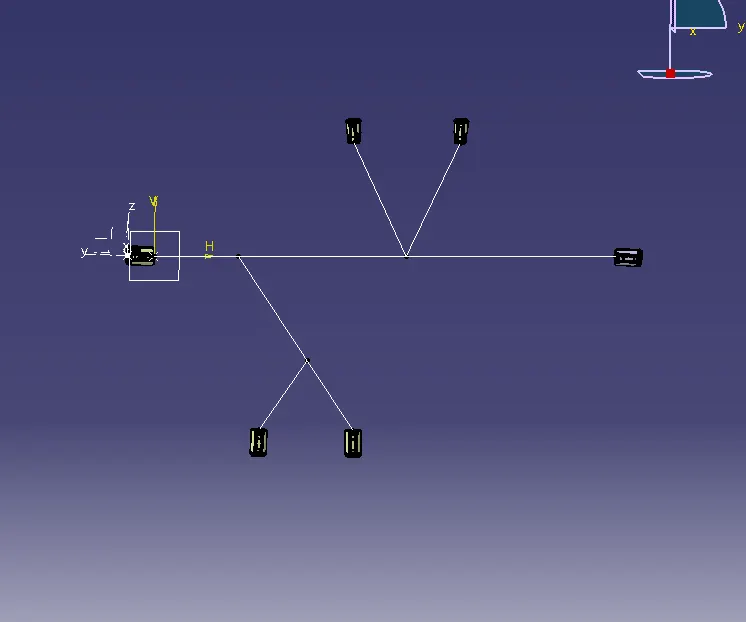
Convert Assembly into Electrical Harness Assembly
create a Geometry Bundle and start routing according to given layout
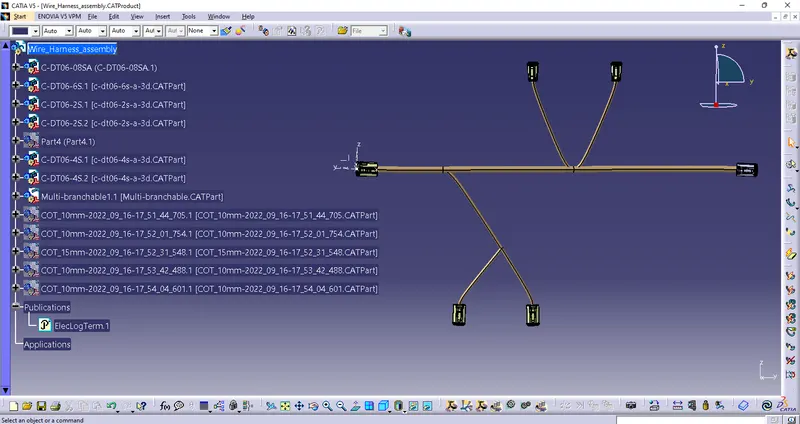
Adding protective covering on all branches using catalog
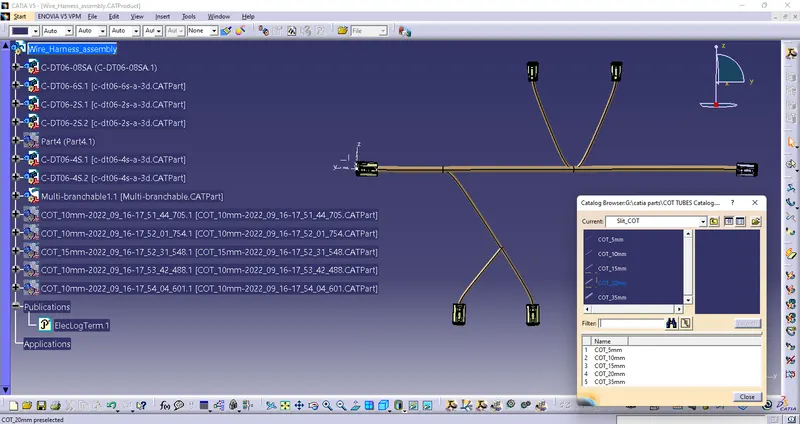
Giving end extremity 30mm from connectors