Wiring harness design in CATIA V5 - 3D modeling Week 4 Challenge
Wiring Harness Routing
Given Wiring Harness Routing Layout
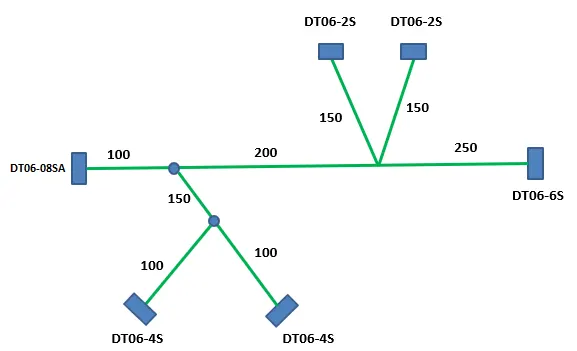
we are going to route the wiring harness layout using Electrical Workbench.
Connectors that are given to us includes,
- DT06-4S
- DT06-6S
- DT06-2S
- DT06-08SA
The connectors are the mechanical parts that need to be converted into electrical parts in order to route the harness. Once these connectors are converted or saved in the catalogue, we can assemble them using the Mechanical Assembly workbench.
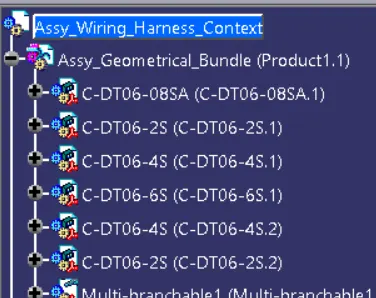
After that, the product of the connectors need to be convert into Electrical Harness Assemble by using Geometrical Bundle command.
In this convert the product file symble changes.
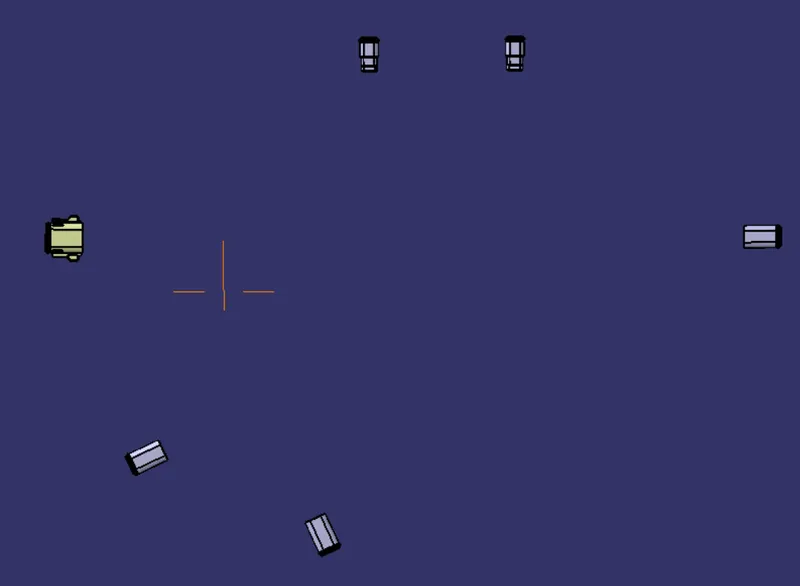
The next step is to identify the position of the connectors and arrange them to as per the given layout.
Once the connectors are in position, we can create a bundle with a diameter of 10mm & 5mm for the main branch & sub-branch respectively using the Multi-Branch Document option in the Electrical Harness Assembly workbench.
Initially, we created a main branch/trunk connecting DT06-08SA - DT06-6S. Now in order to create sub-branches, a branching point needs to be created that will divide the main branch and the connections can be given to DT06-2S & DT06-4S connectors accordingly.
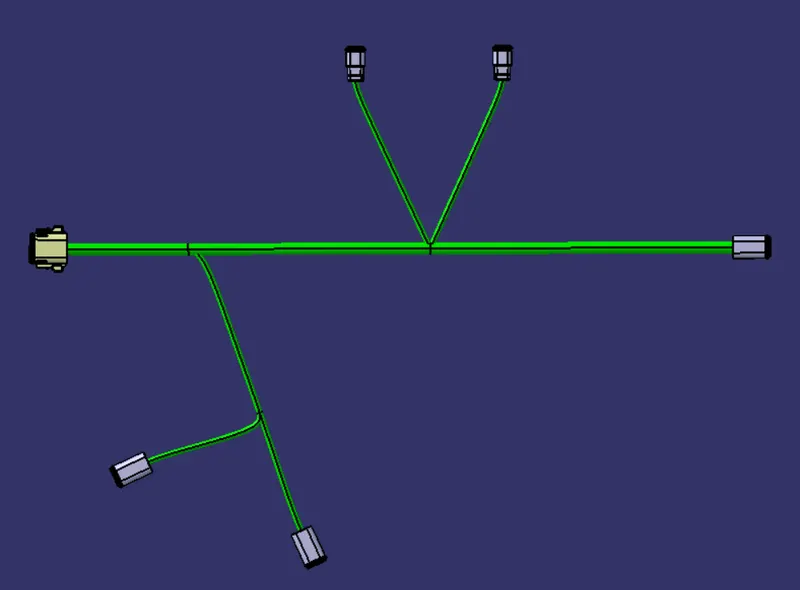
A protecting covering with respective bundle diameters can be provided to these bundles using the catalogue. And Keep end extremity at 30mm (from connectors end)
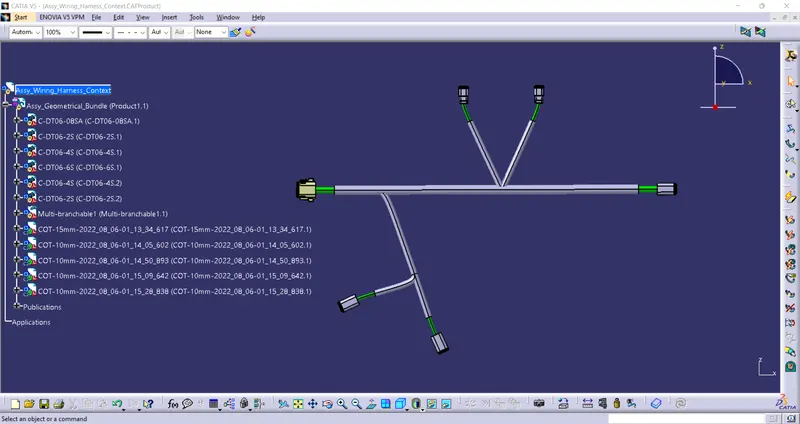
The routing for the given wiring harness layout is completed.