Week 9 Tension and Torsion test challenge
AIM:
or this challenge, you will have to perform the tension and torsion test on the specimen provided below the video corresponding to the challenge.
For the tension test, displace one end of the specimen to 18mm while keeping the other fixed. You will need to find out the total deformation, equivalent stress and temperature of the specimen and attach appropriate images to show your results.
For the torsion test, you will need to displace one end of the specimen to an angle of 1200 degree. Find out the total deformation, equivalent stress and temperature of the specimen and attach images to show your results.
PROCEDURE:
Case 1:
For the tension test, displace one end of the specimen to 18mm while keeping the other fixed. You will need to find out the total deformation, equivalent stress and temperature of the specimen
- Open the Ansys Work Bench and edit the engineering Data.
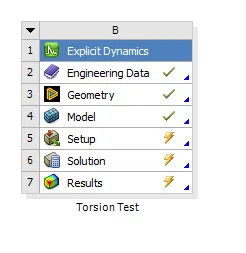
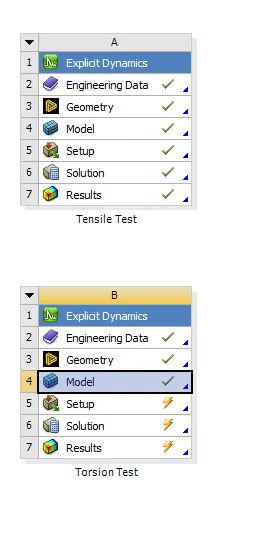
- Assing the steel for the model in the model in the engineering data.
- We should check in the edit space claim so that if any surfaces are missing we can modify the surfaces.
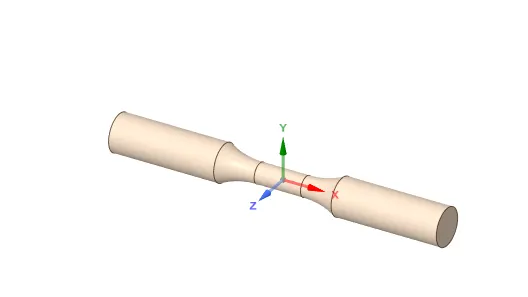
- We shoudl edit the model in the and rename the parts on the geomentry.
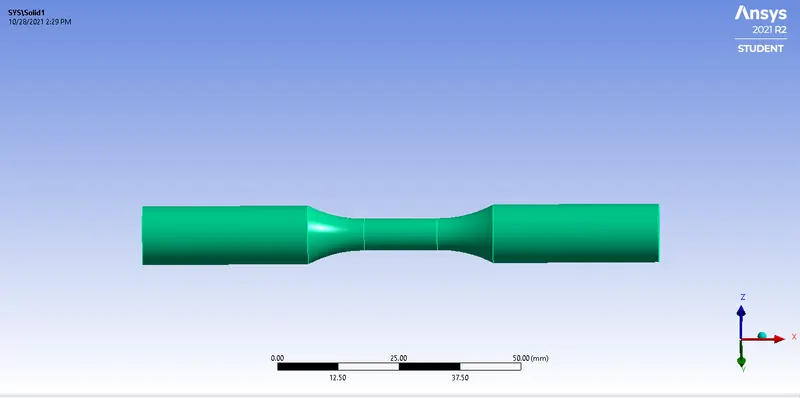
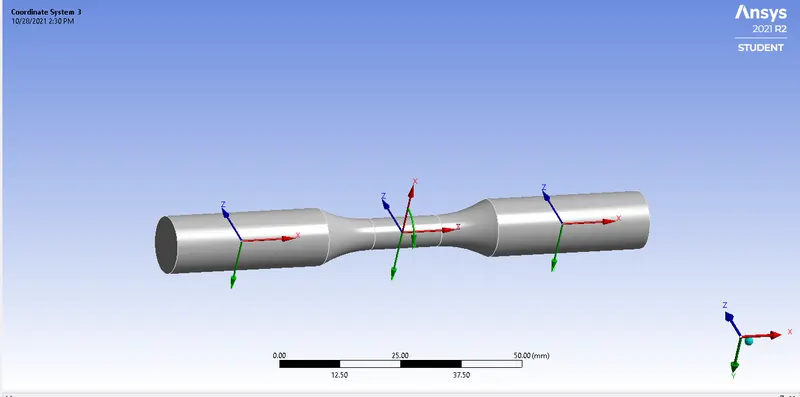
- we should have create the global coardinate system for the different parts in the componenst.
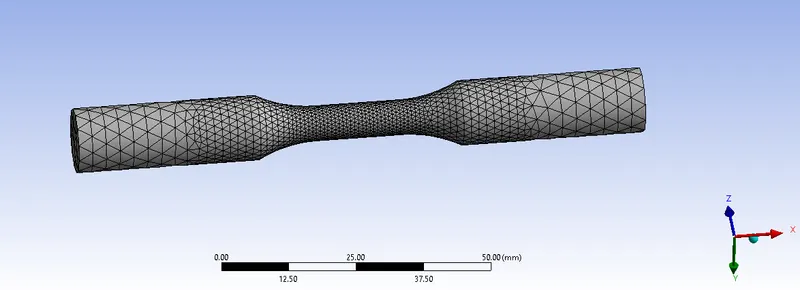
- we should have to generate the mesh for the components with having different mesh size and element size in the model.
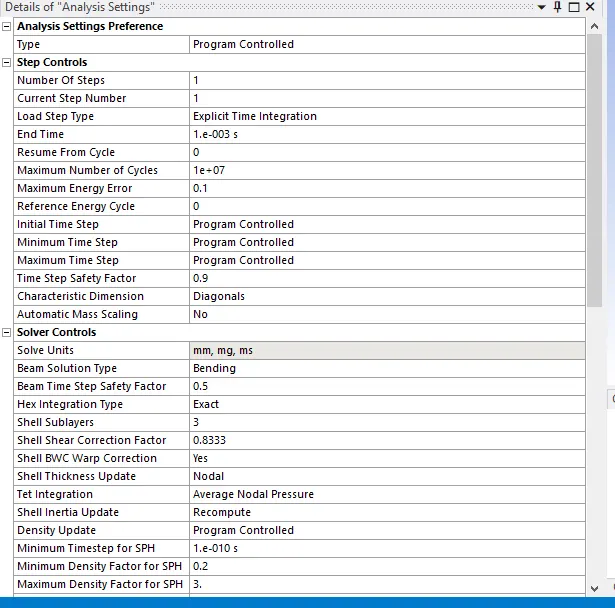
- we should have to create the analysis setting for the model and create the time step.
- we should have to fixed supoort and rotational joint for the model.
- we should give Total deformation,Equivalent stress,Equivalent strain for the model.
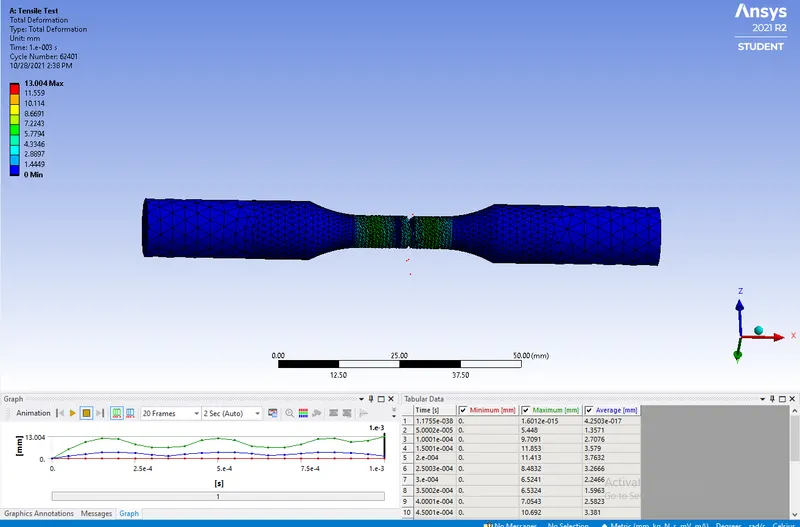
Total Deformation
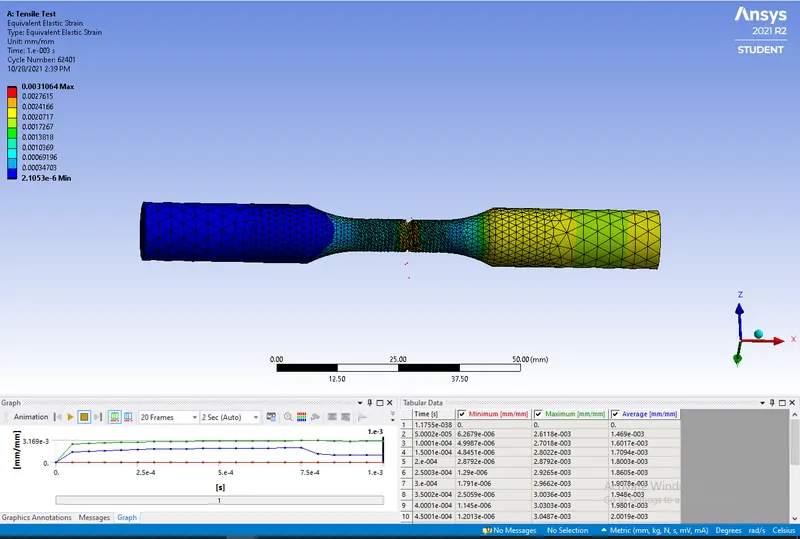
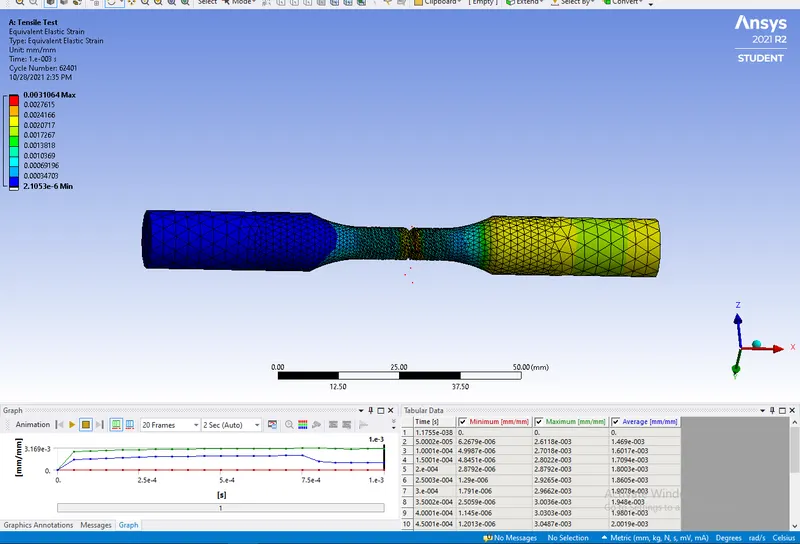
Equivalent strain
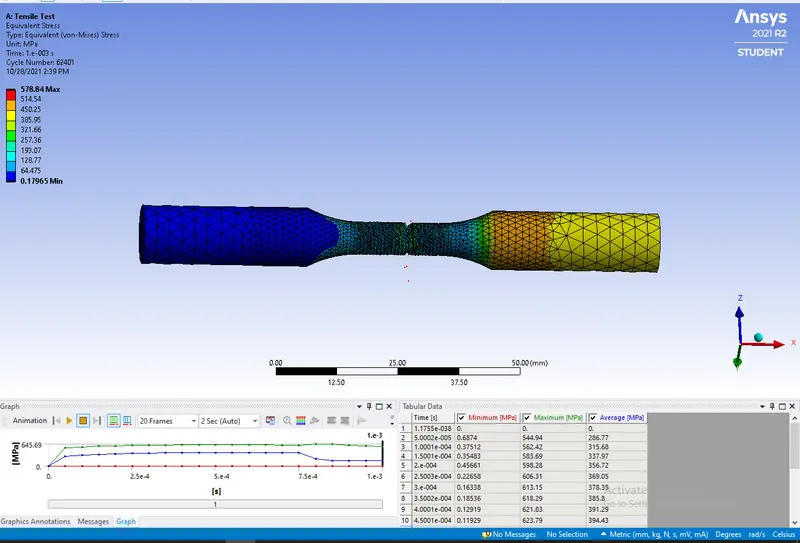
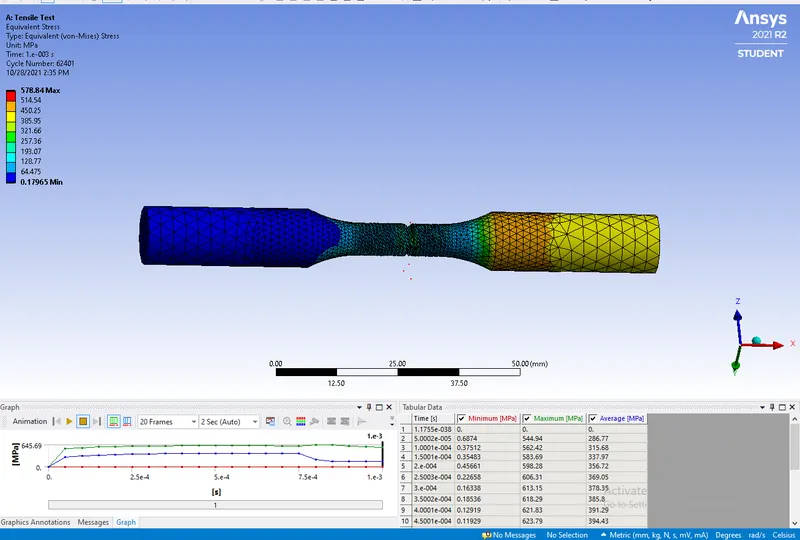
Equivalent stress
Case2:
For the torsion test, you will need to displace one end of the specimen to an angle of 1200 degree. Find out the total deformation, equivalent stress and temperature of the specimen and attach images to show your results.
- Open the Ansys Work Bench and edit the engineering Data.
- Assing the steel for the model in the model in the engineering data.
- We should check in the edit space claim so that if any surfaces are missing we can modify the surfaces.
- We shoudl edit the model in the and rename the parts on the geomentry.
- we should have create the global coardinate system for the different parts in the componenst.
- we should have to generate the mesh for the components with having different mesh size and element size in the model.
- we should have to create the analysis setting for the model and create the time step.
- we should have to fixed supoort and rotational joint for the model.
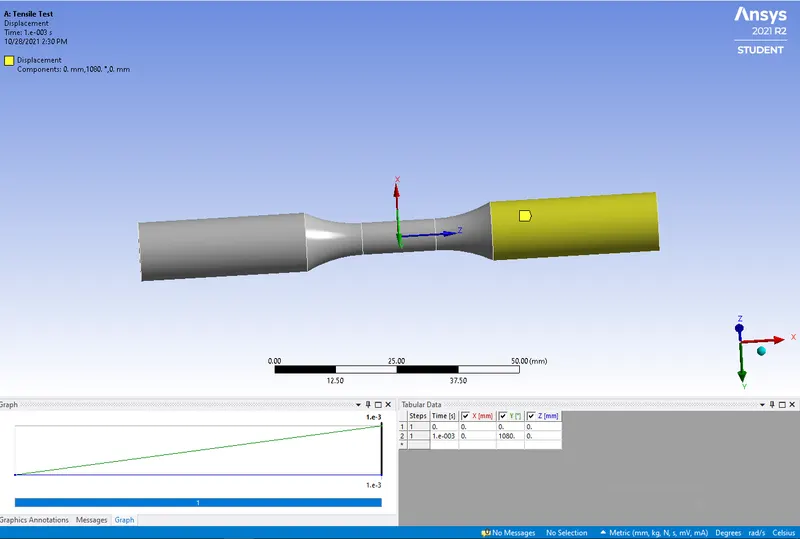
- we should give Total deformation,Equivalent stress,Equivalent strain for the model.
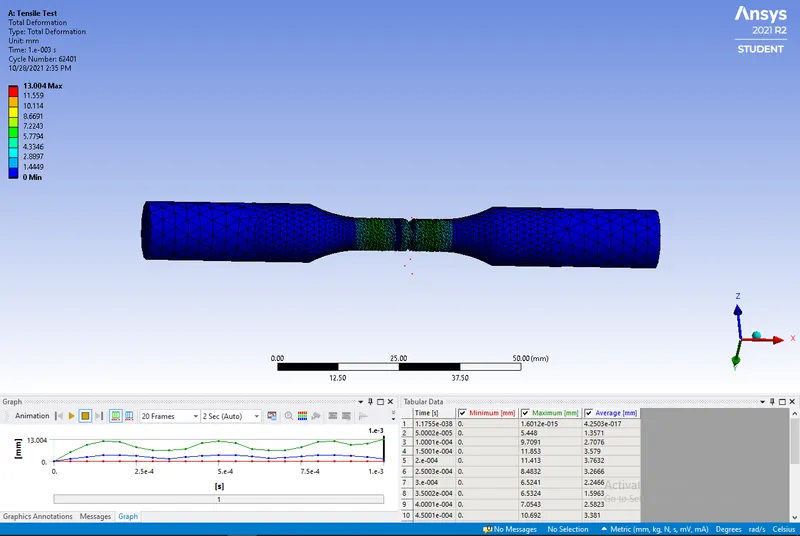
Total Deformation
Equivalent Strain
Euivalent stress
Results:
Tensile Test
Deformation
Maximum=13.004mm
Minimum=0
Equivalent strain
Maximum=0.003169mm
Minimum=2.1053e-6
Equivalent stress
Maximum=578.84Mpa
Minimum=0.17965Mpa
Torsion Test
Deformation
Maximum=13.004mm
Minimum=0
Equivalent strain
Maximum=0.003169mm
Minimum=2.1053e-6mm
Equivalent stress
Maximum=645.69Mpa
Minimum=0.0001Mpa
Hence the Tensile Test and Torsion Test is performed on the given model.