Week 9 Tension and Torsion test challenge
#9 Week Assignment- Introduction to Ansys Workbench
AIM: To perform the simulation on the given specimen and observe the results of various parameters.
Objectives:
- Case setup for Tension Test.
- Run Tension Test.
- Case setup for Torsion test.
- Run Torsion test.
- Evaluate results for listed parameters.
TENSION TEST:
- Open Ansys Workbench add Explicit dynamics to the window.
- Add material "Steel 1006" from the engineering data.
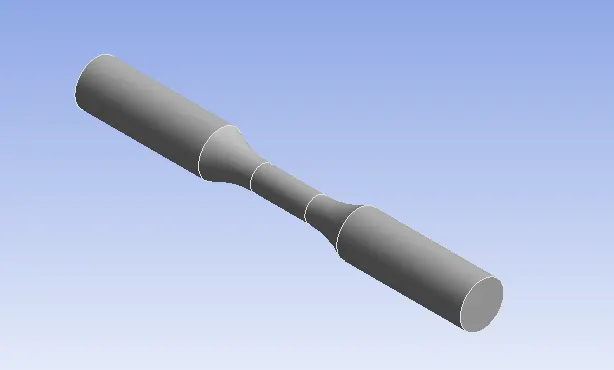
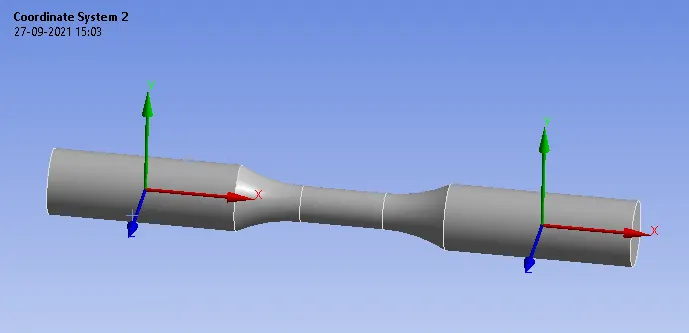
Co-Ordinate systems:
Create the co-ordinate systems as shown for both the faces of specimen.
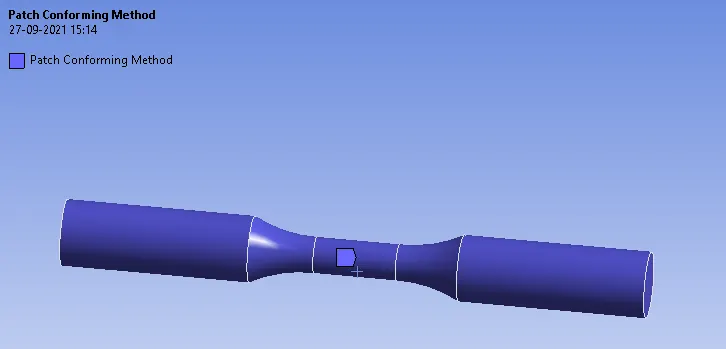
Meshing:
- Insert the method and select the body and type as tetrahedrons.
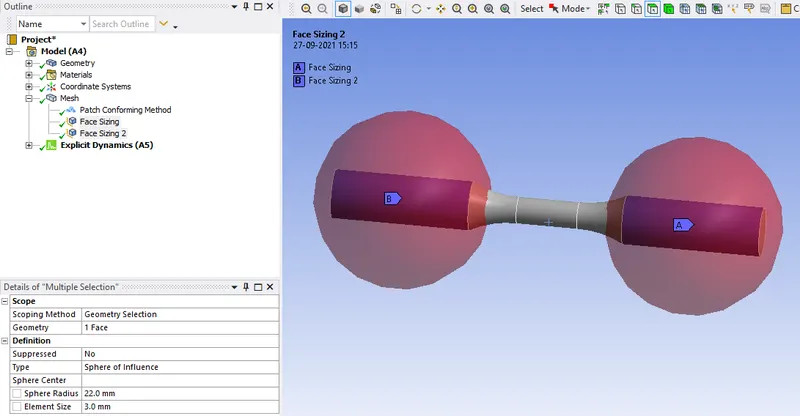
- Insert the sizing select the one of the faces and type as the sphere of influence and sphere center as its co-ordinate system that we created and the element size as 3mm and sphere radius as 22mm.
- Do it for the both faces shown below with same criteria.
- Then generate mesh and the mesh on the specimen will be as shown below.
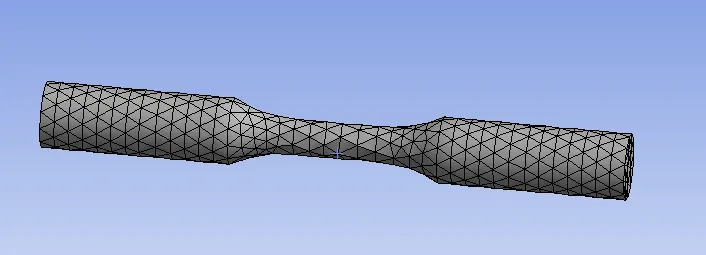
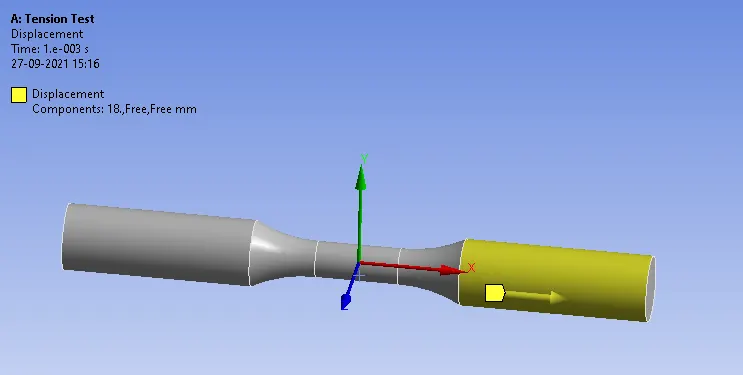
- Create the displacement under explicit dynamics and select the face as geometry.
- As the tension occurs in X-direction input the value of 18mm in the X-direction for the displacement.
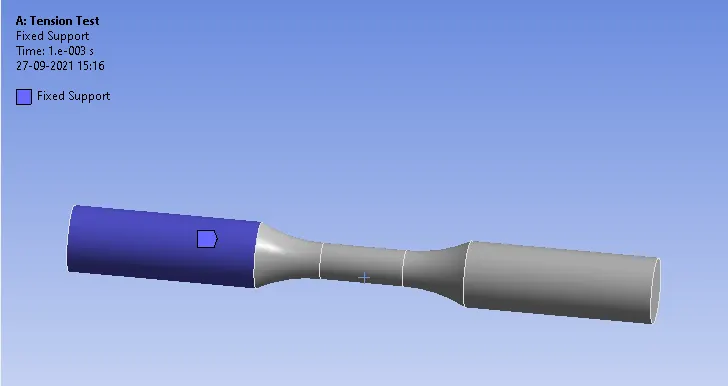
- Create a fixed support such that the face is fixed during the simulation.
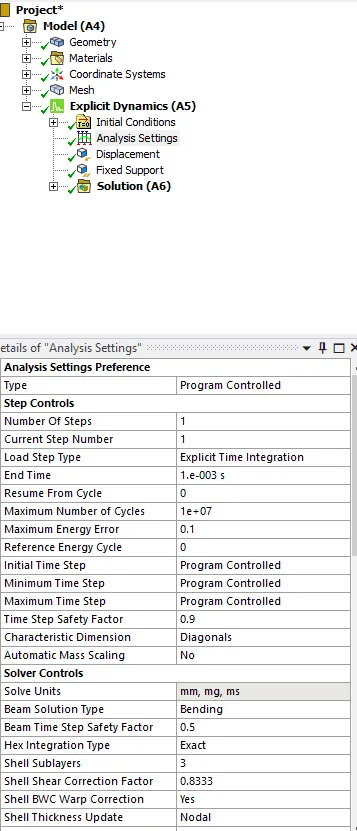
- Under the analysis setings enter the end time as 1e-3s.
- List the required outputs in the solution and click on solve.
Total deformation:
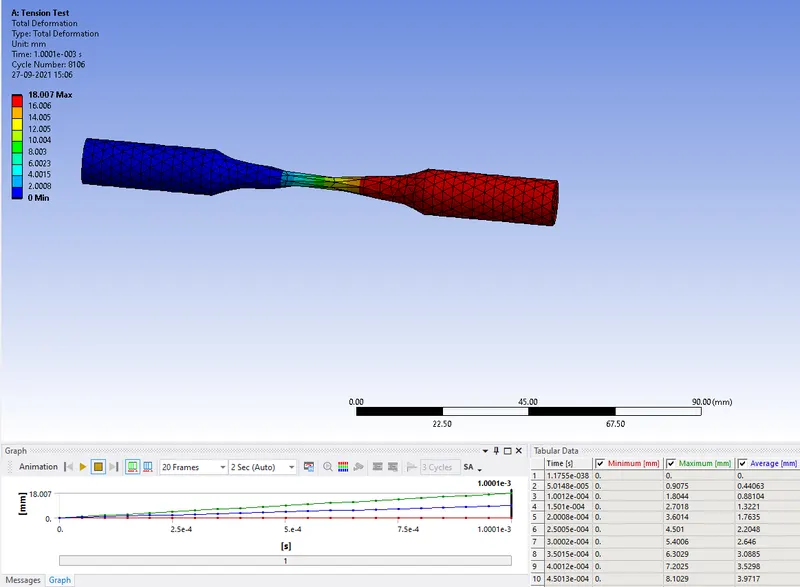
Equivalent Stress:
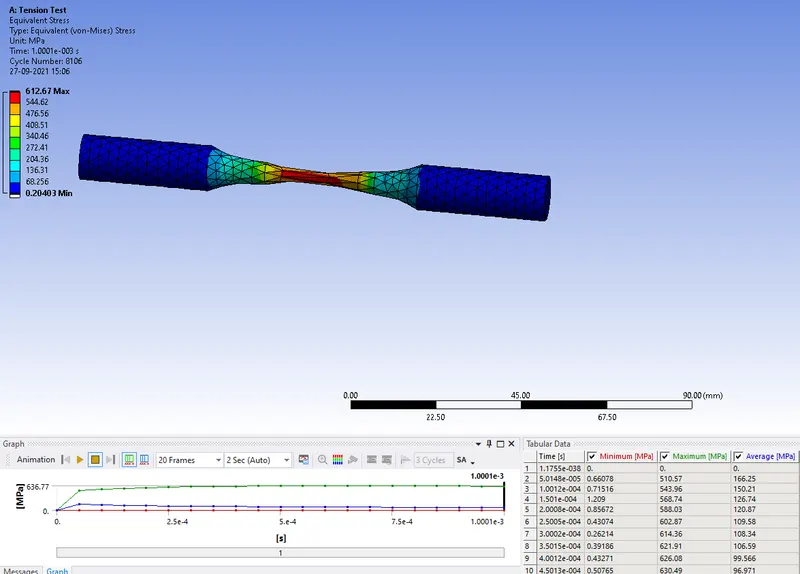
Equivalent Elastic Strain:
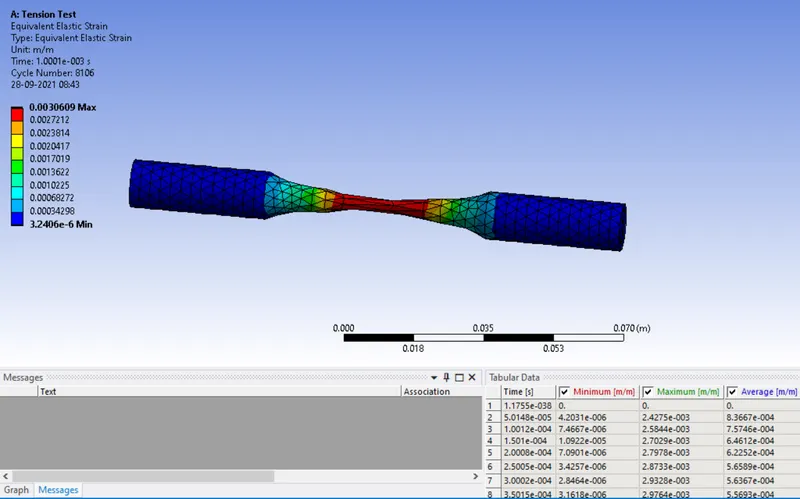
Temperature:
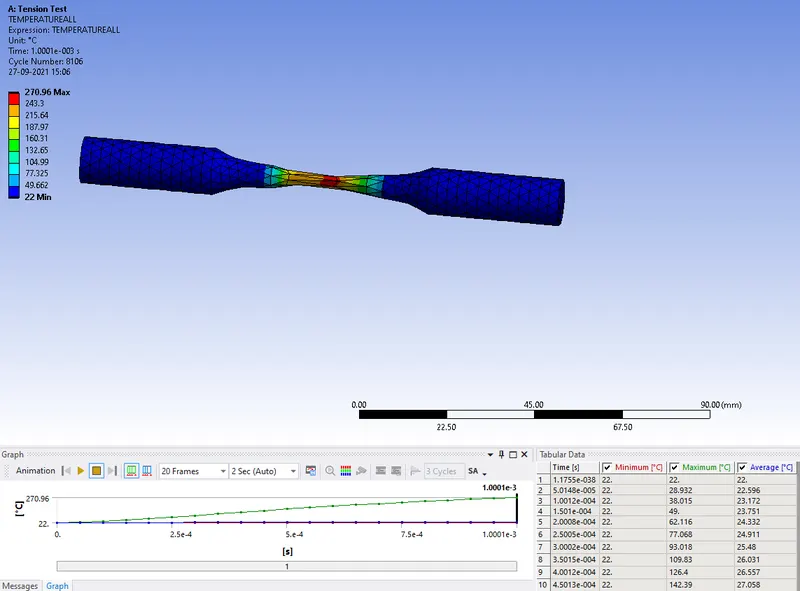
| Displacement:8mm | Total Deformation(mm) | Equivalent Stress(MPa) | Equivalent Strain | Temperature (oC) |
| Tension Test |
Max.18.007 Min.0 |
Max.612.67.204 Min.0.204 |
Max.0.0030 Min.3.2e-6 |
Max.270.96 Min.22 |
Torsion Test:
- Duplicate the tension test window, for the existing data and add new criteria required for the torsion test.
- Insert the co-ordinate system and select the type as cylindrical.
- Make sure the co-ordinate system directions were same as below.
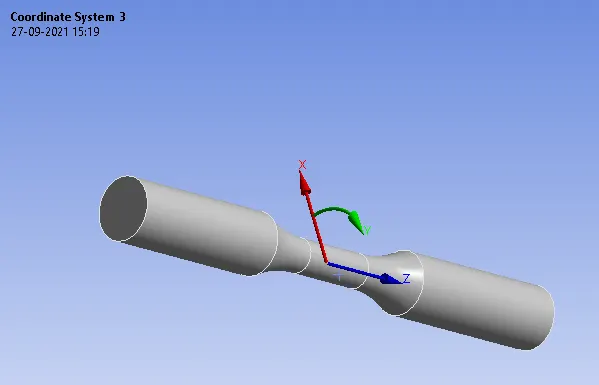
- Insert sizing and select the faces as below and enter the element size as 1.5mm.
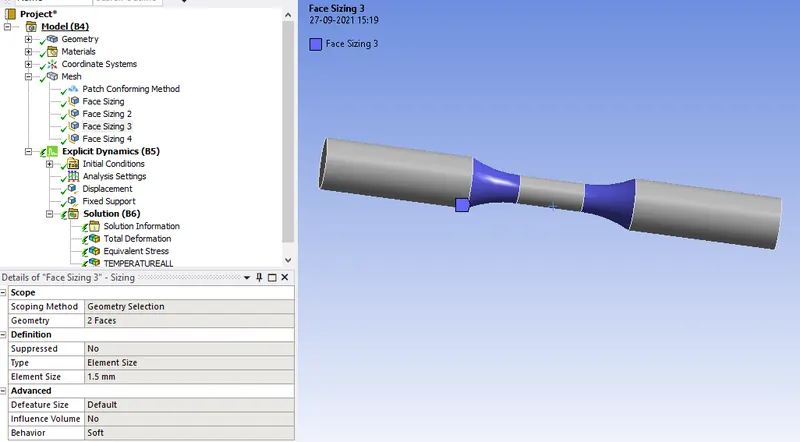
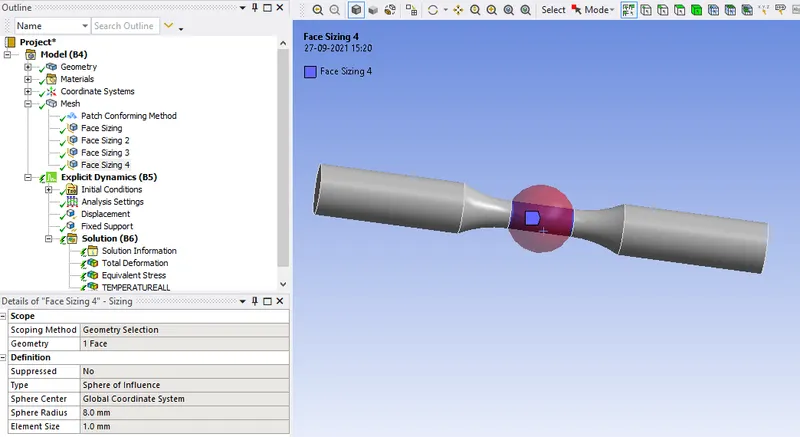
- Insert sizing select the face as below and type as sphere of influence and sphere type as global coordinate system.
- Enter the sphere radius as 8mm and element size as 1mm.
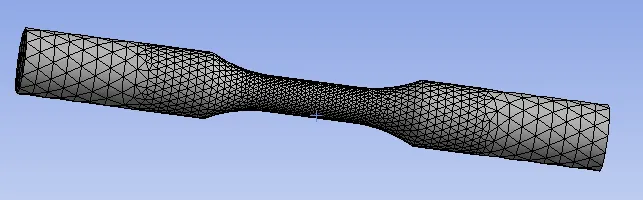
- Click on generate the mesh and the mesh will be generated with given criteria as below.
- Insert the displacement as 1200 degrees in the Y- direction and the others as 0.
- Set the co-ordinate system to cylindrical in the displacement tab.
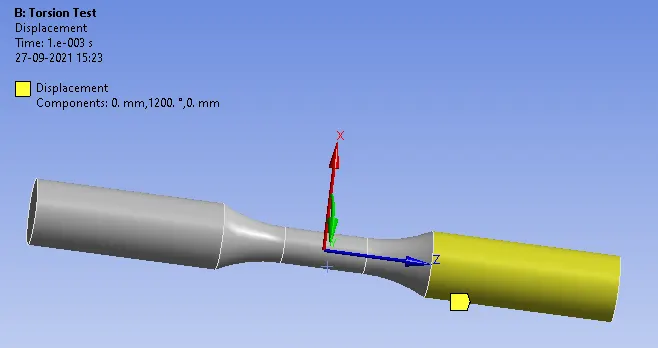
- Now clear the previous generated results.
- Click on solve.
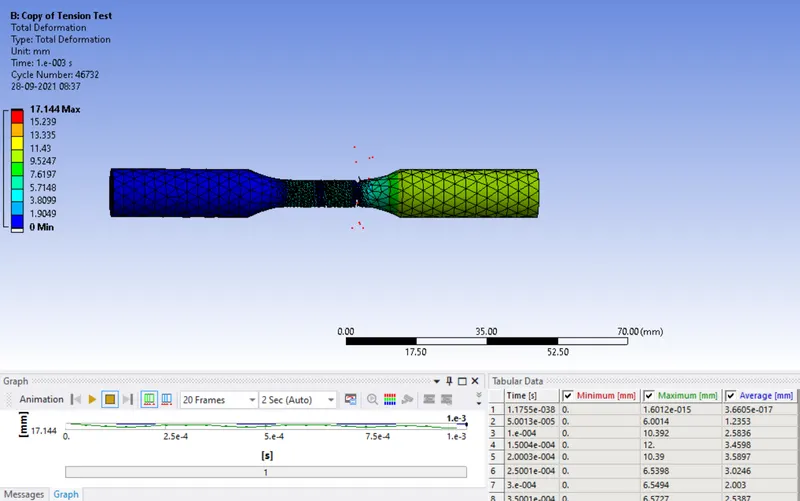
Total Deformation:
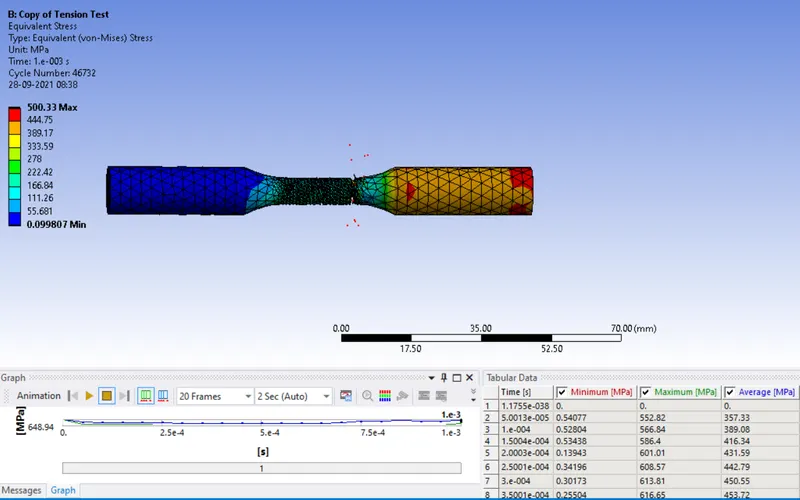
Equivalent Stress:
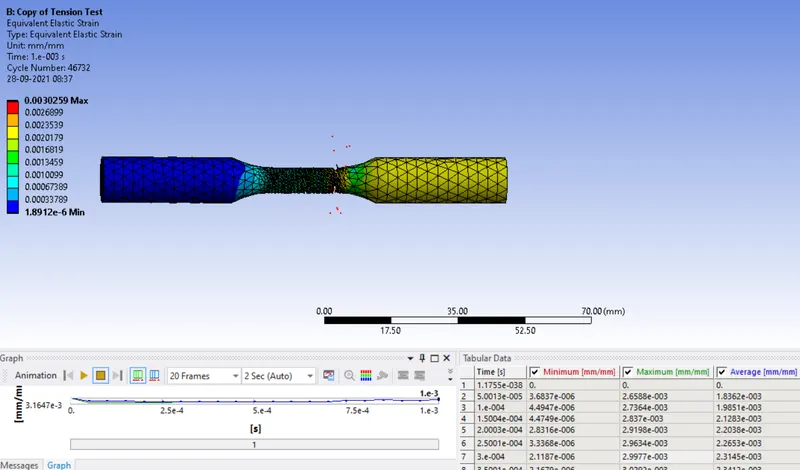
Equivalent Elastic Strain:
Temperature:
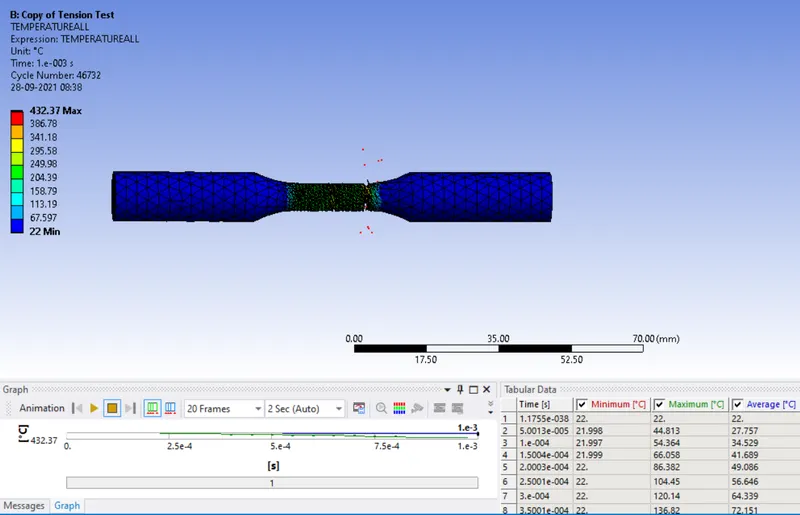
| Displacement:1200 deg | Total Deformation(mm) | Equivalent Stress(MPa) | Equivalent Strain | Temperature (oC) |
| Torsion Test |
Max.17.144 Min.0 |
Max.500.33 Min.0.099 |
Max.0.0030 Min.1.8e-6 |
Max.432.37 Min.22 |
Results: Thus the tension and torsion test has been performed on given work-piece using Ansys workbench.