Week 9 Tension and Torsion test challenge
Objective:
For this model we have to run the analysis for the tension and torsion test on the specimen provided for us.
case 1 : For the tension test, displace one end of the specimen to 18mm while keeping the other fixed.
case 2: For the torsion test, you will need to displace one end of the specimen to an angle of 1200 degree.
Procedure And Execution:
1.Open the ANSYS workbench in the system.
2.After opening the workbench,double click on the Explict Dynamics and rename it as Tension_Test.
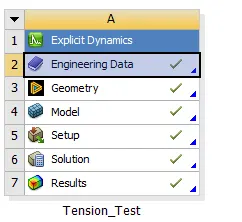
3.After that open the engineering data and add the material as steel 1006 from the explict materials from the engineering data sources.
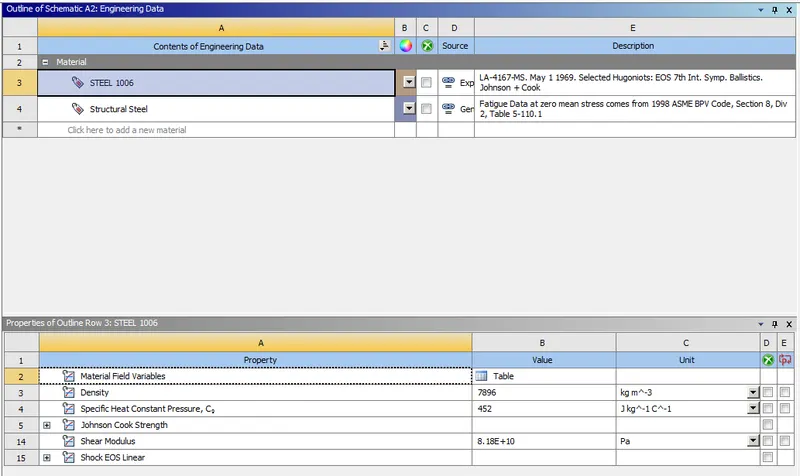
4.After assigning the data,close the engineering data and perform right click on the geomentry.
5.Import the given geomentry as given above and click on update on the model.
6. To check the given geomentry right click on it and it will open into the space claim to view the geomentry.
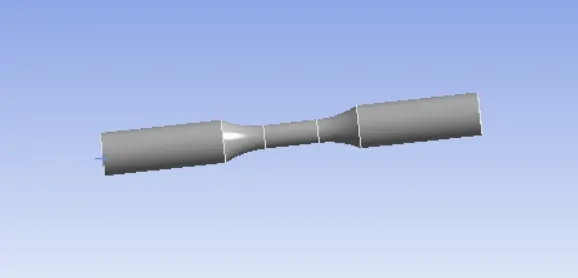
7.After checking the given geomentry close the space claim and open the model by double click on it or it can be opened by right click on the
model and select edit option to start the mechanical module to open.
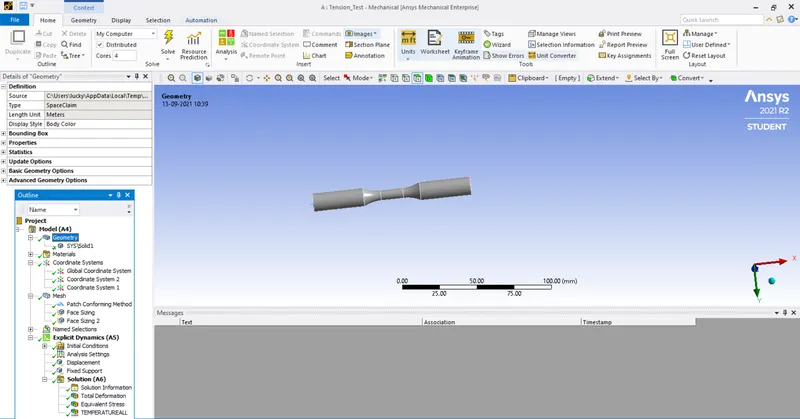
8.After opening the mechanical module,on the left side we can see a tree filter which contains all the components of the geomentry.
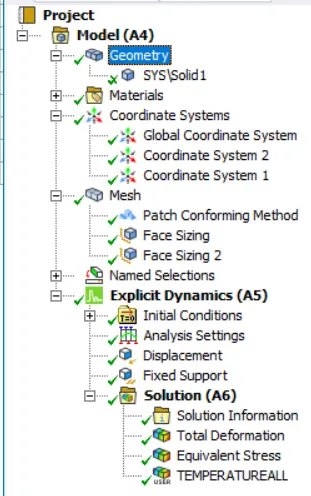
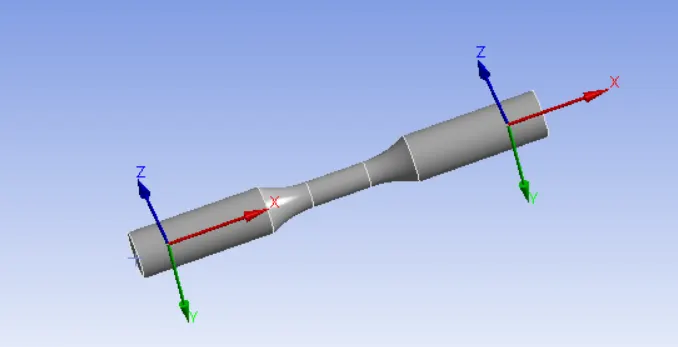
9.In the tree filter click on the coordinate system create the seperate coordinate system for both either sides of the component as shown in below
fig.
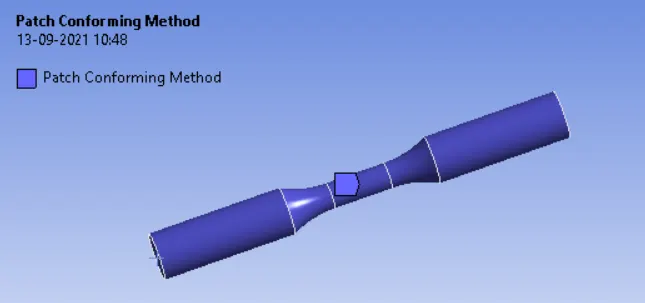
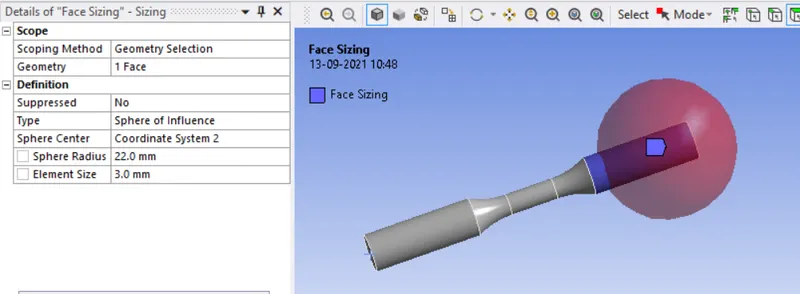
10.After that go to mesh create one method and select the whole component by using of the body filter and also create two face sizing on the
either side of the bodies as shown in below fig.
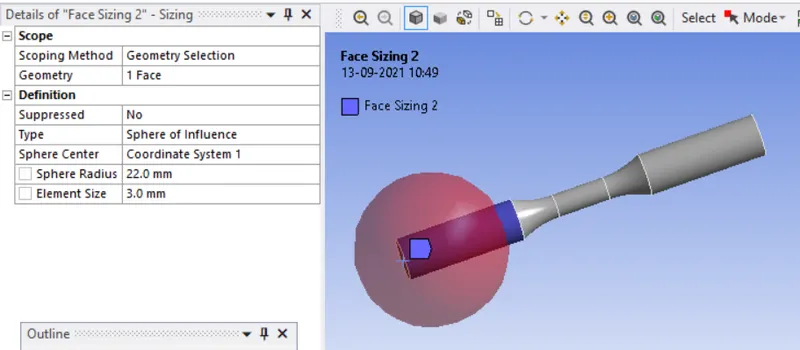
11.In analysis settings change the end time 1e-3 and leave the remaining settings as default.
12.After that create a fixed support on one side of the componet and one displacement joint as 18mm on other side of the component as shown in below fig.
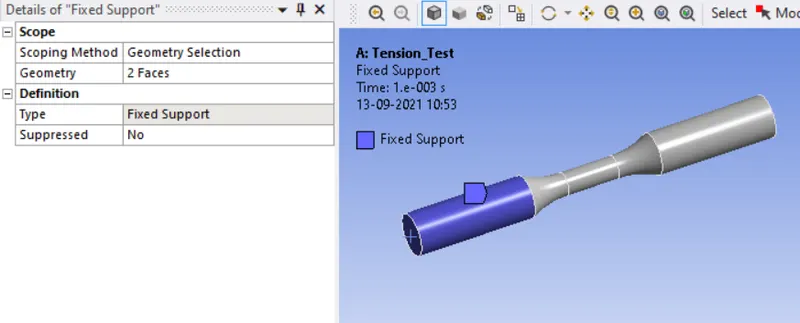
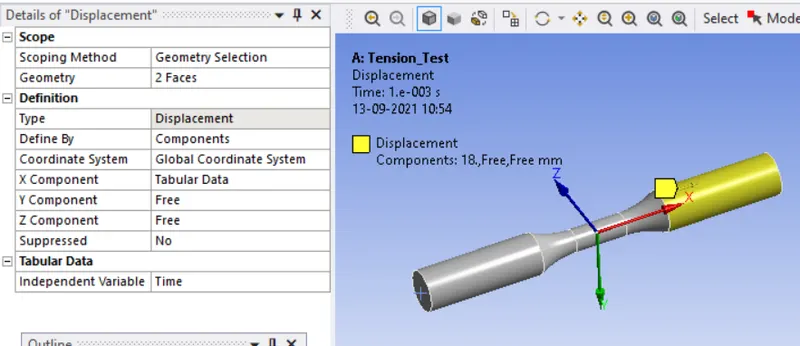
11.And now we can ready to run the analysis by right clicking on the solution to solve or by using the F5 key.
Results:
case 1 (Tension_Test)
Total Deformation
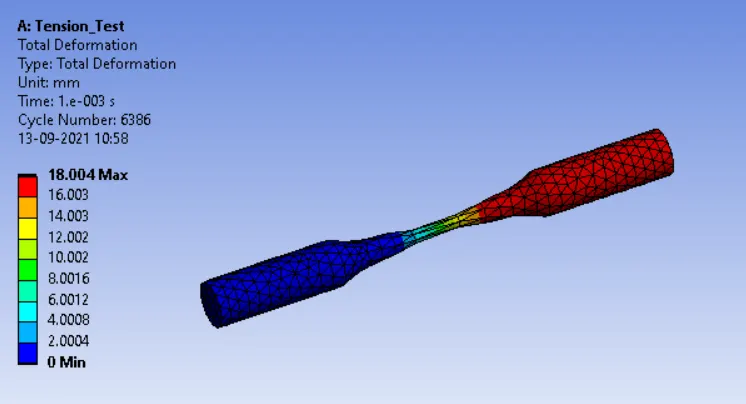
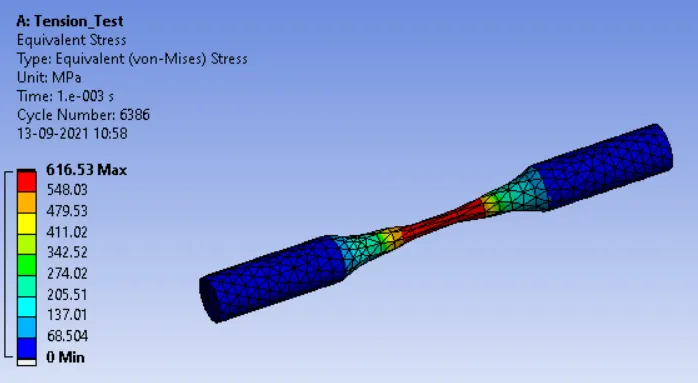
Equivalent Stress
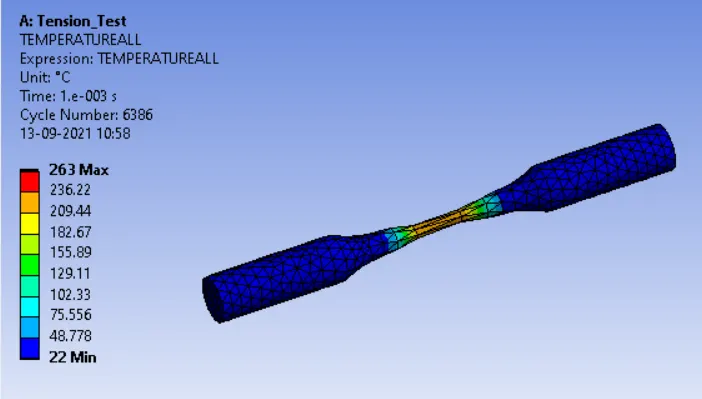
Temperature
case 2(Torsion_Test)
1.For torsion test duplicate the performed tension test and renamed it as torsion test.
2.After created that again create a cylindrical coordiante system as shown in the below fig.
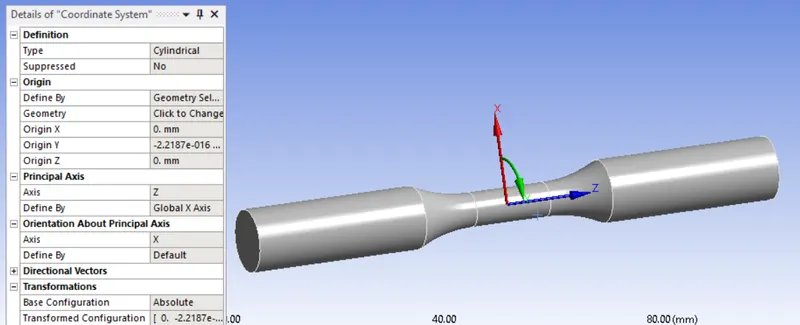
3.And in the displacement load make X and Z components into zero and for Y component give a tabular data and give the value as 1200 degreees
as mentioned.
4.And now we can ready to run the torsion test analysis by right clicking on the solution to solve or by using the F5 key.
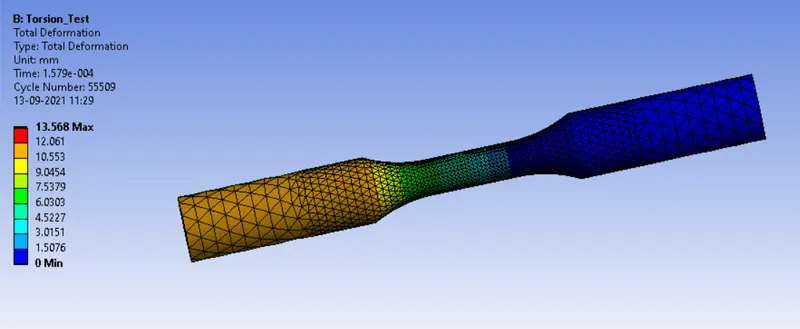
Total Deformation
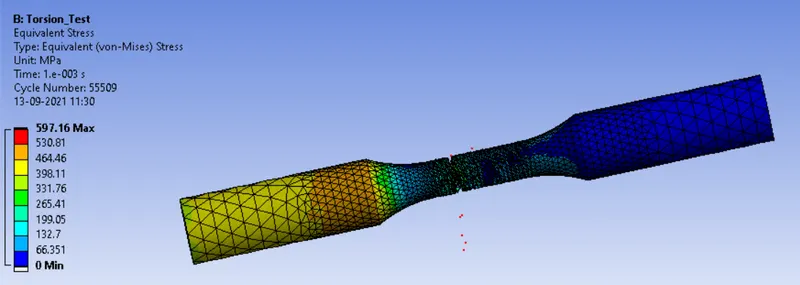
Equivalent Stress
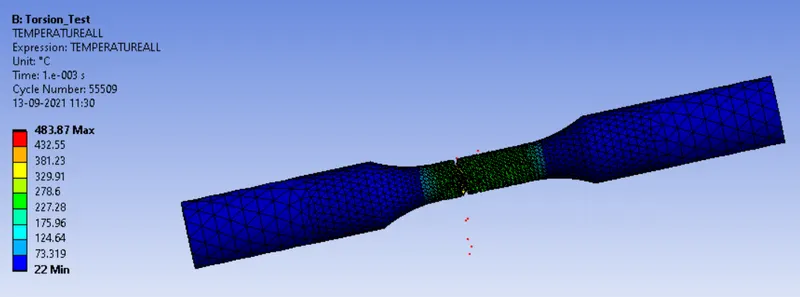
Temperature
Conclusion
|
|
Total deformation (mm) |
Equivalent stress(MPa) |
Temperature °c
|
|
Tension test |
18.004 |
616.53 |
263.00 |
|
Torsion test |
13.568 |
597.16 |
483.87 |
The stress for tension test is more than torsion test while the temperature in torsion test is more than tha tension test because friction created
during torsion is more than tension test.