Week 9 Tension and Torsion test challenge
AIM: For this challenge, we shall have to perform the tension and torsion test on the specimen.
Objective:
For the tension test, displace one end of the specimen to 18mm while keeping the other fixed. You will need to find out the total deformation, equivalent stress and temperature of the specimen and attach appropriate images to show your results.
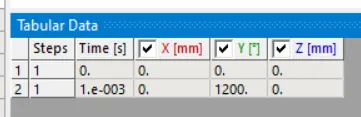
For the torsion test, you will need to displace one end of the specimen to an angle of 1200 degree. Find out the total deformation, equivalent stress and temperature of the specimen and attach images to show your results.
Theory:
Tension:
Tension is a force along the length of a medium, especially a force carried by a flexible medium, such as a rope or cable. Tension can be defined as an action-reaction pair of forces acting at each end of the said elements.
Torsion:
Torsion refers to the twisting of a structural member that is loaded by couples (torque) that produce rotation about the member's longitudinal axis. In other words, the member is loaded in such a way that the stress resultant is a couple about the longitudinal axis and the response is a twisting motion about that axis.
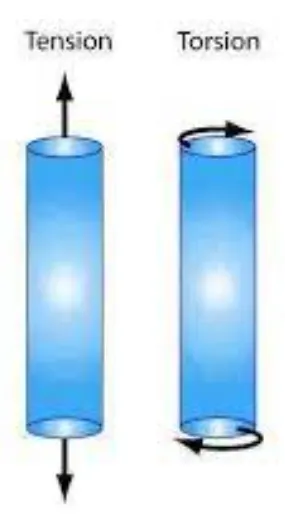
Case 1: Tension Test.
Procedure:
- Start the ansys workbench and click on Explicit dynamics and rename it "tension_test".
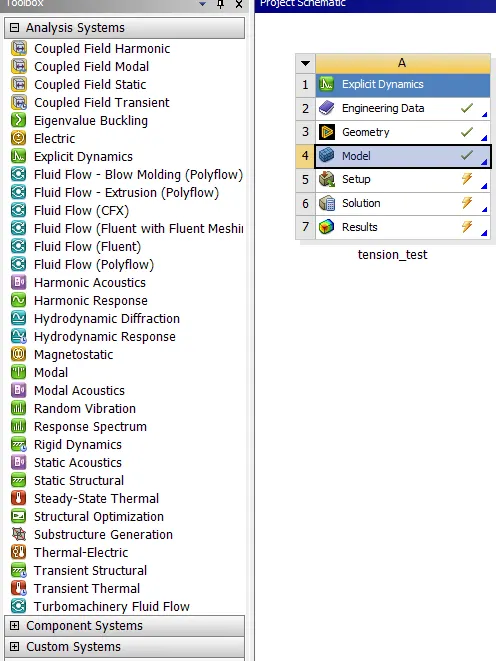
- Double click on the engineering data and add steel 1006 material from the explicit material,as shown below.

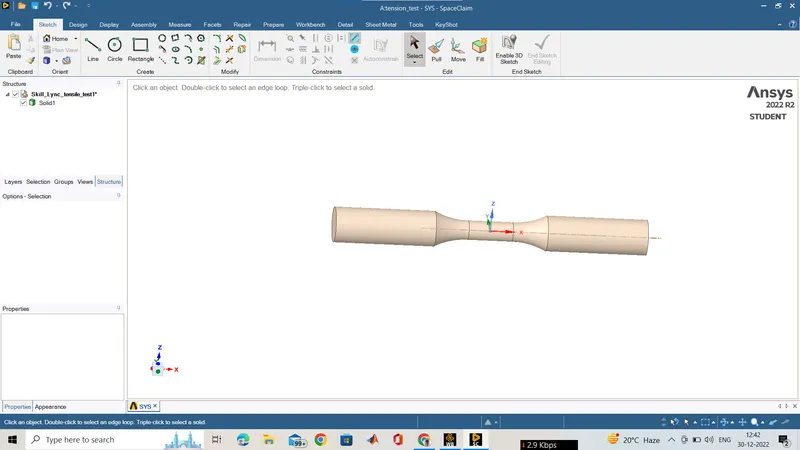
- After that right click on the geometry and import the geometry available in the question. And again double click to edit in spaceclaim, but here no need to edit every thhing looks good.
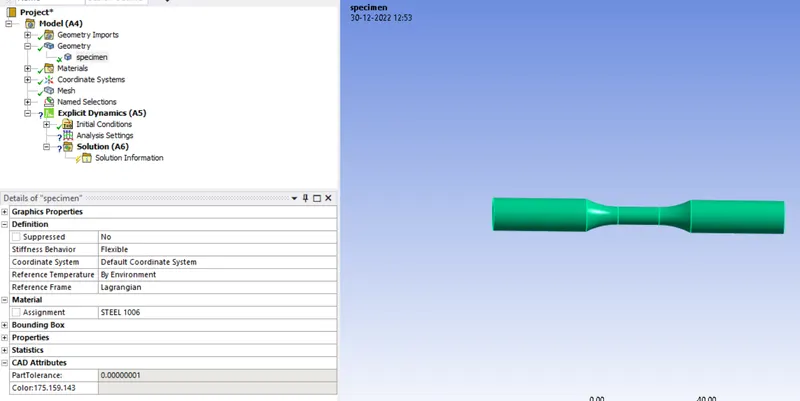
- After that we have to close the spaceclaim and right click on model and click on update,then double click to edit in mechanical.Then rename the geometry as specimen, and assign the material as steel 1006 as shown below.
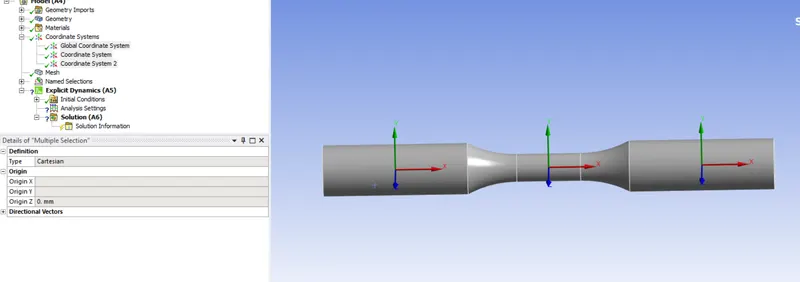
- Now in the coordinate system we have to add two local cordinate system at either sides of the specimen as you can see in below image.
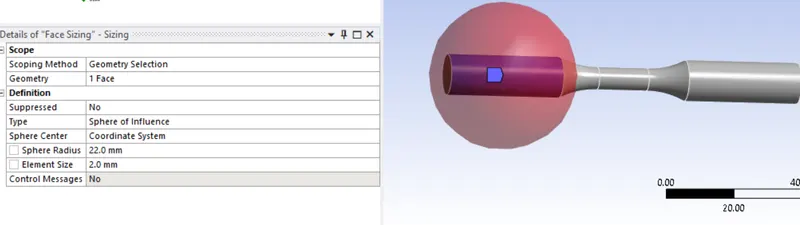
- In the mesh we have to add method as the tetra hedron and add two face sizing type as sphere of influnce both and radius as 22mm and mesh size as 2mm.
- After that we have to go to analysis setting there we have to give the end time as 1e-003 and rest is as it is.
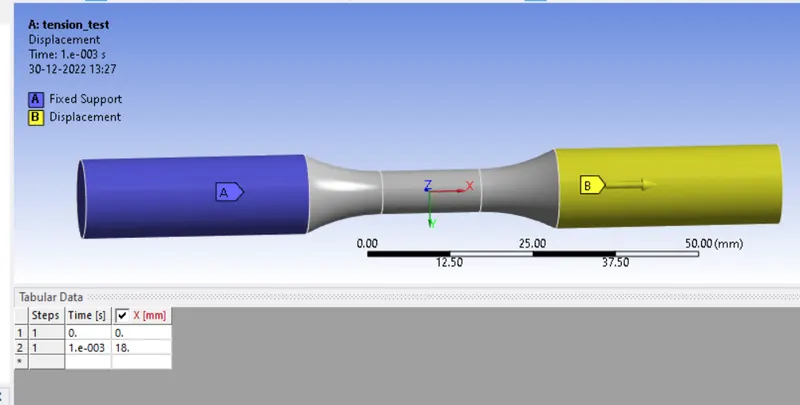
- Then we need to add the boundry condition so here we have to fix the one side and give displacement to the othere end of the specimen the vale of 18 mm in the tabular form.
- Now we have to add all the output data asked in the question so add total deformation and equivalent stress but the temperature is added after the simulation we have to clic kon the soluton and then click in the worksheet in the tool bar and select the temperature and righ click to add user defined result.
Results:
Total deformation:
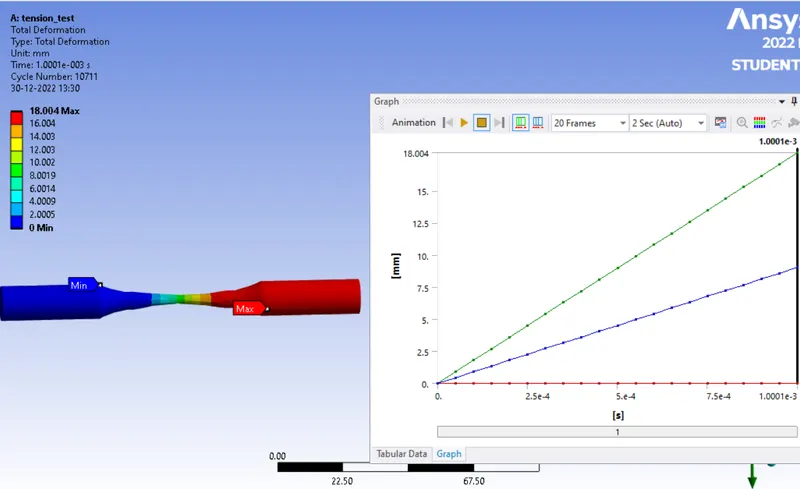
- The max deformation is 18mm as inputed that value.
Equivalent stress:
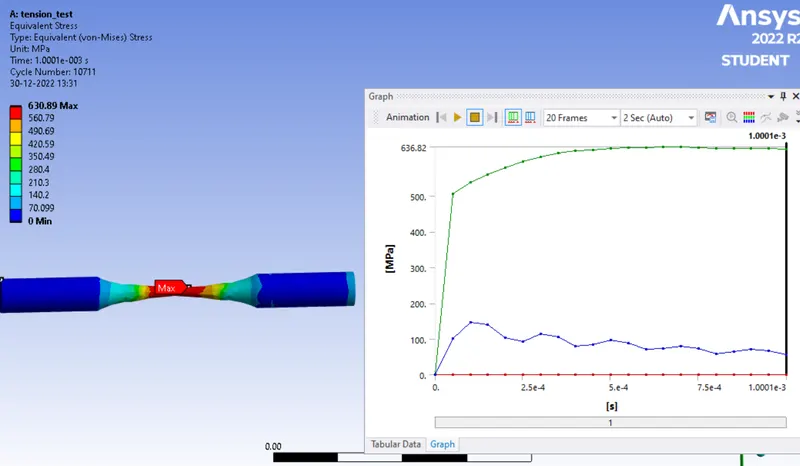
- The max equivalent generated is 630.89 Mpa.
Temperature:
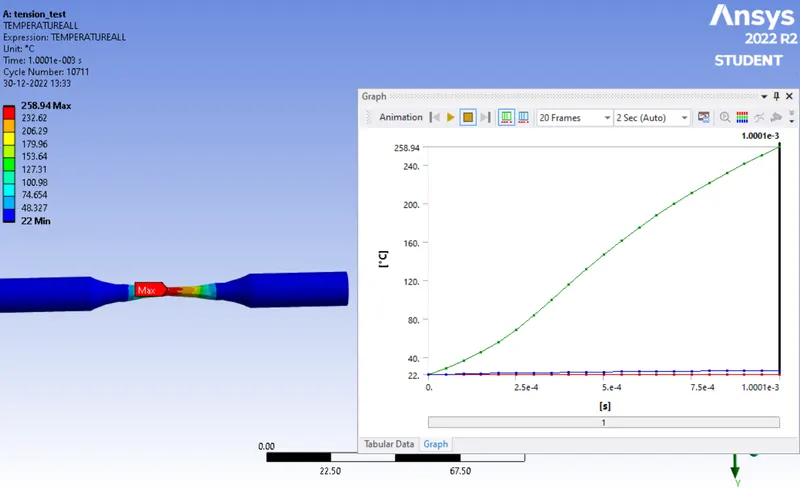
- The max temperature rises to the middle of the specimen 258.94 c.
Case 2: Torsion Test.
Procedure:
- Procedure is same no need to change just small changes in the coordinate system,mesh and in the boundry condition as shown below.
- In the coordinate system create a new clyndrical coordinate system y as the axis of rotation as shown below.
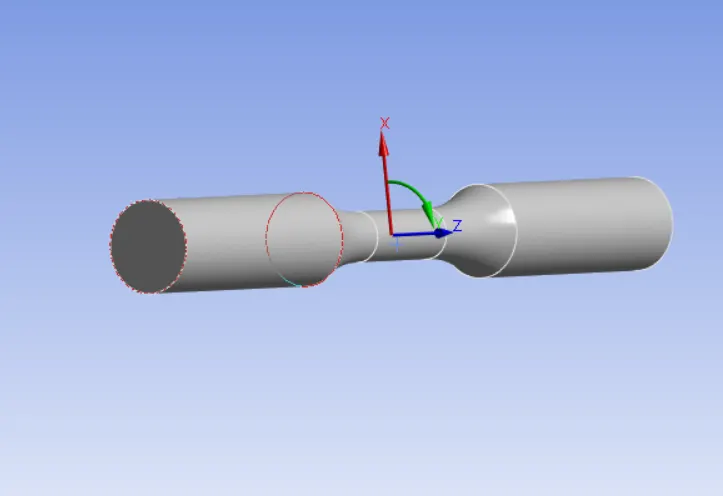
- In the mesh part add one more face sizing and give the element size 1.5mm.
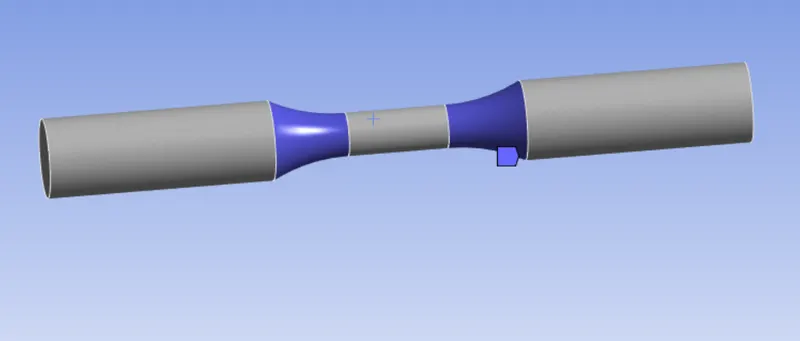
- And one face sizing to the sphere of influnce to the global coordinate system of radious 8mm and mesh size 1mm.
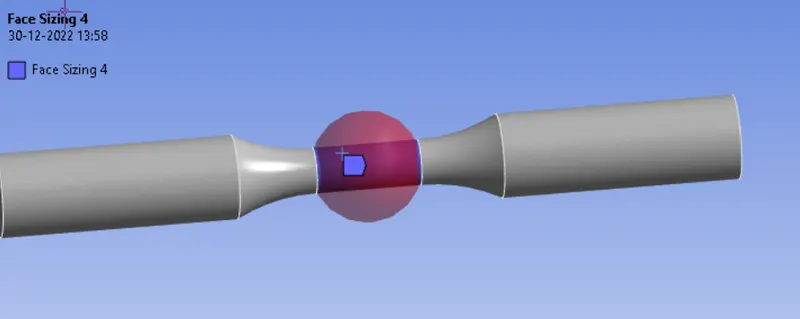
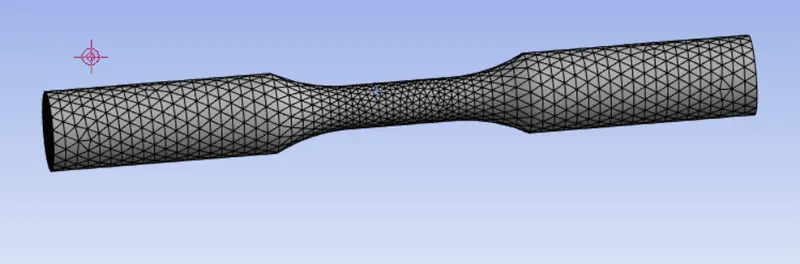
- Now in the boundry condition select the displacement and change the coordinate syste from previouslydefined to newly created cylinderical coordinate system and values for x and z is 0 and for the y as 1200 degrees.
Results:
Total Deformation:
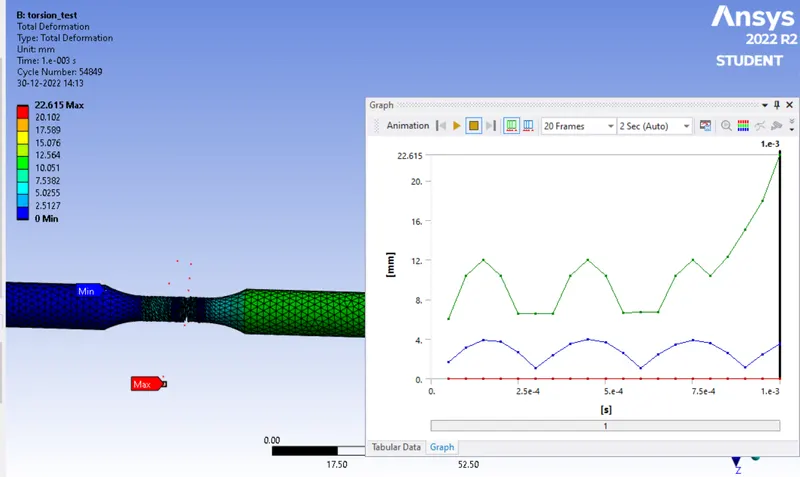
- max diformation Is 22.615 mm.
Equivalent Stress:
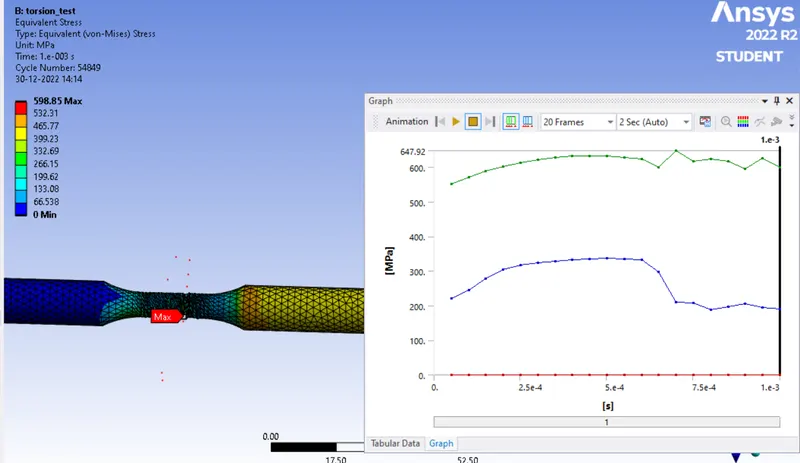
- the max equivalent stress is 598.85 Mpa.
Temperature:
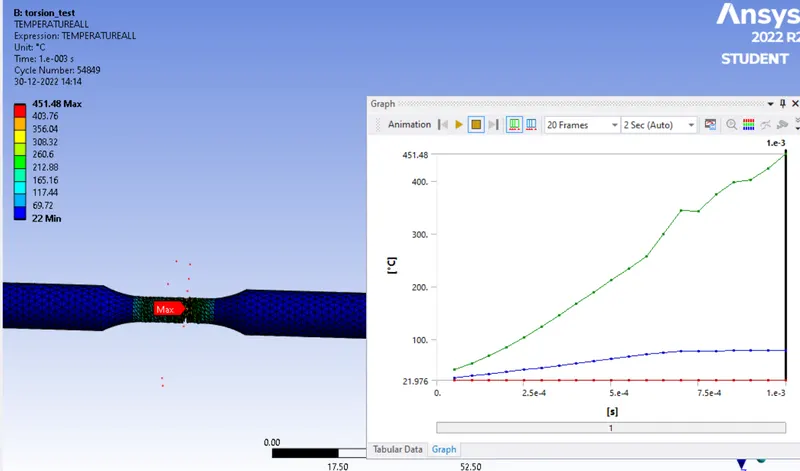
- The max temperature rises is 451.48 c
Conclusion:
- As asked in the question to perform the tension and tortion test on the given specimen so in the tortion test it elongate but didn't break but in the tortion test the speciman break after necking.