Door Applique Design with Engineering Features
Report:
Introduction:
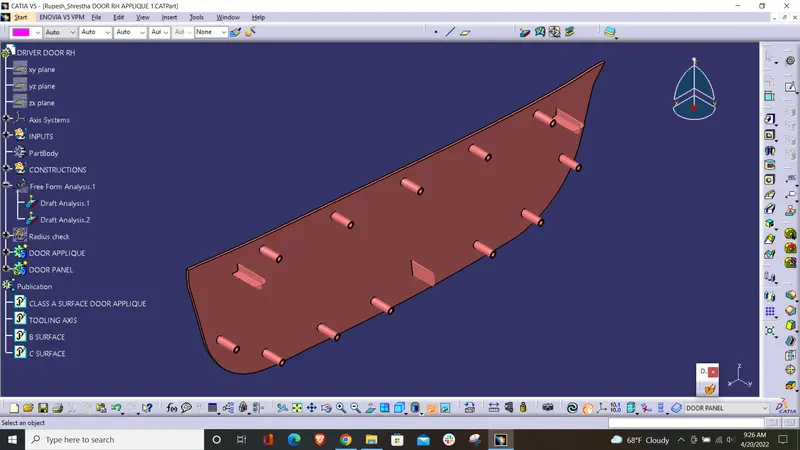
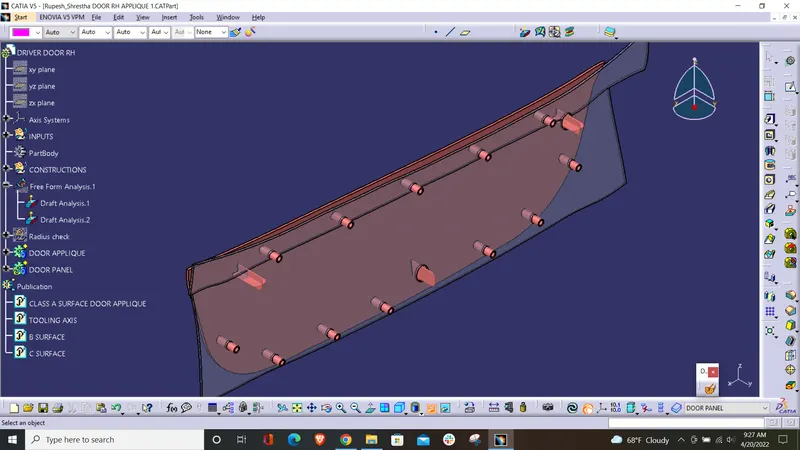
Draft Analysis is the process of assessing the designed plastic part if it has the drafting angles as per the requirement. In CATIA, draft analysis is done by the tool called Feature Draft Analysis. It shows the different draft angles available at different parts and says if it meets the requirement or not by various color codes. In this example, a Door Applique’s class-A surface is taken for the draft analysis study. Later, the component is made out of the A, B & C surfaces, and later locators and heat stakes are added. Lastly, draft analysis is performed on the component too.
Objective:
To perform the draft analysis of a Door Applique using CATIA V5.
To perform the draft analysis of the features in the Door Applique.
Steps involved:
1) Determining and making the Tooling Axis
- Checking the boundary:
The given part is first checked for its boundary to find if there are any gaps or openings or discontinuity in the boundary. If there is more than one boundary because of the openings, they can be separated.
- Insert a coordinate system:
In order to perform the other steps, first, insert a point at almost the symmetric center of the part and insert a coordinate system at the point. The coordinate system should be facing in all directions the same as the default coordinate system.
- Determining the tooling axis:
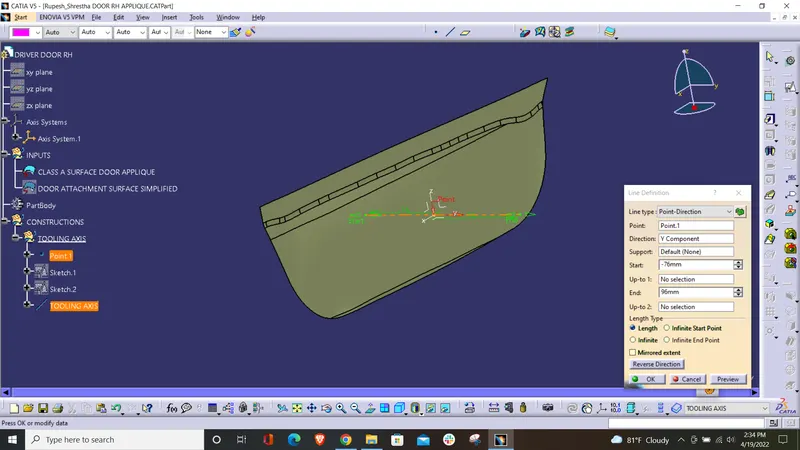
By looking at the part from various directions, the optimum tooling axis is determined by taking into consideration of various factors such as low cost, avoiding side cores, etc. For this class A surface, there are no steep curves and surfaces that could possibly disturb the ejection of the component from mold. By visualization, it is clearly seen that the Y-Axis can be the tooling axis for this Door Applique. Also, to confirm it, it can be checked by drawing lines tangent to the steep curves and drawing bisecting lines. To do so, we need to take the intersection of the part in two directions other than the tooling axis. First, zy plane is used to find the intersection curve. Then it is looked for the curve elements which can possibly create problems while ejecting the part. The curves which are almost perpendicular or have a high angle with the tooling axis can create no problem as they can be easily ejected. On the other hand, if the intersection curve has some elements which are almost parallel or has a small angle with the tooling axis, then it should be assessed using the bisecting line. For this component, since the lines intersect very closely, there is no threat in the ejection.
- Creating the tooling axis:
Now, using the two dummy tooling axes, use the bisecting line to create a new line (TOOLING AXIS) and select the result in the required direction. This will give the tooling axis we require. It can be made bold and the color can be changed for better visibility.
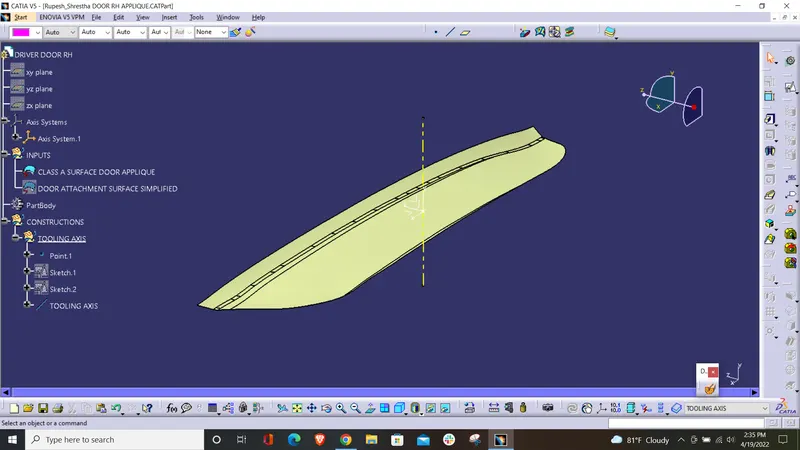
2) Publishing the Door Applique and the tooling axis
Publishing elements in CATIA V5 are used for various purposes. It helps to make the references of the part as a datum entity of the part. Here, the Door Applique surface and the tooling axis are published before the tooling axis is created. The following screenshot of published surfaces contains all the elements required to publish; Tooling axis, Class A surface, B surface, and C surface.
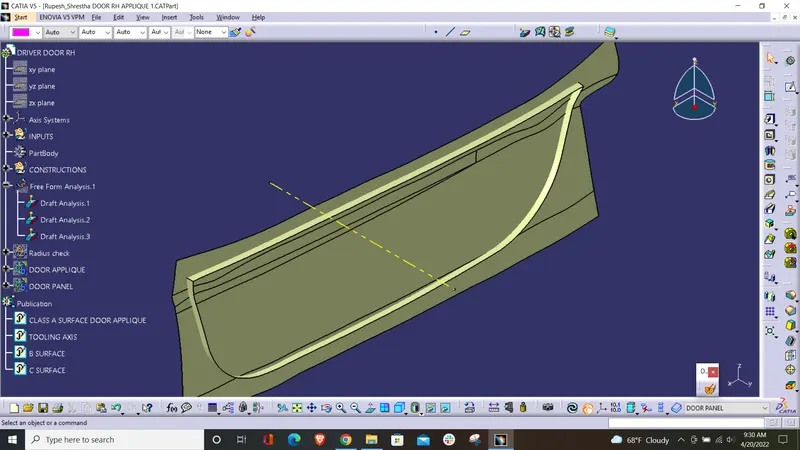
3) Perform Draft Analysis:
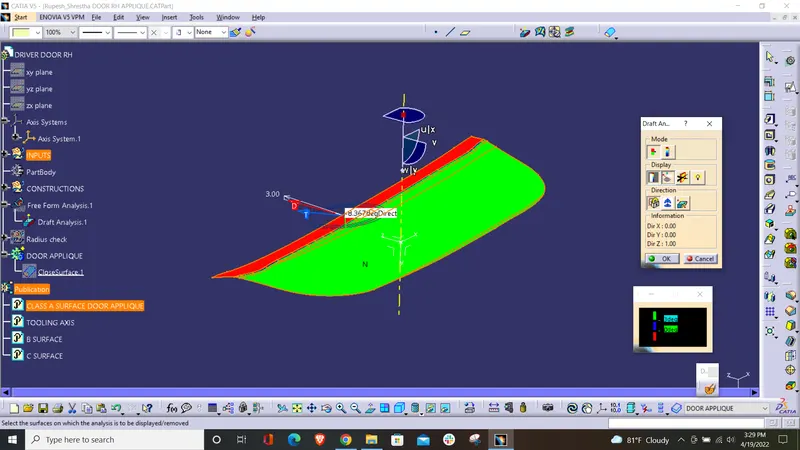
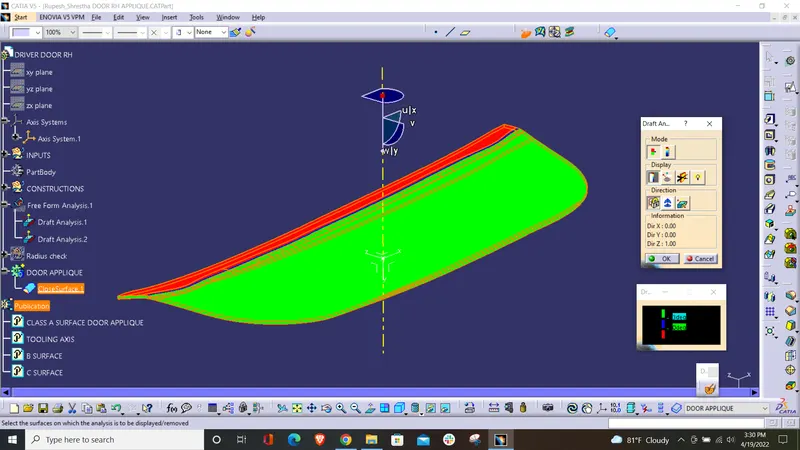
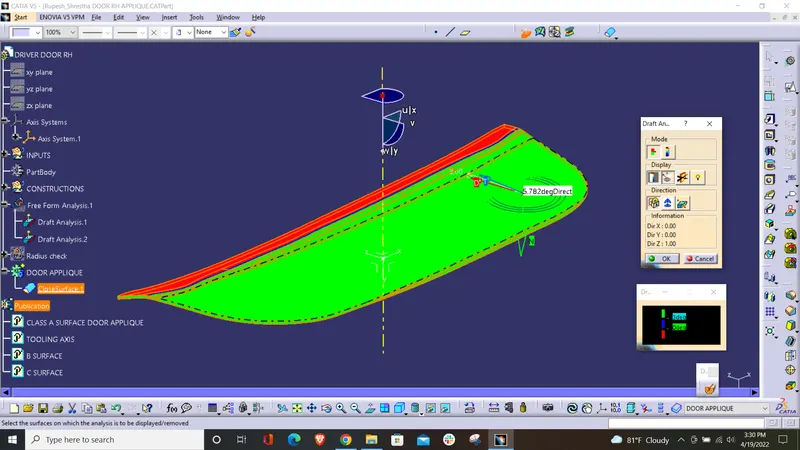
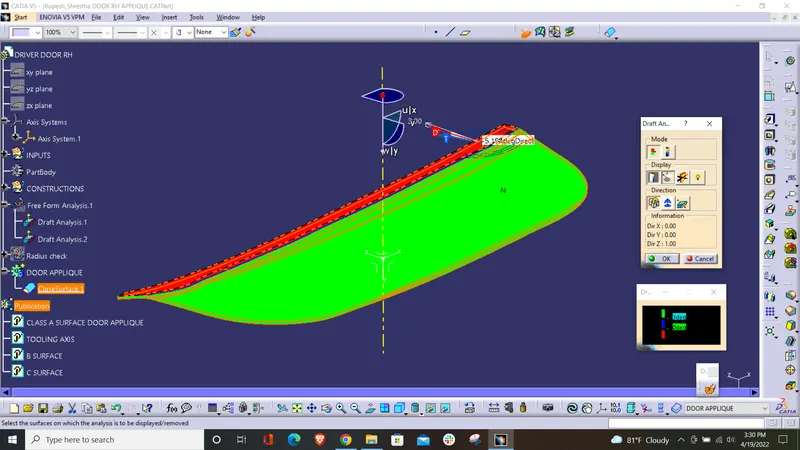
Now, perform the draft analysis of the Door Applique. To do so, go to tools > analysis > Feature Draft Analysis. This tool has three groups of options namely; mode, display, and direction. First, the second icon from the direction group is selected and the red dot in the compass is clicked and dragged to the part to be drafted. The line in the dragged element is matched with the tooling axis and it is locked using the first icon in the direction group. It will define the tooling axis direction and lock it. Then click the Door Applique. It will turn green or green and red based on the draft angles. If the minimum draft angle is set to 3 and we have only 2 degrees of draft angle, it will show that portion in red. If the portion has enough draft angle, it will show in green. Thus, the draft analysis is complete.
* Screenshots of the Draft analysis report for the Class A surface and final plastic component:
Draft Analysis of the CLASS A SURFACE (with 3-degree draft requirement):
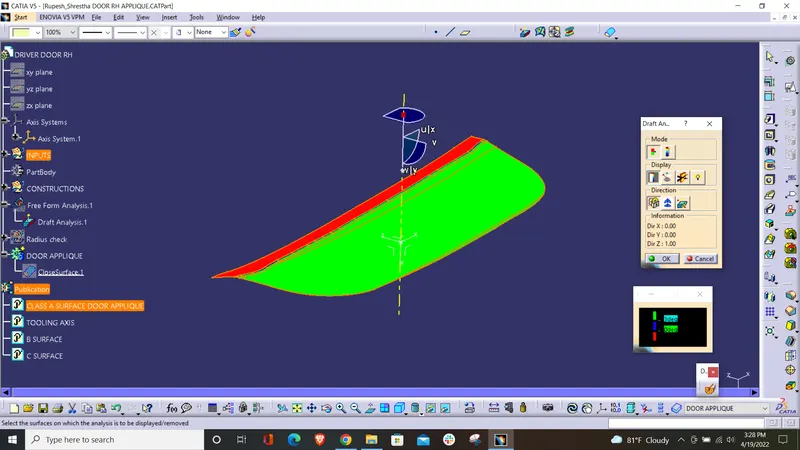
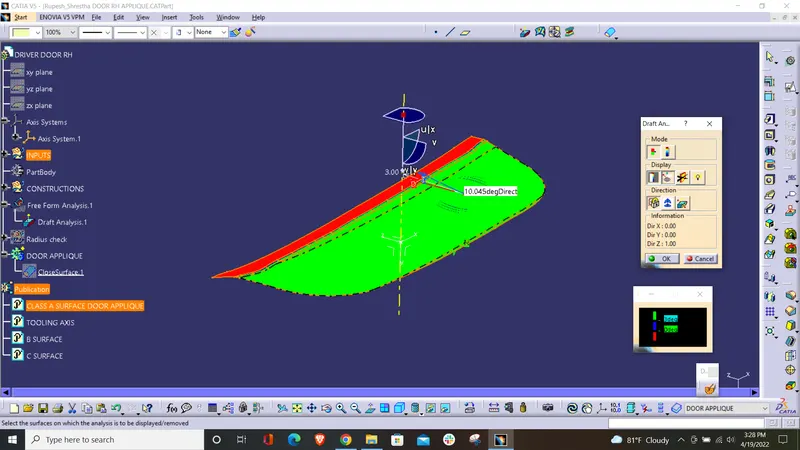
Draft Analysis of the FINAL COMPONENT (with 3-degree draft requirement):
Draft Analysis of the LOCATORS and HEAT STAKES (with 0.5-degree draft requirement):
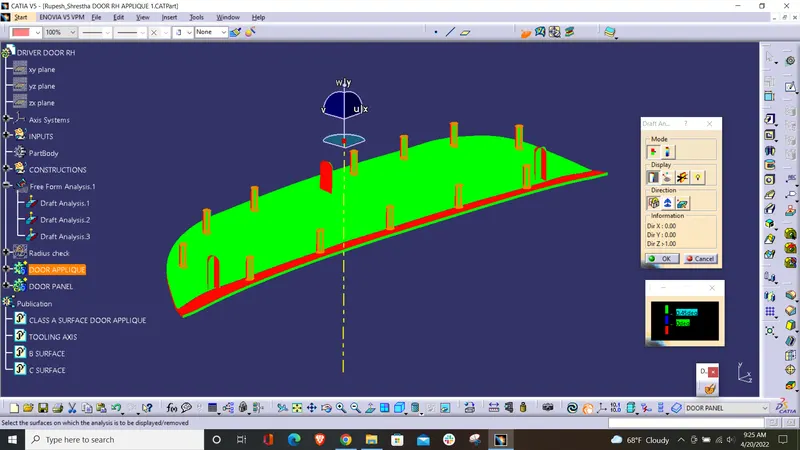
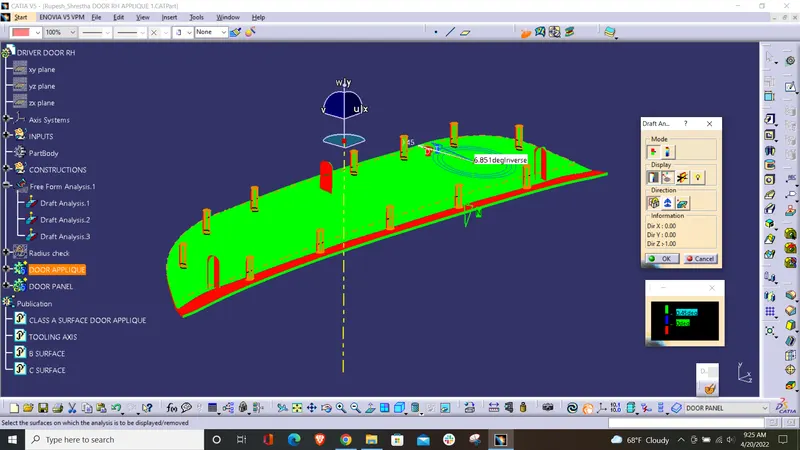
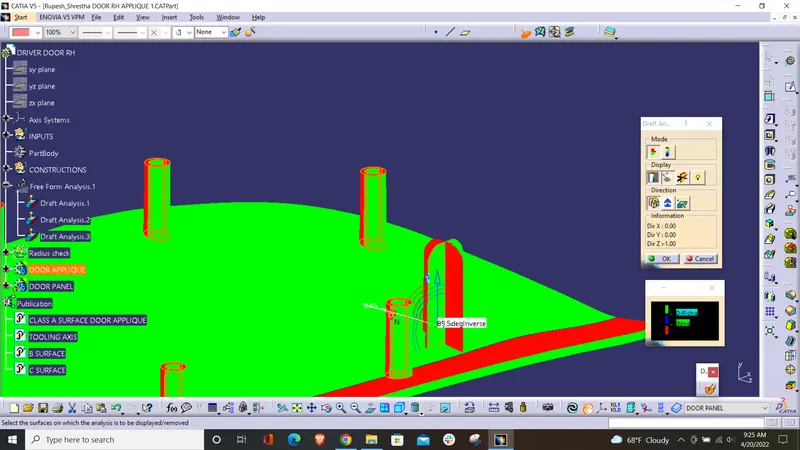
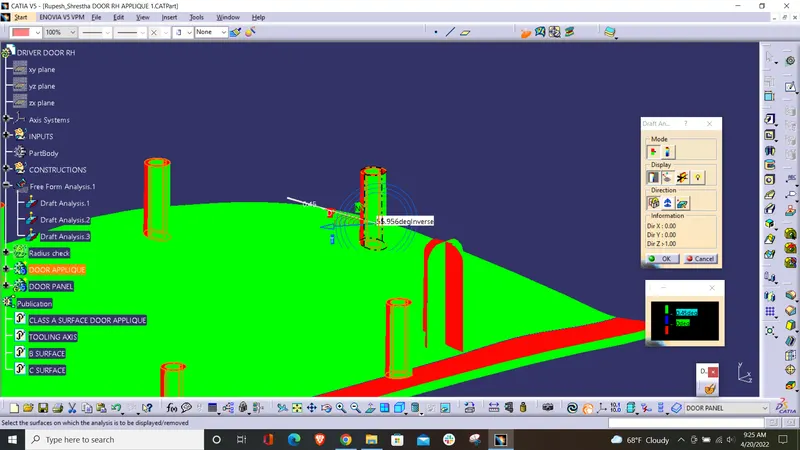
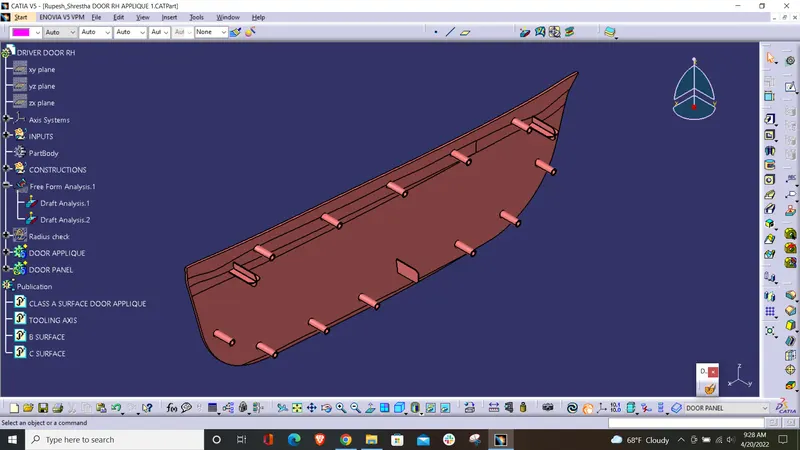
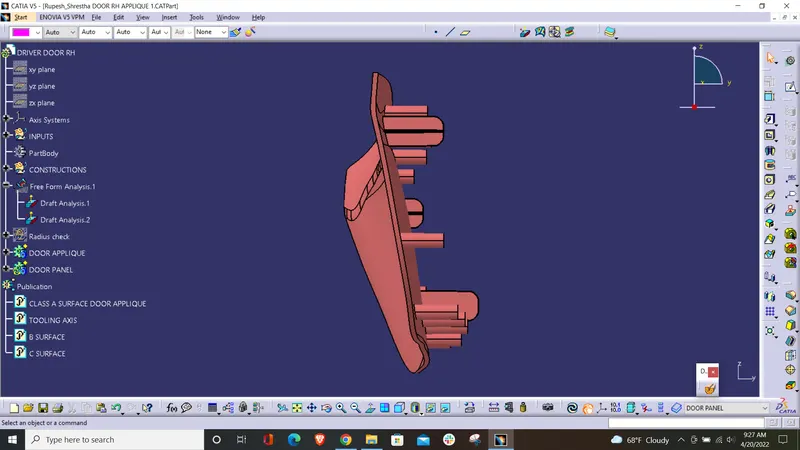
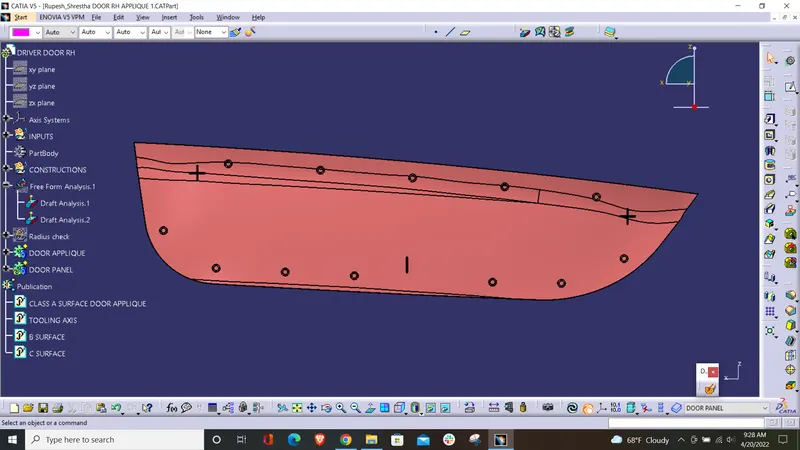
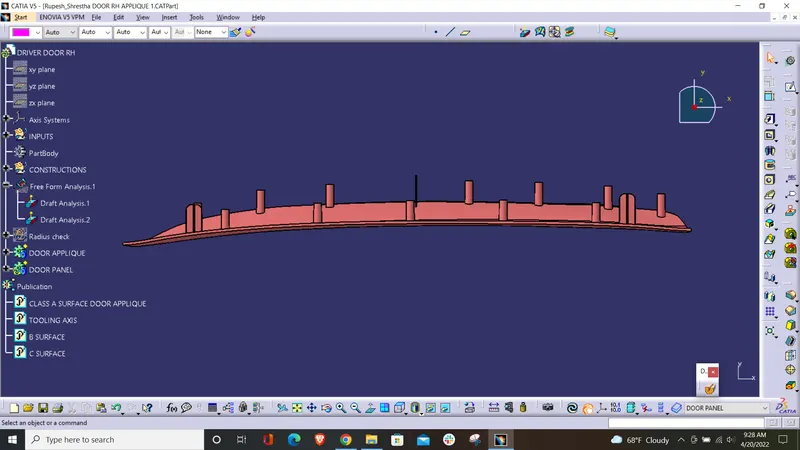
- Screenshots of the completed design with LOCATORS and HEAT STAKES in various orientations (Isometric, Front, Side, and Top View):
Isometric:
Front:
Side:
Top View:
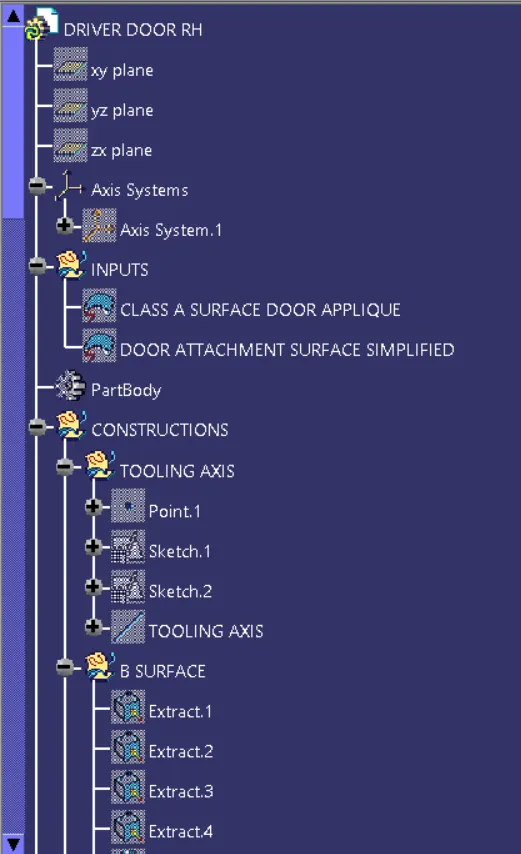
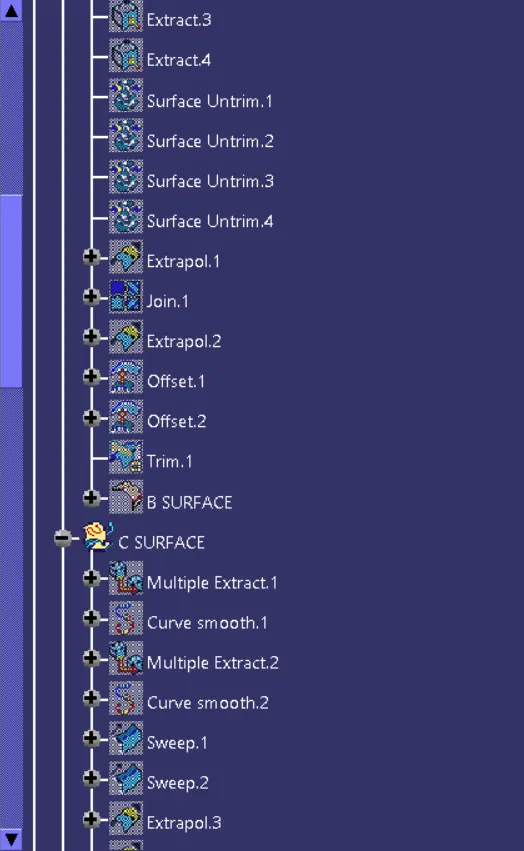
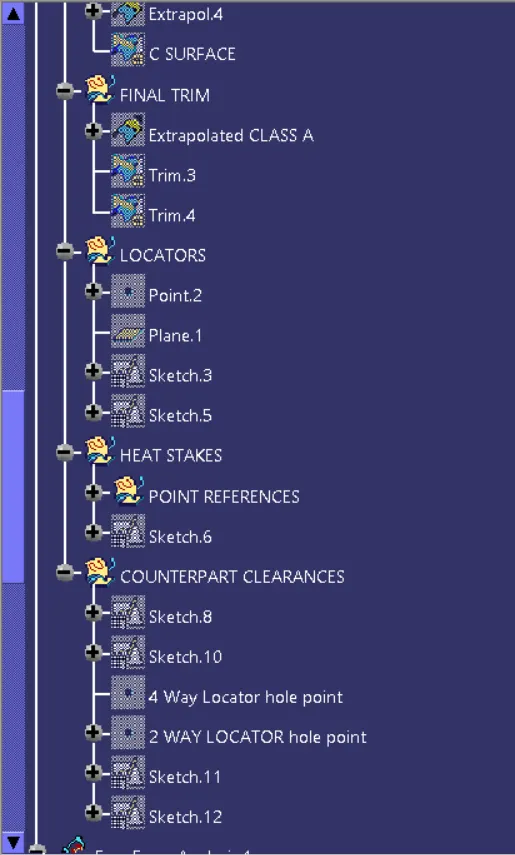
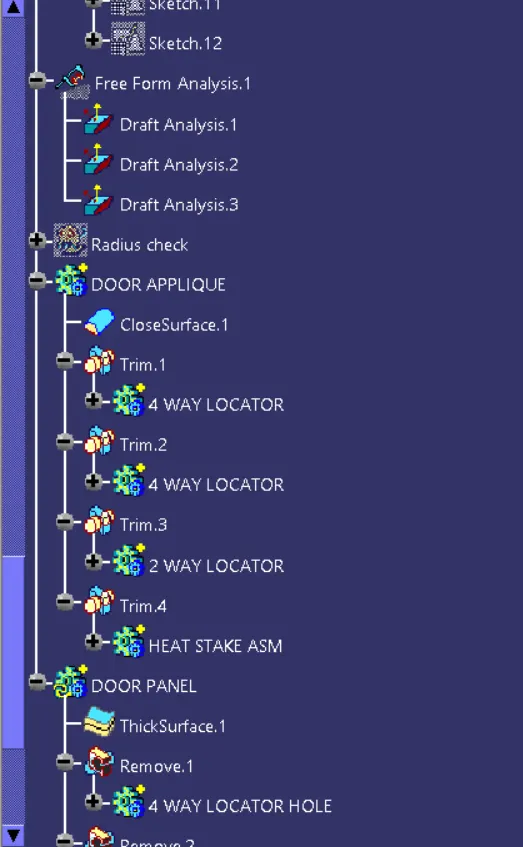
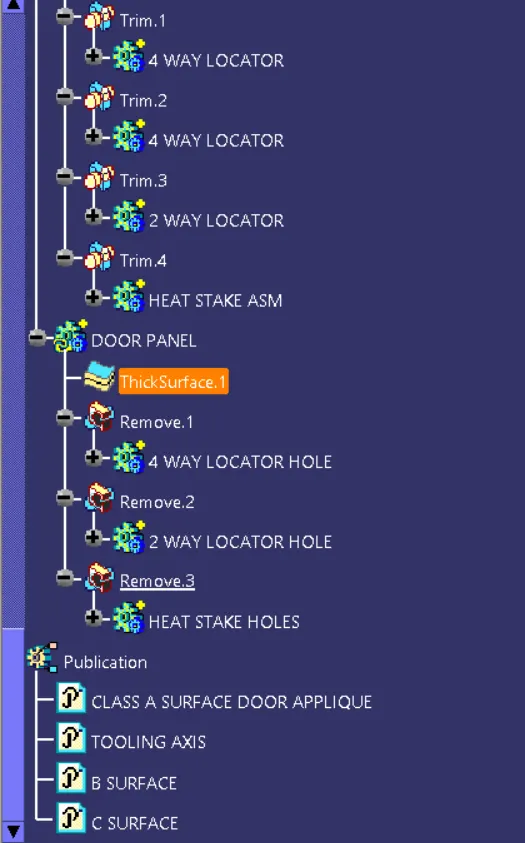
Specification Tree Structure (after completion of final component):