PROJECT IDEATION, DESIGN, MODELLING, ASSEMBLY, AND RENDERING OF AMERICAN CHOPPER
Title: PROJECT IDEATION, DESIGN, MODELLING, ASSEMBLY, AND RENDERING OF AMERICAN CHOPPER
OBJECTIVES:
- To understand the Mechanical Design Process
- To apply the theory of CAD and basic engineering principles in practical
- To learn SOLIDWORKS software as a design tool in an industrial approach
- To apply and enhance creativity and skills in Mechanical Design
- To be industry ready for the role of Mechanical Design Engineer
- To be able to design an industrial product keeping the design intent
- To ideate, design, assemble, render and present American Chopper bike
INTRODUCTION:
Any product developed in an industry comes out to the customers starting all the way from the mind of a designer through the design process, simulation process, manufacturing process, and so on. It all starts with the ideation of the project, which is then followed by design, simulation, manufacturing, testing, and finally marketing.
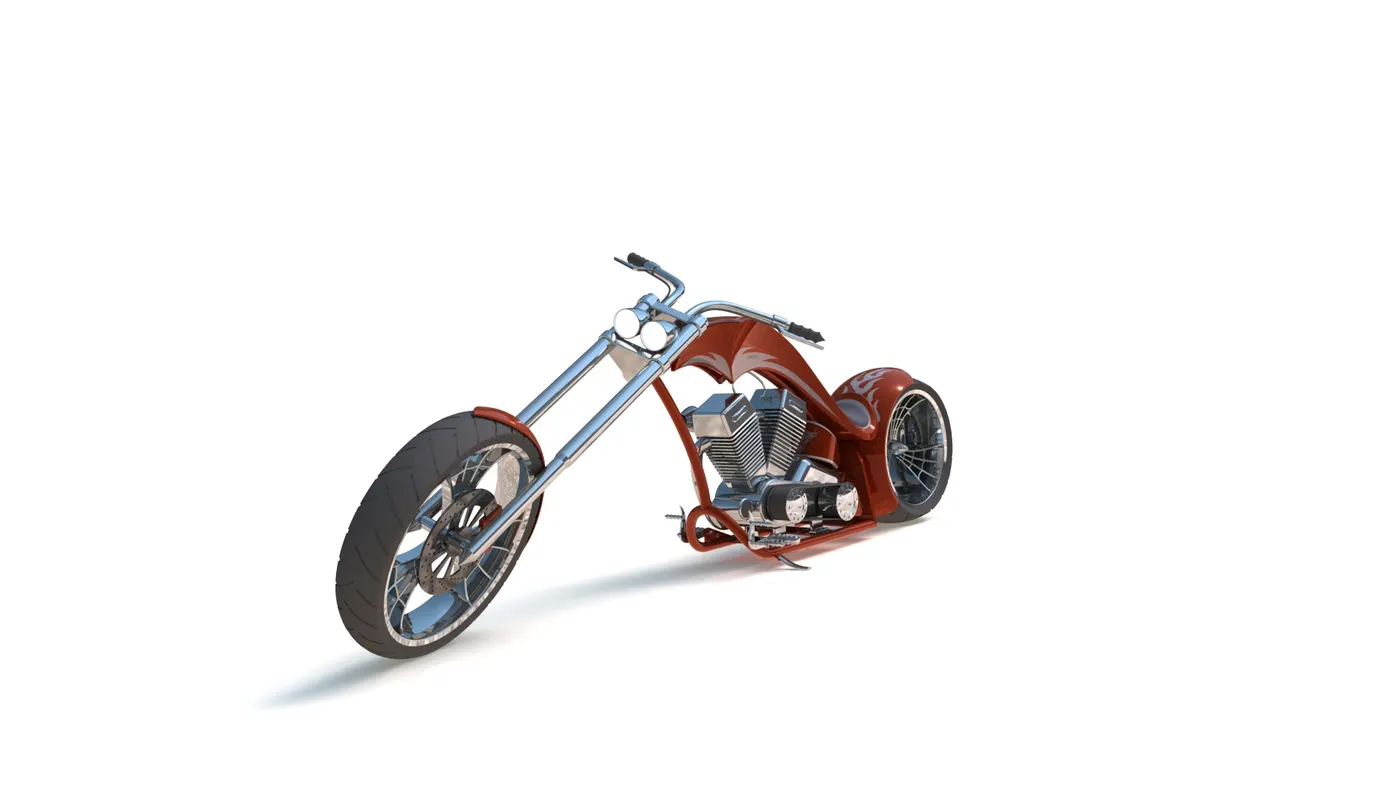
In this project, a unique model of American Chopper is ideated, designed, assembled, and rendered using SOLIDWORKS as the CAD tool. The complete design process is accomplished with an industrial approach. This design project is a part of the design course in Skill-Lync.
Why American Chopper?
American Chopper is a custom bike that is made by chopping off some parts of the original bike and customizing with some extreme features such as an elongated fork and extreme steering angle, a low seat for improvised ergonomics. American Chopper is a good model to work on because it has some extreme features that are brought in by its unique design. Being able to ideate, design, and render such a model can ensure the industry skills of a person and boost up the creativity of design engineer as well as a designer with much flexibility.
DESIGN METHODOLOGY:
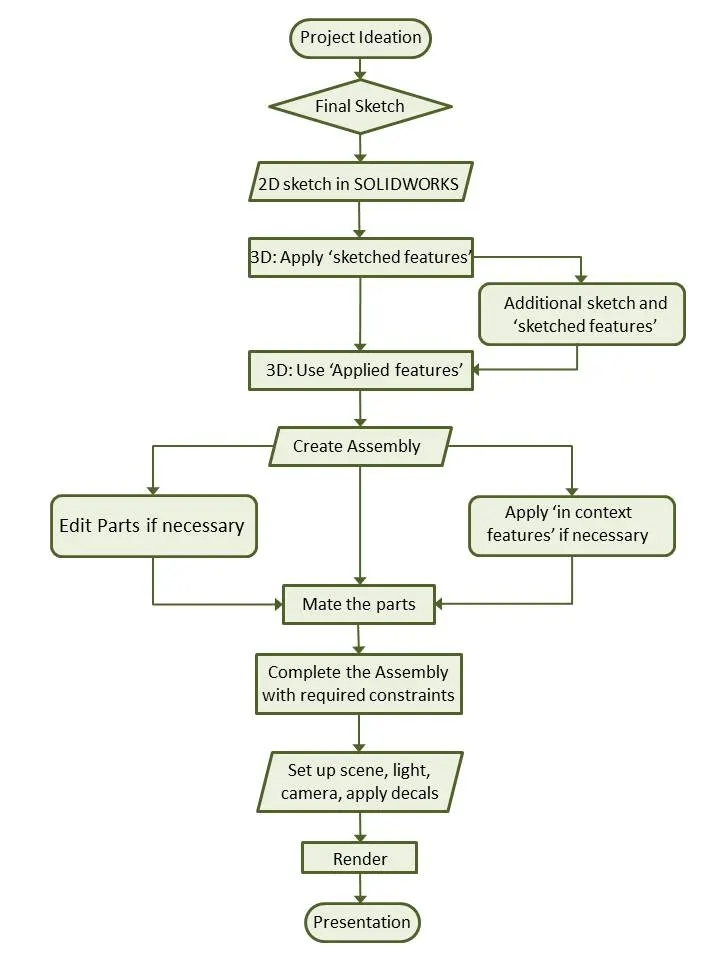
This particular bike is designed starting from the ideation of the design from a designer. In general, a normal motorbike consists of at least a few hundreds of parts in total. But this project builds a cosmetic model rather than the working model so it mainly focuses on the design of all the mechanical components, assembly and rendering for visualization of the final product. Here, several parts are designed as multi-body parts rather than a single body which will ease our workflow during the whole design and assembly process. The whole design methodology is depicted in the flowchart below:
DESCRIPTION:
Project Ideation:
In this phase, the idea of the project is presented through ideation sketches and renderings using pen and paper or software like Photoshop and Autodesk Sketchbook Pro. In general, the ideation and sketching is done by industrial designer and not much by the design engineer. But for this particular design, the ideation sketch has been redone by me. It is good to have sketching skills in an engineer too because it helps to get the overall idea and to be able to present the idea of any product in the industry or as an individual so that it decreases dependency on an industrial designer. This gives a clear understanding of the components of the bike as well as the proportion, layout, and placing of the components in 2D before going to design in CAD software.
Here, the ideation sketch and rendering of the sketch is done using Autodesk Sketchbook Pro software. The following image shows the final sketch with slight rendering to give the overall idea of the product.
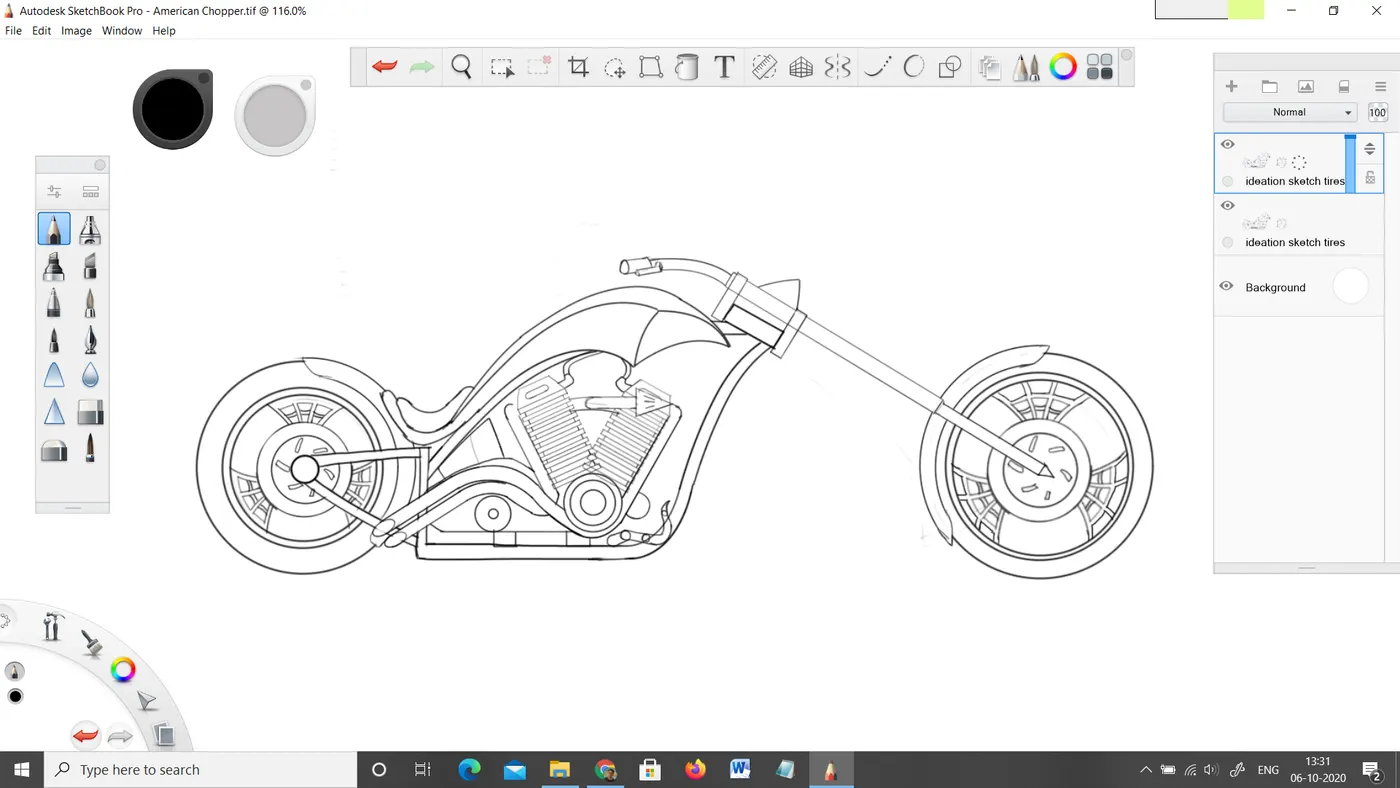
Ideation sketch done in Autodesk Sketchbook Pro
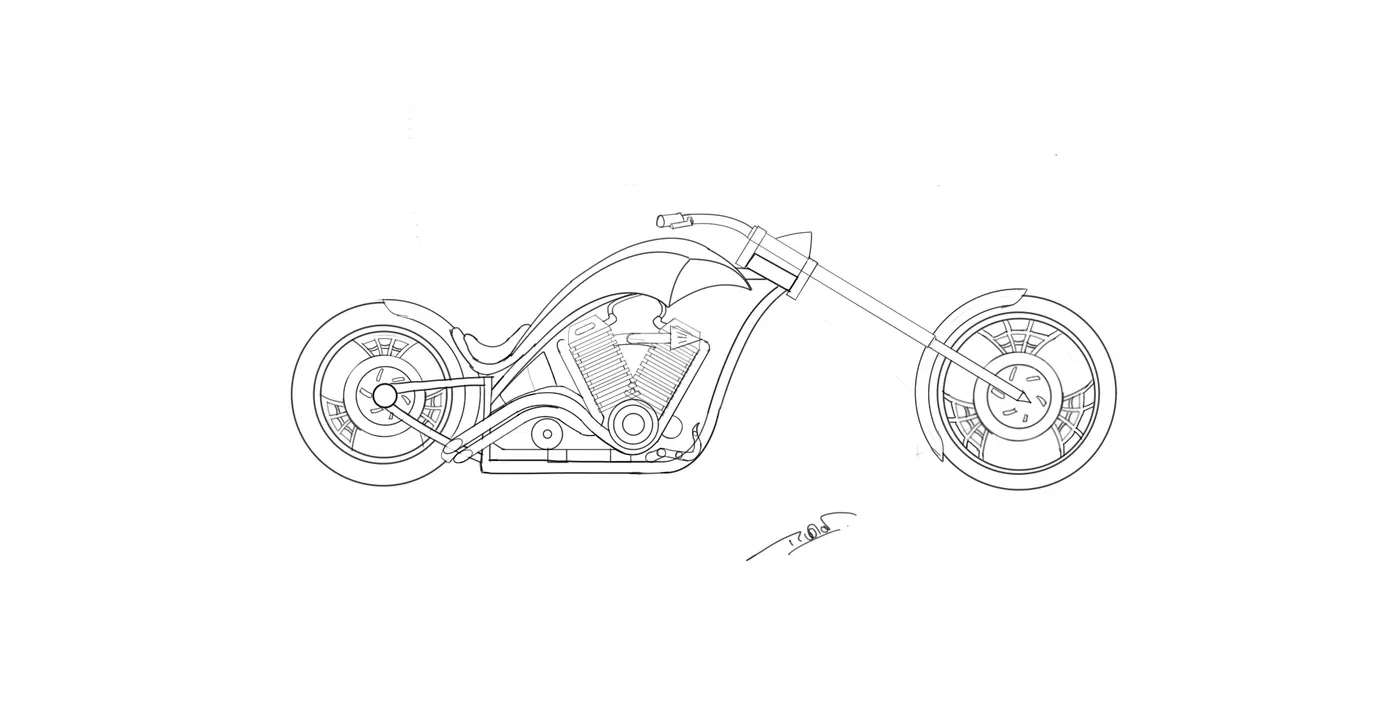
Ideation is done by incorporating the elements of what inspires a designer to do so. It is generally done by making use of the mood board. The different views of a product can be drawn as ideation sketches to help a design engineer for a better understanding of the components of the product. After the final sketches are done, it is sent to the design team or the design engineer for the creation of 3D models and its assembly.
Design/3D Modelling:
The different views of the sketches done by a designer are brought into the SOLIDWORKS sketching environment and the design of each component is started. To do 3D modelling of any component, we require at least a 2D cross-section sketch which can be converted into 3D using the features within SOLIDWORKS. In SOLIDWORKS, features are generally categorized into two types:
- Sketched Features:
It requires a base sketch to apply a feature. Extrude, extrude cut, revolve, sweep are some of its examples.
- Applied Features:
These features are directly applied to the 3D parts in part design environment of SOLIDWORKS without requiring a sketch. Fillet, chamfer, shell, mirror, body pattern are some examples used in this project.
In every part design, the first step starts from creating a closed profile sketch and applying a sketched feature to create a base feature. If additional features are needed, it is sketched on a specific plane or a face of the part. Cut extrude is an example of it. Applied features such as fillets, chamfers are normally applied nearly at the end of the design of each component.
Some of the most widely used features in this project and the most important are described below:
Extrude: It is just like the protrusion of something out of a plane. It draws out a sketch profile from the sketch plane or any specified plane/face to any other specified plane/face. Extrude is generally the first step for 3D modelling in most of the cases.
Extruded Cut: It is just like the Extrude feature but instead of adding material into the part, it removes the part drawn out from the sketch profile.
Revolve: It can revolve a cross-section of a part and make the round part which is complete 360 degrees round or up to some angle. It requires a centerline or axis to revolve the sketch profile.
Shell: Shell is a very powerful tool to create a hollow body out of a solid body without any additional sketch required. It simplifies so many complex designs. It can make a closed hollow body or a hollow body with an opening in some faces.
Sweep: Sweep can be used to create complex features that follow irregular paths or some curves. It can be done using two different sketches; one for the sketch profile and another for the path which the sketch profile follows.
Loft: Loft can join two different shapes at two different planes completely without difficulty. It can create a smooth surface that connects both the profiles.
Project Curve: It is a very powerful tool which can project two different 2D splines from two different planes into a single spline or a curve in 3D which can meet our need.
Mirror: Mirroring certain features or bodies can save a huge amount of time in the design process. It is extensively used throughout the design process.
Combine: It is a feature that can only be applied to the multi-bodies. Several bodies can be added together or can be subtracted from the intersection part of the common part that can be kept. It functions based on the Boolean operation.
Linear and Circular Pattern: These are a very handy tool to create the same instance multiple times in multiple directions. It saves a lot of time and it is very accurate.
Split: It is another powerful tool that can cut a part with the help of a sketch or plane or face or surface and allows removing or cutting the selected parts.
Rollback: Rollback is yet another powerful tool that allows going back to any phase of design in case if we need to edit or add some features later. We can use a roll-up bar while removing errors too. This reduces the rebuild time and avoids further errors in the children features.
Appearance/Material Application: Material selection is a very crucial part of any product design process. It plays a major role in terms of cost minimization, weight reduction, performance, safety factors, manufacturability, aesthetics, and availability, and so on.
Appearance is also one of the key components along with the material application in the product. In this project, appearance is applied based on the material to each part after the completion of part design. Most of the materials are Chromium and a metallic paint of sienna is applied to the fuel tank, oil tank, front and rear fenders, and chassis too.
Assembly:
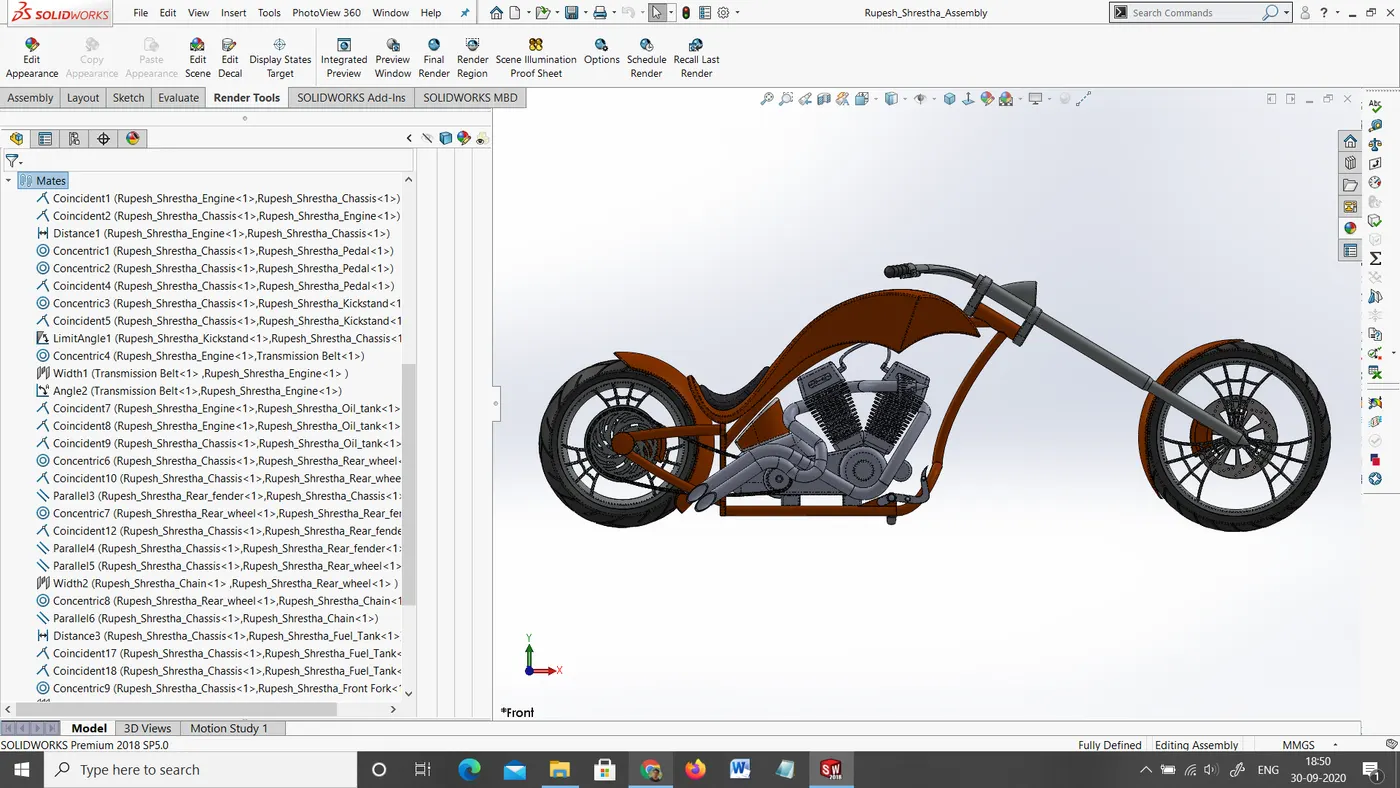
After all, the components of the American Chopper are designed in the part design environment, assembly is then created form the part files. In SOLIDWORKS, the feature which connects or joins two different components is called mate. The parts are imported into the Assembly environment and then required mates are applied to each individual part with respect to the connecting part. The first part inserted into the assembly is always fixed by default.
In this American chopper, the chassis is fixed first for the ease of assembly. All the components which remain aligned with the chassis mid-plane at any point in time are made coincident with it. All other components that come along with the front fork move with respect to the mid-plane of the chassis, so angle mate is applied between the chassis mid-plane and front fork mid-plane to keep the design intent so that can be turned side to side.
Within the assembly environment, the errors occurred by the interference of the parts are eliminated by editing the part within the assembly. In this case, interference of the exhaust pipe and chassis was eliminated by editing the exhaust pipe of the engine within the assembly. Also, the interference between the chain and the backplate of the chassis was corrected by providing an allowance to the chain by cutting away a portion of the backplate.
We have also applied some ‘in context features’ such as copying and mirroring the part in the assembly environment. For example, only the right-hand side pedal was modelled but the left-hand pedal was made by using the in-context features available in the assembly mode.
Assembly of American Chopper in SOLIDWORKS
Rendering:
Rendering is to make photo-realistic images out of the 3d designs that we have created and assembled in the design process. To render the 3D models, we need to set up the correct scene, lighting, camera views, and apply decals if necessary.
Why is rendering Important?
Rendering helps to visualize the product and it allows us to see how it interacts with the environment. It is very essential for the presentation of the product among the potential customers ahead of the actual manufacturing. Also, aesthetics is a very important part of every product in the industry, so to see how the final result looks upon the various materials and appearances applied, it plays a vital role. It also saves a lot of time and money avoiding the real-time testing of its appearance before the actual production. It can also be used for digital marketing purposes without actual production. In the case of such a bike like American chopper, it is very essential to represent the idea, to visualize, pleasing, and satisfying the customers.
Rendering Tools:
- ‘Photoview 360’ is one of the add-ons of SOLIDWORKS which allows the creating photorealistic rendering. It is integrated with the SOLIDWORKS software.
- ‘SOLIDWORKS Visualize’ is another powerful tool of SOLIDWORKS which comes as separate software and is able to render extremely high quality and photo-realistic images of the product.
- ‘Keyshot’ is an alternative to the rendering tools which can be utilized to render high definition images of the product.
However, for this project, only ‘Photoview 360’ and ‘Keyshot’ has been employed for the rendering purpose.
Rendering Process:
The rendering process includes the following steps:
- i) Apply scene
- ii) Apply lights
iii) Apply decals
- iv) Adjust camera views
- v) Adjust image quality and
- vi) Render
After the rendering is complete, it is presented among the customers and also for digital marketing.
PART DESIGNS:
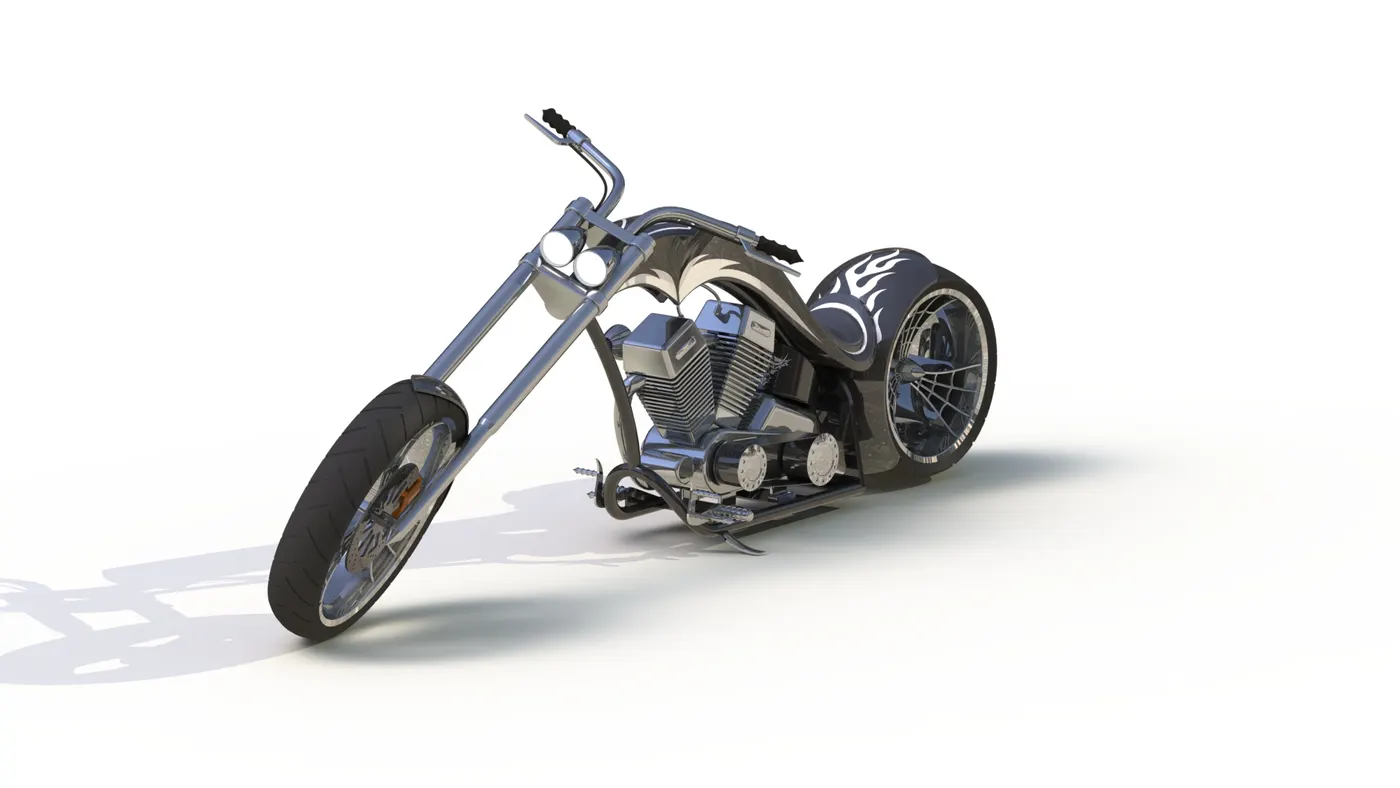
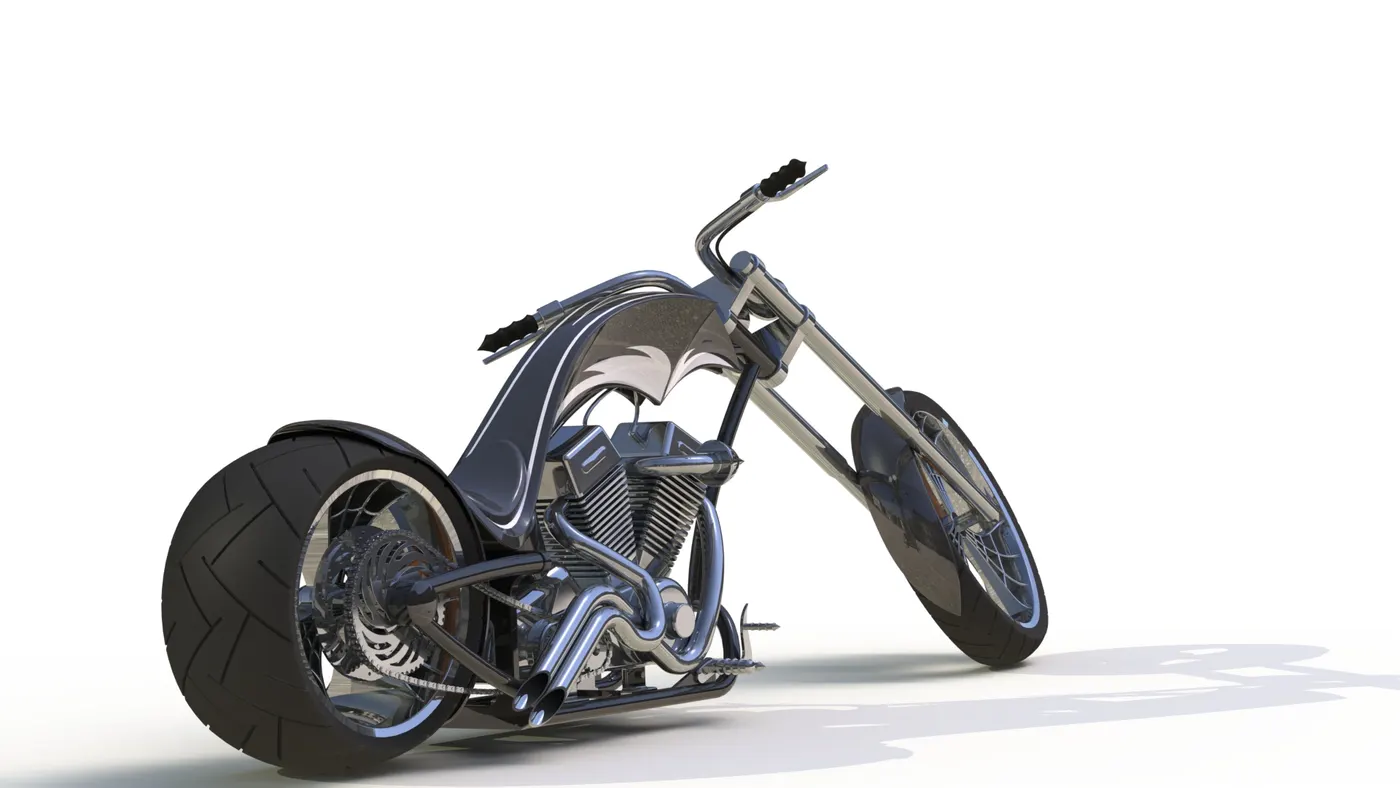
In this project, most of the parts are designed to be multi-body parts to make the workflow faster and simpler. It makes a lot easier in the assembly phase and decreases rebuild time too. As long it is a cosmetic model of the bike, it is all solid modelling. The following are the individual parts designed in SOLIDWORKS and rendered in Keyshot with a majority of black appearance although sienna was applied majorly in SOLIDWORKS Photoview 360.
1) Chassis
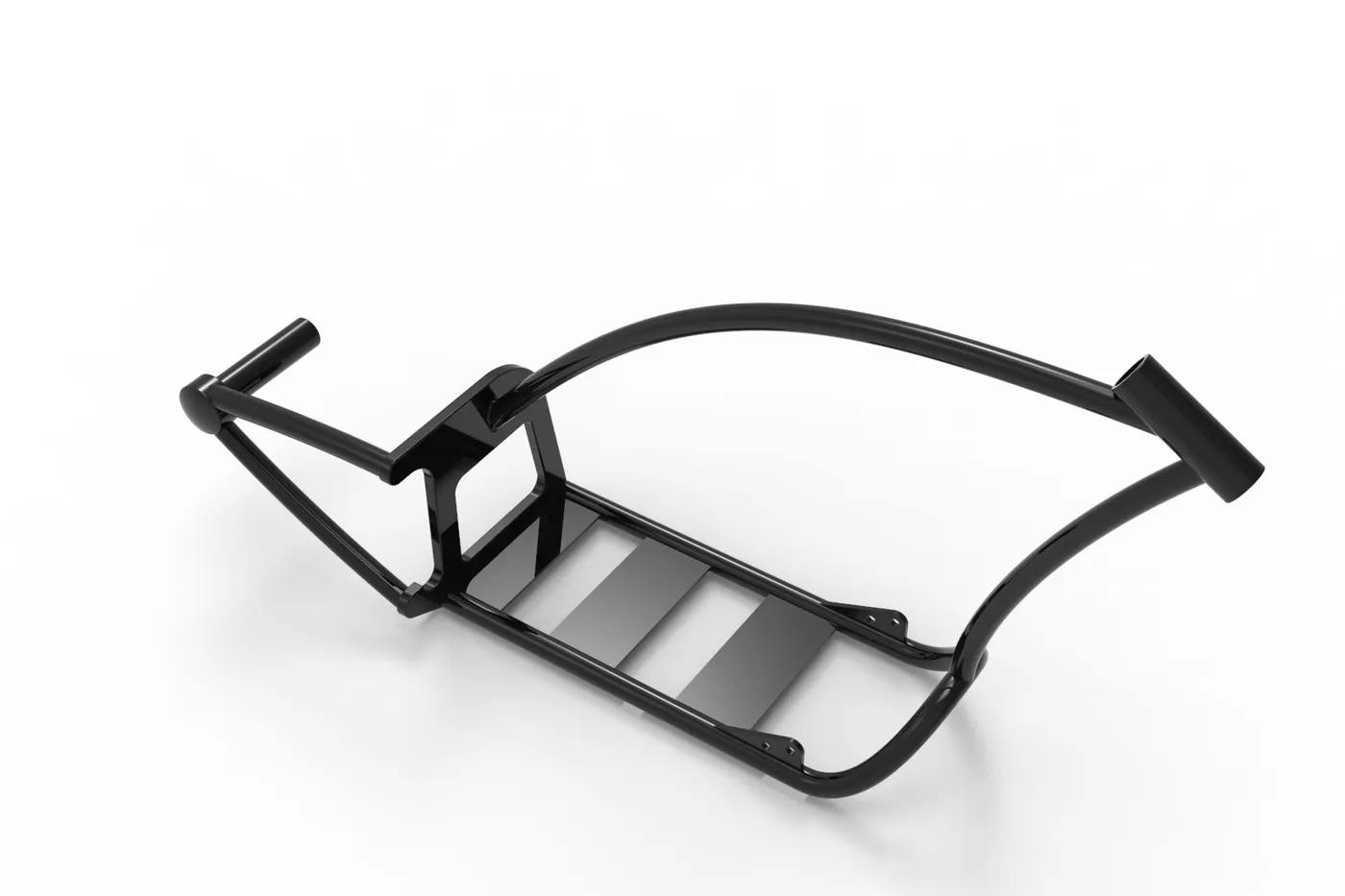
The chassis is the frame that bears most of the load on the bike. In the design process of this chassis, the mostly applied features are splines, sweeps, project curves, split, etc. The lower tube is mirrored with respect to the mid-plane. The rear plate supports the rear arm which holds the hub from only one direction so it is designed to be stiff enough. Sienna is applied as the appearance for the chassis which automatically sets the material to the part as well. Here is the rendered image of the chassis in black.
2) Engine
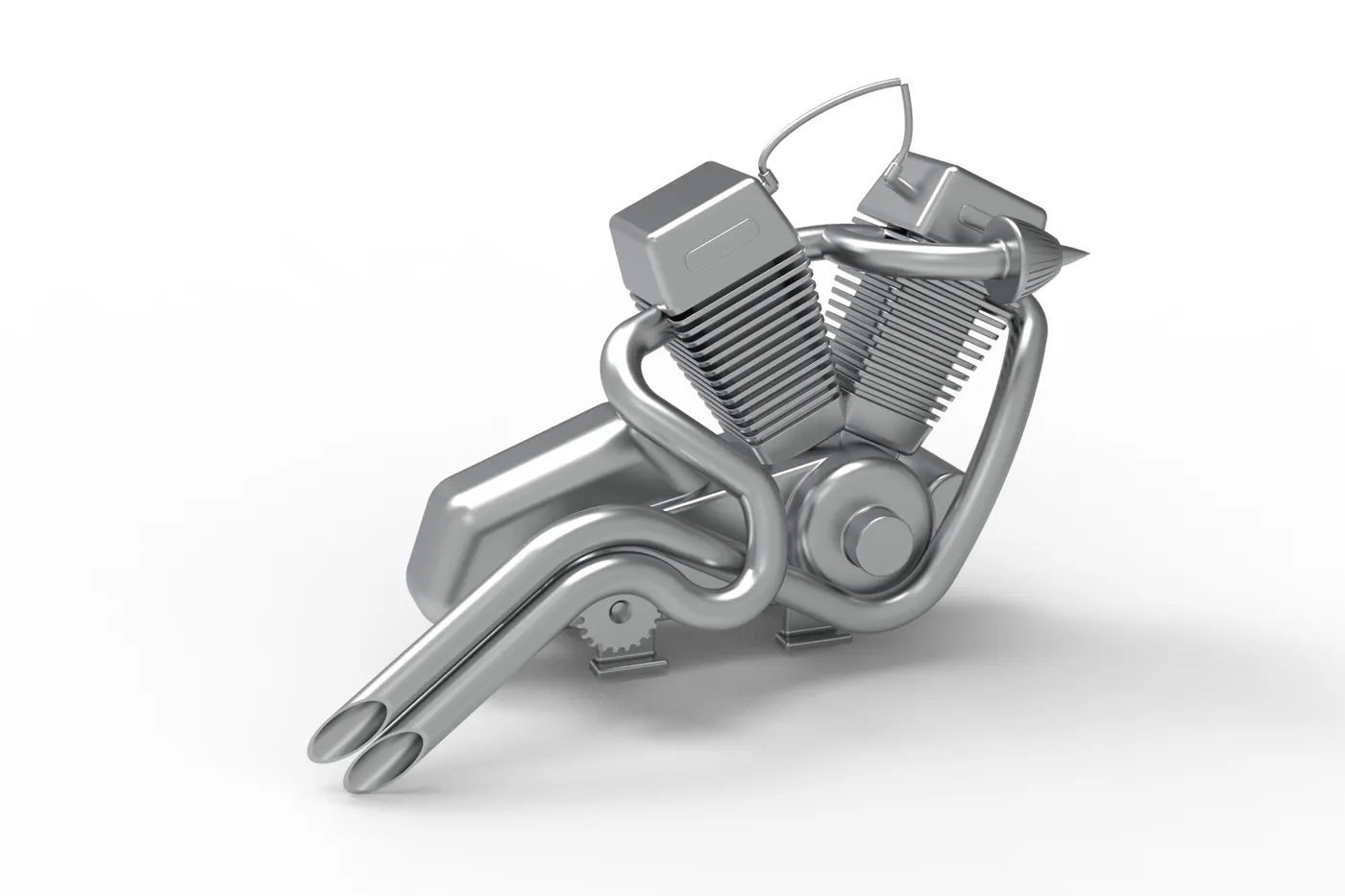
The engine used in this bike is a V engine with two exhaust pipes. Although it is the solid modelling of the engine block, it covers most of the aspects of the engine block. It incorporates the cooling fins, spark plug representation, intake and exhaust manifolds, transmission unit with the transmission belt, and pulleys. The material applied to the engine body is Chromium. In this model, every part such as cylinder, engine body, pulleys, intake, and exhaust pipes are modelled to be a single body so the same material applies to the entire part. This part employs some unique features like complex spline shapes, project curves, sweeps, etc.
3) Front Fork
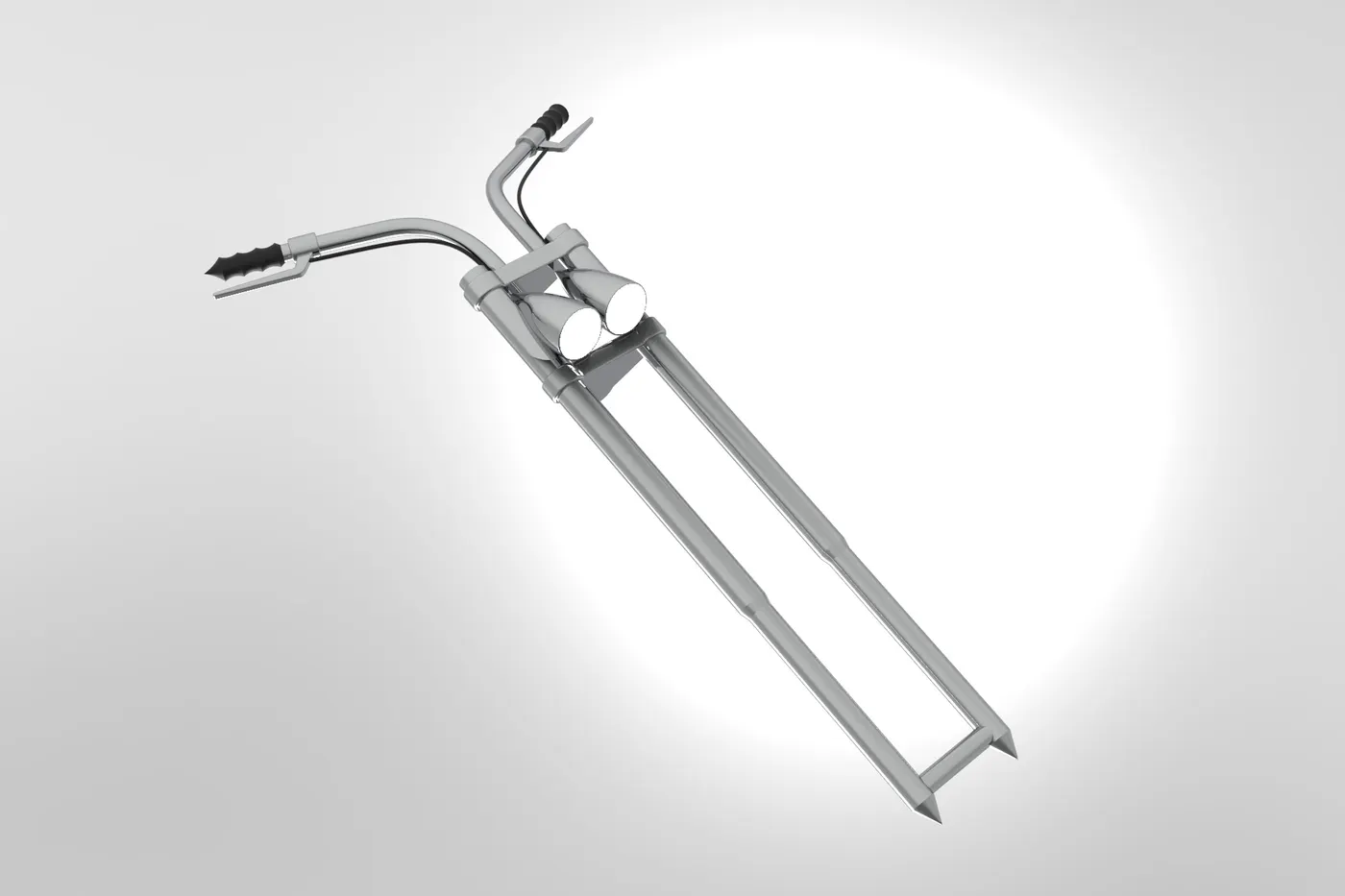
It is the most unique part of this American Chopper bike. It is longer than usual bikes and the angle is extremely low with respect to the horizontal. The handles are shorter and are customized according to their comfort. For this model, revolve features is mostly used. It consists of two headlights so it is completely symmetrical with respect to its mid-plane. This is why first the half of it is designed and is mirrored to the mid-plane and is merged together to form a single body. The area light is applied in the case of headlight’s appearance.
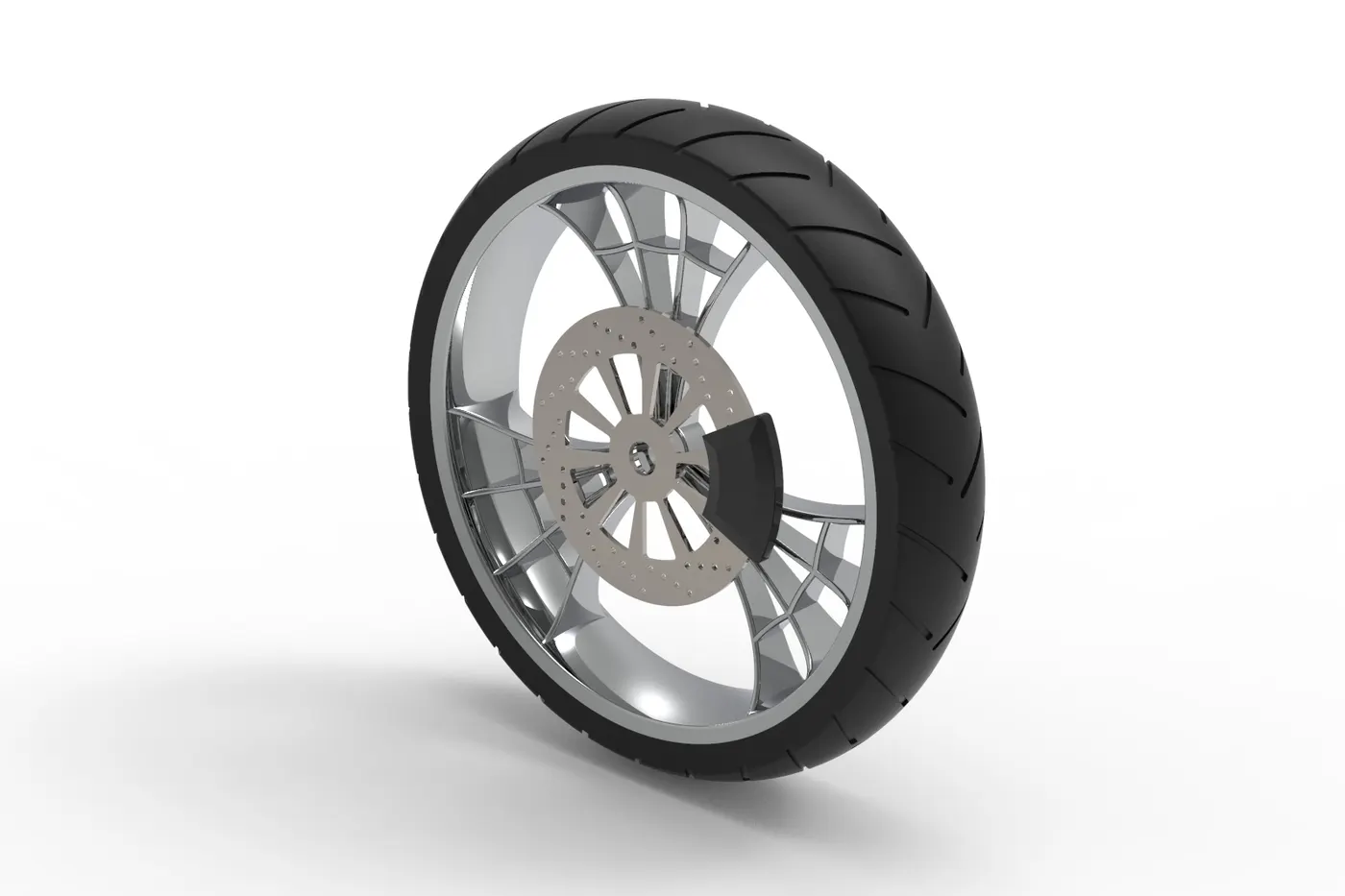
4) Front Wheel
The front wheel is thinner than the rear wheel. It is designed to be a multi-body part consisting of the rotor, sprocket, rim, tire, and the caliper all in a single part. Mostly used features include revolve, extruded cut, and circular pattern. The majority of the parts are of chrome.
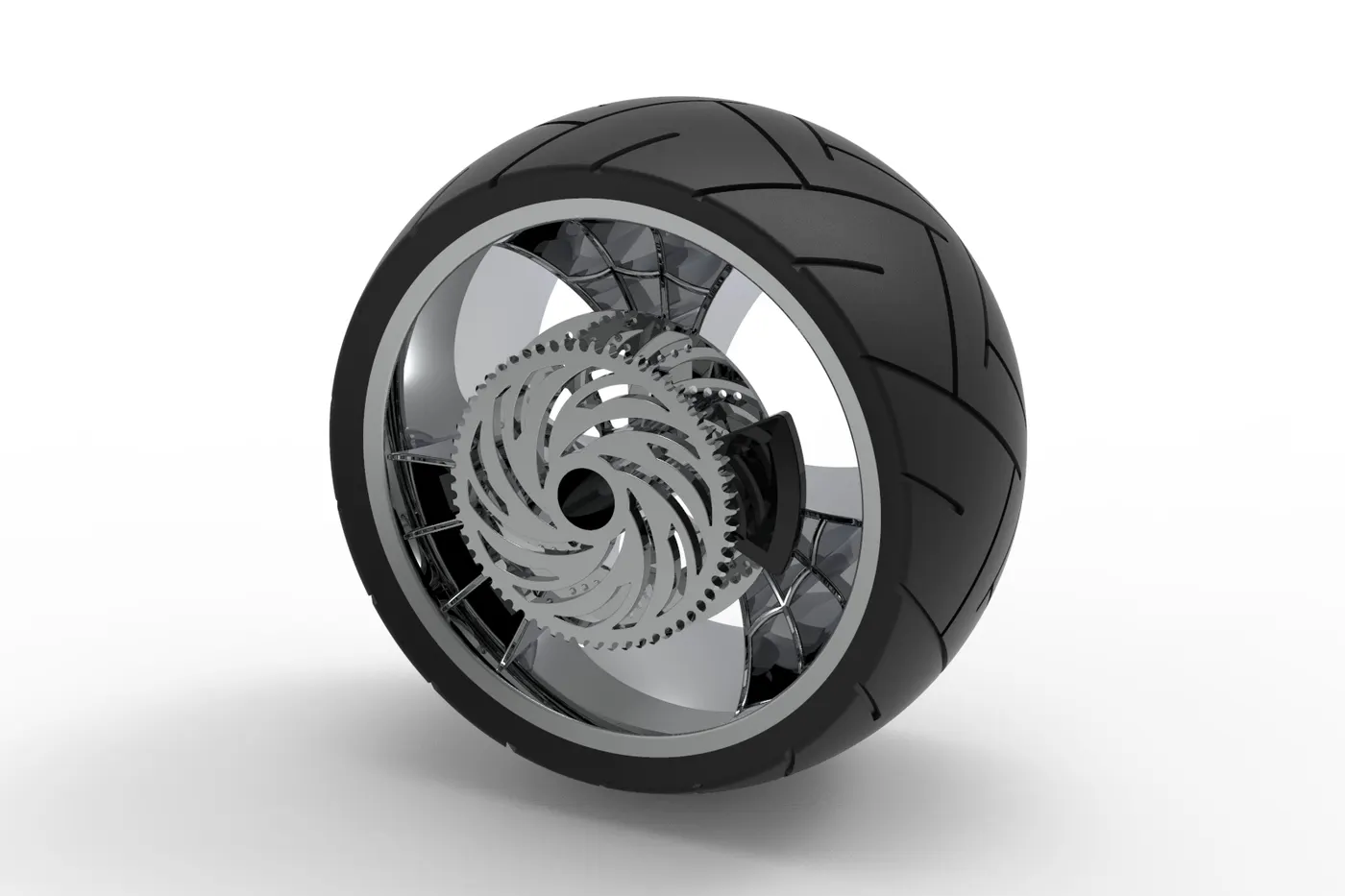
5) Rear Wheel
The rear Wheel is much thicker than the front wheel. Just like the front wheel, it is also designed to be a multi-body part consisting of the rotor, sprocket, rim, tire, and the caliper all in a single part. Mostly used features include revolve, extruded cut, and circular pattern. The majority of the parts are of chrome.
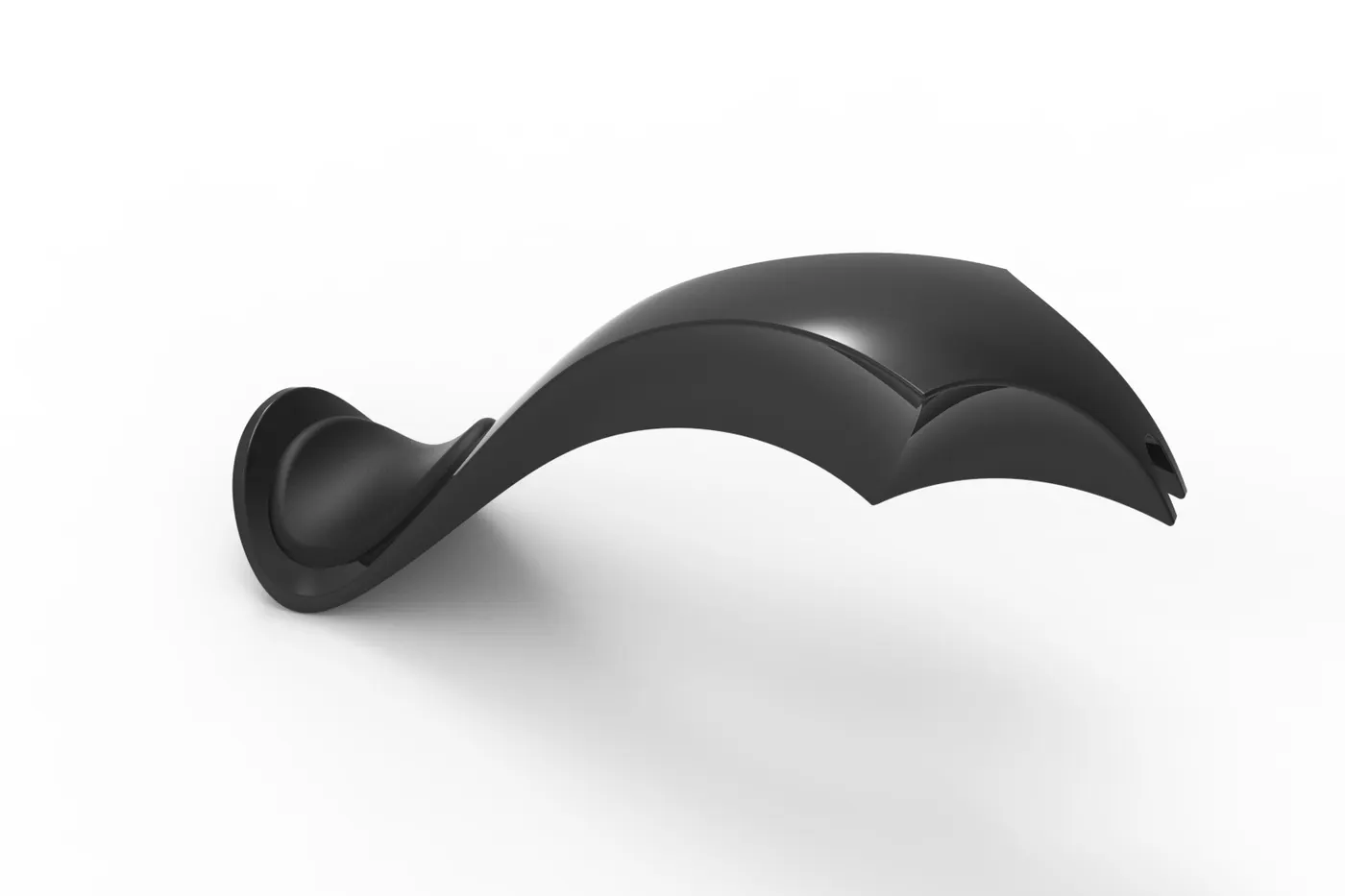
6) Fuel Tank
The fuel tank for this American Chopper is designed as per the ideation sketch. It is hollowed out to make a tank for the fuel inside. The mostly applied features include extrude surface, boundary surface, shell, and knit surface. Sienna is assigned as its appearance and decals are applied during the time of rendering the final rendering. It consists of a seat that is very low and the appearance of the cloth pattern is applied.
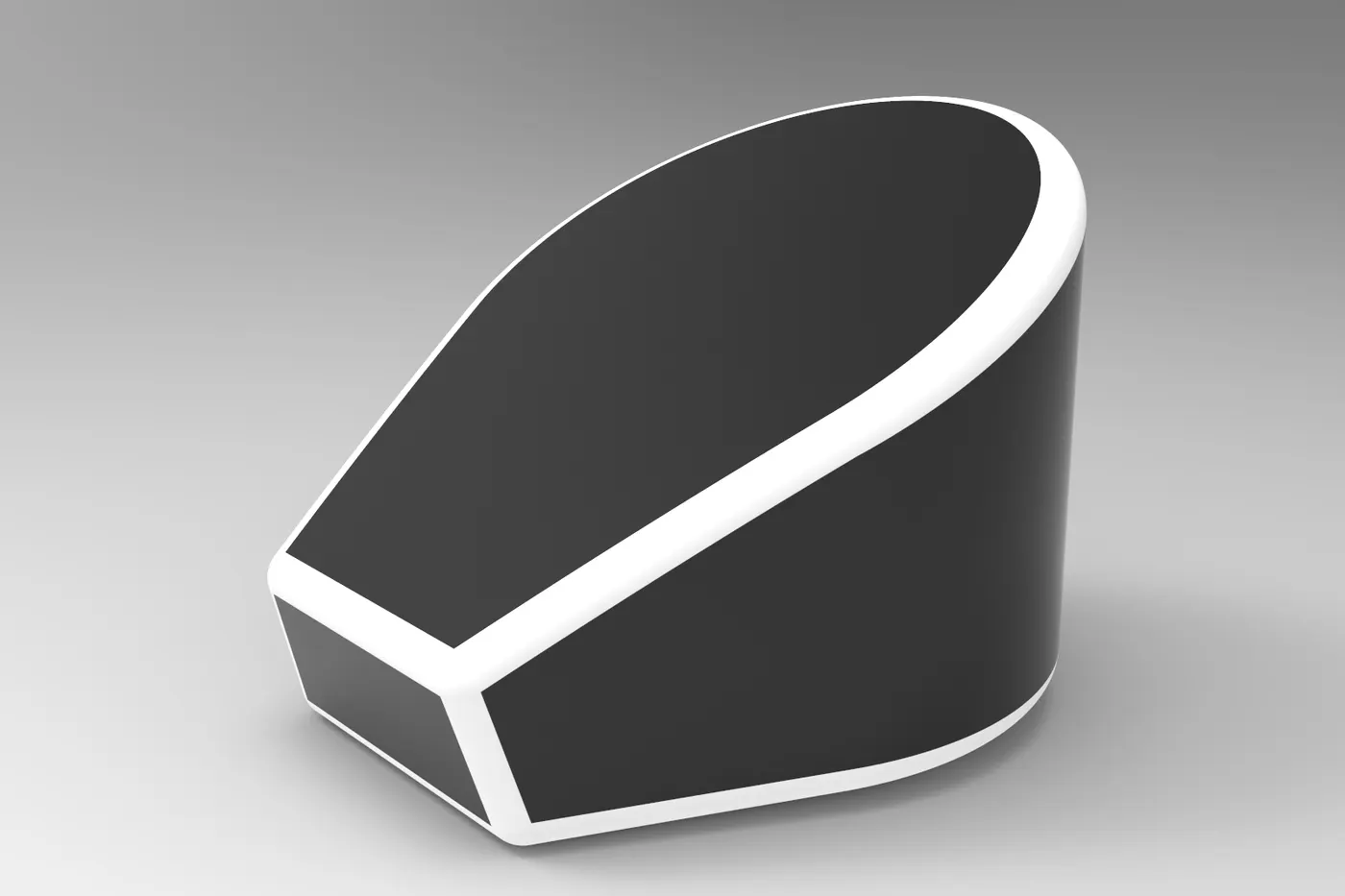
7) Oil Tank
The oil tank is placed above the engine block which is also made hollow inside. Extrude and shell are the major features used in this part.
8) Chain
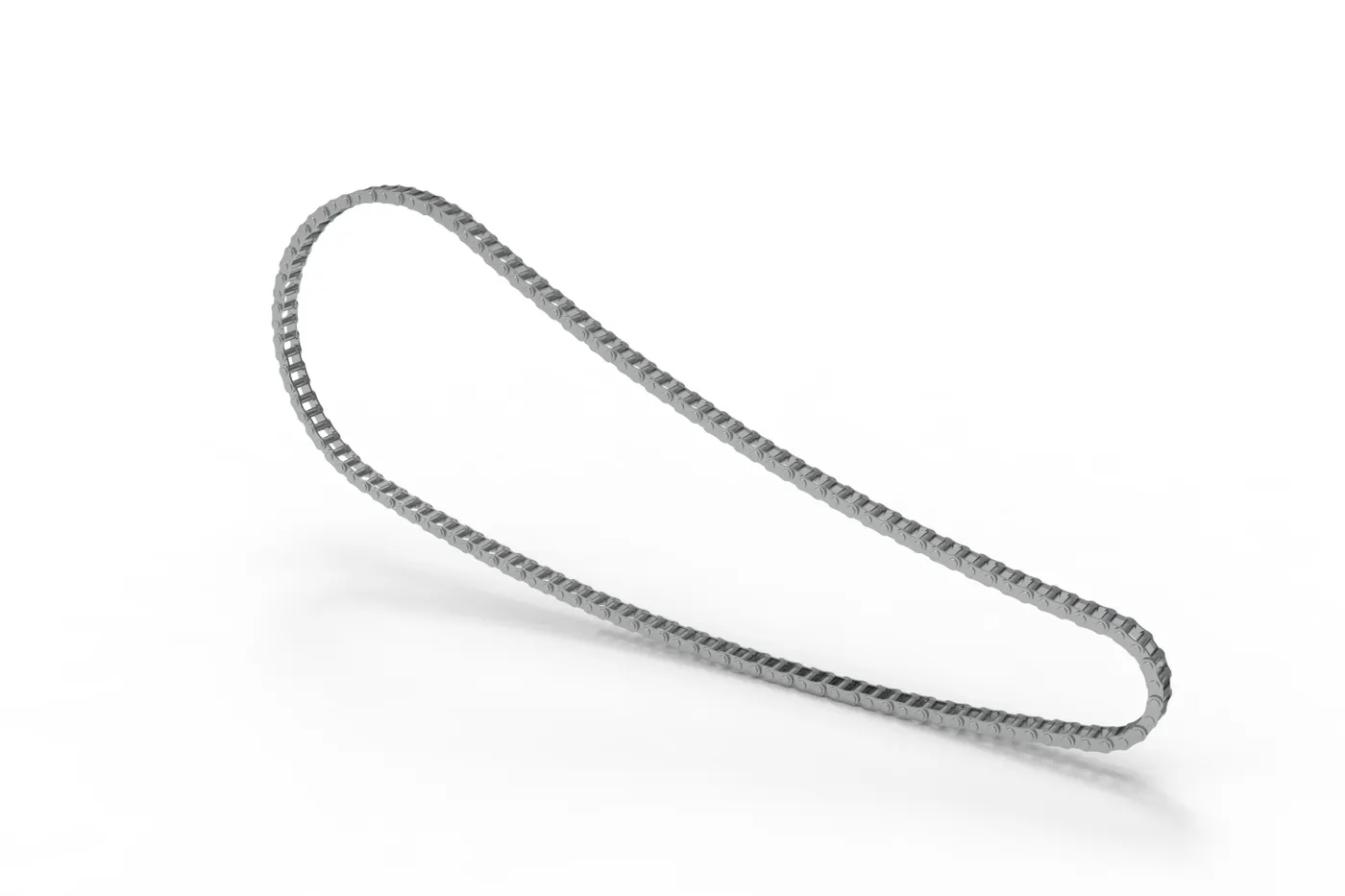
It is the most complex part of the whole design project. It consists of 390 bodies including separate bodies for all the inner plates, outer plates, and the pins. The major feature used in this part is the Curve driven pattern which allows each instance of chain parts to follow the curve drawn initially for the chain. It is essential to keep all the elements of this chain as a separate body because it has to rotate along the curve and around the sprocket which is not possible if it is merged to make a single body.
9) Transmission Belt
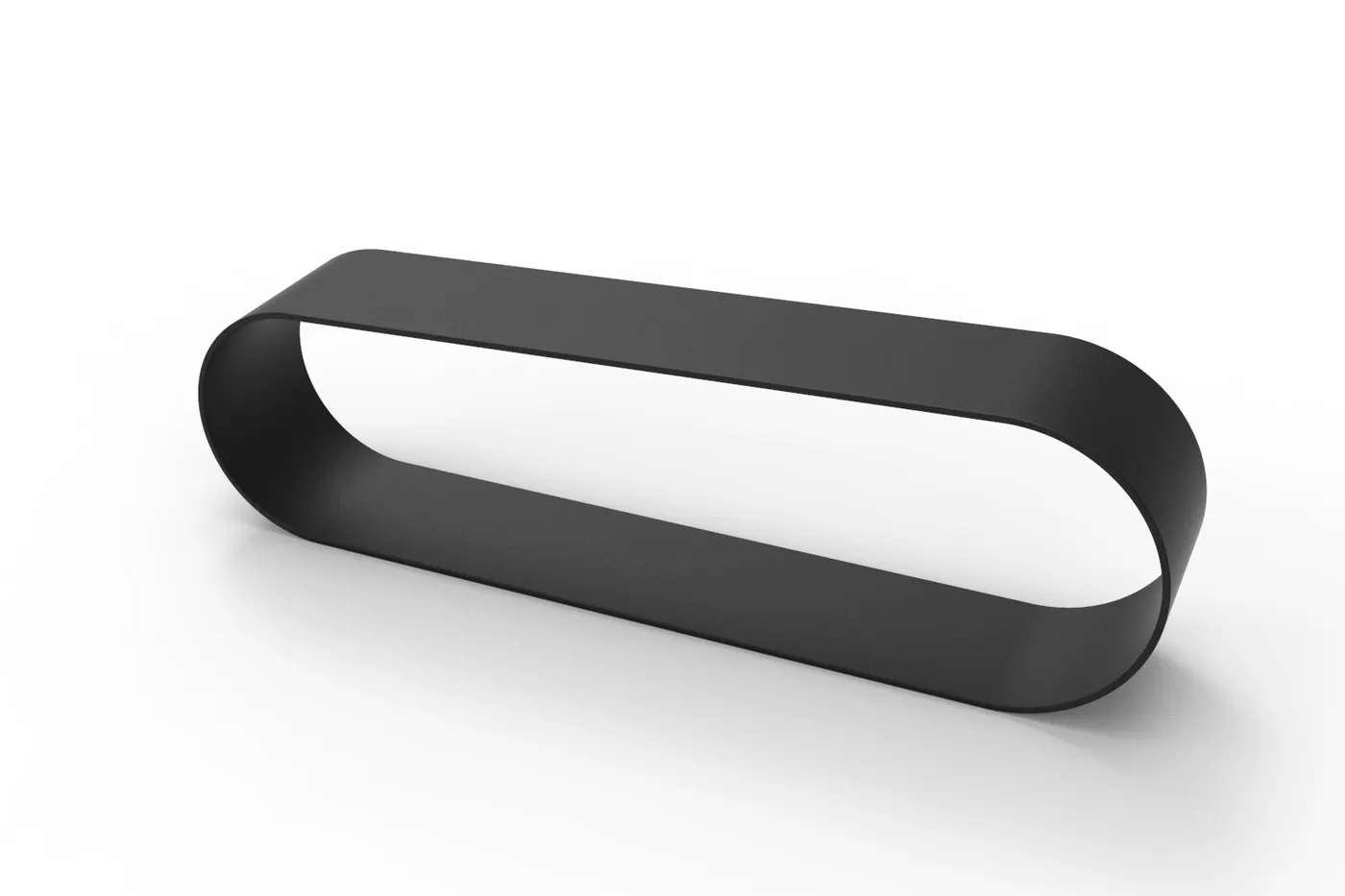
This transmission belt is designed to adapt to the two pulleys created on one side of the engine block. It is a simple model created using very fewer features such as extrude and fillet. In this part also, chromium is applied.
10) Front Fender
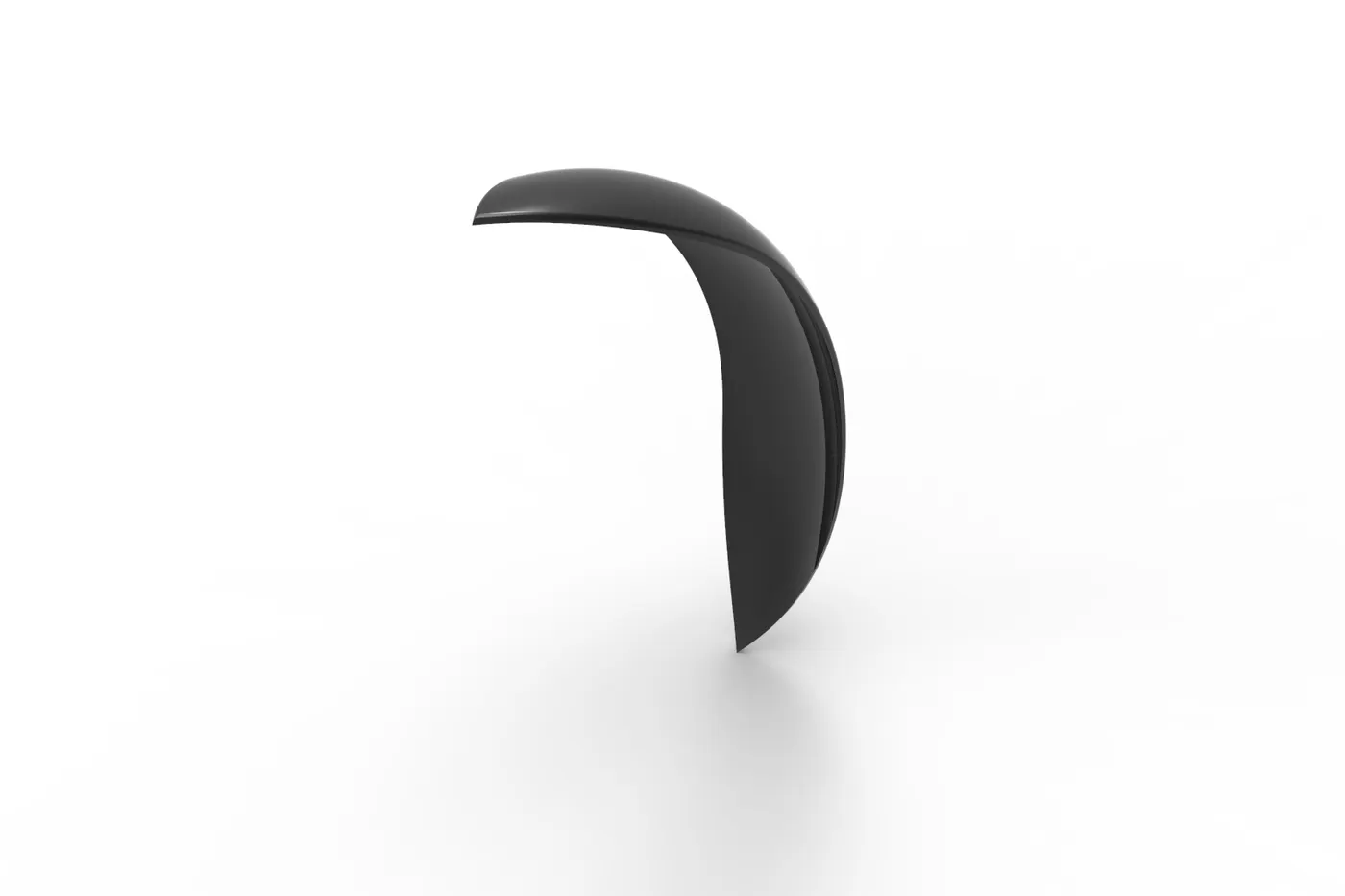
The front fender for this bike is designed simply by revolving the cross-section and cutting away material at the end to make it pointed. Revolve and split tools are the most used tools here. Sienna is applied in the appearance of this part.
11) Rear Fender
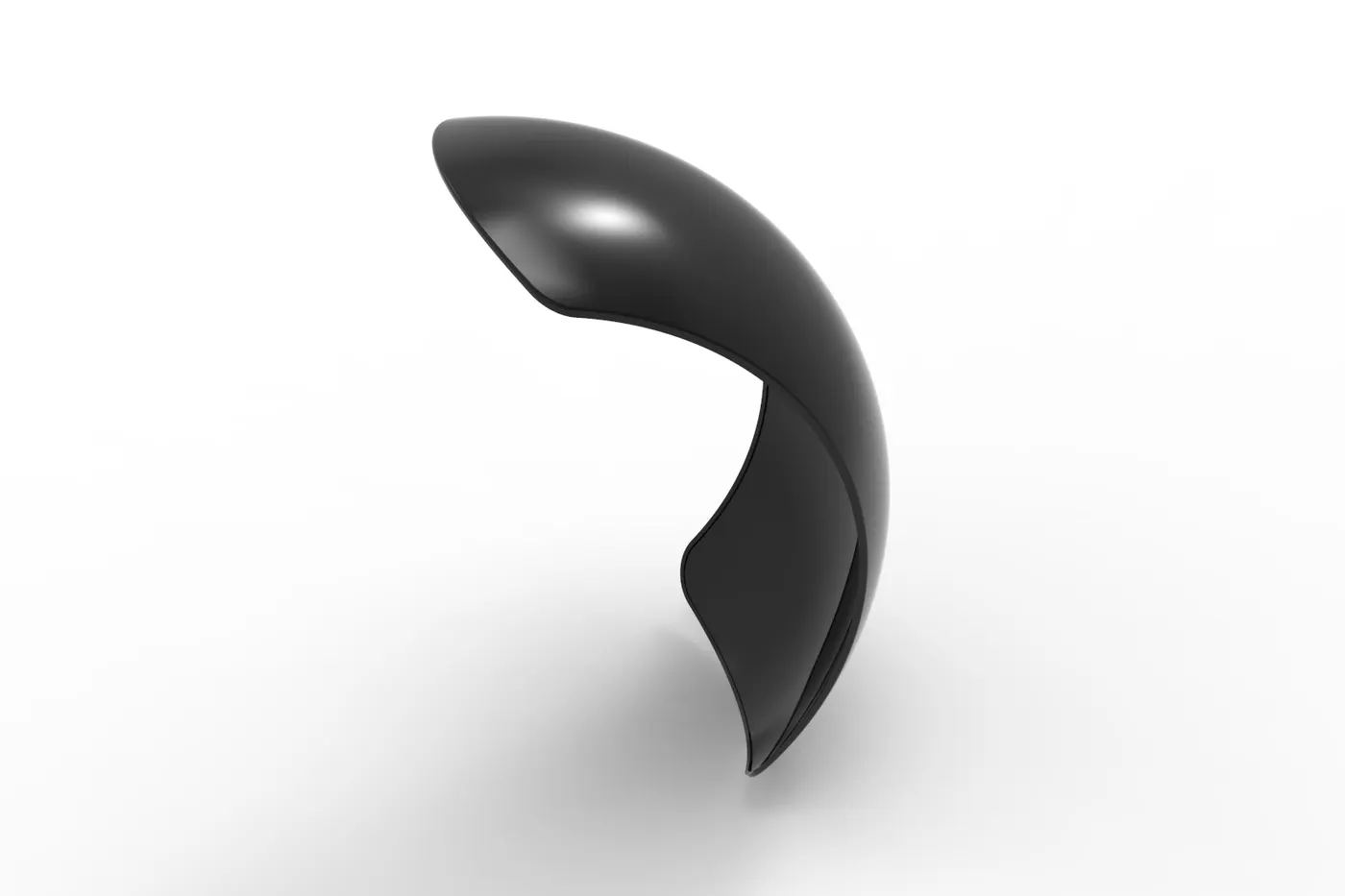
The rear fender is thicker but shorter compared to the front fender. It doesn’t have a pointed end like the front fender, rather rounded end as in the ideation sketch. Revolve and split tools are the most used tools here. Sienna is applied in the appearance of this part.
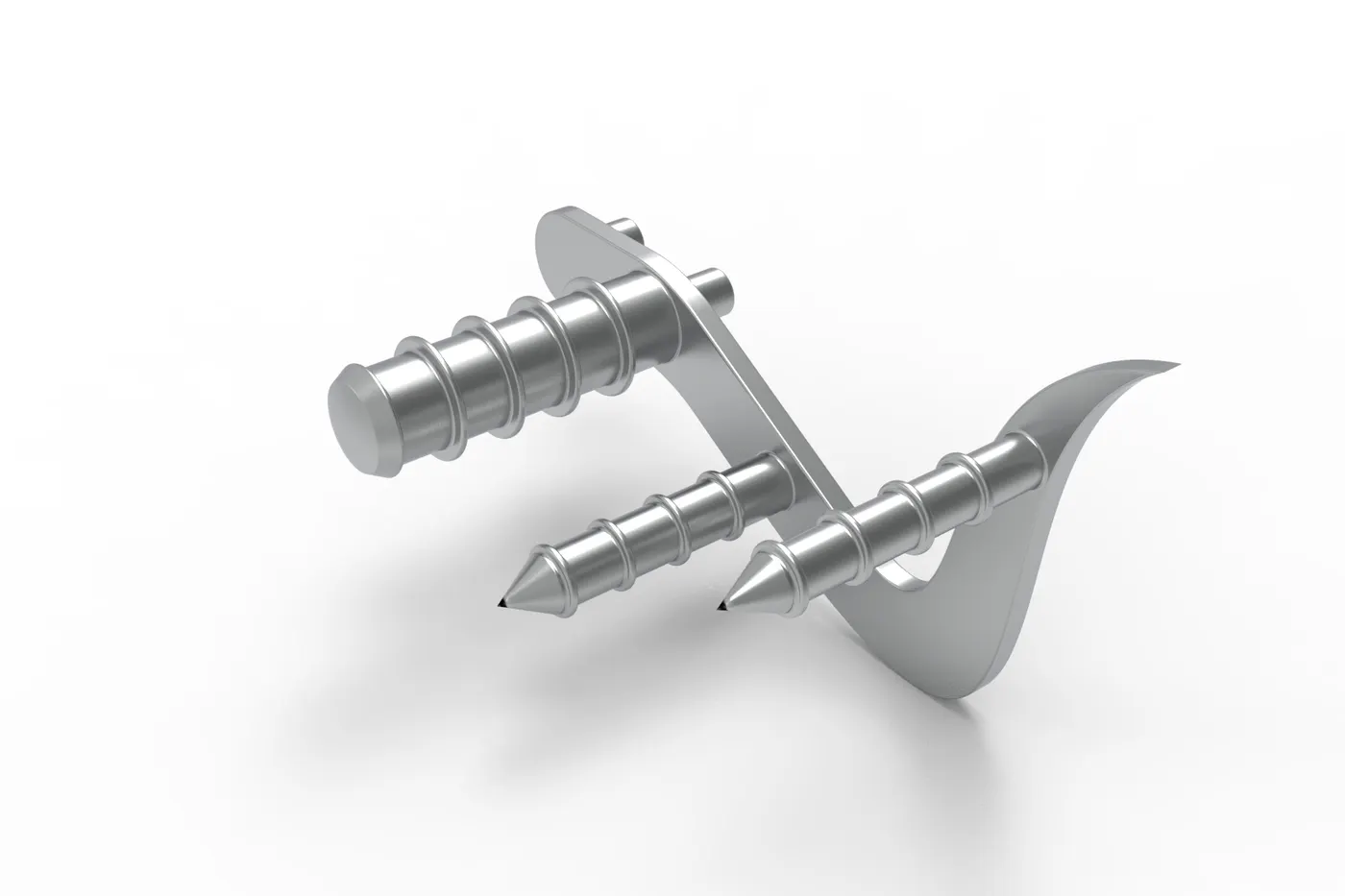
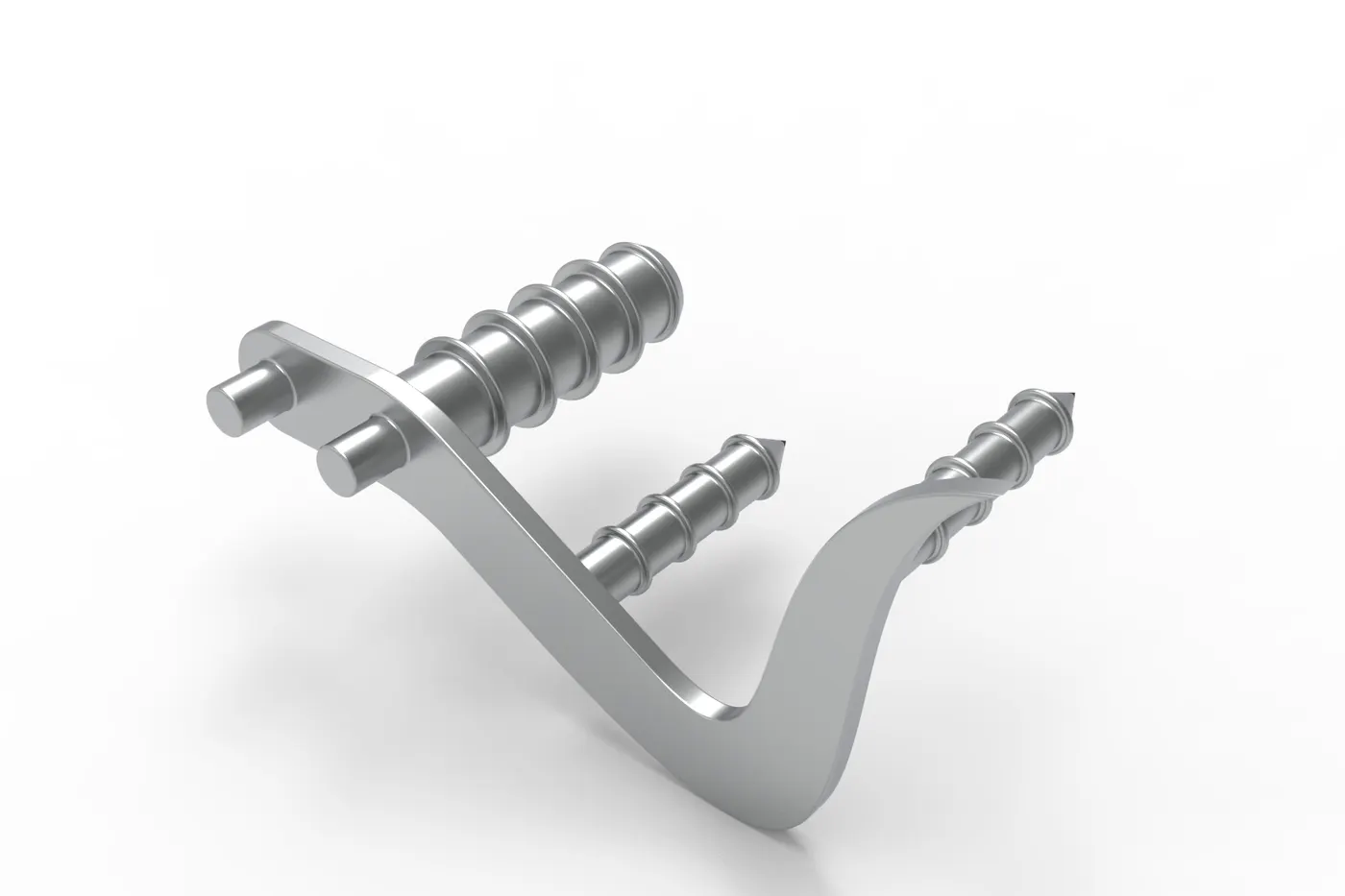
12) Pedal
There are two pedals, left and right. Among them, only the right pedal was sketched and designed in the part design environment and the left was made using the in-context features of the assembly environment. It is designed to sit into the holes provided at the bottom of the chassis on both sides. The mostly used features in this part is extrude and linear pattern.
13) Kickstand
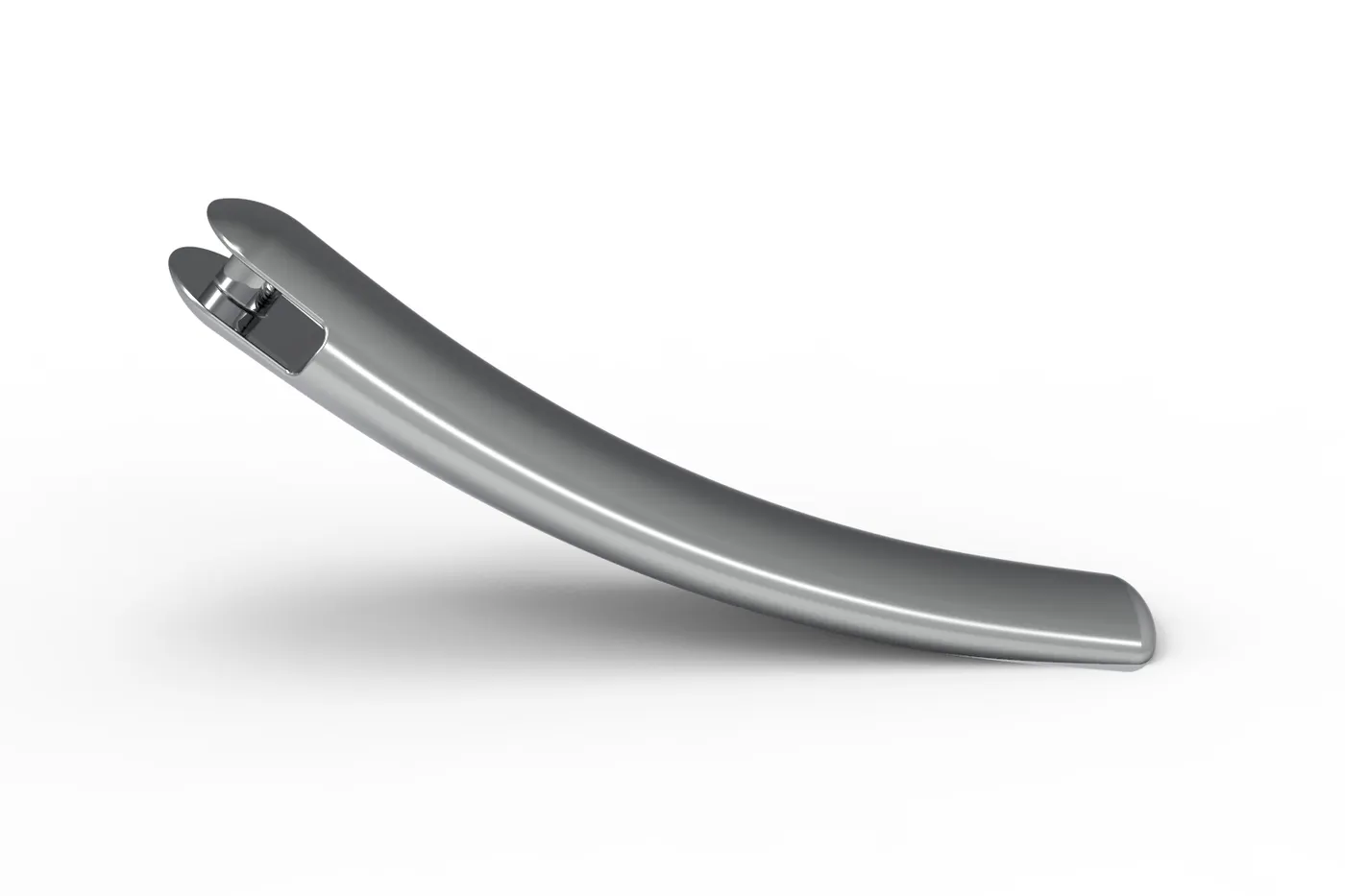
Kickstand for this bike is of a very simple kind made by the application of sweep feature. An opening is kept for it to fix it to the chassis and the dome is applied at the ends of the kickstand. It is also applied with chrome material.
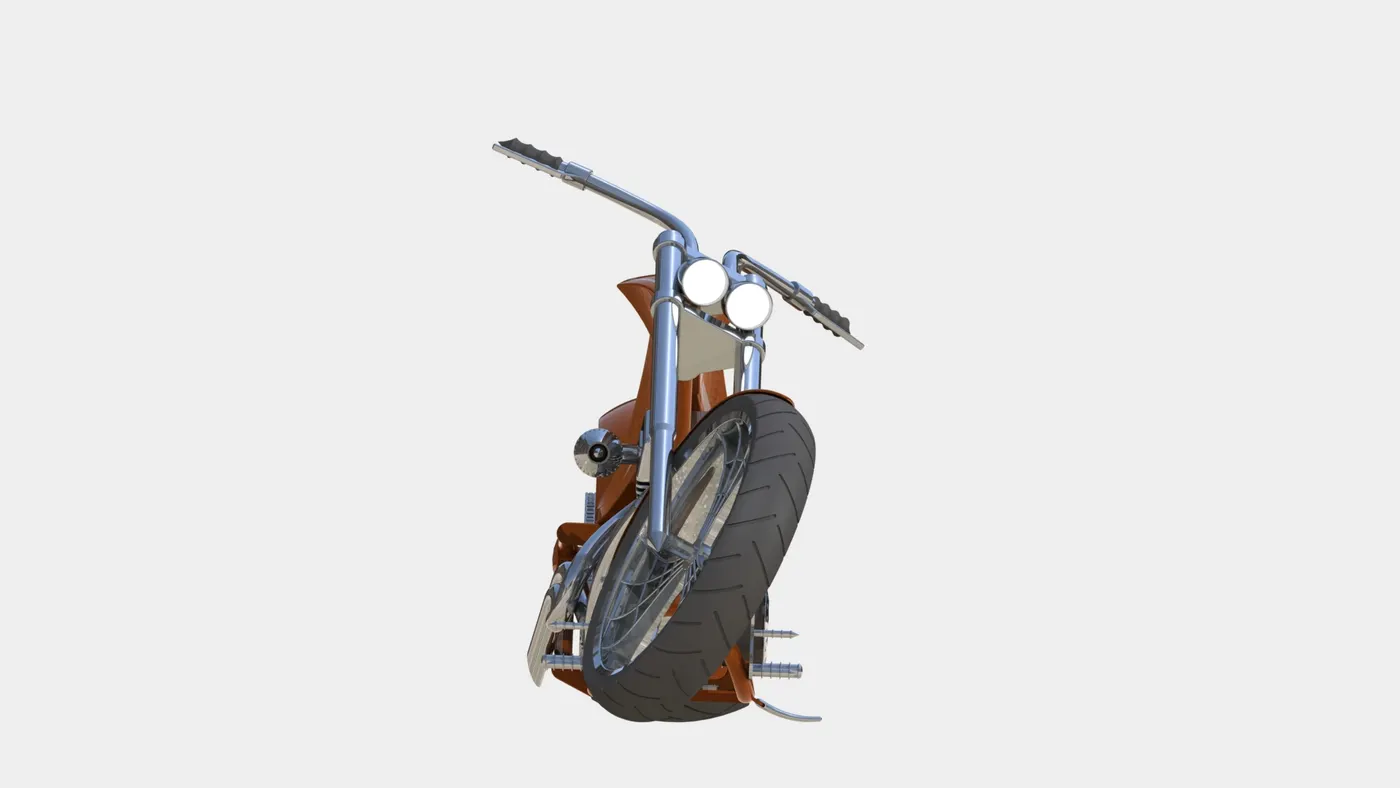
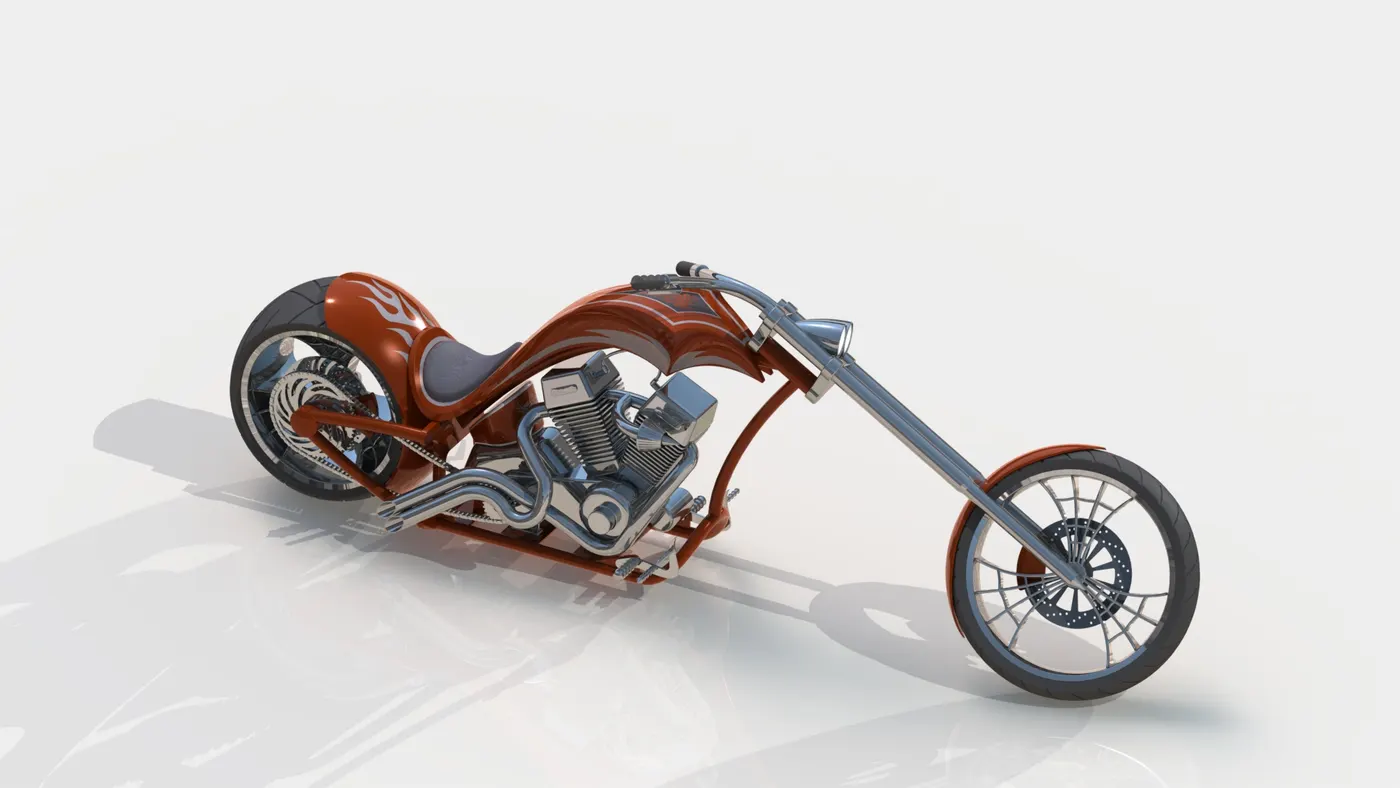
Rendered Images of the American Chopper:
Rendered in Photoview 360:
Camera setup:
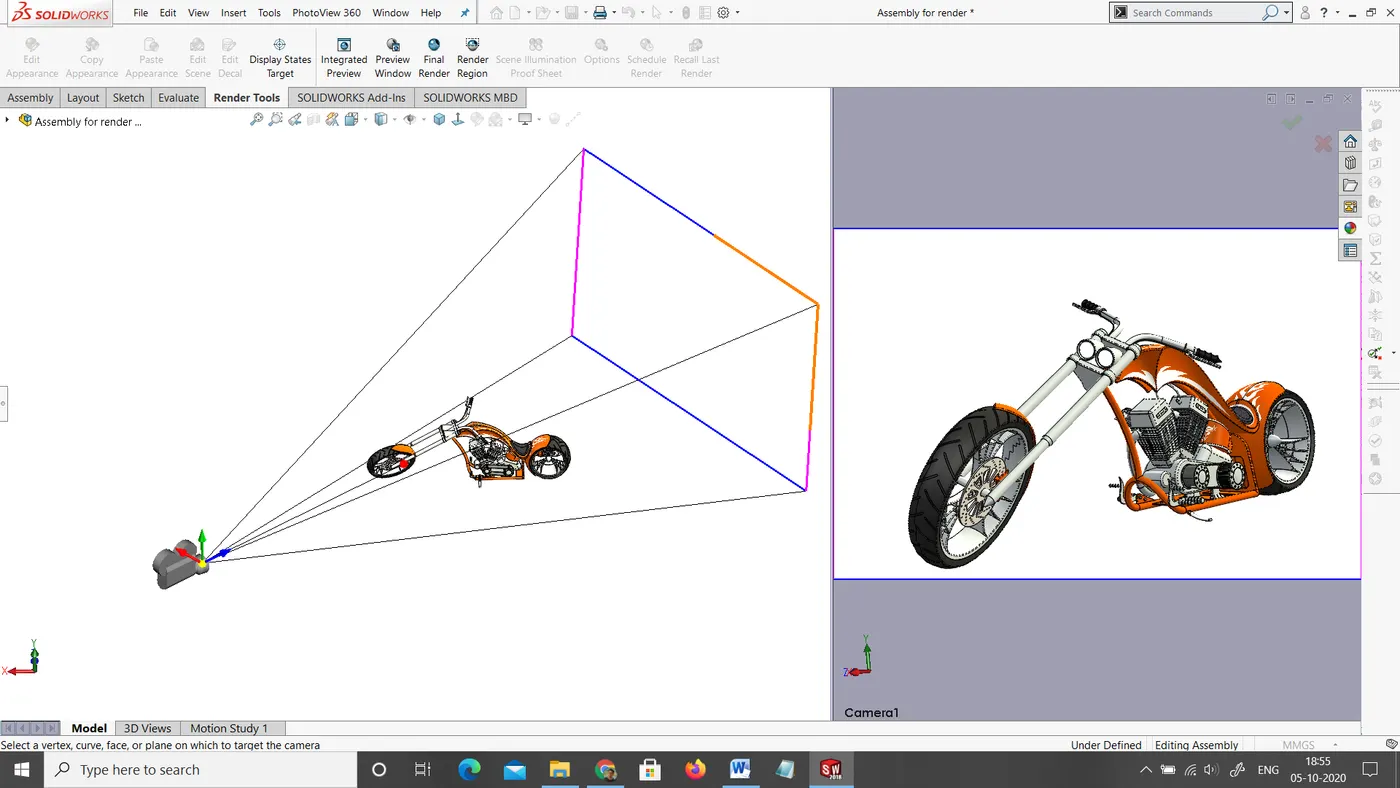
Camera view:
Front View:
Isometric View:
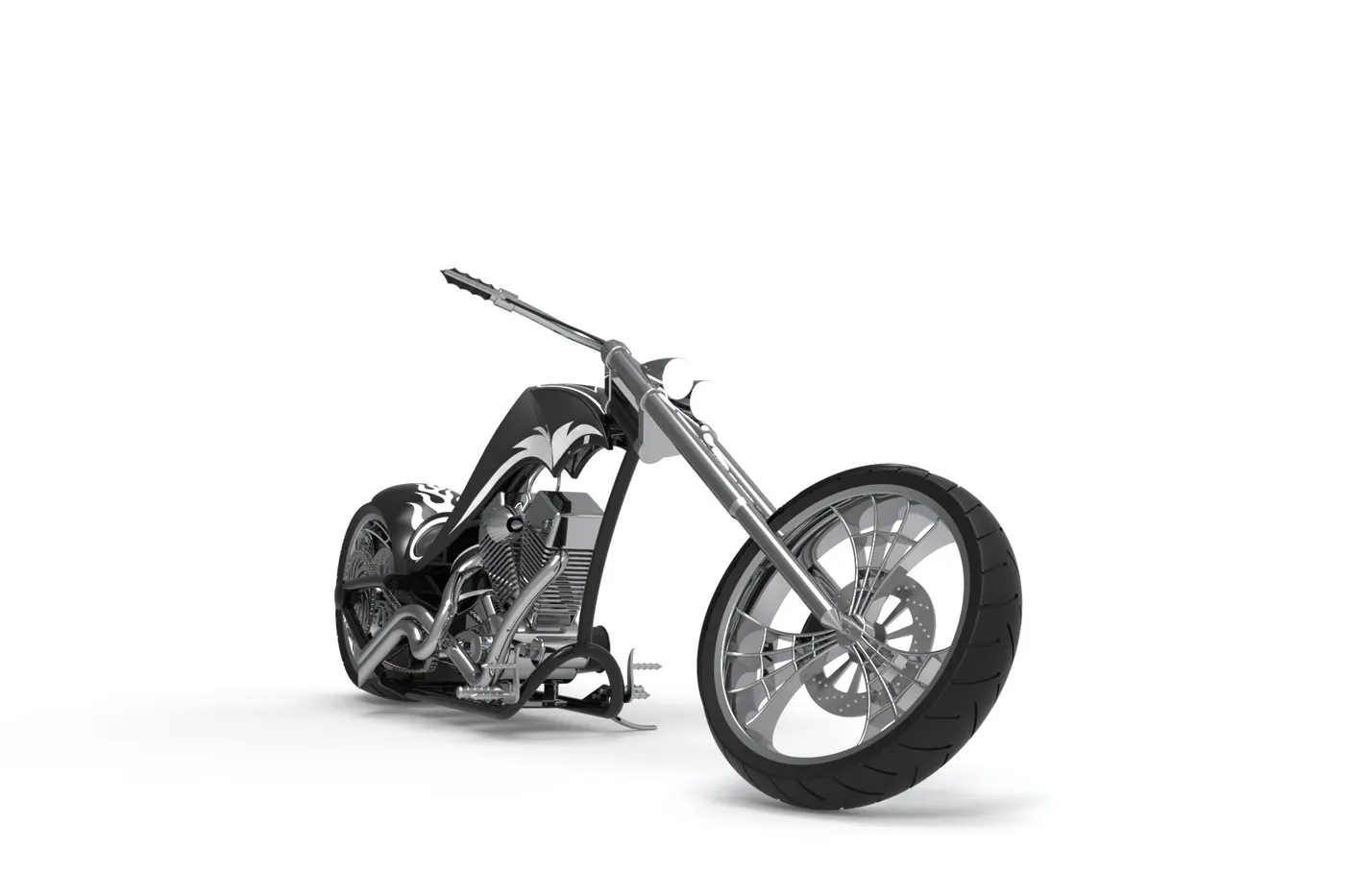
Additional rendering in a dark appearance:
TAKEAWAY OF THIS PROJECT:
This project helps to learn new and enhance many existing skills required for a design engineer in the industry. The major takeaways of this project are:
Design industrial approach:
Design is an iterative process and it involves many professionals such as designer, design engineer, simulation engineer, CAE engineer, etc. Being a design engineer, one must be able to communicate with all the professionals, understand their responsibilities, and understand the design process maintaining the coordination with others. One must not only know the CAD tools but also the efficient way of using it as the industry needs. This project has sharpened all those aspects.
Application of Parametric Modelling:
What is Parametric Modelling? Parametric modelling is a modelling process where we can modify the design, features at any point in time. The different elements of the model, such sketch entities, features can be assigned to a parameter that can be changed anytime. It is a very powerful tool as it saves all the parameters for forever and it can also be employed to add or edit features within a part from a generative design environment, where the parameters are not available initially.
Use of Design Intent:
Design Intent is the prediction of how the design will behave in the future when certain changes are made or when certain features are applied. In an industry, a design engineer should be able to use the features in such a way that even if any modifications are needed at any time, it should be modifiable in no time.
One can keep the design intent making the use of the following features:
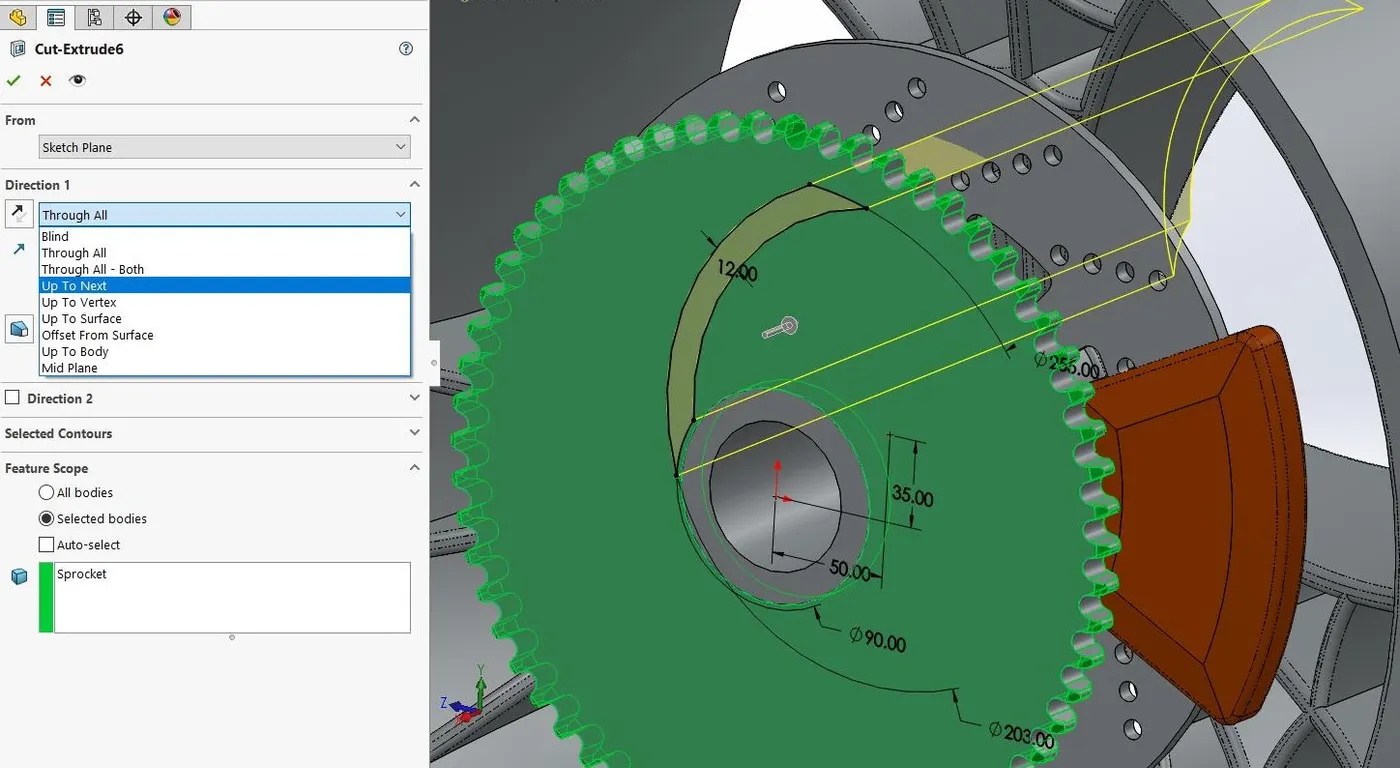
End Conditions: While applying end conditions, care must be taken and it should be predicted in what way it will behave if any additional changes have to be made later. The end conditions should be applied in such a way that it will affect only the current part and not others. For example, in this extruded cut of the sprocket in the wheel, it is required to keep the end condition ‘up to next’ because if ‘through all’ is selected, it can cut other bodies present in the part too.
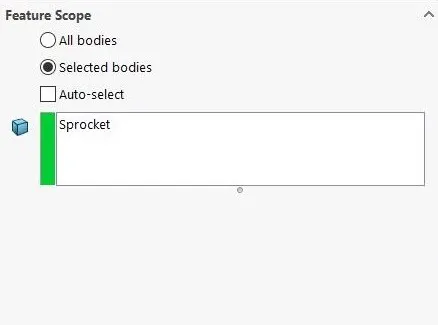
Feature Scope: Feature Scope appears in the property manager only in the case of multi-bodies. A certain feature can be applied to certain bodies and can be skipped to others by selecting manually form the feature scope. If it is left as default, it will affect all the bodies present in the part. For example, in the same wheel of the above example, the body selected in feature scope is only the sprocket. In this case, using ‘through all’ in the end condition will also keep the design intent.
Equations: Linking the sketch dimensions together, applying global variables will also help in a great way to keep our design intent. It will allow us to edit it at any point in time.
Mates: In the assembly, the mates should be applied thinking of any moving parts or fixed parts. For example, in our bike, the chassis is fixed and most of the parts such as the fuel tank, engine, and rear-wheel can be aligned with the mid-plane of the chassis. But the front fork and the parts attached to front fork has to turn side to side so its mid-plane should not be mated as coincident to the mid-plane of the chassis. This will allow us to keep our design intent.
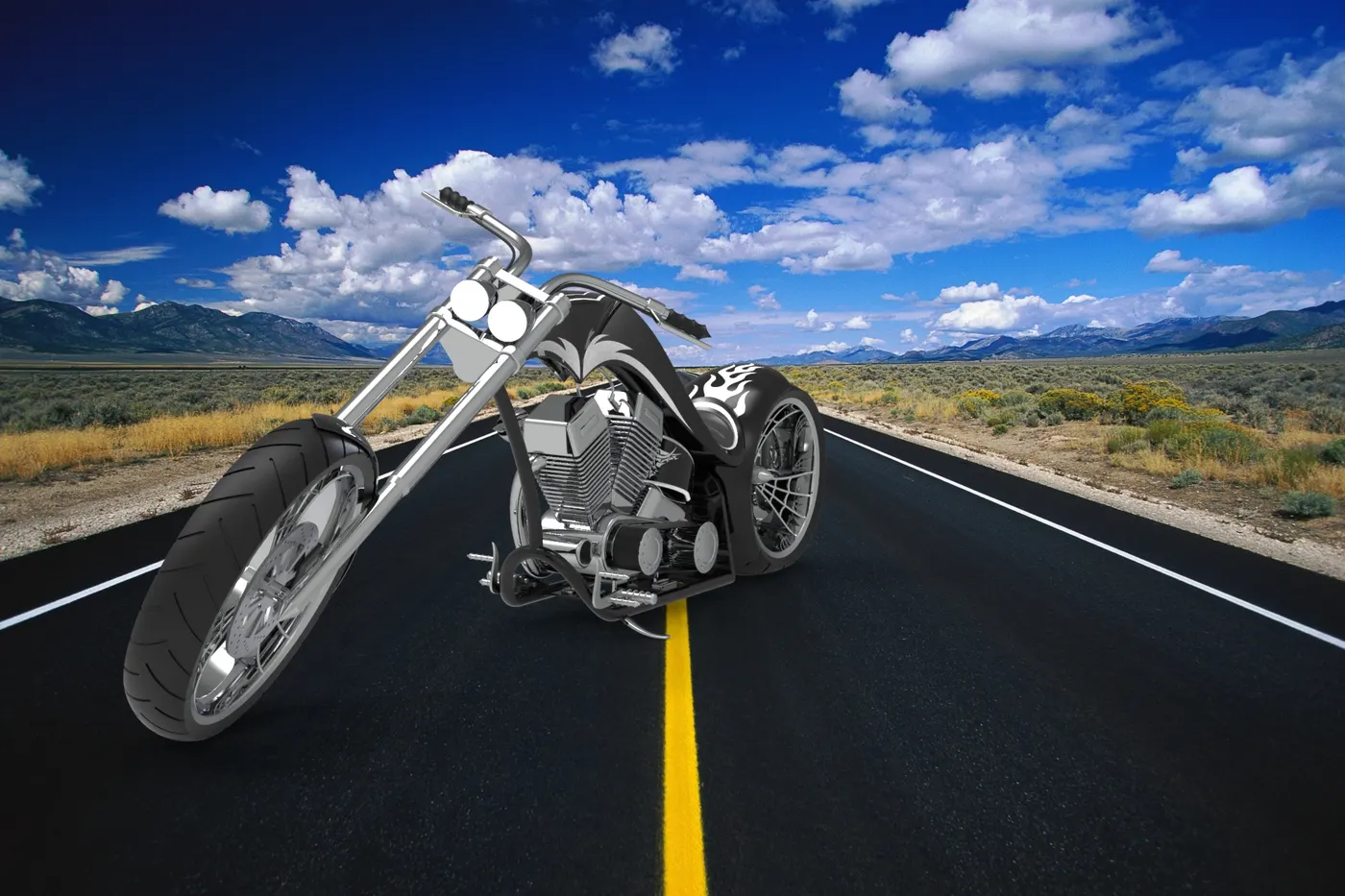
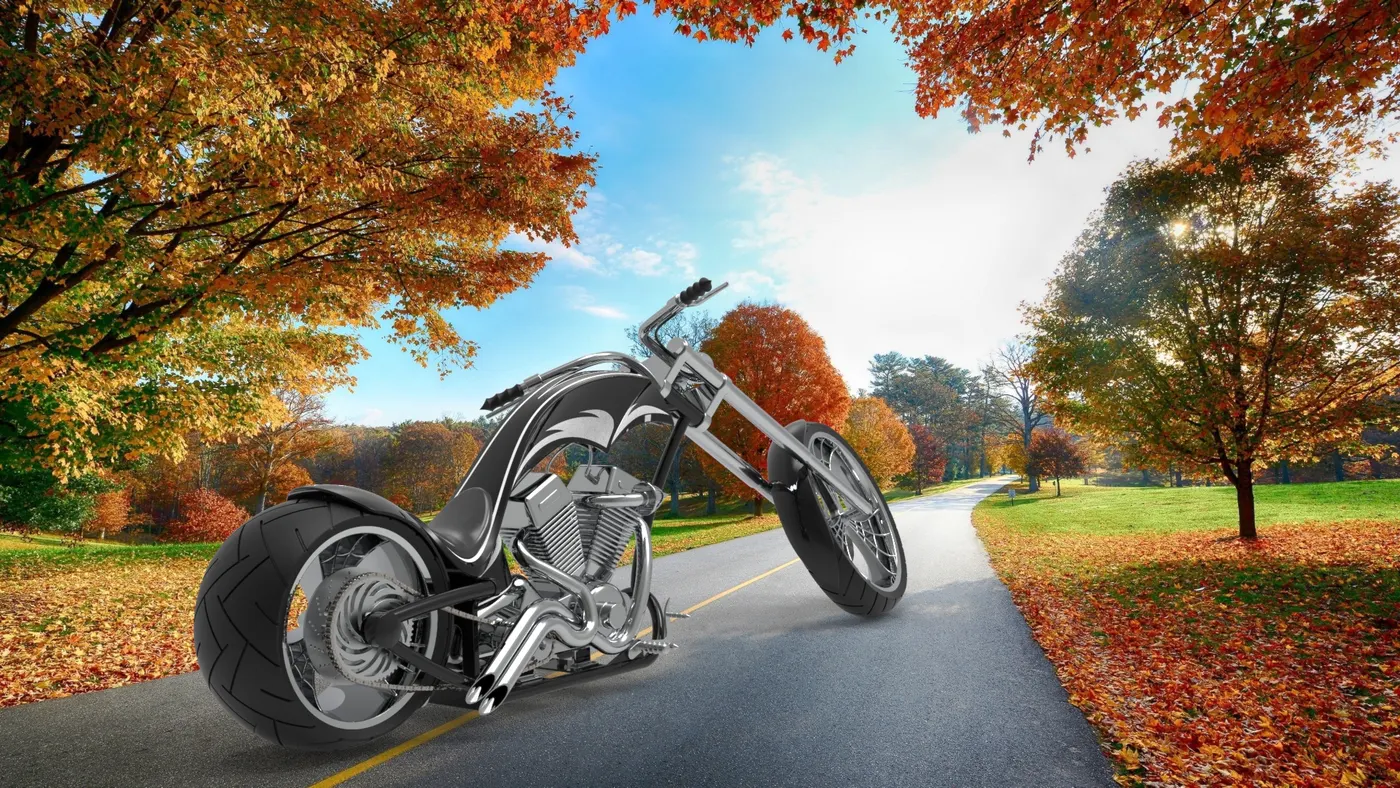
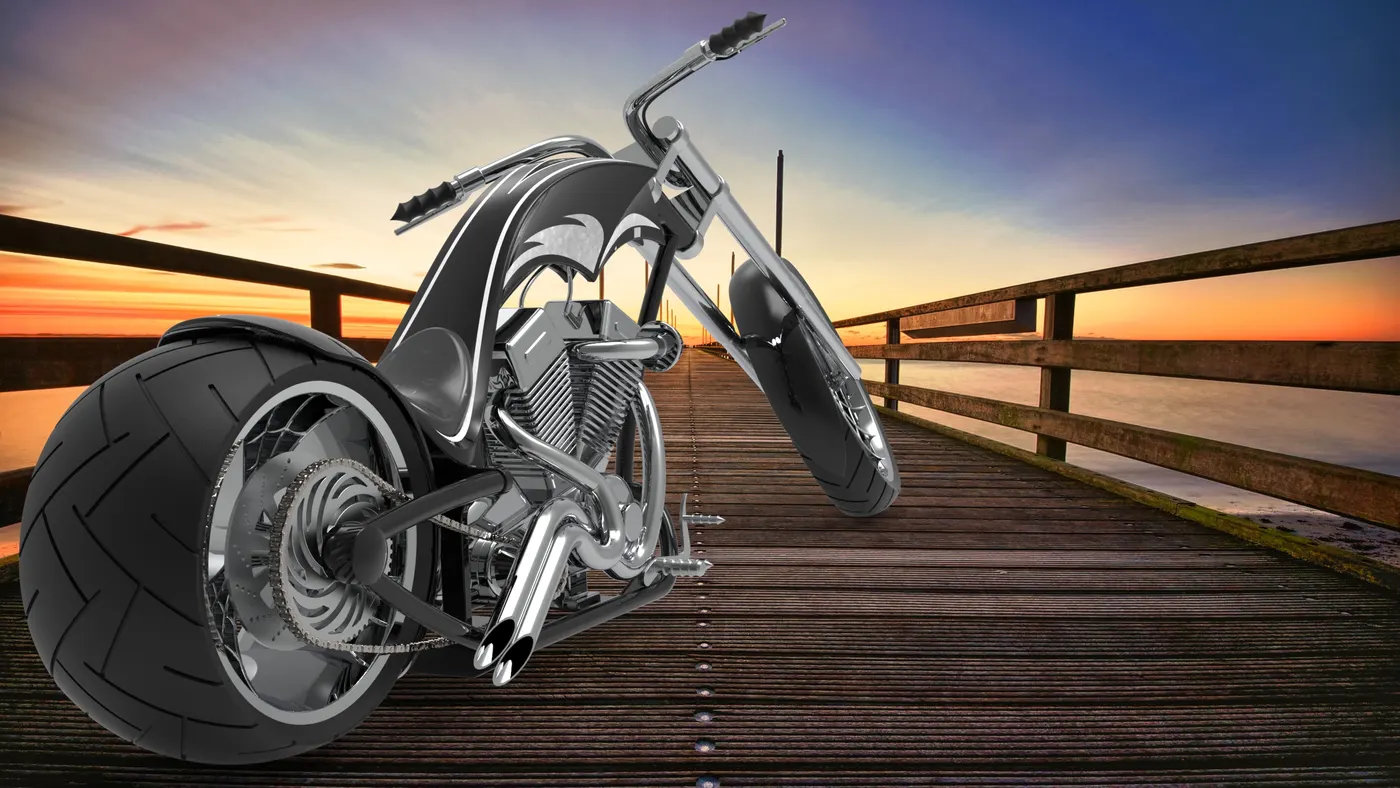
Additional Rendered Images from Keyshot:
CONCLUSION:
To conclude, the ideation, design, assembly, and rendering of an American Chopper is done using SOLIDWORKS. This project has really helped to enhance my skills in solid modelling and product design. It has given me insight into the design process that takes place in an industrial environment. Overall, the project was successful.