DESIGN, ASSEMBLY AND RENDERING OF SUNSEEKER PREDATOR 108 YACHT
Title: DESIGN, ASSEMBLY, AND RENDERING OF SUNSEEKER PREDATOR 108 YACHT
OBJECTIVES:
- To design, assemble, render and present Sunseeker Predator 108 Yacht
- To learn SOLIDWORKS software as a design tool in an industrial approach
- To learn complex surfacing features within SOLIDWORKS
- To apply and enhance creativity and skills in Mechanical Design
- To be industry ready for the role of Mechanical Design Engineer
- To be able to design an industrial product while keeping the design intent
INTRODUCTION:
Any product developed in an industry comes out to the customers starting all the way from the mind of a designer through the design process, simulation process, manufacturing process, and so on. It all starts from the ideation of the project, which is then followed by design, simulation, manufacturing, testing and finally marketing.
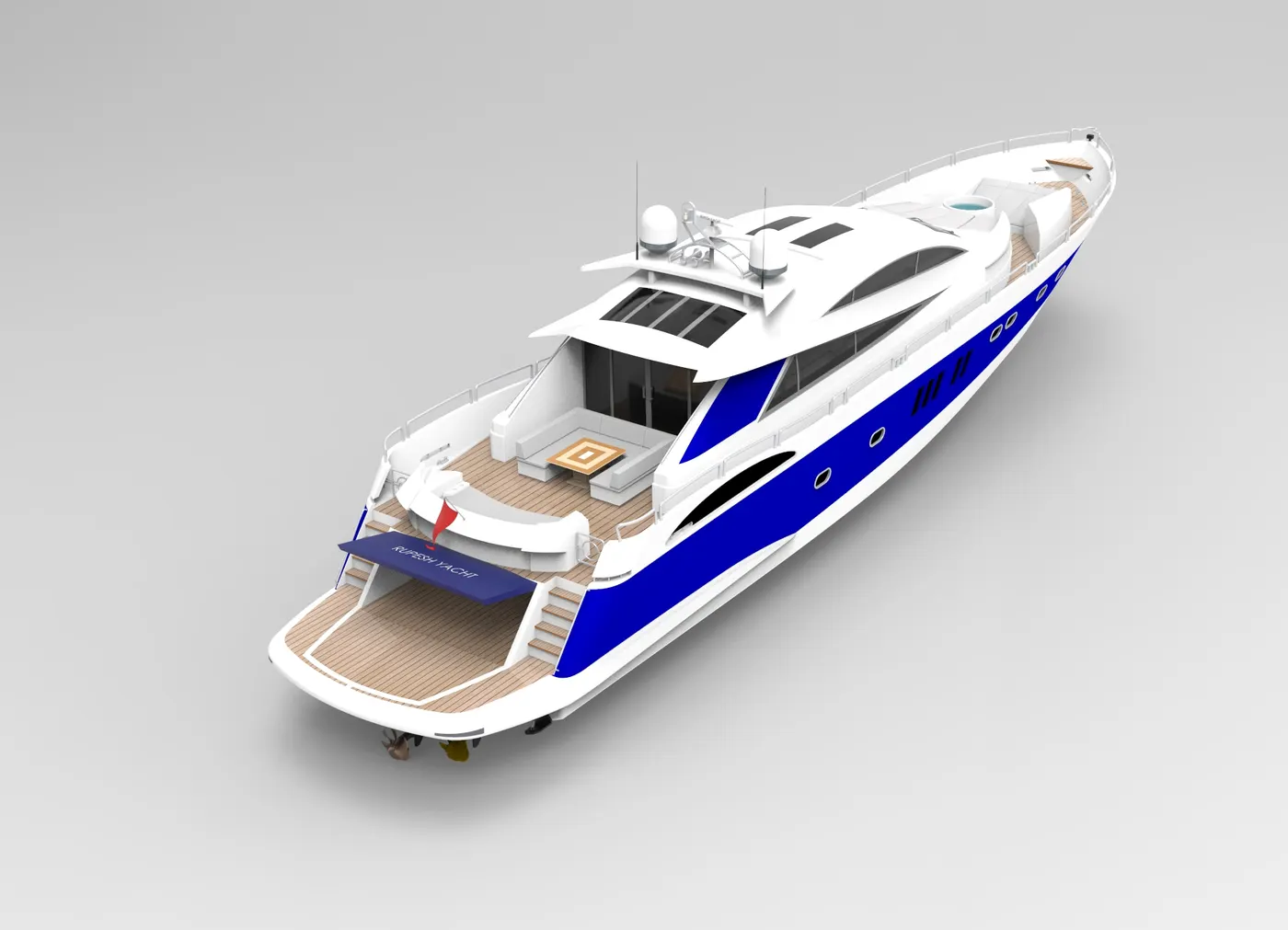
In this project, the Sunseeker Predator 108 Yacht is designed, assembled and rendered using SOLIDWORKS as the CAD tool. This is a 108ft long real-sized Yacht. This design project is a part of the design course in Skill-Lync.
Why this Yacht?
Sunseeker Predator Yacht has many smooth surfaces that offer a lot to learn an application of surfacing features. Usually, surfaces are harder to design because of their no thickness and many possible errors. Being able to design this complete model successfully confirms one’s capability to design any surfacing and solid modelling products or projects in the industry.
DESIGN METHODOLOGY:
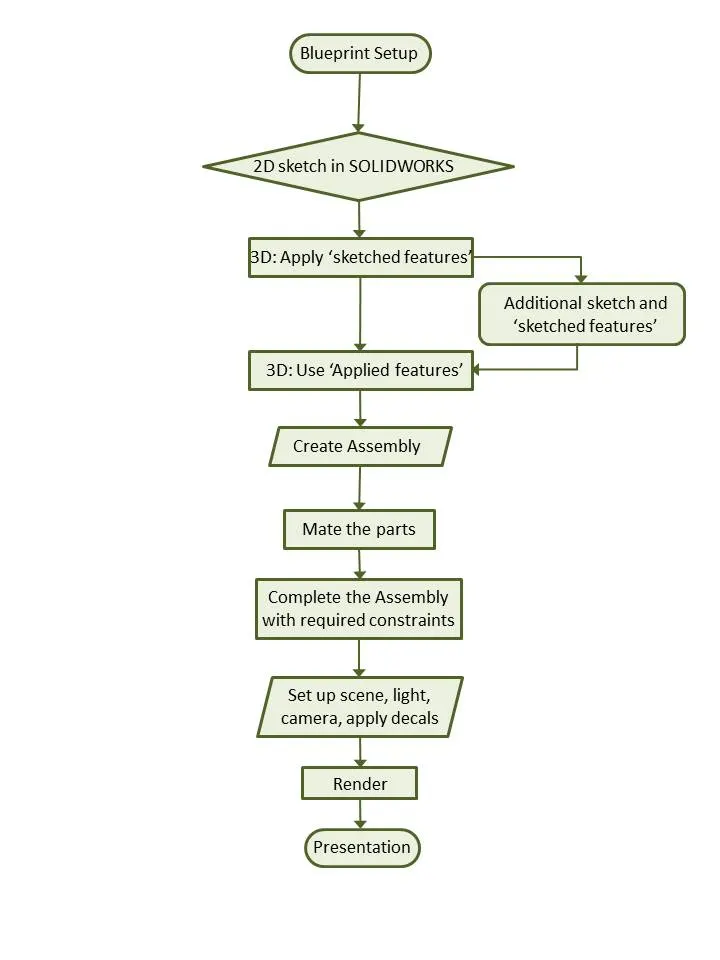
A typical sunseeker Yacht consists of parts like Hull, rudder, bow, railing, superstructure, tables, radar, mast, etc. This particular Yacht, Sunseeker Predator 108 Yacht is designed setting up its blueprints. It is not a real yacht design assembly with all individual parts and because it incorporates many parts of a Yacht in a single part. It mainly focuses on the design of all the mechanical components, assembly, and rendering for visualization of the final product. Here, several parts of a yacht are designed as a single component in SOLIDWORKS which will ease our workflow during the whole design and assembly process. The whole design methodology is depicted in the flowchart below:
DESCRIPTION:
Blueprint Setup:
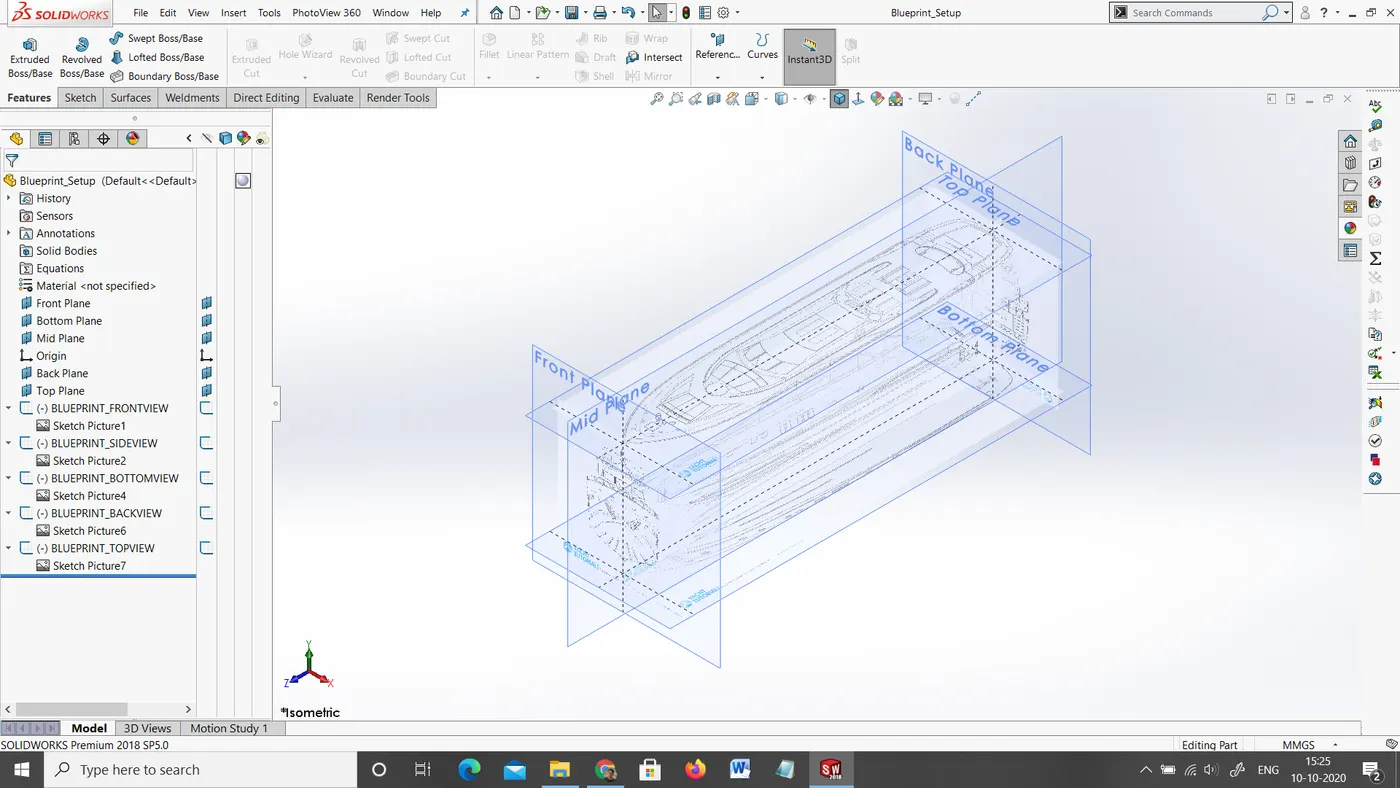
Blueprint is basically a design plan or technical drawings of different orthographic views of a product. The main motto of the blueprint is to bring out the exact same shape and form of the product as designed by a designer. It also ensures the accuracy and the proportion of the product. Designing a product without a blueprint may lead to multiple errors, unnatural proportions and improper dimensions. A proper blueprint setup omits all those problems,
To set up a blueprint, we use sketch mode in SOLIDWORKS in each plane. In this case, the images provided for the front view, side view, top view, back view, and top views are added in respective planes. One very important thing to note while setting up a blueprint is the size of it. As all the parts are going to be designed laying up the blueprint and taking its reference, it is very crucial to maintain the correct and real size of the blueprint in the very first step. It can either be adjusted manually with the dimensions or by adjusting the scale bar.
Blueprint Setup
Design/3D Modelling:
After the blueprint setup is completed, a plane is selected to start modelling a part in the respective view. To do 3D modelling of any component, we require at least a 2D cross-section sketch which can be converted into 3D using the features within SOLIDWORKS. In SOLIDWORKS, features are generally categorized into two types:
- Sketched Features:
It requires a base sketch to apply a feature. Extrude, extrude cut, revolve, sweep are some of its examples.
- Applied Features:
These features are directly applied to the 3D parts in part design environment of SOLIDWORKS without requiring a sketch. Fillet, chamfer, shell, mirror, body pattern are some examples used in this project.
In every part design, the first step starts from creating a closed profile sketch and applying sketched feature to create a base feature. If additional features are needed, it is sketched on a specific plane or a face of the part. Cut extrude is an example of it. Applied features such as fillets, chamfers are normally applied nearly at the end of the design of each component.
In the case of surface design, it has no thickness so the different views of surfaces are sketched, curves are projected where needed and the surface features like extrude, surface fill, boundary surface, knit surface are applied and finally converted into a solid. From that point, we can continue with the normally applied feature.
Some of the most widely used features in this project and the most important are described below:
Project Curve: It is a very powerful tool which can project two different 2D splines from two different planes into a single spline or a curve in 3D which can meet our need. It is the most often used feature before creating any surface.
Surface Extrude: It is just like protrusion of something out of a plane. It can be drawn as a single line or a closed sketch entity to make it as a surface extrusion.
Surface Loft: It connects two sketch profiles to make a surface and it can be guided by several numbers of curves.
Boundary Surface: Boundary surface creates a surface covering up the provided boundaries by sketch profiles.
Surface Fill: It fills up the closed space created by selected either the sketch entities or curves or any edges of existing surfaces or features.
Surface Trim: Surface trim is often used in surface modelling in order to trim off the intersecting and overlapping surfaces and result in a nice and clean surface.
Surface Knit: Surface knit is the must use the surface feature. It knits two adjacent surfaces properly without any gaps in between so it can be converted into a solid model.
Extrude: It is used once the surface is converted into a solid body. It is just like protrusion of something out of a plane. It adds up material and it is generally a base feature in solid modelling.
Extruded Cut: It is used once the surface is converted into a solid body. It is just like Extrude feature but instead of adding material into the part, it removes the part drawn out from the sketch profile.
Revolve: It can revolve a cross-section of a part and make the round part which is complete 360 degrees round or up to some angle. It requires a centre line or axis to revolve the sketch profile.
Sweep: Sweep can be used to create complex features which follow irregular paths or some curves. It can be done using two different sketches; one for the sketch profile and other for the path which the sketch profile follows.
Mirror: Mirroring certain features or bodies can save a huge amount of time in the design process. It is extensively used throughout the design process.
Split: It is yet another useful tool that can cut apart with the help of a sketch or plane or face or surface and allows removing or cutting the selected parts.
Rollback: Rollback is yet another powerful tool that allows going back to any phase of design in case if we need to edit or add some features later. We can use roll-up bar while removing errors too. This reduces the rebuild time and avoids further errors in the children features.
Appearance Application: Material and Appearance is one of the key components in the product design process because, in the end, the appearance of the product in the real environment is very important. In this project, appearance is applied based on each part after the completion of part design. Majority of the body is white in this Yacht.
Assembly:
After all, the components of the Yacht are designed in a part design environment, assembly is then created from the part files. In SOLIDWORKS, the feature which connects or joins two different components is called mate. The parts are imported into the Assembly environment and then required mates are applied to each individual part with respect to the connecting part. The first part inserted to the assembly is always fixed by default.
In this Yacht, since all the components are designed as per the blueprint and using the deck surface of the hull as a reference for other parts, most of the components are directly fixed in the assembly and it meets our design intent too. The Hull, superstructure, tables, radar-mast are the fixed components in their respective positions. Radar, garage door, and propellers being the moving parts, they are provided with a single degree of freedom to rotate in the intended axes.
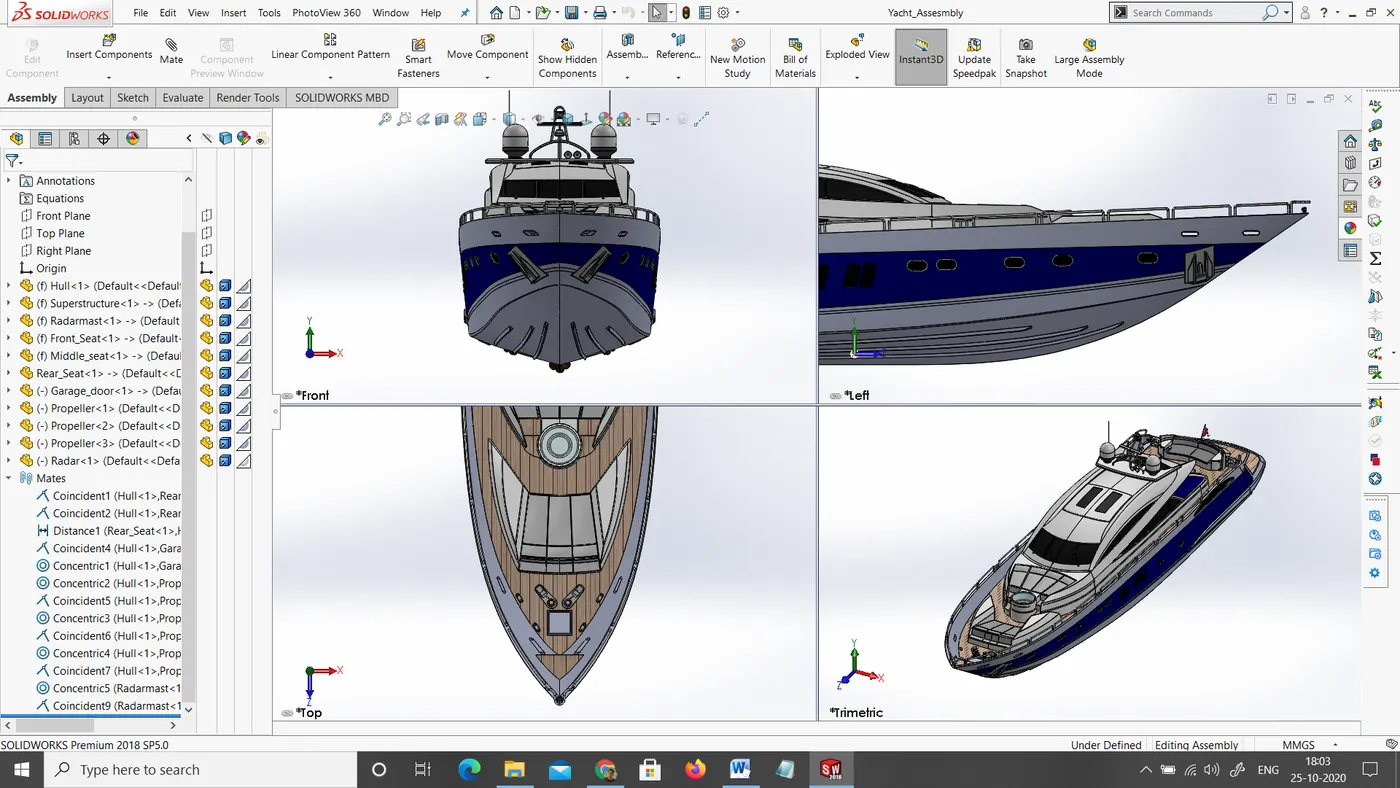
Assembly of Sunseeker Yacht in SOLIDWORKS: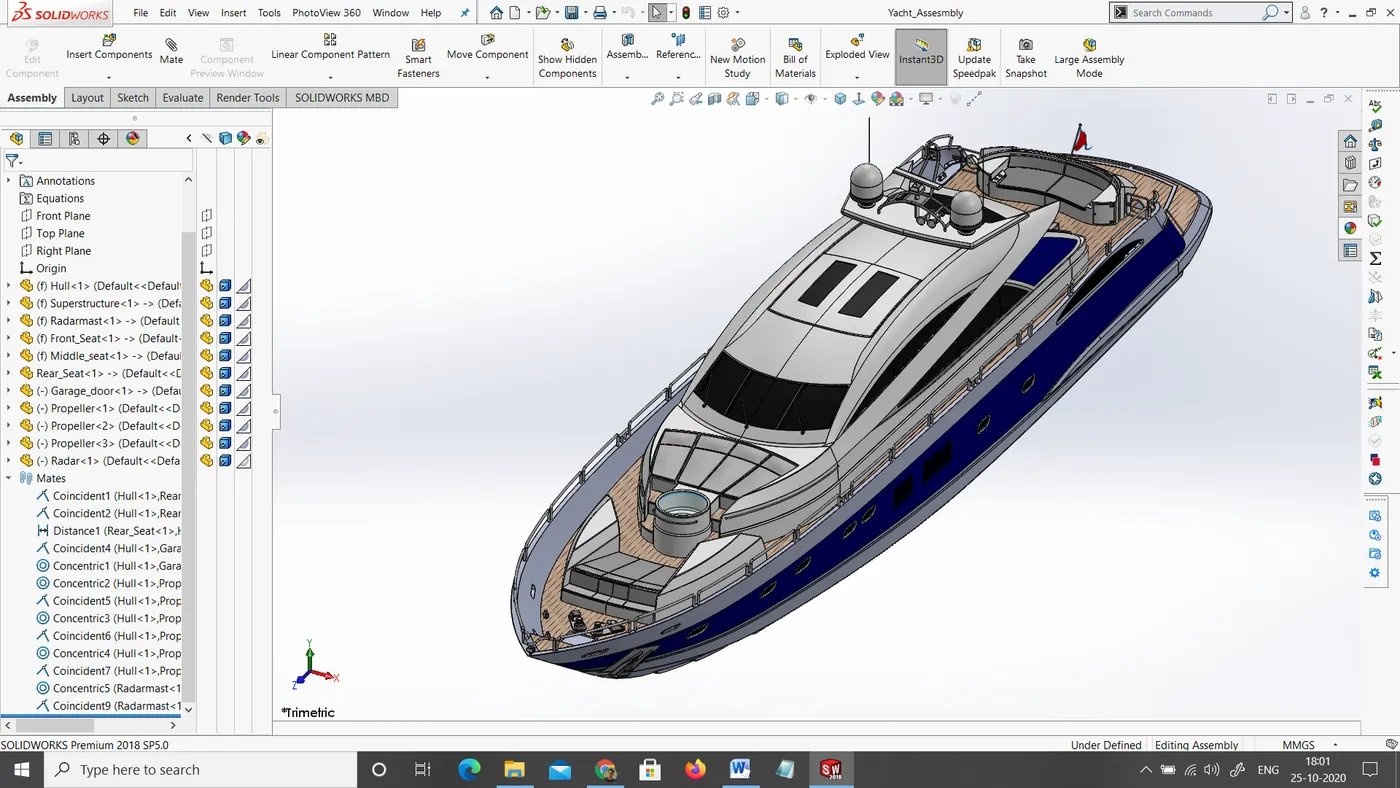
Isometric view
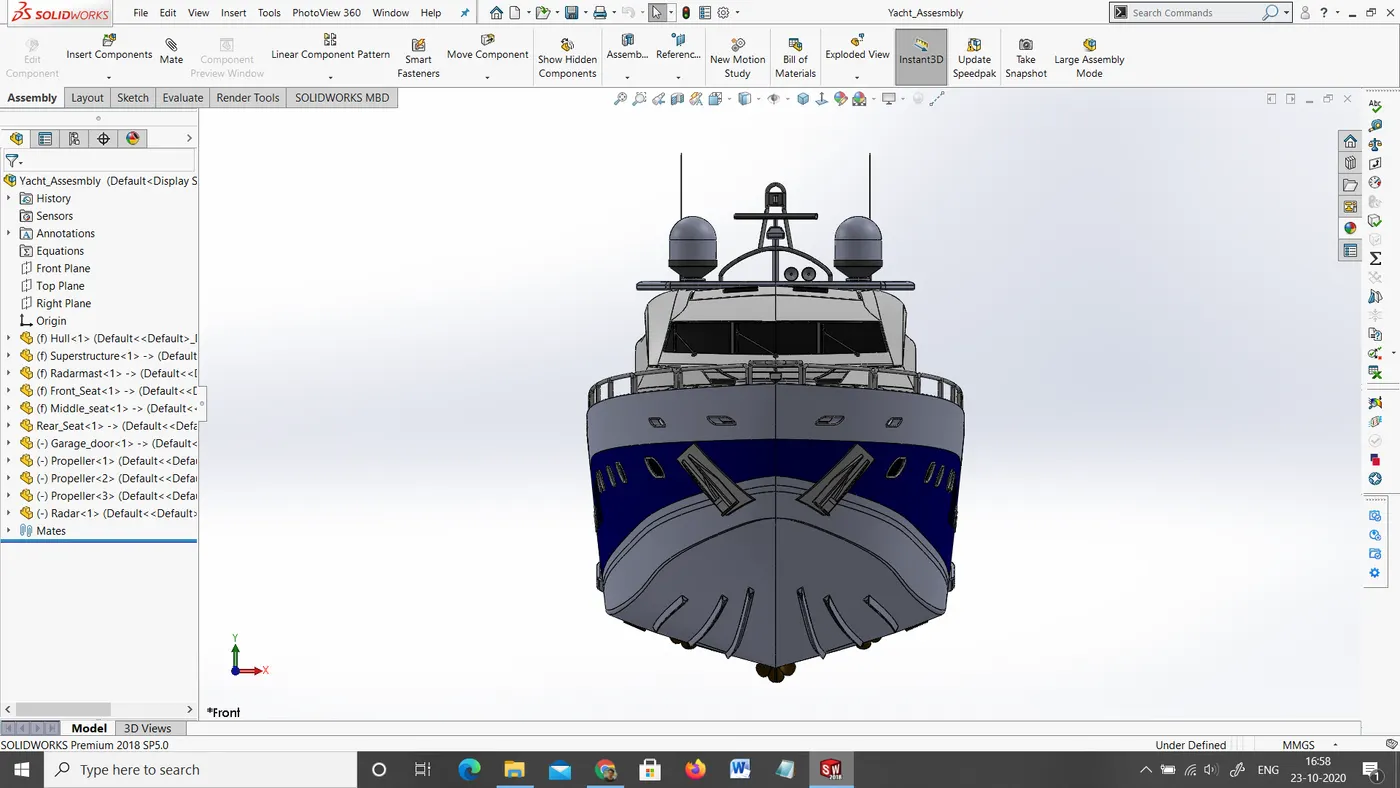
Front view
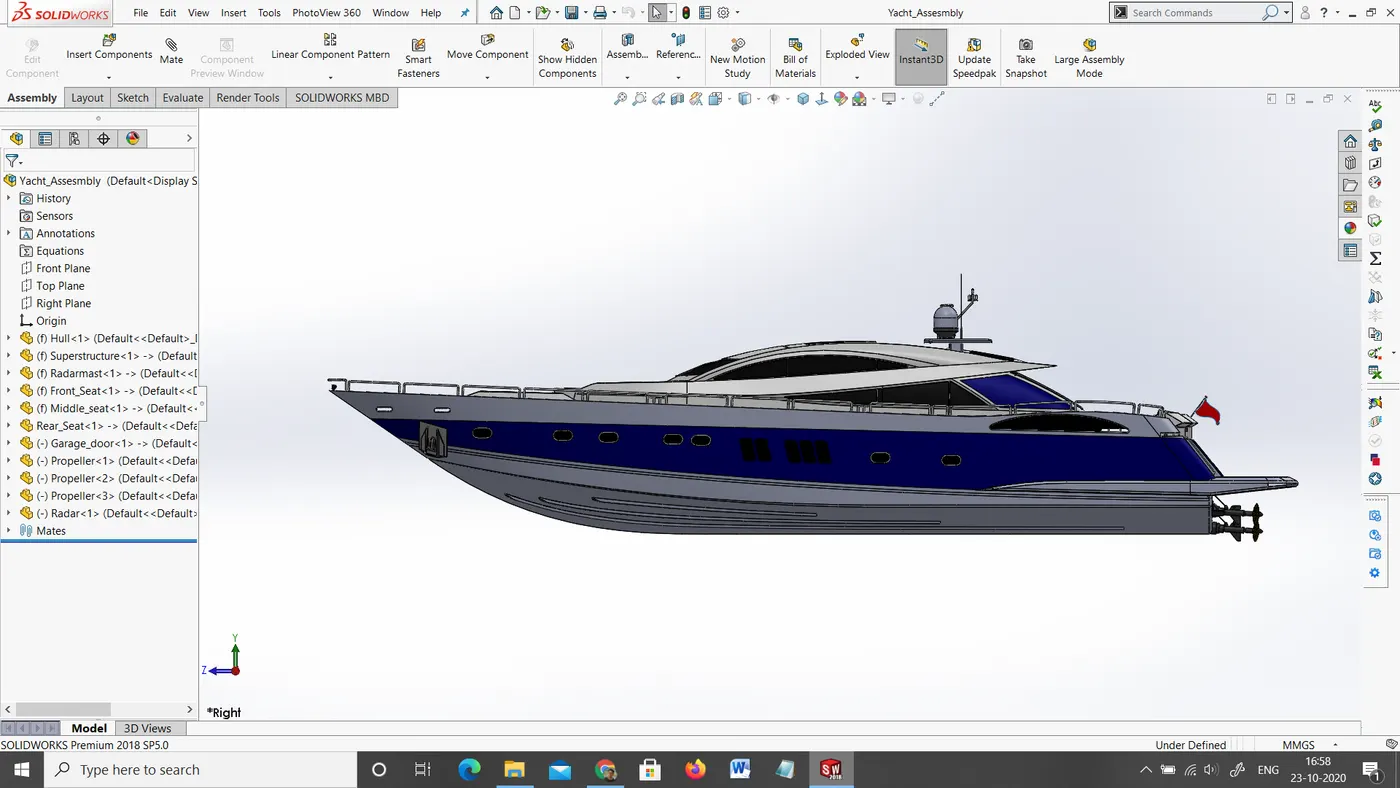
Side view
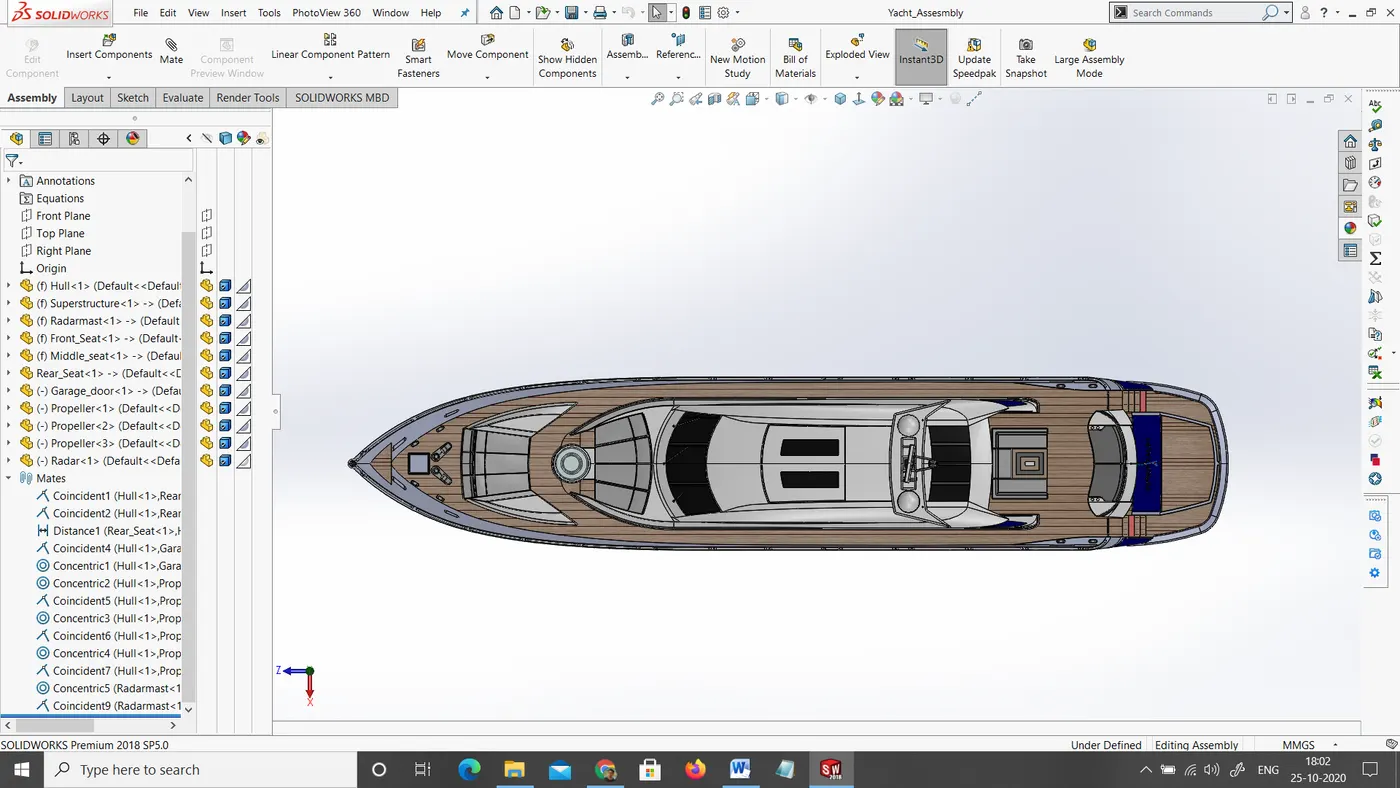
Top view
Rendering:
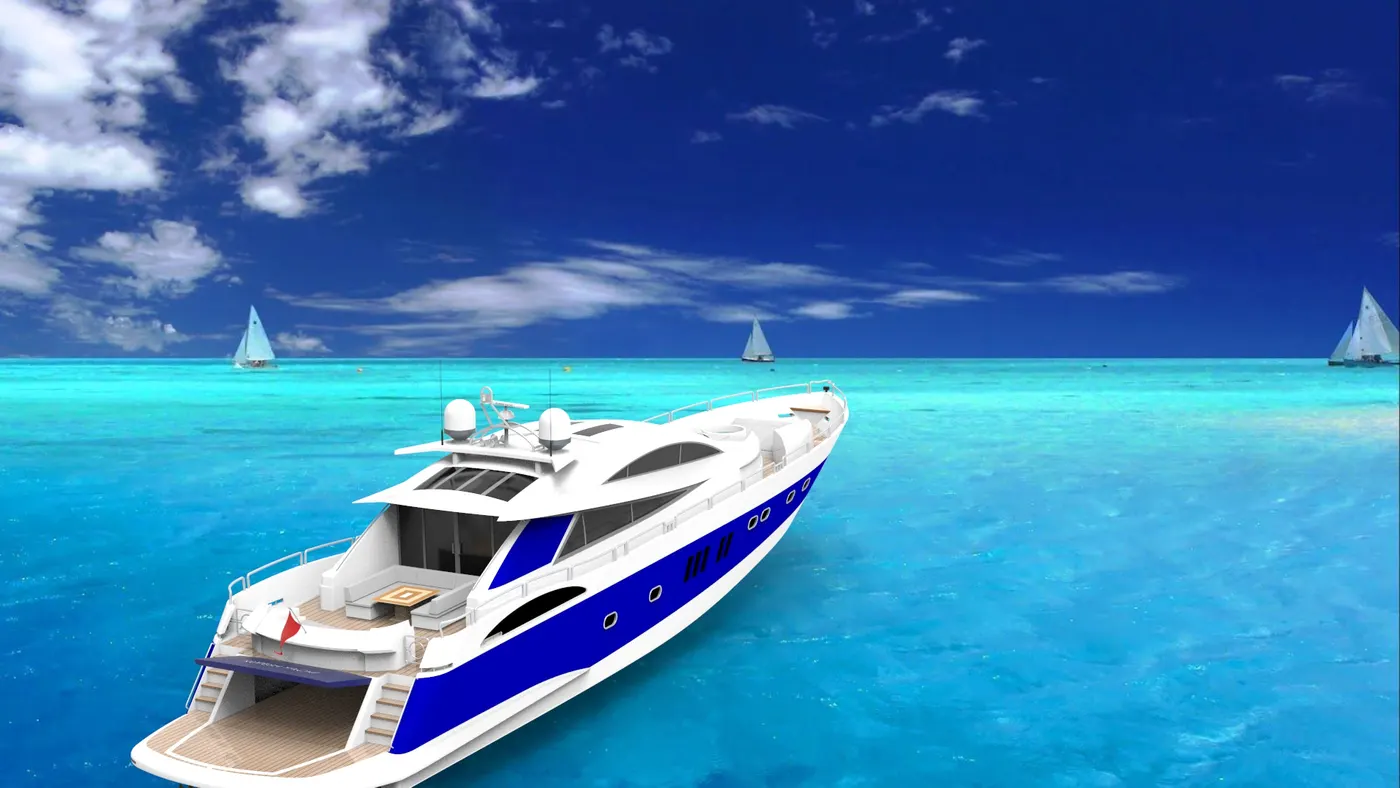
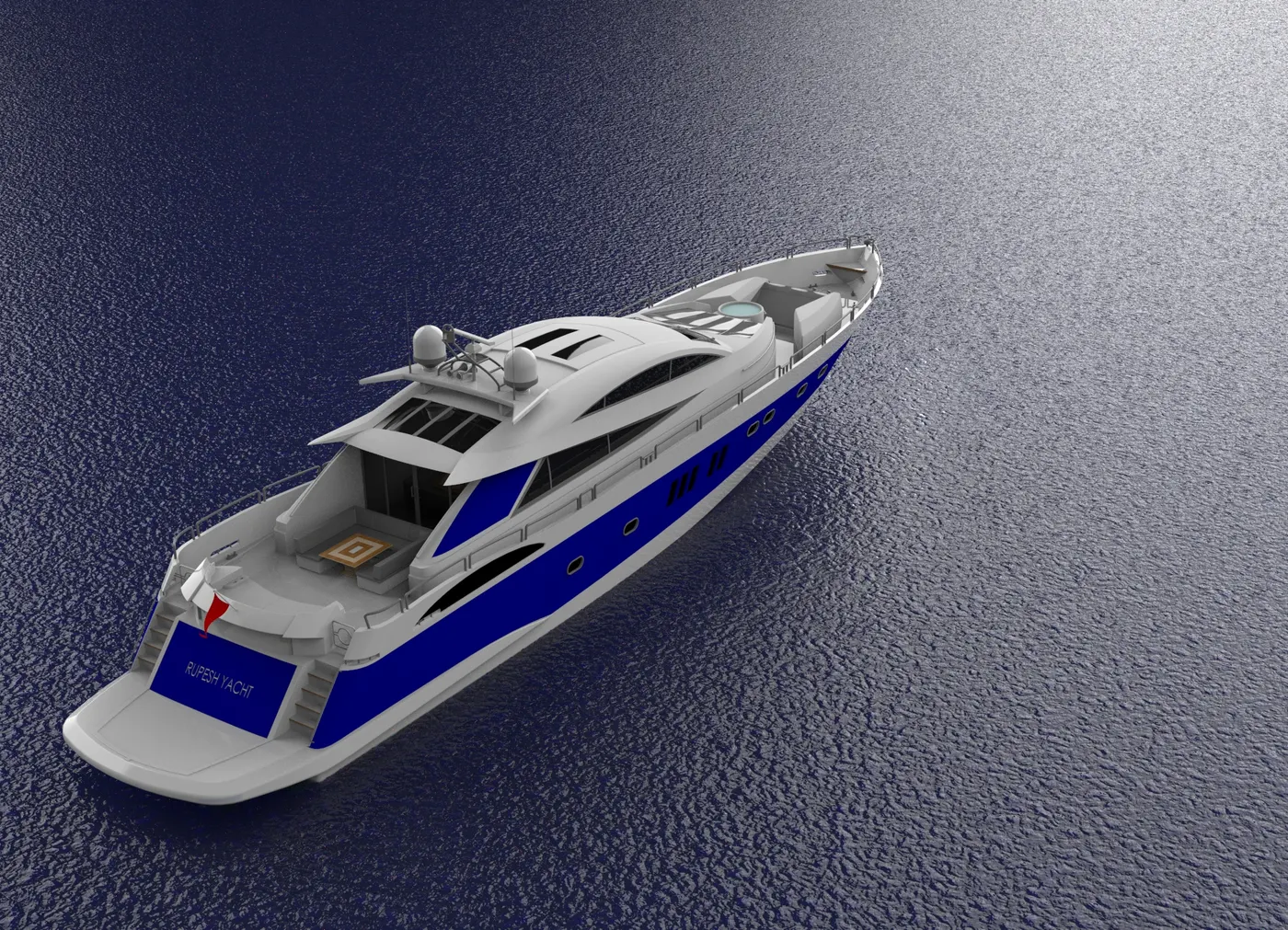
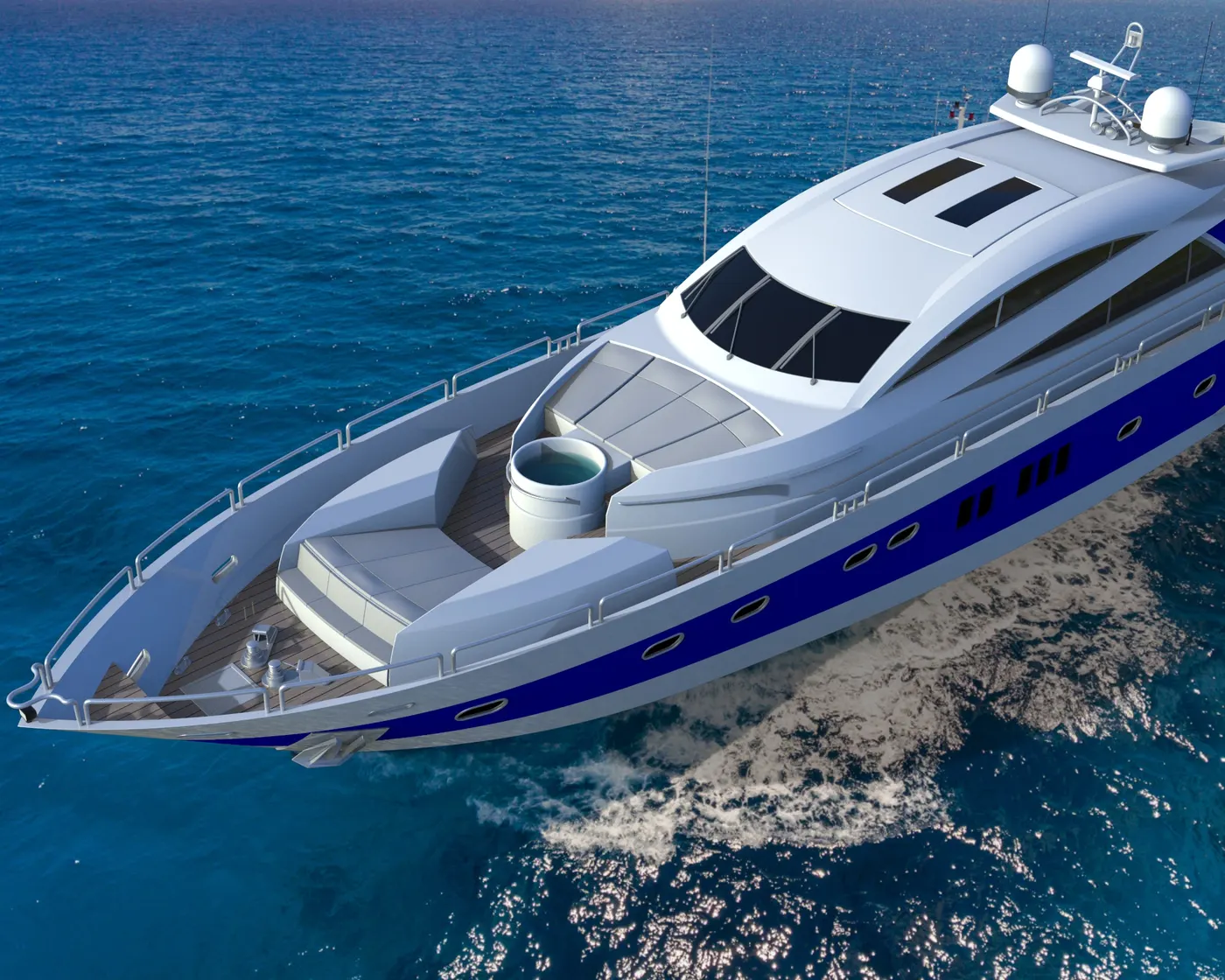
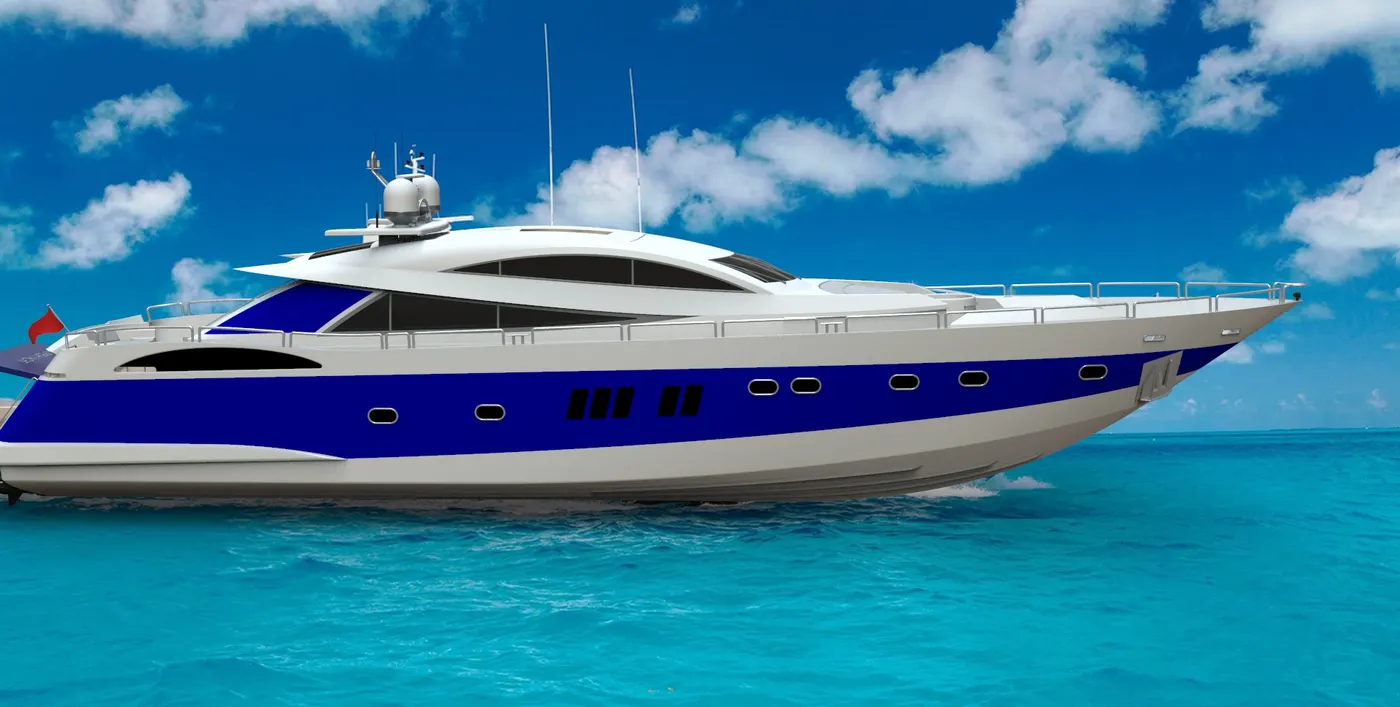
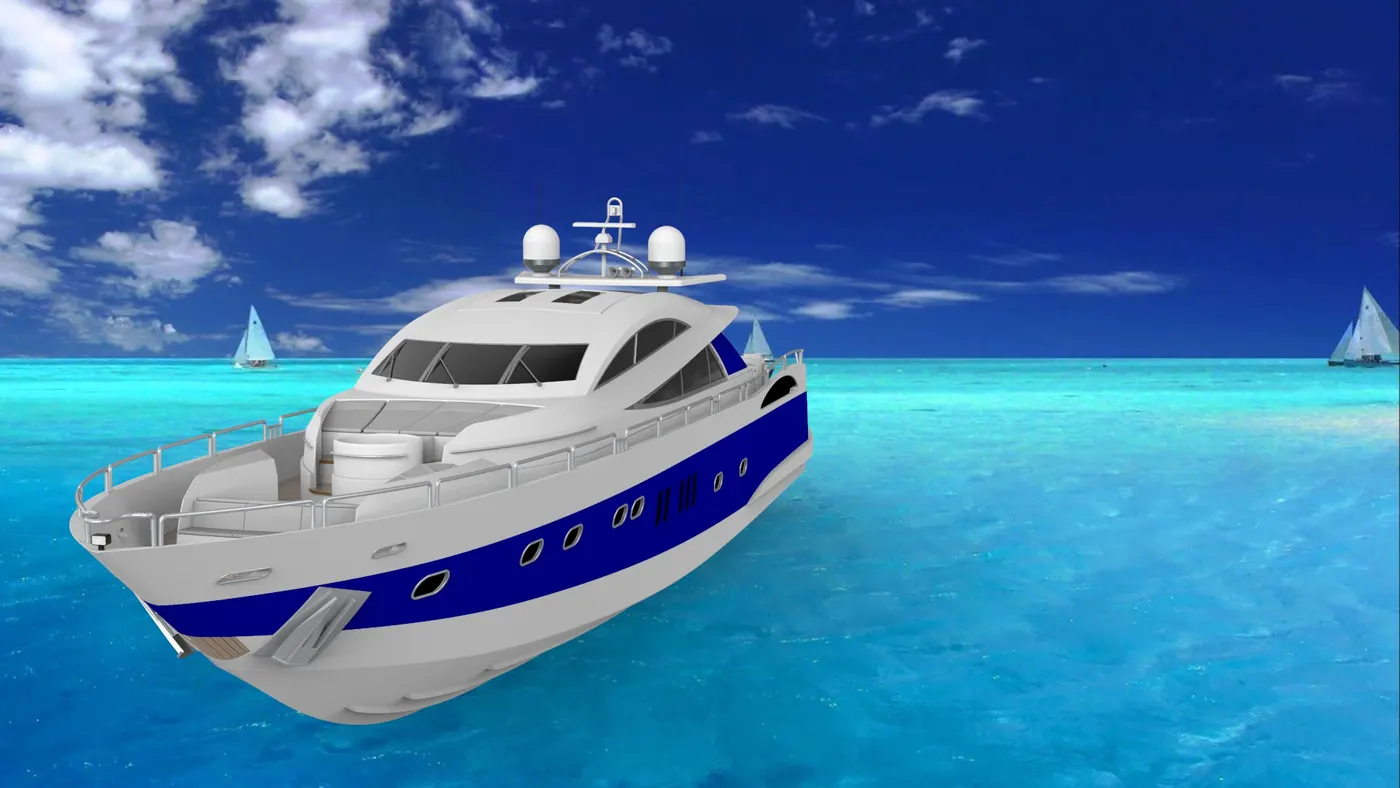
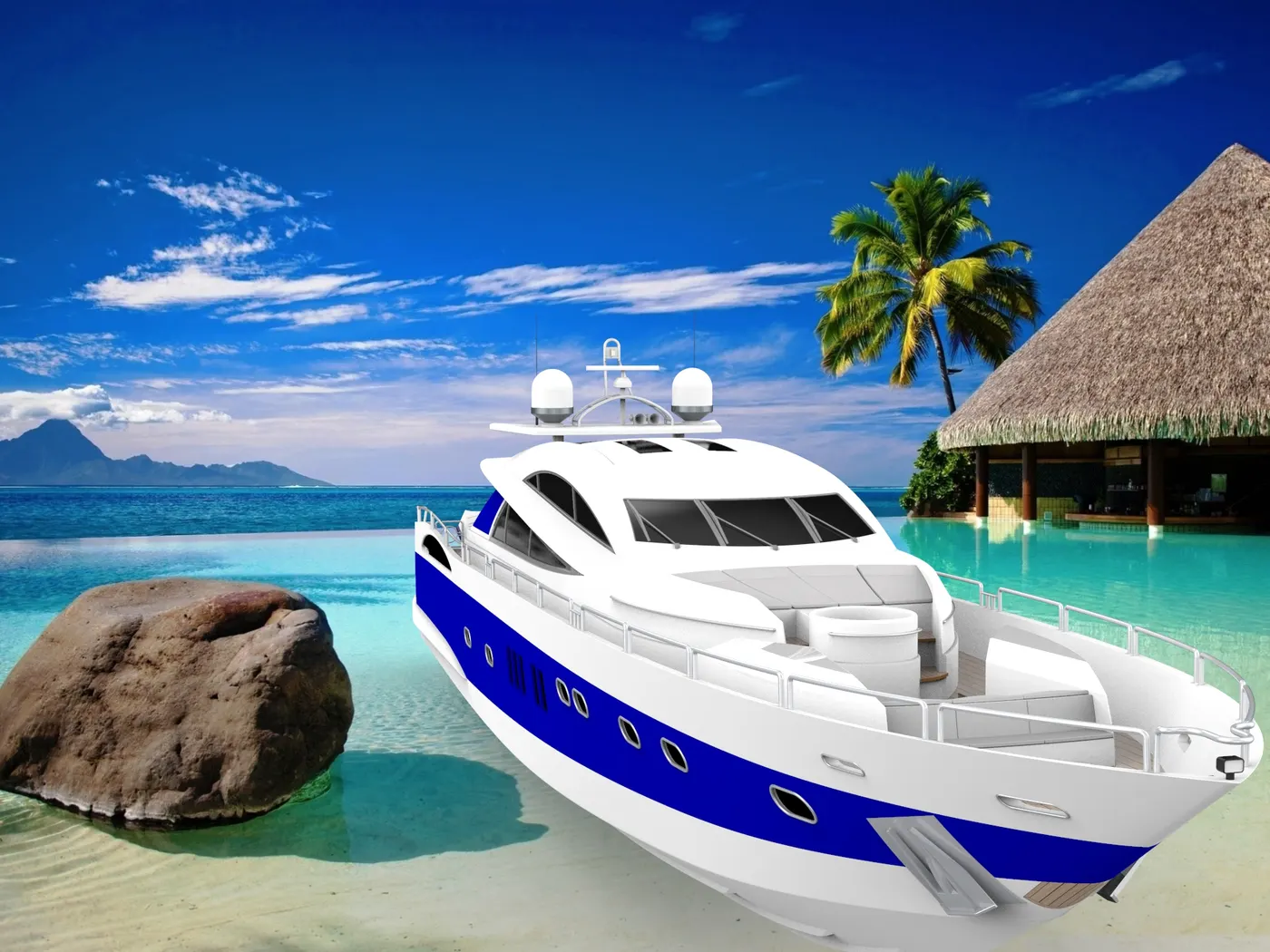
Rendering is to make photo-realistic images out of the 3d designs that we have created and assembled in the design process. To render the 3D models, we need to set up the correct scene, lighting, camera views, and apply decals if necessary.
Why is rendering Important?
Rendering helps to visualize the product and it allows us to see how it interacts with the environment. It is very essential for the presentation of the product among the potential customers ahead of the actual manufacturing. Also, aesthetics is a very important part of every product in the industry, so to see how the final result looks upon the various materials and appearances applied, it plays a vital role. It also saves a lot of time and money avoiding the real-time testing of its appearance before the actual production. It can also be used for digital marketing purpose without actual production. In the case of such a Yacht, it is very essential to represent the idea, to visualize, pleasing, and satisfying the customers.
Rendering Tools:
- ‘Photoview 360’ is one of the add-ons of SOLIDWORKS which allows creating photorealistic rendering. It is integrated with the SOLIDWORKS software.
- ‘SOLIDWORKS Visualize’ is another powerful tool of SOLIDWORKS which comes as separate software and is able to render extremely high quality and photo realistic images of the product.
- ‘Keyshot’ is an alternative to the rendering tools which can be utilized to render high definition images of the product.
However, for this project, only ‘Keyshot’ has been employed for the rendering purpose.
Rendering Process:
The rendering process includes the following steps:
- i) Apply scene
- ii) Apply lights
iii) Apply decals/labels
- iv) Adjust camera views
- v) Adjust image quality and
- vi) Render
After the rendering is complete, it is presented among the customers and also for digital marketing.
PART DESIGNS:
In this project, most of the parts are designed as a surface model at first. A surface has no thickness so it is accurately designed and solid is created out of the surface model once the knitting of the surface is successful. Most of the parts designed to incorporate many of the components of the Yacht in a single part file to make the workflow faster easier. It makes a lot easier in the assembly phase and decreases rebuild time too. As long it is a cosmetic model of the Yacht, it is all solid modelling. Following are the individual parts designed in SOLIDWORKS:
1) Hull
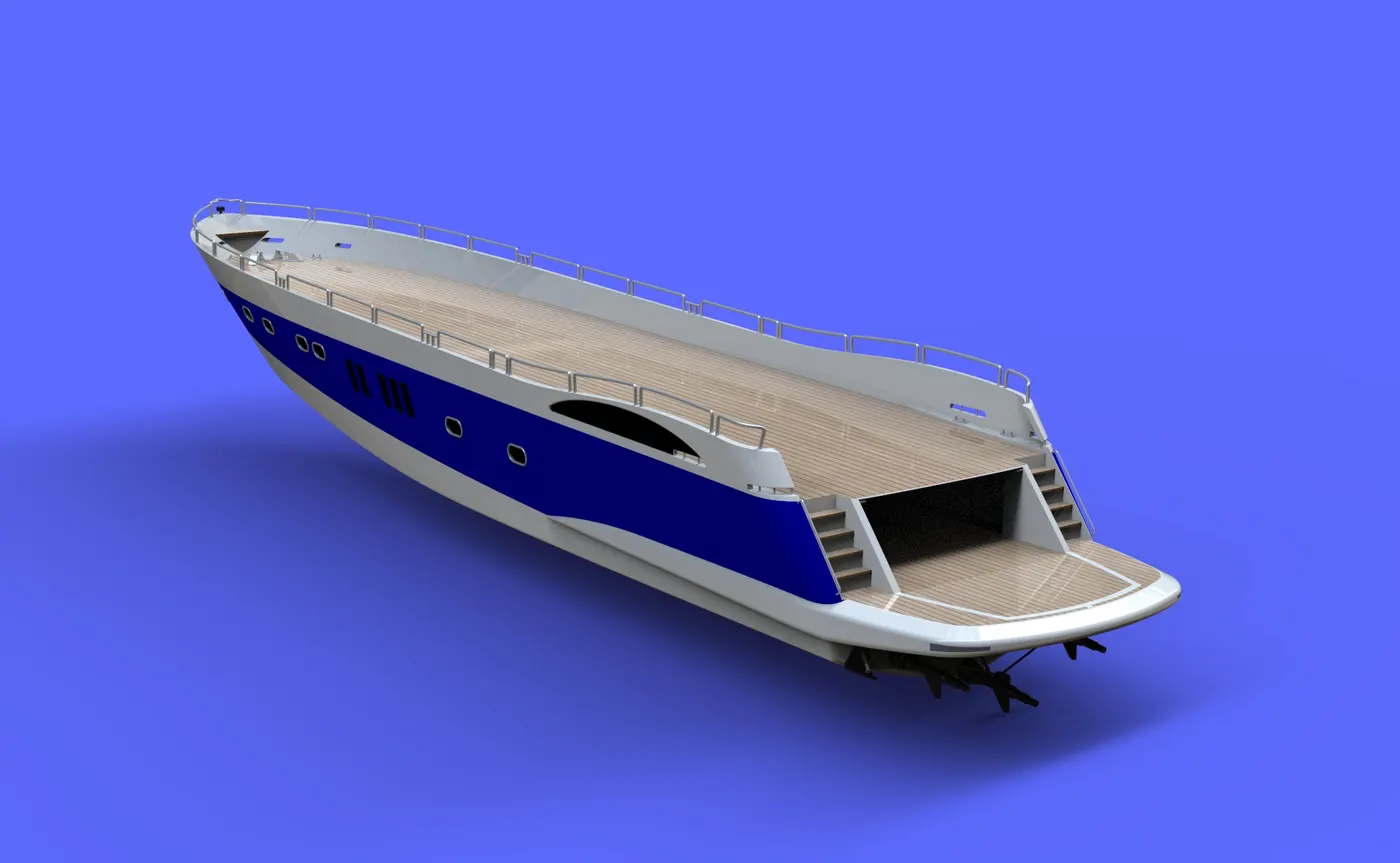
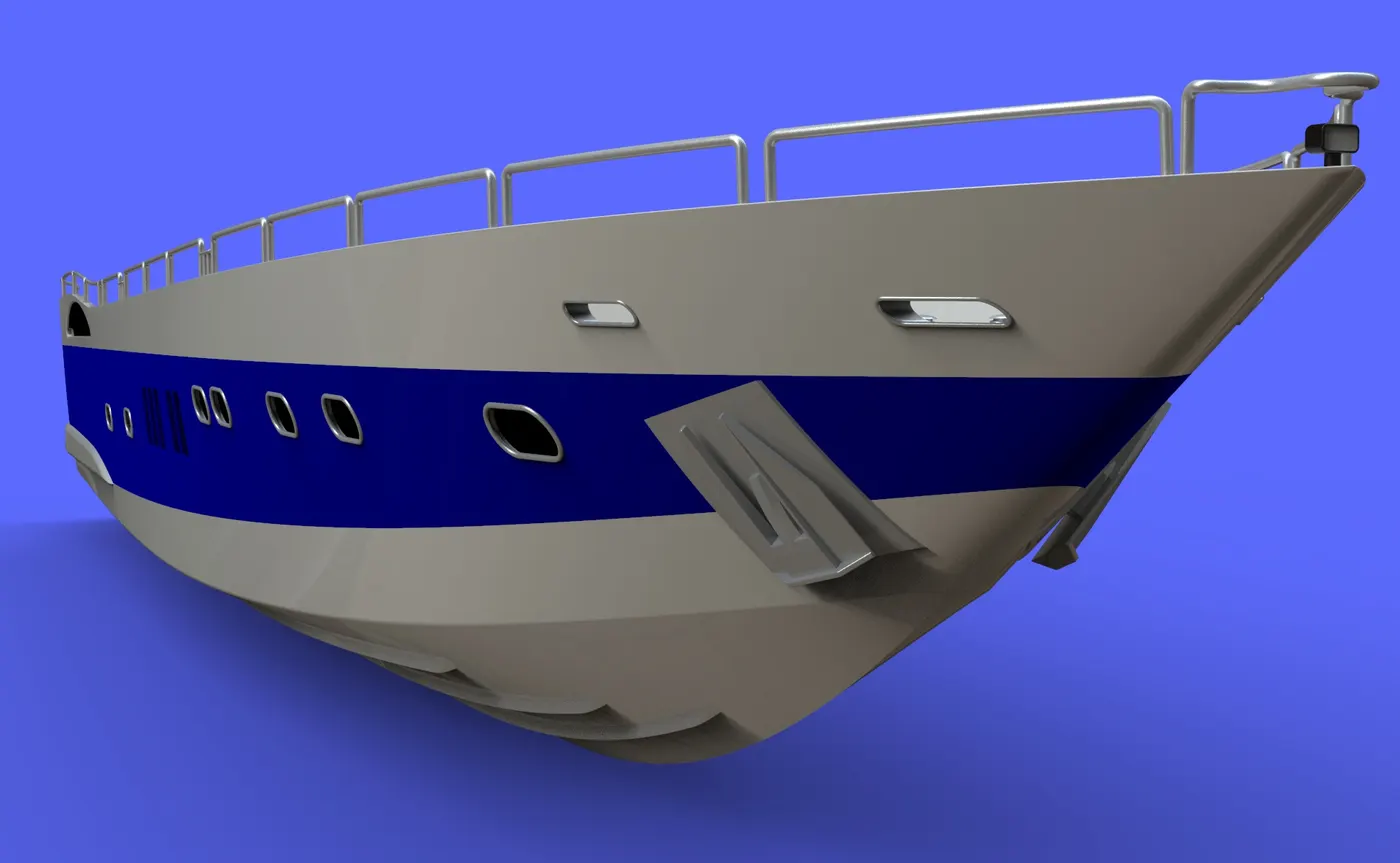
Hull is the main part of the Yacht. It is the giant component which extends 108ft long. It is the structure which holds all the other components of a marine vehicle. It is the part which is enclosed and water-lift is created for the movement of the vehicle on the surface of the water. The curves are sketched as close as the blueprints from 2 different views and are projected to form a 3D curve. 3D sketches are also used in this part. The Hull for this Yacht was created using the surfaces made out of the projected curves using the blueprints sketches. It consists of parts like railings, bow, deck, pulpit, anchor, garage, windows, etc.
2) Superstructure
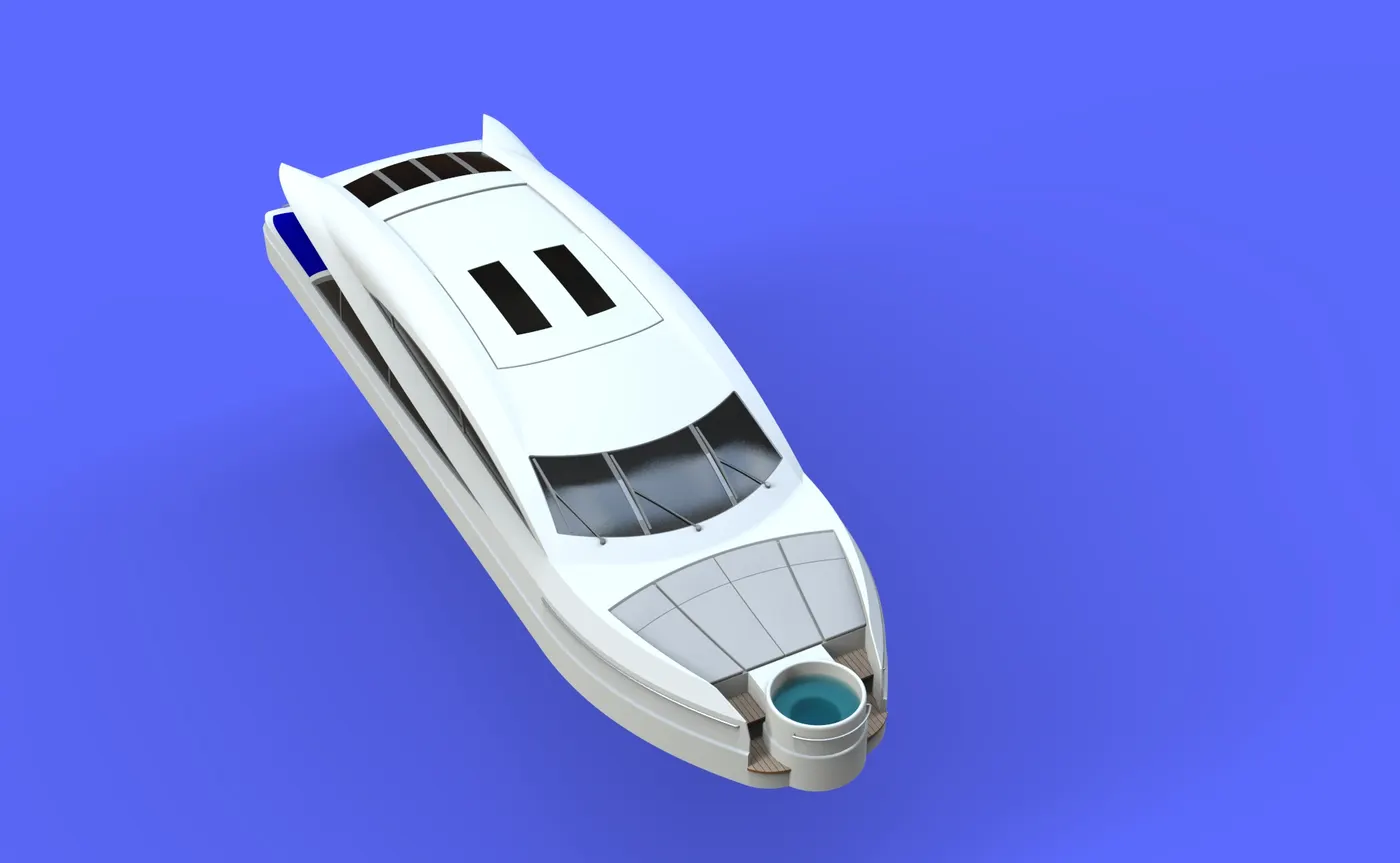
It is the part that sits on the deck surface of the Yacht. In general, the superstructure of a Yacht consists of cockpits, mast, tables etc. For the modelling of this superstructure, the deck surface was used as the base so it directly inserted and fixed in position in the assembly. The curves are sketched as close as the blueprints from 2 different views and are projected to form a 3D curve. 3D sketches are also used in this part. Windows and the windscreen wipers are also included in this part. Back doors and the windows are provided with dark coloured glass.
3) Radar mast
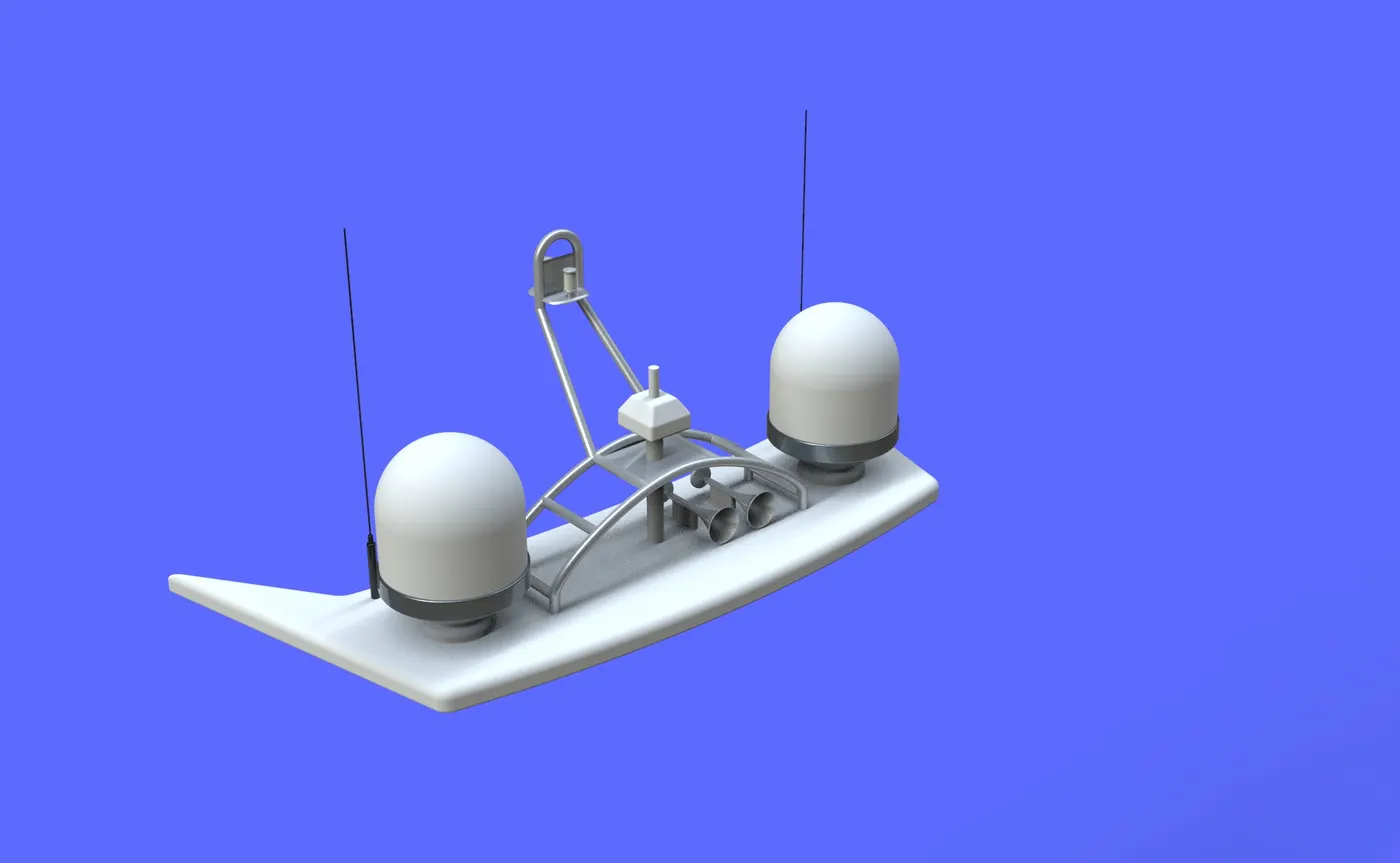
A radar mast mount is consists of components such as radar scanner, antenna, navigation light, radome, fog horn etc. For this yacht, the mount is designed using a top surface of the superstructure a reference, and using the blueprints for the proportions. Radomes and horns are designed using sketched features like revolve. The mount is provided to fit the other components and the mast as well.
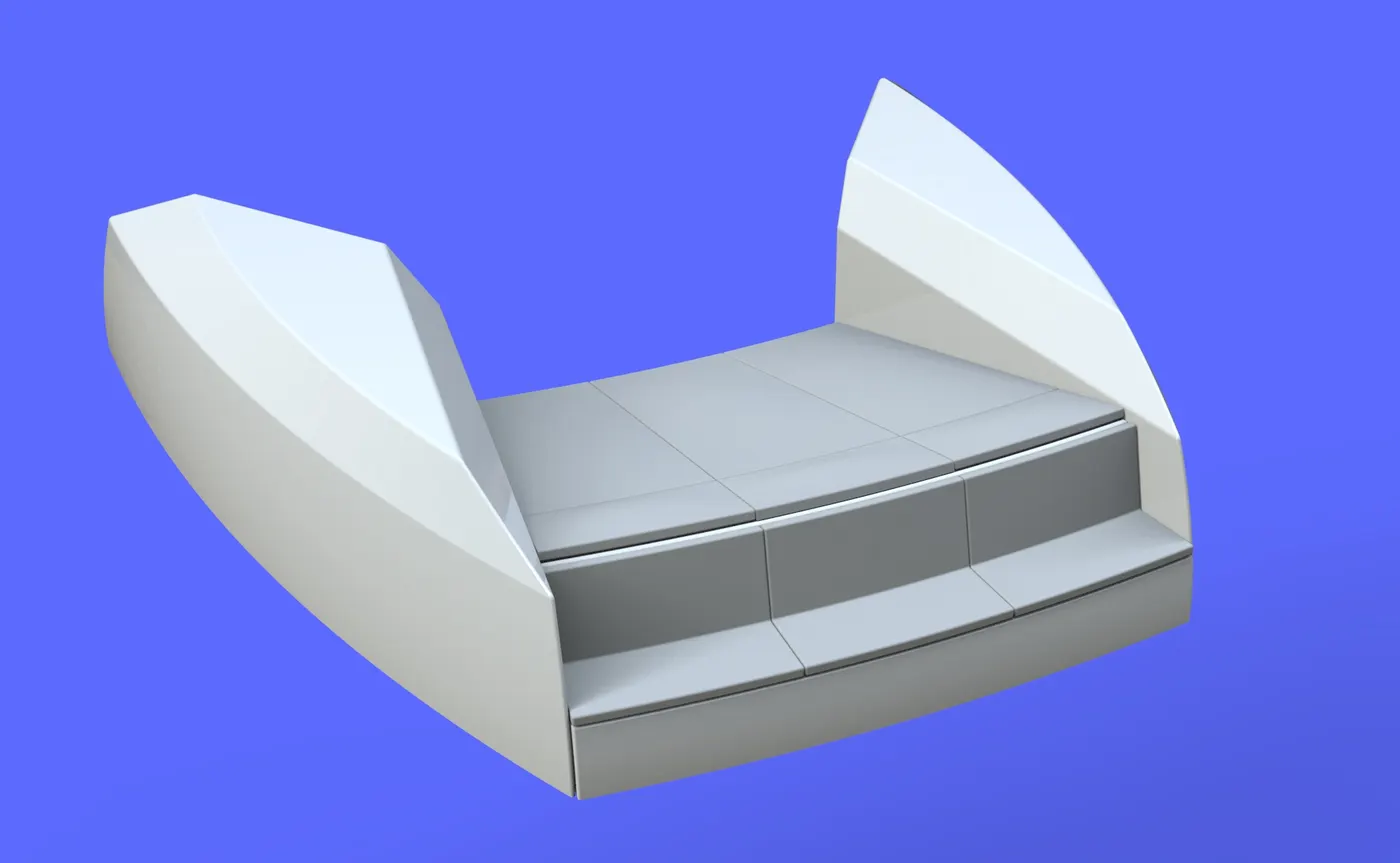
4) Front seat
The front seat is designed with reference to the deck surface and the blueprints. It is designed using surface features and also extrude features. Domes are applied to the surfaces to imitate the cushions of the seat. A small water pool lies in the superstructure behind the front seat.
5) Middle Seat
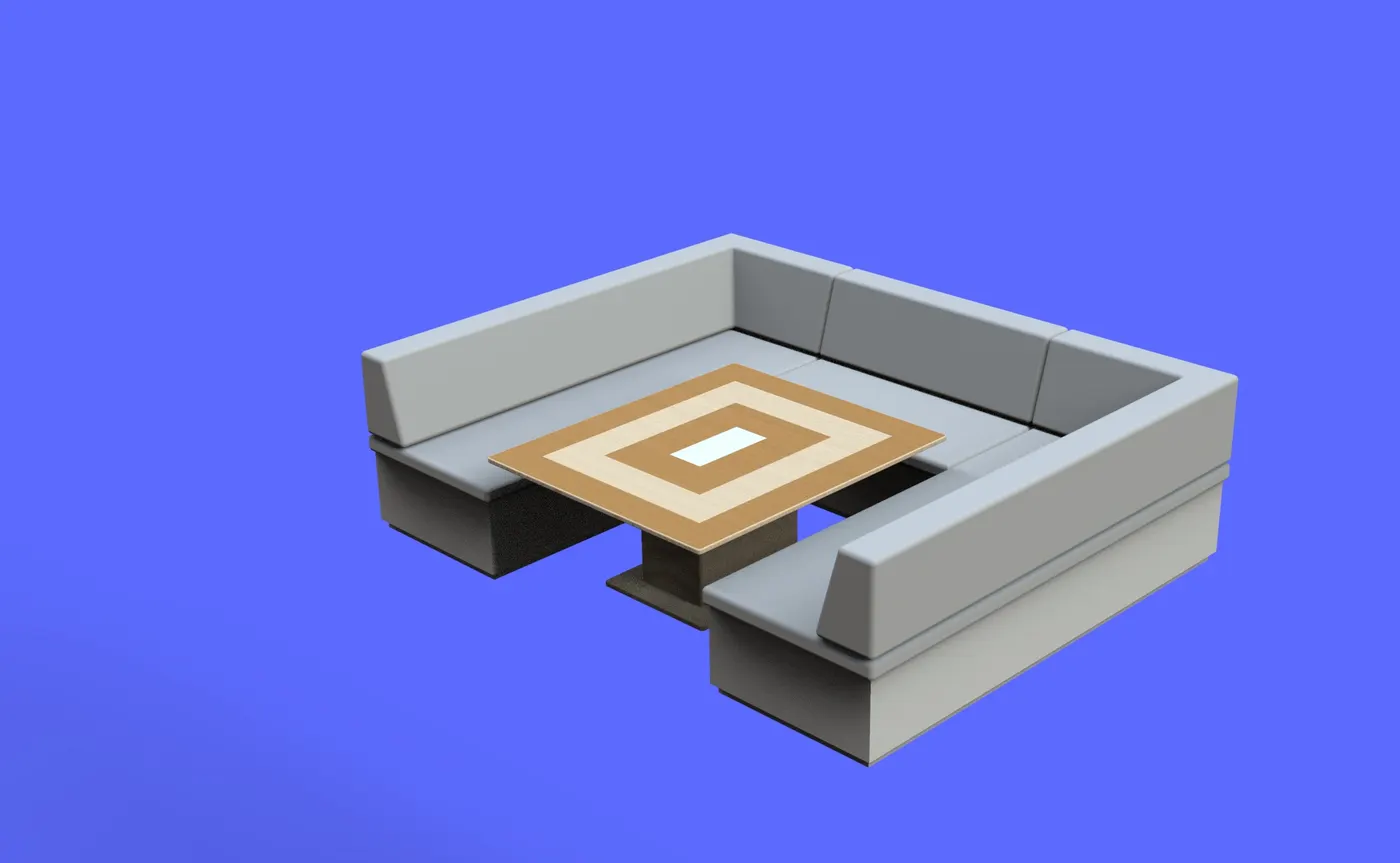
The middle seat is also designed with reference to the deck surface as the ground and the blueprint sketches as the reference for the dimensions and views. This seat is U shaped seat with a table in the middle. It lies behind the superstructure of the Yacht. This part deign was done without involving surface design.
6) Rear Seat
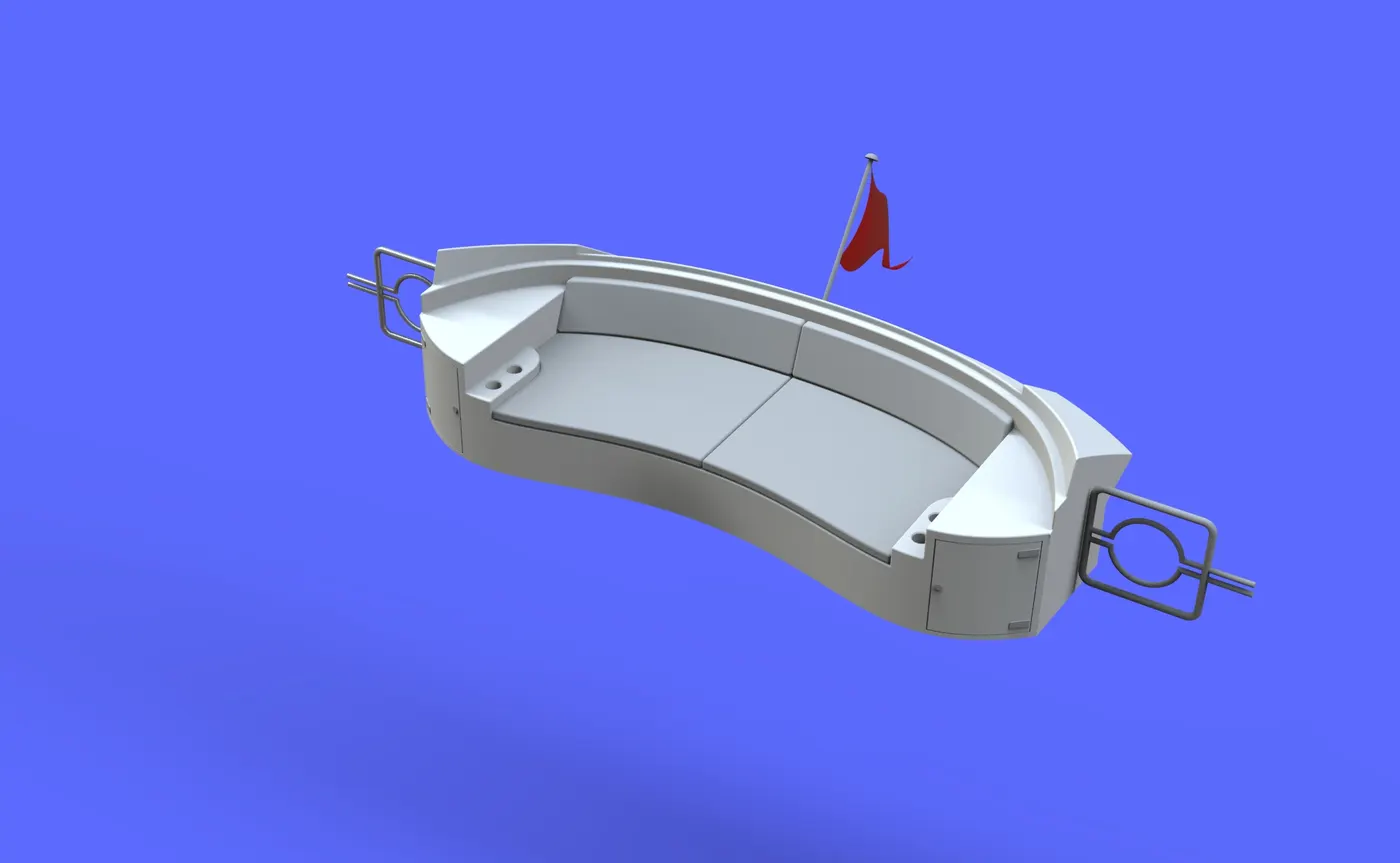
The rear seat is also designed with reference to the deck surface as the ground and the blueprint sketches as the reference for the dimensions and views. Surface features are employed more in this seat than in the others. It is also provided with a flag at the end which is designed as a surface to represent the natural looks of a flag in wind. It lies at the back of the middle table and the end of the deck surface.
7) Garage door
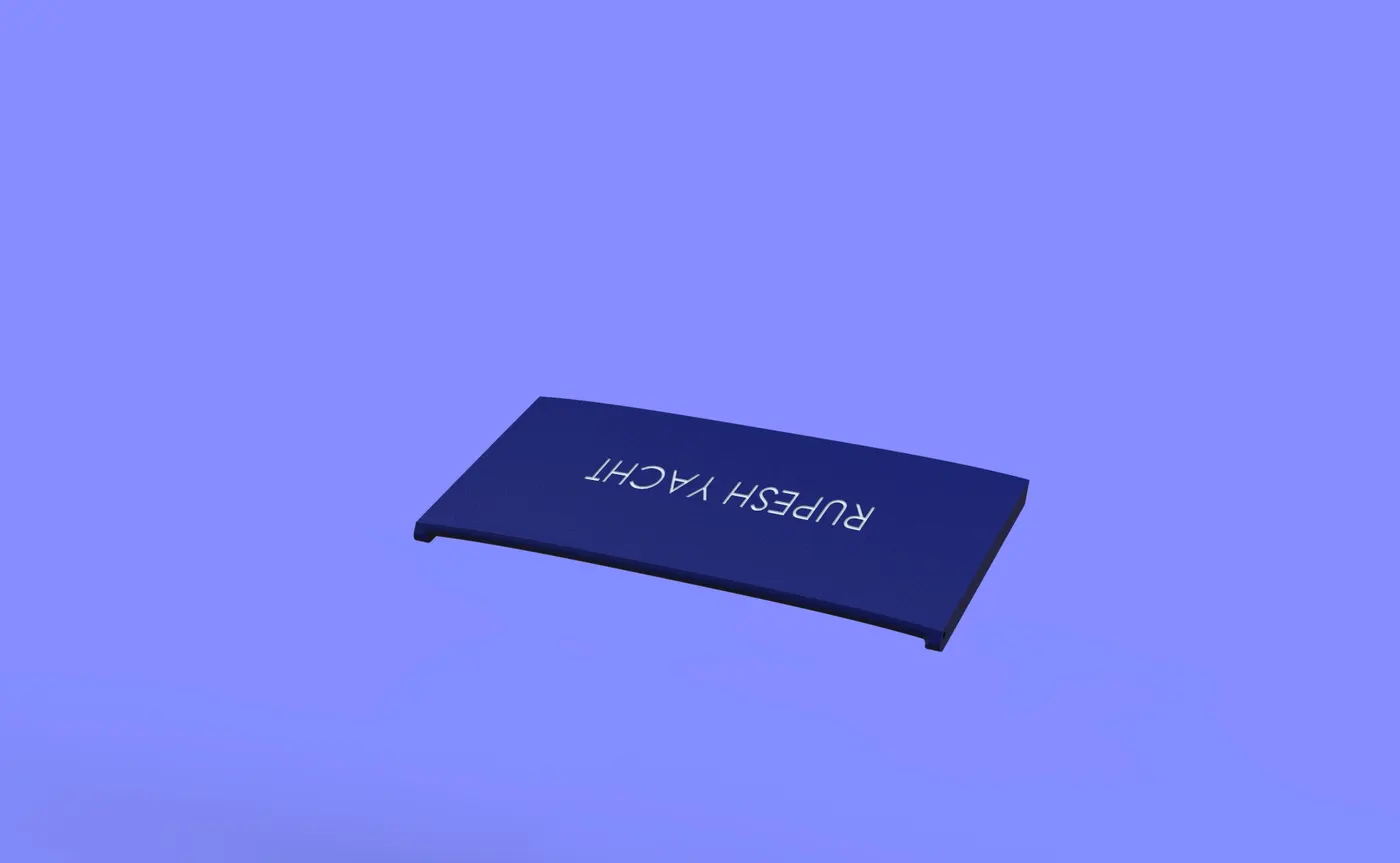
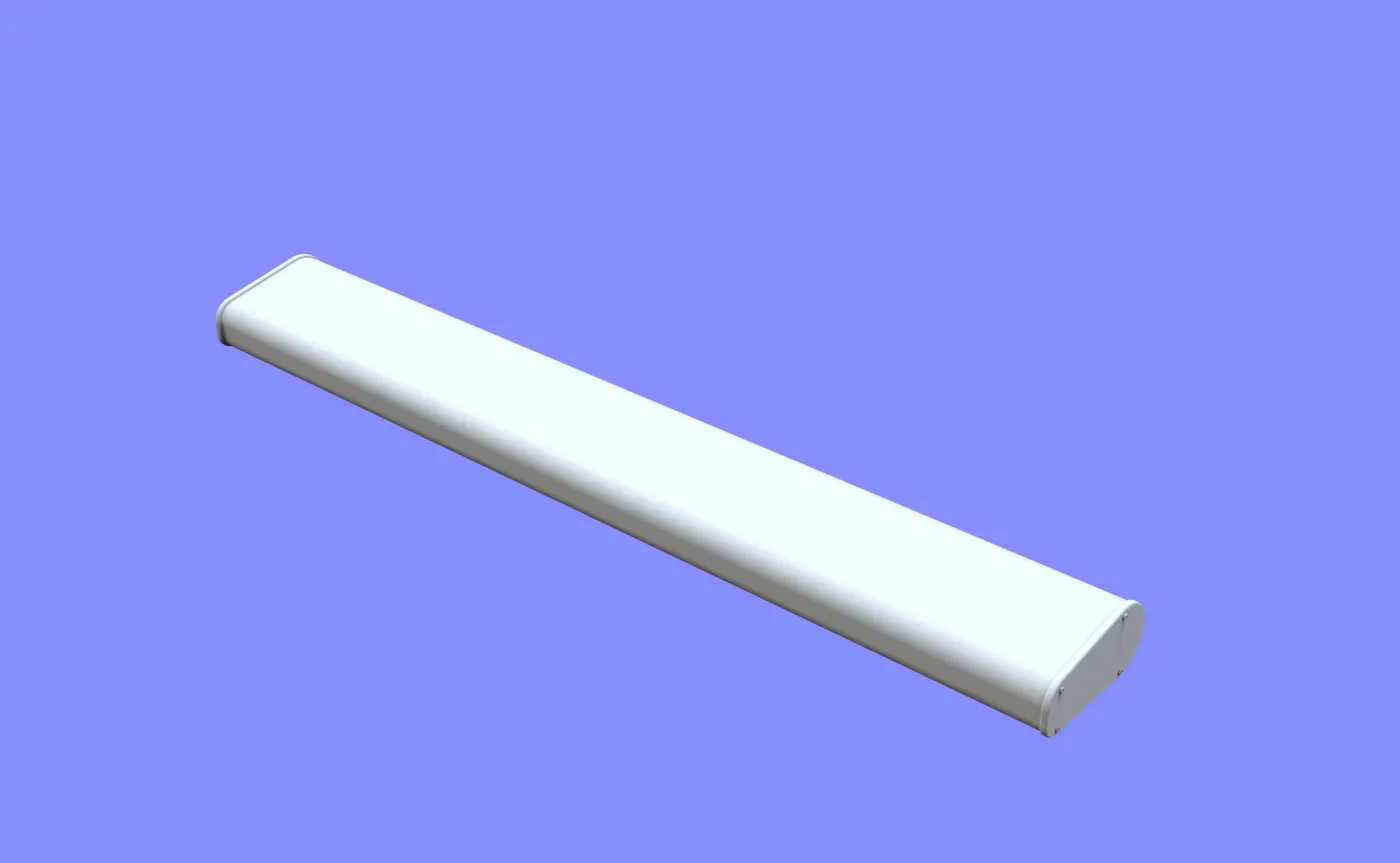
The garage door was created out of the splited block from the Hull. It is provided with two holes to adjust the pins in order to open or close the garage door. It encloses the garage space which can accommodate a locomotive inside it.
8) Radar
Radar is the component of the marine vehicles which scans and detects any objects and their position relative to its position. It is movable along the axis of the mast. It is designed using simple extrude and fillet features. Its hole is mated with the mast allowing the rotation.
9) Propeller
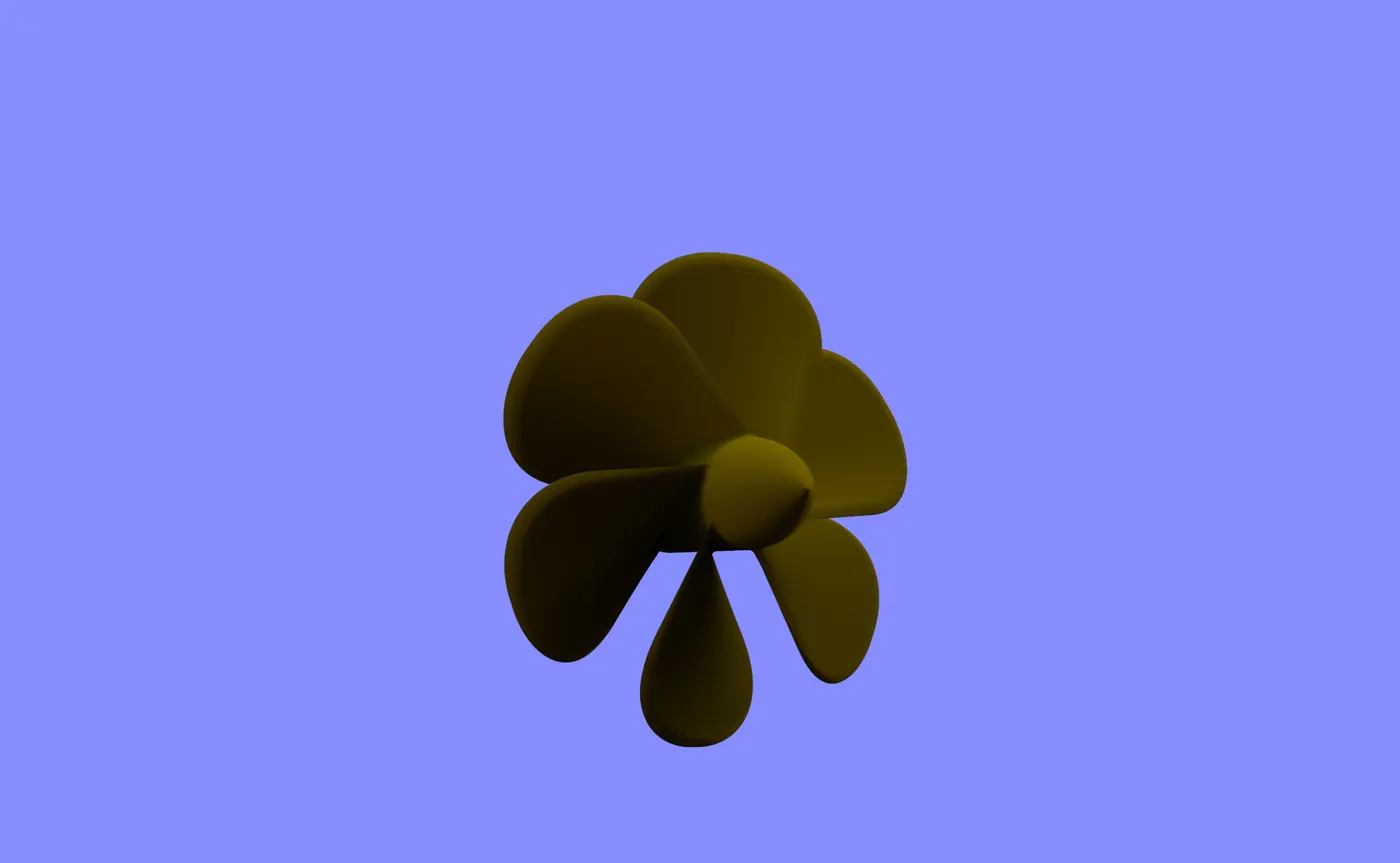
Propeller is the key component of every marine vehicle and especially in the Yachts since it has to gain high speeds. It propels the vehicle forward using the pressure difference created by the blades of the propeller. The sketch profiles are created with provided dimensions and the features are applied. There are three instances of the propeller at the bottom of the yacht.
Rendered Images of the Sunseeker Yacht:
TAKEAWAY OF THIS PROJECT:
This project helps to learn new and enhance many existing skills required for a design engineer in the industry. The major takeaways of this project are:
Surface Modelling Challenge:
This project involved the majority of the surface modelling and it has simple to complex surfaces all created using the blueprint sketches. Surface modelling is often complex relative to the solid modelling because it involves many surfaces errors which is not a problem in solid modelling.
Some of the most used features are; project curve, 3D Sketch, Surface knit, etc. While doing surface knit, error may occur due to some gaps in between surfaces or overlapping surfaces. This particular project which involved modelling of an entire 108ft yacht has ensured the ability to model surfaces with complexities and to eliminate or solve the errors that may occur during the process.
Application of Parametric Modelling:
What is Parametric Modelling? Parametric modelling is a modelling process where we can modify the design, features at any point of time. The different elements of the model, such sketch entities, features can be assigned to a parameter which can be changed anytime. It is a very powerful tool as it saves all the parameters for forever and it can also be employed to add or edit features within a part from generative design environment, where the parameters are not available initially.
Use of Design Intent:
Design Intent is the prediction of how the design will behave in the future when certain changes are made or when certain features are applied. In an industry, a design engineer should be able to use the features in such a way that even if any modifications are needed at any time, it should be modifiable in no time.
A part can be designed in a number of ways and different steps but to keep it in the desired way so that it can behave as expected, one should be able to keep the design intent in every step of the design process. One can keep the design intent while making the use of end conditions, feature scope, equations, sketch relations, mates, etc. This huge project has helped to boost the error handling in surface modelling environment keeping the design intent.
Design of enormous Yacht:
Being able to design a Yacht as big as 108ft. it has helped to understand the structure, the components and the behaviour of the product and the marine vehicles. It has truly helped to study them closely and apply them in the design environment as modelling, assembly and rendering.
CONCLUSION:
To conclude, design, assembly and rendering of the Sunseeker Predator 108 Yacht are done using SOLIDWORKS. This project has really helped to enhance the skills in surface modelling and product design. It has given me insight into marine vehicle design and the opportunity to build one. Overall, the project was successful.