Sheet Metal Odd Shaped Enclosure Design using Siemens NX
Title: Sheet Metal Odd Shaped Enclosure Design using Siemens NX
OBJECTIVE: To learn the Sheet Metal design process and to design a Sheet Metal Odd Shaped Enclosure from a solid body in parametric CAD software Siemens NX following industrial workflow.
INTRODUCTION:
Sheet Metal is a metal with a small thickness ranging from 0.5-6mm which is made thin and flat by rolling or hammering process. A number of mechanical components are made up of Sheet Metal. Sheet metal is widely used in the manufacturing industry due to its various advantages. In this project, an odd-shaped enclosure of sheet metal is designed in Siemens NX CAD software following the industrial approach. The use of a parametric modelling environment is the main use made in this project. This project focuses on the use of forming sheet metal from solid bodies.
DESIGN METHODOLOGY:
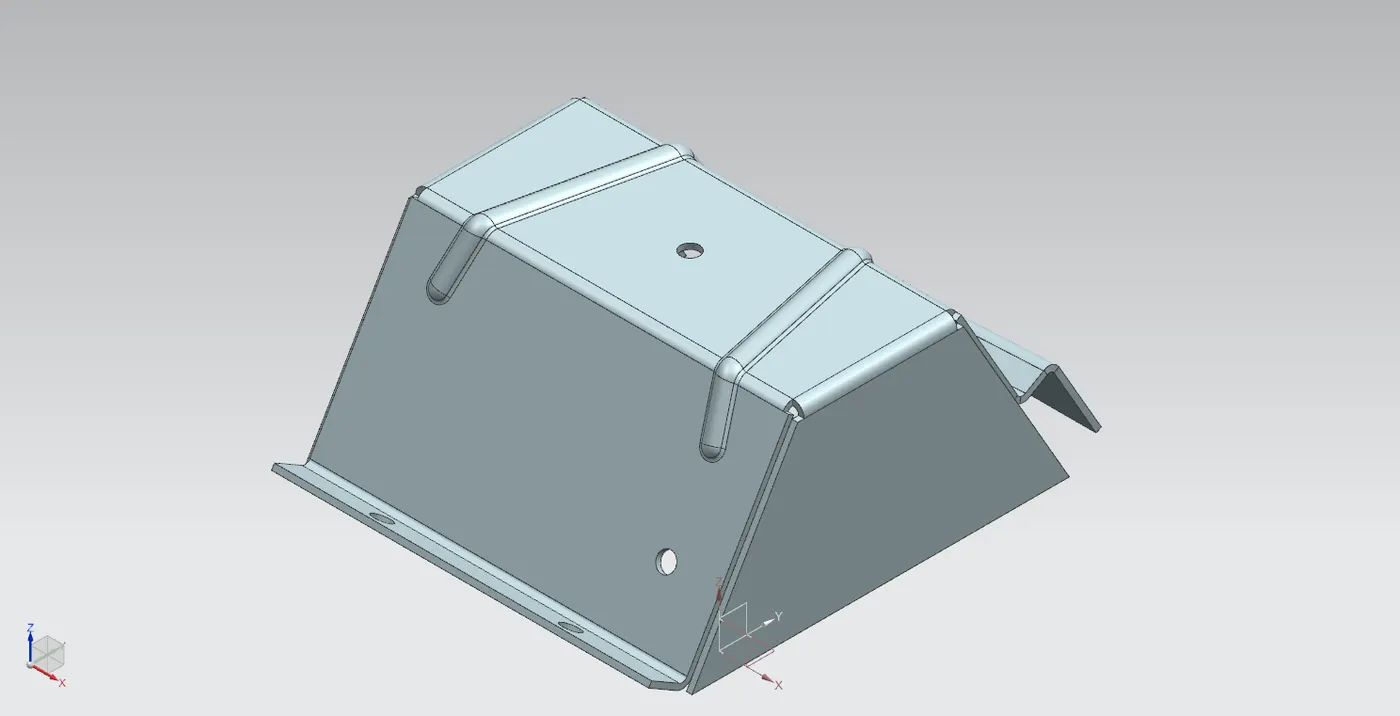
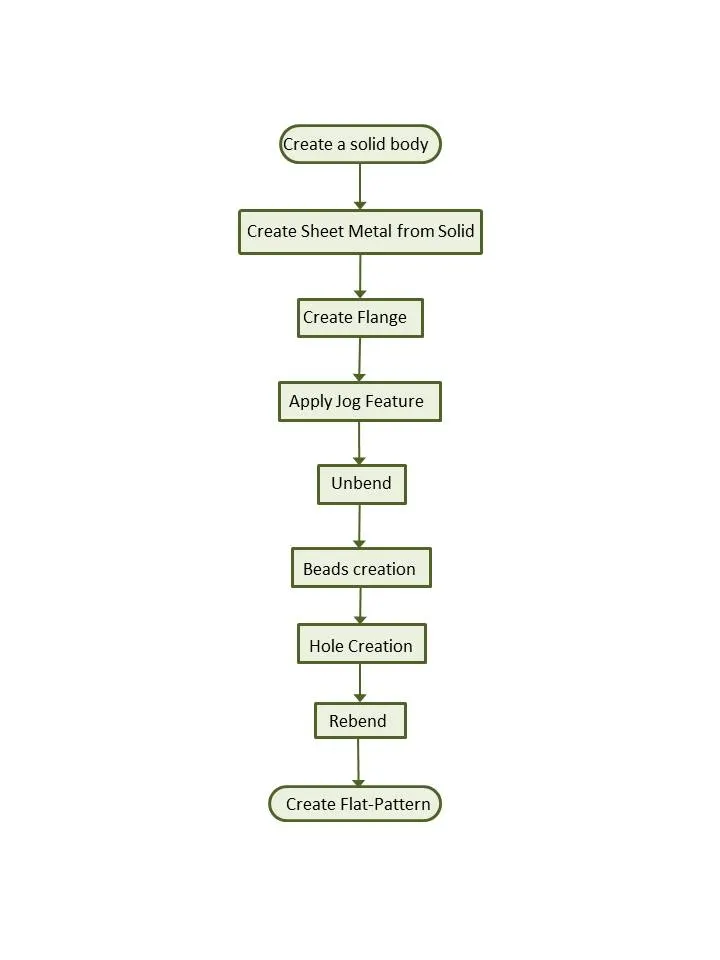
The odd-shaped enclosure designed for this project consists of features like form sheet metal from solid, flange, jog, holes, and beads. Every feature is designed in an order following the industrial procedure to keep the design intent. The design methodology used for this project can be summarized as depicted in the flowchart below:
DESCRIPTION:
Extrusion-Creation of the solid body:
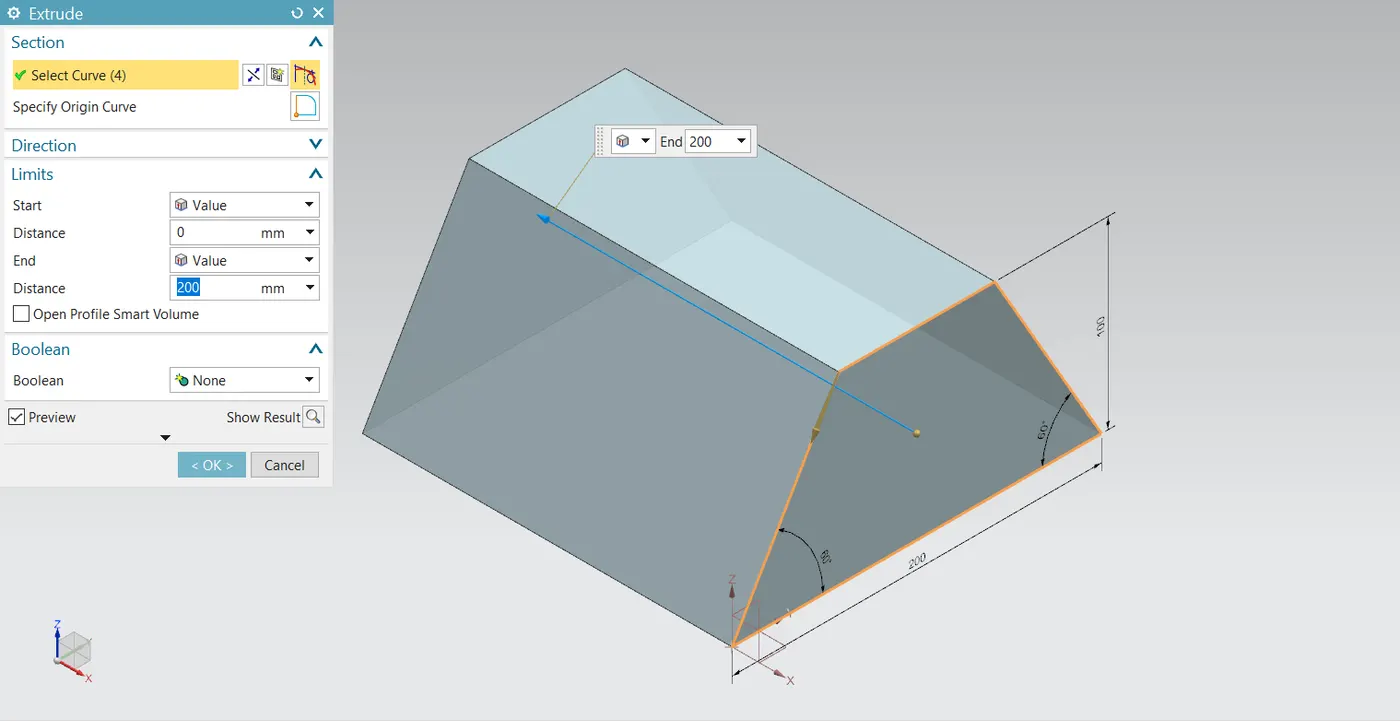
A sketch of an upside-down trapezoid is created in the XZ plane. It is then extruded to 200 mm to form a solid body. This extrude feature can be created either in the solid modeling environment or sheet metal. But the following features have to be carried out in sheet metal.
Sheet Metal from Solid:
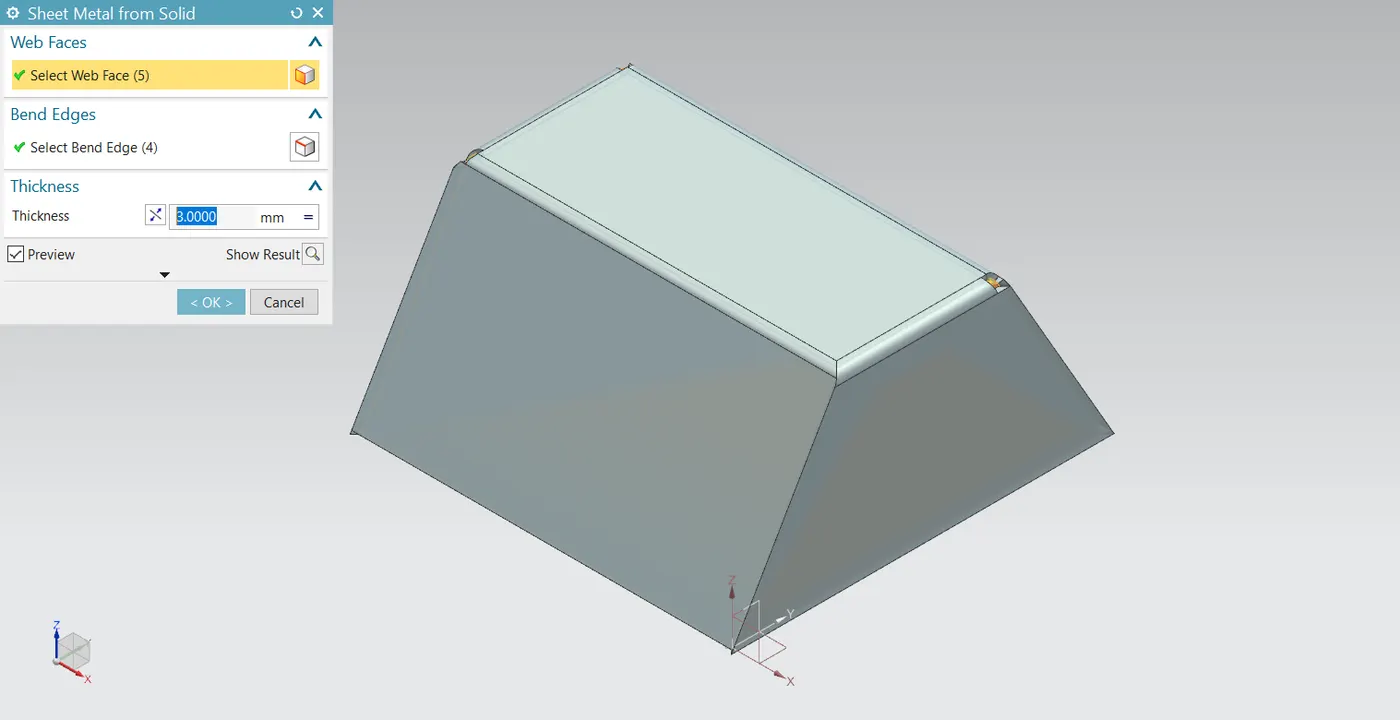
This is a very powerful and useful tool offered by NX. It can form a sheet metal part from any dumb solid part or from any parametric solid body. It requires an adjacent plane face to be able to apply this feature. First, the faces to be converted into tabs and flanges are selected and the bend edges are selected. It automatically converts solid into sheet metal with a specified thickness and the bend faces are added along with the cut edges without any interference in the flat pattern.
Flange:
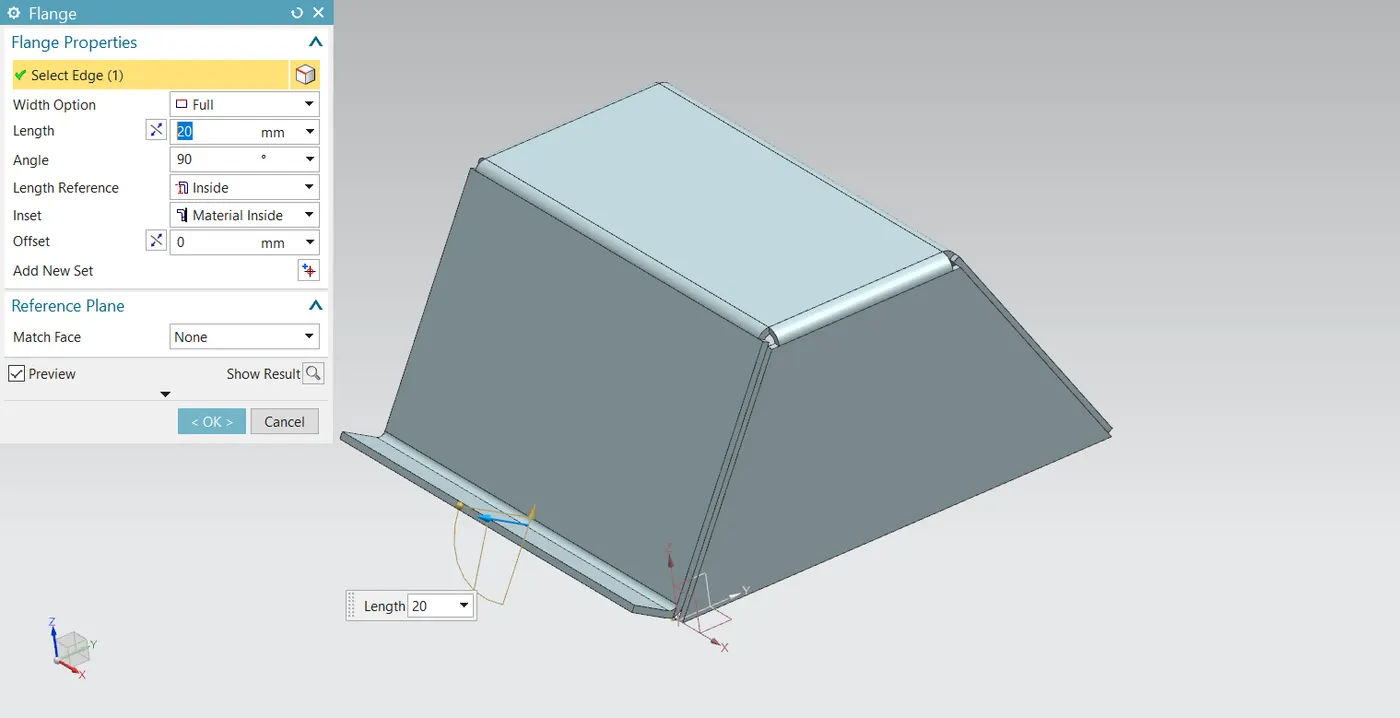
The flange is an additional face created automatically from any edge of the existing sheet metal component. It is additional material connected to any face or edge which is bent from the respective edge or face. It can be at any position or at any angle. For this enclosure, a flange is created at the edge of the side flange created by forming sheet metal from the solid body.
Jog:
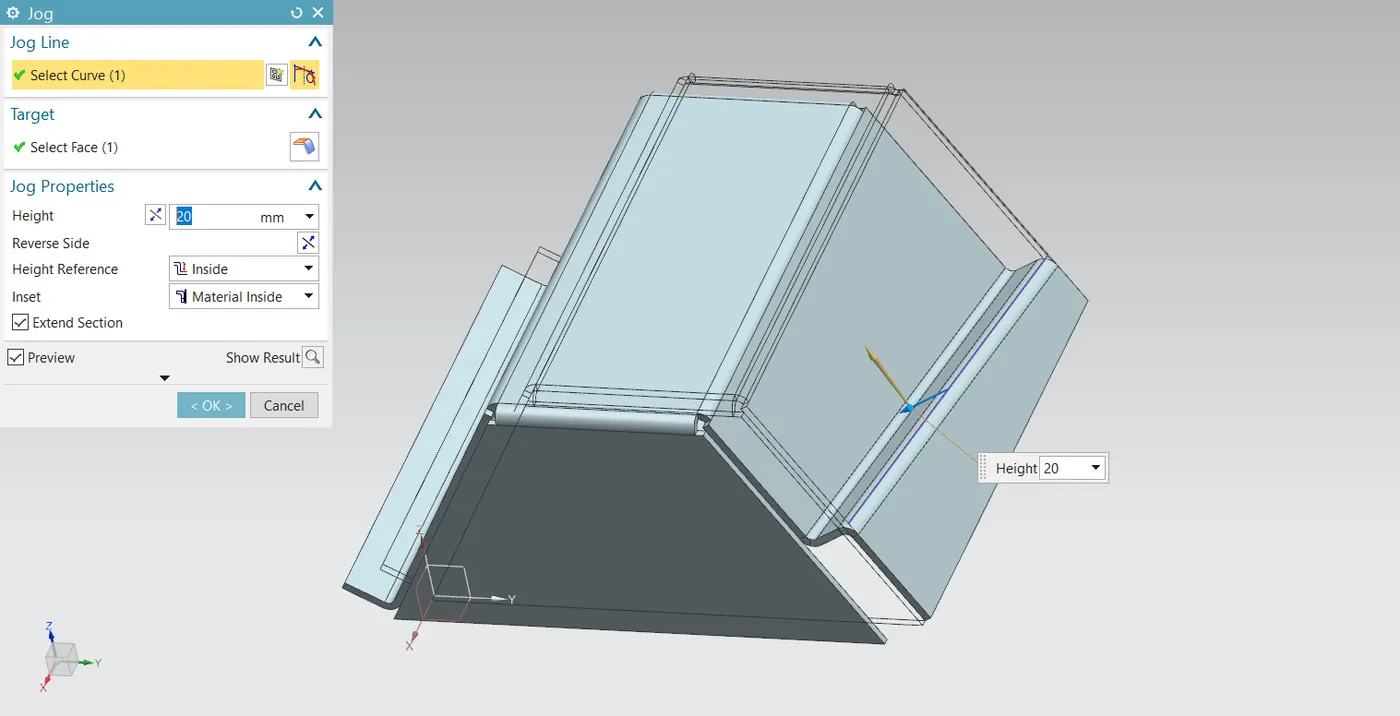
This feature allows a flange or a tab to bend following a specific curve on the surface of the flange or tab and extend it to its original length. It is like lifting one side of the flange or tab from the curve. In this enclosure, a straight line inclined to the horizontal is created on the face of the inclined flange of the other side and the jog feature is applied.
Unbend:
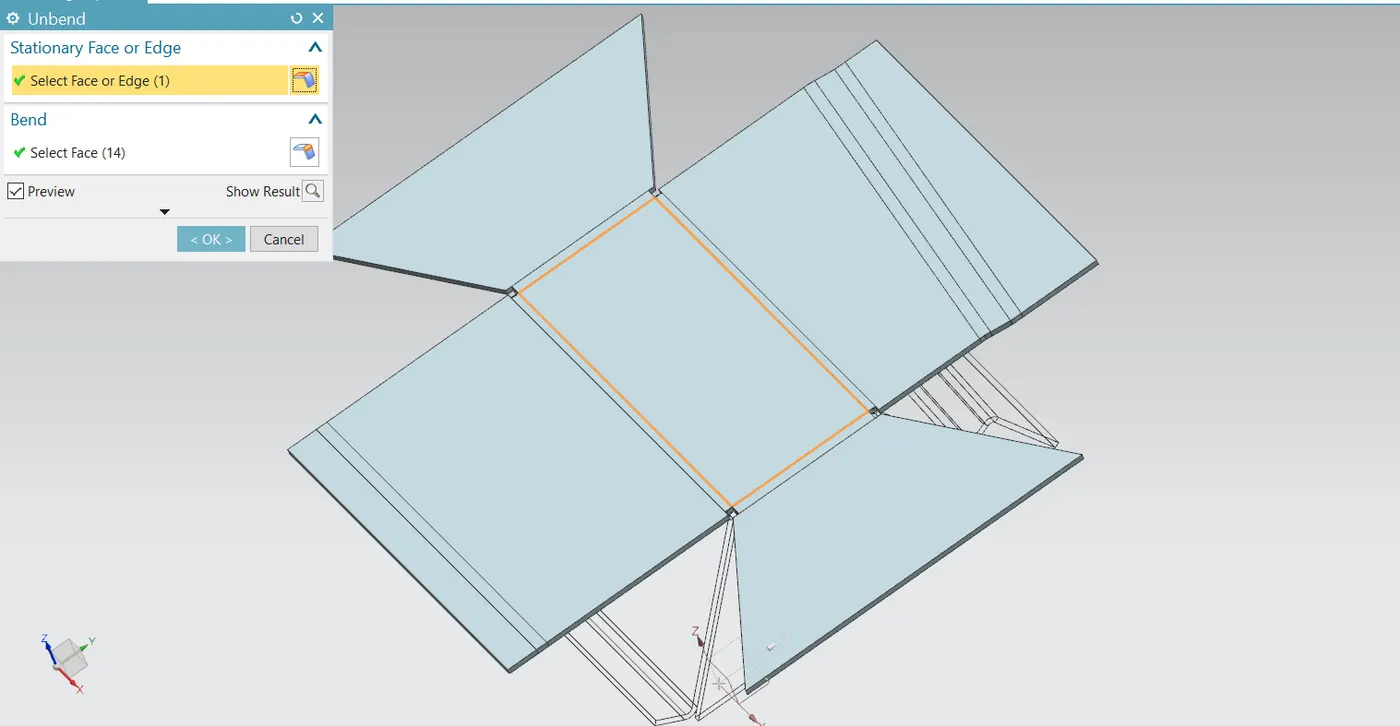
This is a very powerful and very useful tool in Siemens NX. It allows all the bends made by the various features to the unbent state at once. In order to achieve a flat configuration of the sheet metal as per the design intent, it is necessary to choose the bends in order. It is also possible to box select all the bends at once. Once the unbend feature is used, further features can be carried out using the sketches created in the unbent state.
Beads:
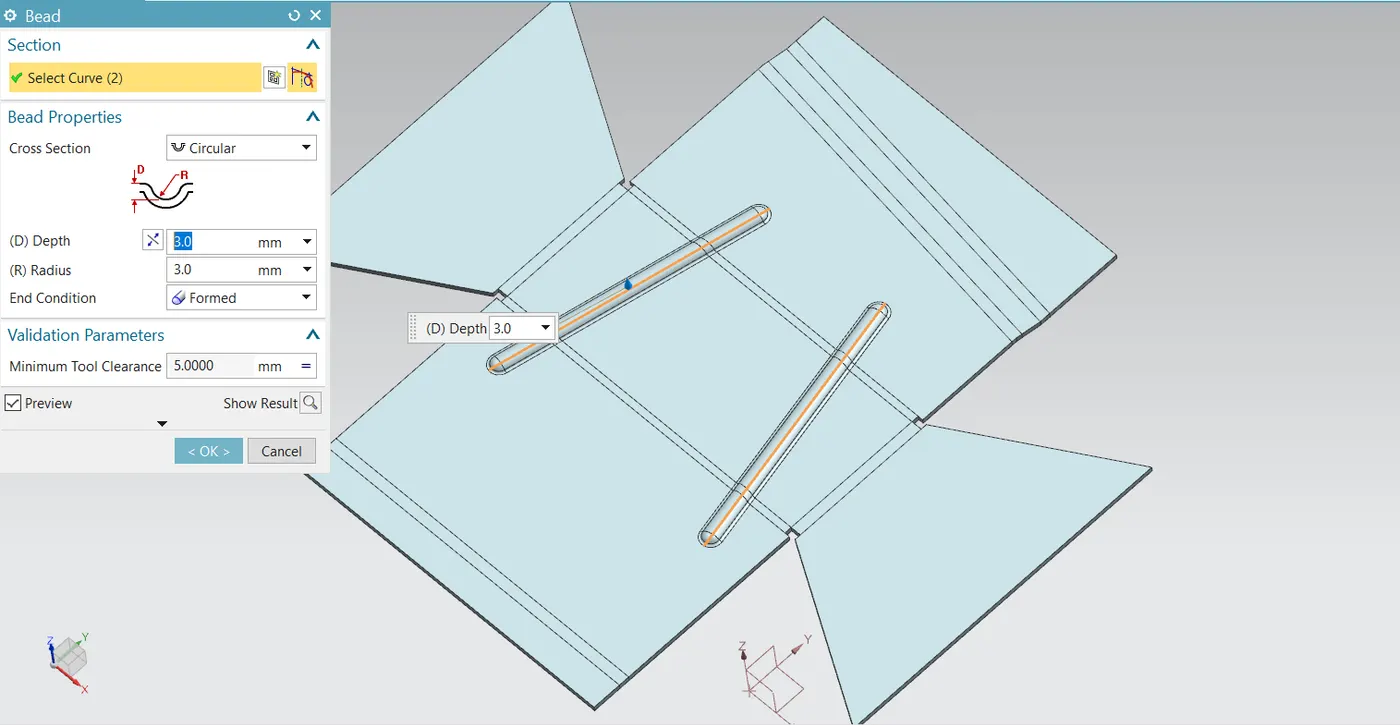
Beads are the features added in sheet metal components in order to increase the stiffness of the component. Beads require a sketch in order to apply the feature. It can be either an open or closed profile. For this enclosure, the first two lines are sketched on the flat surface of the top face which is inclined and is symmetrical to the horizontal line passing through the midpoint of the vertical edge of the part. The beads of 3 mm depth are then applied.
Holes:
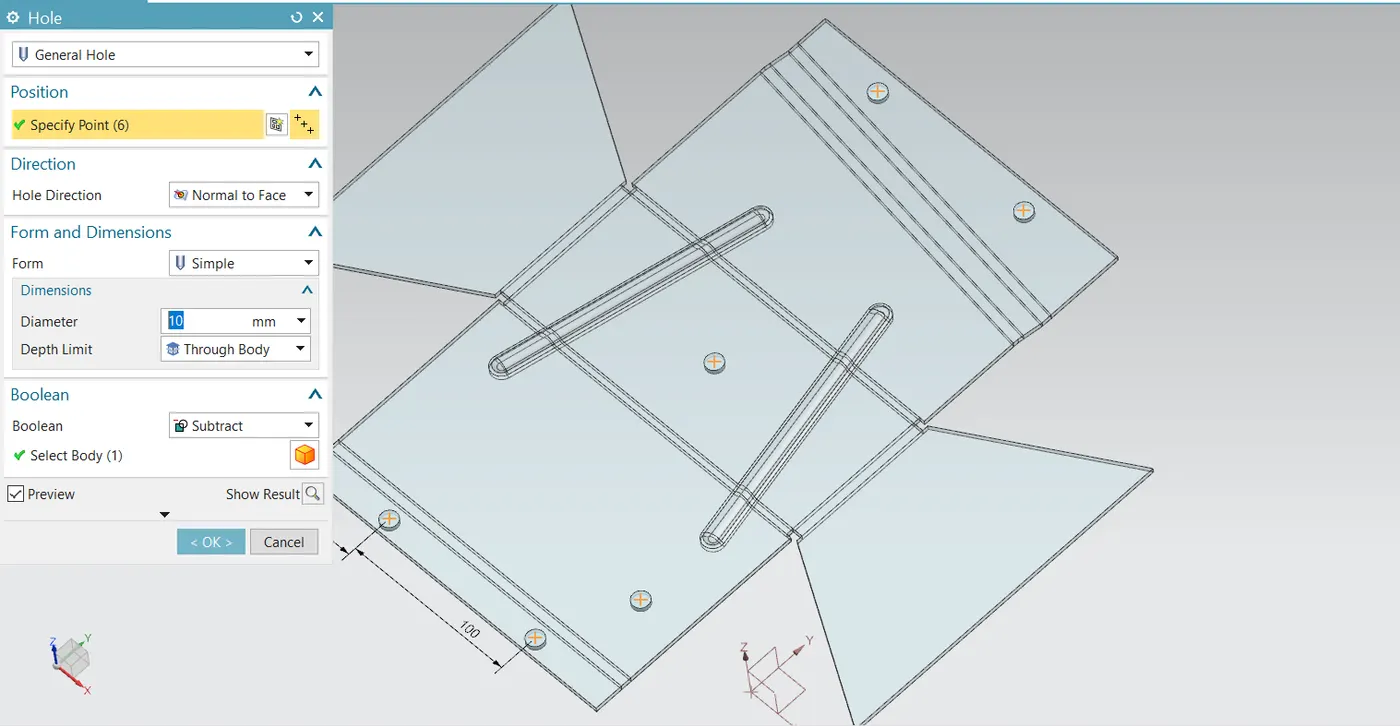
The hole feature in sheet metal is similar in solid modelling. Here, six general holes of 10 mm radius are created while in the unbent state.
Rebend:
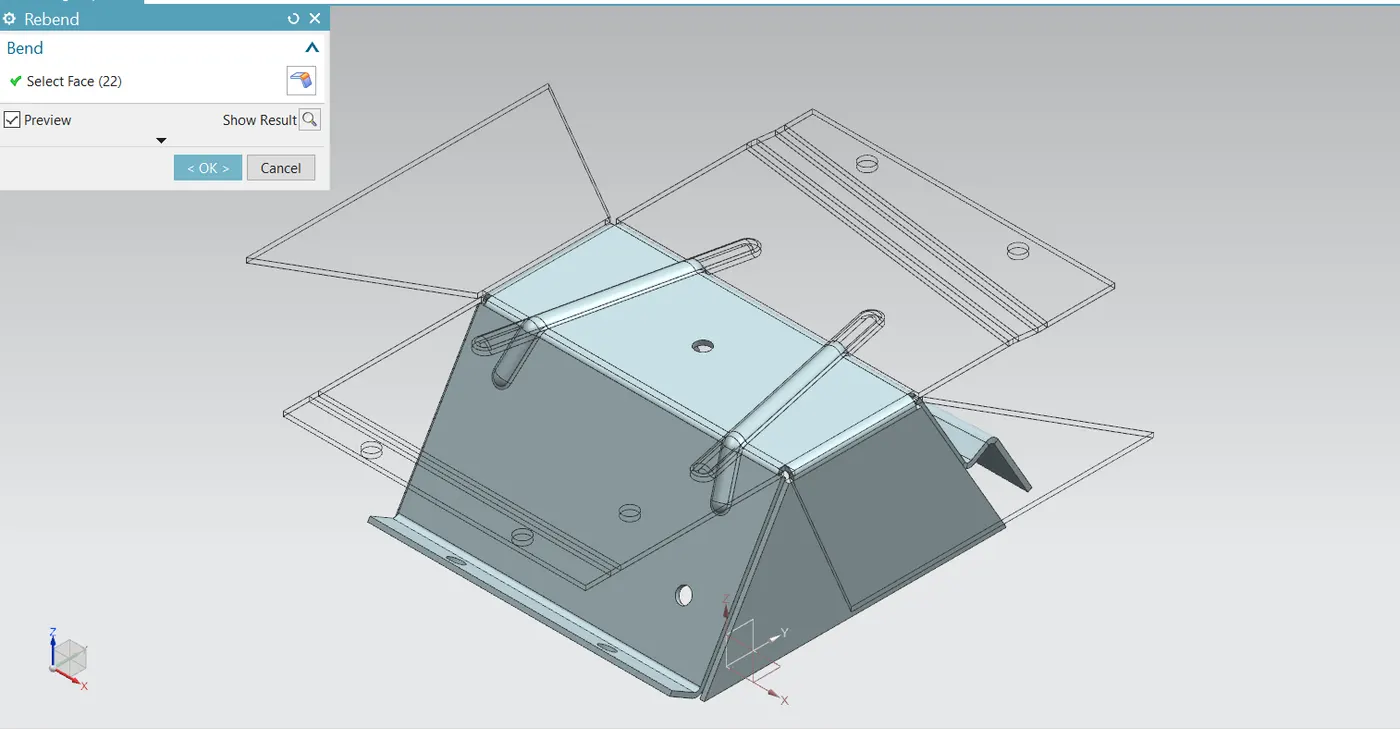
All the features added after the unbend feature are added in the unbend state itself. After the addition of sketches and additional features are completed, the sheet metal component has to be rebent to the required position. This is done using the rebend feature and selecting all the bends in order or by box selection.
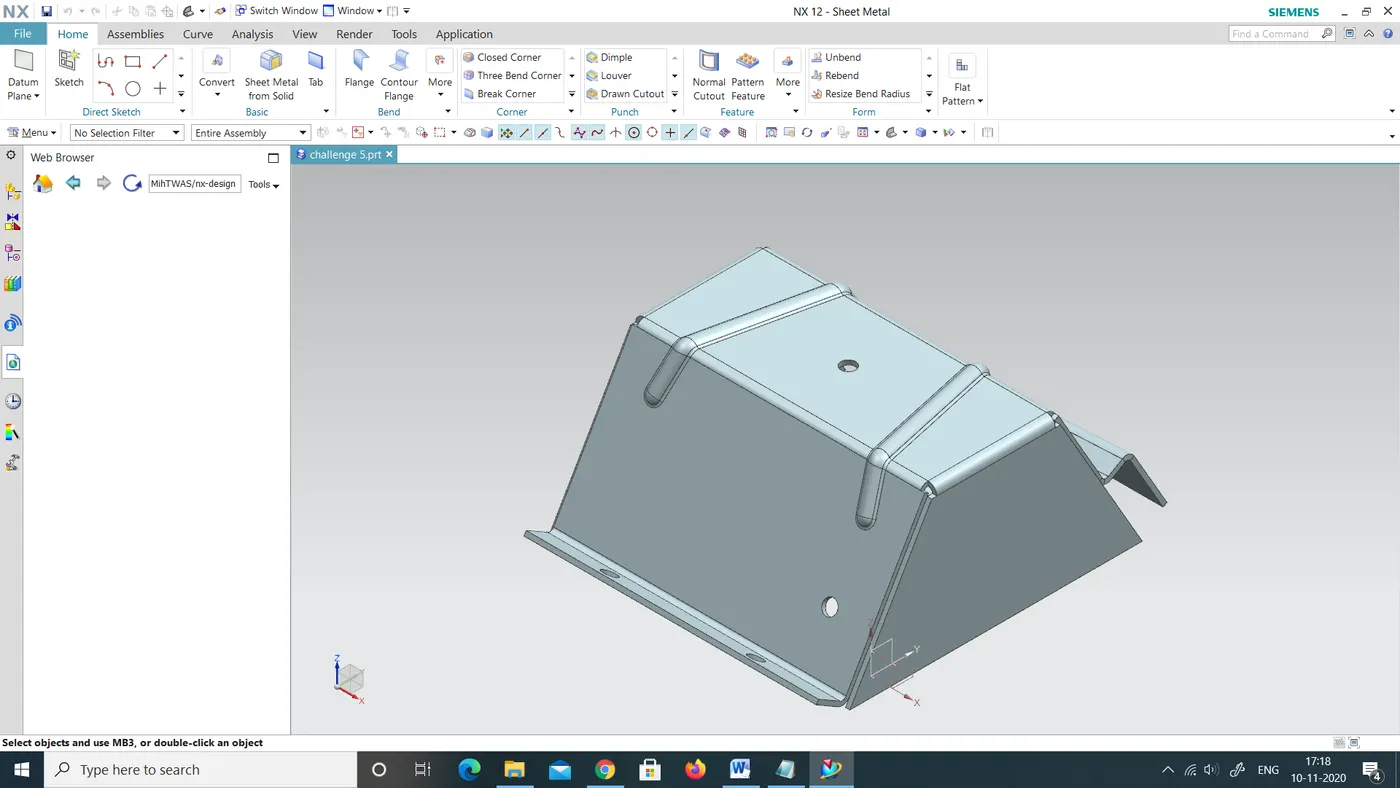
The finished look of the enclosure in NX:
Flat Pattern:
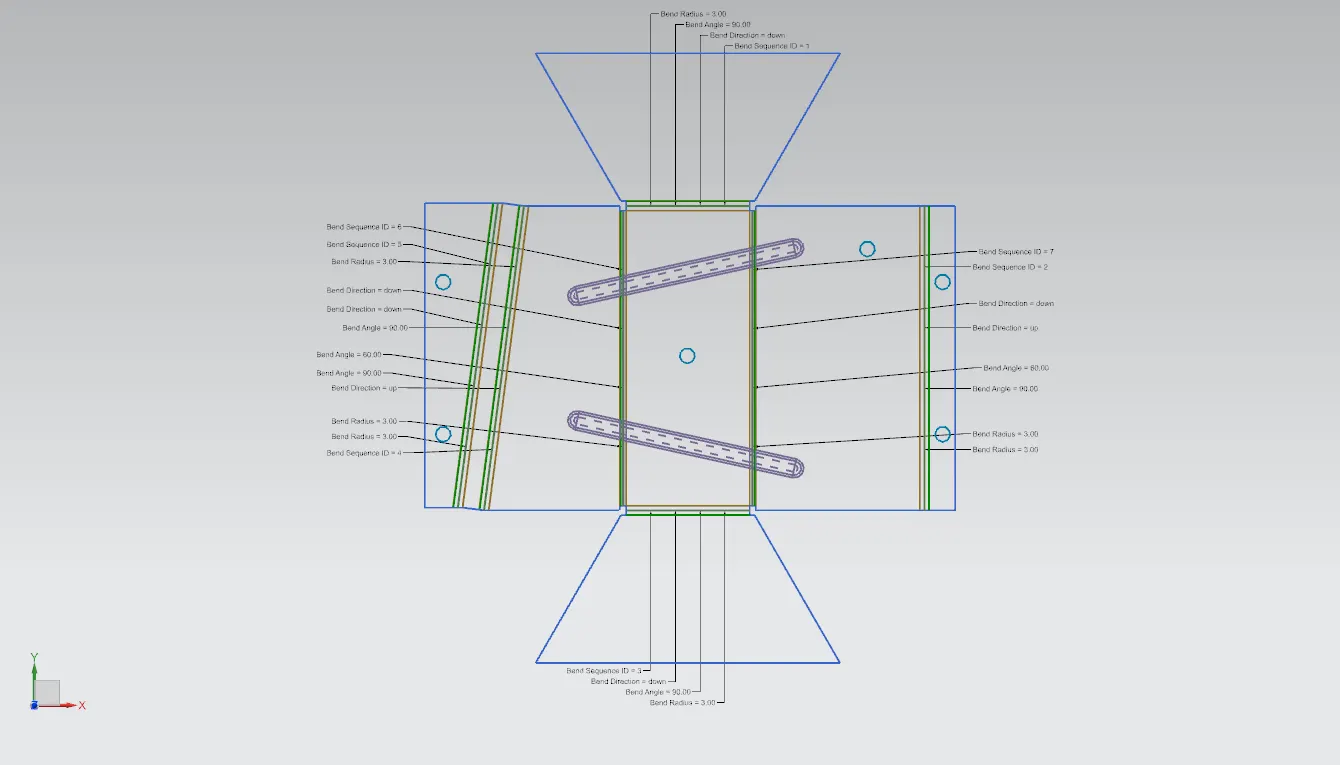
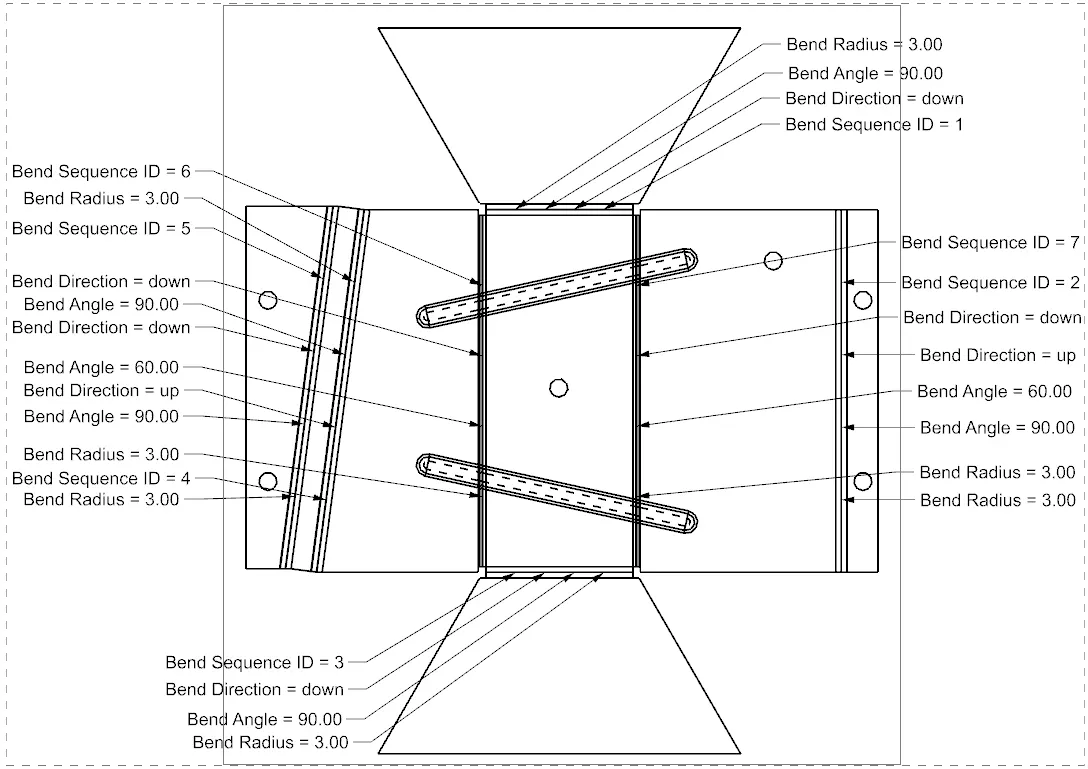
Flat pattern is the representation of the entire sheet metal component in the 2D form of the flat sheet metal with all the bends, cut-outs, holes, and additional features in the form of lines or edges. The flat pattern ensures the ability to cut the sheet metal out of the raw sheet metal plate. It removes the possible errors such as interference or collision within the same component. The flat pattern of this enclosure indicating the bend radius, bend angle, and bend direction are shown below.
Drafting:
After the design is complete, the execution or the manufacturing of the component requires a technical drawing of the component with the provided scale and with accuracy. The necessary details such as annotations, callouts, bend tables can be added as per the requirement. For this box assembly design project, a drawing is created out of the flat pattern in a 1:2 scale in an A4 sheet.
DIFFERENT VIEWS OF THE FINISHED PRODUCT:
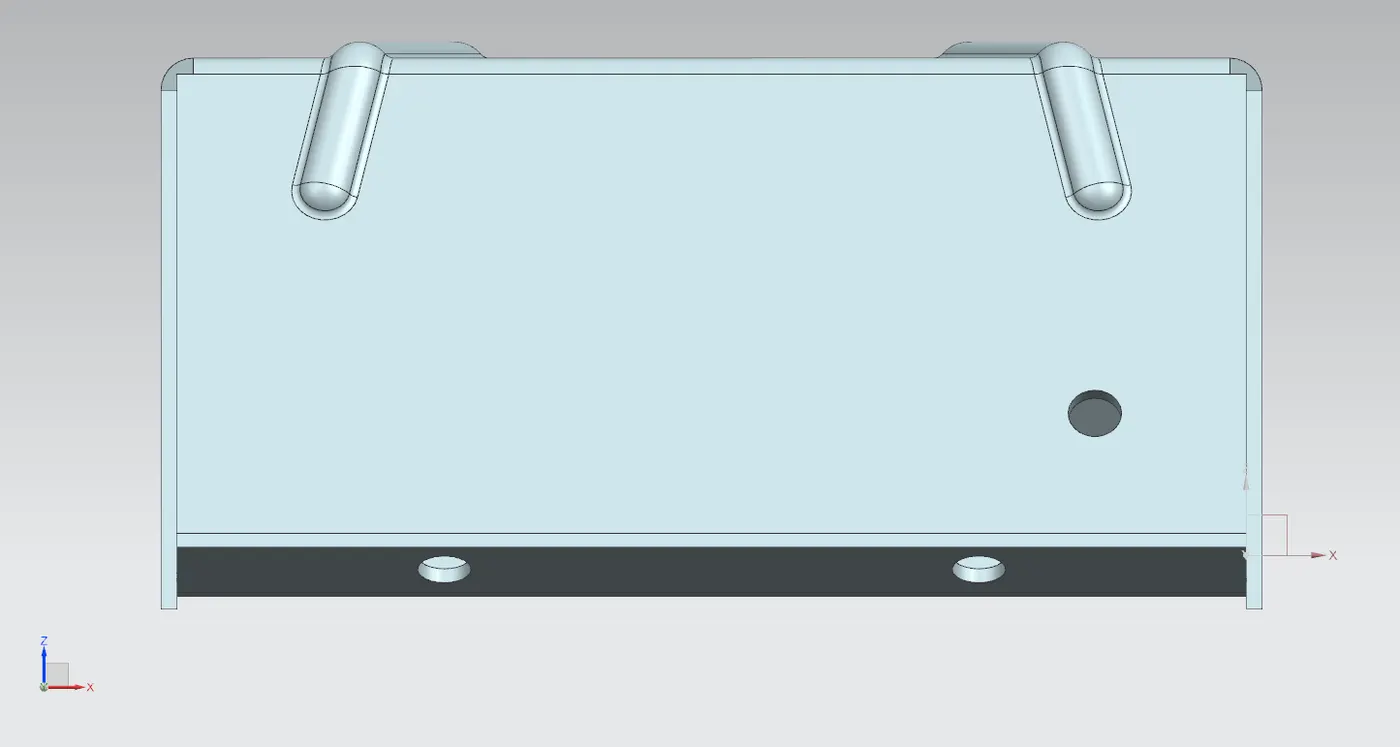
Front view:
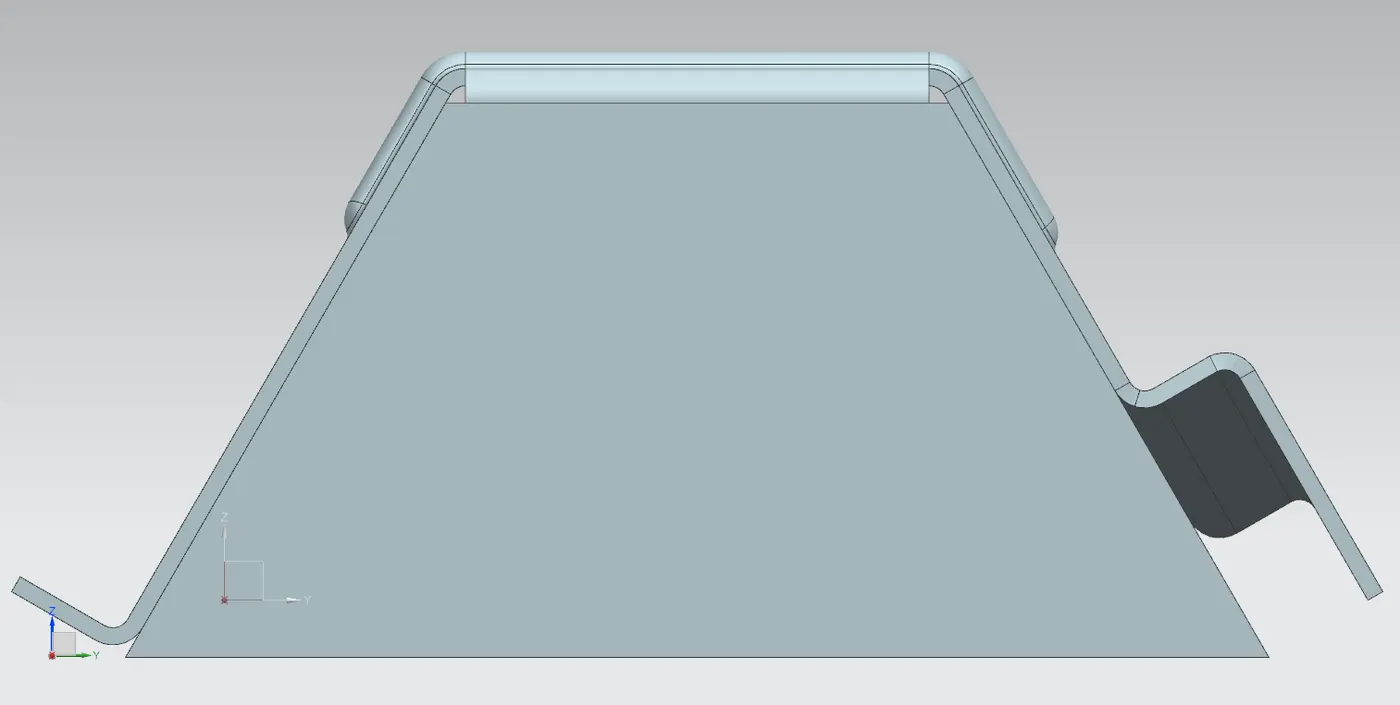
Side view:
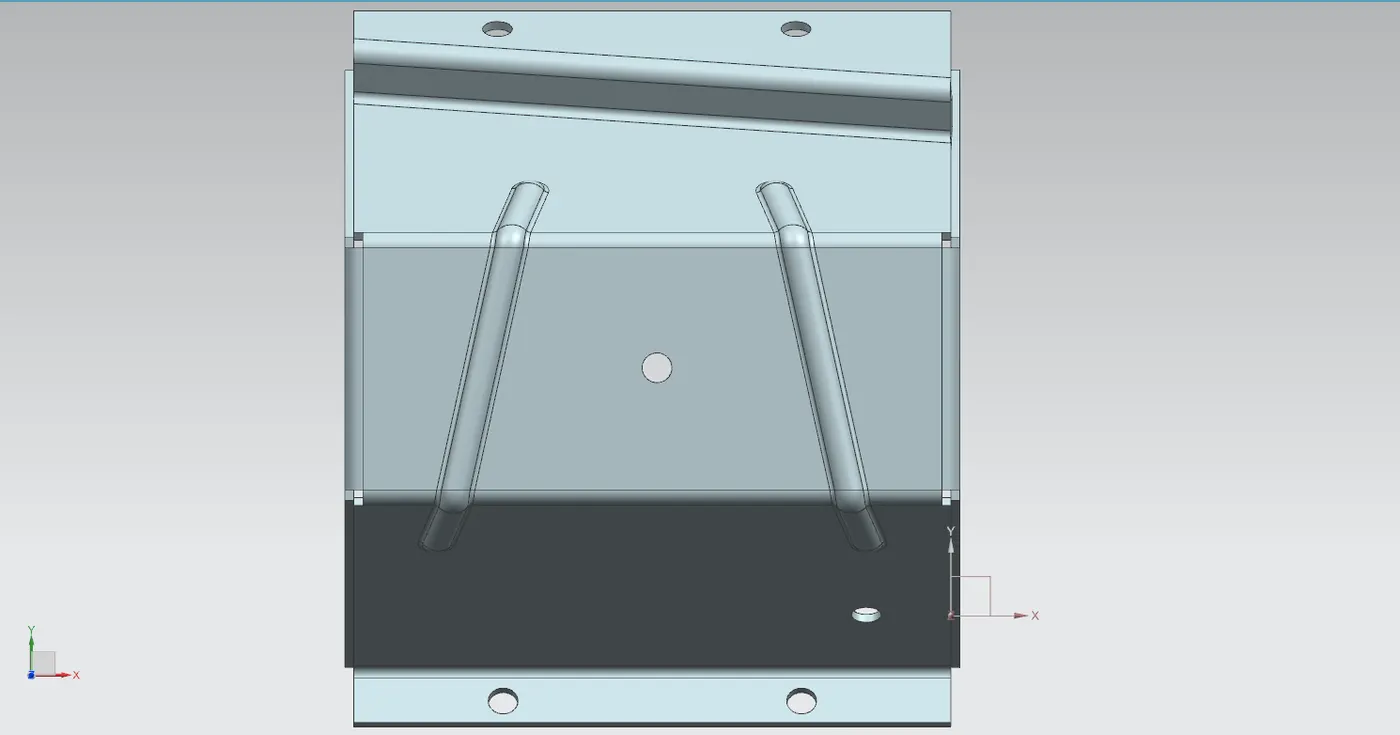
Top view:
Isometric view:
CONCLUSION:
In this project, a Sheet Metal enclosure having an odd shape is successfully designed from a solid body in the sheet metal workbench of Siemens NX. The advantage of a parametric modelling environment is used to maintain our desired design intent and all the necessary features are applied in order following the industrial workflow.