Week 9 Machining with Planer Challenge
Machining with Planer - Simulation Using
ANSYS Workbench 2020 R2
Thejan Sasilal
OBJECTIVES
For this week's challenge,
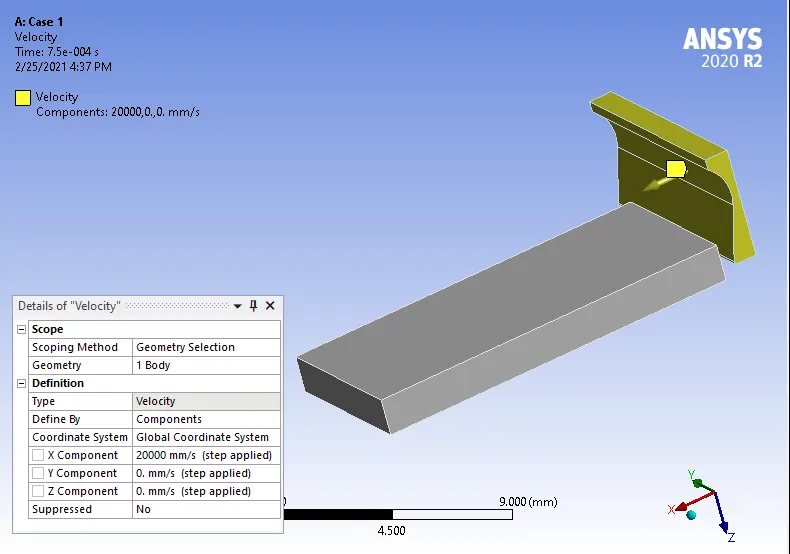
You will have to perform an explicit dynamics simulation to find out the Equivalent Stress, Total Deformation and also insert a User defined result to calculate the temperature of the body. You need to perform this for 2 cases. One will be with a cutting velocity of 20000mm/s and the other will be with a cutting velocity of 15000mm/s.
- INTRODUCTION
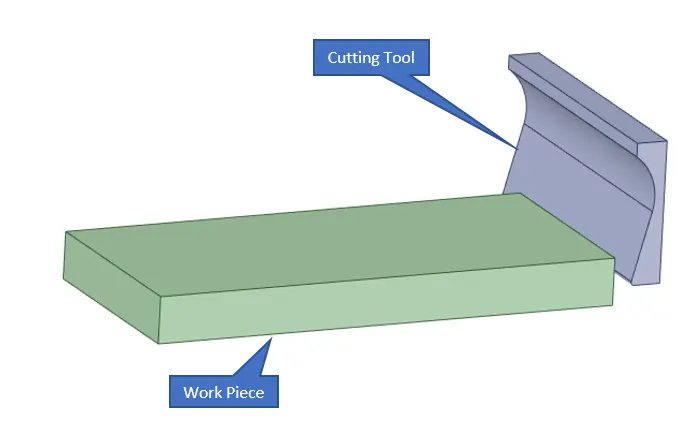
In this challenge, we are simulating the Machining with Planer operation to find out the structural abilities of the Steel 1006 Specimen.
- DESIGN SPECIFICATION
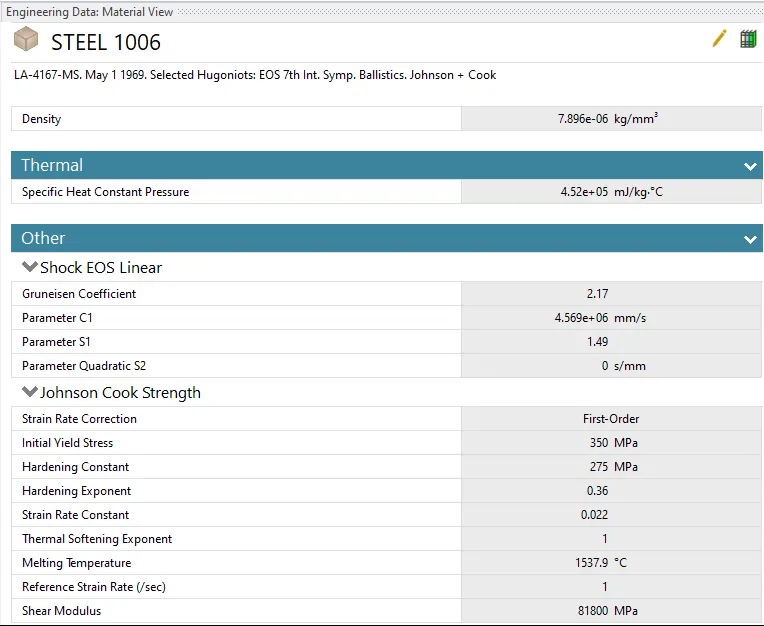
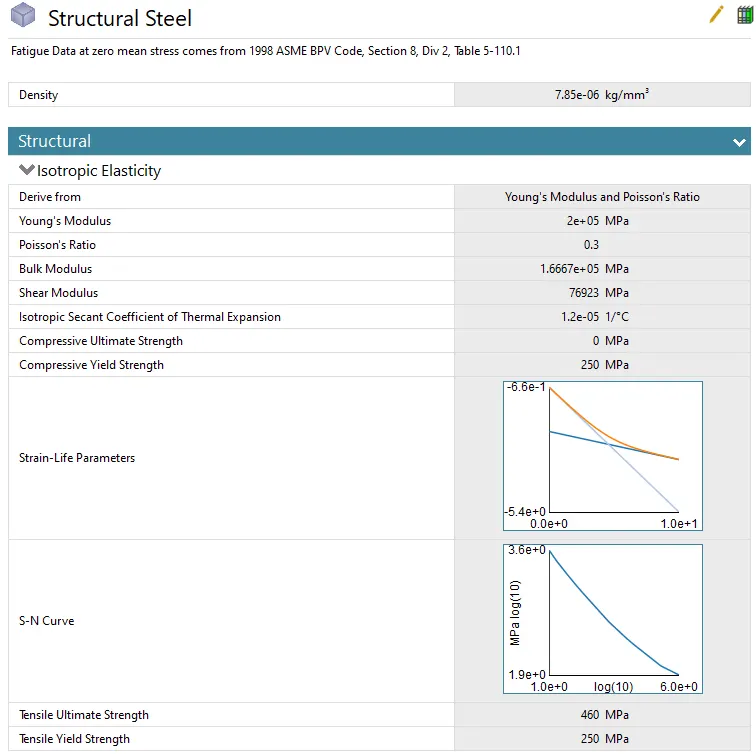
Assign Structural Steel & Steel 1006 as the materials for Cutting Tool & Work Piece respectively from engineering data.
- STATIC ANALYSIS
Open Mechanical modeler for analysis.
Consider all units are in metric.
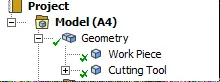
Rename geometry as given below.
Select Stiffness Behavior as Rigid for Cutting Tool
3.1 MESH CREATION
- Insert Method for the Cutting Tool
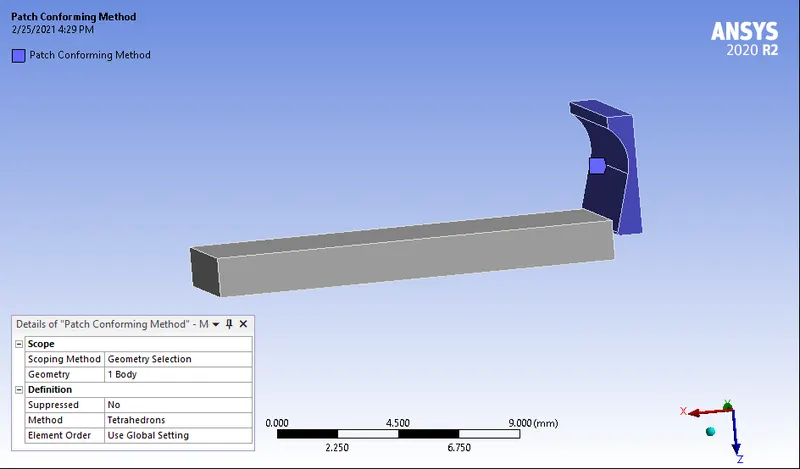
- Insert Edge Sizing for Work Piece.
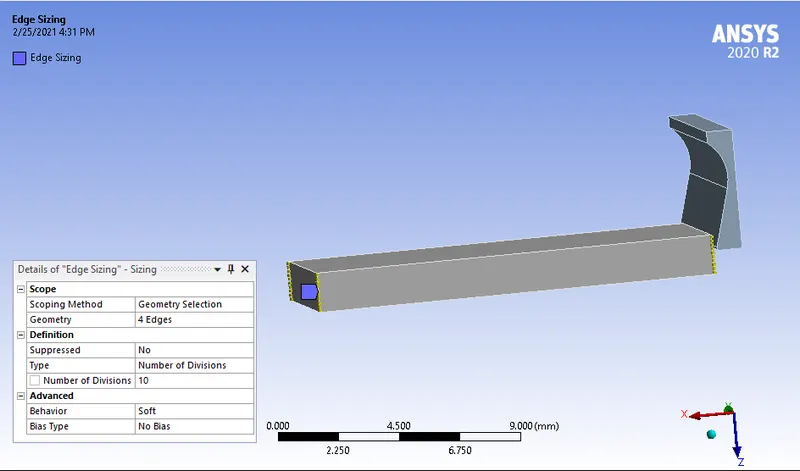
- Generate Mesh
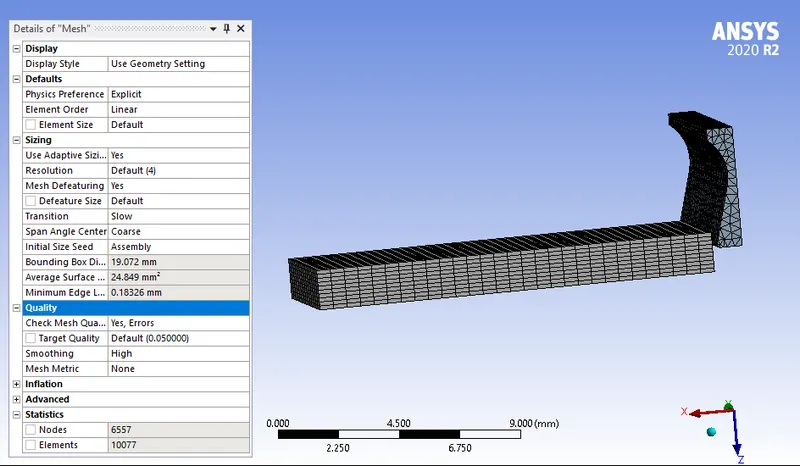
3.2 ANALYSIS SETTINGS
Consider the following as the analysis settings.
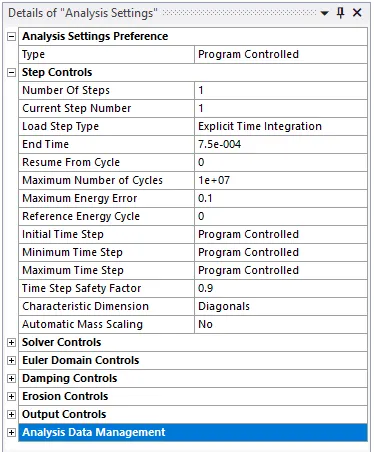
3.3 BOUNDARY CONDITION
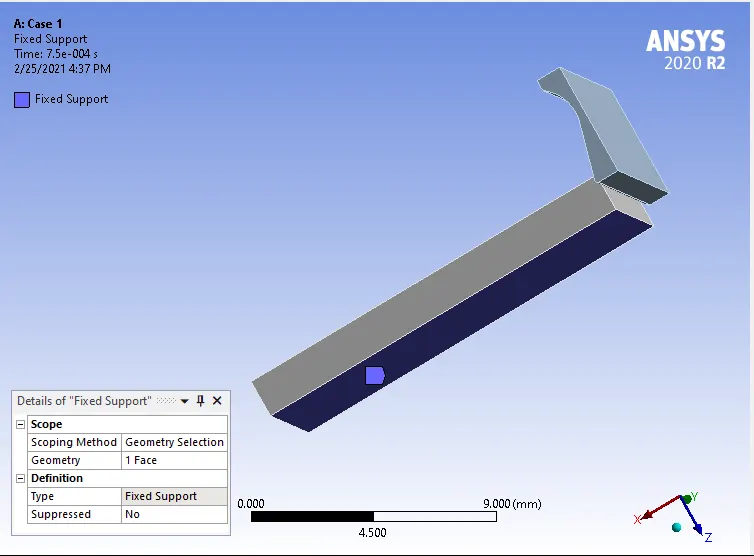
- Insert Fixed Support
- Insert Velocity
3.4 SOLUTIONS
|
|
TENSION TEST |
|
|
|
CASE - 1 |
CASE - 2 |
COMPARISON |
|
|
Total deformation |
 |
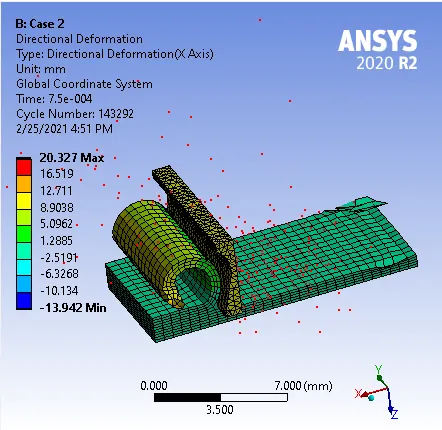 |
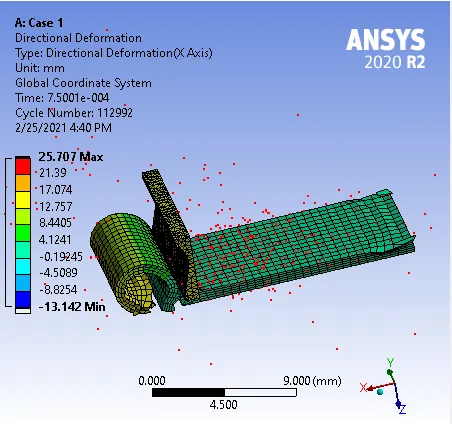
As the result of Total deformation is depends up on the displacement of dust particles produced, Case 1 showing more deformation than Case2. Since in case 2, as we have reduced the velocity the process is not completing within the given time period of 7.5E-4. |
|
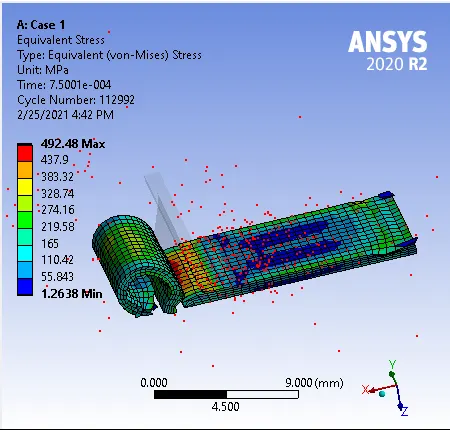
Equivalent stress |
 |
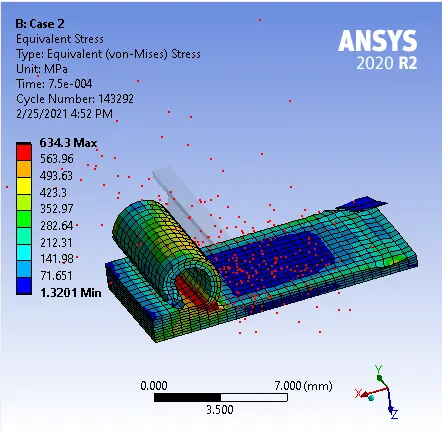 |
Maximum stress developed is almost same in both the cases. As the process was completed in Case 1, it showing less stress in the end. |
|
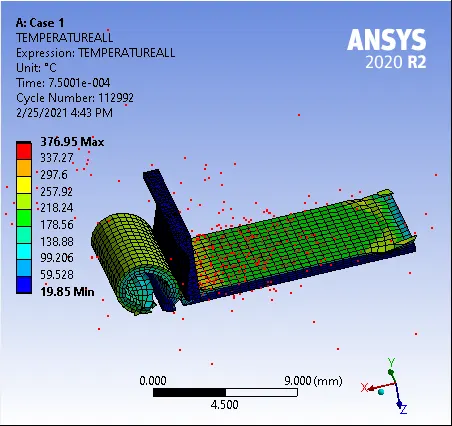
Temperature of the Body |
 |
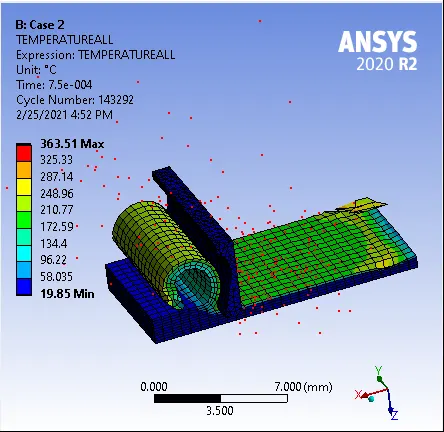 |
Wherever metal is separated, there the temperature is more obtained. In both the cases, temperature developed is almost same. |
- CONCLUSSION
Simulation of Machining with Planer operation conducted with Ansys Workbench. From the analysis it is found the relationship between the end time and the velocity conditions. Also deriving the user defined results from the work sheet.