Week 9 Machining with Planer Challenge
Objective: To perform an explicit dynamics simulation to find out the Equivalent Stress, Total Deformation and also insert a User defined result to calculate the temperature of the body.
Required results for 2 cases: One will be with a cutting velocity of 20000mm/s and the other will be with a cutting velocity of 15000mm/s.
Procedure:
Step 1: Engineering Data
- Add Structural Steel 1006 from Explicit materials list in General Explicit material to the drop down list of materials.
Step 2: Geometry
- Right click on geometry and Import the Skill_Lync_Machining with Planer.x_t extension file
- Rename the Explcit Dynamics tab as Machining with Planer.
- Assign Structural steel 1006 to the workpiece and change Stiffness behaviour of cutting tool to rigid.
- Update the Model tab and open click Edit.
Step 3: Model and Meshing
- Open Model and under geometry assign names according to convenience for better understanding.
- Rename geometries as Workpiece and Cutting tool.
- Insert Patch Conforming Method-Tetrahedrons for the tool body.
- Insert Edge Sizing to the workpiece and enter 10 as number of Divisions.
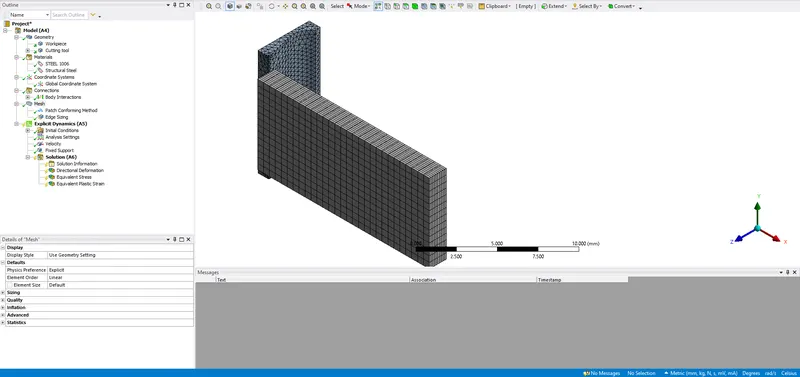
Step 4: Connections
- Contacts:- Delete any contacts defined by ansys. Insert frictionless body interactions
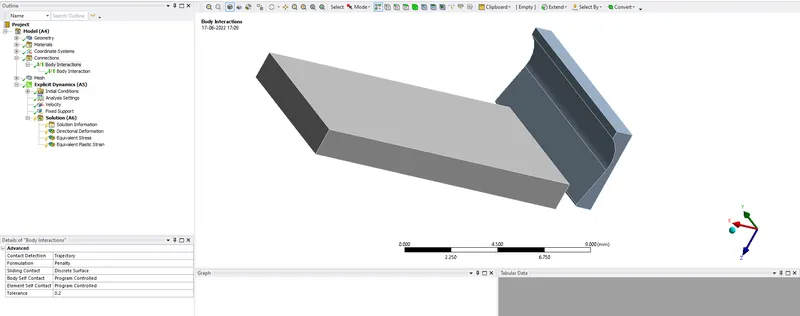
Step 5: Setup
- In analysis settings we are going to simulate this case in 1 step but insert end time as 7.5e-4.
- Increase max energy error unitil solution converges in second case
- Insert a User Defined result with Function TEMPERATUREALL to view temperature distribution over geometries.
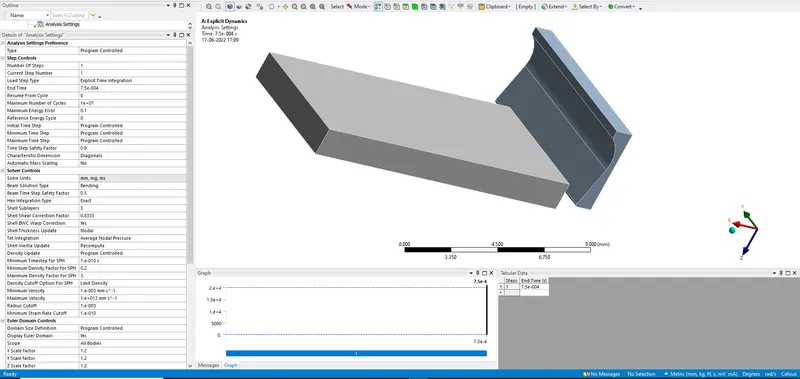
Results and Conclusion:
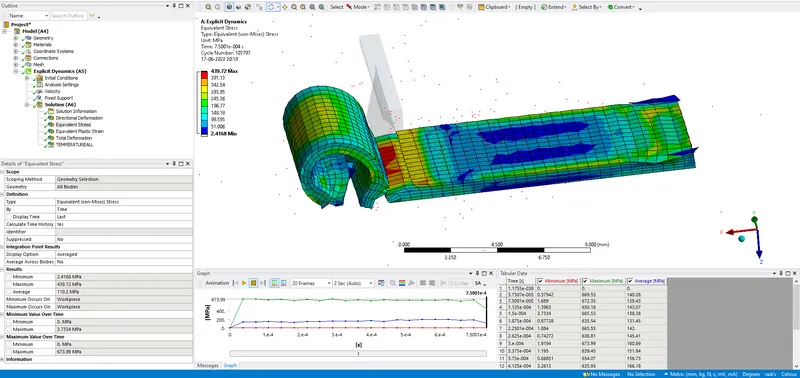
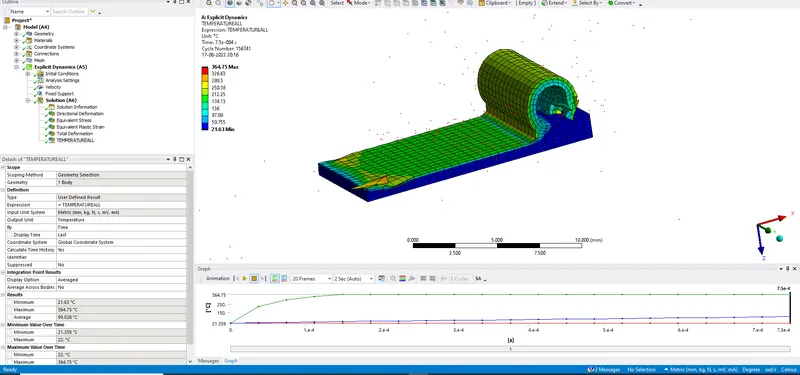
| CASE # | Equivalent stress |
User defined result to calculate the temperature of the body.(Maximum) |
Total deformation |
| Units | MPa | Deg C | mm |
| Case 1-20000 mm/s Velocity | 439.72 | 367.77 | 34.316 |
| Case 2-15000 mm/s Velocity | 634.15 | 364.75 | 23.612 |
Machining with Planer simulation files are attached below.