Week 9-Creation of 1D Connectors Challenge
OBJECTIVE:
To Mesh the given frame and make the connection as per the specified parts
GIVEN DATA:
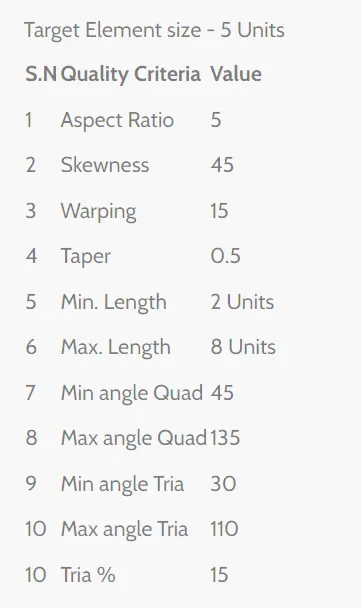
Mesh Criteria:
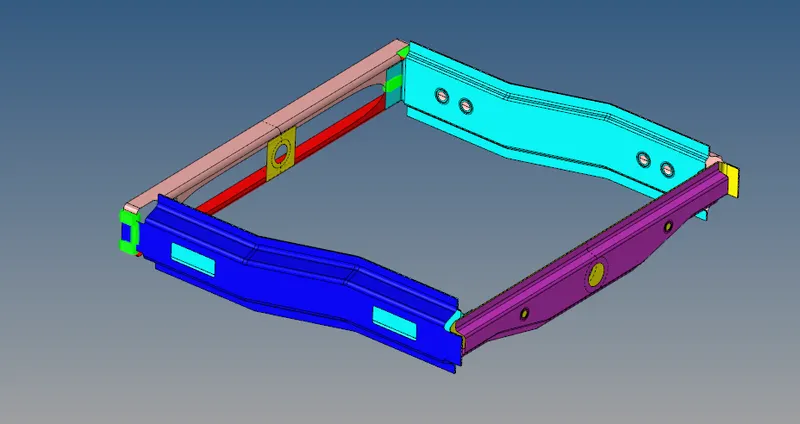
Create a connector and Attach the various parts of the given model
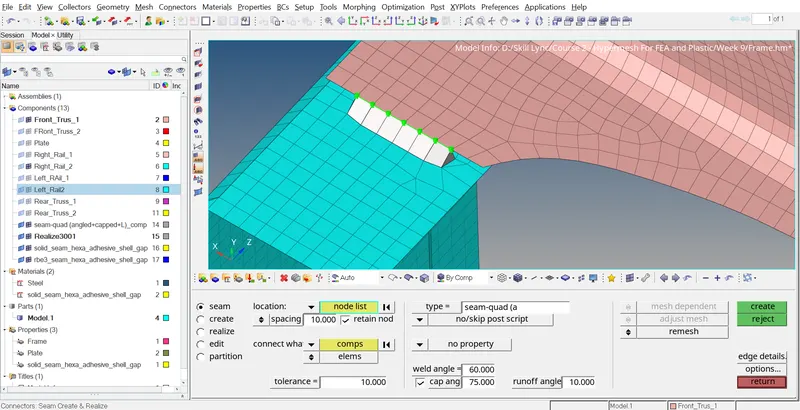
- Right_Rail_2 & Front_truss_1:- Seam-Quad(angled+capped+L)
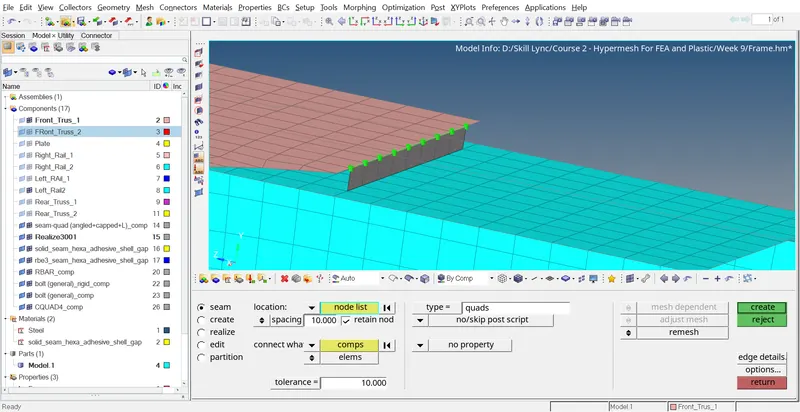
- Left_Rail_2 & Front_truss_1:- Quad elements
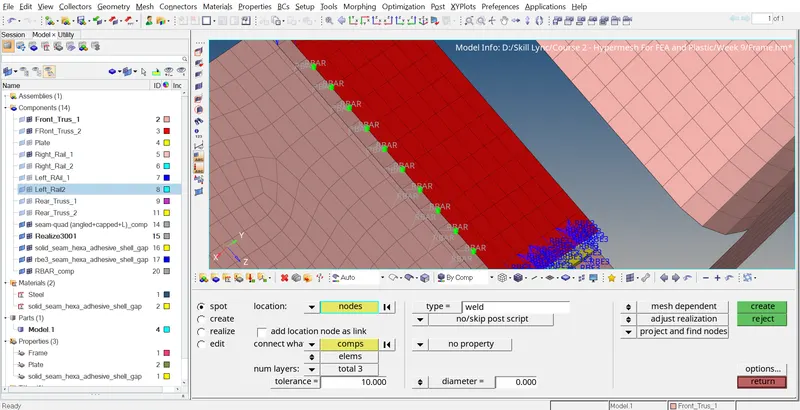
- Front_truss_2, Front_truss_1 & Right_Rail_1:- Spot weld with 2 Layers and 5 mm Diameter
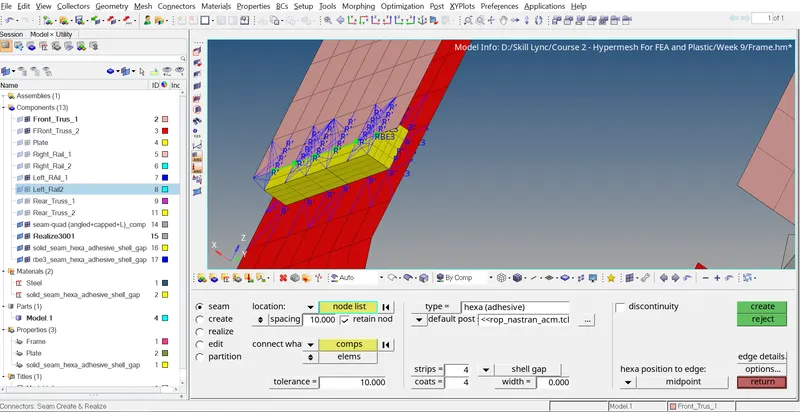
- Front_truss_2, Front_truss_1 & Left_Rail_1:- Hexa (Adhesive)
- Rear_truss_2 & Right_Rail_2:- Bolt Connector
- Rear_truss_2 & Left_Rail_2:- Bolt Connector
- Right_Rail_1 & Right_Rail_2:- Spot-weld with Rigid Elements
- Left_Rail_1 & Left_Rail_2:- Spot-weld with Spring Elements
- Rest all the component left Join them with suitable connectors
PROCEDURE:
A.Meshing:
- Import the frame assembly hm file in hypermesh under optistruct profile.
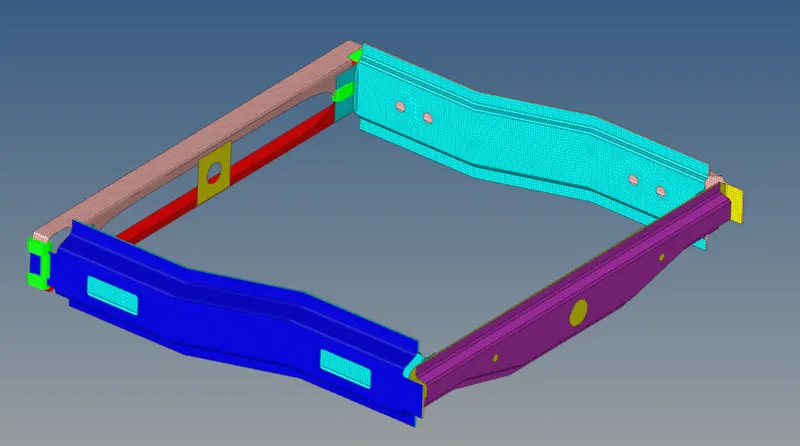
- Mesh the given component by the quality criteria mentioned in Given Data
- 2D >>> Automesh
B.Connectors:
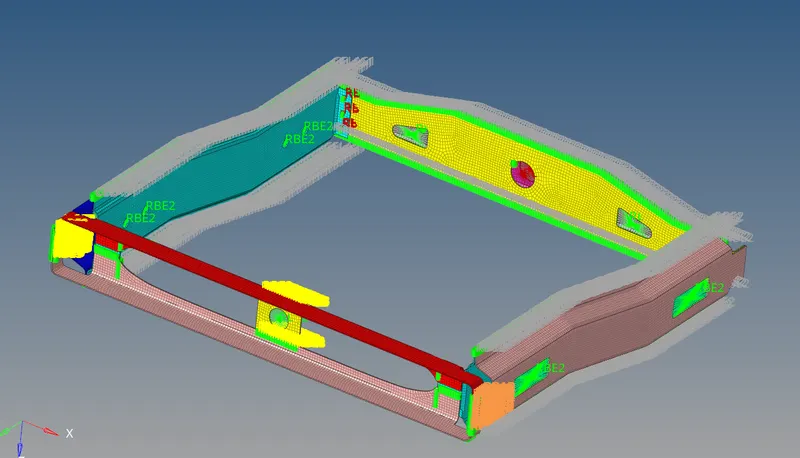
Applying connectors means giving information about the type of joining operations used to combine the different components of an assembly. Connectors shown in red color are the connectors that are failed to create. Connectors that are shown in green color are successfully created and realized.
Seam weld connection:
- Hide all the elements except the right rail 2 and front truss 1
- 2D >>> Connectors >>> Seam quad (angled+capped+L)
- Select the nodes and components
- Input tolerance as 10 and select the remesh type
Quad element connector:
- Hide all the elements except the Left rail 2 and front truss 1
- 2D >>> Connectors >>> Seam as quad
- Select the nodes and components
- Input tolerance as 10 and select the remesh type
Hexa Adhesive Connector:
- Hide all the elements except the front truss 1, front truss 2, and Left rail 1
- 2D >>> Connectors >>> Seam as Hexa adhesive
- Select the nodes and components
- Input tolerance as 10 and input the strips and coats as 4
SpotWeld Connector:
- Hide all the elements except the front truss 1, front truss 2, and Right rail 1
- 2D >>> Connectors >>> Spot
- Select the nodes and components
- Select 3 layers as components
- Input tolerance as 10 and create
Bolt Connector:
- Hide all the elements except the Rear truss 2 and Right rail 2
- 2D >>> Connectors >>> Bolt
- Select the nodes and components
- Select the create-hole option If none, and input tolerance
- Perform the same for Rear truss 2 and Left rail 2
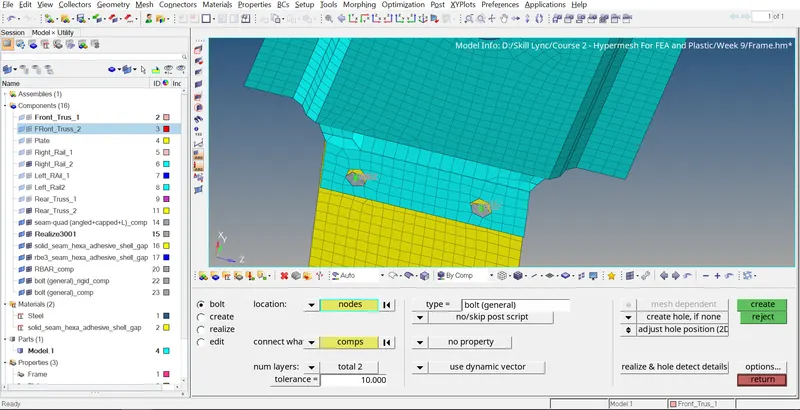
Do the same thing for the remaining parts as per the requirements.
RESULT:
The Meshing and connectors are perfectly done by using hypermesh