Week 9 Challenge
- Generate seismic loading-based IS codal provisions and zone II. Any other data you can assume and input accordingly
AIM: To generate seismic loading-based IS codal provisions and zone II. Any other data you can assume and input accordingly
TOOLS/REQUIRED :
file
open
project browser
property window
validate
load
load cases
load combination
seismic wizard
seismic load
save as
drop-down box
seen content
PROCEDURE:
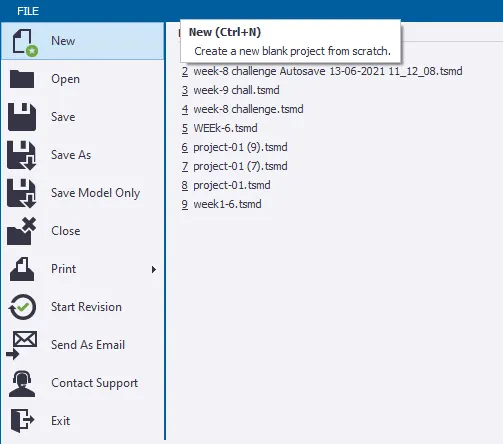
1. Open the saved file using the open tab present in the file toolbar.
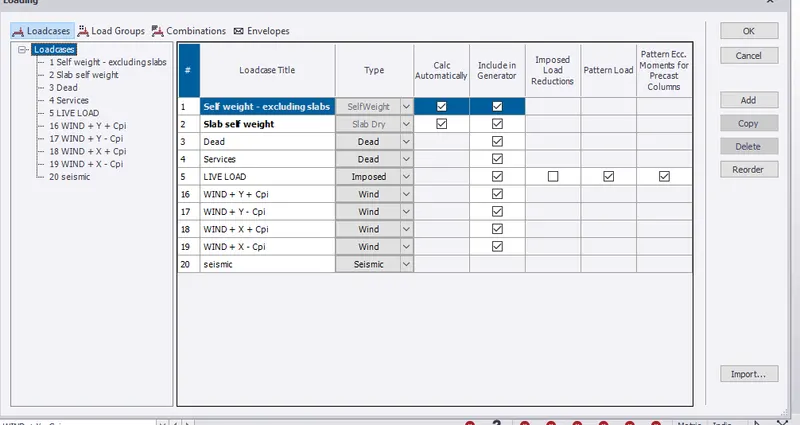
2. Now select the load cases icon present in the load toolbar then a dialog box appears
3. add a new load by clicking on the new option and assign the type of load as seismic and name it as seismic load
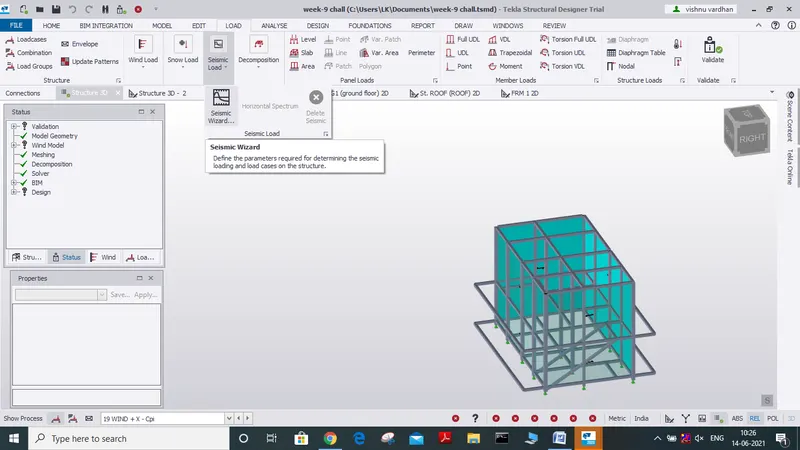
4. now select the seismic wizard icon present in load toolbar.
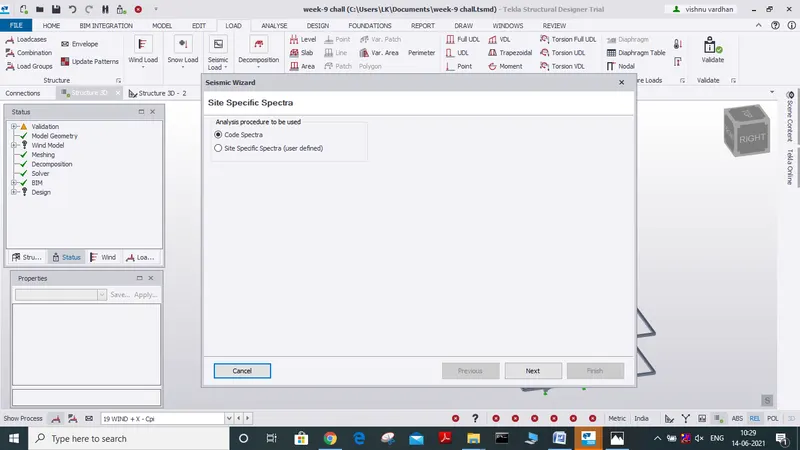
a new dialog box appears asking analysis procedure to be used
let us select code spectra and click next.
5. now a new dialog box appear where we can see some information is directly assigned from the model and also select the seismic zone as 2
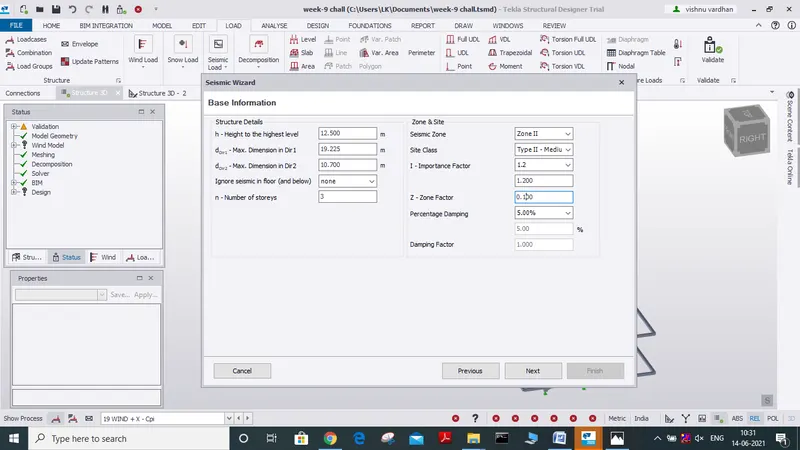
( given) and click next
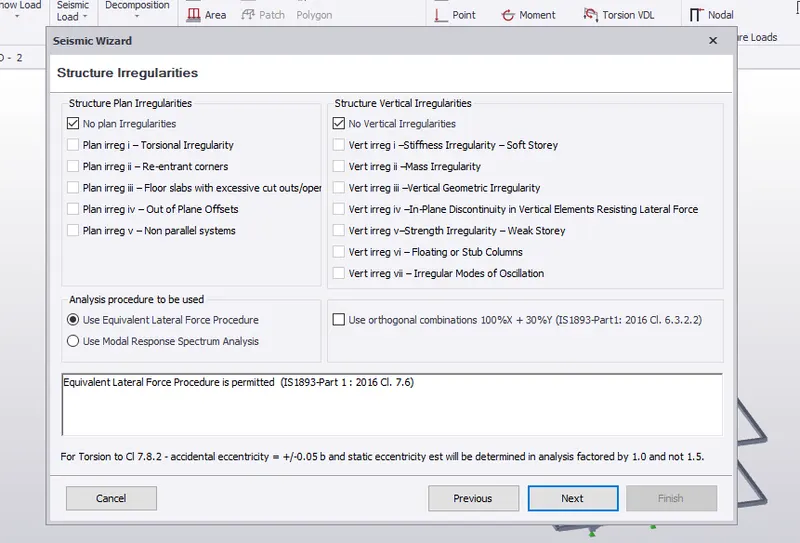
6. a new dialog box appears now select no plan irregularities
analysis procedure select as use equivalent lateral force procedure
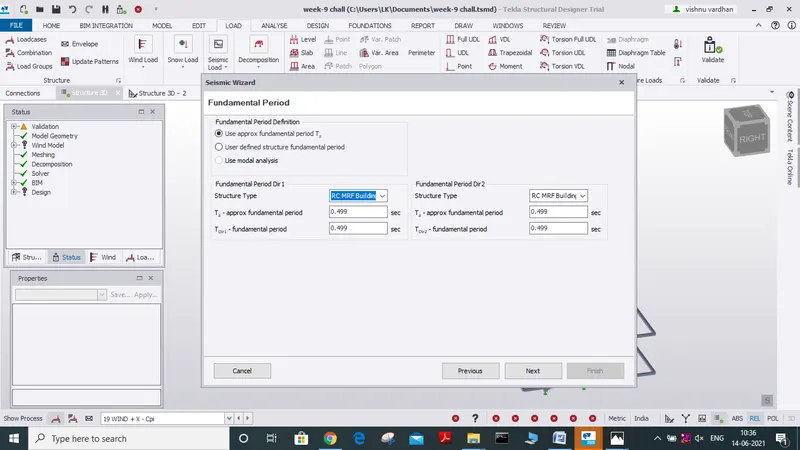
7. fundamental period dialog box appears then select the option as below and click next.
8. seismic wizard force-resisting system dialog box appears, assign them as follows
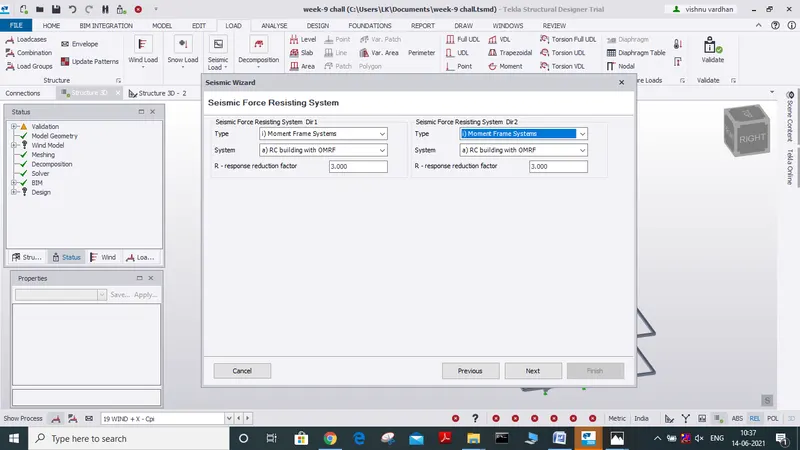
then click next
9.now effective seismic weight dialog box appears select the load and assign its factor and click next.
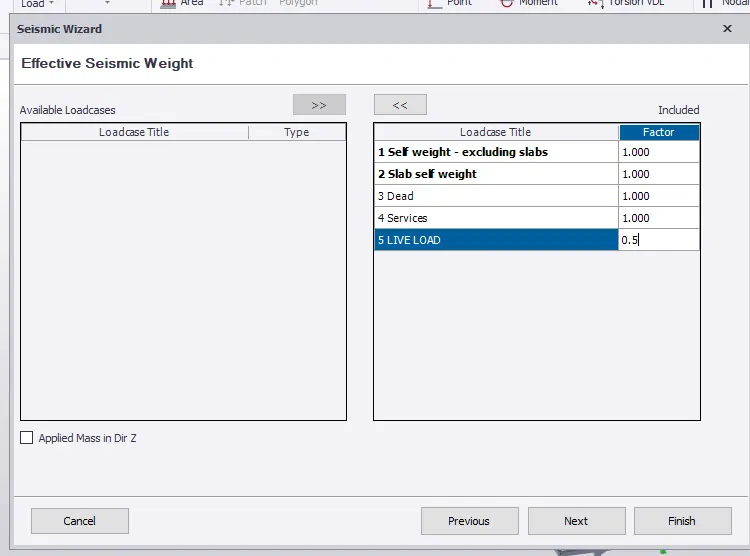
ask to location let us skip and select finish
10. now combination generation dialog box appears,
select the option replace only combinations during the run and click next
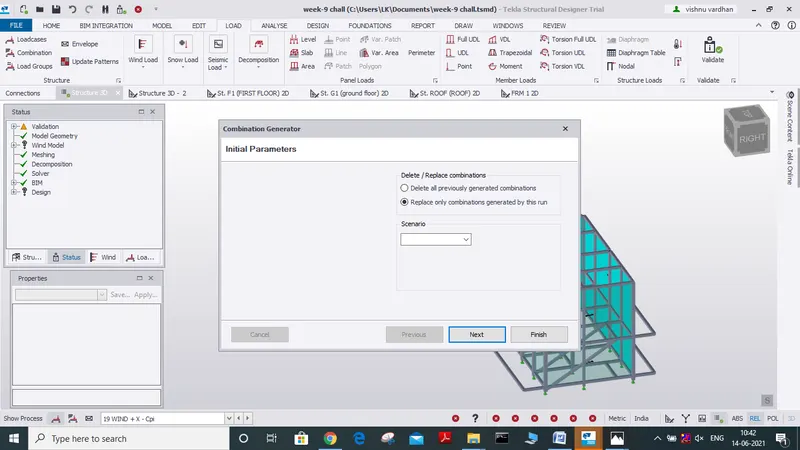
11. now a new dialog box appears
asking load combinations for combination followed by service
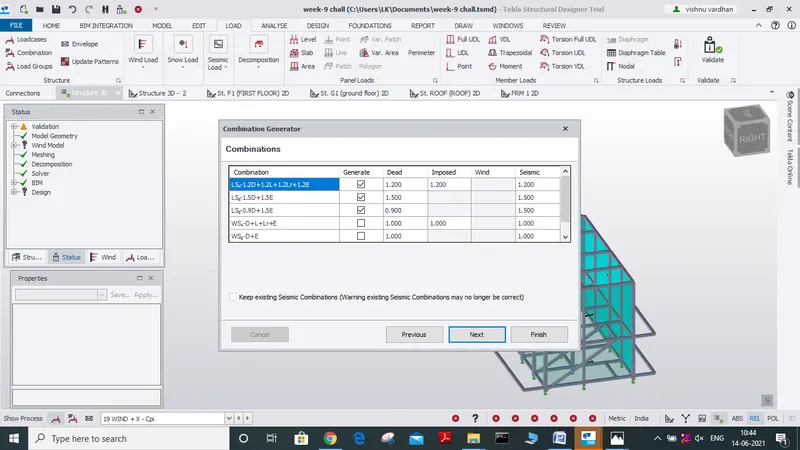
select the required load combination and click finish
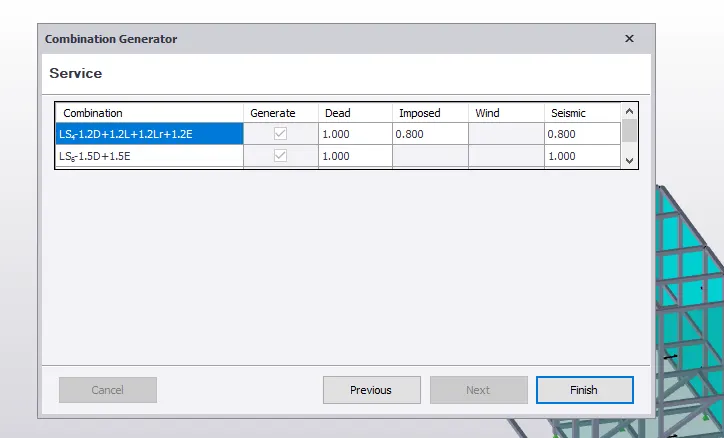
12. we can see new load cases are generated for seismic loading.
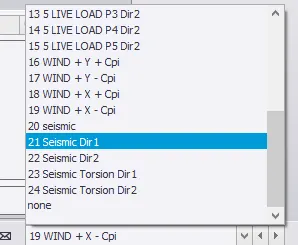
13. from the drop-down menu we can select the load cases to see how a seismic load is acting
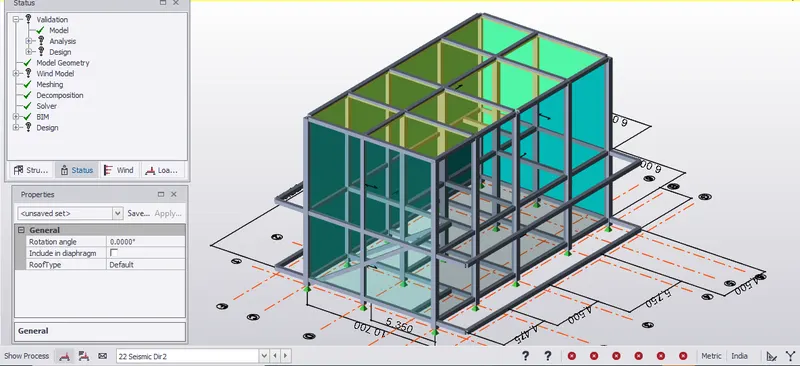
RESULT:
we have successfully Generated seismic loading to be applied on our model as per IS codal provisions and given information, zone II, while some other data can be assumed.
2. Run the analysis. Summarize your understanding of the analysis results
A) AIM: TO RUN ANALYSIS OF OUR MODEL, SUMMARIZE UNDERSTANDING OF ANALYSIS REPORT.
TOOLS REQUIRED:
file
open
save as
project browser
property window
analyse
seen content
first-order linear analysis
validate
moment major/minor
shear major/minor
deflection
settings
home tab
modification factor
model report
show
PROCEDURE:
1. Open the saved file in Tekla software using open icon present in the file tab.
2. now before performing analysis we can check for some settings for that open settings icon present in the home tab
3. A dialog box appears now select 1st order linear analysis and check for iteration and tolerance.
similarly, check for modification factor and adjust it to 1.
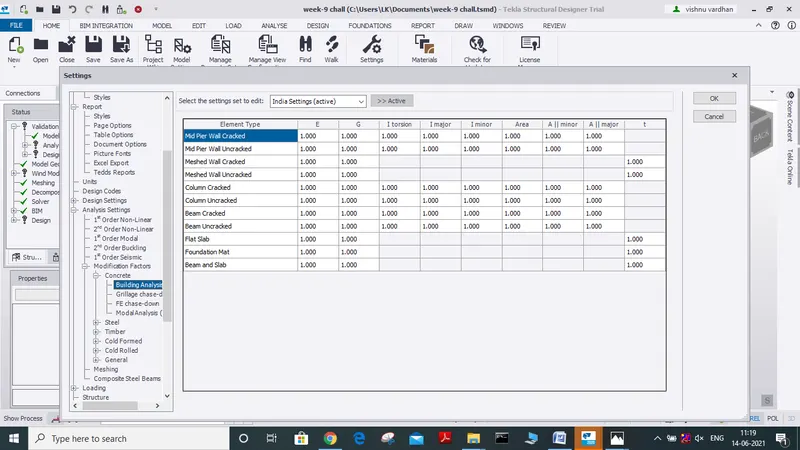
4. Now let us perform analysis of the model for that select the analysis icon and select 1st order linear analysis.
5.after selecting 1st order analysis a new dialog box appears it asks for load cases and load combinations
to be considered for analysis let us select all the load cases and load combination
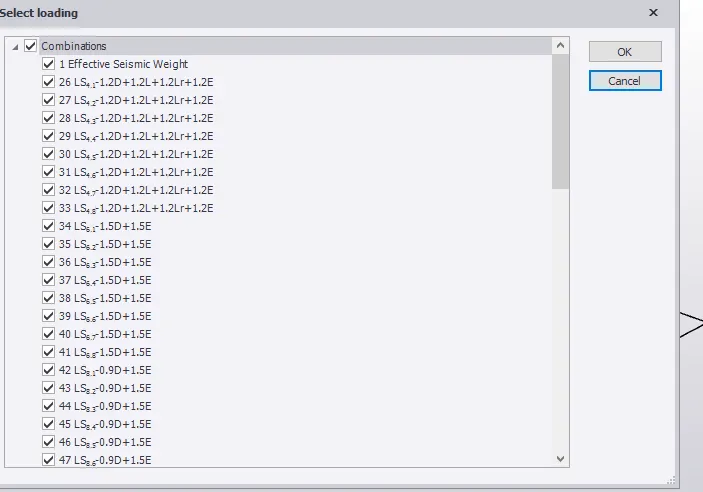
then click ok
6. then the analysis is done and we can see the analysis reports in the property window
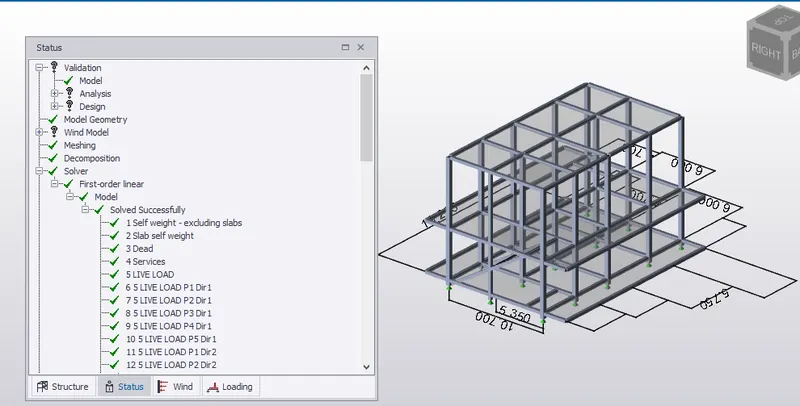
7. as we can see our model has been analyzed and no need of any alterations to the model as the model passed the tests.
8. now let us see the deflection, shear force, bending moment of the model
- so for that let us go to review view of the model.
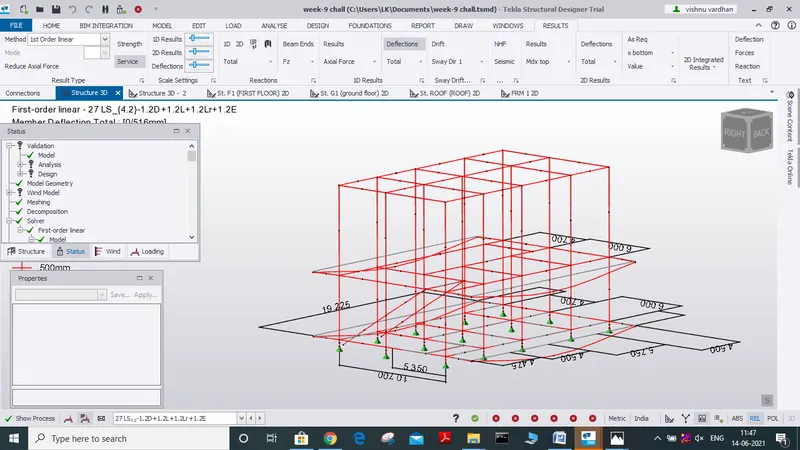
- now let us look at how the deflection of the model for different load combinations by simply changing load combinations from the drop-down box.
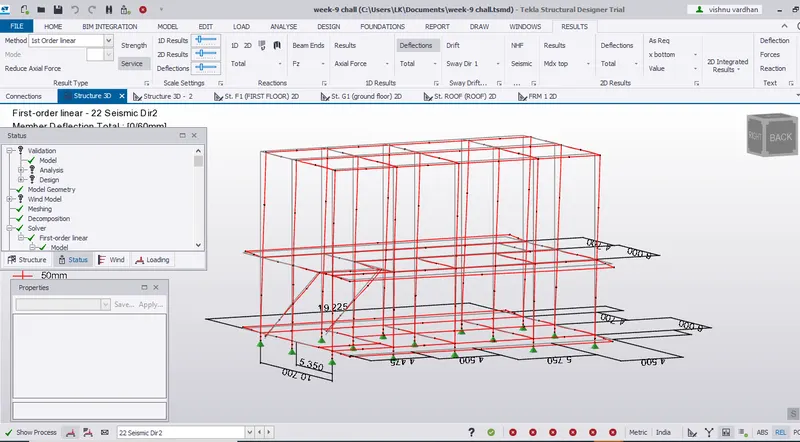
load combinations as well
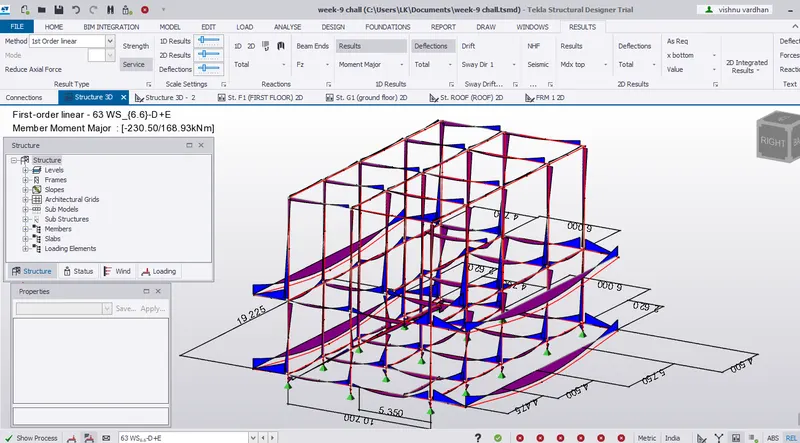
now similarly we can also check for the bending moment of the model due to load combinations
simply by selecting moment major/moment minor
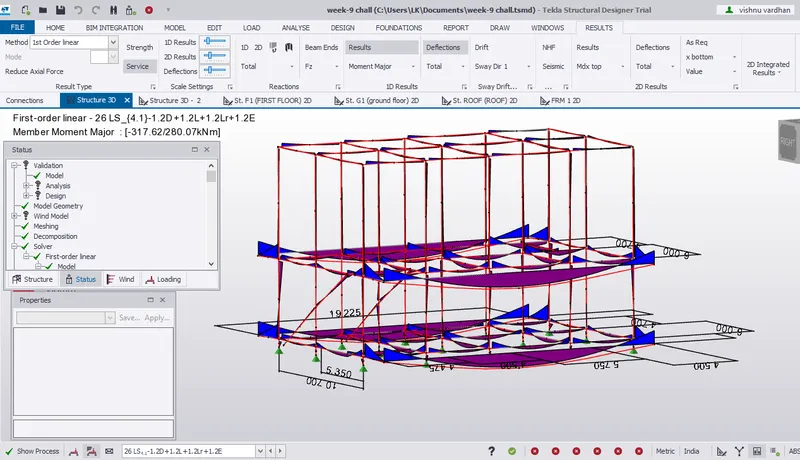
now similarly we can check the shear force due to different load combinations by selecting shear major
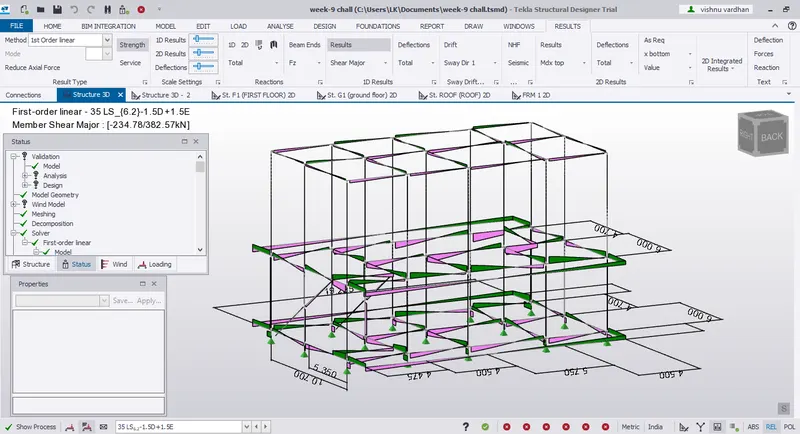
we can check for these bending moments and shear force in construction level as well
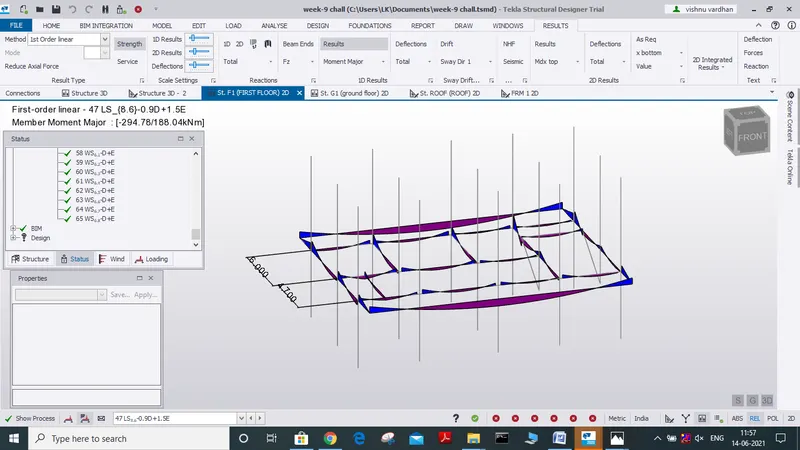
we can make use of the report to summarise our understandings.
9. from the analysis performed for the model we can see that there are no errors in our model and no change is required for the model as it cleared all the tests (load combinations, bending moment, shear force)
10. we can make use of the views of the deflection, shear force, bending moment due to different load combinations for more detailed analysis for better model to be designed
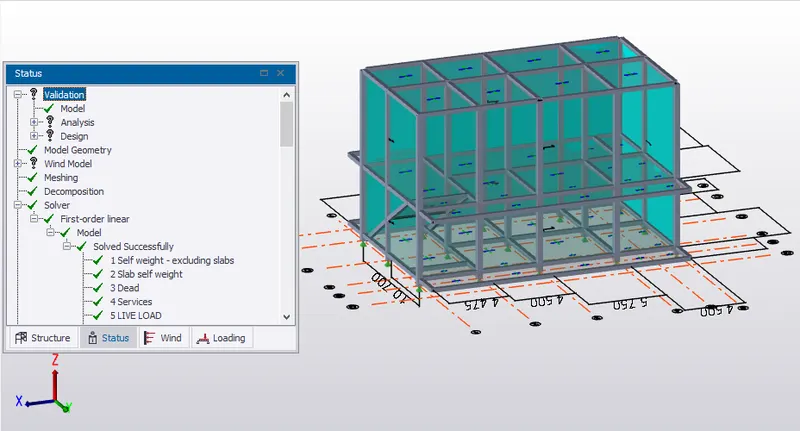
and our final 3 d view
RESULT:
We have successfully analysed our model and also viewed how the
model is undergoing deflection due to different load combinations
how bending moment, shear force, etc characteristic of model is varying with different load combinations