Week 9 - Challenge 1 - Base Bracket Design
Report On Surafce Design of Plastic Component (BASE BRACKET)
Draft Analysis :Draft analysis refers to a tool that allows us to determine wheather the designed part can be produced properly or not when Core or Cavity part of plastic mold is removed. In catia if defined draft direction is along the tooling direction and if Colour on the outer surface (Facing towards the draft direction) is green then we can conclude that the part can be produced efficiently .
Here are the steps to use Draft Analysis in CATIA:
- Enter the part in CATIA.
- Go to Material Mode.
- Go for draft analysis.
- Drag axis bar to the tooling direction of part.
- Then check the draft analysis.
Let us take example of BASE BRACKET-
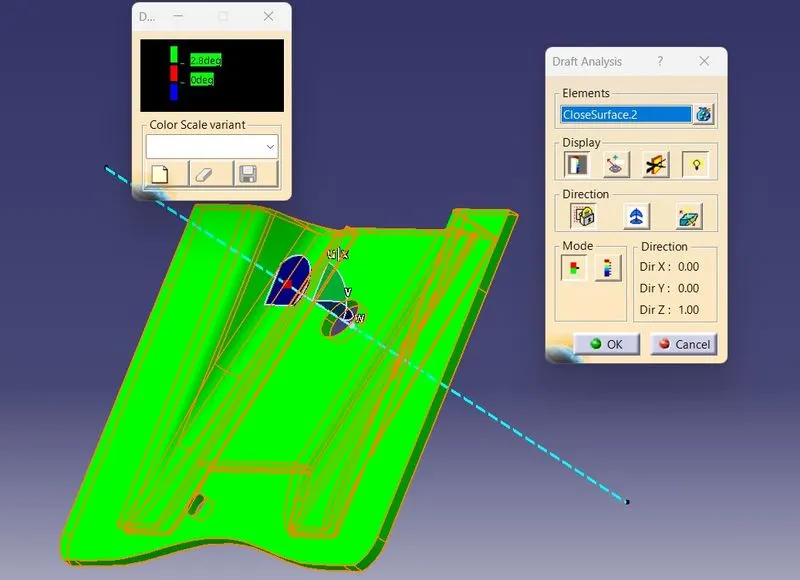
Here, after draft analysis the colour is green along the tooling axis (Blue doted line) which means our switch Base Bracket is okay and ready to manufacture. Here minimum draft angle is 2.8 Deg.
Tooling Axis : Tooling axis is the axis or direction along which draft analysis is done and the core or cavity moves. It is very important to choose write axis for tooling.
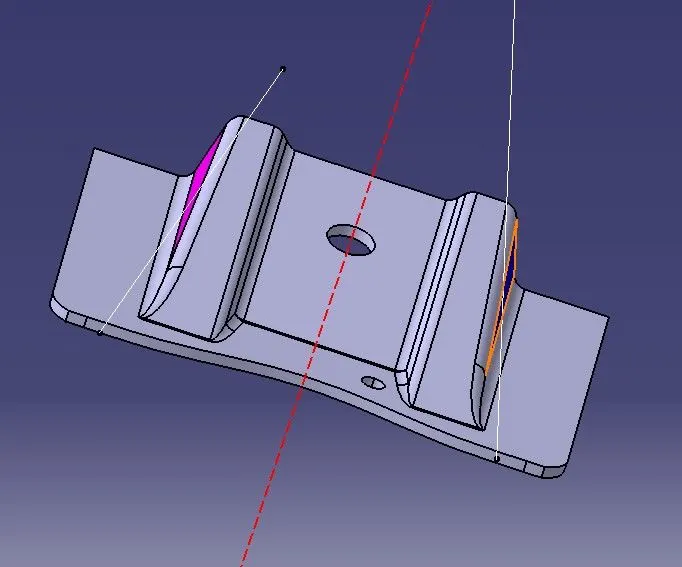
In the above , We have taken one dummy axis through the hole,.. then,
1.We have take two lines one on each of Pink(left face) and Blue (right face) such that they lies on same plane.
2. Then we make bisecting line from the two lines.
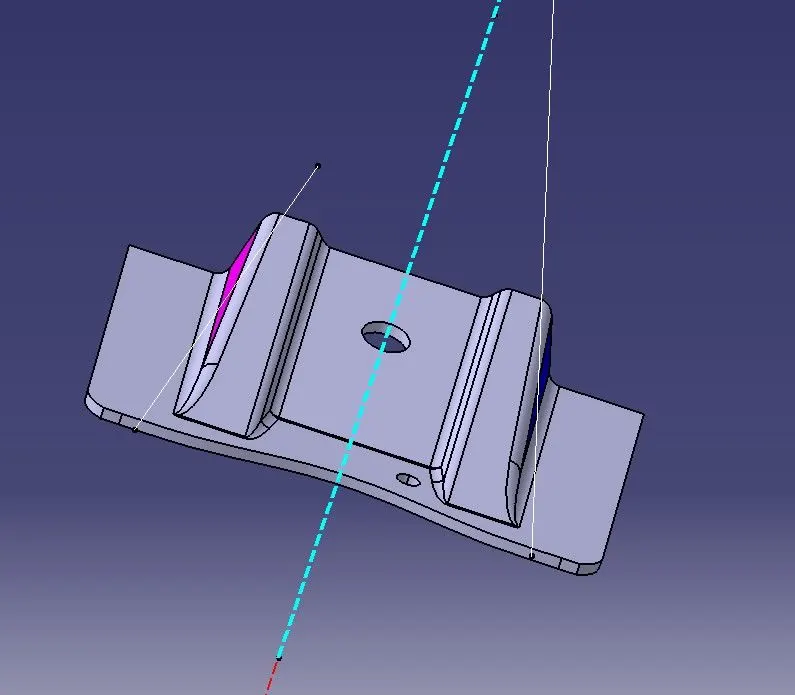
3. Now the final Tooling axis will be obtained by bisecting the lines generated . As shown in blue dotted line.
The above blue dotted line is the tooling axis.
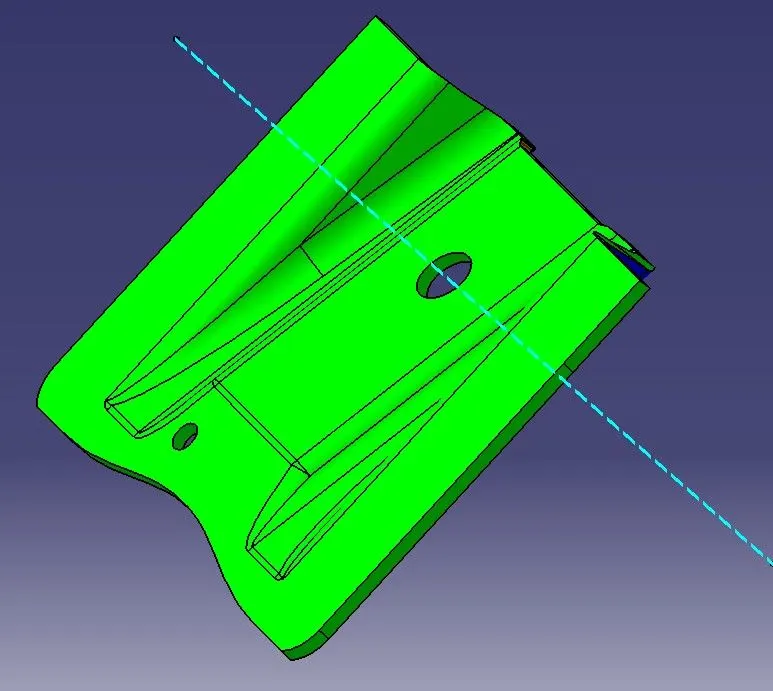
Different Views of the Base Bracket with draft color code:
Isometric View:
Top View
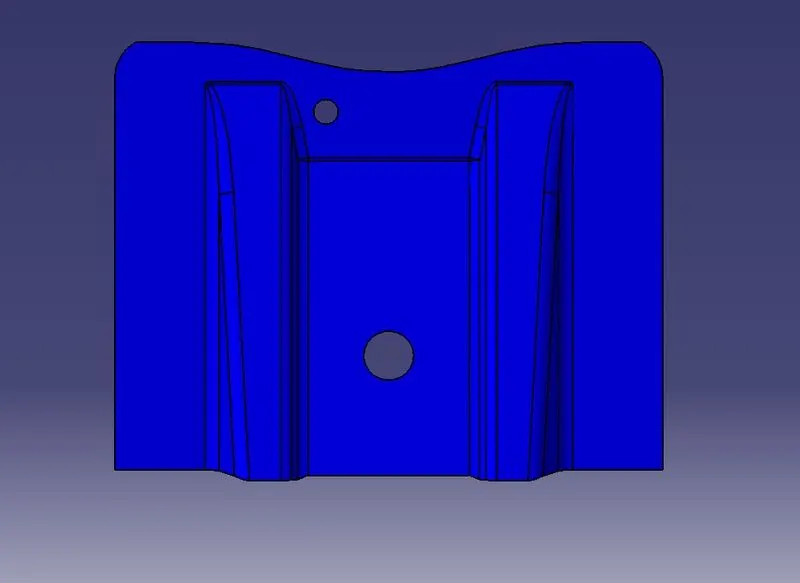
Bottom View
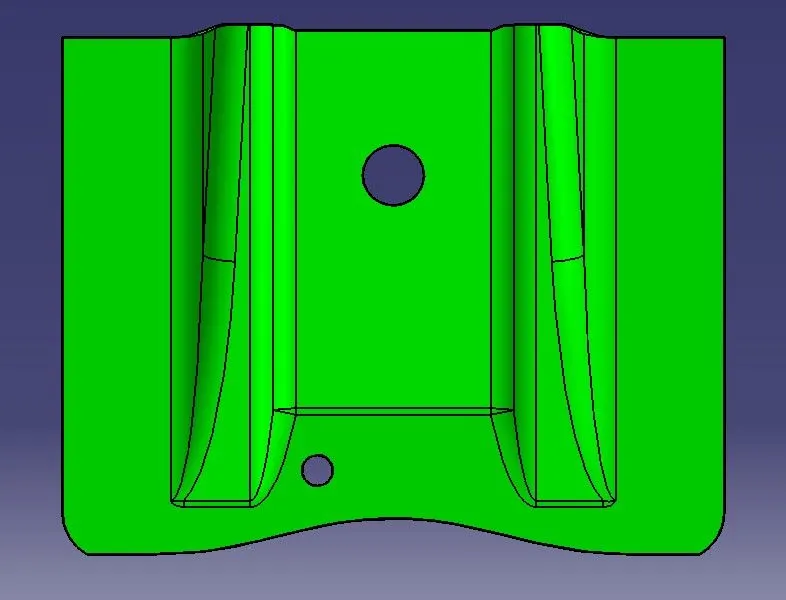
Front View
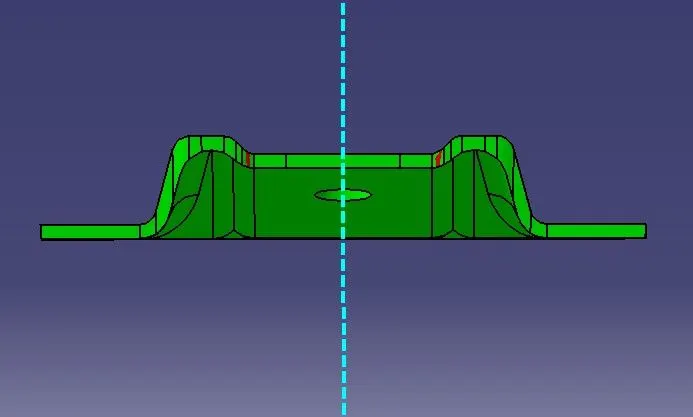
Back View
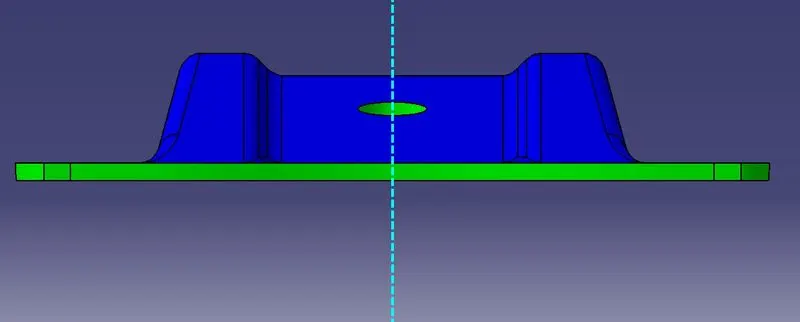
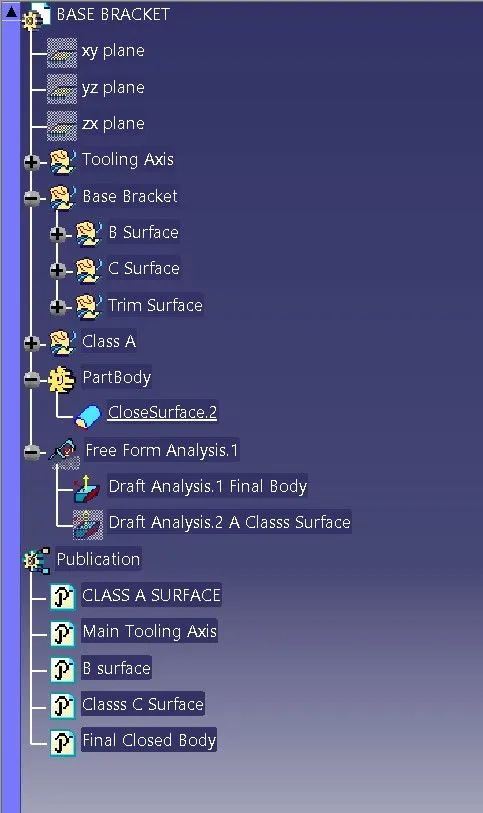
Tree Structure:
Report Prepared By: Vikash Rai