Week 9 - Attachment Feature Creation - Challenge 2
AIM:
- To Create theDoor Trim Component from the given Class-A surface.
- To Create the Tooling axis for the given Class-A Surface meeting the requirements of the draft angle.
- To perform the Draft analysis on the model.
- To Create the B Side Feature in the component by following the design rules.
PROCEDURE:-
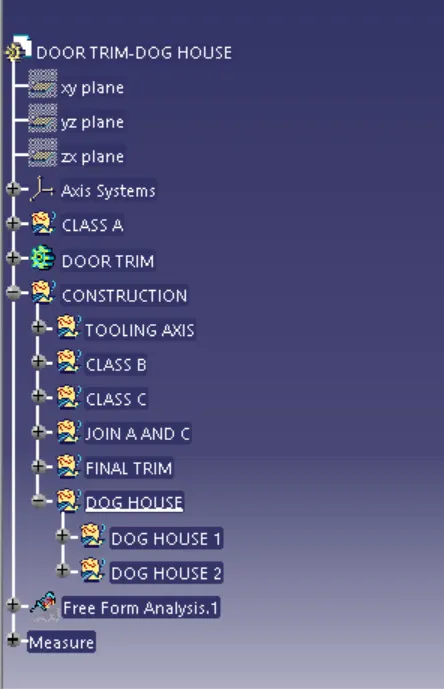
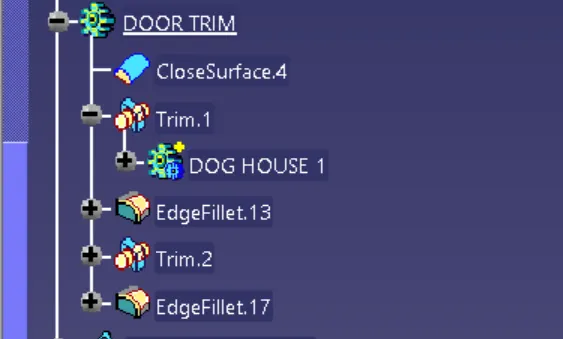
FEATURE TREE:-
1)DRAFT ANALYSIS OF CLASS A:-
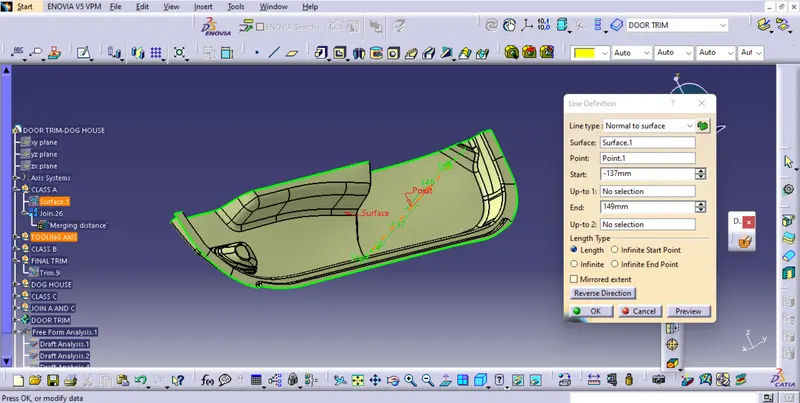
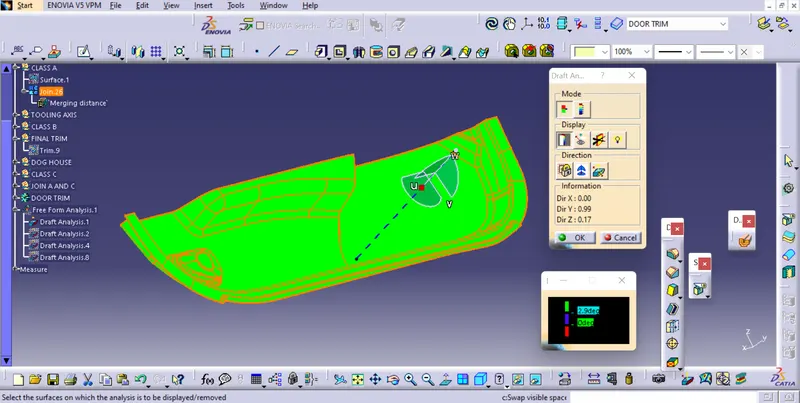
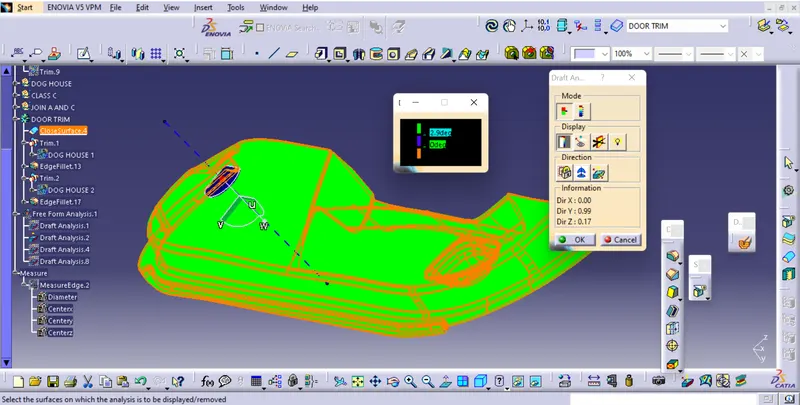
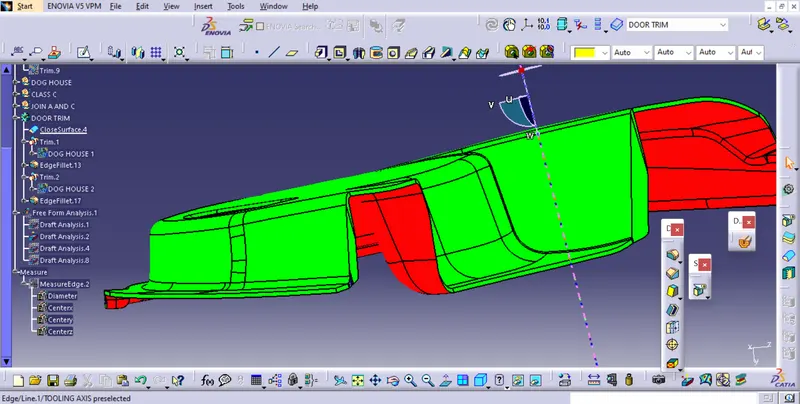
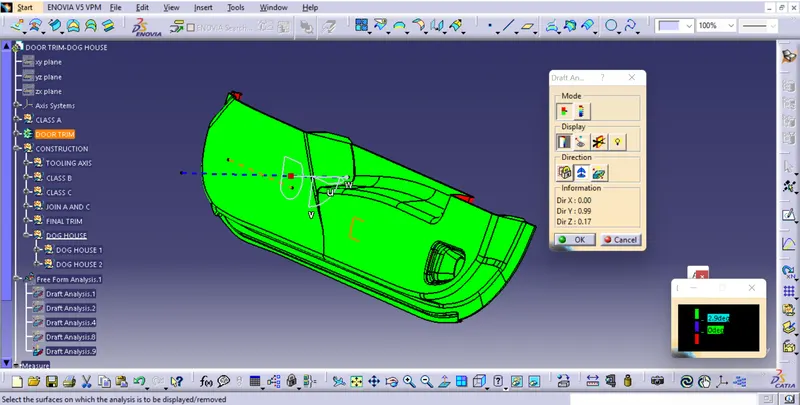
Tooling axis is created using point on surface and line is normal to surface.Using that tooling we do the draft analysisof class A to check its feasibility or formability.
- Before going to drat analysis go to customized view parameter >under mesh >check material and then click ok.
- Now for draft analyses go to insert » analysis » feature draft analysis.
- Use the compasss to define the draft direction.
- In the colour scale change the draft angle to 3 degree.
- The component changes to green in indication of passing draft angle.
- Use running point to check the angle on the component.
2)CREATING CLASS B SURFACE:-
- Extract the surfaces from the class A using multiple extract and untrim them.
- Use Extrapolate to make sure that all the untrims are properly intersected to trim and offset the surfaces to 2.5 mm to create the thickness.
- Trim the extra surfaces using trim command.
- Insert them into new geometrical set and name it with respective part names.
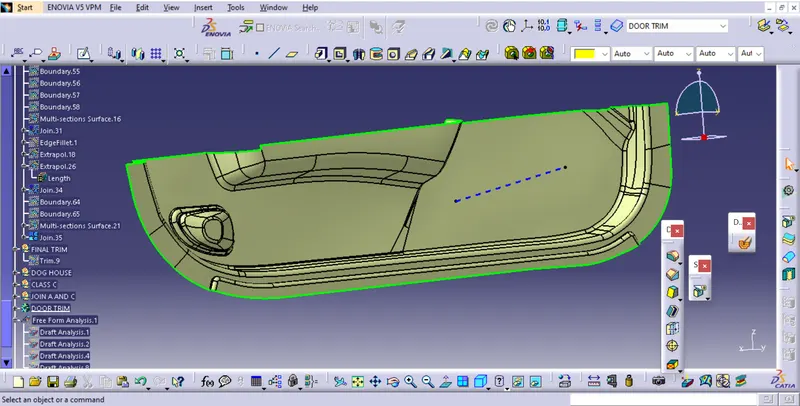
- Apply fillets to the model after creating the entire surface.
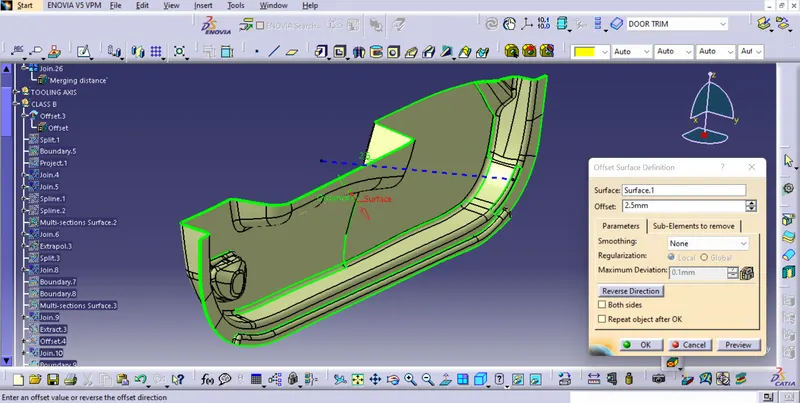
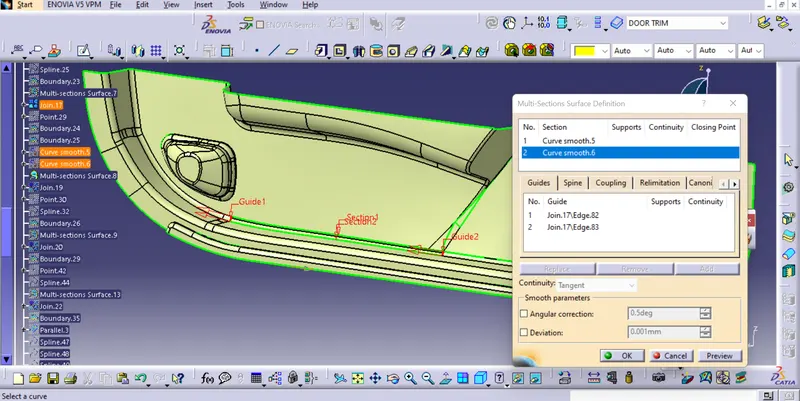
- The patches which are not offseted thid are filled using commands like boundary,multi section surfsce and sweep.
3)CREATING CLASS C SURFACE:-
- Extract the boundary from the class A surface using boundary command.
- Using disassemble tool to divide the boundary as the boundary contains domains.
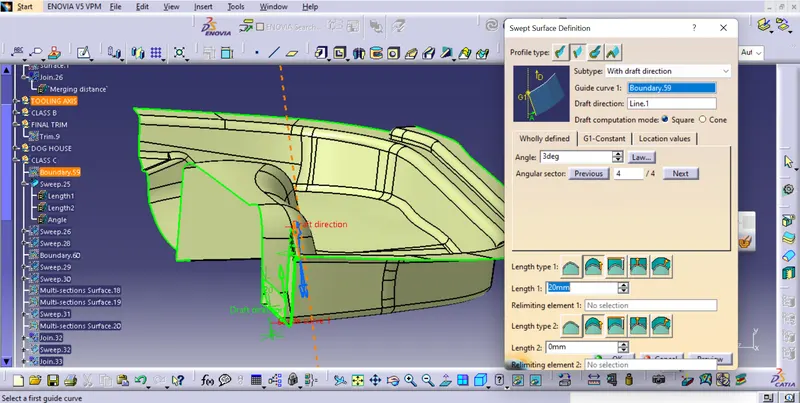
- Use sweep command > choose profile type line > subtype as with draft direction > choose guide curve and draft direction > draft angle as 3 degree > preview.
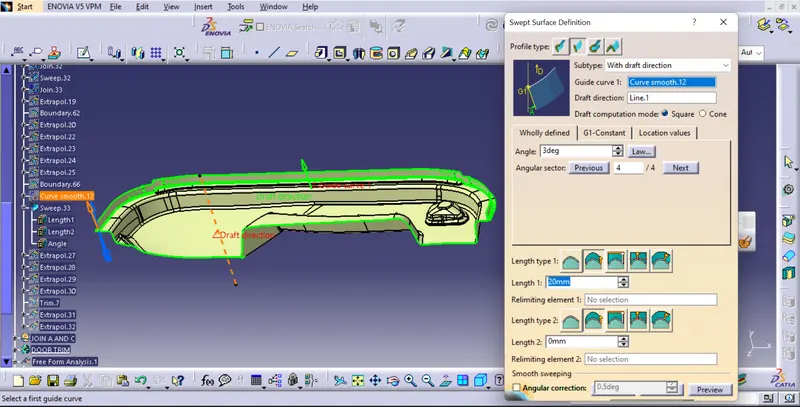
- The class A and Class B surafces are joined:-
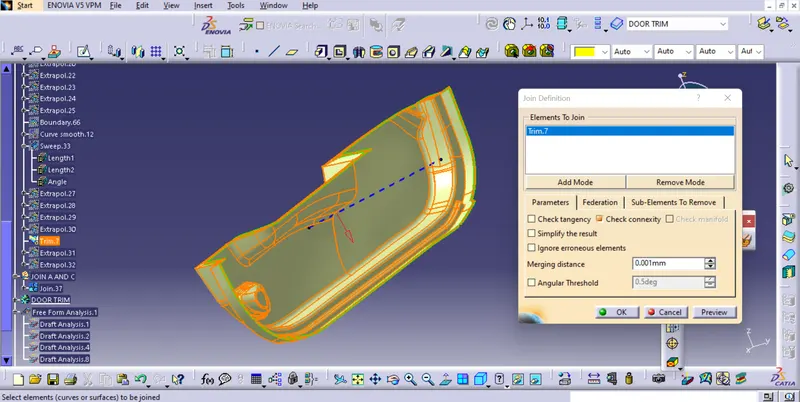
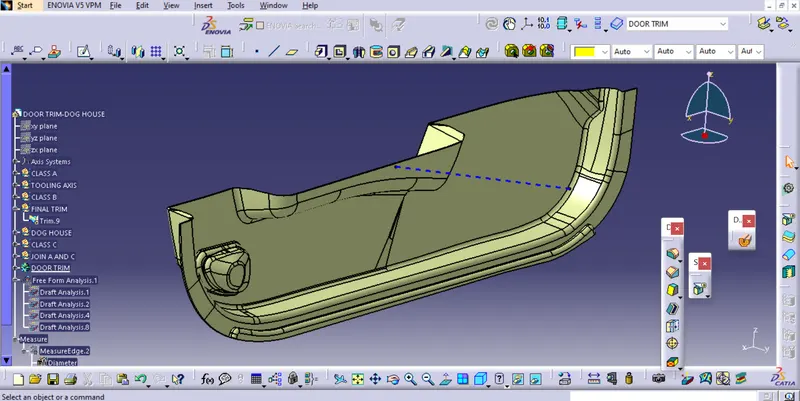
FINAL TRIM:-
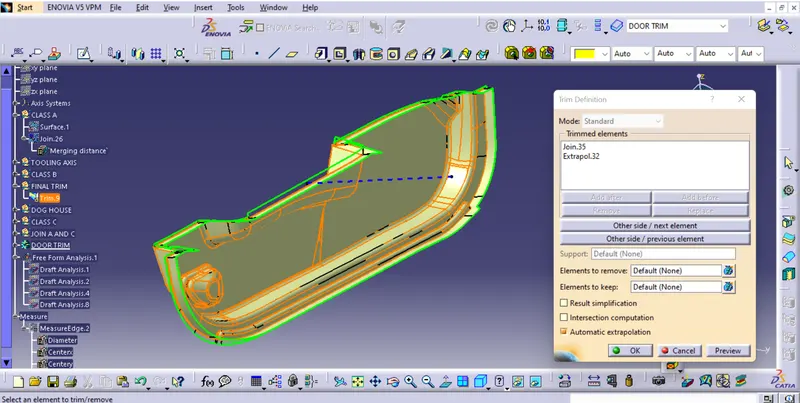
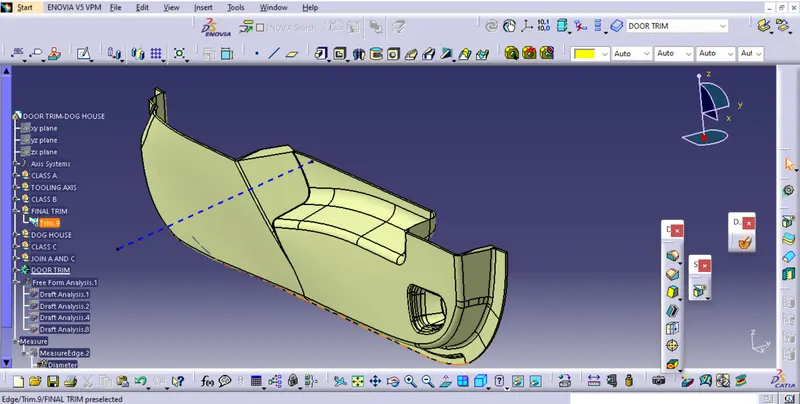
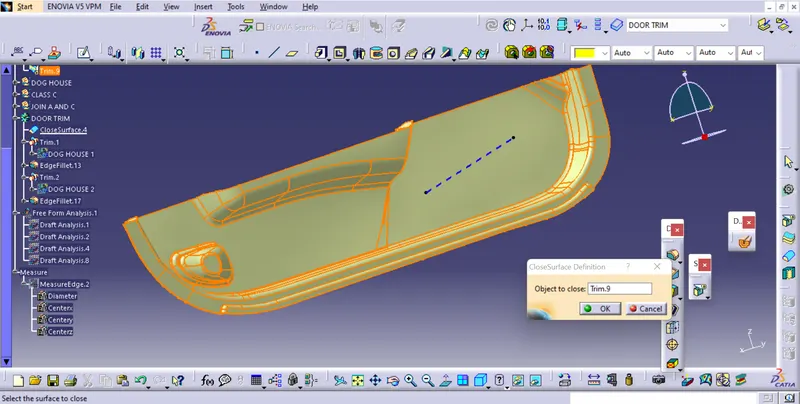
CLOSE SURFACE:-
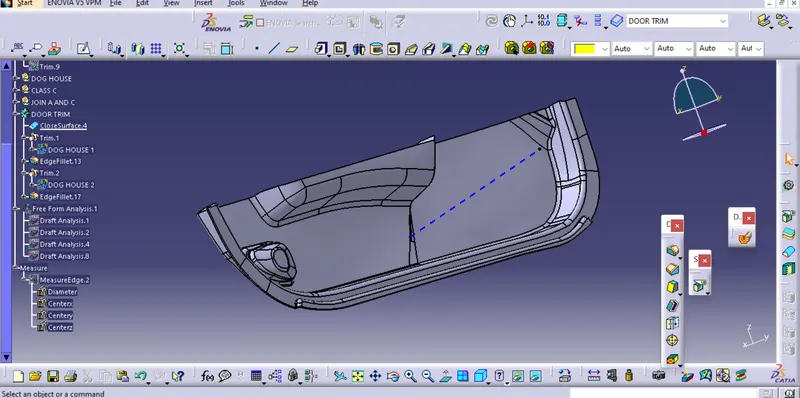
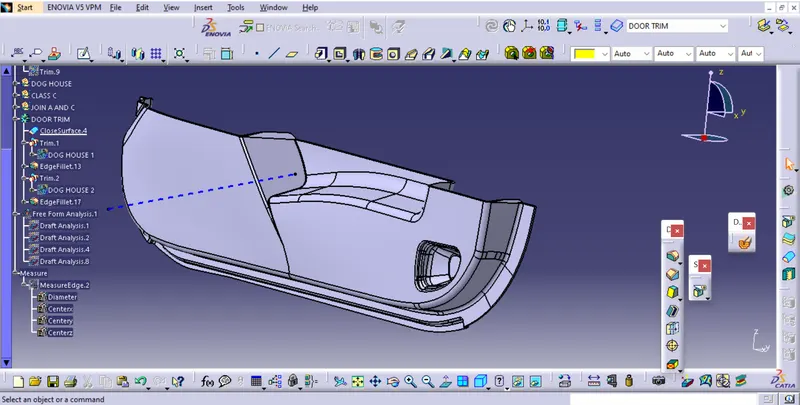
DRAFT ANALYSIS OF SOLID :-
4) B SIDE FEATURES (DOG HOUSE) CREATION:-
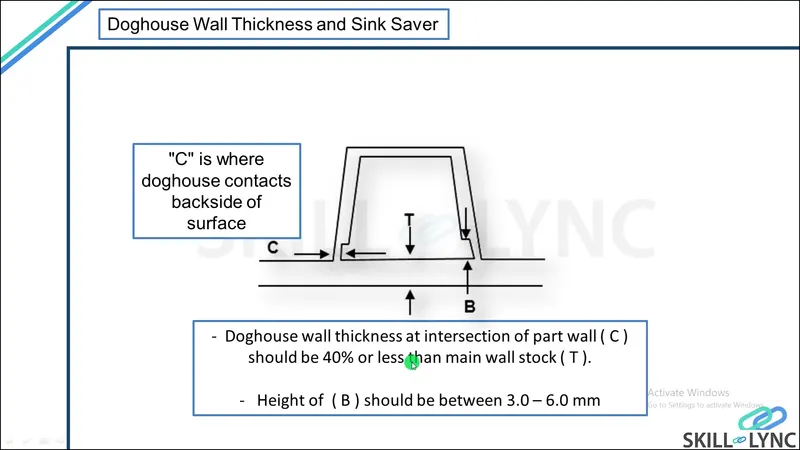
The dog house is an engineering feature used in the plastic trim design. Dog houses are used as a supporting feature. Sometimes other engineering features like snaps; locators, etc. are mounded on them to increase their strength.The doghouse is created by following the design rules.The nominal wall thickness guide range is from 0.75 mm to 3 mm for reinforced materials and 0.5 mm to 5 mm for unreinforced materials.Related Courses
WALL THICKNESS (W) = 0.70 (NOMINAL THICKNESS OF PLASTIC MATERIAL)
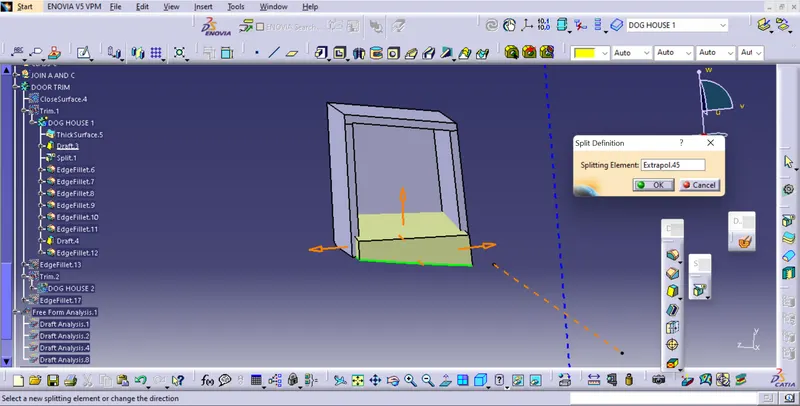
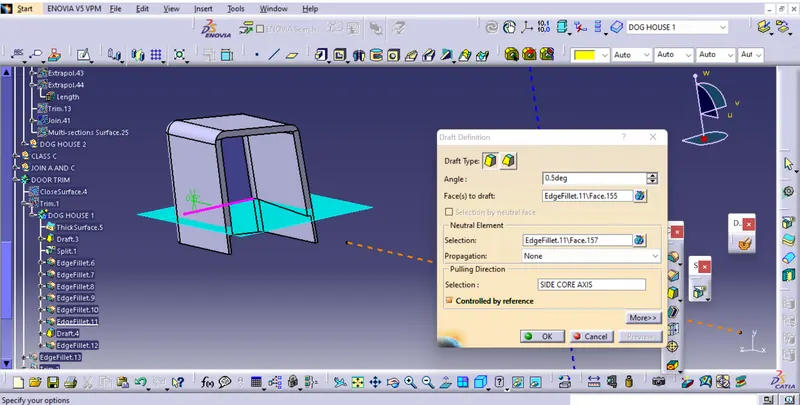
This process is usually done by Thicken surface command.The fillets and the draft are given as per the design rules.An important thing while designing a doghouse is to maintain 40% less thickness than the wall thickness (T) at the area of the intersection to avoid sink marks. So, a C shape is formed at the intersection.This can be made using the split command to remove the solid at the intersection.
SIDE CORE:-
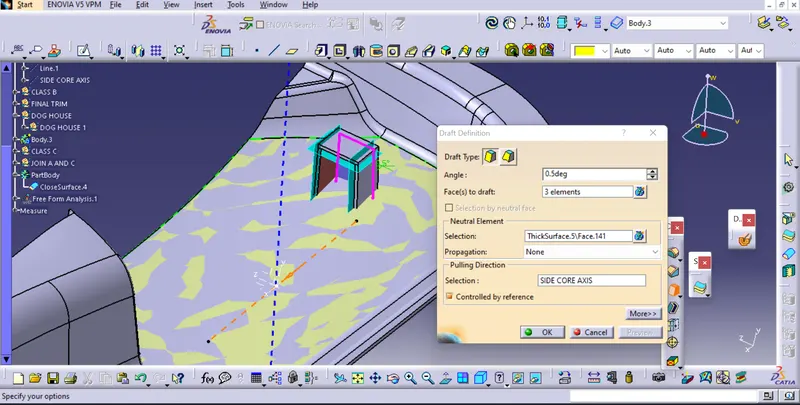
To create dog house side core is used because its not its side feature and can't be manufactured by the main core and cavity only.Whentheir are inner and outer holes or undercuts on th eplastic part that are different from the mold opening direction.Plastic parts cannot be enjection.The mold side hole or the undercut part must be made into a movable core.And the movable core is taken out before the plastic part is pushed out.Then take out the plastic parts.The mechanism for accomplishing these actions is called a side core pulling mechanism.
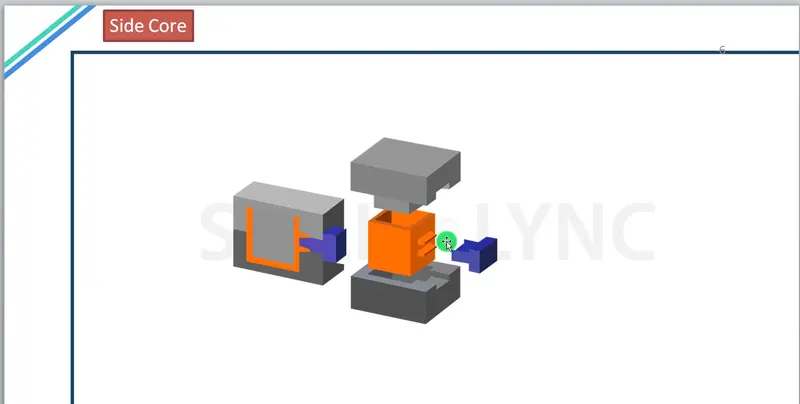
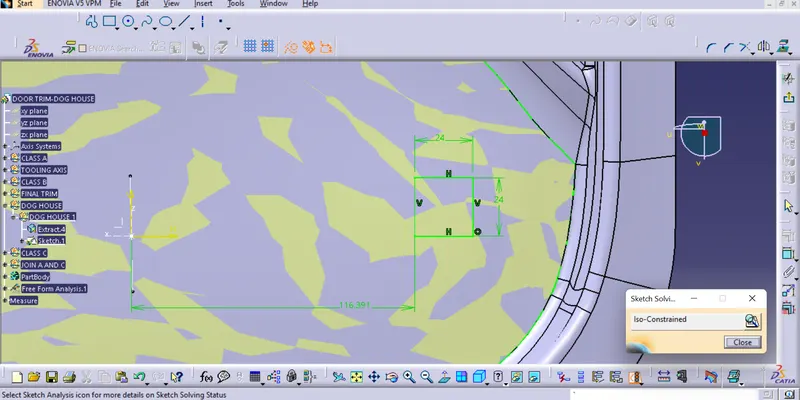
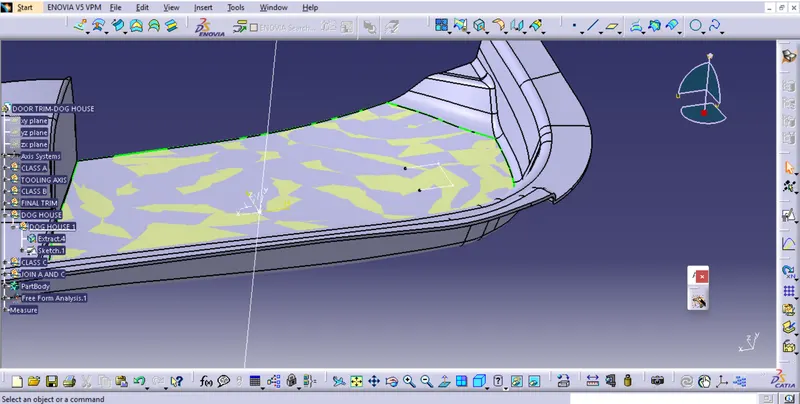
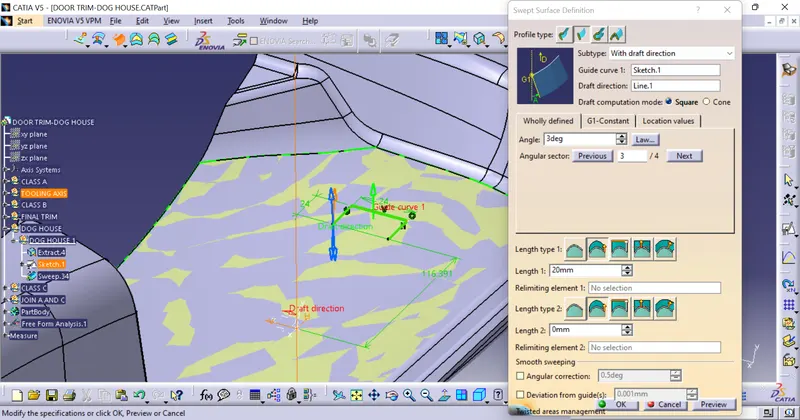
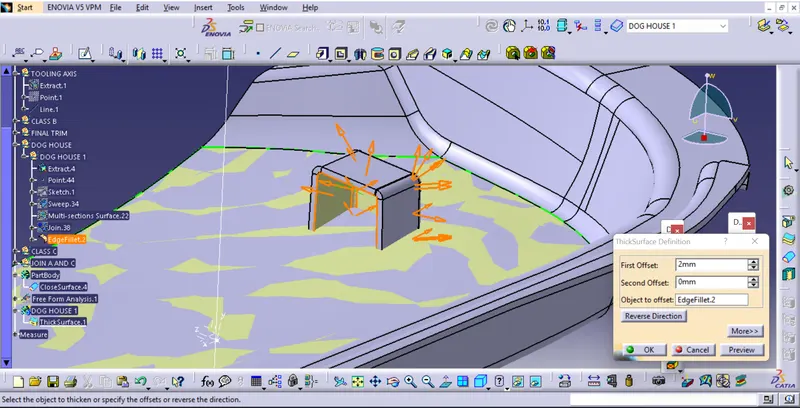
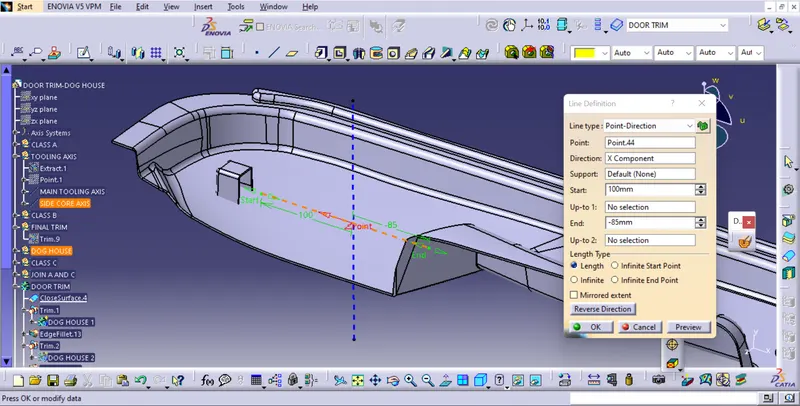
SIDE CORE AXIS:-The side core axis is created to normal to the X axis. The dog house inner walls will be cleared using the side core axis
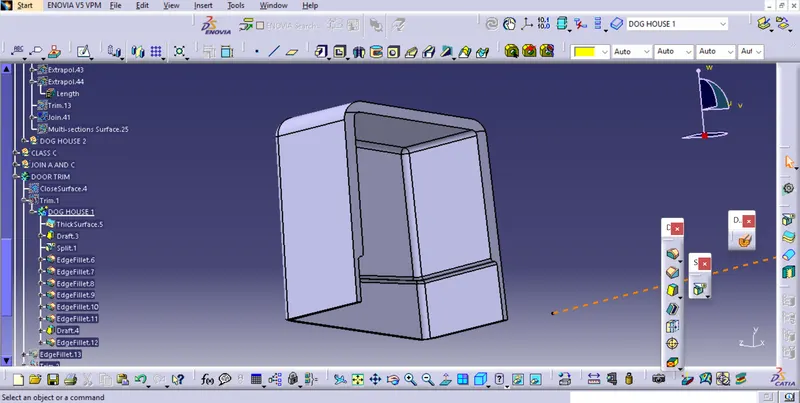
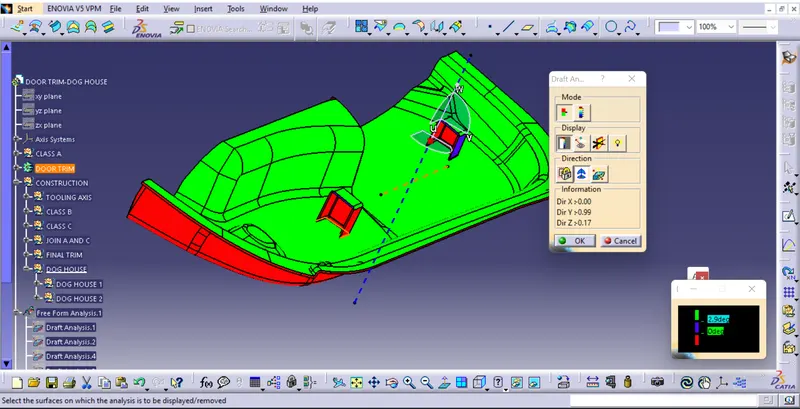
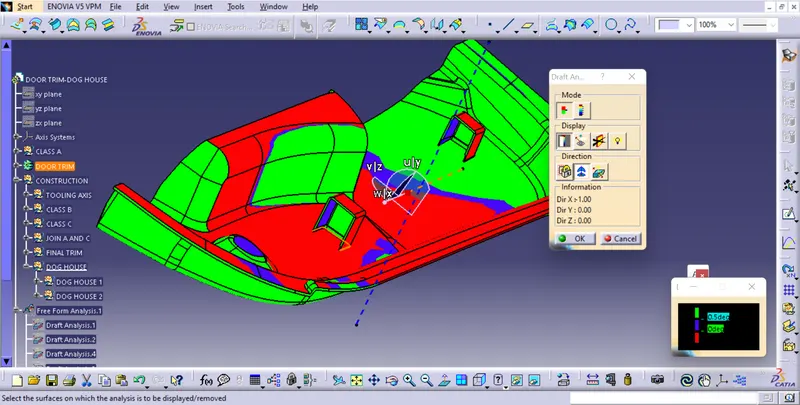
DRAFT ANALYSIS OF DOG HOUSE FROM DIFFERENT DRAFT ANGLE:-
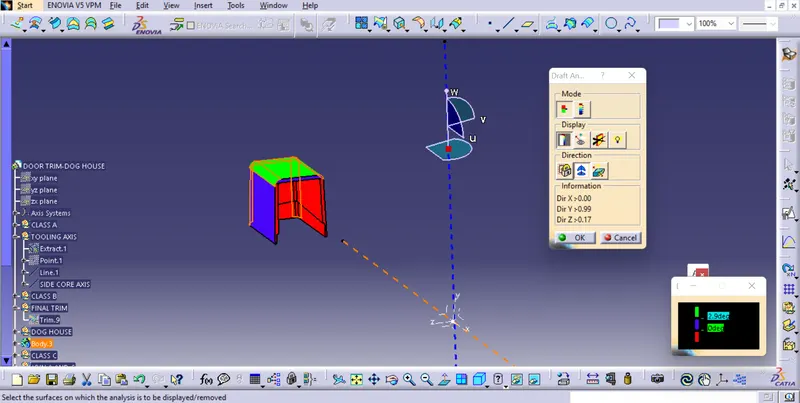
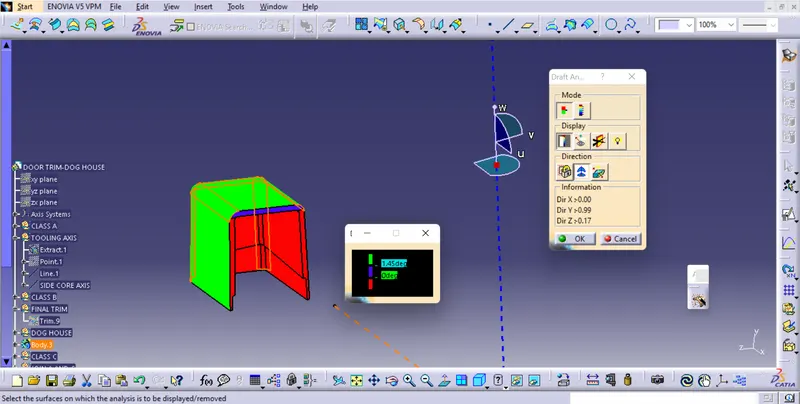
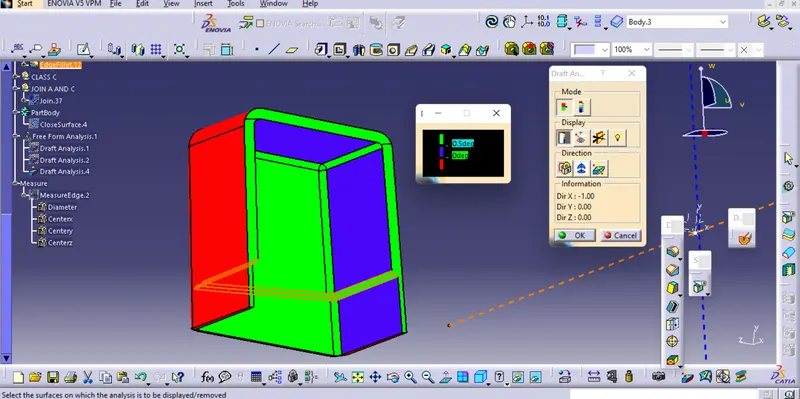
5)FINAL PART AND DRAFT ANALYSIS :-
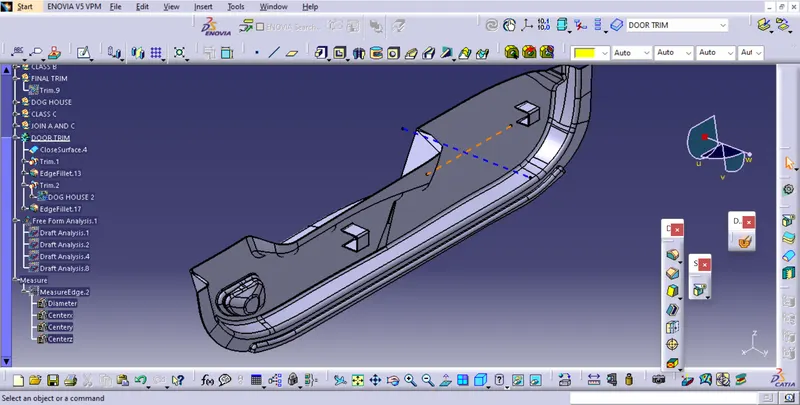
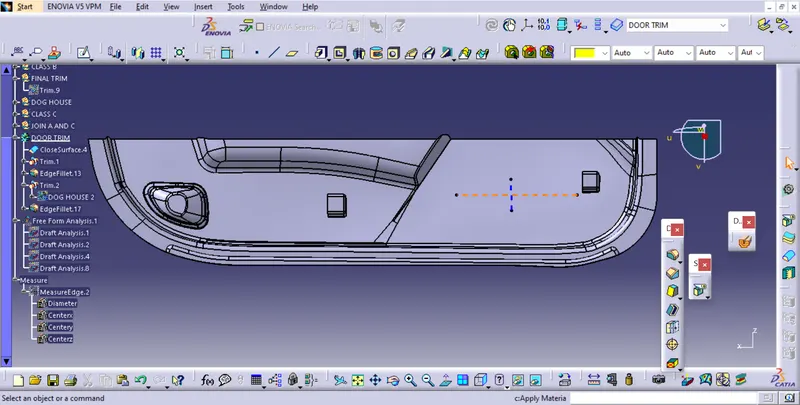
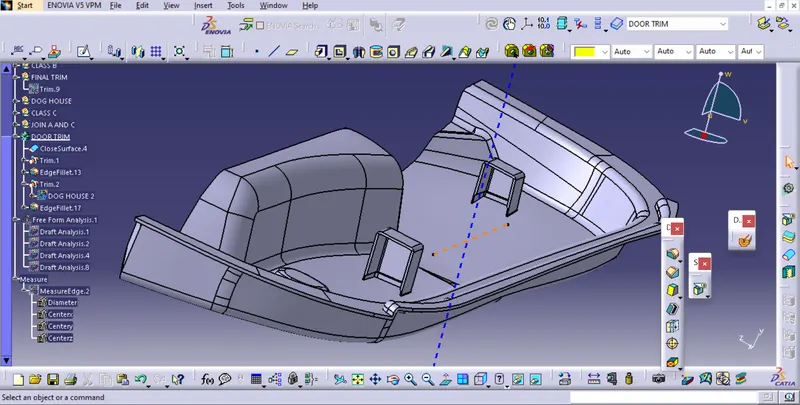
CONCLUSION:-I have successfully created CLASS B and C surfaces using the given CLASS A surface of the door trim created main and side core tooling axes. Performed draft analysis the the final component and the dog house.