Week 9 - Attachment Feature Creation - Challenge 2
DOOR TRIM ATTACHMENT OF DOG HOUSE
AIM:
To create a dog house in door trim considering the design rule.
DESIGN PROCESS:
- Class A surface
- Tooling axis
- Class B surface
- Class C surface
- Making a surface modeling
- Making a solid modeling
- Draft analysis
- Making dog house
INTRODUCTION:
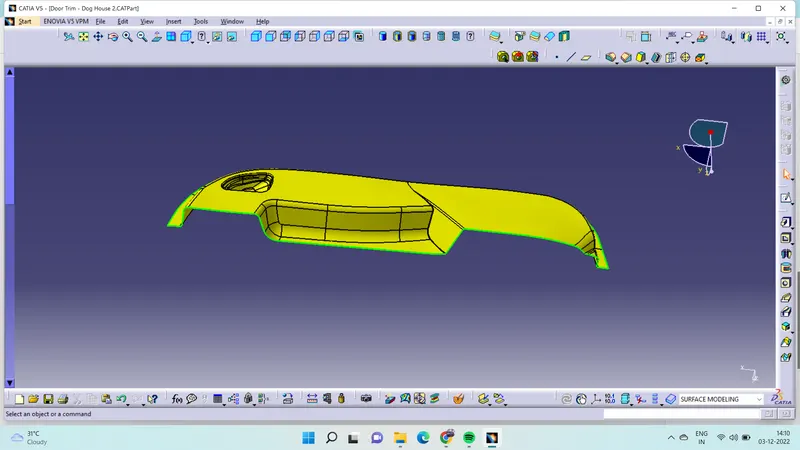
CLASS A SURFACE:
- Class A suface is the aesthetic surface it is top surface of the component.
- Class A surface is created by stylish team using ALIAS software.
- It's the input of plastic designer to create plastic component.
TOOLING AXIS:
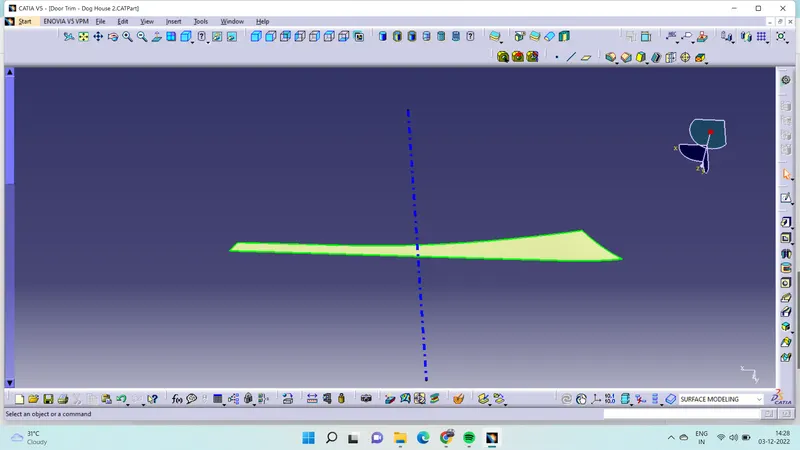
- Tooling axis is ths importand features of the plastic component design ii will desides to open and close of core and cavity of machine.
- Before create a tooling axis has to analysis class A surface which is best place to located.
- After desiges the of tooling axis extract surface which the tooling axis place.
- Then create a point at the middle of the surface.
- From that point create a line then namded as tooling axis.
CLASS B SURFACE:
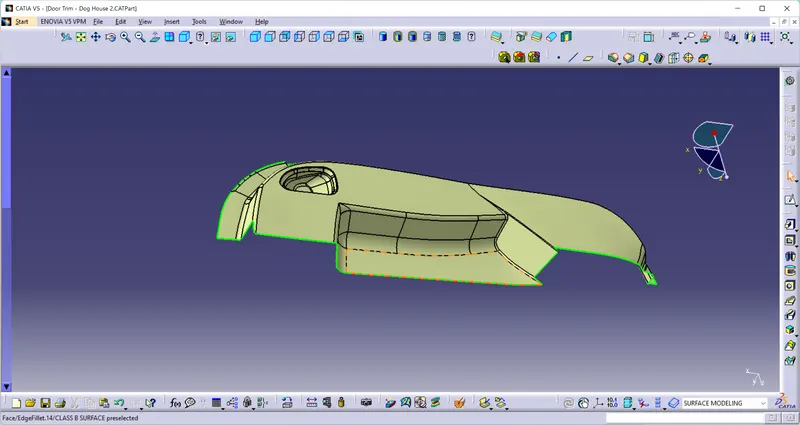
- Class B surface is the bottam surface of the component which engineering features are create from this surface.
- To create class B surface for that offset the class A surface at the 2.5mm in downwards direction.
- In offset surface has form a patch surface.
- From that surface has to make extrapolate the surface at the both end.
- After that trim the surface from the extrapolate surface.
- Then give the fillet to the edges then named has class B surface.
CLASS C SURFACE:
- Class A surface is act like a thickness of the class A and class B surface.
- In class C surface have to clear draft analysis for that use sweept command.
- Using the sweept command two method to create a class C surface.
- In sweept command in subtype obtion select the with draft direction give guide curve and give draft direction.
- While create C surface with draft direction method give angle of 3deg.
- Another method is with referance surface give guide curve and give referance surface.
- Using with referance surface method give angle of 93deg.
- To create C surface is be in two or more division.
- After that use join cammand join the division surface.
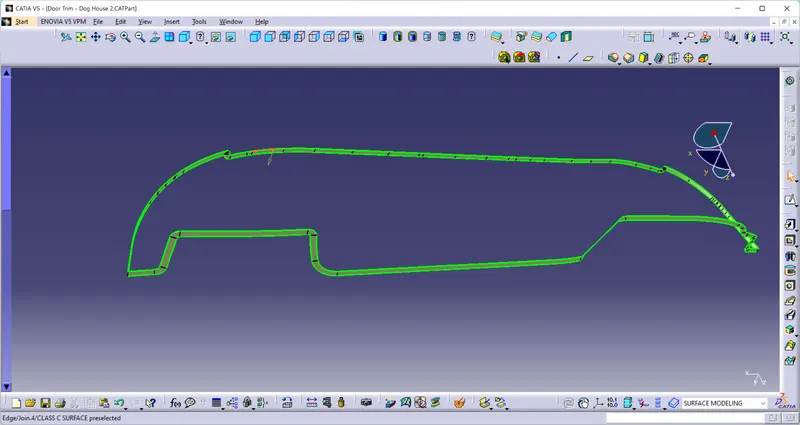
CONVERSION OF SURFACE MODELING:
- After creating the C surface use join command join the class A and class C surface.
- Then unhide the class B trim with class A and C.
- Then form a surface modeling of the door trim.
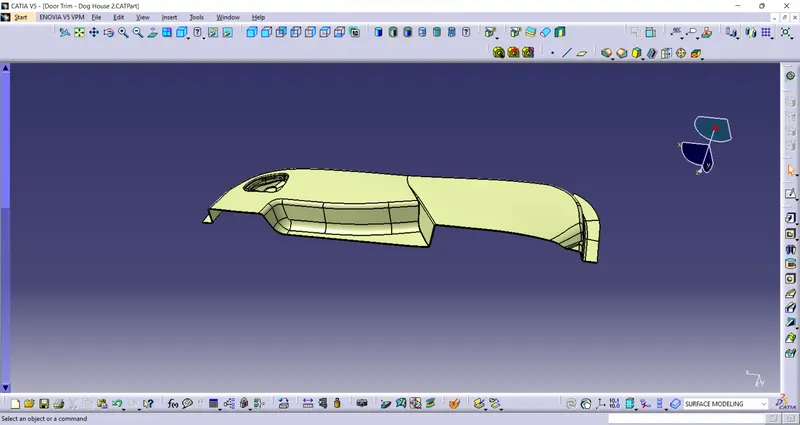
CONVERSION OF SOLID MODELING:
- After creating surface modeling then go to part workbench then use close surface select the surface give ok.
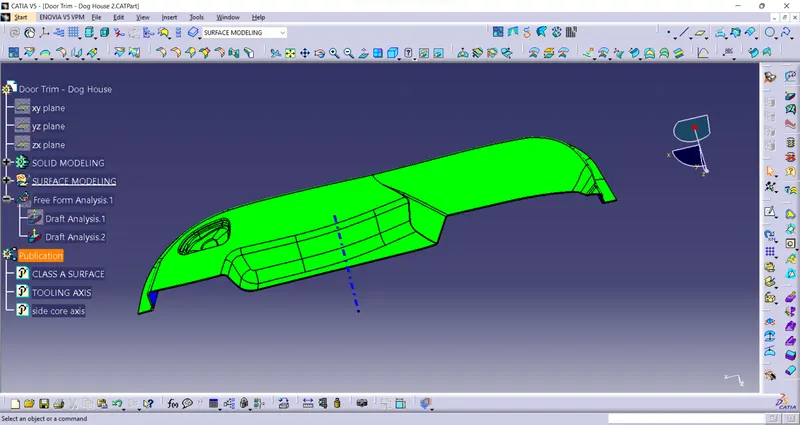
- Then created the solid features of door trim.
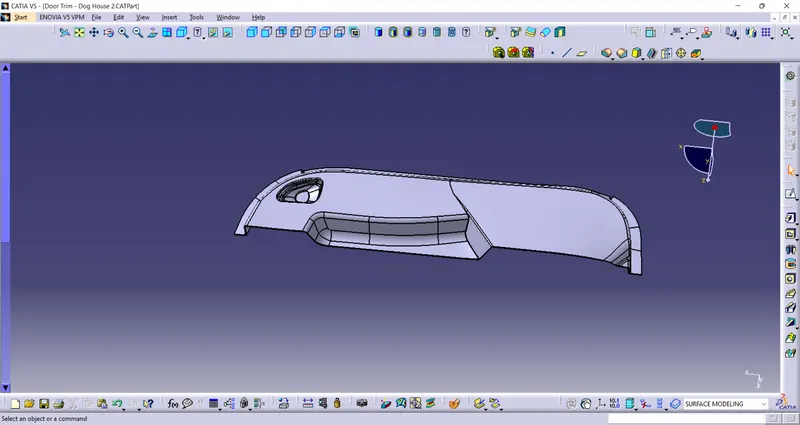
CREATION OF DOG HOUSE:
- Dog house is the engineering feature use for avoid shrinkage of the product and to attend the merging distance.
- For creating a dog house need to ask the molding engineer thay have to deside where the dog house to located.
- After that extract the surface were the dog house have to place.
- Then sketch the dog house and extrude the sketch.
- And go to part workbench give thicken to the surface at 2.5mm.
- After that give a draft at 2.5mm and give a minimum fillet of 0.25mm.
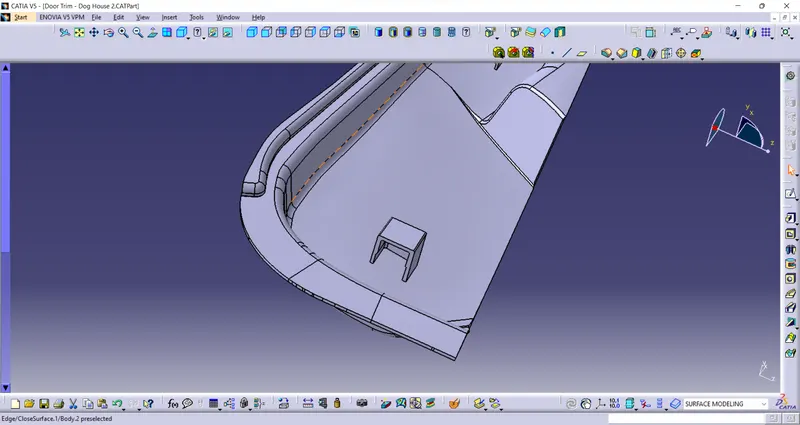
DRAFT ANGLE ANALYSIS:
FOR CLASS A SURFACE:
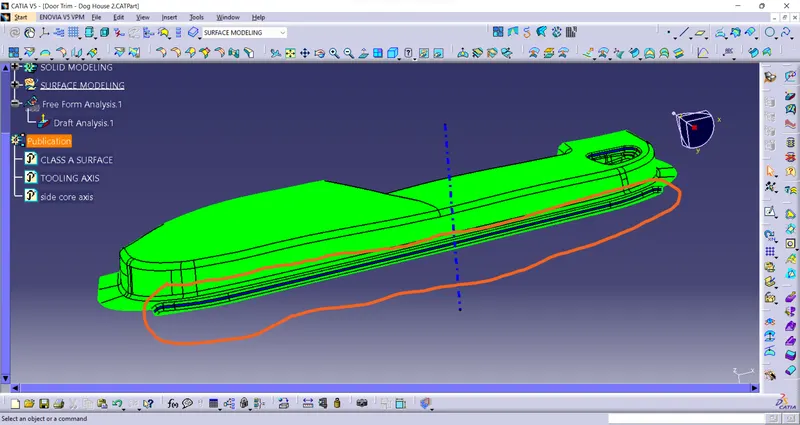
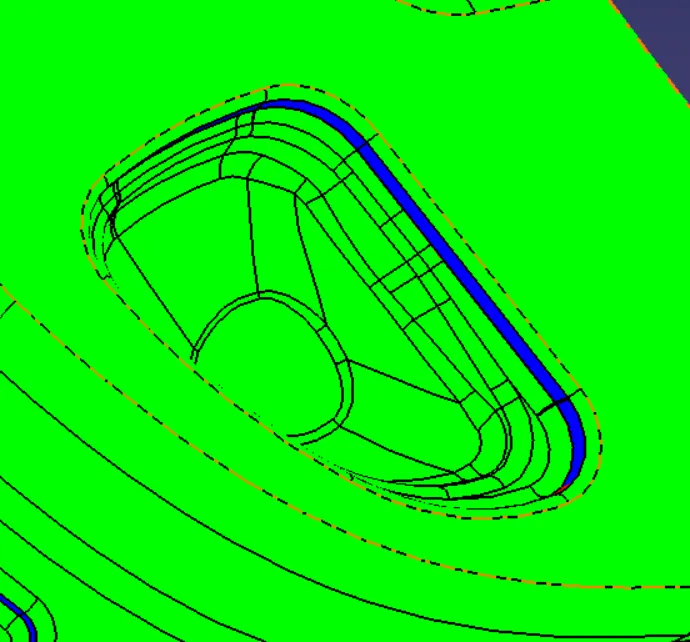
While doing draft angle analysis of class A surface marked area are not clearing so that stylish team have to improve the draft angle at minimum angle of 3deg.
FINAL PRODUCT:
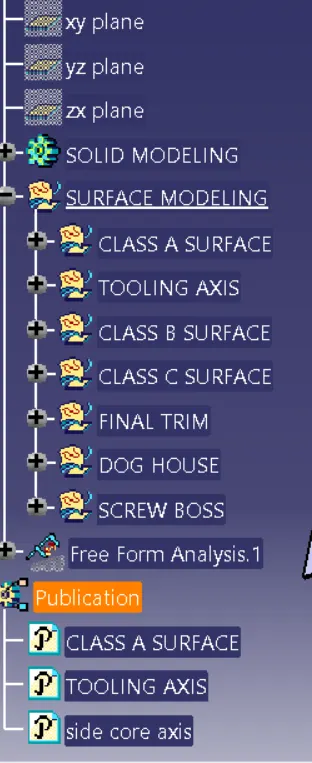
TREE STRUCTURE: