Week 9 - Attachment Feature Creation - Challenge 1
Objective: To create the rib for the centre console coin holder considering the design rules
Step 1: Rib design was carried out as per the given guidelines. Ribs are extruded along the direction of tooling axis. Also draft of 5 degree is provided in the direction of tooling axis.
Rib thickness = 0.4*thickness of the component = 0.4*2.5 = 1 mm
Rib height = 5 times the thickness of the component = 5*2.5 = 12.5 mm
Draft angle = 0.5 degree
Fillet radius = 0.25 mm
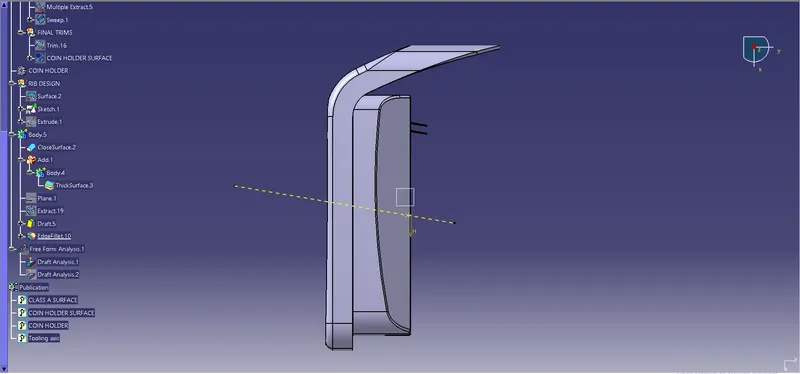
Following is the screenshots of completed design in various orientations
Isometric view
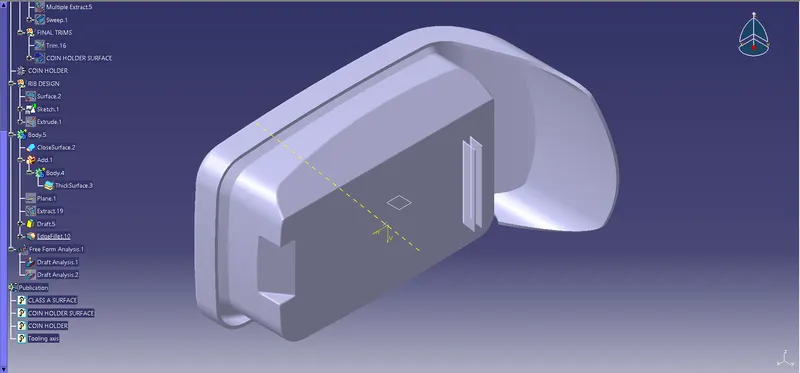
Front view
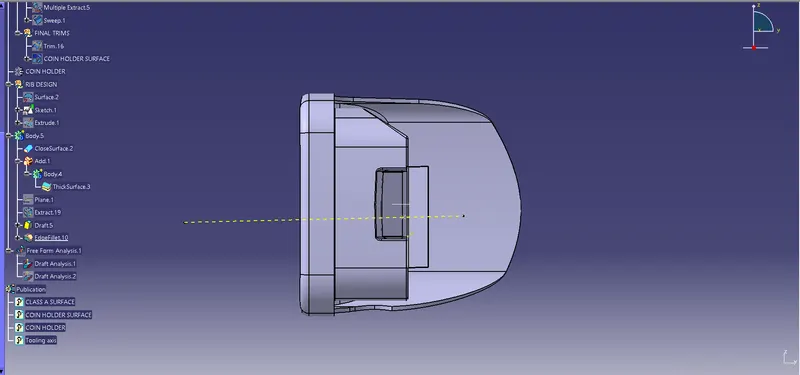
Left view
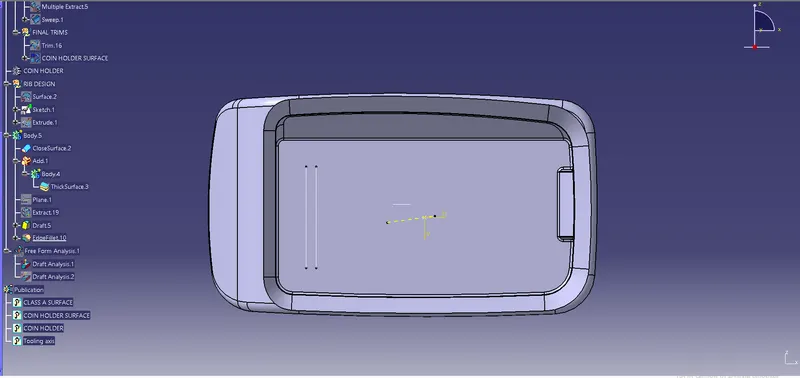
Right view
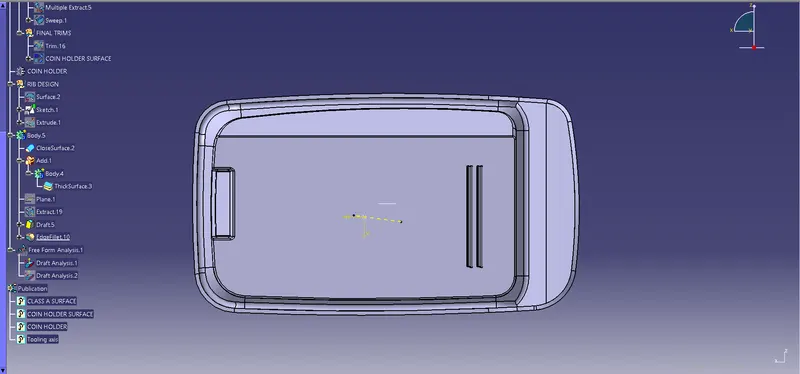
Top view
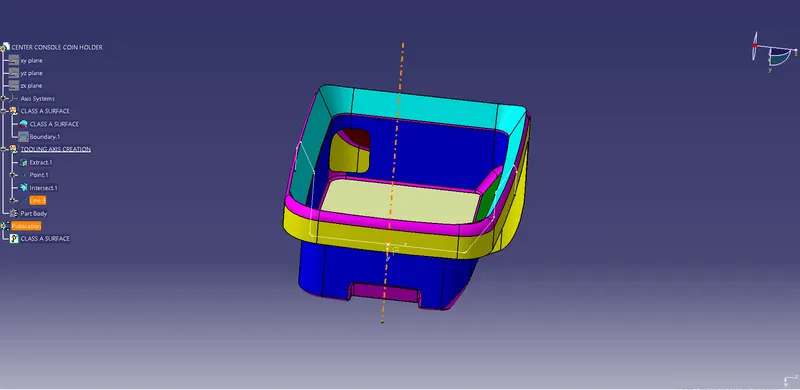
Step 2: Tooling axis creation
Tooling axis is created by bisecting method. Bisecting method is the method used to create lines (Tool clearing in X and Y directions).
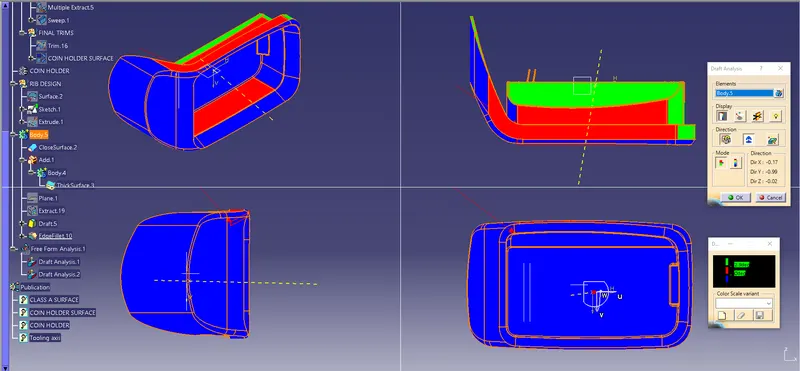
Step 3: Draft analysis
- Go to Insert - Analysis - Feature draft analysis. Before that customize view parameter mode to Material.
- Click on compass icon and align it with the tooling axis and click on the surface, we will get our results
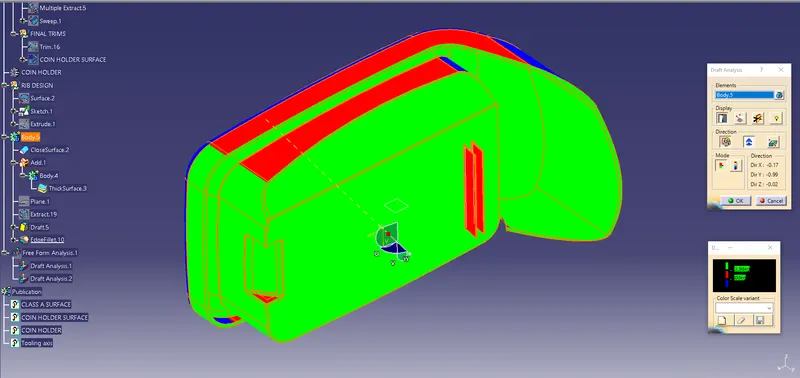
Surfaces of ribs are in red colour, which means draft angle is closer to zero degree.Surfaces in green colour has greater than 3 degree draft. We also check the draft angle of running point on the surface of rib, which is 0.5 degree.
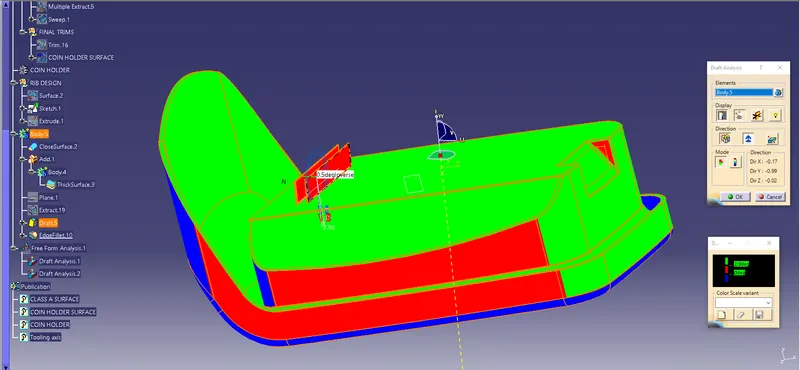
Following is the image of the mode in various orientations