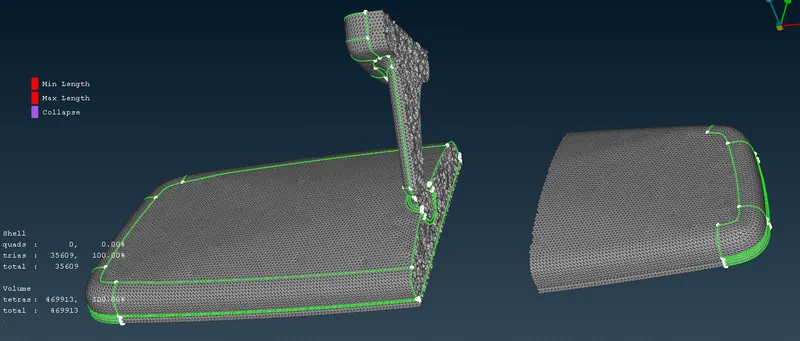
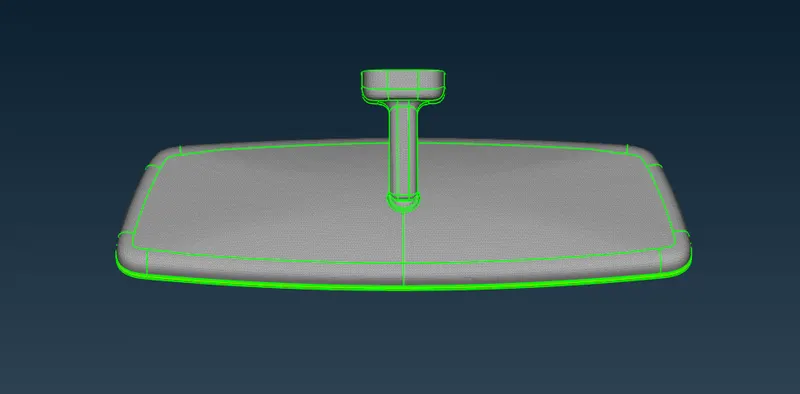
Week- 8 - Solid meshing
AIM:
To do geometrical clean up on the given component and mesh with the given element quality criteria. Use tria elements to create surface mesh and generate tetra volume mesh (unstructured volume mesh).
Objective:
- To check the geometrical errors on the Car Rear View Mirror model.
- To Provide Mesh Parameters and Quality Criteria.
- To generate 2D mesh on the surfaces based upon the quality criteria given in the question.
- To generate 3D mesh [Volume Tetra Mesh] on the component given.
- Check the elements, if they are failing for tet collapse.
Theory:
- A rear-view mirror is a flat mirror in automobiles and other vehicles, designed to allow the driver to see rearward through the vehicle's rear window (rear windshield).
- In cars, the rear-view mirror is usually affixed to the top of the windshield on a double-swivel mount allowing it to be adjusted to suit the height and viewing angle of any driver and to swing harmlessly out of the way if impacted by a vehicle occupant in a collision.
- The rear-view mirror is augmented by one or more side-view mirrors, which serve as the only rear-vision mirrors on trucks, motorcycles and bicycles.

Procedure:
Importing the Model:
Open the ANSA Software, Importing the appropriate file which is Rear View Mirror by using GUI Option.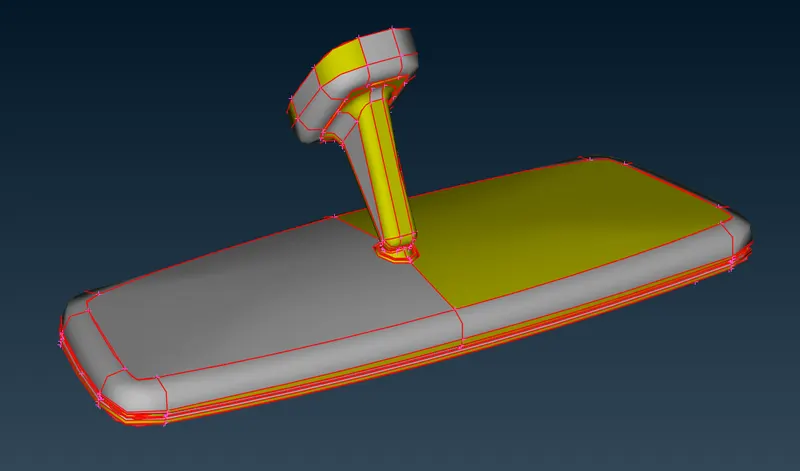
Geometry Cleanup:
- Imported the given .IGS file in the ANSA work page.
- Checked for the orientation i,e. the upper part of the model should be in gray color meaning positive and the lower part in yellow color meaning negative.
- The issues with orientation are cleared using the Topo module---> Faces---> Topo.
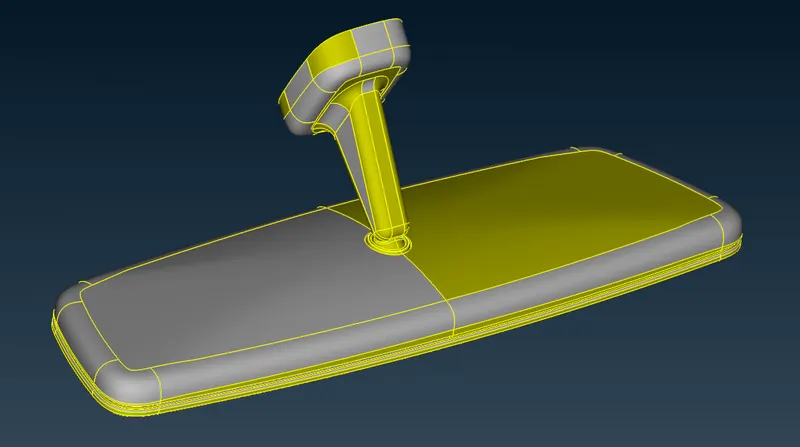
- The resolution of the CONS is improved using Auxiliaries---> Fine from topo module or Perimeters---> Length from mesh module.
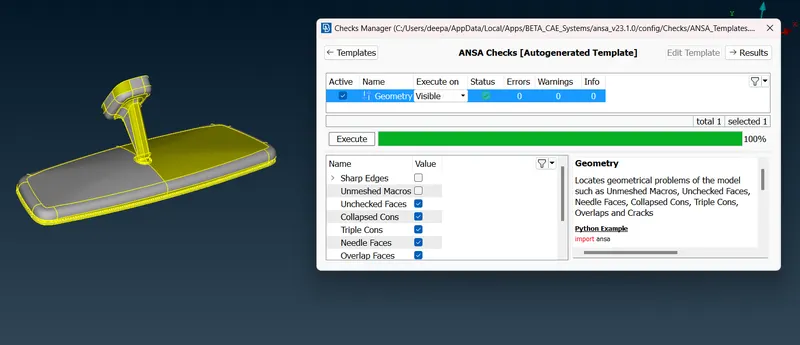
- The model is then subjected to a geometry checkup to check any free edges between the models, duplicate surface, irrelevant CONS using the option Tools---> Checks---> Geometry.
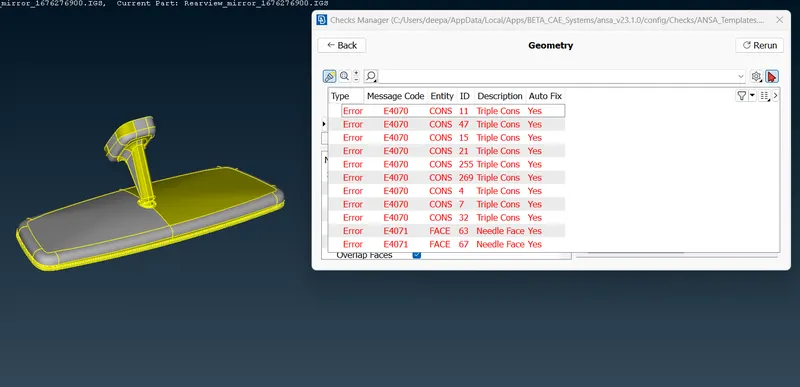
- Some geometrical errors are cleared using the Auto fix option and some are manually done using options like release hot points, release cons, topo, faces-Cut, etc. from the Topo module.
- The surfaces are splitted using the faces--->Cut, Delete options according to the Quality criteria in order to avoid element failures during meshing.
Set the Quality Parameters and Mesh Element Parameters :
Mesh Parameters tab :
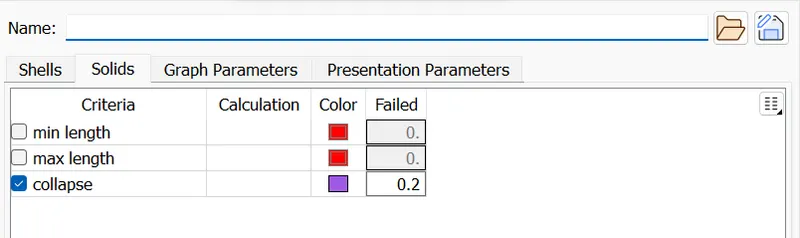
Before going to meshing operation on the surface, make sure we have to keep the appropriate target element length, minimum target length and then Maximum target length. Make sure, keep the element type which is Ortho trias.
All Meshing algorithms will deploy a elements as per given those value ranges only.
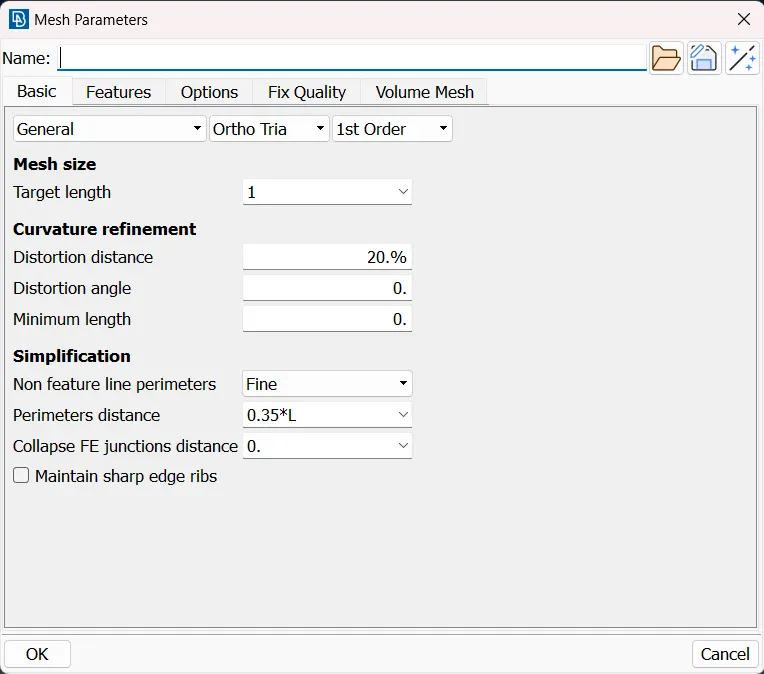
In this case, we only take care of minimum & maximum element length criteria only. These quality criterias for only which 2d shell elements. Whenever we create a 2d Tria shell elements for which generating the 3d elements, we have only concern these two criterias.
We have to create a meshing elements with this range.
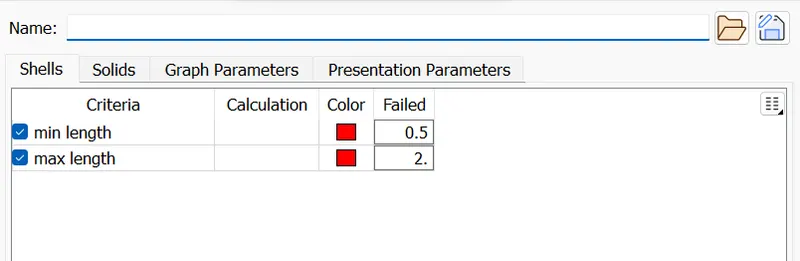
In 3d tetra element, we have only concern about Tet Collapse quality criteria.
Mesh Generation:
- The perimeter elemental length of 1 mm is applied to the model using the Mesh module ---> Perimeter---> Length option.
- The split surfaces are meshed one by one using Mesh module---> Mesh generation---> Spot mesh option.
- Normal trias and ortho trias elements are used while meshing the surfaces.
- The curved surfaces and fillet regions are meshed with ortho tria elements for better feature capturing and Normal tria elements are used in the plane surfaces.
- The ortho tria elements alone can be used to mesh the model but the number of elements increases, so the computation time increases.
- During meshing the irregular mesh flow can be removed using Shell mesh---> Reconstruct option.
- The elements which fail for quality can be viewed by using the Draw mode toolbar ---> Hidden option and corrections are done for the elements which fail for quality.
- The Smooth--->Shell mesh option is used to attain good mesh flow.
- After the shell mesh and checking for quality criteria, ensuring that the model is fully closed, it can be taken to generate tetra elements.
Defining the control Volume :
Before going to create a volume meshing, make sure we have to defining the volume region for which generating the 3d elements on interior of the shell elements.
Make sure, we had to done the 2d shell element properly without any opening. Then only, we has to define the volume.
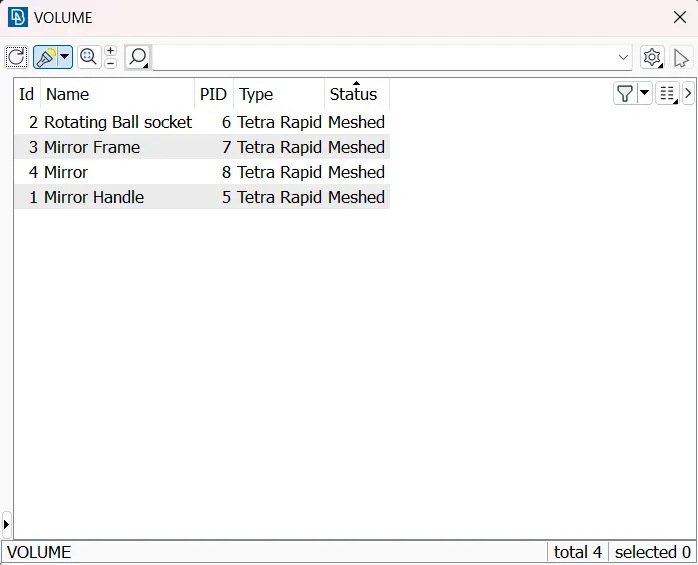
After defining the volume to all parts, it will listed out as shown in below image.
Difference between Tetra rapid and Tetra FEM option:
- Tetra rapid option meshes the volume with Tetra elements.
- Tetra FEM option creates a Tetrahedral mesh inside selected Volumes, initially with pyramid elements if the starting surface mesh contains quad elements. It is to be used mainly for structural applications.
- In Tetra FEM, the generation of tetra elements is greater than with the tetra rapid option. so, the computation time increases with the Tetra FEM option.
Tetra elements generation:
- The model has four volumes are defined as shown below, this can be viewed with the volumes-->list option.
- The solid elements are generated using the Unstructured---> Mesh---> Tetra rapid or Tetra FEM option.
- After the generation of the solid elements, the quality parameter Tetcollapse is checked for mesh quality.
- The elements which fails for Tetcollapse can be resolved using improve--->fix quality option unless there are dents or peaks formation.
- Tet collapse can be manually resolved using Mesh---> rides---> Move free option.
- Once it is completed, the solid model can be viewed using the Visibility toolbar ---> Volume option.
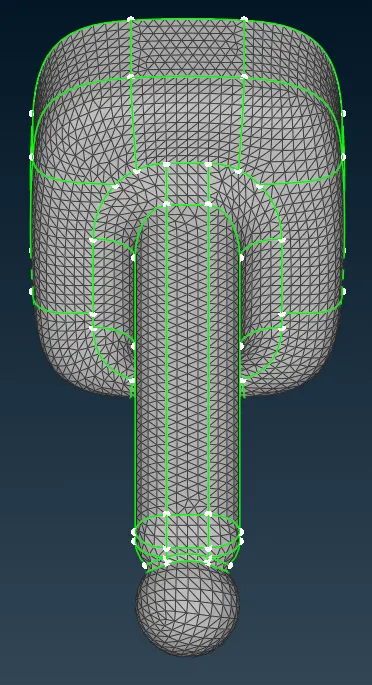
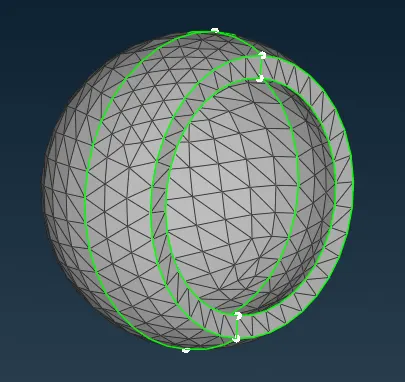
Mirror Handle Rotating Ball Socket
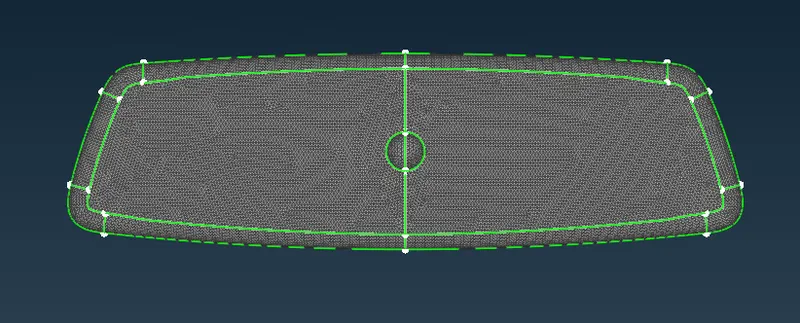
Mirror Frame
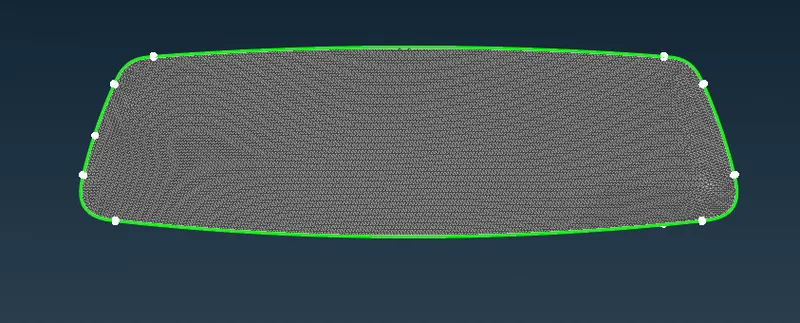
Mirror
Result:
- Hence TetraMesh Generation Method-2D to 3D Conversion for Reaar View Mirror component with the following quality criteria has been done.
- Hence there are no surface deformations in the geometry.
- A well connectivity has been established between the surfaces.
- The features have been captured properly.
- A good mesh flow have been achieved with the zero elements failing for quality.