Week 4 - 2D Meshing for Sheet Metal
Aim:
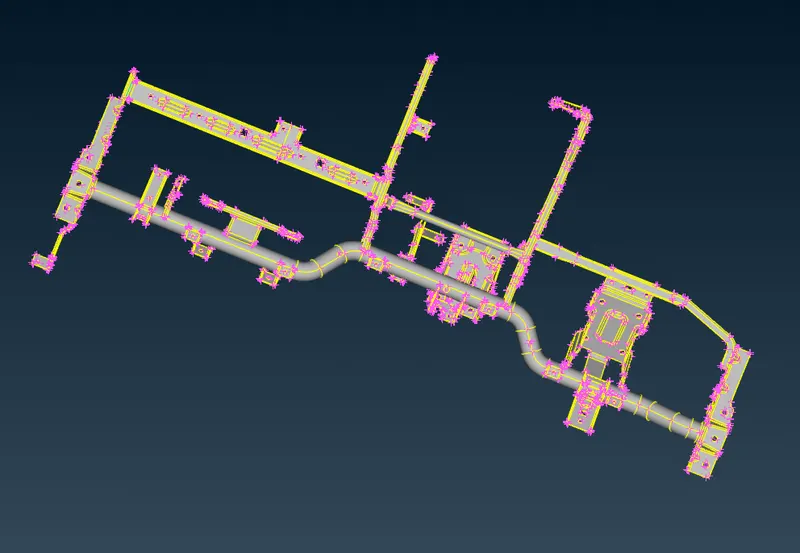
To extract mid-surface and generate mesh on CCB(Cross Car Beam) using ANSA
Objective:
The cross car beam(CCB) is the backbone of the instrument panel. From a structural perspective, the ends are mounted to the body walls and the firewall. This means there needs to be ample structural support for the steering column for both safety and driver comfort.
The cross car beam design does not change between internal combustion engine (ICE) vehicles and electric vehicles. The design may be different between the ICE and EV's as many EV's use a large screen instead of buttons and knobs, while the attachment points, steering wheel support, and airbag mounts are the same. The design and materials creates a value proposition that includes weight, cost, customer appreciation, safety, prototype, and production tooling, and the ability to make changes within the development program .
Procedure:
Step 1 : Importing CAD model and performing cleanup using different tools
- First the CCB model is imported into ANSA software.
- After importing the cad file into ANSA, the first steps are to check for the geometrical errors, as there might be several missing surfaces, intersecting surfaces etc. due to the format conversion process from importing it in ANSA from a supported or unsupported CAD file format, or inherent bad model. And it is important to clear all these errors before starting the messing.
The following steps are followed to clean up the geometry.
- Faces>Topo – We first perform “topo” from the faces in ANSA to ensure that all the surfaces are connected properly.
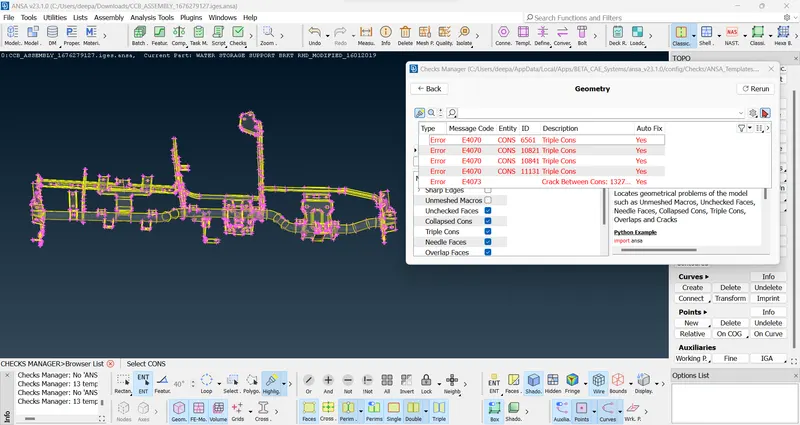
- Checks>Geometry- The next step is to perform geometry checks by going to checks toolbox and run it for parameters as shown in the image.
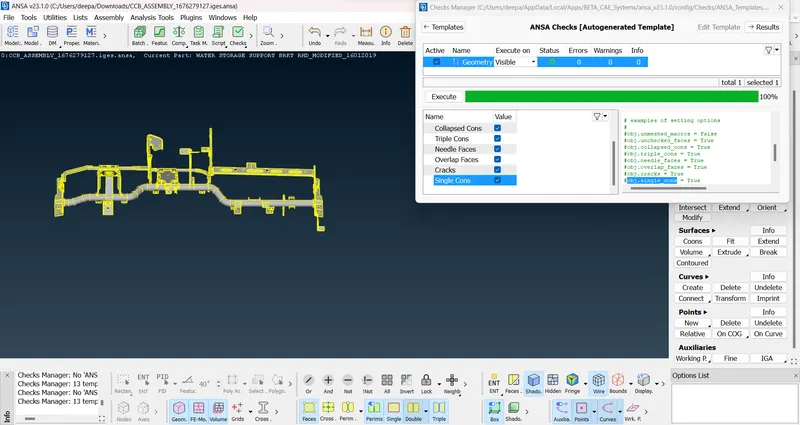
3. Fixing errors - Most of the errors can be fixed by selecting all and then chose fix from mouse-right-click option.
Step 2 : Extraction of Mid-Surface
The next step after clearing the errors in the geometry is the extraction of the mid surfaces. The mid surfaces are extracted here using the tool Faces>Mid surface>Skin, which includes offsetting the surfaces of all the faces towards the middle section of the given geometry. Offsetting is done by clicking on the tool and then selecting all the surfaces individually and then clicking the middle button.
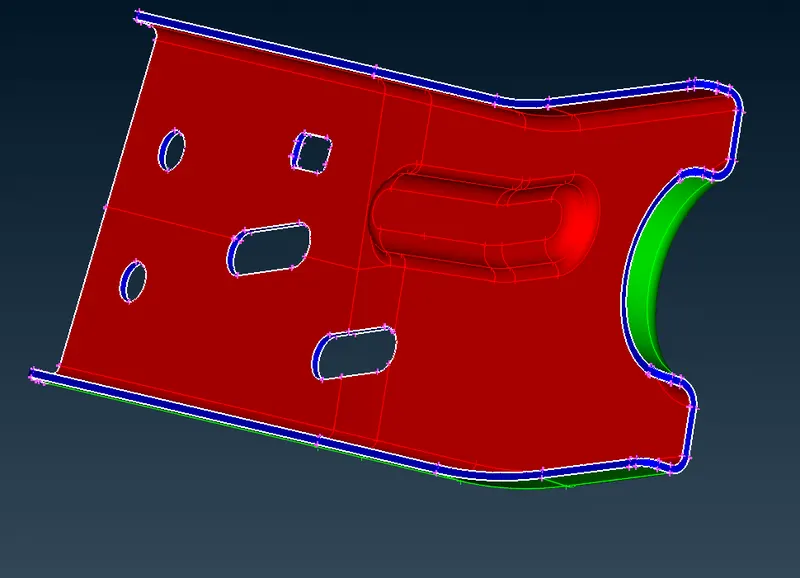
Extracted mid surfaces are then checked for geometrical errors and if any error is found then it is fixed using "Fix" option in "Geometry checks manager" and if any error can't be fixed by automtic fix option then we need to fix it manually as described above.
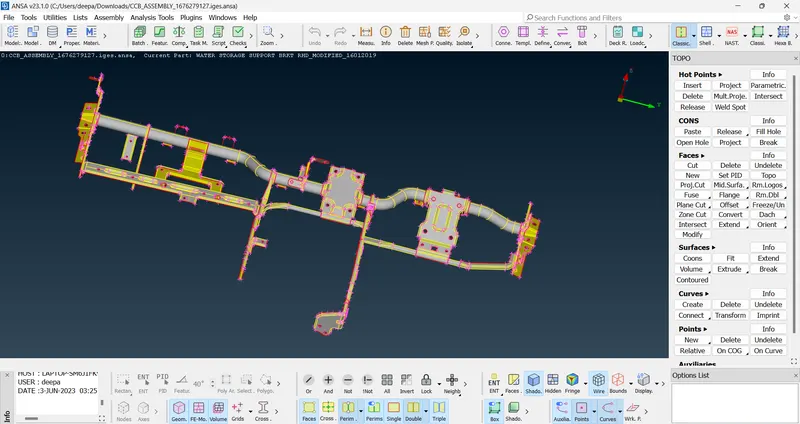
Note:
The mid-surface is extracted using Mid-Surface<Skin option manually for each part as all the parts were not attached properly. Due to this ANSA creates a different property ID for each of the part for which mid-surfacing is done.
Step 3 : Creating the mesh under the specified quality criteria
Quality Criteria-
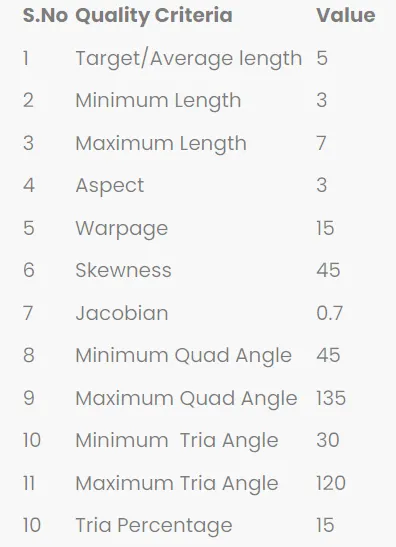
- The quality criteria paramaters are entered by navigating to Utilities>Quality Criteria.
- The mid surfaces are prepared by entering the target length as 5 by going to Perimeters>Length in the mesh module and then window selecting all the surfaces and confirming it by middle mouse button click.
- Meshing is done using the Mesh generation>Best tool. This tool generates the mesh using the best algorithm applicable.
- Then, the created mesh is refined using the Shell Mesh>Reconstruct tool.
- Most of the trias will be removed by using the above option but the mesh can still be refined because ANSA does not compromise the target length very much automatically.
To manual deal with trias, the following tools are used-
- Grid>Paste, to paste the nodes and move tria backward.
- Elements>Split, to split an element and move tria forward.
- Elements>Swap, to move the tria left or right.
- Elements>Join, to join two trias to make a quad.
After modifying the mesh, Shell Mesh>Smooth tool is used to smoothen the flow of mesh. Any elements failing for quality criteria are also fixed by either re-meshing or smoothing the elements again.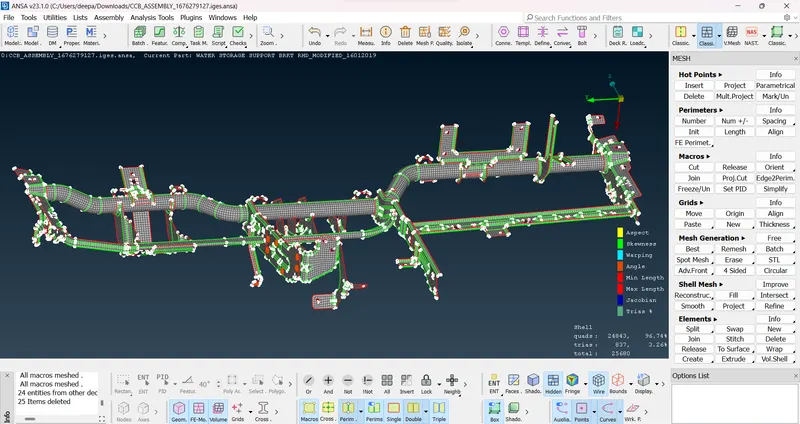
Conclusion:
The mid-surface of the given CCB CAD geometry has been successfully extracted and the mesh has been generated within the specified quality criteria.
Note:
The model uploaded has been compressed to reduce the size and also the parent geometry has been deleted.