Week 8 - Simulation of a backward facing step in OpenFOAM
Aim- To simulate an incompressible-laminar-viscous flow through the backward-facing step geometry. You should perform a transient simulation. The solver can be chosen based on the described physics of the flow. You need to explain the entire simulation procedure (how you set up the case). You should also provide explanations for every change you make inside the reference case files obtained from OpenFOAM tutorials. choose the inlet velocity such that the flow is laminar.
Objective-
- Simulate an incompressible-laminar-viscous flow through the backward-facing step geometry.
- Perform transient simulation; choose a solver based on the described physics of the flow in the problem statement.
- Explain the simulation process and way of setting up the problem statement in OpenFOAM and also, explain every change that has been done inside the reference case files obtained from OpenFOAM tutorials.
- Next, perform two case studies, firstly, form a simulation of the flow without using any grading factor (i.e., GF = 1). Secondly, simulate the flow with a grading factor of 0.2. The cells should be finer near the walls (including the step wall).
Problem Statement-
- Case 1 - Simulate the flow without using any grading factor (i.e., GF = 1)
- Case 2 - Simulate the flow with a grading factor (GF= 0.2). The cells should be finer near the walls (including the step wall).
Mesh specification-
- Number of cells along the x direction = 200
- Number of cells along the longer Y direction= 20
Procedure-
- For this simulation, we are using an open source software OPEN FOAM and for this, we are using a Linux Ubuntu OS in Windows using WSL.
- After installing the required files let's work on the OPEN FOAM.
- Open the Ubuntu terminal and run the command “Foam” to open OpenFoam
- Then “tut” cmd opens the tutorials file on the foam

- Some commands come in handy while using OpenFOAM are “ls= list file”, “cd= change directory”, “cd .. = go back a directory”,
- For this simulation we are going with incompressible flow with icoFoam solver.


- When open icofoam solver the interface presents files =Cavity, Elbow.
- For this simulation, we will go with Cavity because OpenFOAM doesn’t allow making changes in its primary directory. So we made a copy of cavity under the name “case-1 and case-2”. Make sure the copied directory should contain “0”,” constant”, and "system”.

- So let's head towards defining the geometry on the OpenFOAM solver.
- First, go with the case 1, Grading factor (GF=1)
- Open the case-1 folder by using the cmd ”cd ” and go with the “system” folder.
- At that, we will make changes in two files that are important for this simulation – “blockmeshdict”, “Controldict”.
- Open the blockmeshdict file on the notepad and we will set the geometry constraints.
- A blockMeshdict file is a script file that contains information regarding all aspects of the geometry.
- It consists of a header file containing all the information of the dictionary format, means, key and value format.
- Next, we set units in meters, by converting all types of lengths into meters.
convertToMeters 0.01;
- This is the main part of the blockMeshdict file where we define the vertices of our geometry.
- At next we define the blocks, the line where we specify the faces of the blocks, and Here only we define the simple grading and number of cells on the X,Y, and Z direction.
- Then we have to define the boundaries of the geometry i.e, inlet, outlet, and walls.
BlockMeshDict file
/*--------------------------------*- C++ -*----------------------------------*\
========= |
\\ / F ield | OpenFOAM: The Open Source CFD Toolbox
\\ / O peration | Website: https://openfoam.org
\\ / A nd | Version: 10
\\/ M anipulation |
\*---------------------------------------------------------------------------*/
FoamFile
{
format ascii;
class dictionary;
object blockMeshDict;
}
// * * * * * * * * * * * * * * * * * * * * * * * * * * * * * * * * * * * * * //
convertToMeters 0.1;
vertices
(
(0 0 0) //0
(0.08 0 0) //1
(0.08 0.005 0) //2
(0 0.005 0) //3
(0.08 0.01 0) //4
(0 0.01 0) //5
(0.20 0.01 0) //6
(0.20 0.005 0) //7
(0.20 0 0) //8
(0.20 -0.01 0) //9
(0.08 -0.01 0) //10
(0 0 0.1) //11
(0.08 0 0.1) //12
(0.08 0.005 0.1) //13
(0 0.005 0.1) //14
(0.08 0.01 0.1) //15
(0 0.01 0.1) //16
(0.20 0.01 0.1) //17
(0.20 0.005 0.1) //18
(0.20 0 0.1) //19
(0.20 -0.01 0.1) //20
(0.08 -0.01 0.1) //21
);
blocks
(
hex (0 1 2 3 11 12 13 14) (80 5 1) simpleGrading (1 1 1) //Block1
hex (3 2 4 5 14 13 15 16) (80 5 1) simpleGrading (1 1 1) //Block2
hex (2 7 6 4 13 18 17 15) (120 5 1) simpleGrading (1 1 1) //Block3
hex (1 8 7 2 12 19 18 13) (120 5 1) simpleGrading (1 1 1) //Block4
hex (10 9 8 1 21 20 19 12) (120 10 1) simpleGrading (1 1 1) //Block5
);
boundary
(
inlet
{
type patch;
faces
(
(0 11 14 3)
(3 14 16 5)
);
}
outlet
{
type patch;
faces
(
(9 8 19 20)
(8 7 18 19)
(7 6 17 18)
);
}
NoSlipWalls
{
type wall;
faces
(
(4 5 16 15)
(4 15 17 6)
(0 1 12 11)
(9 20 21 10)
(1 10 21 12)
);
}
frontAndBack
{
type empty;
faces
(
(0 3 2 1)
(11 12 13 14)
(3 5 4 2)
(13 15 16 14)
(2 4 6 7)
(13 18 17 15)
(1 2 7 8)
(12 19 18 13)
(10 1 8 9)
(21 20 19 12)
);
}
);
mergePatchPairs
(
);
// ************************************************************************* //
- Then we edit ControlDict file where we deifne the simulation constraints i.e, simulation time, end time, writeinterval, DeltaT, start time etc.
ControlDict file
/*--------------------------------*- C++ -*----------------------------------*\
========= |
\\ / F ield | OpenFOAM: The Open Source CFD Toolbox
\\ / O peration | Website: https://openfoam.org
\\ / A nd | Version: 10
\\/ M anipulation |
\*---------------------------------------------------------------------------*/
FoamFile
{
format ascii;
class dictionary;
location "system";
object controlDict;
}
// * * * * * * * * * * * * * * * * * * * * * * * * * * * * * * * * * * * * * //
application icoFoam;
startFrom startTime;
startTime 0;
stopAt endTime;
endTime 1;
deltaT 1e-5;
writeControl timeStep;
writeInterval 200;
purgeWrite 0;
writeFormat ascii;
writePrecision 6;
writeCompression off;
timeFormat general;
timePrecision 6;
runTimeModifiable true;
// ************************************************************************* //
- After editing and saving the both files now we will go and define the velocity and pressure parameters. That file can be access through opening the “0” file.
- “0” file contains two txt files i.e, Pressure(p) and velocity(u). edited data on the txt files is as follows-
Pressure(p)
/*--------------------------------*- C++ -*----------------------------------*\
========= |
\\ / F ield | OpenFOAM: The Open Source CFD Toolbox
\\ / O peration | Website: https://openfoam.org
\\ / A nd | Version: 10
\\/ M anipulation |
\*---------------------------------------------------------------------------*/
FoamFile
{
format ascii;
class volScalarField;
object p;
}
// * * * * * * * * * * * * * * * * * * * * * * * * * * * * * * * * * * * * * //
dimensions [0 2 -2 0 0 0 0];
internalField uniform 0;
boundaryField
{
inlet
{
type zeroGradient;
}
outlet
{
type fixedValue;
value uniform 0;
}
NoSlipWalls
{
type zeroGradient;
}
frontAndBack
{
type empty;
}
}
// ************************************************************************* //
Velocity(u)
/*--------------------------------*- C++ -*----------------------------------*\
========= |
\\ / F ield | OpenFOAM: The Open Source CFD Toolbox
\\ / O peration | Website: https://openfoam.org
\\ / A nd | Version: 10
\\/ M anipulation |
\*---------------------------------------------------------------------------*/
FoamFile
{
format ascii;
class volVectorField;
object U;
}
// * * * * * * * * * * * * * * * * * * * * * * * * * * * * * * * * * * * * * //
dimensions [0 1 -1 0 0 0 0];
internalField uniform (0 0 0);
boundaryField
{
inlet
{
type fixedValue;
value uniform (1 0 0);
}
outlet
{
type zeroGradient;
}
NoSlipWalls
{
type noSlip;
}
frontAndBack
{
type empty;
}
}
// ************************************************************************* //
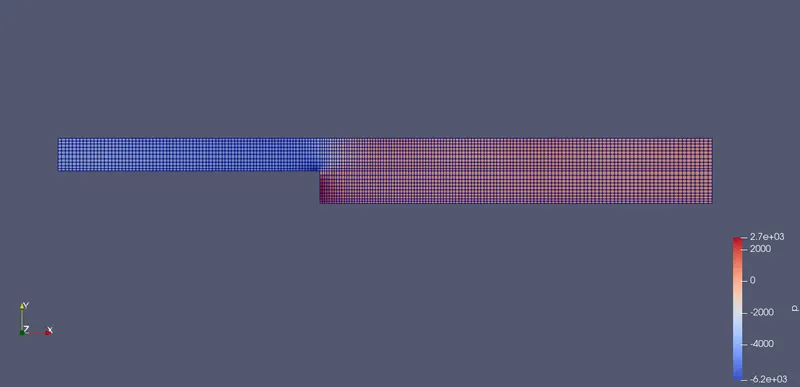
- To check the mesh grid on the paraview we have run ensure that everything is satisfying the needs of openfoam.
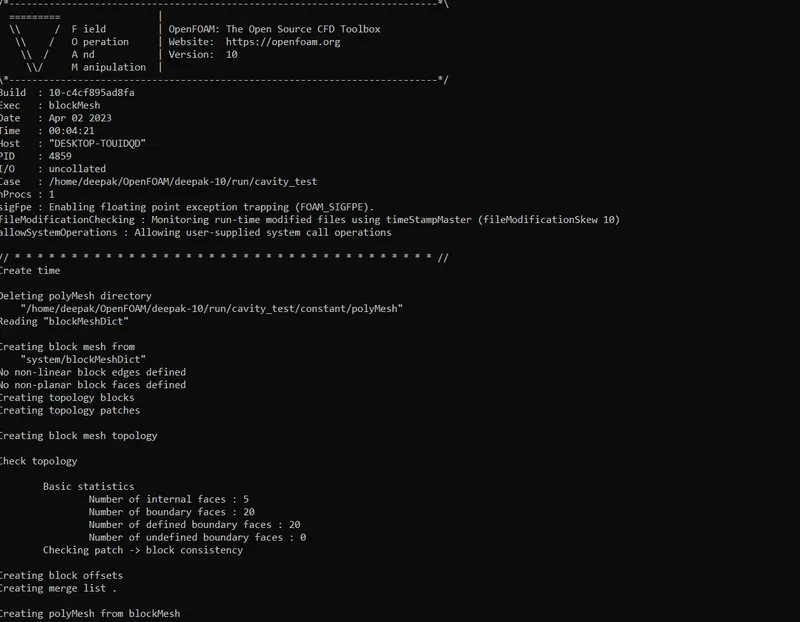
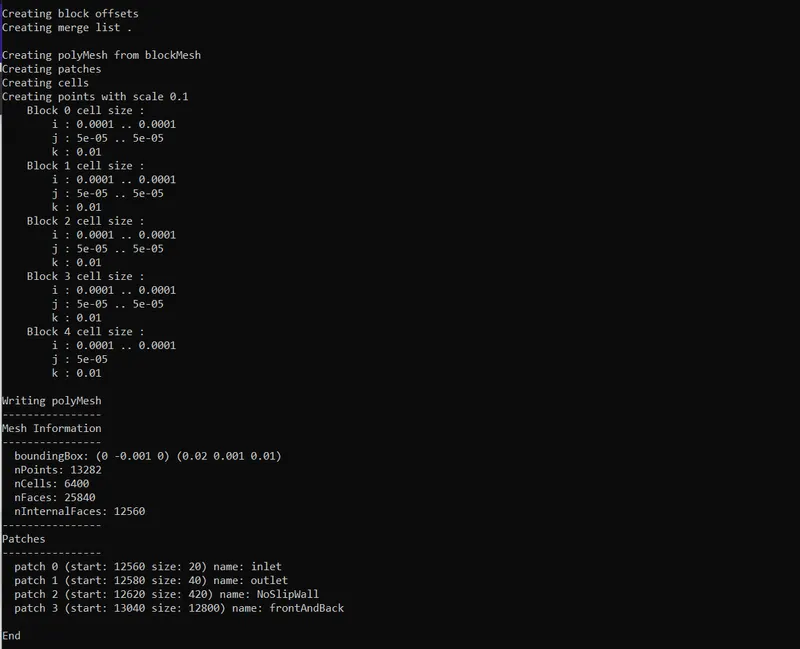
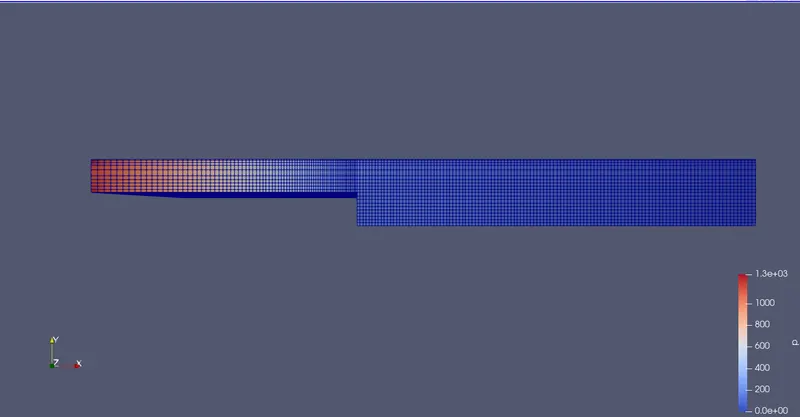
- Run the cmd “block mesh” to check the geometry. Then run the command “checkmesh” to check the mesh constraints are satisfied. Then o open paraview to check it. There are two ways either type in the command “paraFaom” or got to the copied “case 1” folder there a mesh.FOAM should be there open it and analyse it on the paraview.
blockMesh
CheckMesh
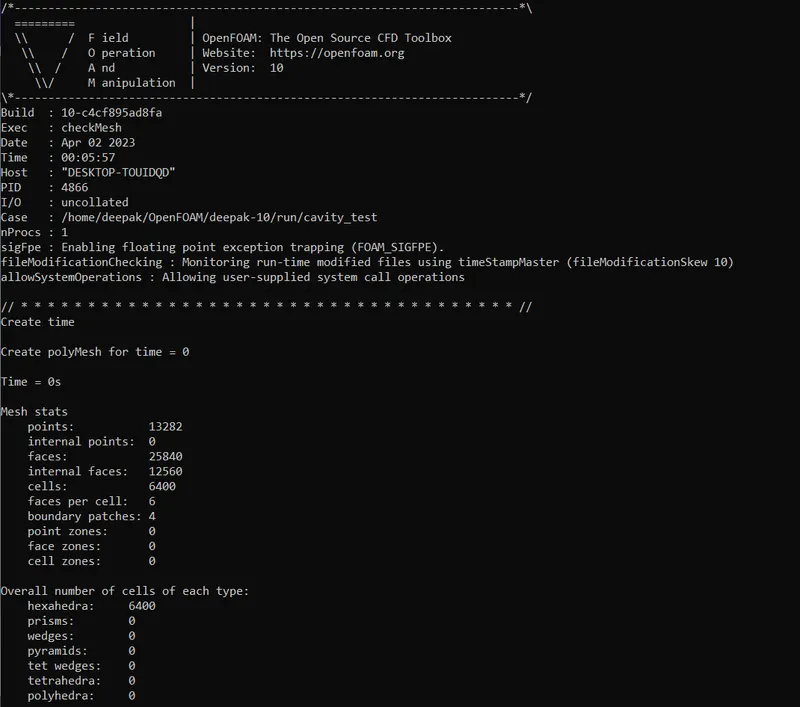
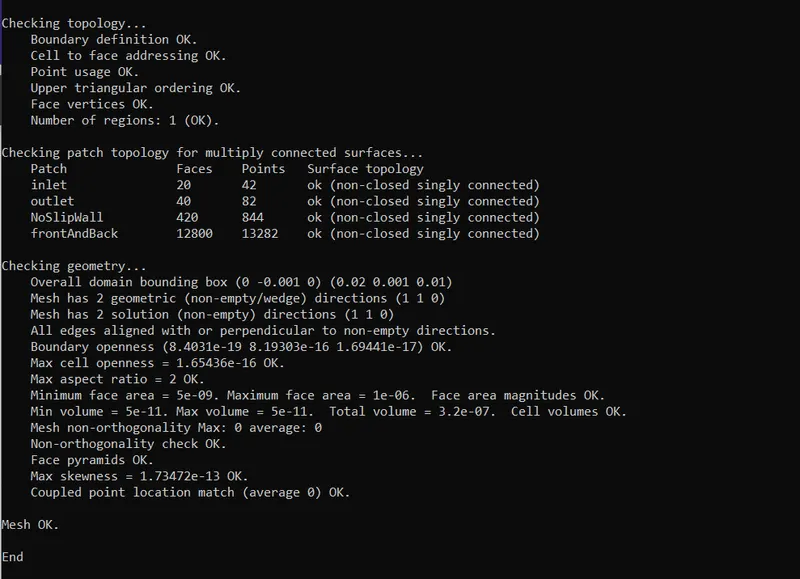
Checking the mesh quality and the grading factor on the mesh.
- After everything is up to the mark run the simulation using the command “icoFoam”.
- After the simulation is complete open the mesh file on the paraview to visualize and analysze the results.
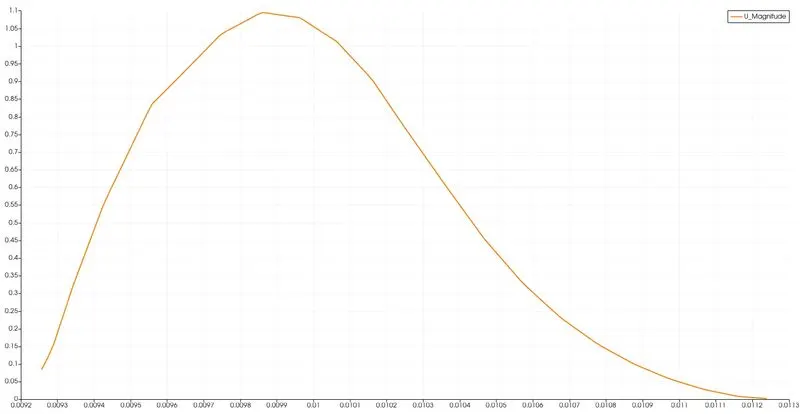
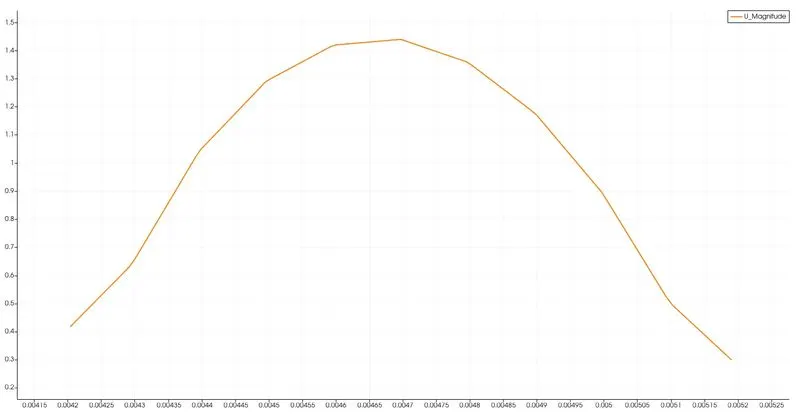
- We are more interested to find the behaviour of Velocity against the geometry. So for that we use “plot on line” command to visualize the velocity graph of the geometry.
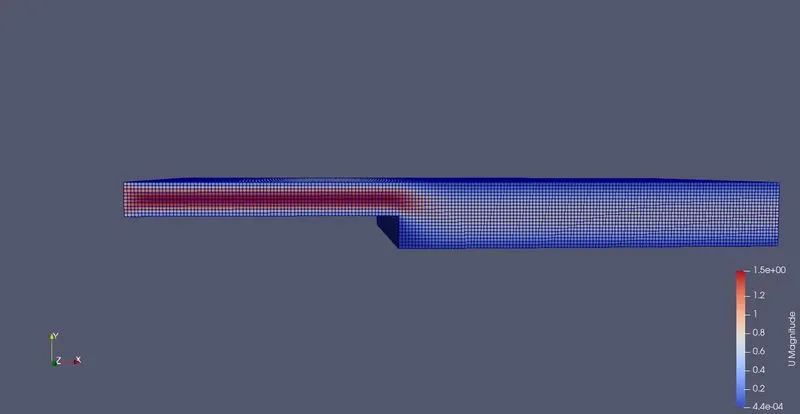
Velocity graph at the case -1(GF=1)
Case-2 Grading Factor - (GF=0.2)
Same as the case 1 but we have to edit the blockmeshdict file for the grading factor.
Blockmeshdict file
/*--------------------------------*- C++ -*----------------------------------*\
========= |
\\ / F ield | OpenFOAM: The Open Source CFD Toolbox
\\ / O peration | Website: https://openfoam.org
\\ / A nd | Version: 10
\\/ M anipulation |
\*---------------------------------------------------------------------------*/
FoamFile
{
format ascii;
class dictionary;
object blockMeshDict;
}
// * * * * * * * * * * * * * * * * * * * * * * * * * * * * * * * * * * * * * //
convertToMeters 0.1;
vertices
(
(0 0 0) //0
(0.08 0 0) //1
(0.08 0.005 0) //2
(0 0.005 0) //3
(0.08 0.01 0) //4
(0 0.01 0) //5
(0.20 0.01 0) //6
(0.20 0.005 0) //7
(0.20 0 0) //8
(0.20 -0.01 0) //9
(0.08 -0.01 0) //10
(0 0 0.1) //11
(0.08 0 0.1) //12
(0.08 0.005 0.1) //13
(0 0.005 0.1) //14
(0.08 0.01 0.1) //15
(0 0.01 0.1) //16
(0.20 0.01 0.1) //17
(0.20 0.005 0.1) //18
(0.20 0 0.1) //19
(0.20 -0.01 0.1) //20
(0.08 -0.01 0.1) //21
);
blocks
(
hex (0 1 2 3 11 12 13 14) (80 5 1) simpleGrading (0.2 1.2 1) //Block1
hex (3 2 4 5 14 13 15 16) (80 5 1) simpleGrading (0.2 0.2 1) //Block2
hex (2 7 6 4 13 18 17 15) (120 5 1) simpleGrading (1.2 0.2 1) //Block3
hex (1 8 7 2 12 19 18 13) (120 5 1) simpleGrading (1.2 1.2 1) //Block4
hex (10 9 8 1 21 20 19 12) (120 10 1) simpleGrading (1.2 1.2 1) //Block5
);
boundary
(
inlet
{
type patch;
faces
(
(0 11 14 3)
(3 14 16 5)
);
}
outlet
{
type patch;
faces
(
(9 8 19 20)
(8 7 18 19)
(7 6 17 18)
);
}
NoSlipWalls
{
type wall;
faces
(
(4 5 16 15)
(4 15 17 6)
(0 1 12 11)
(9 20 21 10)
(1 10 21 12)
);
}
frontAndBack
{
type empty;
faces
(
(0 3 2 1)
(11 12 13 14)
(3 5 4 2)
(13 15 16 14)
(2 4 6 7)
(13 18 17 15)
(1 2 7 8)
(12 19 18 13)
(10 1 8 9)
(21 20 19 12)
);
}
);
mergePatchPairs
(
);
// ************************************************************************* //
ControlDictfile
/*--------------------------------*- C++ -*----------------------------------*\
========= |
\\ / F ield | OpenFOAM: The Open Source CFD Toolbox
\\ / O peration | Website: https://openfoam.org
\\ / A nd | Version: 10
\\/ M anipulation |
\*---------------------------------------------------------------------------*/
FoamFile
{
format ascii;
class dictionary;
location "system";
object controlDict;
}
// * * * * * * * * * * * * * * * * * * * * * * * * * * * * * * * * * * * * * //
application icoFoam;
startFrom startTime;
startTime 0;
stopAt endTime;
endTime 1;
deltaT 1e-6;
i
writeControl timeStep;
writeInterval 200;
purgeWrite 0;
writeFormat ascii;
writePrecision 6;
writeCompression off;
timeFormat general;
timePrecision 6;
runTimeModifiable true;
// ************************************************************************* //
Velocity file (u)
/*--------------------------------*- C++ -*----------------------------------*\
========= |
\\ / F ield | OpenFOAM: The Open Source CFD Toolbox
\\ / O peration | Website: https://openfoam.org
\\ / A nd | Version: 10
\\/ M anipulation |
\*---------------------------------------------------------------------------*/
FoamFile
{
format ascii;
class volVectorField;
object U;
}
// * * * * * * * * * * * * * * * * * * * * * * * * * * * * * * * * * * * * * //
dimensions [0 1 -1 0 0 0 0];
internalField uniform (0 0 0);
boundaryField
{
inlet
{
type fixedValue;
value uniform (1 0 0);
}
outlet
{
type zeroGradient;
}
NoSlipWalls
{
type noSlip;
}
frontAndBack
{
type empty;
}
}
// ************************************************************************* //
Pressure file(p)
/*--------------------------------*- C++ -*----------------------------------*\
========= |
\\ / F ield | OpenFOAM: The Open Source CFD Toolbox
\\ / O peration | Website: https://openfoam.org
\\ / A nd | Version: 10
\\/ M anipulation |
\*---------------------------------------------------------------------------*/
FoamFile
{
format ascii;
class volScalarField;
object p;
}
// * * * * * * * * * * * * * * * * * * * * * * * * * * * * * * * * * * * * * //
dimensions [0 2 -2 0 0 0 0];
internalField uniform 0;
boundaryField
{
inlet
{
type zeroGradient;
}
outlet
{
type fixedValue;
value uniform 0;
}
NoSlipWalls
{
type zeroGradient;
}
frontAndBack
{
type empty;
}
}
// ************************************************************************* //
Meshcheck at paraview of Case-2 (GF=0.2)
Velocity graph of case -2 at (GF=0.2)