Project 1 : CFD Meshing for Tesla Cyber Truck
Aim- CFD meshing of Tesla cyber truck and clearing a geometry and making it ready for wind tunnel testing.
Objective-
- To identify and perform a geometry clean-up of the tesla cyber truck model.
- To create a surface mesh.
- Create a wind tunnel testing entity around the cyber truck.
Procedure-
- Open ansa software in performance mode so that the fluency in the work should be smooth.
- Geometry clean up-
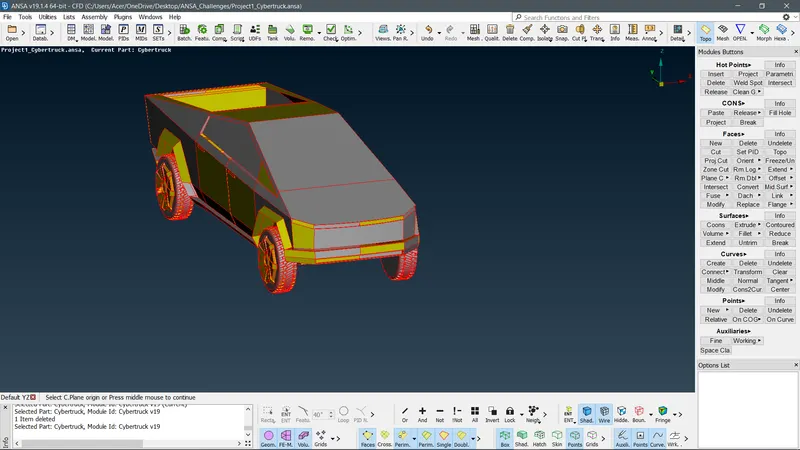
- Change to PID mode in the bottom layout of the geometry so to perform a geometrical cleanup would be easier.
- Perform the TOPO function on the entire geometry for more accuracy to identify the cons.
- To improve the resolution of the geometry perform a parametric function
- Mesh-length-parameter(1mm).
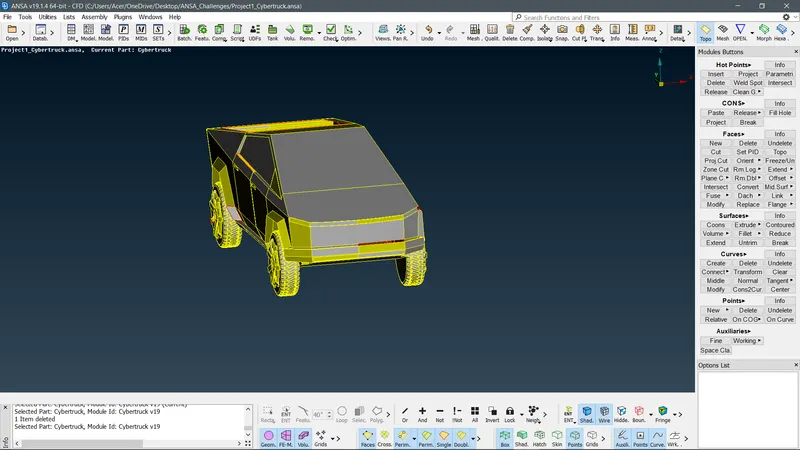
- Now fill the holes that may be the case of occurring single cons on the geometry.
- After resolving the single cons on the external surface of the geometry. Search for the triple cons and Intersection errors. For that perform Geometry checks and make sure to enable both geometry and penetration option under the dialogue box.
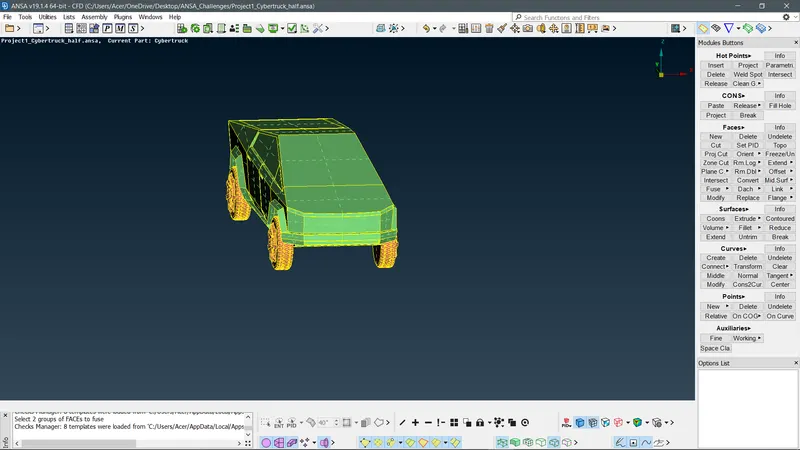
- Identify all the geometric errors on the result that occurred after the geometry check and try to solve it one by one.
- Look first for the overlapping surfaces because sometimes that is the case for penetration error.
- Solve all intersections error in the geometry to ease the cleanup.
- Mainly the intersections occur if there is an overlapping surface or one surface is extruding very violently through another surface.
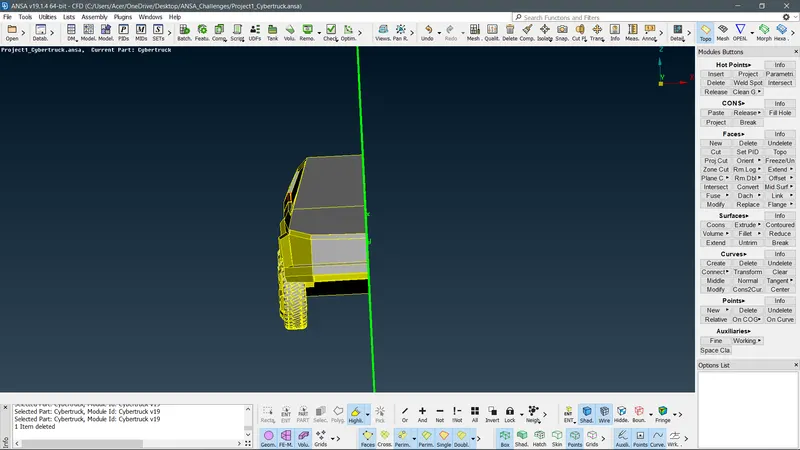
- After all the intersections cleanup goes for the geometry cleanup try to solve all the triple cons and single cons.
- If done with the geometrical cleanup then go for the Surface meshing.
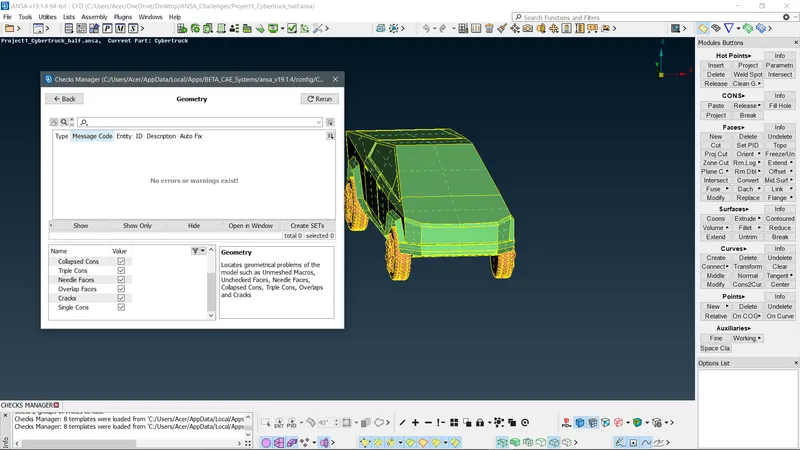
Assign the PIDs-
- Assign all the different PIDs with respect to the names of the component
- For doing that select a component and then go to the PID option on the top bar then, NEW-shell property-name-apply-then selects the PID to assign to the respective names.
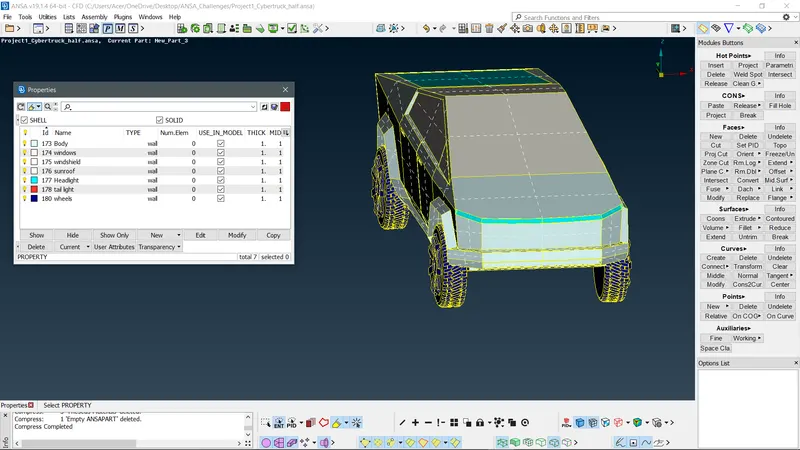
- Do this operation to assign all the components to their respective PIDs.
Meshing-
- For meshing the geometry we need to define the minimum targeted length(Min. TL) Target Length(TL), and maximum target length(Max. TL).
|
Targeted Length |
Min. Targeted Length |
Max. Targeted Length |
|
|
Body |
4mm |
1mm |
5mm |
|
Wheels |
3mm |
1mm |
4mm |
|
Headlight |
3mm |
1mm |
4mm |
|
Tail light |
3mm |
1mm |
4mm |
|
Sunroof |
4mm |
2mm |
5mm |
|
Windows |
4mm |
1mm |
5mm |
|
Bed roof |
4mm |
2mm |
5mm |
- According to the constraints mentioned in the above table, we perform a meshing operation one by one.
- For meshing the surfaces, these steps are followed.
Mesh- Hide all the PID accept the one mesh should be performed- Mesh parameters-min length-maximum length should be provided- Quality criteria-check skewness, minimum length, the maximum length. Then under the left column Parameters-Spacing-Auto CFD- assign macros and parameters on the geometry using selection drag movement.
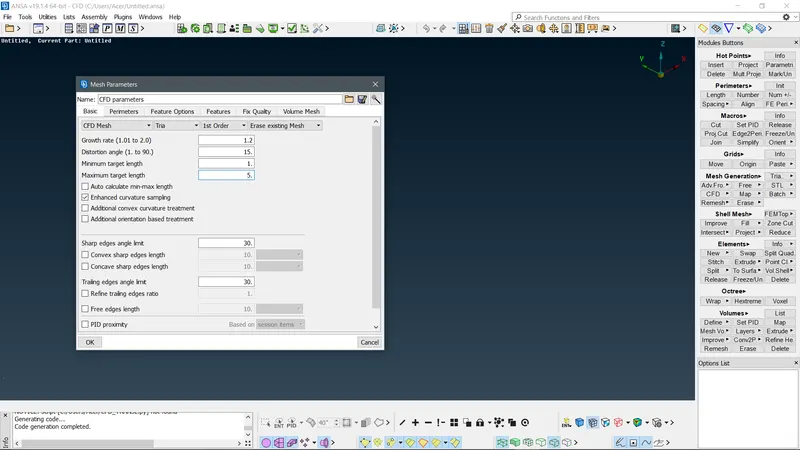
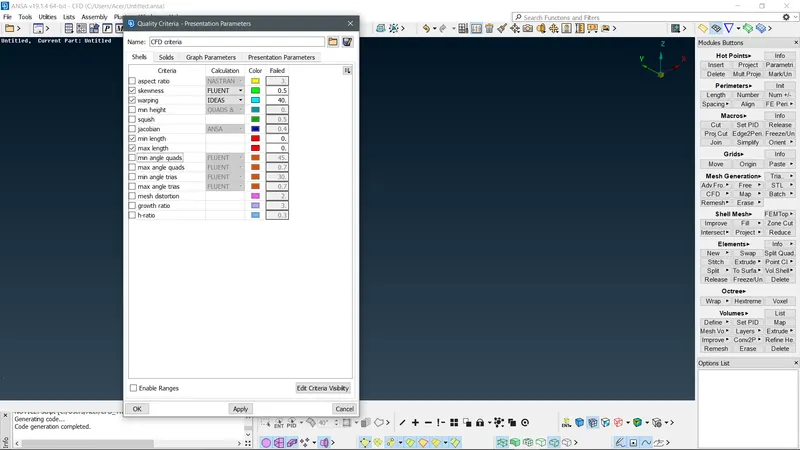
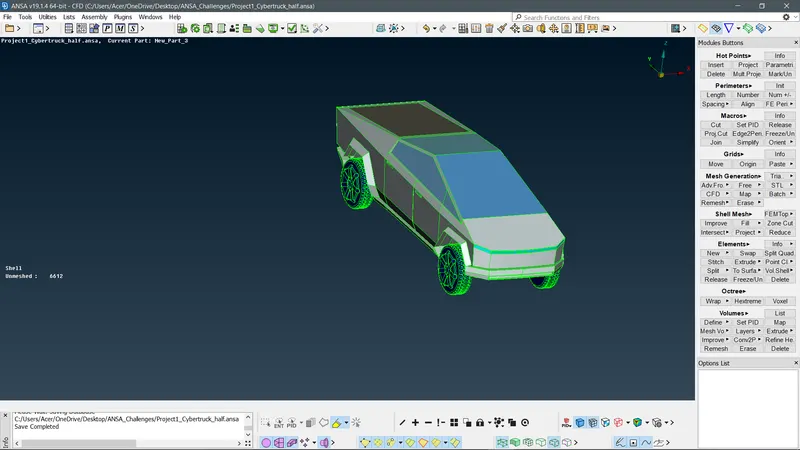
- After meshing the PID enable the Hidden feature option in the bottom drawer of the ansa interface. This will show all the of elements after the mesh is generated.
- To rectify and clear the off elements perform a Reconstruct tool on the meshed geometry and it will reduce the off limits to some extent. And if some limits still exist try to move the nodes and by using the Move option under Grids.
- Perform this option repeatedly for every PID and freeze the meshed geometry using the Freeze/unfreeze option.
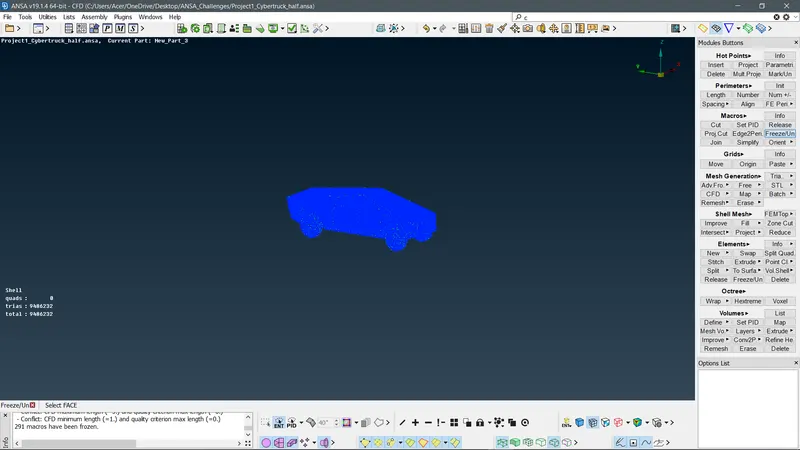
Wind Tunnel Wall meshing.
- To create a wind tunnel around the geometry use these parameters.
Length of the car - 5940mm
Sides- 1* length of the cyber truck (from the centre plane of the car )= 5940mm
Bottom – nearer to the wheels
Front - 4*length of the car(from the farthest front point on the car) = 23760mm
Back – 6*length of the car(from the most back point on the car) = 35460mm
Top – 3* length of the car+ height of the car(including ground clearance). = 19834mm
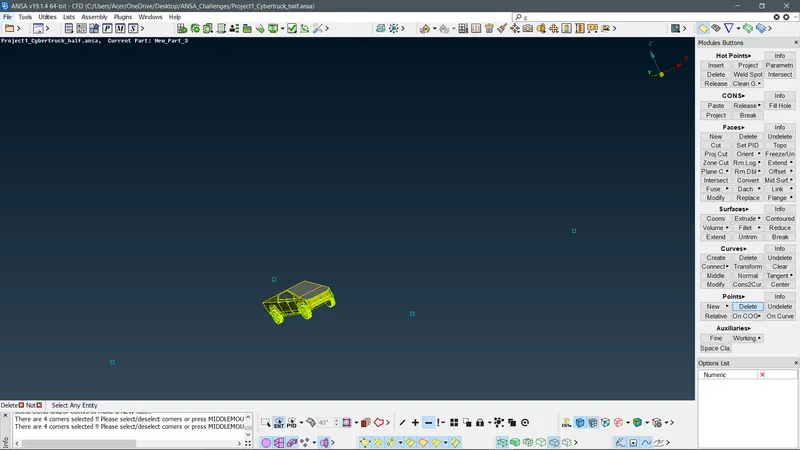
- First, create a relative point using the farthest point/hot points on the front part of the cyber truck.
- Use it as a reference and place two points in either direction (x-axis) then taking it as a reference make three points on the rearrest part of the car.
- Create a curve around the car using those points to create a surface.
- Then after one surface is created offset the surface to the top according to the Top value.
- Then using the two surfaces create a new surface using, Surface-New-planar-execute.
- By doing this create a whole closed geometry around the tesla cyber truck geometry.
- Then assign the geometries towards the respective PIDs, i.e Top, Bottom, Left, Right, Front, and Back.
- After assigning the geometry to perform a mesh on the top and bottom walls of the wind tunnel.
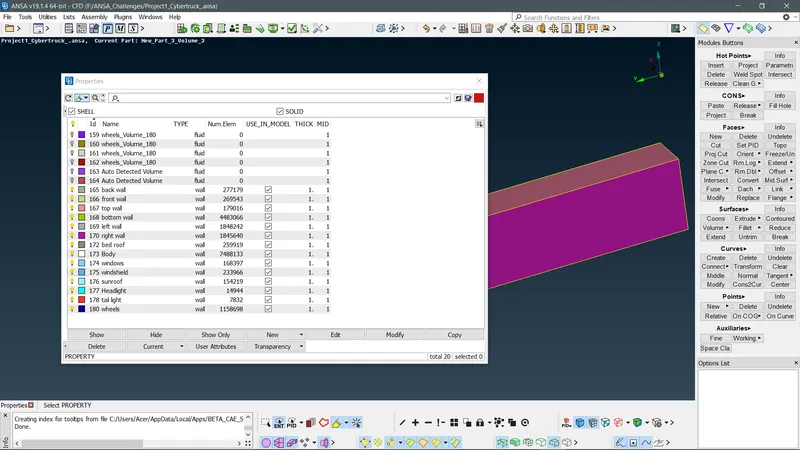
Top-20mm , Bottom-100mm
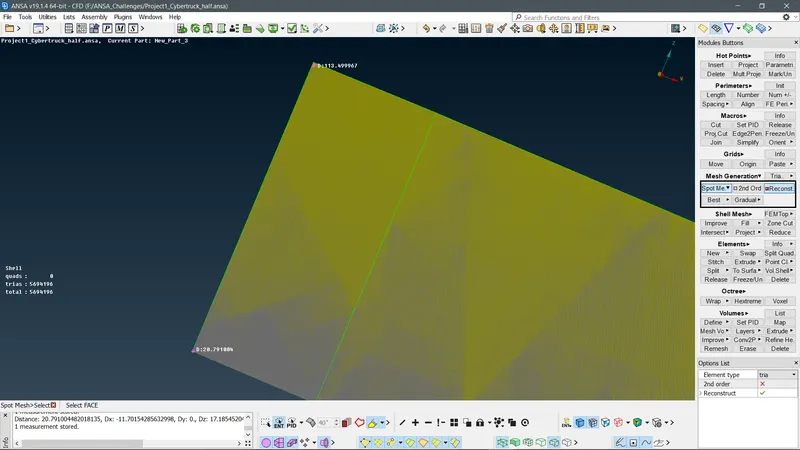
- And to get progressive meshing constraints on the Left, Right, Front, and Back
Spacing- Dmin(20mm)-Dmax(100mm)-Growth factor(1.2) and then select the corners of the remained geometrical walls of the wind tunnel. And make sure the selected arrows are in upward direction i.e, top to bottom.
- Then perform a spot mesh on the geometry and check that the meshing results should in a progressive manner from top to bottom.
Conclusion-
- Geometrical cleanup and the Meshing of the Tesla Cyber truck is done.
- A wind tunnel is created around the Tesla Cyber truck for external aerodynamic analysis.
Google drive link-
https://drive.google.com/file/d/13FwGB8lq3qf1YPkg7-cck3DzF-I8xJYa/view?usp=sharing
I am sharing in google link because the file is not uploading in the challenge interface it keeps on crashing the browser while trying to upload.