Week 8 - Simulation of a backward facing step in OpenFOAM
In order to start with the simulation, we will need to open the Ubuntu terminal and search for the OpenFOAM tutorial directory by giving input of 'tut'. For this challenge, we will be using the 'icoFoam' solver with the 'cavity' section which can be found in the 'incompressible' tutorial folder. In order to not make changes in OpenFOAM official tutorials, we then copy the 'cavity' folder and paste it into the OpenFOAM run folder using the command 'cp -r cavity $FOAM_RUN/cavity_test'.
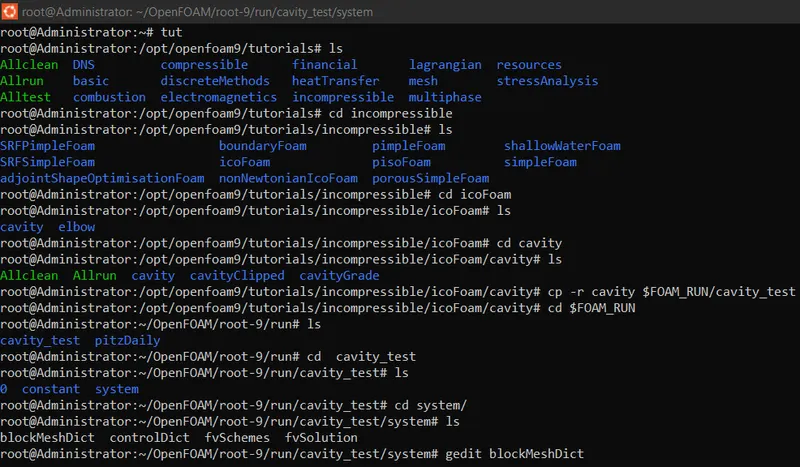
There are four script files in the 'system' folders and by opening them, we can create a domain and provide the required specifications by using the command 'gedit'.
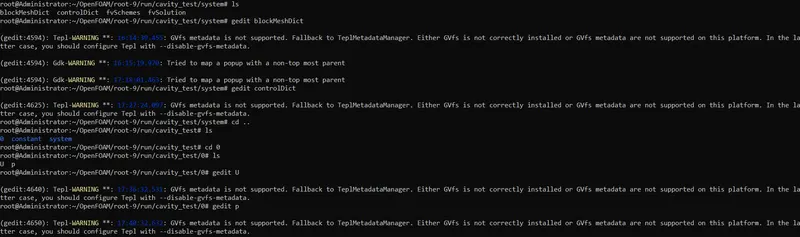
1. blockMeshDict
/*--------------------------------*- C++ -*----------------------------------*\
  =========                 |
  \\      /  F ield         | OpenFOAM: The Open Source CFD Toolbox
   \\    /   O peration     | Website:  https://openfoam.org
    \\  /    A nd           | Version:  9
     \\/     M anipulation  |
\*---------------------------------------------------------------------------*/
FoamFile
{
    format      ascii;
    class       dictionary;
    object      blockMeshDict;
}
// * * * * * * * * * * * * * * * * * * * * * * * * * * * * * * * * * * * * * //

convertToMeters 0.01;

vertices
(
    (0 0 0)       //0
    (8 0 0)       //1
    (8 0.5 0)     //2
    (0 0.5 0)     //3
    (8 1 0)       //4
    (0 1 0)       //5
    (20 1 0)      //6
    (20 0.5 0)    //7
    (20 0 0)      //8
    (20 -1 0)     //9
    (8 -1 0)      //10
    (0 0 0.1)     //11
    (8 0 0.1)     //12
    (8 0.5 0.1)   //13
    (0 0.5 0.1)   //14
    (8 1 0.1)     //15
    (0 1 0.1)     //16
    (20 1 0.1)    //17
    (20 0.5 0.1)  //18
    (20 0 0.1)    //19
    (20 -1 0.1)   //20
    (8 -1 0.1)    //21
);

blocks
(
    hex (0 1 2 3 11 12 13 14) (80 5 1) simpleGrading (1 1 1) //0 1 2 3 back face of the block 1 & 11 12 13 14 front face of block 1
    hex (3 2 4 5 14 13 15 16) (80 5 1) simpleGrading (1 1 1) //3 2 4 5 back face of the block 2 & 14 13 15 16 front face of block 2
    hex (2 7 6 4 13 18 17 15) (120 5 1) simpleGrading (1 1 1) //2 7 6 4 back face of the block 3 & 13 18 17 15 front face of block 3
    hex (1 8 7 2 12 19 18 13) (120 5 1) simpleGrading (1 1 1) //1 8 7 2 back face of the block 4 & 12 19 18 13 front face of block 4
    hex (10 9 8 1 21 20 19 12) (120 10 1) simpleGrading (1 1 1) //10 9 8 1 back face of the block 5 & 21 20 19 12 front face of block 5
);

edges
(
);

boundary
(
    inlet
    {
        type patch;
        faces
        (
            (0 11 14 3)
            (3 14 16 5)
        );
    }
    outlet
    {
        type patch;
        faces
        (
            (9 8 19 20)
            (8 7 18 19)
            (7 6 17 18)
        );
    }
    frontAndBack
    {
        type empty;
        faces
        (
            (0 3 2 1)
            (11 12 13 14)
            (3 5 4 2)
            (13 15 16 14)
            (2 4 6 7)
            (13 18 17 15)
            (1 2 7 8)
            (12 19 18 13)
            (10 1 8 9)
            (21 20 19 12)
        );
    }
    noslipwall
    {
        type wall;
        faces
        (
            (4 5 16 15)
            (4 15 17 6)
            (0 1 12 11)
            (9 20 21 10)
            (1 10 21 12)
        );
    }
);

mergePatchPairs
(
);

// ************************************************************************* //
2. controlDict
/*--------------------------------*- C++ -*----------------------------------*\
  =========                 |
  \\      /  F ield         | OpenFOAM: The Open Source CFD Toolbox
   \\    /   O peration     | Website:  https://openfoam.org
    \\  /    A nd           | Version:  9
     \\/     M anipulation  |
\*---------------------------------------------------------------------------*/
FoamFile
{
    format      ascii;
    class       dictionary;
    location    "system";
    object      controlDict;
}
// * * * * * * * * * * * * * * * * * * * * * * * * * * * * * * * * * * * * * //

application     icoFoam;

startFrom       startTime;

startTime       0;

stopAt          endTime;

endTime         0.2;

deltaT          1e-3;

writeControl    timeStep;

writeInterval   20;

purgeWrite      0;

writeFormat     ascii;

writePrecision  6;

writeCompression off;

timeFormat      general;

timePrecision   6;

runTimeModifiable true;


// ************************************************************************* //
3. Velocity
/*--------------------------------*- C++ -*----------------------------------*\
  =========                 |
  \\      /  F ield         | OpenFOAM: The Open Source CFD Toolbox
   \\    /   O peration     | Website:  https://openfoam.org
    \\  /    A nd           | Version:  9
     \\/     M anipulation  |
\*---------------------------------------------------------------------------*/
FoamFile
{
    format      ascii;
    class       volVectorField;
    object      U;
}
// * * * * * * * * * * * * * * * * * * * * * * * * * * * * * * * * * * * * * //

dimensions      [0 1 -1 0 0 0 0];

internalField   uniform (0 0 0);

boundaryField
{
    inlet
    {
        type            fixedValue;
        value           uniform (1 0 0);
    }

    outlet
    {
        type            zeroGradient;
    }

    frontAndBack
    {
        type            empty;
    }
    noslipwall
    {
        type            noSlip;
    }
}

// ************************************************************************* //
4. Pressure
/*--------------------------------*- C++ -*----------------------------------*\
  =========                 |
  \\      /  F ield         | OpenFOAM: The Open Source CFD Toolbox
   \\    /   O peration     | Website:  https://openfoam.org
    \\  /    A nd           | Version:  9
     \\/     M anipulation  |
\*---------------------------------------------------------------------------*/
FoamFile
{
    format      ascii;
    class       volScalarField;
    object      p;
}
// * * * * * * * * * * * * * * * * * * * * * * * * * * * * * * * * * * * * * //

dimensions      [0 2 -2 0 0 0 0];

internalField   uniform 0;

boundaryField
{
    inlet
    {
        type            zeroGradient;
    }

    outlet
    {
        type            fixedValue;
        value           uniform 0;
    }

    frontAndBack
    {
        type            empty;
    }

    noslipwall
    {
        type            zeroGradient;
    }
}

// ************************************************************************* //
Now, as our problem statement is set we will have to run 'blockMesh' and 'checkMesh' commands. And to check our mesh we have to use the command 'paraFoam' to plot the mesh. To solve the problem statement we have to use the command 'icoFoam'.
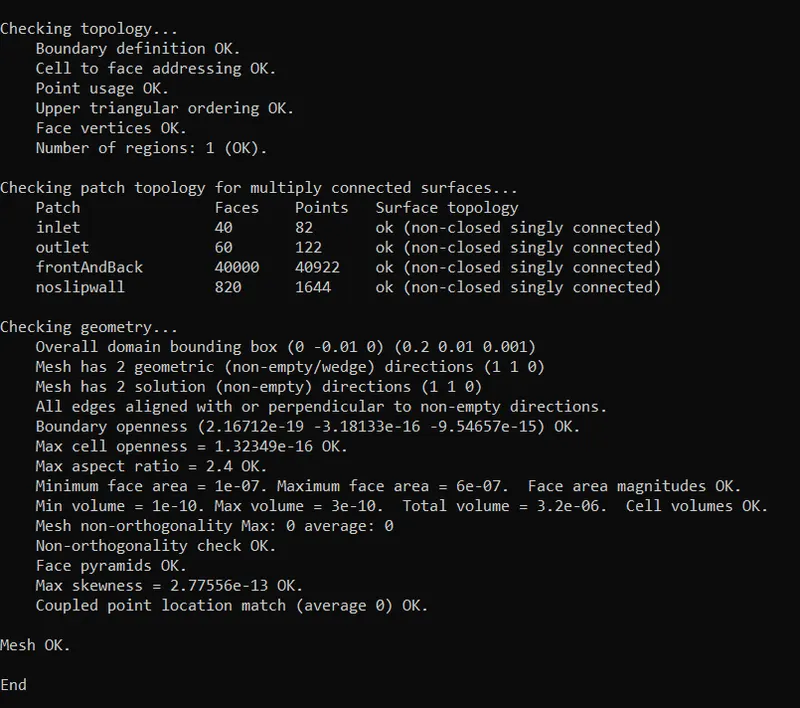
Mesh grid-

Velocity Distribution-

Pressure Distribution-

Velocity Curve at 0.085m-
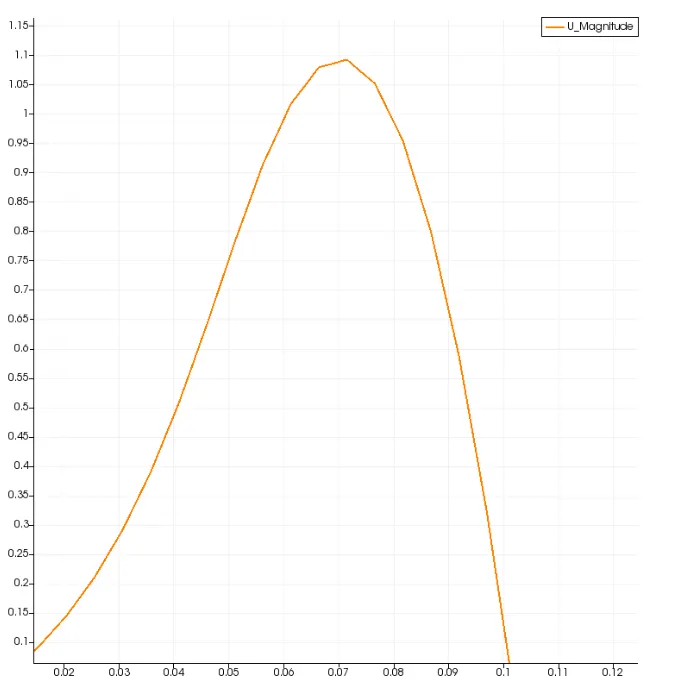
For grid mesh 0.2-
/*--------------------------------*- C++ -*----------------------------------*\
  =========                 |
  \\      /  F ield         | OpenFOAM: The Open Source CFD Toolbox
   \\    /   O peration     | Website:  https://openfoam.org
    \\  /    A nd           | Version:  9
     \\/     M anipulation  |
\*---------------------------------------------------------------------------*/
FoamFile
{
    format      ascii;
    class       dictionary;
    object      blockMeshDict;
}
// * * * * * * * * * * * * * * * * * * * * * * * * * * * * * * * * * * * * * //

convertToMeters 0.01;

vertices
(
    (0 0 0)       //0
    (8 0 0)       //1
    (8 0.5 0)     //2
    (0 0.5 0)     //3
    (8 1 0)       //4
    (0 1 0)       //5
    (20 1 0)      //6
    (20 0.5 0)    //7
    (20 0 0)      //8
    (20 -1 0)     //9
    (8 -1 0)      //10
    (0 0 0.1)     //11
    (8 0 0.1)     //12
    (8 0.5 0.1)   //13
    (0 0.5 0.1)   //14
    (8 1 0.1)     //15
    (0 1 0.1)     //16
    (20 1 0.1)    //17
    (20 0.5 0.1)  //18
    (20 0 0.1)    //19
    (20 -1 0.1)   //20
    (8 -1 0.1)    //21
);

blocks
(
    hex (0 1 2 3 11 12 13 14) (80 5 1) simpleGrading (0.2 5 1) //0 1 2 3 back face of the block 1 & 11 12 13 14 front face of block 1
    hex (3 2 4 5 14 13 15 16) (80 5 1) simpleGrading (0.2 0.2 1) //3 2 4 5 back face of the block 2 & 14 13 15 16 front face of block 2
    hex (2 7 6 4 13 18 17 15) (120 5 1) simpleGrading (5 0.2 1) //2 7 6 4 back face of the block 3 & 13 18 17 15 front face of block 3
    hex (1 8 7 2 12 19 18 13) (120 5 1) simpleGrading (5 5 1) //1 8 7 2 back face of the block 4 & 12 19 18 13 front face of block 4
    hex (10 9 8 1 21 20 19 12) (120 10 1) simpleGrading (5 5 1) //10 9 8 1 back face of the block 5 & 21 20 19 12 front face of block 5
);

edges
(
);

boundary
(
    inlet
    {
        type patch;
        faces
        (
            (0 11 14 3)
            (3 14 16 5)
        );
    }
    outlet
    {
        type patch;
        faces
        (
            (9 8 19 20)
            (8 7 18 19)
            (7 6 17 18)
        );
    }
    frontAndBack
    {
        type empty;
        faces
        (
            (0 3 2 1)
            (11 12 13 14)
            (3 5 4 2)
            (13 15 16 14)
            (2 4 6 7)
            (13 18 17 15)
            (1 2 7 8)
            (12 19 18 13)
            (10 1 8 9)
            (21 20 19 12)
        );
    }
    noslipwall
    {
        type wall;
        faces
        (
            (4 5 16 15)
            (4 15 17 6)
            (0 1 12 11)
            (9 20 21 10)
            (1 10 21 12)
        );
    }
);

mergePatchPairs
(
);

// ************************************************************************* //
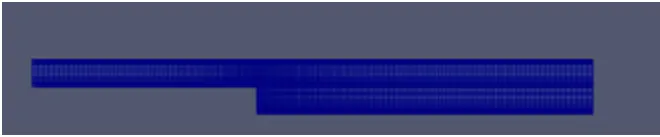
Mesh grid-
Velocity-

Pressure-

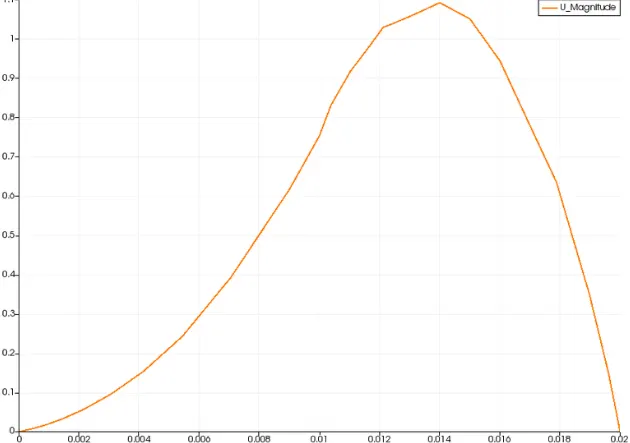
Velocity curve at 0.085-
Conclusion-
When the simple grading factor is changed to 0.2, the mesh becomes more smooth and finer, which in turn makes our solution more accurate. In CFD simulation, the grading factor can play important role in getting effective results and capturing change, especially near walls and sudden obstacles along the way.