Week 8 - Simulation of a backward facing step in OpenFOAM
AIM
- To simulate an incompressible-laminar-viscous flow through the backward-facing step geometry.
- To perform a transient simulation, choose a solver based on the described physics of the flow in the problem statement.
- Explain the simulation process and way of setting up the problem statement in OpenFOAM and also, explain every change that has been done inside the reference case files obtained from OpenFOAM tutorials.
- Next, perform two case studies, firstly, form simulation of the flow without using any grading factor (ie., GF = 1). Secondly, stimulate the flow with a grading factor of 0.2. The cells should be finer near the walls (including the step wall).
OBJECTIVE
- Open OpenFOAM tutorials and find the solver to solve incompressible-laminar-viscous flow problems.
- The next step is to copy the required file into the solver and paste it into the OpenFOAM run folder so that the official file of OpenFoam remains untouched.
- Find out block mesh script files to create domain space and provide mesh specifications.
- Find the 'controlDict' file to edit the start and end time for simulation.
- In the initial folder '0' edit the initial parameter for velocity and pressure according to the faces of the given domain.
- Use the block Mesh command to generate mesh and checkMesh to verify it.
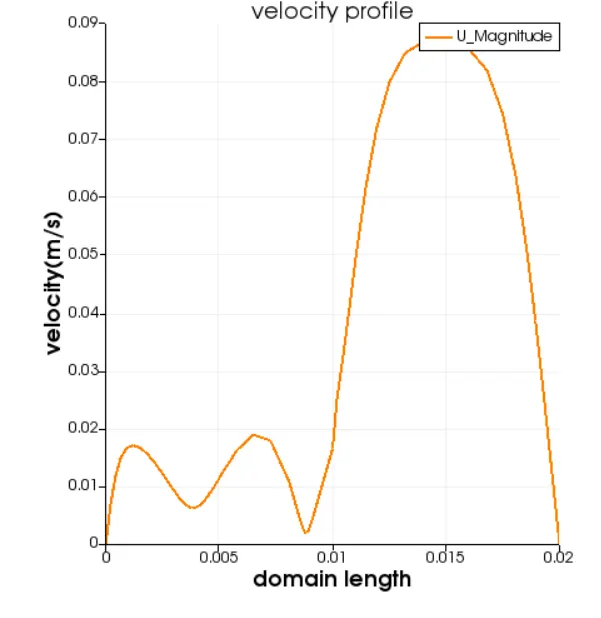
- Open the simulation file in ParaView and plot the velocity profile at point 0.085m from the inlet.
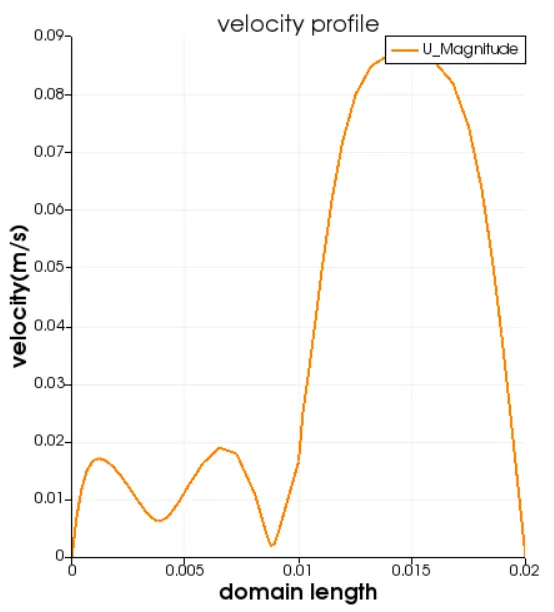
- Repeat the above procedure for grading factor 0.2 to check the differences in results.
- Write a detailed report explaining all the commands and codes used in a project.
PROBLEM STATEMENT
- simulate an incompressible-laminar-viscous flow through the backward-facing step geometry
- perform 2 case studies as described below and compare the results.
Case 1 - Simulate the flow without using any grading factor (i.e., GF = 1)
Case 2 - Simulate the flow with a grading factor of 0.2. The cells should be finer near the walls (including the step wall).
Mesh specification
- Number of cells along the x-direction (longer dimension) = 200
- Number of cells along the longer y-direction = 20
Boundary condition specification
The domain specifications are provided in the following figure
grading factor = size of last cell/ size of first cell
In order to start the simulation process, First, start the terminal in Linux operating system using ctrl+alt+T
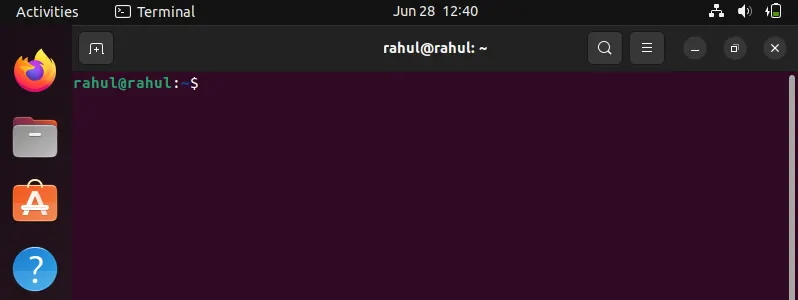
Now we have to simulate the problem in OpenFOAM and we are going to solve our problem using tutorials present in OpenFOAM, therefore just type 'tut' to open OpenFOAM. also, type 'ls' to identify what kind of tutorials are present inside this directory.
CODE:
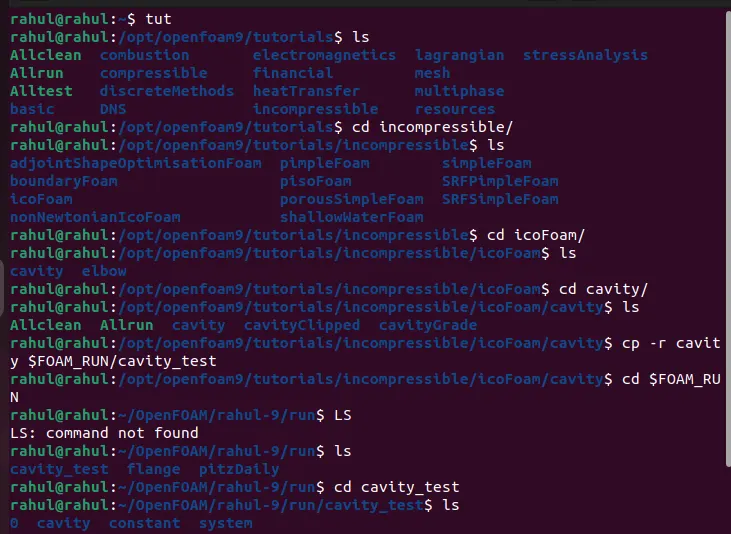
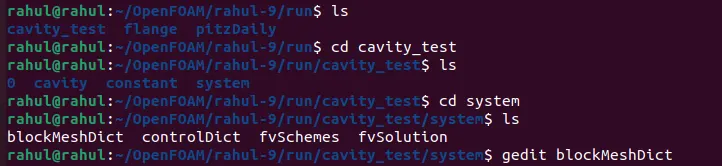
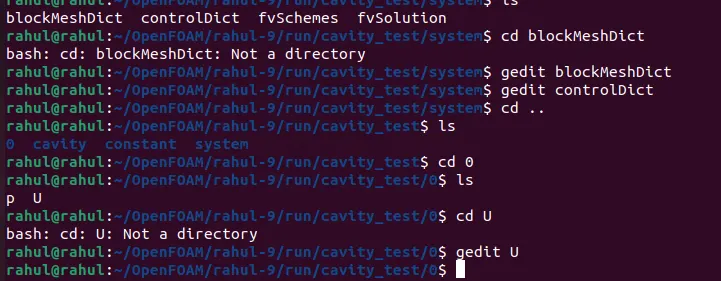
BLOCKMESHDICT:
/*--------------------------------*- C++ -*----------------------------------*\
========= |
\\ / F ield | OpenFOAM: The Open Source CFD Toolbox
\\ / O peration | Website: https://openfoam.org
\\ / A nd | Version: 9
\\/ M anipulation |
\*---------------------------------------------------------------------------*/
FoamFile
{
version 2.0;
format ascii;
class dictionary;
object blockMeshDict;
}
// * * * * * * * * * * * * * * * * * * * * * * * * * * * * * * * * * * * * * //
convertToMeters 1;
vertices
(
(0 0 0) //0
(0.08 0 0) //1
(0.08 0.005 0) //2
(0 0.005 0) //3
(0.08 0.01 0) //4
(0 0.01 0) //5
(0.20 0.01 0) //6
(0.20 0.005 0) //7
(0.20 0 0) //8
(0.20 -0.01 0) //9
(0.08 -0.01 0) //10
(0 0 0.1) //11
(0.08 0 0.1) //12
(0.08 0.005 0.1)//13
(0 0.005 0.1) //14
(0.08 0.01 0.1)//15
(0 0.01 0.1) //16
(0.20 0.01 0.1) //17
(0.20 0.005 0.1) //18
(0.20 0 0.1) //19
(0.20 -0.01 0.1)//20
(0.08 -0.01 0.1)//21
);
blocks
(
hex (0 1 2 3 11 12 13 14) (200 20 1) simpleGrading (1 1 1) //block1
hex(3 2 4 5 14 13 15 16) (200 20 1) simpleGrading (1 1 1) //block2
hex(2 7 6 4 13 18 17 15) (200 20 1) simpleGrading (1 1 1) //block3
hex(1 8 7 2 12 19 18 13) (200 20 1) simpleGrading (1 1 1) //block4
hex(10 9 8 1 21 20 19 12) (200 20 1) simpleGrading (1 1 1) // block5
);
edges
(
);
boundary
(
Inlet
{
type patch;
faces
(
(0 11 14 3)
(3 14 16 5)
);
}
Outlet
{
type patch;
faces
(
(9 8 19 20)
(8 7 18 19)
(7 6 17 18)
);
}
frontAndBack
{
type empty;
faces
(
(0 3 2 1)
(11 12 13 14)
(3 5 4 2)
(13 15 16 14)
(2 4 6 7)
(13 18 17 15)
(1 2 7 8)
(12 19 18 13)
(10 1 8 9)
(21 20 19 12)
);
}
noslipwall
{
type wall;
faces
(
(4 5 16 15)
(4 15 17 6)
(0 1 12 11)
(9 20 21 10)
(1 10 21 12)
);
}
);
mergePatchPairs
(
);
// ************************************************************************* //
CONTROLDICT:
/*--------------------------------*- C++ -*----------------------------------*\
========= |
\\ / F ield | OpenFOAM: The Open Source CFD Toolbox
\\ / O peration | Website: https://openfoam.org
\\ / A nd | Version: 9
\\/ M anipulation |
\*---------------------------------------------------------------------------*/
FoamFile
{
format ascii;
class dictionary;
location "system";
object controlDict;
}
// * * * * * * * * * * * * * * * * * * * * * * * * * * * * * * * * * * * * * //
application icoFoam;
startFrom startTime;
startTime 0;
stopAt endTime;
endTime 200;
deltaT 1e-2;
writeControl timeStep;
writeInterval 20;
purgeWrite 0;
writeFormat ascii;
writePrecision 6;
writeCompression off;
timeFormat general;
timePrecision 6;
runTimeModifiable true;
// ************************************************************************* //
OUTPUT
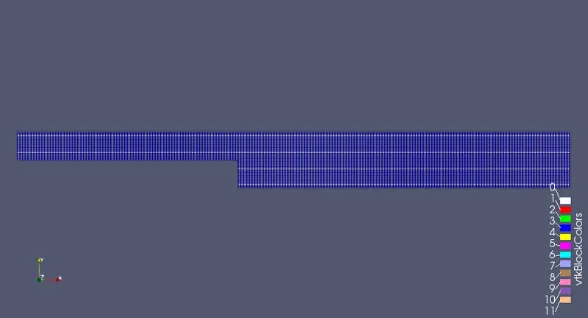
without assigning any grading factor the block mesh is as shown in fig below
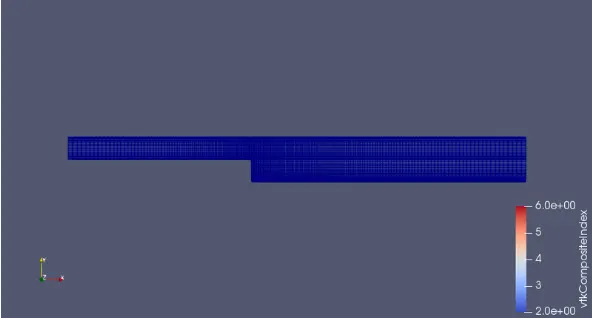
for the given grading factor 0.2 the results are as follows.
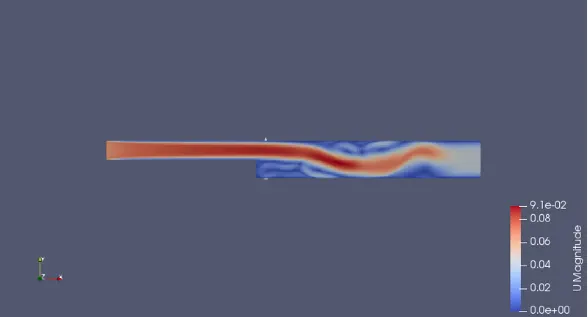
The velocity flow diagram without applying the grading factor.
The velocity flow diagram for the grading factor 0.2
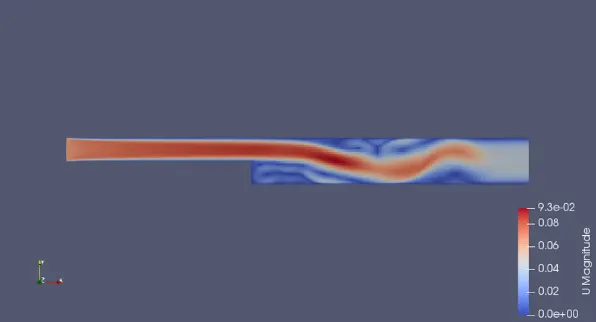
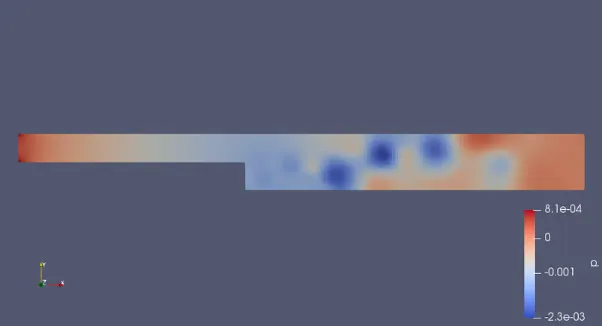
The pressure flow diagram without applying grading factor
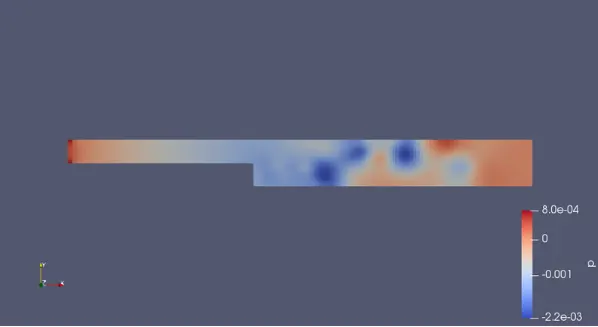
The pressure flow diagram with applying grading factor 0.2
the plot for the velocity at 0.085 without grading factor
The plot for the velocity at 0.085 with grading factor
CONCLUSION
By changing the simple grading factor from the value of 0.2 to 1 the mesh becomes finer and the solution becomes very accurate.
overall change in the size of simple grading factor(mesh size) the result remain the same as approximately.
The execution time is lower for lower meshing grading factor.