Week 8 - Simulation of a backward facing step in OpenFOAM
Simulation of a backward facing step in OpenFOAM
Aim
- simulate an incompressible-laminar-viscous flow through the backward facing step geometry.
- You should perform a transient simulation. The solver can be chosen based on the described physics of the flow.
- You need to explain the entire simulation procedure (how you set up the case).
- You should also provide explanations to every change you make inside the reference case files obtained from OpenFOAM tutorials.
- You can choose the inlet velocity shuch that the flow is laminar
Cases
- Simulate the flow without using any grading factor
- Simulate the flow with grading factor of 0.2. The cells should be finer near the walls (includig the step wall).
Mesh specification
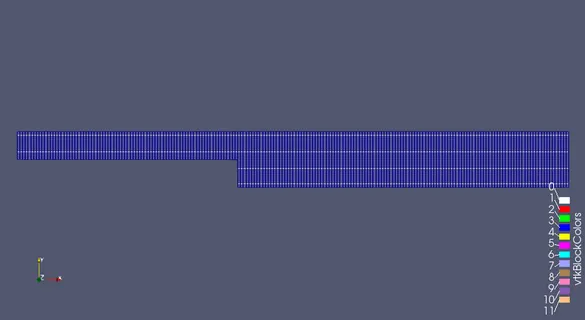
- Number of cells along the x direction (longer dimension) = 200
- Number of cells along the longer y direction = 20
Desired output
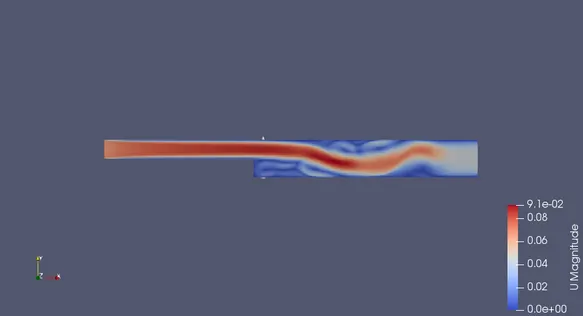
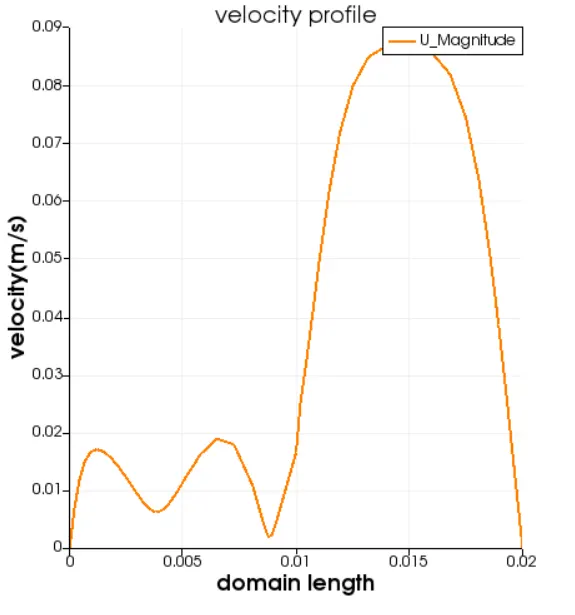
- Measure the velocity profile at 0.085 m from the inlet of the geometry for both case studies and compare. You can use the plot over line tool for this.
- Explain why Grading/Growth factor is essential for meshing.
Boundary Condition Specification
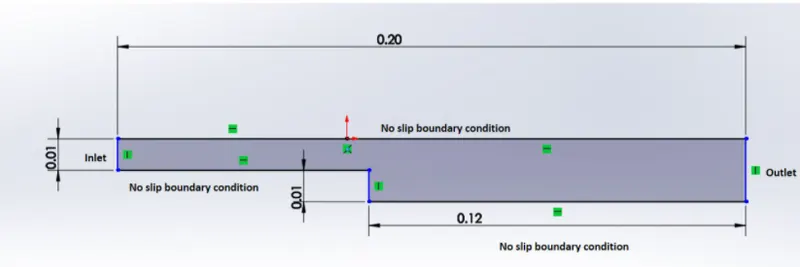
Steps
- First, We creat the run folderin OpenFoam in which running the simulations.
- And need to copy the cavity folder to the run folder and we change the blockMeshDict, controlDict, pressure and velocity files to run our simulations and did not make any changes in original files.
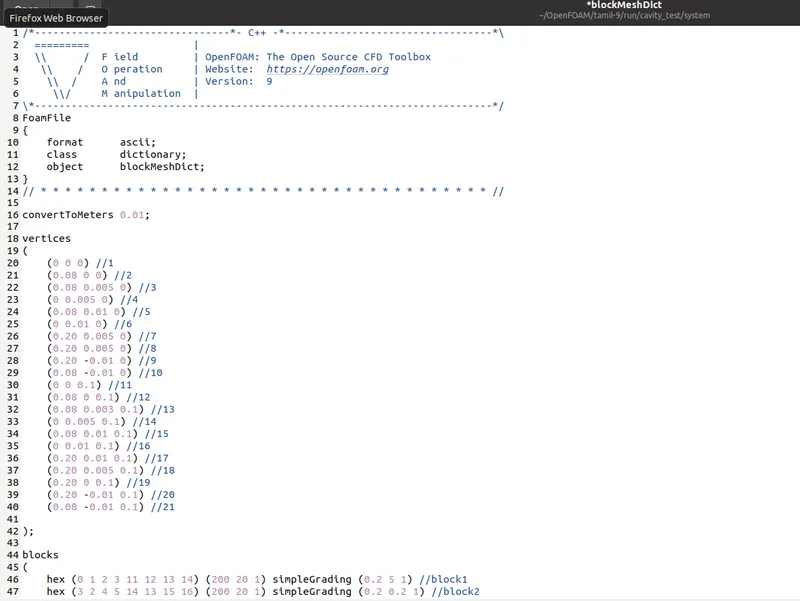
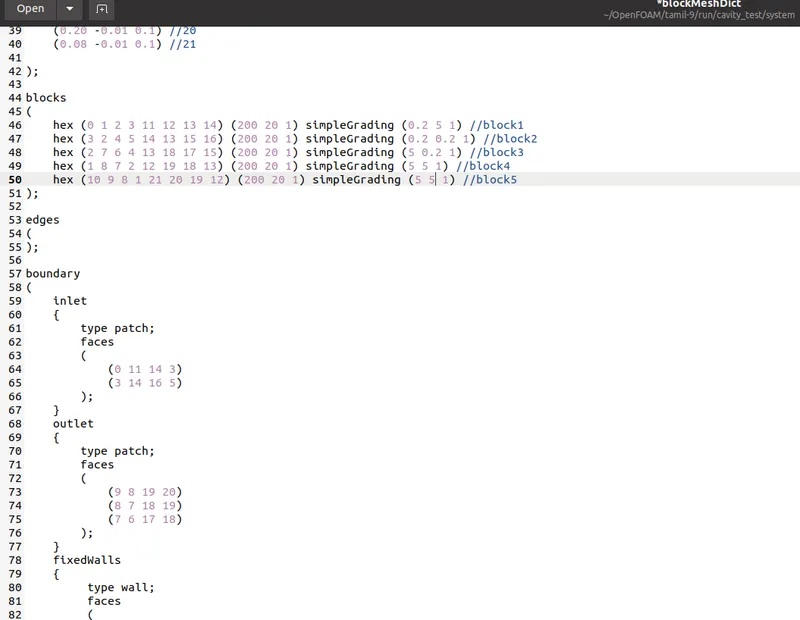
- blockMeshDict file is required to change the vertices for creation of blocks, where the blocks are 5 and vertices are 21 we also denote the number of mesh points needs along with x,y and z directions and simple grading points along with boundaries
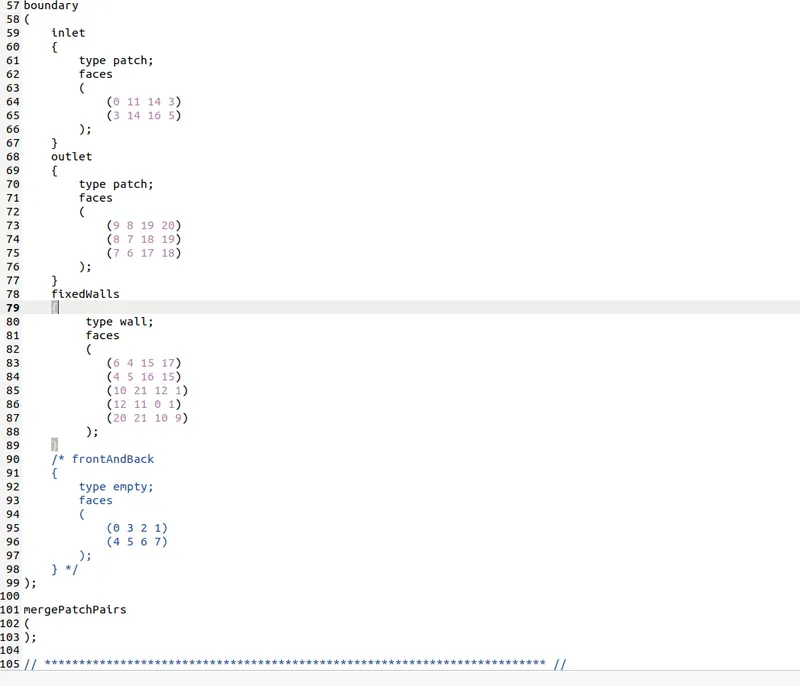
- we need to assign the boundary conditions in openFoam and it refers the inlet,outlet, front and back type will be empty faces, for top and bottom boundary conditions in this case type will be wall type the save the changes in the blockMesh Dict.
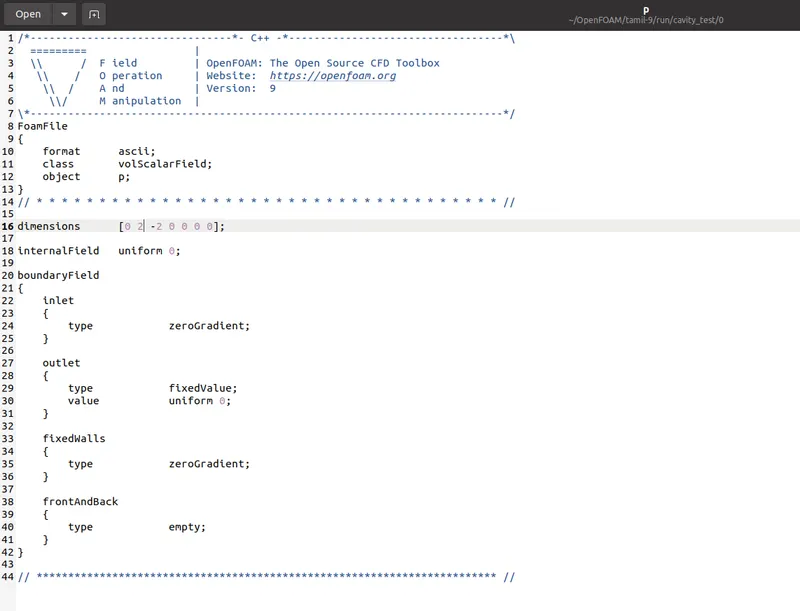
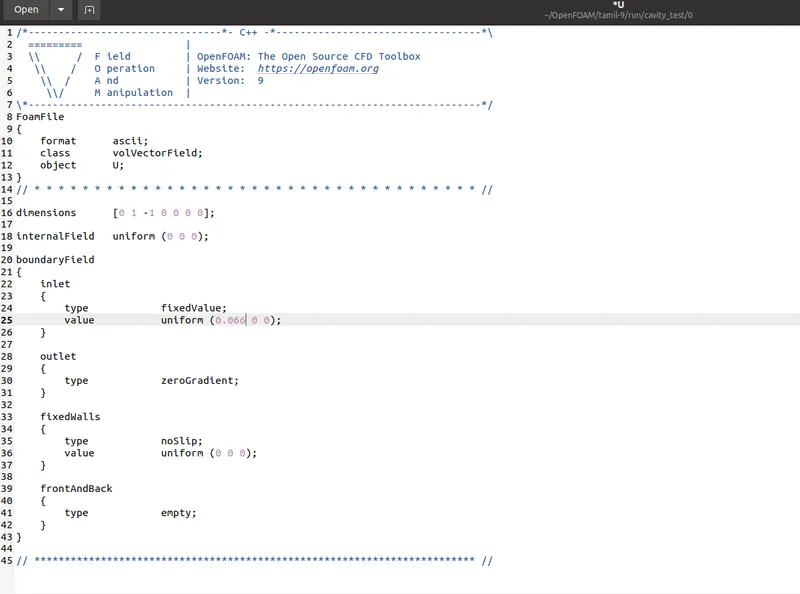
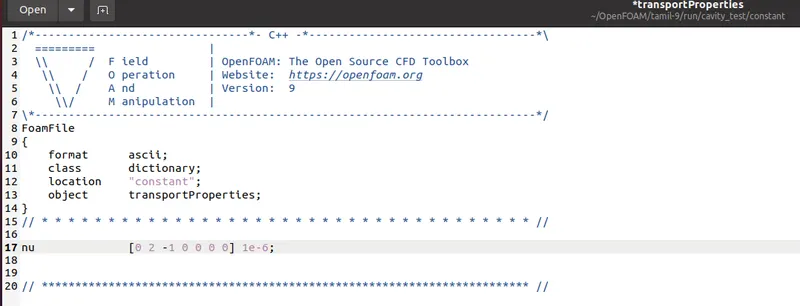
- And going to edit the velocity and pressure files inlet will be fixed value here we initiate the initial velocity and initial pressure will be zeroGradient and outlet velocity is zeroGradient the pressure will be zeroGradient and there is no slip boundaries in bottom and top velocity and tranport properties will be changed
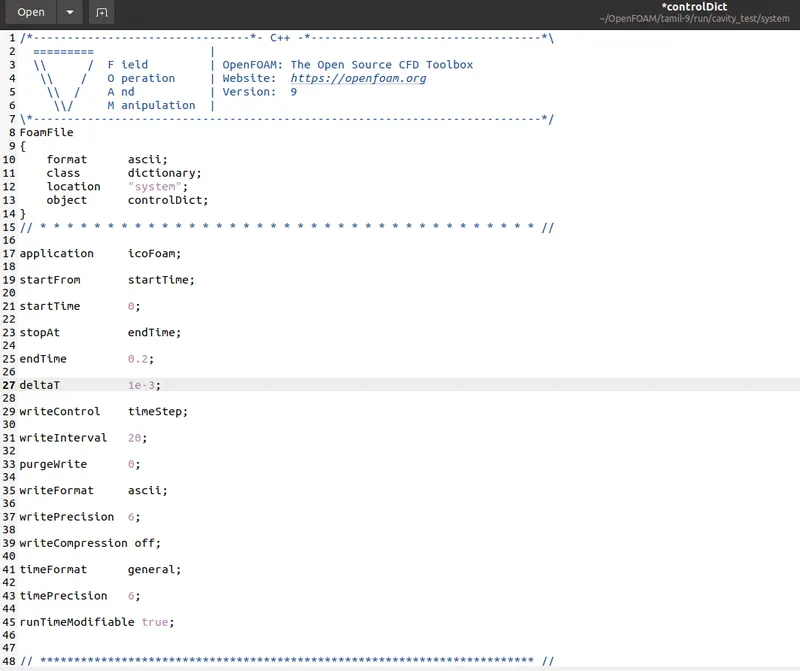
- The control Dict file the simulation time and time step need to assigned by the courant number is less than 0.5.
- Creating the blockMesh and run the simulation solver with respective solver after the simulation using paraFoam command to open the paraview and plot the velocity profile with the grading factor.
BlockMeshDict File
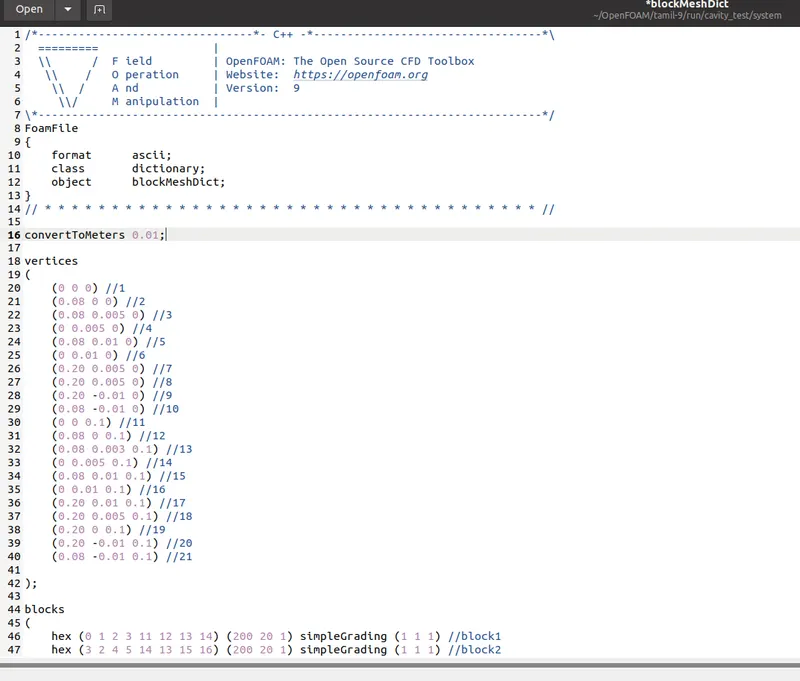
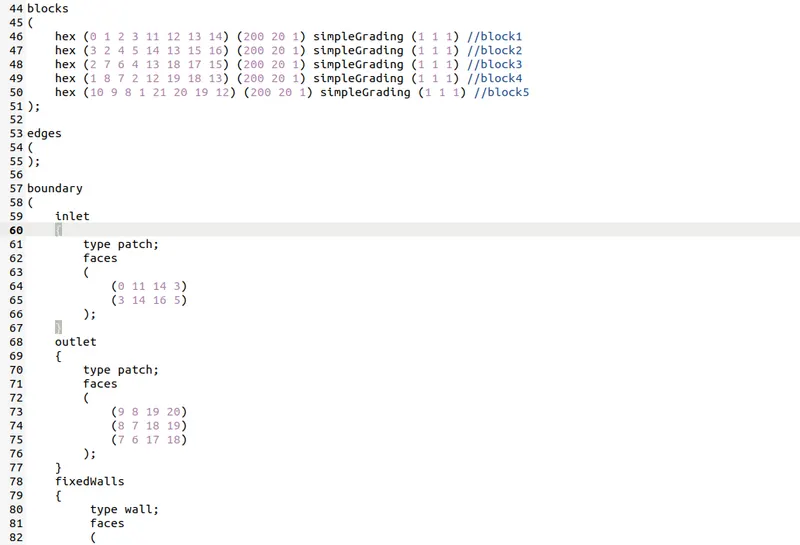
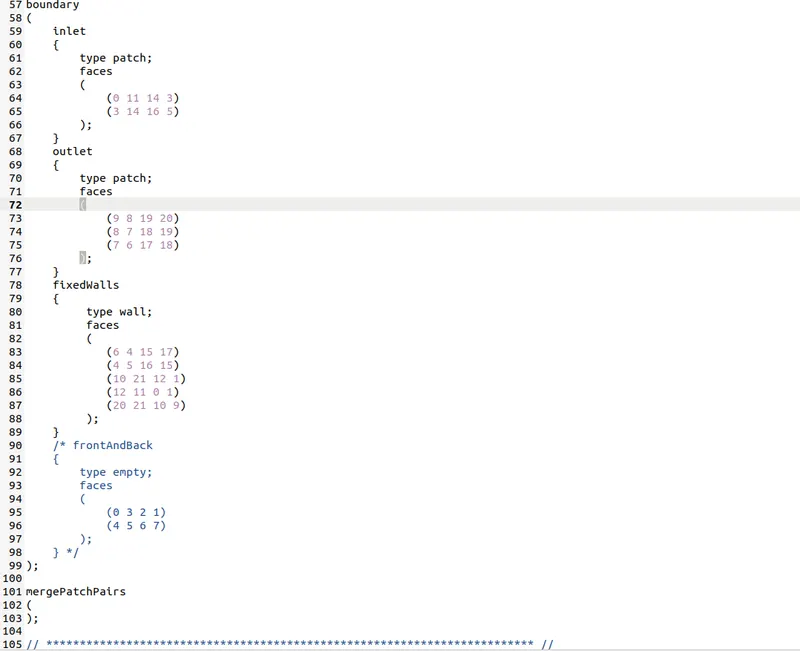
blockMeshDict File GF 0.2
Control Dict File
Pressure File
Velocity File
Transport Properties
Results
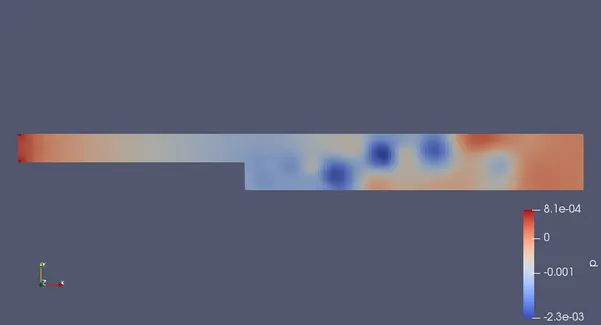
For Grading Factor 1
Mesh
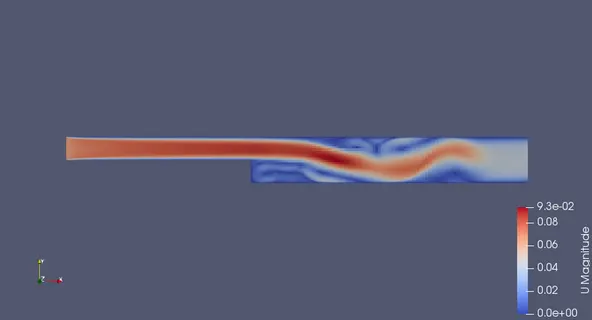
Velocity
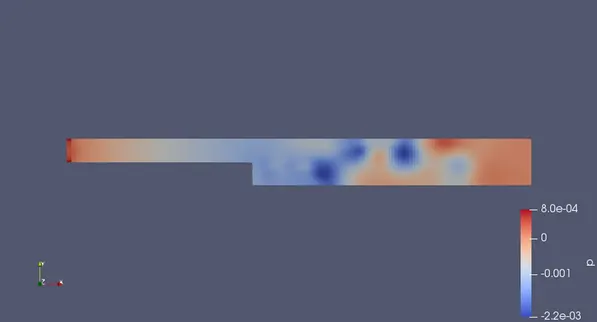
Pressure
Velocity Profile
For GF 2
Mesh
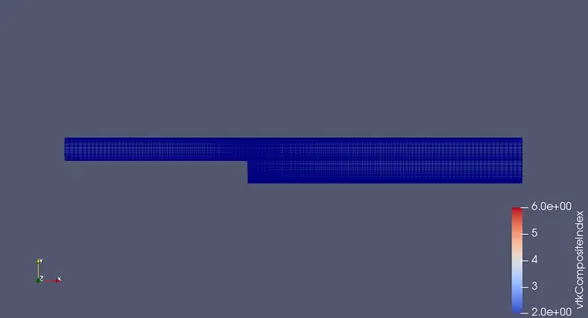
Velocity
pressure
Velocity Profile
Conclusion
- Changing Grading Factor then the mesh becomes fine and solutions are very very accurate.
- The execution time is low for lower grading factor and High for higher grading factor.